
Lexar OC DDR5 RAM 1x8GB 6000MHz CL38 288-Pin UDIMM Desktop Memory
4.8Editor score
6000MT/s Speed
CL38 Low Latency
Aluminum Heatsink
XMP 3.0 Support
This guide compares the top 10 Lexar DDR5 RAM kits for gaming and workstations, analyzing speed, latency, and compatibility to help you choose the right memory.
Choosing the right memory is crucial for modern computing. DDR5 RAM offers significant speed improvements over previous generations. It ensures smoother multitasking and faster load times for demanding applications.
We compared ten top-rated kits based on speed, latency, and build quality. Our analysis focuses on compatibility with Intel and AMD platforms. We also evaluate thermal performance and aesthetic design.
Each pick highlights key features and potential trade-offs. Prices fluctuate frequently, so check current listings before buying. This guide aims to simplify your decision-making process for next-gen systems.
4.8Editor score

4.4Editor score

4.8Editor score
The following table compares all ten products side by side. It highlights capacity, speed, latency, and key features to help you quickly identify the best fit for your specific build needs.



The Lexar OC DDR5 RAM offers exceptional speed and value. It achieves 6000MT/s with low CL38 latency. The aluminum heatsink ensures reliable thermal performance.
We may earn a commission when you buy through this link, at no additional cost to you.
It works with Intel 14th Gen and AMD AM4/AM5 platforms. On-die ECC and onboard PMIC enhance stability under load. The compact 39mm profile fits most coolers.
While it lacks RGB lighting, the minimalist design is sleek. A single stick may limit dual-channel performance in some cases. It is still a strong choice for upgrades.
Buyers seeking fast, reliable memory should consider this kit. It balances price and performance effectively. Ensure your motherboard supports the required XMP profile.
The premium sandblasted aluminum heatsink provides uncompromising thermal control for sustained loads.
Supports Intel XMP 3.0 and AMD EXPO for effortless one-click overclocking on mainstream motherboards.
We may earn a commission when you buy through this link, at no additional cost to you.
The Lexar Thor Z RGB delivers next-gen dominance with 32GB. It clocks at 6000MHz with low CL38 latency. The RGB lighting elevates build aesthetics significantly.
We may earn a commission when you buy through this link, at no additional cost to you.
Its sandblasted aluminum heatsink ensures cool operation under pressure. On-die ECC and PMIC boost reliability and power efficiency. It fully supports XMP 3.0 and EXPO.
The bright RGB can clash with minimalist builds. It is pricey compared to non-RGB options. The large profile may restrict some compact air coolers.
Gamers wanting both speed and style should pick this kit. It offers a full-throttle advantage for next-gen titles. Ensure adequate clearance in your case.
Brighter and more vibrant RGB allows synchronization with other components for an immersive atmosphere.
On-die ECC and PMIC improve stability and power efficiency for a longer-lasting stable system.
We may earn a commission when you buy through this link, at no additional cost to you.
G.SKILL Flare X5 offers optimized performance for AMD platforms. It supports up to 6000MT/s with CL36 latency. The matte black finish fits modern builds.
We may earn a commission when you buy through this link, at no additional cost to you.
It includes JEDEC default and overclock profiles. It is compatible with Z890, B650, and X670 boards. Mixing kits is discouraged to prevent instability.
Speed requires BIOS adjustments. It may not reach rated speeds on all setups. Non-ECC design lacks extra error correction.
AM5 users wanting reliable memory should choose this. It balances price and performance well. Verify motherboard QVL support before purchase.
Includes AMD EXPO and Intel XMP 3.0 memory overclock profiles for easier performance gains.
Refer to G.SKILL QVL or Configurator tool for validated motherboard and hardware combinations.
We may earn a commission when you buy through this link, at no additional cost to you.
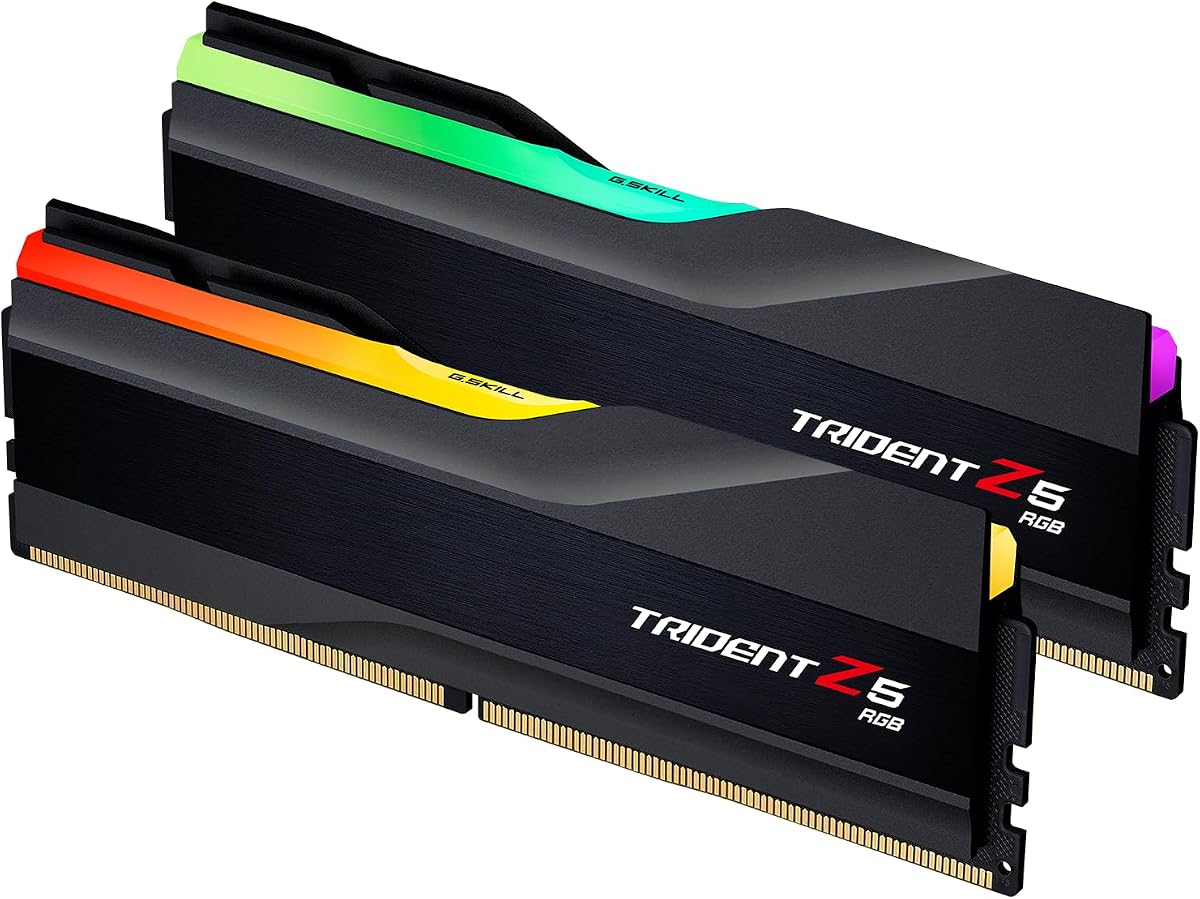
G.SKILL Trident Z5 RGB adds visual flair with 32GB. It reaches 6000MT/s with CL36 latency. The design blends performance with aesthetic appeal.
We may earn a commission when you buy through this link, at no additional cost to you.
Supports Intel XMP 3.0 and AMD EXPO profiles. Compatible with Z890, B760, and B650 platforms. Mixing kits can cause system failure.
Speed depends on motherboard and CPU. It might not hit rated speeds out of box. RGB software may need setup.
Gamers seeking looks and speed should consider this. It offers strong overclocking profiles. Ensure you have compatible components for best results.
Includes JEDEC default, and Intel XMP 3.0 and AMD EXPO memory overclock profiles.
Mixing memory kits results in stability issues or system failure. Always use matched kits.
We may earn a commission when you buy through this link, at no additional cost to you.
G.SKILL Flare X5 64GB provides massive capacity for workstations. It supports 6000MT/s with CL36 latency. The black design suits professional setups.
We may earn a commission when you buy through this link, at no additional cost to you.
Compatible with Intel Z890 and AMD X670 platforms. Includes JEDEC and overclock profiles. Mixing kits is strongly discouraged.
Rated speed requires BIOS adjustments. It may be hard to find in stock. It is pricier than smaller kits.
Professionals needing huge memory should choose this. It supports high-end workflows. Ensure motherboard supports 64GB kits.
64GB capacity handles heavy workloads like video editing and simulation software.
Supports Intel Z890, B860 and AMD X870, B850 platforms for broad compatibility.
We may earn a commission when you buy through this link, at no additional cost to you.
ADATA Lancer Blade offers fast 6000MHz speeds. The RGB adds visual flair to builds. It comes with an 11-month warranty.
We may earn a commission when you buy through this link, at no additional cost to you.
It features a sleek black heatsink. Ideal for entry DDR 16GB upgrades. The single module limits dual-channel benefits.
RGB control may depend on motherboard software. It might need testing for stability. Single stick lacks full kit reliability.
Budget buyers wanting RGB should consider this. It is a quick performance upgrade. Ensure compatibility before installing.
Adds customizable RGB lighting to enhance your build's visual appeal.
Includes 11-month warranty for peace of mind against defects.
We may earn a commission when you buy through this link, at no additional cost to you.
G.SKILL Trident Z5 Neo targets AMD platforms specifically. It reaches 6000MT/s with CL36 latency. RGB provides customizable lighting effects.
We may earn a commission when you buy through this link, at no additional cost to you.
It includes JEDEC and overclock profiles. Compatible with Z890, B650, and X870 boards. Mixing kits can cause instability.
Speed depends on system components. Might not achieve rated speed out of box. RGB can be bright in dark rooms.
Ryzen users wanting RGB should choose this. It offers strong performance. Verify motherboard compatibility for best results.
Specifically designed for AMD AM5 platform compatibility and performance.
Customizable RGB lighting allows synchronization with other system components.
We may earn a commission when you buy through this link, at no additional cost to you.
G.Skill Flare X5 offers affordable 32GB performance. It supports 6000MT/s with CL36 latency. Matte black suits modern builds.
We may earn a commission when you buy through this link, at no additional cost to you.
Compatible with Z890, B650, and X670. Includes JEDEC and overclock profiles. Mixing kits can cause system failure.
Rated speed may need BIOS changes. Non-ECC lacks extra error correction. It is budget friendly for 32GB.
Price-conscious buyers should choose this kit. It balances value and performance. Ensure motherboard supports rated speeds.
Delivers 32GB performance without breaking the bank for modern systems.
Broad compatibility with Intel and AMD platforms for easy upgrades.
We may earn a commission when you buy through this link, at no additional cost to you.
XPG Lancer Blade delivers ultra-low CL30 latency. It runs at 6000MHz. Customizable RGB enhances build aesthetics significantly.
We may earn a commission when you buy through this link, at no additional cost to you.
Compact low-profile heatsink improves compatibility. On-die ECC and PMIC ensure stability. Materials are high quality for overclocking.
The price is high for 32GB. RGB control needs setup. Large profile limits some coolers.
Gamers seeking speed and style should choose this. It offers top-tier performance. Check clearance before installation.
Compact low-profile heatsink design ensures broad compatibility with tower coolers.
On-die ECC error correction enhances stability for critical tasks.
We may earn a commission when you buy through this link, at no additional cost to you.
XPG Lancer Blade RBG CL36 offers fast speeds. It runs at 6000MHz. RGB adds flair to the build.
We may earn a commission when you buy through this link, at no additional cost to you.
Compact low-profile heatsink improves cooling. It is solid for gaming workloads. Black design looks sleek.
CL36 is higher than CL30. Price is high compared to competitors. RGB may need software setup.
Buyers wanting RGB and reliability should pick this. It delivers solid performance. Verify motherboard support.
Compact low-profile heatsink design ensures broad compatibility.
Customizable RGB light effects enhance visual aesthetics.
We may earn a commission when you buy through this link, at no additional cost to you.
Selecting the right RAM involves balancing capacity, speed, and latency. This guide outlines key factors to consider for optimal system performance.
Determine your workload requirements. Gaming typically needs 32GB, while heavy workloads benefit from 64GB.
Always prioritize capacity that matches your application needs.
Look for kits rated at 6000MT/s with low CL values. Lower latency like CL30 improves performance in gaming.
Ensure your motherboard supports the rated speed via BIOS updates.
Verify support for your CPU and motherboard. Intel XMP 3.0 and AMD EXPO ensure compatibility.
Check manufacturer QVL lists to avoid compatibility issues.
High-performance kits require effective cooling. Heatsinks help maintain stability under sustained loads.
Look for premium materials like aluminum for better dissipation.
RGB adds aesthetics but may require software control. Non-RGB kits are often simpler and cheaper.
Choose based on your build's visual style requirements.
Higher speeds and capacities cost more. Balance your needs against your budget.
Mid-range kits often offer the best price-to-performance ratio.
Some kits include on-die ECC for stability. This corrects data errors without needing server-grade RAM.
Beneficial for mission-critical workloads.
Install the RAM into matching slots on your motherboard to enable dual-channel performance. Ensure the clips snap firmly into place.
Update your motherboard BIOS before enabling XMP or EXPO profiles in BIOS settings to achieve rated speeds safely.
Keep your system clean to prevent dust buildup on memory modules. Regular cleaning ensures stable thermal performance.
Yes, DDR5 modules require specific motherboards with DDR5 slots. Older boards only support DDR4. Always check compatibility before upgrading your system.
Most modern games run well on 32GB. It allows smooth multitasking and future-proofing. For most users, this capacity is ideal.
Intel XMP 3.0 is a profile that auto-overclocks RAM. It ensures the memory runs at rated speeds without manual BIOS tweaks. Check motherboard support.
No, mixing kits often causes instability. Always use matched kits sold together. Manufacturers test them to run perfectly as a set.
Run built-in diagnostics or tools like MemTest86. If your system boots and passes stability tests, the RAM is functioning correctly.
Updating BIOS is crucial for DDR5 compatibility. It fixes issues and unlocks features like EXPO. Always update before installing new memory.
This guide covered ten top options from Lexar and competitors. Each offers unique benefits for different system needs.
Prioritize speed and latency based on your workload. Ensure compatibility with your platform before buying.
Always verify current listings and prices. Technology evolves quickly, so check for latest deals before purchasing.