
Portable Charger Stand for Switch/Switch Lite/
3.9Editor score
Includes Type C cable
Triangle base design
Lightweight and portable
This expert guide compares the top Charging Dock Switch Lite models for stability, portability, and safety to help you find the perfect accessory for your
Finding a reliable Charging Dock Switch Lite is essential for gamers who want to play hands-free while keeping their device powered up. A good dock should offer stability, protection, and a comfortable viewing angle for extended gaming sessions at home or on the go.
We have analyzed ten top-rated charging stations based on build quality, compatibility, and user feedback. Our comparison focuses on key features like anti-slip bases, viewing angles, and portability to ensure you get the most value for your investment.
Each pick below highlights unique strengths tailored to different needs, from budget-friendly options to feature-rich stands. Keep in mind that product availability and pricing can change over time, so check the latest details before making your final purchase decision.
3.9Editor score
4.2Editor score

4.3Editor score
The following table provides a side-by-side look at the key specifications and features of each charging dock to help you quickly identify which model fits your specific gaming setup and portability needs.



This versatile Charging Dock Switch Lite option is rated highly for its ability to support Nintendo Switch 2, 1, OLED, and Lite models securely. It features a thoughtful design that prioritizes safety and stability with a non-slip rubber base.
We may earn a commission when you buy through this link, at no additional cost to you.
The soft silicone padding ensures your console stays free from scratches while the 45-degree viewing angle provides an immersive hands-free experience. Its lightweight build makes it exceptionally easy to carry in a bag or pocket.
While it does not include a charging cable and may require removing thick protective cases, these minor inconveniences are outweighed by its robust construction and broad compatibility. Users appreciate the steady placement during gameplay.
This dock is ideal for travelers and home users who want a reliable stand that keeps their device powered and visible. It balances affordability with essential features that enhance the gaming experience significantly.
Works with Switch 2, standard Switch, OLED, and Lite models for maximum versatility.
Non-slip base and silicone padding protect your device from moving or getting scratched.
We may earn a commission when you buy through this link, at no additional cost to you.
Designed specifically for the Switch Lite, this gray charging dock offers a compact solution that is easy to store or transport. It supports the official Nintendo Switch charger to ensure efficient and safe power delivery to your device.
We may earn a commission when you buy through this link, at no additional cost to you.
The combination of a metal base and soft nonskid rubber keeps the console firmly in place during use. A silicone pad around the output port adds an extra layer of protection against potential scratches from daily handling.
While it is tailored for the Lite model and requires checking adapter voltage for optimal speed, it remains a practical choice for desktop or travel setups. Its sturdy build and protective features make it a reliable companion.
This dock is perfect for owners who prioritize portability and need a dedicated stand for their Switch Lite. It combines functionality with a sleek design that fits well in any gaming environment.
Type-C port allows you to play games comfortably while the device charges.
Metal base with nonskid rubber ensures the stand stays put on any surface.
We may earn a commission when you buy through this link, at no additional cost to you.
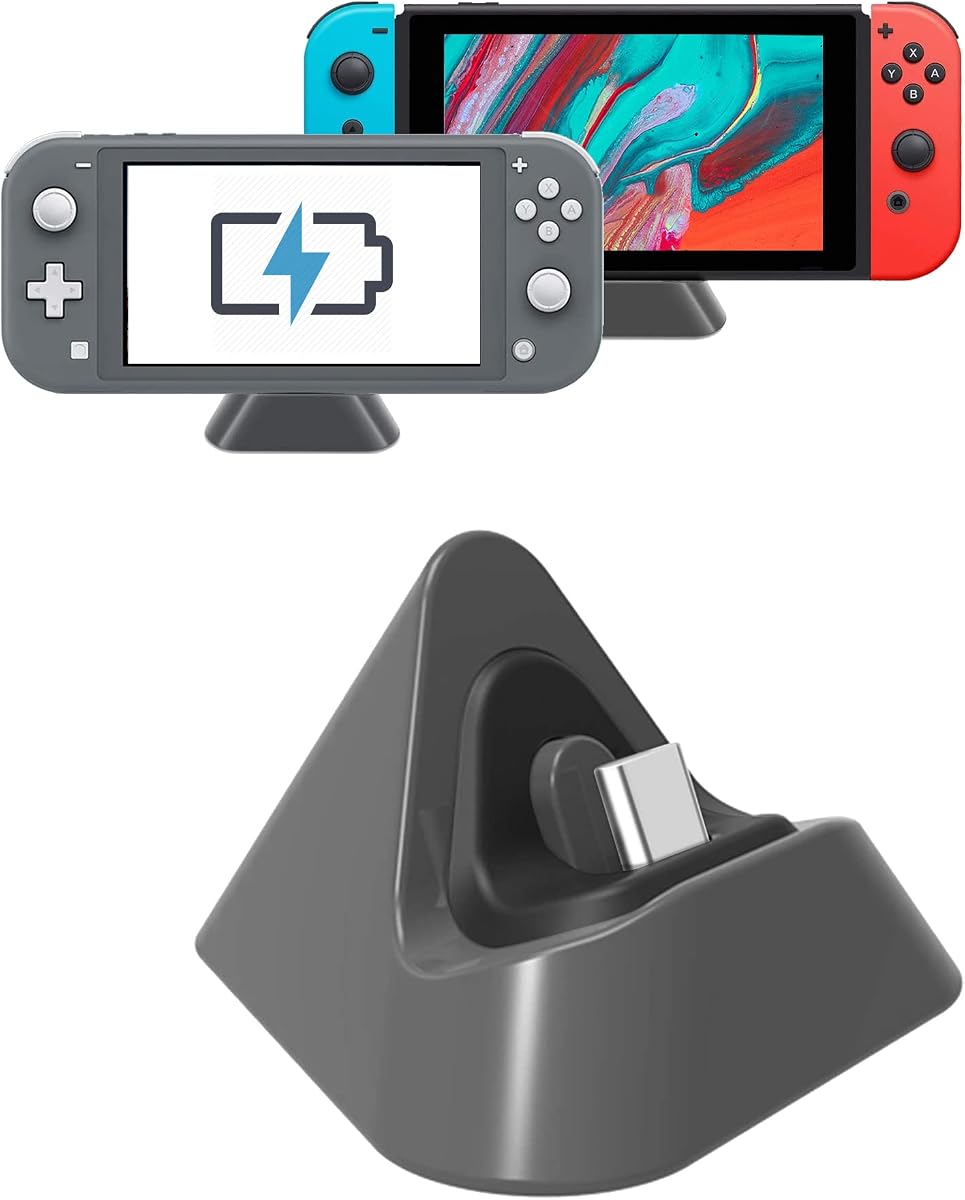
This gray charging dock utilizes a stable triangular design to keep your Switch Lite secure while charging. It is compatible with original AC adapters to help you stay powered during intense gaming sessions at home or on the go.
We may earn a commission when you buy through this link, at no additional cost to you.
Built-in chips provide short circuit and overheat protection, adding a layer of safety for your device. The soft silicone design on contact points prevents scratches, while the rubber anti-slip pad keeps the station stable on desktops.
Although it does not come with a cable and charging speed depends on your adapter, the lightweight construction makes it easy to carry anywhere. The high-quality ABS material ensures durability and matches the console aesthetics nicely.
Ideal for gamers who want a simple and safe charging solution that doubles as a viewing stand. Its protective features and portability make it a strong candidate for those seeking reliable accessory support.
Built-in chip protects against short circuits, over power, and overheating.
Watch the screen while charging and play games at the same time easily.
We may earn a commission when you buy through this link, at no additional cost to you.
This black charging stand offers adjustable angles for a customizable viewing experience across Switch, Switch Lite, and Switch 2 systems. It supports USB Type C chargers and includes safety protections to ensure reliable operation during use.
We may earn a commission when you buy through this link, at no additional cost to you.
The sturdy construction keeps the console stable from slipping, allowing for longer play sessions while charging. Its portable design makes it easy to pack into a bag or pocket for gaming on the move or away from home.
While it cannot be used with smartphones and may struggle with thick cases, these limitations are specific to its design focus on consoles. The protection features add value by safeguarding your device from electrical issues.
Best suited for users who need flexibility in viewing angles and want one dock for multiple Switch generations. It balances utility with portability to support diverse gaming scenarios effectively.
Adjustable design lets you find the perfect angle for any playing situation.
Works with Switch 2, standard Switch, and Lite models for wide use.
We may earn a commission when you buy through this link, at no additional cost to you.
This dock stands out with a unique switch button design that lets you cut off power supply instantly to protect your console. It supports multiple models including Switch 2, OLED, and Lite with an ergonomic angle for comfortable use.
We may earn a commission when you buy through this link, at no additional cost to you.
The non-slip rubber base prevents slipping and ensures the console stands steadily during charging. Lightweight and compact, it is easy to carry in a bag or pocket for gaming with family and friends anywhere.
While it cannot connect to a TV and requires disconnection when not in use, the included cable adds convenience for immediate setup. The safety switch provides peace of mind for extended charging periods.
Great for travelers who want a simple dock with extra safety features and included accessories. Its design prioritizes protection and portability to suit active gaming lifestyles.
Unique switch button allows you to cut power supply for extra protection.
Ergonomic elevation angle protects the screen and offers a comfortable view.
We may earn a commission when you buy through this link, at no additional cost to you.
This dock features a game-style exterior inspired by classic Nintendo characters, making it a decorative piece as well as a functional stand. It uses an ergonomic 45-degree angle to protect the screen and offer a comfortable viewing experience.
We may earn a commission when you buy through this link, at no additional cost to you.
The non-slip rubber ring and soft silicone pad ensure stability and scratch protection for your console. At only 0.25 pounds, it is highly portable and easy to store in a bag or pocket for travel use.
Although it cannot connect to a TV and needs to be disconnected when not charging, the included cable simplifies setup. Its compact volume is significantly smaller than the original dock, saving valuable desk space.
Perfect for gamers who appreciate thematic design and want a small reliable charging stand. It combines style with practical features to enhance the gaming setup visually and functionally.
Classic character design makes this stand a decorative addition to your setup.
Volume is only 20% of original dock for easy storage and portability.
We may earn a commission when you buy through this link, at no additional cost to you.
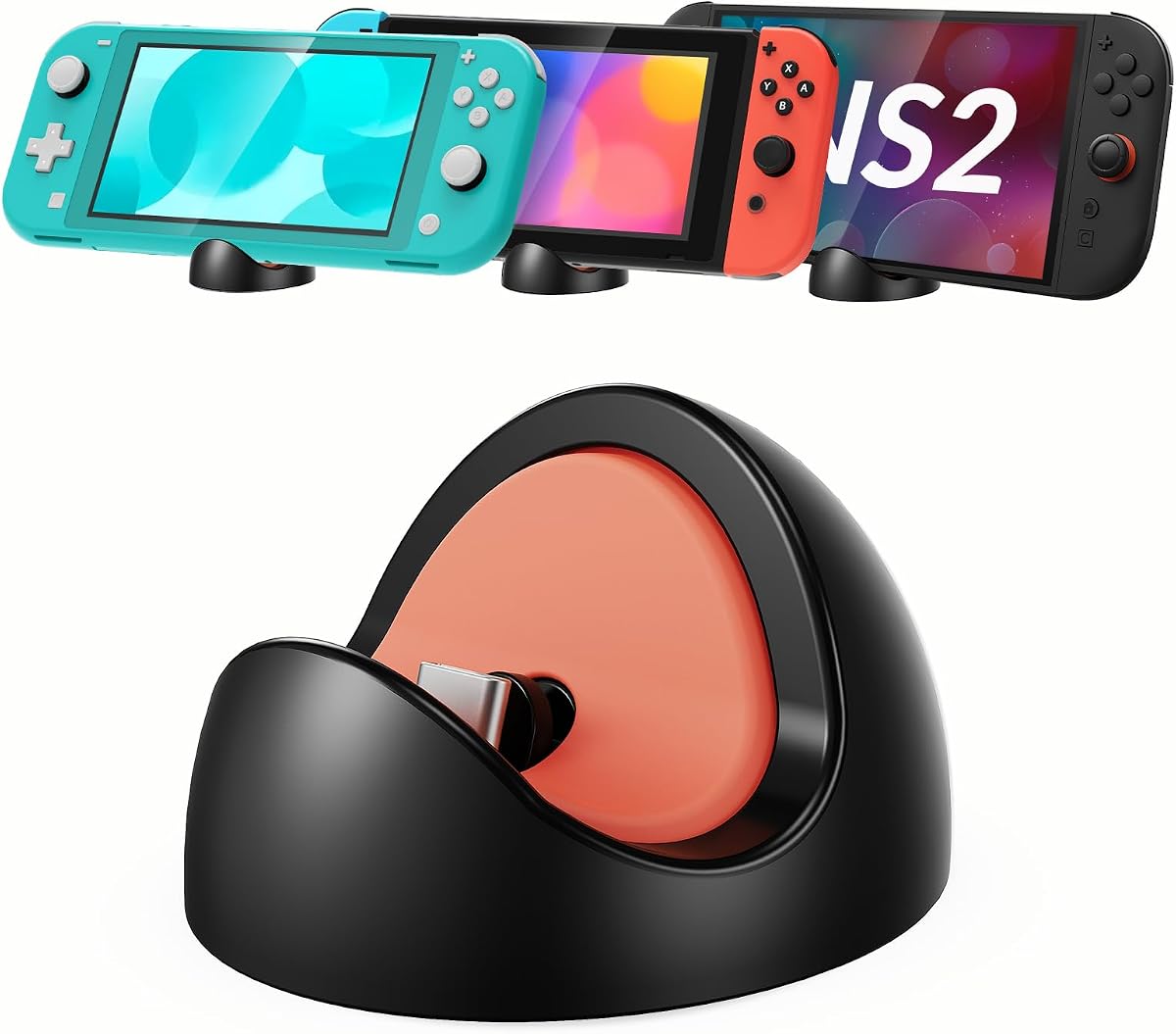
With its spherical design and classic color scheme, this stand doubles as a stylish decoration while providing reliable charging. It features robust over-voltage protection to ensure safety during charging sessions for various Switch models.
We may earn a commission when you buy through this link, at no additional cost to you.
The non-slip rubber ring and silicone pads keep the console stable and scratch-free. Its compact size fits minimal space on any desk while offering a comfortable 45-degree elevation angle for gameplay.
Although a USB-C cable is not included and thick cases must be removed for a proper fit, these are minor considerations for such a well-engineered product. The built-in kickstand adjustment for Switch 2 adds versatility.
Ideal for users who value safety and aesthetics in their gaming accessories. This premium dock balances cute visuals with serious protection features to meet diverse needs.
Over-current and over-voltage protection ensure safety while the design looks great.
Small footprint allows for easy travel and desktop use without clutter.
We may earn a commission when you buy through this link, at no additional cost to you.
This black stand is specifically designed for Switch and Lite models and comes with a Type C cable for immediate use. Its triangle base keeps the station stable on desks while the soft rubber prevents slipping during gameplay.
We may earn a commission when you buy through this link, at no additional cost to you.
The compact size allows you to take it anywhere in your pocket or bag. It serves as both a charging dock and a display unit to keep your gaming area neat and organized across rooms.
With basic features and a simpler build, it may not match the premium options but offers excellent value. The PTC protection inside helps keep your device safe from over-current issues reliably.
Best for budget-conscious users who need a simple solution with included cables. It delivers essential functionality without unnecessary complexity or expense.
Comes with a USB Type C cable so you can start using it right away.
Serves as a storage unit to keep your gaming area organized and tidy.
We may earn a commission when you buy through this link, at no additional cost to you.
This dock is suitable for Nintendo Switch Joy Cons and Pro controllers, offering a 6-in-1 fast charging solution. LED indicators help you observe charging status while smart chips provide safety against heat and short circuits.
We may earn a commission when you buy through this link, at no additional cost to you.
You can charge four Joy Cons and two Pro controllers or a Switch and OLED at the same time. The easy slide-in design allows for quick access and saves space on your desktop efficiently.
While it may not work with third-party controllers and does not include an AC adapter, it remains a robust choice for serious gamers. Its solid construction ensures durability for daily use over long periods.
Ideal for households with multiple controllers who need centralized charging. It combines speed, safety, and convenience to streamline your gaming setup maintenance.
Charges 4 Joy Cons and 2 Pro controllers simultaneously for multi-gamer convenience.
Built-in smart chip provides over heat and short-circuit protection for safety.
We may earn a commission when you buy through this link, at no additional cost to you.
Designed for Switch Lite and OLED consoles, this dock doubles as an adapter to connect two wired controllers for local play. Its circular shape and hand strap make it easy to carry around for gaming on the go.
We may earn a commission when you buy through this link, at no additional cost to you.
You can charge and use as a bracket simultaneously, offering convenience and simplicity. The built-in protector chip stops charging when fully charged, ensuring a safe and reliable environment for your device.
While you must use the original charger with wired controllers, the full charge time is completed within 3 hours. Its compact design fits easily into a travel case or pocket for portability.
Great for players who want to host local multiplayer sessions with wired controllers. It balances charging and connectivity to serve diverse gaming needs in a compact form.
Connect 2 wired controllers to play games on Switch Lite at the same time.
Built-in protector chip stops charging when fully charged for safety.
We may earn a commission when you buy through this link, at no additional cost to you.
Selecting the right Charging Dock Switch Lite requires evaluating several factors to ensure compatibility, safety, and convenience for your specific gaming habits and environment.
Ensure the dock matches your specific console model such as Switch Lite, OLED, or Switch 2. Some docks are generic while others are tailored to specific dimensions and ports.
Check that the port size aligns with your device to avoid physical incompatibility issues during regular use.
Look for sturdy materials like ABS plastic or metal bases that provide durability and prevent tipping during gameplay. Higher quality materials often correlate with better long-term performance.
Durable materials protect your console from potential damage caused by accidental bumps or drops.
A non-slip rubber base is crucial for keeping the console secure on smooth surfaces like glass or wooden desks. Stability prevents your device from sliding off during intense gaming sessions.
Rubber pads on contact points prevent scratches and keep the console steady throughout use.
An ergonomic angle like 45 degrees allows for comfortable viewing while keeping your hands free for controllers. This feature enhances the tabletop experience by reducing strain on your neck or eyes.
Good viewing angles help you enjoy games hands-free without holding the device constantly.
If you travel often, choose a lightweight and compact dock that fits easily into a bag or pocket. Portable models allow you to maintain your gaming setup anywhere you go without bulk.
Small sizes make it easy to store the dock when not in use or transport it safely.
Safety features like over-voltage and short-circuit protection protect your device from electrical surges. These built-in chips ensure that the charging process remains safe for your console hardware.
Protection features reduce the risk of electrical damage during power fluctuations or surges.
Some docks come with USB Type C cables while others do not, affecting setup convenience. Check what is included in the package before purchasing to avoid needing additional accessories.
An included cable saves you from buying one separately and getting started faster.
Additional options like LED indicators, power buttons, or controller ports add convenience but increase cost. Determine which features you actually need versus which are nice to have.
Extra features can improve usability but should not compromise core functionality.
Place the dock on a flat stable surface away from direct sunlight or moisture to prevent damage. Ensure the rubber base is clean and dry to maintain grip on your desk.
Insert your console gently into the dock ensuring the USB-C port aligns with the internal connector. Connect the power adapter to the dock and plug it into a wall outlet.
Regularly clean the silicone pads and base to remove dust that could affect stability or cause scratches. Remove any thick protective cases before placing the device in the dock for a secure fit.
Most of these docks are designed solely for charging and viewing on the console screen. They do not output video to a TV, so you cannot use them as a full home dock for big screen play.
Yes, most docks are compatible with official Nintendo AC adapters for safe and reliable charging. Always check the specific instructions for your chosen model to ensure compatibility with your adapter voltage.
Thick protective cases may not fit and should be removed to ensure the device sits securely. Thin cases might work but could affect stability so it is best to remove them for best results.
Many docks include built-in chips that protect against short circuits over voltage and overheat issues. These features help safeguard your console from electrical damage during the charging process.
Full charge times vary but typically take around 3 hours when using an appropriate power adapter. Charging speed depends on your adapter voltage and the current state of the device battery.
Several models listed are compatible with the Switch 2 along with the original and Lite models. Check the specific product details to confirm compatibility before purchasing for the newer console.
We have highlighted the top options ranging from portable budget picks to feature-rich premium models. Each selection offers unique advantages suited to different preferences and gaming needs.
Prioritize stability and safety features to protect your device while ensuring the viewing angle suits your comfort level. Consider portability if you travel frequently to maintain your gaming setup on the go.
Remember to check the latest product details and availability before purchasing since offerings may change. Select the dock that best aligns with your specific requirements for a seamless gaming experience.