
GMKtec M3 Mini PC
4.4Editor score
16GB DDR4 RAM Included
1TB NVMe Storage Space
Triple 4K Display Support
This guide compares the top 10 Intel Core i5 Mini PC models of October 2026, evaluating performance, connectivity, and value for diverse computing needs.
Mini PCs powered by Intel Core i5 processors offer a perfect balance of performance and space efficiency for modern workspaces. These compact systems deliver desktop-class computing power while occupying minimal desk real estate, making them ideal for professionals, students, and home users who value clean setups without sacrificing capability.
We evaluated ten leading Intel Core i5 Mini PC models based on processor architecture, memory capacity, storage options, connectivity ports, and overall build quality. Our analysis focuses on real-world usability, thermal performance, and expandability to help you find the system that best matches your specific workflow requirements and budget constraints.
Each pick below highlights specific strengths like multi-monitor support, networking capabilities, or thermal design. While we provide detailed specifications and insights, remember that prices and availability change frequently. Always verify current stock and pricing on the product pages before making your final purchase decision for your specific setup.
4.4Editor score

4.5Editor score

4.2Editor score
The following table provides a side-by-side comparison of all ten reviewed models. It highlights key specifications like processor generation, memory type, storage capacity, and unique features to help you quickly identify which unit fits your needs.



The ASUS NUC 13 Pro stands out as the premier Intel Core i5 Mini PC due to its exceptional blend of performance and connectivity. With a 4.5 star rating, it is widely trusted by professionals who need reliable desktop power in a tiny footprint. The 13th Gen i5-1340P processor ensures smooth operation for demanding tasks.
We may earn a commission when you buy through this link, at no additional cost to you.
Key strengths include the dual Thunderbolt 4 ports which offer versatile connectivity for docks and 4K displays. The system supports up to 64GB of dual-channel DDR4 RAM making it ready for heavy multitasking and virtualization workloads. Preinstalled Windows 11 Pro adds essential business security and remote management tools right out of the box.
Honest trade-offs involve a slightly higher price compared to budget alternatives and the lack of an integrated webcam for video conferencing. These are acceptable given the superior I/O options and enterprise-grade reliability the device offers. Users who prioritize speed and expandability will find these limitations minor.
This unit is ideal for office professionals, content creators, and home users who want a powerful mini desktop without compromise. The 3-year warranty provides peace of mind for long-term use. If you seek the best overall experience in an Intel Core i5 Mini PC this model is the top recommendation.
The inclusion of Thunderbolt 4 allows for daisy-chaining high-resolution displays and fast external storage drives effortlessly.
Intel NUC Pro Software Suite enables remote control and system monitoring for IT administrators managing multiple units.
We may earn a commission when you buy through this link, at no additional cost to you.
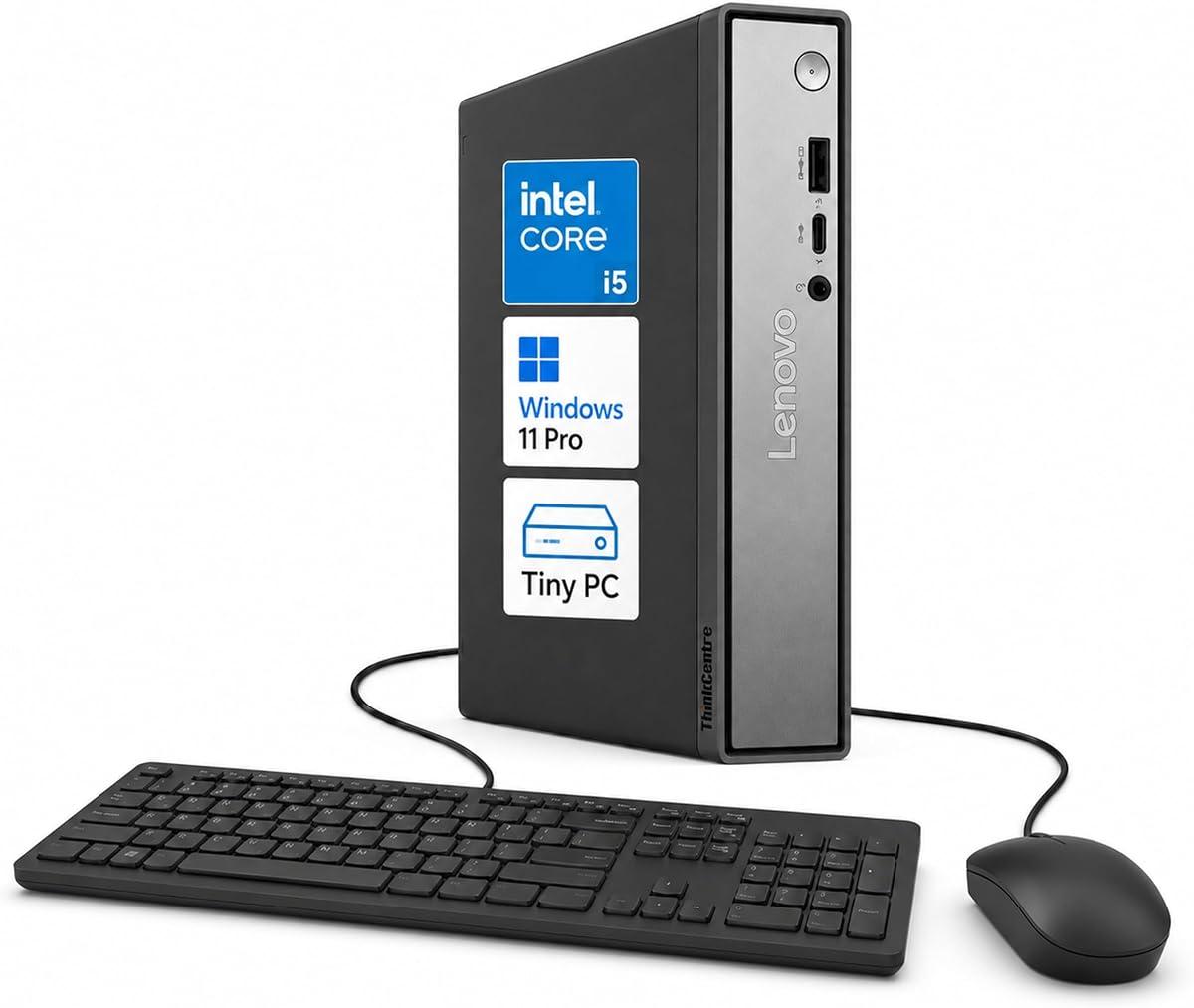
The Lenovo ThinkCentre Neo 50q Gen 5 is a highly rated compact PC designed for efficient office environments. With a perfect 5.0 star rating, it is praised for its stable performance and space-saving design. The 13th Gen i5-13420H provides ample power for web browsing and productivity apps.
We may earn a commission when you buy through this link, at no additional cost to you.
This mini PC shines with its ability to support up to three independent displays simultaneously using two DisplayPort and one HDMI output. This feature is perfect for traders or analysts who need extended screen real estate without clutter. The 1L chassis can be mounted or laid flat fitting into tight desk spaces.
Trade-offs include a modest number of USB-A ports which may require hubs for legacy peripherals. Upgrading memory involves opening the case which may void warranty if not done carefully. However the overall stability and performance make it a solid choice for daily professional use.
Choose this system if you need a reliable multi-monitor workstation that fits anywhere. The included Windows 11 Pro ensures enterprise security. Its robust build and high rating confirm it as a top contender in the Intel Core i5 Mini PC category for business settings.
Compatible AI tools assist with writing and research tasks enhancing overall workflow efficiency for office workers.
The tiny design allows for VESA mounting behind monitors to free up valuable desk surface area completely.
We may earn a commission when you buy through this link, at no additional cost to you.
The MINISFORUM NAB5R offers impressive connectivity and raw processing power for its class. Rated 4.5 stars it is valued for its dual 2.5Gb Ethernet ports which support network redundancy and advanced server use. The 13th Gen i5-13500H delivers 12 cores for heavy multitasking.
We may earn a commission when you buy through this link, at no additional cost to you.
Standout features include support for four 4K displays simultaneously via HDMI and USB-C video outputs making it a versatile media hub. Preinstalled Windows 11 IoT Enterprise provides long-term stability suitable for kiosks or industrial applications. The system also supports up to 64GB RAM for future proofing.
Drawbacks involve the specific IoT version of Windows which may lack consumer apps. Some users report fan noise during intensive tasks though this is typical for thin designs. These factors are minor compared to the networking and display versatility the unit offers.
Ideal for home lab enthusiasts and network admins needing dual LAN connectivity. The quad 4K support is perfect for digital signage. If you prioritize connectivity and core count in an Intel Core i5 Mini PC this model is an excellent technical choice.
Dual high-speed Ethernet ports enable load balancing and failover configurations for critical network tasks.
IoT Enterprise edition ensures longer lifecycle support and reduced update disruptions for reliable deployment.
We may earn a commission when you buy through this link, at no additional cost to you.
This HP Mini PC delivers reliable business-class performance through its Q370 chipset and 6-core i5 processor. With a 4.3 star rating it is chosen for stability in professional settings. The compact size allows it to fit discreetly under desks or monitors.
We may earn a commission when you buy through this link, at no additional cost to you.
Key strengths include dual DisplayPort 1.2 outputs for multi-monitor setups and ample USB 3.1 Gen 2 ports for peripheral connectivity. The Intel UHD Graphics 630 handles standard office graphics well. Boot times are fast thanks to the PCIe NVMe SSD included.
Trade-offs include the older chipset which limits newer AI accelerators and a smaller 256GB storage drive that may fill quickly. However the enterprise reliability and sturdy build quality make it suitable for corporate deployments where uptime is critical.
Pick this if you need a dependable workstation for standard office tasks. The compact design helps keep desks tidy. For reliable corporate Intel Core i5 Mini PC systems this HP model remains a solid choice for consistent daily use.
Q370 chipset provides enhanced security and manageability features often required by business IT departments.
Measures under 7 inches on each side ensuring it fits in even the tightest workspaces easily.
We may earn a commission when you buy through this link, at no additional cost to you.
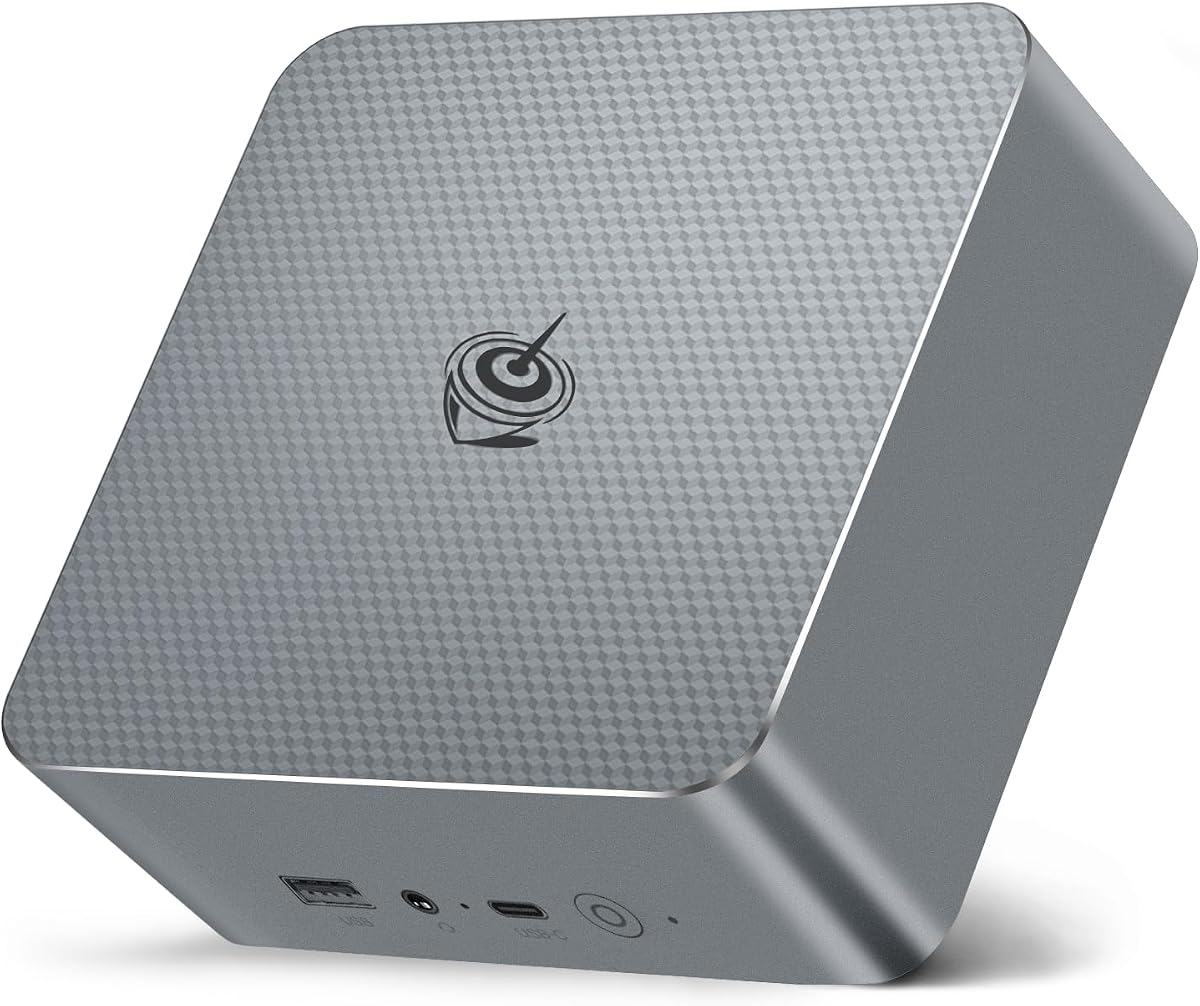
The GMKtec M3 offers exceptional value for budget-conscious buyers seeking high capacity storage and modern performance. Rated 4.4 stars it is praised for its 1TB NVMe SSD which is rare at this price point. The i5-12450H ensures smooth daily tasks and light creative work.
We may earn a commission when you buy through this link, at no additional cost to you.
Highlights include support for three 4K screens via HDMI and USB-C allowing a rich multimedia experience. The package includes a VESA mount so you can hide the PC behind your monitor. It also features 2.5Gbps LAN for faster local file transfers.
Limitations involve a fan that can be noticeable under load and a build quality that feels less premium. However these are minor compromises considering the price and generous storage. Most users find the performance and speed to be excellent.
Best for students and home users wanting large storage without spending extra. The triple screen support is a bonus for productivity. If you need the best budget Intel Core i5 Mini PC with great storage the GMKtec M3 is the top pick.
The 1TB drive eliminates the need for external hard drives for most everyday media and document needs.
Includes VESA mount and HDMI cable so you can set up immediately after powering on.
We may earn a commission when you buy through this link, at no additional cost to you.
The Lenovo ThinkCentre Tiny M70q brings latest-gen DDR5 memory and 14th Gen processing to the tiny PC market. With a 4.2 star rating it is seen as a robust option for those wanting future-proof specs. The i5-14400T offers ten cores for excellent multitasking.
We may earn a commission when you buy through this link, at no additional cost to you.
Key strengths include DDR5 RAM which provides faster data transfer rates for smoother application switching. The system is optimized for AI tasks which helps with modern productivity workflows. It supports Windows 11 Pro for enhanced security and remote work features.
Trade-offs include a higher price compared to DDR4 models and limited internal expansion options. However the speed and efficiency gains justify the cost for power users. The 3-year warranty adds significant value for business deployments.
Select this if you need maximum memory speed and latest CPU architecture. The AI tools help streamline tasks. For premium Intel Core i5 Mini PC performance this Lenovo model leads with DDR5 efficiency and enterprise reliability.
Higher bandwidth memory ensures rapid data access reducing lag during complex calculations or data tasks.
Three year coverage protects your investment against hardware failures extending the system usability period.
We may earn a commission when you buy through this link, at no additional cost to you.
The KAMRUI Hyper H2 pushes the limits with a powerful 14-core i5-14500HX processor in a small case. Rated 4.5 stars it delivers desktop-like performance for intensive tasks. The dual-fan cooling system helps manage the heat from the high-wattage CPU.
We may earn a commission when you buy through this link, at no additional cost to you.
It supports three 4K displays via HDMI DP and USB-C enabling wide workflows for creative pros. Dual M.2 slots allow easy storage expansion up to 4TB total. With 7 USB ports you connect peripherals without adapters which is rare.
Trade-offs include slightly warmer operation and a larger size than standard ultra-compact units. The dual fans can be audible under 100% load but prevent throttling. These issues are acceptable given the raw processing speed it offers.
Ideal for users who need serious power in a small box. The high core count helps with rendering and compiling. If you prioritize raw performance in an Intel Core i5 Mini PC this KAMRUI model is a strong candidate for heavy workloads.
Dual-fan system maintains high clocks without overheating enabling sustained performance under load.
Dual M.2 slots let you add a second drive easily for up to 4TB total storage space.
We may earn a commission when you buy through this link, at no additional cost to you.
This Intel NUC 13 Pro variant delivers impressive visual support with up to four screens and 8K capabilities. With a 4.6 star rating it is admired for its visual fidelity and connectivity. The i5-1340P balances power and efficiency well for general computing.
We may earn a commission when you buy through this link, at no additional cost to you.
It features dual Thunderbolt 4 ports that handle video and data transfer up to 40Gbps. This allows for high-speed docking and 4K video at 120Hz. The system is small enough to fit under TVs making it great for media centers.
Drawbacks include a missing SD card reader and higher price. The fan is quiet though effective. These are acceptable because the connectivity and visual specs are top tier for the category.
Perfect for media enthusiasts who want high-res visuals and docking flexibility. The Intel reliability is solid. For visual-centric Intel Core i5 Mini PC setups this NUC model stands out with Thunderbolt 4 versatility and display options.
One cable can charge connect to monitors and transfer data simultaneously reducing cable clutter.
Support for 8K@60Hz ensures sharp visuals even for high-end media and design work.
We may earn a commission when you buy through this link, at no additional cost to you.
The Beelink EQI13 offers a unique design with a built-in power supply that removes the need for an external brick. With a 4.5 star rating it is popular for clean setups. The i5-13420H delivers 8 cores for fast everyday computing and media playback.
We may earn a commission when you buy through this link, at no additional cost to you.
Key features include dual 2.5G LAN ports for network redundancy and dual 4K displays via HDMI for productive work. The integrated 85W power supply simplifies cabling and reduces adapter clutter on your desk. It also supports Wake on LAN for remote management.
Trade-offs include fixed power supply which limits portability to mains outlets. Some users prefer external bricks for flexibility. However the convenience and reduced cable mess make it a top choice for static desktop stations.
Ideal for users wanting a tidy desk without external bricks. The dual LAN is great for servers. For Intel Core i5 Mini PC setups prioritizing clean power and LAN speed this Beelink unit is a practical and smart choice.
The built-in 85W power brick eliminates the need for an external adapter making setup cleaner.
This feature allows remote system activation which is useful for home server or office use cases.
We may earn a commission when you buy through this link, at no additional cost to you.
The HP EliteDesk 800 G4 offers a budget-friendly route to desktop power with proven reliability. Rated 4.0 stars it is appreciated for its low price and solid core performance. The renewed status ensures tested functionality at a fraction of new costs.
We may earn a commission when you buy through this link, at no additional cost to you.
It provides 16GB DDR4 RAM and a 256GB NVMe SSD for smooth everyday operations. The dual monitor support via HDMI and DisplayPort helps maintain productivity. Its compact tiny PC form factor fits into almost any office space easily.
Trade-offs involve the older 8th Gen CPU and potential cosmetic wear from previous use. However for basic computing and office tasks this model performs admirably. The renewed warranty protects against early failures.
Choose this if you need the lowest cost option without sacrificing core utility. Perfect for basic office work. For budget Intel Core i5 Mini PC users this HP model offers great value and essential functionality.
Renewed models provide tested hardware at significantly lower prices than new units ideal for tight budgets.
The EliteDesk 800 G4 has a track record for durability in enterprise environments over many years.
We may earn a commission when you buy through this link, at no additional cost to you.
Selecting the right Intel Core i5 Mini PC requires understanding key hardware components and connectivity needs to match your workflow.
Modern Intel Core i5 Mini PCs range from 12th to 14th Gen processors. Newer generations offer better power efficiency and higher clock speeds. Look for at least 6 to 8 cores to handle multitasking without bottlenecks.
Memory determines how many applications you can run simultaneously. Aim for 16GB DDR4 or DDR5 RAM for comfortable performance. Ensure the slots are upgradeable so you can expand to 32GB or 64GB later.
Solid State Drives are standard for fast boot and application launch times. 512GB NVMe SSDs offer a good balance of speed and capacity. Check for extra M.2 slots if you plan to store large media libraries.
Many users need multiple screens for productivity. Check if the device supports two to four independent displays via HDMI and DisplayPort. USB-C ports with video output are also valuable for docking stations.
Enough USB ports are essential to connect peripherals directly. Look for USB 3.2 Gen 2 for fast data transfers. Thunderbolt 4 is a premium feature for high-speed external storage and docking.
Reliable internet and local network speeds matter for work. Gigabit Ethernet is standard but 2.5GbE is becoming common for faster file transfers. Ensure WiFi 6 or WiFi 6E support for wireless speed.
Mini PCs rely on small fans for cooling. A good thermal system keeps temperatures stable under load. Check reviews for noise levels if you work in quiet environments.
Warranty terms vary by manufacturer. Business models often come with 3-year coverage which protects your investment. Ensure local service centers are available if repairs are needed.
Ensure proper ventilation by placing the device on a hard flat surface. Do not block the air vents to prevent overheating and system shutdowns during intensive tasks.
Regularly update your BIOS and drivers to maintain system security and performance. Use the manufacturer's support website or built-in tools to download the latest patches.
Clean dust from the vents periodically using compressed air. This simple maintenance step improves cooling efficiency and extends the lifespan of the internal components.
Most models allow RAM upgrades if they use SODIMM slots. Check the manual for the maximum supported capacity like 64GB before buying new memory sticks. Always power off and unplug the device before opening it.
Yes most modern units support 4K resolution at 60Hz via HDMI or DisplayPort. Ensure the video cable supports HDMI 2.0 or higher for full bandwidth. Some models even support multiple 4K screens.
Most Intel Core i5 Mini PCs consume between 15 to 45 watts under load. They are far more efficient than traditional desktop towers. This makes them suitable for 24/7 operation with minimal energy bills.
Yes the reviewed models come with Windows 11 Pro or are compatible with it. Ensure TPM 2.0 is enabled in BIOS if installing manually. Most business PCs already include this security feature.
Integrated Intel Iris Xe graphics can handle light gaming like League of Legends or Genshin Impact at lower settings. For heavy AAA games a desktop with a dedicated GPU is better. Mini PCs are mostly for productivity.
Use the VESA mount that comes with the package to attach the Mini PC to the back of a monitor. Ensure the monitor has VESA holes and the correct screw size. This saves desk space and keeps wires hidden.
The ASUS NUC 13 Pro stands out as the best overall model for its balanced performance and Thunderbolt connectivity. The GMKtec M3 offers incredible value for those needing large storage. The Lenovo ThinkCentre Tiny M70q leads with DDR5 speed and enterprise features.
When choosing prioritize your specific workflow needs like multi-monitor support or core count. Business users should look for warranty and manageability. Students can opt for budget models like the Beelink or HP for basic productivity and cost efficiency.
Remember to check current prices and availability before purchasing as these change frequently. Verify the exact configuration matches your needs for RAM and storage. With the right Intel Core i5 Mini PC you can enjoy powerful desktop performance in a compact clean setup.