
WWZMDiB CH341A EEPROM BIOS Programmer
4.1Editor score
Supports 24 25 Series
Includes SOP8 SOP8 Clip
No Welding Required
This guide compares the top ten bios flash tools available for users seeking reliable hardware programmers and recovery utilities for modern and legacy systems.
Choosing the right bios flash tool is essential for technicians and hobbyists who need to update firmware or recover corrupted system data. These devices vary widely in compatibility, speed, and ease of use.
We evaluated ten leading options based on user feedback, technical specifications, and real-world performance. Our analysis covers everything from basic programmers to comprehensive recovery kits for diverse environments.
Each pick highlights specific strengths to help you find the best match for your projects. Keep in mind that availability and details may shift as manufacturers update their offerings regularly.
4.1Editor score
4.4Editor score

4.3Editor score
The following table provides a side-by-side comparison of all ten tools evaluated in this guide to help you quickly identify the right features for your needs.





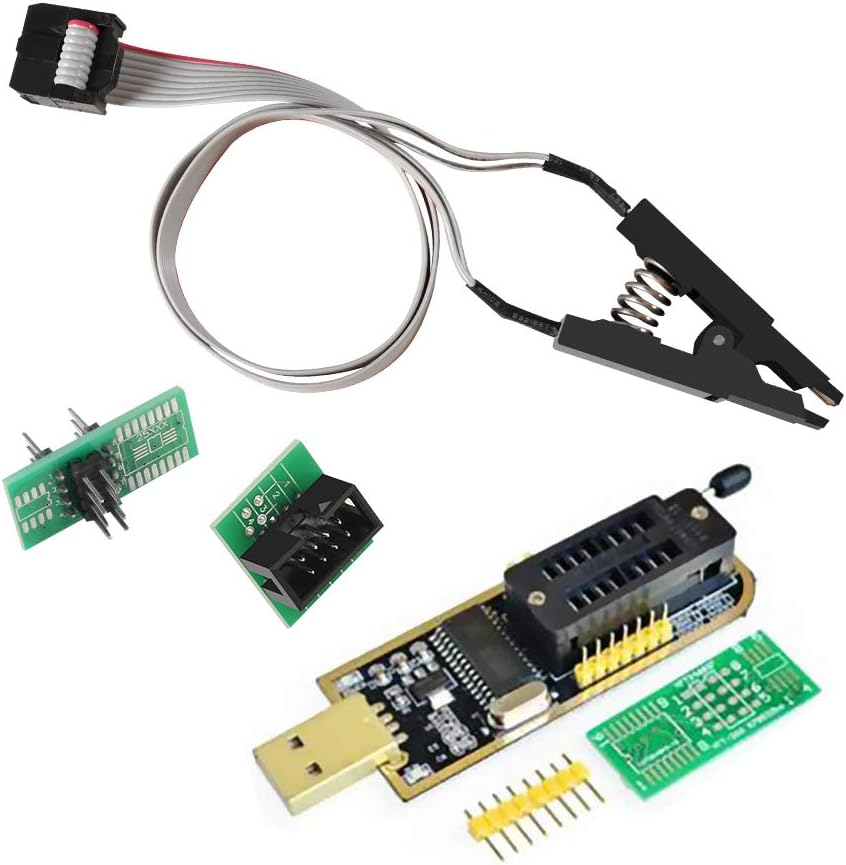
This programmer is a solid entry-level option for those needing basic BIOS flashing capabilities without breaking the bank. It supports the most common 24 and 25 series chips and comes with a test clip to avoid soldering.
We may earn a commission when you buy through this link, at no additional cost to you.
The main strengths include its direct compatibility with 3.3V and 5V chips and the inclusion of a conversion plate. It allows you to backup erase and program chips efficiently for routine maintenance tasks.
While it lacks advanced features like automatic voltage detection it remains reliable for standard operations. The trade-off is the need for manual voltage selection which can be tricky for beginners.
Anyone looking for a cost-effective tool to recover data or update firmware on older boards should consider this kit. It delivers essential functionality at a price point that is hard to beat.
This tool offers essential flashing features at a very low price point making it accessible for hobbyists.
The package includes necessary clips and conversion plates so you can start working immediately without extra purchases.
We may earn a commission when you buy through this link, at no additional cost to you.
This kit stands out because it enables in-circuit programming which saves significant time by avoiding chip removal. It pairs with the CH341A to handle most 24 and 25 series EEPROMs directly on the board.
We may earn a commission when you buy through this link, at no additional cost to you.
The double clip design ensures you have backups or options for different pin configurations. Users appreciate the ease of use and the ability to flash BIOS without full motherboard disassembly.
Keep in mind that some boards may have peripheral circuits that interfere with direct clipping. You should check the chip location before purchasing to ensure compatibility with your specific hardware.
Technicians who value speed and efficiency will find this tool indispensable for routine repairs. It bridges the gap between basic programmers and professional-grade equipment.
Programming directly on the board reduces the risk of damage and speeds up the repair workflow significantly.
The inclusion of clips and adapters makes it a ready-to-use solution for various common chip types.
We may earn a commission when you buy through this link, at no additional cost to you.
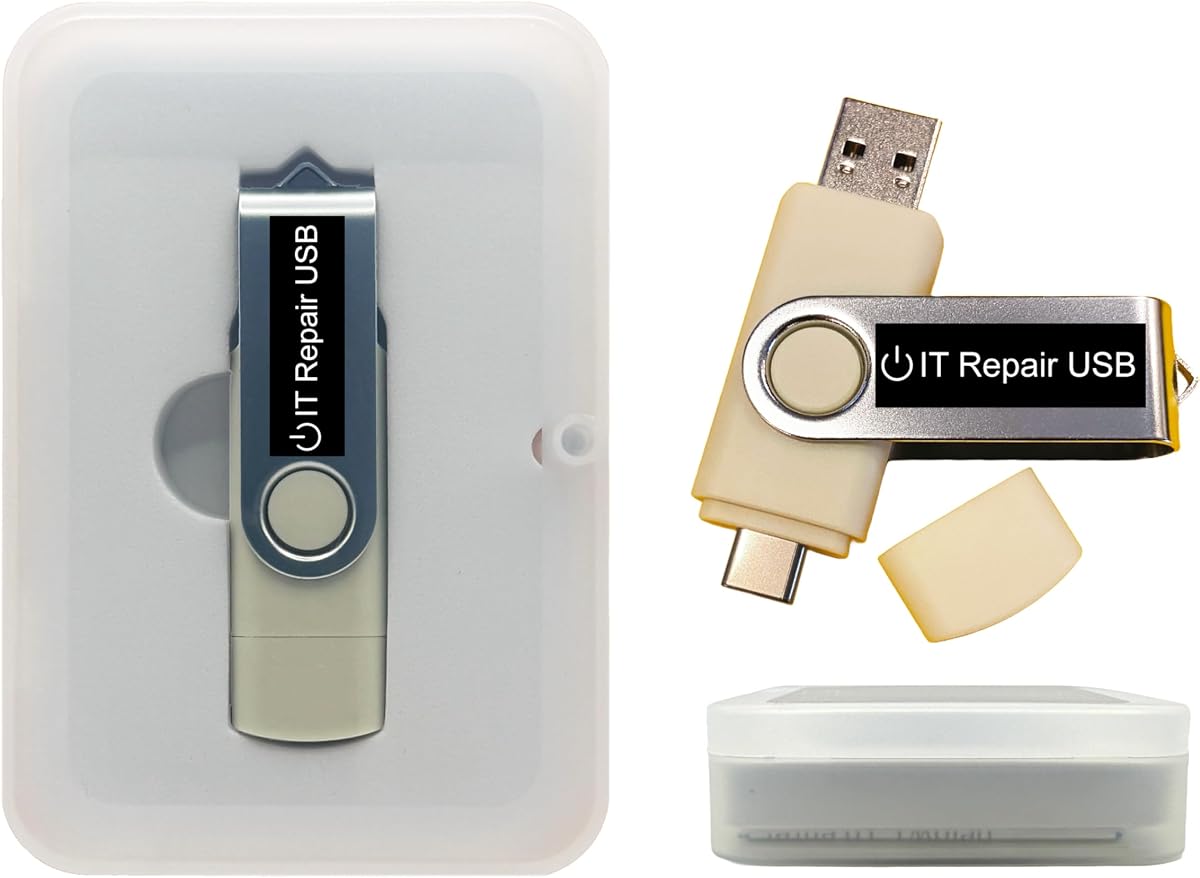
While primarily designed for password recovery this drive can also assist in system boot scenarios that overlap with BIOS flashing needs. It works with both Legacy BIOS and UEFI modes across many devices.
We may earn a commission when you buy through this link, at no additional cost to you.
Its strength lies in its simplicity and ability to restore access without reinstalling the OS. This is crucial when you need to access BIOS settings or backup data from a locked system.
The lower rating suggests some users may find it less versatile than dedicated programmers. However for account recovery and basic boot issues it remains a reliable and secure option.
Power users and administrators will appreciate the ability to customize bootable ISOs and installers. It is a great addition to any toolkit for general system recovery tasks.
This drive excels at unlocking forgotten passwords while preserving existing user files and system integrity.
Advanced users can add their own ISO files to make the drive adaptable to specific workflow requirements.
We may earn a commission when you buy through this link, at no additional cost to you.
This USB drive offers a straightforward solution for installing or repairing Windows 11 without TPM restrictions. It serves as a bootable utility to reimage systems that are functional but require OS reconfiguration.
We may earn a commission when you buy through this link, at no additional cost to you.
The key benefit is its compatibility with older hardware that lacks TPM chips which simplifies the upgrade process for many users. It is hand tested to ensure reliable performance during setup.
Keep in mind that this is strictly for OS installation and not for repairing dead motherboards or failing drives. You must be able to access the BIOS to boot from it successfully.
For IT professionals managing multiple systems this tool provides a reliable way to restore software environments quickly. It is essential for any repair workflow involving Windows setups.
This installer removes barriers for older systems by allowing Windows 11 installation without TPM hardware requirements.
Tested by a family owned business this drive ensures a clean and functional installation experience every time.
We may earn a commission when you buy through this link, at no additional cost to you.
This kit expands on basic CH341A functionality by adding a 1.8V adapter and a conversion socket for broader chip support. It is designed for amateur programmers needing faster erase and write operations.
We may earn a commission when you buy through this link, at no additional cost to you.
The inclusion of the adapter means you can safely handle sensitive chips that run at lower voltages. This reduces the risk of burning components during the flashing process significantly.
While the setup might be more complex due to the additional adapters the performance boost is notable. Erasing speeds are significantly faster than standard ATMEGA8 programmers.
Tech enthusiasts working on laptops routers or set-top boxes will find this kit highly versatile. It offers a step up in capability without a massive increase in cost.
The 1.8V adapter allows safe flashing of sensitive components that require lower operating voltages.
Erase and write times are improved making repetitive programming tasks faster and more efficient.
We may earn a commission when you buy through this link, at no additional cost to you.
This tool is marketed as the fastest BIOS chip programmer available with read times as low as three seconds for specific chips. It automates voltage detection which simplifies the workflow for beginners.
We may earn a commission when you buy through this link, at no additional cost to you.
The automatic identification feature for 25 series chips saves time and reduces errors during operation. It supports a wide range of memory including 24 25 and 93 series EEPROMs.
While it offers high-end features the price is higher than basic kits. However the included adapter set and speed justify the investment for professional or heavy users.
Anyone needing reliable and fast firmware updates on a regular basis will appreciate the robustness of this unit. It is a top-tier choice for serious repair work.
With read times as low as three seconds this tool significantly reduces downtime during firmware operations.
Automatic voltage selection and chip identification streamline the process and lower the risk of user error.
We may earn a commission when you buy through this link, at no additional cost to you.
This toolkit aggregates multiple repair utilities into one bootable drive offering a broad spectrum of solutions from malware removal to system diagnostics. It is ideal for technicians needing a versatile recovery platform.
We may earn a commission when you buy through this link, at no additional cost to you.
The customizable nature allows you to add replace or upgrade ISOs to fit your specific environment. It runs a lightweight rescue OS directly from USB without modifying the host hard drive.
The lower rating suggests inconsistent performance on some hardware or complexity for casual users. However for dedicated repair work it provides a comprehensive set of tools in a single package.
Professionals managing diverse systems will find the flexibility of this drive invaluable. It ensures you have the right utility for almost any recovery scenario.
This drive includes system diagnostics and malware removal tools to handle a wide range of software issues.
You can easily update the drive with new tools to keep pace with evolving repair needs and technologies.
We may earn a commission when you buy through this link, at no additional cost to you.
This clip is designed specifically for 16 pin wide body chips that are common in many industrial and consumer electronics. It ensures a firm connection for reliable data transfer during programming.
We may earn a commission when you buy through this link, at no additional cost to you.
The hardened clip and gold plated pins suggest a focus on durability and conductivity which is critical for frequent use. It works with popular programmers like Rt809F and Tl866 series.
Keep in mind that success depends on the specific board layout and potential interference from nearby components. If online programming fails removal may be the only viable option.
Users needing a reliable accessory for larger chips will find this tool essential for their workflow. It offers a professional-grade connection solution for specific form factors.
The hardened construction and gold plating ensure long-lasting use and consistent electrical contact during tasks.
Designed for 16 pin wide bodies it fills a gap where standard clips may not fit securely.
We may earn a commission when you buy through this link, at no additional cost to you.
This drive simplifies recovery by ensuring compatibility with Secure Boot enabled systems which often block custom boot options. It downloads the latest official Windows ISOs directly from Microsoft to avoid outdated copies.
We may earn a commission when you buy through this link, at no additional cost to you.
The benefit of official downloads ensures you are always working with genuine and secure system images. US-based support adds a layer of trust for users who may need assistance during setup.
Limitations include the lack of Legacy BIOS support which restricts it to newer systems built after 2013. It is not suitable for older hardware that relies on traditional boot methods.
For modern PCs requiring a secure and official reinstall option this tool is highly recommended. It removes the hassle of verifying image sources and securing boot environments.
Unlike many recovery drives this works seamlessly with Secure Boot enabled on modern motherboards.
It downloads genuine system files directly from Microsoft ensuring security and compatibility.
We may earn a commission when you buy through this link, at no additional cost to you.
This specialized drive provides a powerful platform for security researchers and ethical hackers needing access to over 600 penetration testing tools. It supports both Legacy BIOS and UEFI making it versatile for different systems.
We may earn a commission when you buy through this link, at no additional cost to you.
The inclusion of both amd64 and arm64 builds ensures compatibility with a wide range of modern hardware architectures. You can run it directly from USB or install it permanently for full performance.
While not a traditional BIOS flash tool it is critical for securing firmware and network devices. It is a professional-grade option trusted by experts for digital investigation tasks.
Security professionals needing a reliable and portable environment for audits will find this drive essential. It ensures you have the right tools for comprehensive security assessments.
With over 600 pre-installed tools this drive supports comprehensive network and system security analysis.
Support for both AMD and ARM architectures ensures it works on a broad range of modern devices.
We may earn a commission when you buy through this link, at no additional cost to you.
Selecting the right tool requires understanding your specific needs and the hardware you will be working on. Here are key factors to consider before making a purchase.
Ensure the tool supports the specific chip series you need such as 24 25 or 93 series. Some tools are limited to specific manufacturers or pinouts which can restrict usage.
Check the product description for explicit support of your target components to avoid compatibility issues.
Tools that allow in-circuit programming save time by letting you flash chips directly on the motherboard. This avoids the risk of damage during removal and soldering.
Look for clips and adapters that support your motherboard type to enable this functionality.
Modern chips often operate at 1.8V or 3.3V which requires precise voltage control. Basic tools may only support 5V which can damage sensitive components.
Choose a programmer that explicitly lists support for multiple voltage levels to ensure safety.
A clear and intuitive software interface reduces the risk of errors during the flashing process. Look for tools with automatic detection features to simplify setup.
User friendly design is especially important if you are new to BIOS flashing tasks.
Physical build quality affects the stability of the connection during programming. Clips with gold-plated pins and sturdy springs provide better conductivity and longevity.
Investing in durable hardware reduces the risk of connection errors during critical operations.
Read and write speeds vary significantly across models. Professional work benefits from faster speeds to reduce downtime and increase efficiency.
Consider your volume of work when choosing between basic and premium speed models.
A complete kit often includes conversion plates clips and sockets which saves extra costs. Check what is included before buying to ensure you have everything you need.
Additional adapters make the tool more versatile for different pin configurations and form factors.
Software updates and developer support ensure the tool stays compatible with new chips. Look for vendors with a track record of providing firmware updates.
Reliable support can be crucial if you encounter errors or need help with configuration.
Always check your chip voltage and model before connecting the programmer to the board. Incorrect connections can permanently damage sensitive components.
Use the provided clips carefully to ensure all pins make good contact without bending the chip leads. Gentle handling extends the life of both the clip and the chip.
Store the tool in a dry and static-free environment to protect sensitive electronics from humidity and electrostatic discharge.
Not all laptops use 24 or 25 series chips compatible with CH341A. Verify your motherboard chip model and pinout before purchasing. Some newer models use BGA packages which require specialized equipment.
In-circuit programming is safer than desoldering but depends on your motherboard layout. Peripheral circuits can sometimes interfere with flashing so always check if the board allows direct clipping.
EEPROM tools handle smaller memory chips while Flash tools support larger storage arrays. Many modern devices use a mix of both so versatile tools often support both types.
Most hardware programmers are designed for Windows PC motherboards. Mac systems often use proprietary firmware and chips that are not compatible with standard DIY tools.
Update your software whenever new chip support is released to maintain compatibility. Regular updates also improve stability and reduce the risk of errors.
Some tools can backup data from chips even if the system fails to boot. Use a bootable USB or recovery drive alongside your programmer for best results.
Yes these tools are legal for repairing or maintaining hardware you own. Ensure you comply with all local laws and manufacturer agreements when flashing firmware.
Use proper tension when applying clips and avoid excessive force. Inspect chips for bent pins after use to prevent long-term connection issues.
We highlighted ten distinct tools ranging from budget CH341A kits to professional-grade EZP2023 units. Each offers unique benefits depending on your budget and technical requirements.
Prioritize tools that support your specific chip voltage and offer in-circuit capabilities for efficient repairs. Compatibility and safety should always be your top considerations.
Always check current availability and specifications before purchasing as offerings can change. Select the option that aligns best with your specific repair goals.