
EPOMAKER x Aula F99 Wireless Mechanical Keyboard, Hot Swappable Gasket
4.5Editor score
96% layout design
Hot swappable sockets
8000mAh battery life
Explore our top rated guide comparing the best Epomaker keyboards for gaming and typing featuring wireless options and hot swappable switches.
Epomaker keyboards blend premium build quality with customizable features like screens and knobs. They offer wireless connectivity and gasket mounting for a superior typing experience.
We compared ten models based on battery life, switch feel, and software support. Each pick balances performance with price to fit different user needs.
Every section highlights key specs and real world strengths. Prices change often so check the current listing before you buy to confirm value.
4.5Editor score
4.7Editor score
4.5Editor score
This table compares the core specs and features of all ten Epomaker models. Use it to find the right layout and connectivity for your needs.


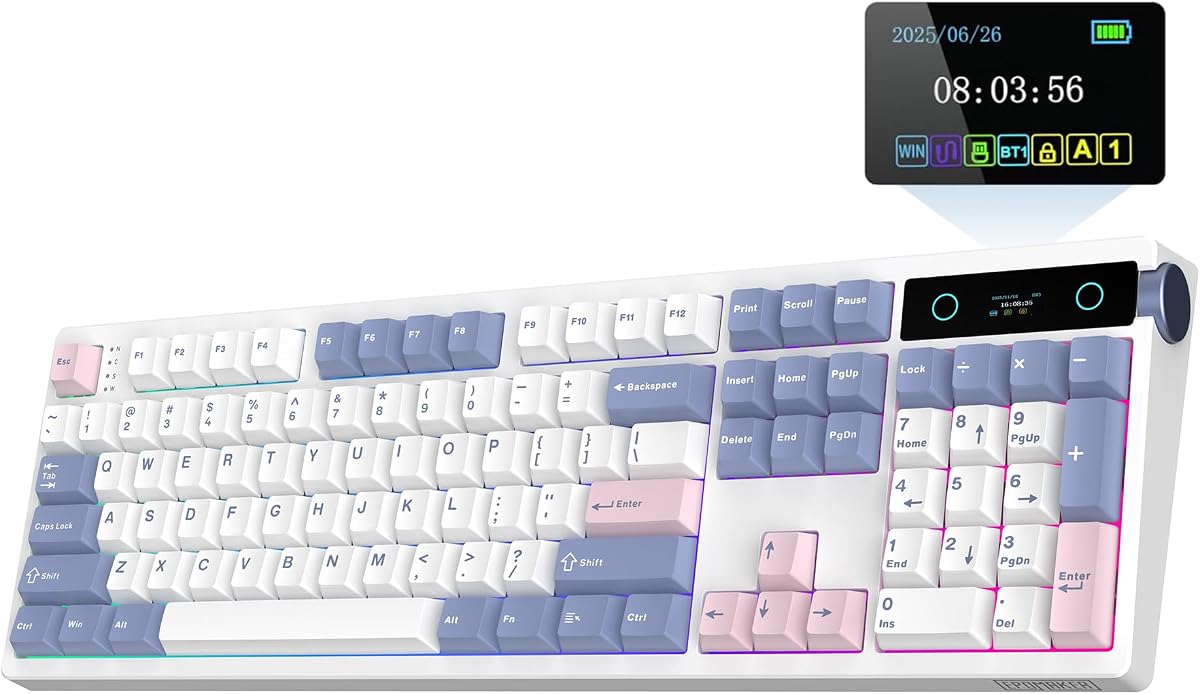
The TH108 PRO stands out with its integrated screen and rotary knob offering real time status updates and custom visuals. Its 4.7 rating reflects strong user satisfaction across typing and gaming.
We may earn a commission when you buy through this link, at no additional cost to you.
Its massive 10000mAh battery ensures long wireless sessions without interruption. The 5 layer gasket mount delivers a soft thocky sound that reduces fatigue.
While the full size layout is bulky for small desks the stability it provides is excellent. The weight ensures it stays put during intense gaming.
Gamers and typists needing battery life and customization should pick this model. It balances premium features with everyday reliability.
Upload GIFs or track battery time directly on the display using the companion software.
Five layers of foam and silicone cushion the PCB for a smooth quiet typing sound.
We may earn a commission when you buy through this link, at no additional cost to you.
The F75 MAX brings the screen and knob combo to a smaller 75% form factor. It fits well on tight desks while keeping essential function keys.
We may earn a commission when you buy through this link, at no additional cost to you.
Its gasket mount and flex cut plate provide a satisfying typing feel. The TFT screen shows battery status and lets you play GIFs for fun.
Some users might miss the full number pad. The 75% layout still includes arrow keys and a numpad cluster for most tasks.
Choose this if you want a stylish compact keyboard with premium features. It suits gamers and professionals needing desktop space.
Low front height with adjustable kickstands reduces wrist strain for long sessions.
South facing LEDs shine through keycaps for bright dynamic lighting effects.
We may earn a commission when you buy through this link, at no additional cost to you.
The Galaxy100 features an aluminum shell and QMK VIA support for deep customization. Its weight and durability make it a premium choice for office use.
We may earn a commission when you buy through this link, at no additional cost to you.
Factory lubed linear switches deliver a smooth glide. The gasket mount enhances the sound with deep thocky tones.
It is more expensive than plastic models. The build quality justifies the cost for users wanting a long lasting board.
Enthusiasts valuing metal construction and open source customization will love this board. It works great for both work and gaming.
Remap any key or create macros easily using VIA software across devices.
The heavy shell reduces vibration and gives a premium feel on the desk.
We may earn a commission when you buy through this link, at no additional cost to you.
The V2 PRO improves on the original with better device switching and dedicated Mac keys. It is ideal for users switching between Windows and Mac often.
We may earn a commission when you buy through this link, at no additional cost to you.
Its screen knob combo offers quick access to volume and settings. The battery lasts up to 200 hours ensuring uninterrupted use.
The full size design is not portable. It excels on a fixed desk but might not suit laptop backpack use.
Buy this if you need a reliable full size keyboard for mixed environments. It handles both office work and gaming smoothly.
Includes Mac modifier keys and easy switching via FN commands.
Use the Chrome based driver to customize layouts without installing bloatware.
We may earn a commission when you buy through this link, at no additional cost to you.
The TH99 PRO packs a full numpad into a compact 96% frame. It balances space saving with functionality for data entry and gaming.
We may earn a commission when you buy through this link, at no additional cost to you.
Its 10000mAh battery ensures days of use without charging. The glass screen adds a modern touch to the setup.
Some keys are closer together which might feel tight for large hands. Practice helps adapt to the dense layout quickly.
Select this if you need a numpad but want to save desk space. It is great for mixed office and gaming use.
Screen displays time battery and RGB controls in one place.
The 10000mAh cell provides up to 200 hours on a single charge.
We may earn a commission when you buy through this link, at no additional cost to you.
The TH108 offers reliable wireless performance at a competitive price. It features a full size layout and gasket mounting for comfort.
We may earn a commission when you buy through this link, at no additional cost to you.
Its 10000mAh battery matches the higher end models ensuring long sessions. Hot swap sockets allow easy switch upgrades.
It lacks the screen knob of the PRO versions. It is better for users focused on typing and gaming without extra features.
Choose this for a solid wireless keyboard under a budget. It is perfect for those new to mechanical keyboards.
Five layers of padding soften the keystrokes for a gentle sound.
Adjust RGB brightness and record macros using the official software.
We may earn a commission when you buy through this link, at no additional cost to you.
The G84 HE uses magnetic switches for adjustable actuation and ultra low latency. It is the top choice for competitive FPS players.
We may earn a commission when you buy through this link, at no additional cost to you.
Its 8K polling rate ensures instant response. The SOCD logic handles conflicting inputs to prevent errors in games.
It requires setup to tune actuation points. The 75% layout lacks a number pad which limits office use.
Prioritize this if you want the fastest response time. It is the ultimate weapon for serious gamers.
Set trigger points from 0.1mm to 3.3mm to suit your style.
Every micro movement is registered for precise control in games.
We may earn a commission when you buy through this link, at no additional cost to you.
The TH99 offers a compact numpad layout with solid wireless performance. It is an affordable pick for daily office work.
We may earn a commission when you buy through this link, at no additional cost to you.
Its 8000mAh battery lasts up to 800 hours with RGB off. The gasket mount provides a pleasant typing feel.
RGB effects are simple compared to premium models. It is a practical choice for productivity over flash.
Buy this for a reliable keyboard for spreadsheets. It keeps your desk clutter free with wireless connectivity.
Two stage adjustable stand helps find the perfect typing angle.
Grease resistant caps stay smooth even after heavy use.
We may earn a commission when you buy through this link, at no additional cost to you.
The AK820 Pro brings a TFT display to a small form factor. It allows battery and system status checks at a glance.
We may earn a commission when you buy through this link, at no additional cost to you.
Its gasket mount and flexible plate ensure a comfortable feel. The 1.6 million RGB colors add visual flair.
Battery life is shorter than other models. The compact size means no number pad for heavy data entry.
Choose this for a portable stylish board for creators. It looks great on modern desks.
View time date and battery directly on the display screen.
LEDs shine through keycaps for brighter lighting effects.
We may earn a commission when you buy through this link, at no additional cost to you.
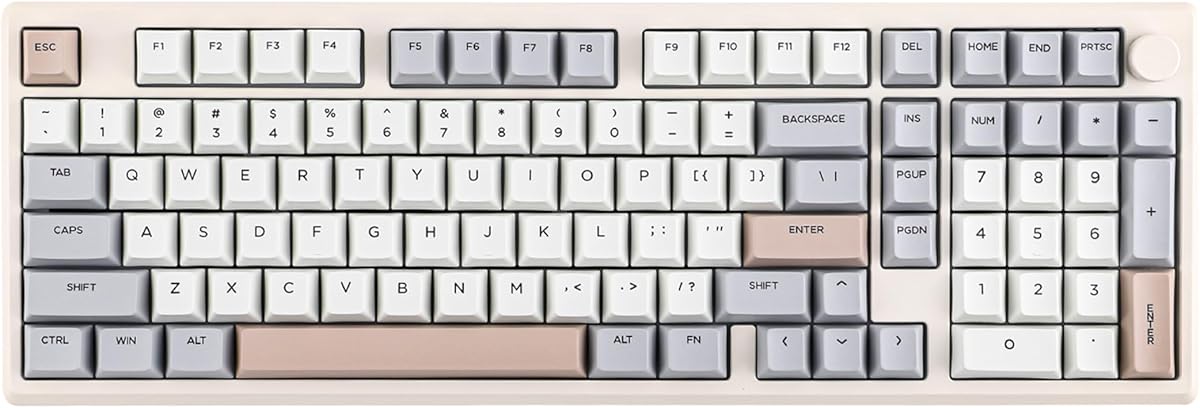
The F99 delivers gasket comfort at an entry level price. It fits well on desks needing a number pad.
We may earn a commission when you buy through this link, at no additional cost to you.
Its 8000mAh battery provides solid wireless uptime. Hot swap sockets make it easy to try different switches.
It lacks advanced screens or knobs. It is perfect for those wanting a reliable keyboard without extra cost.
Select this for a first mechanical board or budget build. It offers great value for the price.
Each key is slotted for isolated stable typing sound.
Layers of foam and silicone reduce hollow noise.
We may earn a commission when you buy through this link, at no additional cost to you.
Selecting the right model depends on layout size battery life and connectivity options.
Epomaker offers full size 96% 75% and compact boards. Full sizes suit data entry while 75% boards save desk space.
Choose a layout that fits your desk and workflow.
Battery capacity varies from 4000mAh to 10000mAh. Higher capacities ensure longer wireless usage between charges.
Look for high mAh ratings if you prefer wireless.
Most models offer tri mode connection via Bluetooth 2.4G and cable. Ensure it supports your devices.
Multi device support helps if you switch computers.
Epomaker uses linear tactile and silent switches. Factory lubed switches provide a smooth feel right out of box.
Pick switches that match your sound preference.
Gasket mounted boards reduce vibration for a softer feel. They often include sound dampening foams.
Prioritize gasket mounts for comfort.
Hot swap sockets allow you to change switches without soldering. This adds flexibility for future upgrades.
Ensure the PCB is hot swappable.
Software like QMK VIA offers deep customization for advanced users. Others use proprietary drivers.
Check software compatibility with your OS.
Pair your keyboard by holding the device switch until the LED flashes. Connect via the OS settings.
Use the companion software to set macros and customize RGB effects.
Clean keycaps gently with compressed air or a soft brush to maintain performance.
The G84 HE is ideal for competitive gaming with 8K polling and adjustable actuation. The TH108 PRO is great for general gaming with its full size layout.
Most Epomaker keyboards support Mac and Windows. The TH108 V2 PRO includes dedicated Mac modifier keys for easy switching.
Yes most models support hot swappable switches. You can easily replace them with 3 or 5 pin mechanical switches.
Battery life ranges from 40 to 800 hours depending on usage. Higher capacity models last over 200 hours on a single charge.
Yes many boards use proprietary web based drivers. The Galaxy100 uses open source QMK VIA for advanced customization.
Yes all models support USB Type-C wired mode. Wired mode ensures zero latency for fast gaming.
The TH108 PRO leads with its screen and massive battery. The G84 HE wins for competitive gamers needing speed.
Prioritize battery and layout based on your needs. Gasket mounting ensures comfort for long sessions.
Check current listings to confirm features and pricing before buying. Your perfect Epomaker keyboard awaits.