
Epson Workforce Pro WF-7310
3.8Editor score
Wide format up to 13 by 19
High speed PrecisionCore tech
500 sheet paper capacity
Affordable ink cartridge option
This guide compares the top A3 printers for office and creative use, evaluating speed, ink costs, and reliability to help you choose the right wide format
Finding the right A3 printer can transform your workflow whether you need large format prints for designs or professional documents. These machines offer versatility beyond standard sheets, supporting sizes up to 13 by 19 inches for impressive output.
We evaluated ten leading models based on print quality, speed, connectivity options, and long term ink costs. Our analysis focuses on real world performance for small businesses and creatives who demand reliability and sharp results every day.
Each pick highlights specific strengths like budget friendly operation or premium photo capabilities. Prices fluctuate often so check current listings before buying to ensure you get the best deal on your chosen wide format device.
3.8Editor score

4.0Editor score

3.9Editor score
The following table provides a quick side by side overview of all ten selected models. Compare key specifications like paper capacity, print speed, and unique features to find the best fit for your specific needs.



The Epson EcoTank Photo ET-8550 stands out as a top choice for creatives needing wide format output. It delivers lab quality photos with sharp text and vibrant colors using its six color ink system.
We may earn a commission when you buy through this link, at no additional cost to you.
Its cartridge free design saves significantly on ink costs compared to traditional printers. Users can print thousands of pages without frequent refills making it ideal for high volume creative projects.
While the initial investment is higher the long term savings are substantial. The only tradeoff is the larger size which requires dedicated desk space in your workspace.
This model is perfect for photographers and designers who prioritize color accuracy and economy. It combines professional results with the convenience of wireless printing for modern workflows.
The tank system allows you to print for years on included ink reducing ongoing expenses significantly.
Six color inks ensure smooth gradients and rich tones for gallery worthy prints straight from your desk.
We may earn a commission when you buy through this link, at no additional cost to you.
The Epson Workforce Pro WF-7820 offers an affordable entry into wide format printing for busy offices. It handles large jobs efficiently with its high speed PrecisionCore technology and durable ink.
We may earn a commission when you buy through this link, at no additional cost to you.
Users benefit from a large 250 sheet tray and fast first page out times. The included touchscreen simplifies navigation while security features protect your sensitive documents.
Though it relies on cartridges rather than tanks the price is competitive for office needs. Photo quality is decent but not ideal for professional photography requiring fine detail.
This printer suits businesses needing reliable document output without breaking the budget. It balances speed capacity and connectivity for everyday professional tasks effectively.
Built for heavy workloads this model minimizes downtime with heat-free technology and large paper trays.
Secure wireless and data erase options keep your office network protected from potential threats.
We may earn a commission when you buy through this link, at no additional cost to you.
The Epson Workforce Pro WF-7310 is engineered for productivity with a massive 500 sheet paper capacity. Its PrecisionCore technology delivers sharp text and vivid colors without any warmup time.
We may earn a commission when you buy through this link, at no additional cost to you.
Ideal for high-volume environments this printer handles large tasks efficiently. The rear feed allows for convenient printing of different media types without interrupting your main tray.
While the display is smaller than other models the Smart Panel app enhances control from mobile devices. The only downside is standard ink costs compared to tank systems.
Buy this if you need reliable large format output for office documents. Its balance of speed and capacity makes it a strong value for busy teams.
Two 250 sheet trays plus a rear feed ensure you rarely need to refill paper during busy days.
Zero warmup time means your first page prints immediately saving time on urgent tasks.
We may earn a commission when you buy through this link, at no additional cost to you.
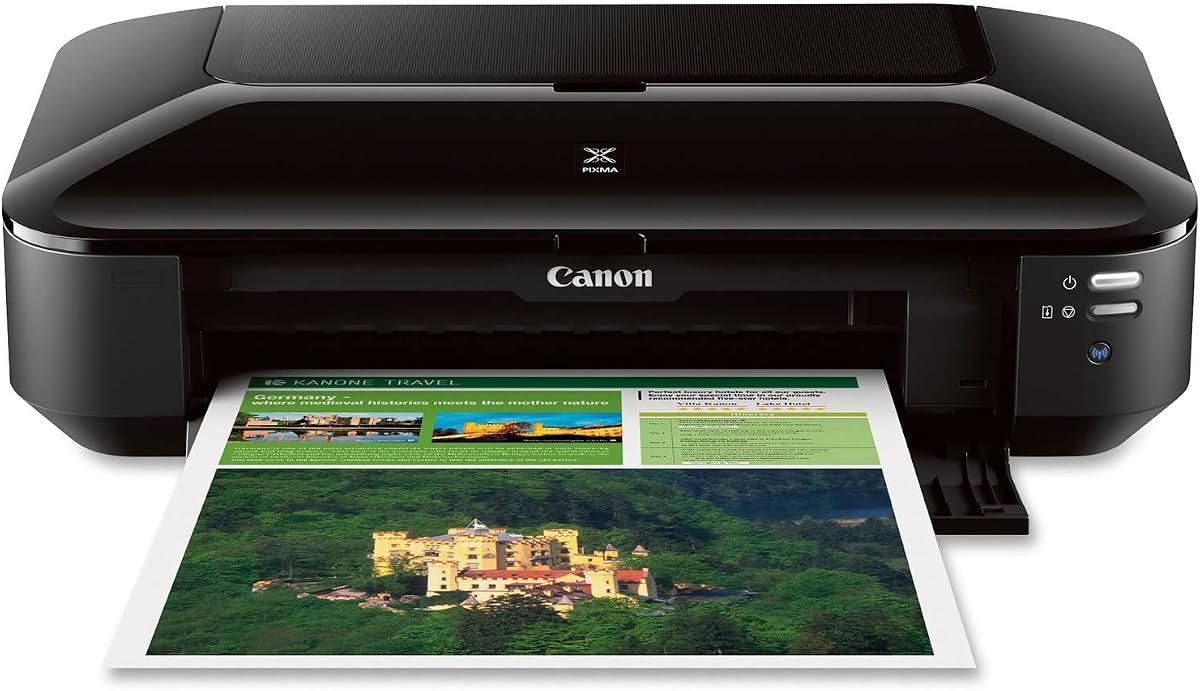
The Canon Pixma iX6820 remains a solid option for business users needing high resolution output. Its fine print head technology ensures crisp details on documents and graphics alike.
We may earn a commission when you buy through this link, at no additional cost to you.
Users appreciate the compatibility with AirPrint and Google Cloud for easy mobile printing. The five individual ink tanks allow you to replace only the color that runs out.
While slightly slower than newer PrecisionCore models it delivers consistent quality. The cloud features make it versatile for remote workers or flexible office setups.
This printer works well for small businesses focused on document quality. Its reliable connectivity options keep you connected without complex setups.
With five separate tanks you avoid wasting full cartridges when just one color runs low.
Support for Google Cloud Print simplifies printing from various devices across your network.
We may earn a commission when you buy through this link, at no additional cost to you.
The Epson EcoTank ET-15000 combines wide format capabilities with the economy of a tank system. It handles faxing copying and scanning making it a complete office solution.
We may earn a commission when you buy through this link, at no additional cost to you.
With a monthly duty cycle of 33000 pages this printer withstands heavy use. The Supertank design ensures low cost per page for extensive printing needs.
While it lacks an automatic document feeder the manual options work well for single page tasks. The robust build quality supports demanding workflows without constant maintenance.
Buy this if you need high volume output with minimal ink costs. Its duty cycle makes it suitable for shared office environments.
The high monthly cycle ensures reliability even when multiple users print large files daily.
Fax scan and copy functions consolidate hardware reducing clutter on your office desk.
We may earn a commission when you buy through this link, at no additional cost to you.
The Epson Workforce Pro WF-7840 offers extensive connectivity through Epson Connect solutions. You can print via email or remote apps ensuring productivity even when you are away from your desk.
We may earn a commission when you buy through this link, at no additional cost to you.
Its 500 sheet capacity reduces refill frequency for busy teams. The DURABrite ink ensures smudge-free results that hold up well over time.
While it lacks a physical touchscreen the mobile apps provide full control. The wireless setup is straightforward for those familiar with modern networks.
Choose this model if flexible printing options are a priority. It keeps your team connected and productive without being tied to a PC.
Email Print and Remote Print features let you manage jobs from anywhere.
The high sheet capacity minimizes interruptions during large print runs.
We may earn a commission when you buy through this link, at no additional cost to you.
The HP OfficeJet Pro 9135 introduces AI tools that optimize print formatting automatically. It saves waste by removing unwanted content from web pages and emails before printing.
We may earn a commission when you buy through this link, at no additional cost to you.
With fast color printing and single pass scanning this model handles high volume tasks efficiently. The 3 month Instant Ink trial helps manage ongoing supply costs initially.
Users should note the firmware restrictions on non-HP chips which may limit third party options. The recycled plastic construction aligns with sustainability goals however.
This printer suits offices wanting smart features to reduce waste. Its AI tools simplify complex layouts for cleaner professional results.
HP AI ensures your prints look professional by adjusting layouts automatically before sending.
Scan both sides of documents quickly with single pass technology saving valuable time.
We may earn a commission when you buy through this link, at no additional cost to you.
The Brother INKvestment 6960 is engineered for speed with MAXIDRIVE technology delivering up to 31 pages per minute. This makes it one of the fastest options for high volume environments.
We may earn a commission when you buy through this link, at no additional cost to you.
High yield cartridges reduce the frequency of replacements keeping costs manageable. The Mobile Connect app provides intuitive navigation for printing and scanning from your device.
While the printer is heavier than others the speed gain justifies the footprint. Users should be aware of the subscription trial terms included with purchase.
Select this for fast document throughput in a busy office. Its speed and yield combine for high productivity with less downtime.
Experience rapid printing that keeps up with demanding office schedules without delays.
Connect to Google Drive Dropbox or OneDrive to print directly from cloud storage.
We may earn a commission when you buy through this link, at no additional cost to you.
The Epson Workforce WF-7710 is built for wide format tasks with borderless prints up to 13 by 19 inches. Its PrecisionCore technology ensures crisp details on large documents.
We may earn a commission when you buy through this link, at no additional cost to you.
It supports various media types including photo paper and envelopes without trouble. The Amazon Dash Replenishment feature automatically orders ink when levels run low.
While color speeds are slower than black the quality is high. It is a robust choice for users needing larger layouts consistently.
This printer is ideal for architects or designers needing wide output. Its reliability and media flexibility make it a trusted tool.
Create full size photos and designs without unwanted white borders for professional results.
Accommodates different paper sizes and types for versatile daily project needs.
We may earn a commission when you buy through this link, at no additional cost to you.
The HP OfficeJet Pro 9730 leads with P3 color gamut support for wider screen accurate colors. It excels at printing vibrant mood boards and floorplans for creative teams.
We may earn a commission when you buy through this link, at no additional cost to you.
Security features like HP Wolf Pro help protect your network from cyber threats. The dual-band Wi-Fi ensures stable connections even in congested office areas.
While priced higher the color quality justifies the cost for design work. The ADF supports wide formats adding convenience to scanning tasks.
Choose this if color accuracy is your primary concern. It delivers professional visuals that match your digital designs precisely.
See more vivid colors on print that match your screen for true to life results.
Built-in security features help safeguard your data against potential external threats.
We may earn a commission when you buy through this link, at no additional cost to you.
Selecting the right A3 printer involves considering several key factors to match your specific workflow needs. Here is what to look for when comparing these wide format models.
Most A3 printers use inkjet technology for high quality color output. Look for systems like PrecisionCore or MAXIDRIVE which offer speed and efficiency for professional results.
Inkjet remains the standard for large format due to cost effective color management compared to laser options.
Decide between tank systems and cartridges based on volume. Tanks offer lower per page costs but higher upfront prices while cartridges are cheaper initially.
If you print frequently a tank system will save money over time despite the initial investment.
Check pages per minute ratings for black and color separately. Faster speeds reduce wait times in busy office environments.
Prioritize black speed if you mostly print documents but ensure color is fast enough for your graphics.
A larger paper tray reduces how often you need to refill. Look for models with multiple trays or 500 sheet capacities for high volume tasks.
More capacity means less interruption during large jobs which improves overall productivity.
Ensure the printer supports Wi-Fi Bluetooth or Ethernet for flexible network access. Mobile app support allows printing from devices without cables.
Dual band Wi-Fi helps maintain stable connections in offices with many wireless devices.
If you need multifunction capabilities check for Automatic Document Feeders (ADF). ADFs save time scanning multiple pages automatically.
Single pass duplex scanning allows you to scan both sides of a page instantly.
For design work look for wide color gamuts like P3 support. Higher resolutions such as 4800 dpi ensure fine details in photos.
Check sample outputs to ensure the colors match your expectations for creative projects.
A3 printers are generally larger than standard models. Measure your desk space to ensure the device fits comfortably without clutter.
Consider depth and height especially if you plan to store it under a counter or desk.
Always use recommended ink types to avoid clogs and ensure consistent print quality. Following manufacturer guidelines helps maintain the printhead and extends the life of your device.
Perform regular cleaning cycles to prevent dried ink from blocking nozzles. Most models have a maintenance menu that allows you to run nozzle checks and cleaning tasks easily.
Keep your printer in a cool dry place away from direct sunlight. Dust and heat can degrade internal components and affect print performance over time.
An A3 printer typically supports paper up to 13 by 19 inches. Some models also handle smaller standard sizes like A4 or Letter for everyday documents.
Operating costs depend on the ink system. Tank models generally offer lower costs per page while cartridge models may cost more for high volume printing.
Yes most A3 printers support macOS with AirPrint or specific drivers. Check compatibility before purchasing to ensure seamless integration with your setup.
Access the maintenance menu on the printer screen to run cleaning utilities. This clears blockages and improves print quality for sharp results.
Yes many A3 models include wide format Automatic Document Feeders for scanning larger files. Check the specs to confirm the max scan size.
Wireless printing is standard and reliable with modern dual band Wi-Fi. Ensure your network is stable to avoid connection drops during large jobs.
Most A3 printers accept various photo paper types including glossy and matte. Adjust settings in the driver to match the paper type for best results.
The duty cycle is the maximum number of pages a printer can handle monthly. Choose one that matches your monthly print volume for reliable performance.
We covered ten top models ranging from budget options to premium professional machines. Each brings unique strengths whether you need photo quality or document speed.
Prioritize the ink system and speed that match your workflow volume. Balancing upfront costs with long term savings ensures the best value for your office.
Remember to check current prices and availability before making your final decision. Technology and offers change so staying updated helps you secure the best deal.