
HUANUO Printer Stand with Cable Management
4.5Editor score
Affordable price point
Adjustable height design
Cable management included
Discover the top computer printer drawers for 2026. We compare durability, storage, and mobility to help you find the perfect office storage solution.
Finding the right computer printer drawers can transform your workspace into a highly efficient environment. These units combine printing surface space with organized storage for files and supplies. A good model should support heavy devices while offering easy access to essential documents without clutter.
We evaluated ten leading options based on build quality, storage capacity, and mobility features. Each product was assessed for its ability to handle standard office printers and provide versatile organization. Our list covers diverse styles and price points to suit every home or office setup.
Each pick highlights unique strengths like charging stations or heavy-duty frames to meet specific needs. Prices and availability change frequently so please verify current details before purchasing. This guide ensures you choose a reliable unit that enhances your daily workflow effectively.
4.5Editor score

4.8Editor score

4.4Editor score
The following comparison table details key specifications for each of the ten selected computer printer drawers. Review these specs to understand capacity, dimensions, and unique features before making your final decision.


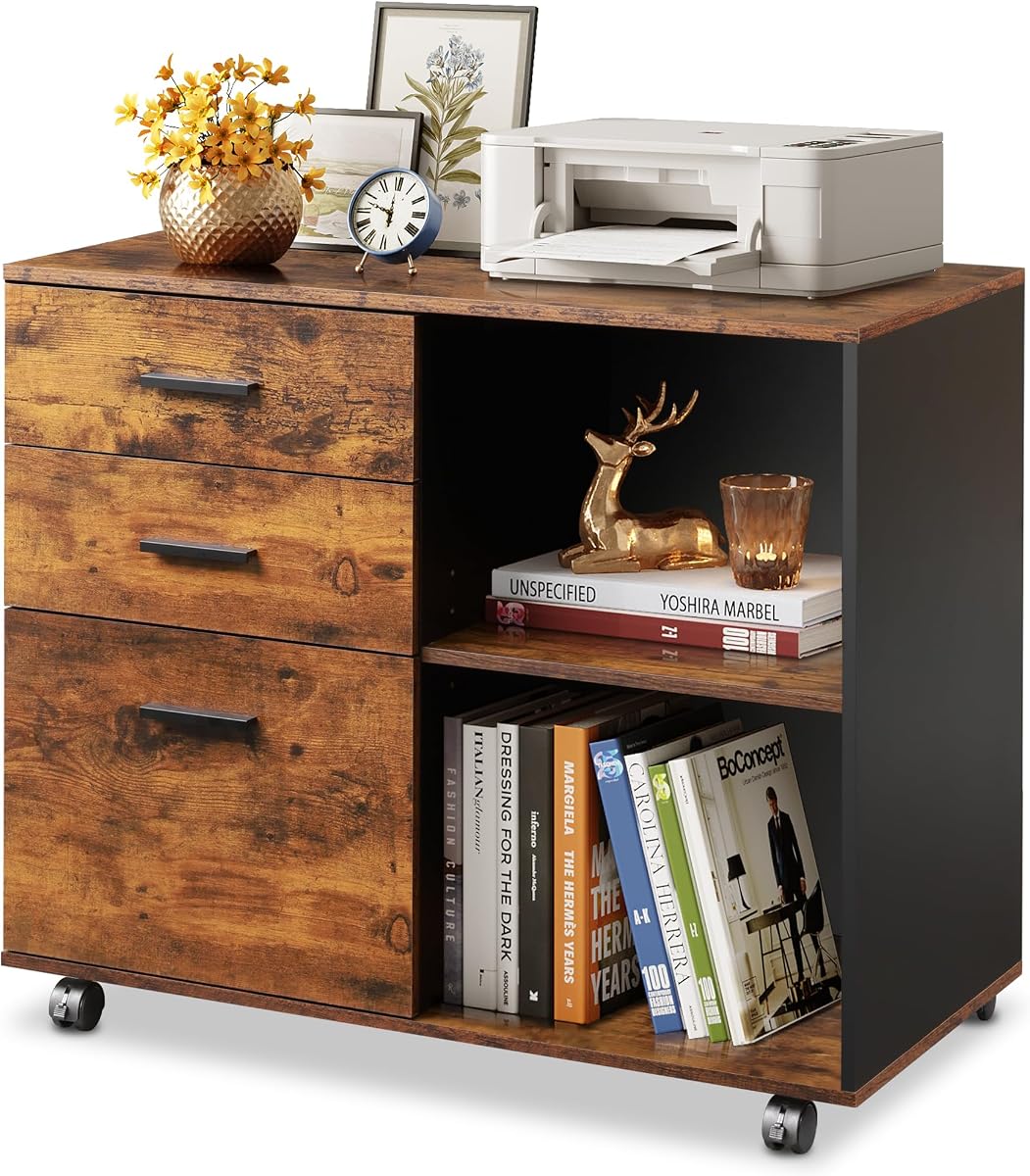
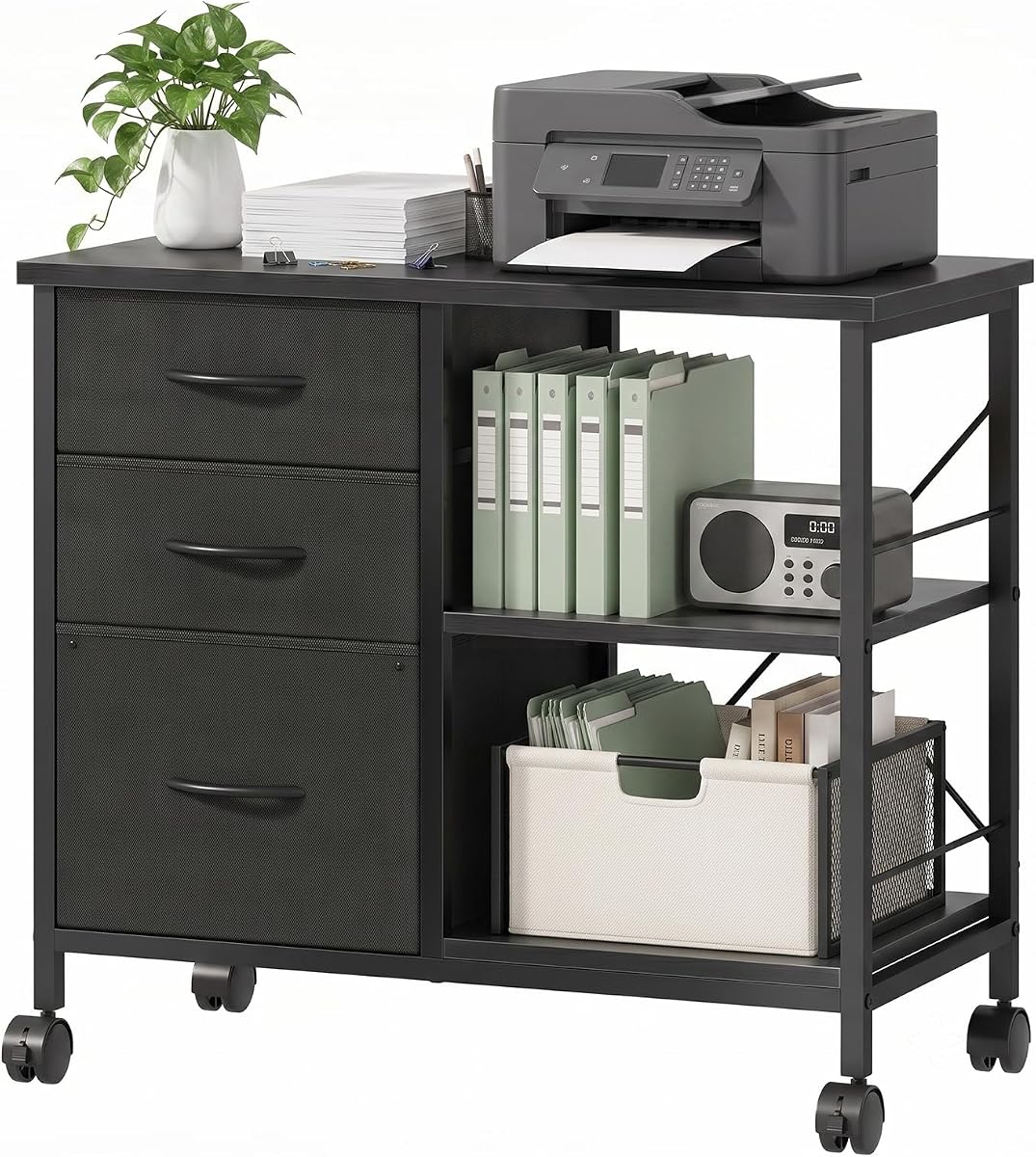
The OLIXIS Mobile File Cabinet stands out as the top choice for most users seeking reliable computer printer drawers. With a stellar rating, it proves its durability through real-world use cases in busy offices.
We may earn a commission when you buy through this link, at no additional cost to you.
Its standout feature is the versatile storage design including a large file drawer and compact top drawers. This allows you to keep essential paperwork organized while maintaining a clean workspace environment effectively.
While the fabric drawers are functional they might require occasional cleaning in dusty environments. However, the sturdy metal frame ensures long-term performance which makes this minor trade-off acceptable for most buyers.
This unit is perfect for professionals who need mobility and organization in one compact package. We recommend it as the best overall choice for home offices needing efficient printer storage solutions today.
The layout separates small supplies from large files ensuring quick access to everything you need during work.
Lockable wheels allow you to move it easily then secure it firmly in place for stable printing operations.
We may earn a commission when you buy through this link, at no additional cost to you.
For those seeking value without sacrificing functionality the HUANUO Printer Stand is the clear winner in the budget category. It delivers essential features at a fraction of the cost of larger units.
We may earn a commission when you buy through this link, at no additional cost to you.
Its unique tool-free assembly saves time and effort during setup making it ideal for renters or frequent movers. The adjustable height feature allows it to fit comfortably under various desk heights seamlessly.
The platform is somewhat smaller than premium models limiting it to standard printers rather than heavy-duty ones. This limitation is reasonable given the price point and keeps the unit compact for tight spaces.
Buyers looking for a simple efficient solution will find this stand meets their needs perfectly. It remains our top budget pick for anyone needing computer printer drawers that are easy to install.
Stackable parts snap together easily without tools allowing you to set up your workspace in minutes.
By moving your printer off the desk you reclaim valuable surface area for keyboards and documents immediately.
We may earn a commission when you buy through this link, at no additional cost to you.
The JUSTOGO Printer Stand represents the premium end of the spectrum with industrial strength and massive capacity. It is designed for users who need to manage multiple heavy printers and extensive file storage.
We may earn a commission when you buy through this link, at no additional cost to you.
Its three open shelves accommodate large printers simultaneously while the drawers handle documents efficiently. The waterproof and wear-resistant surface ensures longevity even in high-traffic office environments where spills may occur.
The larger size means it requires more floor space which might be a constraint in smaller rooms. Additionally assembly takes about twenty minutes which is standard but slightly longer than simpler units available.
This unit is ideal for home businesses or studios needing robust storage solutions. We recommend it as the best premium option for those prioritizing durability and high-volume organization.
Three spacious shelves let you stack multiple printers and scanners freeing up desk space for work.
The particleboard surface resists water and wear ensuring your equipment stays protected from damage daily.
We may earn a commission when you buy through this link, at no additional cost to you.
This cabinet from GYIIYUO offers exceptional versatility with a unique dual-support mode switching feature. It allows users to switch between mobile and stationary setups easily depending on their current workflow needs.
We may earn a commission when you buy through this link, at no additional cost to you.
The 24-inch wide desktop is significantly larger than competitors making it suitable for dual monitors or large printers. This space helps reduce clutter and provides a more comfortable working environment for extended periods.
The side storage bag is a nice touch but might not be as durable as hard storage options over time. However the high weight capacity of 120 lbs ensures your heavy equipment is supported securely at all times.
We recommend this unit for users who value flexibility and ample workspace in their home office. It stands out as a versatile choice for modern work environments requiring robust organization.
The unique switch between casters and feet lets you decide between mobility and stability in just seconds.
The extra wide top surface accommodates monitors and printers together without overcrowding your workspace.
We may earn a commission when you buy through this link, at no additional cost to you.
The MAHANCRIS unit solves the common issue of finding outlets with its integrated charging station. This feature allows you to power printers and other devices directly from the cabinet reducing cord clutter significantly.
We may earn a commission when you buy through this link, at no additional cost to you.
With three fabric drawers and hanging rods it offers ample space for organizing documents and accessories. The rustic brown finish adds a touch of style to your office blending well with various decor themes.
The power cord length is decent but may require a wall outlet nearby which could limit placement options. However the convenience of having power ready at the device level outweighs this minor constraint for most users.
This product is perfect for tech-heavy offices where charging multiple devices is a daily necessity. We recommend it for those seeking functional storage that doubles as a convenient power hub.
Two outlets and two USB ports on the unit let you power devices without extra power strips nearby.
The rustic finish and multiple drawer types keep your office looking tidy while storing essentials neatly.
We may earn a commission when you buy through this link, at no additional cost to you.
If you need maximum drawer storage this DEVAISE cabinet offers five spacious drawers to organize your office. The white finish provides a clean look that fits seamlessly into modern minimalist office setups.
We may earn a commission when you buy through this link, at no additional cost to you.
Constructed from durable particle board it is built to withstand daily use while supporting heavy printers on top. The inclusion of casters with brakes ensures you can move it when needed but keep it stable otherwise.
Assembly requires tools and time due to the number of parts involved which might be a hurdle for some users. Despite this the quality of materials ensures the unit remains sturdy and useful for many years to come.
We suggest this cabinet for users who prioritize extensive drawer space over portability. It is an excellent choice for those needing a robust storage solution for varied office supplies.
Five dedicated drawers allow for highly categorized storage ensuring every item has its specific place.
Solid particle board construction ensures the cabinet holds up well against daily office wear and tear.
We may earn a commission when you buy through this link, at no additional cost to you.
The DUMOS cabinet features a reinforced back support bar making it incredibly stable for heavy printers. This design choice prevents tipping and ensures safety when loading large devices onto the stand surface.
We may earn a commission when you buy through this link, at no additional cost to you.
Its compact design fits well in smaller offices while still providing three drawers for organization. The steel frame adds to the durability making it a solid investment for frequent daily use.
While the drawers glide smoothly they have specific weight limits that users should respect to avoid sagging over time. This is a minor trade-off considering the overall strength of the unit for its price point.
We recommend this model for users prioritizing stability and compact design. It is an excellent choice for those who need a sturdy mobile printer stand without taking up too much room.
A back support bar ensures the stand remains rigid and safe even with heavy printers on top.
Despite its size it offers ample drawer space to keep your office organized without clutter.
We may earn a commission when you buy through this link, at no additional cost to you.
The VASAGLE cabinet offers a generous 60cm worktop which provides ample space for printing operations. Its combination of steel wood and fabric creates a balanced aesthetic that suits various decor styles.
We may earn a commission when you buy through this link, at no additional cost to you.
Features like adjustable replaceable feet allow you to level the unit on uneven surfaces easily. This ensures the drawers glide smoothly and the unit remains stable even in challenging floor conditions.
While the worktop is large the mixed materials mean weight distribution should be managed carefully to avoid stress. Overall it remains a stylish and functional option for users needing a versatile desk companion.
We suggest this unit for those who value design flexibility and a large surface area. It is a great pick for home offices where style and function must coexist harmoniously.
Replaceable feet allow you to stabilize the cabinet on any floor type ensuring smooth operation.
A side pouch adds extra utility for keeping small accessories within easy reach while working.
We may earn a commission when you buy through this link, at no additional cost to you.
This DEVAISE unit is built to support up to 150 pounds making it one of the most robust options available. The full-extension slides ensure that you can access all contents of the drawers effortlessly.
We may earn a commission when you buy through this link, at no additional cost to you.
With five casters it offers superior stability compared to standard four-wheel models preventing tipping when drawers are open. The scratch-resistant finish keeps the rustic brown look fresh and appealing over time.
The extra weight from the sturdy build might make it harder to move around frequently once loaded. However this added mass contributes to its stability and durability making it a reliable long-term solution.
We recommend this cabinet for users needing heavy-duty support and smooth file access. It is an excellent choice for professional environments where reliability and durability are critical.
Five casters provide extra support to prevent tipping even when all drawers are pulled out.
Full-extension rails let you reach the back of the drawer easily without digging through files.
We may earn a commission when you buy through this link, at no additional cost to you.
Achieving a perfect 5 star rating this cabinet proves its quality through exceptional user satisfaction and reliability. Its steel frame construction provides the durability needed to handle daily office tasks consistently.
We may earn a commission when you buy through this link, at no additional cost to you.
The open shelves allow for quick access to frequently used supplies while drawers keep other items hidden. This hybrid design balances accessibility with organization ensuring your workspace remains functional and tidy.
While the color options are limited the sturdy build ensures the unit lasts long and supports your equipment well. The assembly guide is clear and straightforward making setup a breeze for most users.
We recommend this unit for those seeking a proven reliable solution with top user feedback. It is a great choice for anyone wanting a durable printer stand with excellent storage features.
Reinforced steel provides a solid base that withstands wear and supports heavy office devices effectively.
Open shelves offer quick access to supplies keeping your workflow uninterrupted during busy times.
We may earn a commission when you buy through this link, at no additional cost to you.
Selecting the right unit requires considering weight capacity material and mobility to ensure it fits your workspace needs.
Ensure the unit can support the weight of your printer and accessories safely. Look for load limits listed in the product specs to avoid structural failure.
Always choose a capacity higher than your heaviest device to allow for future upgrades or additional equipment.
Determine if you need the unit to move or stay stationary. Casters offer flexibility while locking wheels ensure stability during printing tasks.
Opt for casters with locks if you plan to use the unit in different locations frequently.
Check drawer sizes to ensure they fit your files and supplies. Some units have specialized drawers for hanging files while others are for general storage.
Prioritize units with varied drawer sizes to maximize organizational efficiency in your space.
Look for units with clear instructions and numbered parts to simplify setup. Tool-free designs can save significant time during installation.
Choose models with pre-drilled holes and intuitive assembly processes to avoid frustration.
Steel and particle board combinations offer strength and longevity for office use. Fabric drawers are lighter but may wear faster than hard plastic options.
Select materials that match your usage intensity to ensure long-term durability and reliability.
Measure your available floor space before buying to ensure a proper fit. Consider both height and width to ensure the unit fits under or beside your desk.
Choose compact designs for small rooms and larger units for spacious offices.
Look for extras like charging ports or side pockets that add value to the unit. These features can simplify your workflow and reduce cable clutter.
Prioritize features that align with your specific daily tasks for better usability.
Choose a finish that complements your existing office decor. Colors like white rustic brown or black blend well with most modern setups.
Consider the visual appeal to maintain a professional and organized workspace environment.
Place the unit on a flat surface to prevent wobbling and ensure stability. Adjust any leveling feet if needed to make sure the unit sits perfectly level.
Regularly dust the surface and drawers with a soft cloth to maintain appearance and hygiene. Avoid harsh chemicals on fabric drawers to prevent staining or damage.
Check wheel locks periodically to ensure they engage properly for safety. Keep cables organized using clips to prevent tangling and strain on power ports.
Yes many units are rated to support up to 150 pounds or more. Always check the manufacturer's weight limit before placing your device on the stand to ensure safety.
Most models come equipped with casters for mobility. Look for options with locking wheels if you need to secure the unit in place during printing tasks.
Some units feature drawers designed for hanging file folders while others are for general storage. Check product descriptions to confirm if they support A4 or letter hanging files.
Assembly varies by model with some requiring tools and others being tool-free. Most come with clear instructions but expect to spend around 20 to 40 minutes setting up.
Compact models are available that fit easily under desks or in tight corners. Consider the dimensions carefully to ensure the unit fits your specific layout needs.
Common materials include steel for stability and particle board or fabric for lightweight storage. Steel frames generally offer more durability for heavy-duty office environments.
Some advanced models include integrated power outlets and USB ports. This feature is useful for powering printers and other devices without needing extra extension cords.
Many casters work on both hard floors and carpets but larger wheels perform better on thick carpet. Check product specs to confirm compatibility with your flooring type.
We have reviewed ten top options ranging from budget friendly to premium heavy-duty choices to suit every need. Our picks highlight units like the OLIXIS for versatility and the DEVAISE for maximum drawer capacity.
Prioritize weight capacity and mobility features to ensure your new unit meets your daily workflow requirements. Selecting the right storage solution helps keep your workspace organized and your work efficient.
Please remember to check current prices and availability as offers may change over time. We hope this guide helps you find the perfect printer stand for your home or office today.