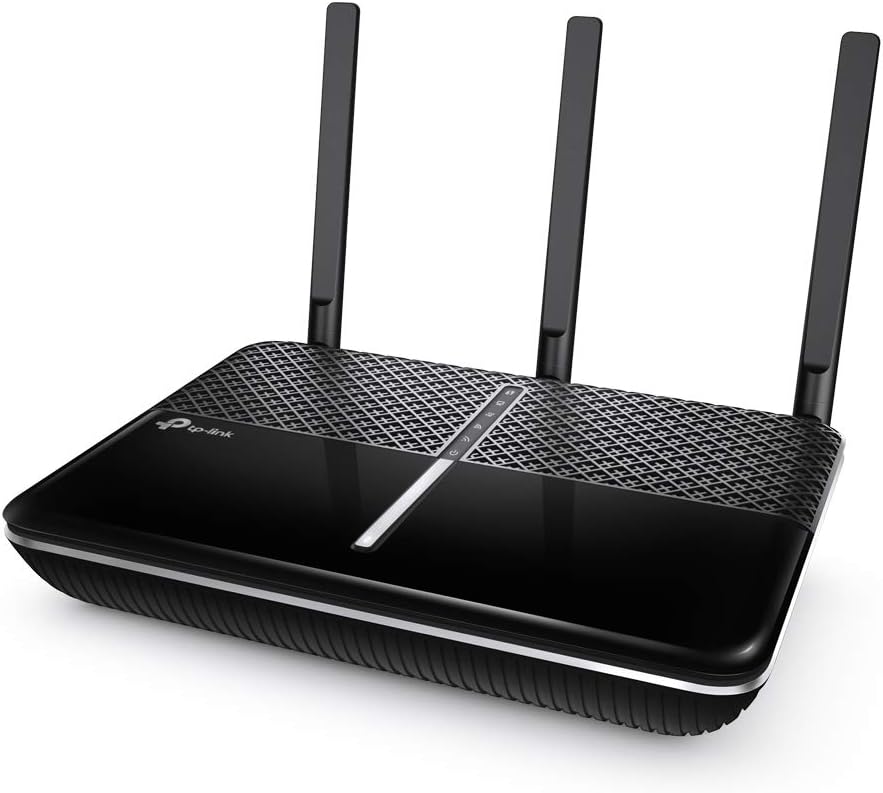
TP-Link AC2600 Smart WiFi Router (Archer A10)
4.5Editor score
MU-MIMO technology for efficient data
Three external antennas for signal focus
VPN Server for secure remote access
Compare the best AC2600 WiFi routers for speed and coverage. This guide reviews top models from TP-Link, NETGEAR, D-Link, and ASUS to help you choose.
Finding a reliable wireless router is essential for modern homes. AC2600 models offer high speeds and strong coverage for streaming and gaming without lag.
We compared ten top rated routers based on performance, features, and user feedback. Our analysis highlights key specifications like MU-MIMO support and dual band capabilities.
Each pick shows unique strengths for different household needs. Prices and availability change frequently so verify details before purchasing your new network equipment.
4.5Editor score
4.4Editor score

4.3Editor score
This side-by-side comparison reviews all ten AC2600 routers in our list. We highlight key specs like speed ratings and processor types to help you decide quickly.


The TP-Link AC2600 Smart WiFi Router earns our top spot for its balanced performance and features. With a strong user rating it delivers reliable speeds for most households.
We may earn a commission when you buy through this link, at no additional cost to you.
Its MU-MIMO technology ensures multiple devices get smooth data streams. The VPN server allows secure remote access to your home network from anywhere.
While setup is intuitive via the Tether app some users find the interface slightly basic. This trade off is acceptable given the robust connectivity options provided.
Buyers seeking dependable coverage and speed should consider this model. It offers excellent value for home networks needing consistent wireless performance.
Combines 2.4 GHz and 5 GHz bands for optimized traffic flow and reduced congestion.
Built-in VPN server lets you connect to your home network safely from outside.
We may earn a commission when you buy through this link, at no additional cost to you.
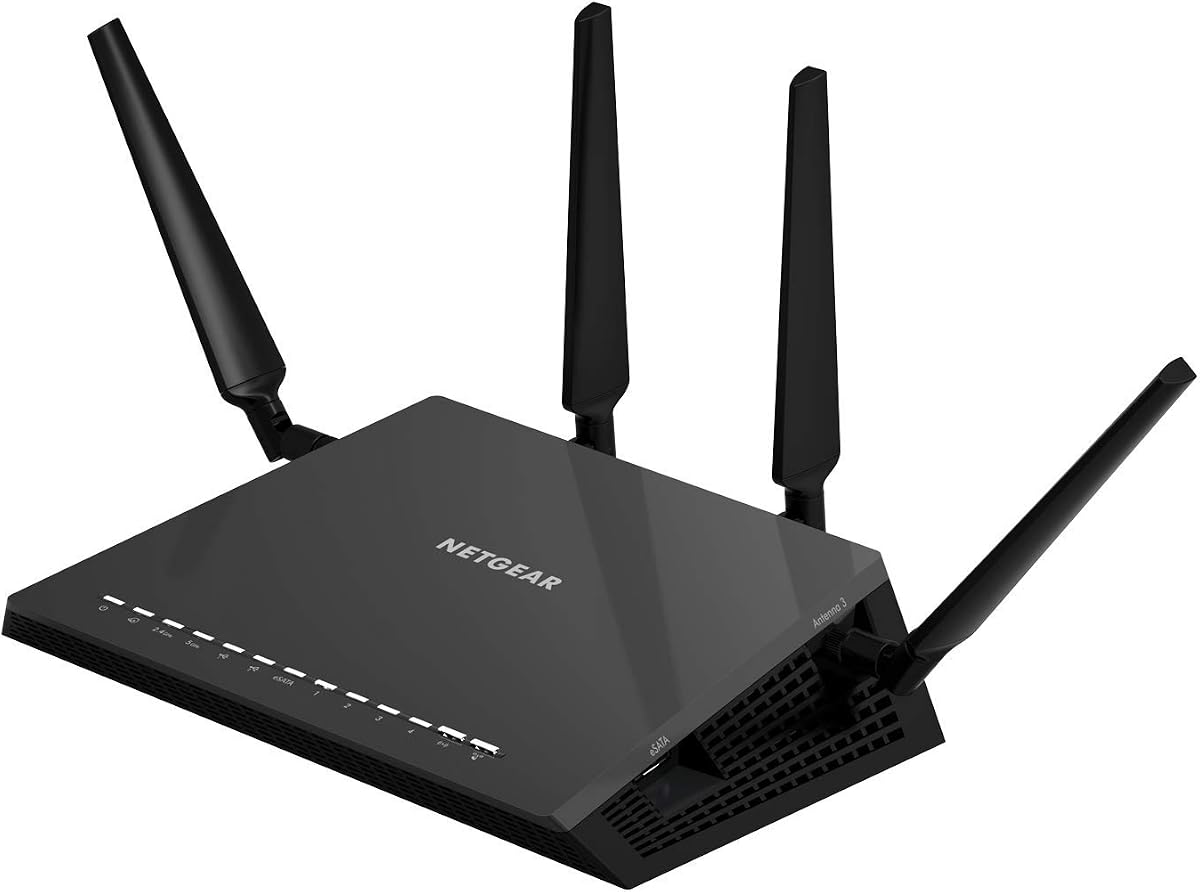
The NETGEAR Nighthawk X4S stands out for its expansive coverage and device capacity. It supports up to 45 devices making it ideal for large families.
We may earn a commission when you buy through this link, at no additional cost to you.
A powerful 1.7GHz dual core processor boosts wireless and wired performance. USB ports enable sharing storage drives and printers across your network easily.
Its premium price may deter budget conscious shoppers but the performance justifies the cost. Dynamic QoS ensures gaming and streaming remain smooth even during heavy use.
Families with many connected devices will appreciate this router. It delivers top tier speeds and reliability across a large home.
Designed to cover up to 2500 square feet with strong signal penetration.
Multiple USB and Ethernet ports allow flexible wired and storage connections.
We may earn a commission when you buy through this link, at no additional cost to you.
The D-Link DIR-2640 offers solid AC2600 speeds at an accessible price point. It provides a smooth online experience with fast dual band Wi-Fi.
We may earn a commission when you buy through this link, at no additional cost to you.
Parental controls let you manage internet access for each family member easily. The D-Link WiFi app simplifies setup and network management for all users.
Some advanced users might find the settings less detailed than competitors. Still it delivers reliable performance for everyday streaming and gaming needs.
Households seeking affordability without sacrificing speed should choose this model. It balances performance and ease of use effectively.
Create profiles to control internet access and schedules for each person.
Free mobile app guides you through quick network configuration.
We may earn a commission when you buy through this link, at no additional cost to you.
The NETGEAR Nighthawk AC2600 is tailored for gaming and high traffic use. Its advanced QoS ensures lag-free gaming during peak hours.
We may earn a commission when you buy through this link, at no additional cost to you.
A dual core processor boosts wireless and WAN-to-LAN performance effectively. Three amplifiers and external antennas improve range throughout your home.
While it lacks some modern smart features it excels at raw speed. The design feels older but functionality remains strong for its class.
Gamers looking for stable connections will find this router valuable. It prioritizes performance and range over extra bells and whistles.
Advanced Quality of Service minimizes lag for smooth online gameplay.
Multiple antennas and amplifiers ensure coverage reaches every room.
We may earn a commission when you buy through this link, at no additional cost to you.
The ASUS Blue Cave combines high speeds with robust security features. AiProtection powered by Trend Micro blocks external threats automatically.
We may earn a commission when you buy through this link, at no additional cost to you.
Voice commands via Alexa allow easy control of guest networks. AiMesh compatibility means you can expand coverage with compatible routers later.
Some users report initial setup steps can be complex. However the security benefits and expandability make it a solid investment.
Families prioritizing safety and future growth should consider this router. It offers unique value with built-in protection.
AiProtection provides continuous protection against external network threats.
AiMesh support allows adding more routers to expand coverage.
We may earn a commission when you buy through this link, at no additional cost to you.
This router brings 6 GHz bands for responsive gaming and video chats. Tri-Band technology increases capacity by four times for more devices.
We may earn a commission when you buy through this link, at no additional cost to you.
A unique design provides optimal heat dissipation for reliability. EasyMesh compatibility helps eliminate dead zones across your home.
Though newer tech often costs more it ensures longevity. Not all devices support 6 GHz yet so check compatibility first.
Early adopters wanting the latest features will love this choice. It offers future proofing for high demand networks.
6 GHz band enables faster speeds and near-zero latency.
EasyMesh support allows adding compatible routers for whole home connection.
We may earn a commission when you buy through this link, at no additional cost to you.
The NETGEAR RS90 is built to keep up when everyone is online. It delivers up to 3.6 Gbps across bands for heavy homes.
We may earn a commission when you buy through this link, at no additional cost to you.
Multi-gigabit connections allow for faster wired internet access. Security features are enabled out of the box for immediate protection.
WiFi 7 tech is still emerging so device support is key. The cost reflects the latest innovations available in networking.
Tech enthusiasts wanting top performance will find this router appealing. It represents the cutting edge of wireless connectivity.
Supports up to 3.6 Gbps for faster gaming and downloads.
Security enabled automatically to protect devices immediately.
We may earn a commission when you buy through this link, at no additional cost to you.
The R6700AX delivers fast reliable WiFi for apartments or small homes. It covers up to 1500 square feet with stable signals.
We may earn a commission when you buy through this link, at no additional cost to you.
WiFi 6 ensures devices run simultaneously without slowing each other. Four gigabit ports allow wired connections for key devices.
Its smaller coverage area makes it best for compact spaces. Still the security and compatibility make it a practical choice.
Renters and small household owners will appreciate its ease of use. It provides essential modern features without complexity.
WiFi 6 technology lets multiple devices run simultaneously smoothly.
WPA3 encryption and updates keep your connection secure.
We may earn a commission when you buy through this link, at no additional cost to you.
This gaming focused router helps minimize ping and maximize performance. Geo-filtering connects you to closest servers for better response.
We may earn a commission when you buy through this link, at no additional cost to you.
Advanced QoS places your gaming traffic in an express lane. This reduces lag spikes and jumps during competitive sessions.
The renewed status offers savings but check condition carefully. The interface may lack modern aesthetics but gaming tools are robust.
Competitive gamers needing low latency will find this router useful. It is designed specifically to enhance online gaming.
Advanced traffic prioritization reduces lag for responsive gameplay.
Geo-filtering connects you to the closest available game servers.
We may earn a commission when you buy through this link, at no additional cost to you.
This model offers high-performance 4-stream AC2600 Wi-Fi for gaming. Beamforming sends targeted signals to individual devices efficiently.
We may earn a commission when you buy through this link, at no additional cost to you.
Four dual band antennas with amplifiers supercharge your Wi-Fi signal. A 1.4GHz dual-core processor handles heavy traffic usage well.
Some reviews mention setup challenges which can affect initial experience. The warranty and support provide safety net for issues.
Families wanting standard AC2600 speeds may find this suitable. It balances performance and essential controls for general use.
Beamforming technology sends signals directly to connected devices.
Includes 2-year warranty and 24/7 technical support.
We may earn a commission when you buy through this link, at no additional cost to you.
Selecting the right AC2600 router involves understanding speed coverage and features that match your needs.
AC2600 indicates combined speeds of roughly 800 Mbps on 2.4 GHz and 1733 Mbps on 5 GHz. Higher speeds support streaming and gaming better.
Choose a router with enough throughput for your internet plan and number of devices.
Antenna count and power determine how far signals travel. Look for routers matching your home square footage.
Ensure the unit covers all rooms to avoid dead zones.
MU-MIMO allows simultaneous data streaming to multiple devices. This reduces congestion and improves overall performance.
Prioritize routers with MU-MIMO for busy households.
Dual-core processors handle more traffic efficiently. They ensure stable performance under heavy load.
Check for processor specs if you plan to run many apps.
Gigabit Ethernet ports support fast wired devices like consoles. Having four ports gives flexibility.
Ensure the router has enough ports for your wired needs.
Built-in VPN or security suites protect your network. Some offer parental controls for family safety.
Select a model with robust security to guard data.
User-friendly apps simplify configuration. Voice control support adds convenience for managing networks.
Look for intuitive interfaces to ease daily use.
Ensure the router works with your ISP modem. Check device compatibility especially for newer standards.
Verify compatibility to avoid connectivity issues.
Place your router in a central elevated location for best coverage. Avoid walls or metal objects that block signals.
Keep firmware updated through the manufacturer app to fix vulnerabilities. Regular updates improve security and stability.
Restart the router periodically to clear cached data and refresh connections. This simple step maintains smooth network performance.
Yes AC2600 provides sufficient speed for most online games. Look for models with QoS to minimize lag.
AC2600 typically supports 20 to 45 devices comfortably. It depends on the specific router hardware.
These units are routers only so you need a separate modem. Your ISP provides the modem gateway.
MU-MIMO allows simultaneous streaming to multiple devices. It reduces congestion on your network.
Use strong passwords and enable WPA3 encryption. Keep firmware updated for security patches.
Dual band uses both 2.4 GHz and 5 GHz frequencies. It balances range and speed effectively.
Yes most AC2600 routers connect many smart devices. Ensure compatibility for best results.
Place it centrally on a shelf away from obstructions. This maximizes coverage and signal quality.
The TP-Link Archer A10 and NETGEAR R7800 offer strong performance for most households. These top picks balance speed and features well.
Prioritize coverage area and device capacity when selecting a model. Security and ease of use also matter.
Prices change frequently so verify details before purchasing. Choose the router that fits your home needs best.