
HP 14 Laptop Computer
4.6Editor score
Intel N150 Quad Core
628GB Total Storage
Windows 11 Pro
Finding the right laptop for nursing school is crucial for managing heavy workloads during clinical rotations and intense study sessions. You need a device that balances performance with portability so you can carry it easily between lectures and hospital shifts without worrying about battery life.
We analyzed ten top models based on processor speed, memory capacity, storage options, and display quality to ensure they handle medical software and research tools smoothly. Each selection offers distinct advantages for students who need reliable connectivity and long-lasting power throughout their demanding academic and professional schedules.
Every pick highlights key features like RAM size and battery duration to help you make an informed decision that fits your specific learning needs. Keep in mind that pricing and availability can fluctuate frequently so check current details before purchasing to ensure you get the best value available today.
4.6Editor score

4.3Editor score

4.5Editor score
As an Amazon Associate we earn from qualifying purchases.
This side-by-side comparison breaks down the core specifications of every selected laptop to help you quickly identify which model aligns with your nursing school requirements. We focus on processing power memory capacity and portability to ensure you can handle electronic health records and virtual simulations efficiently.


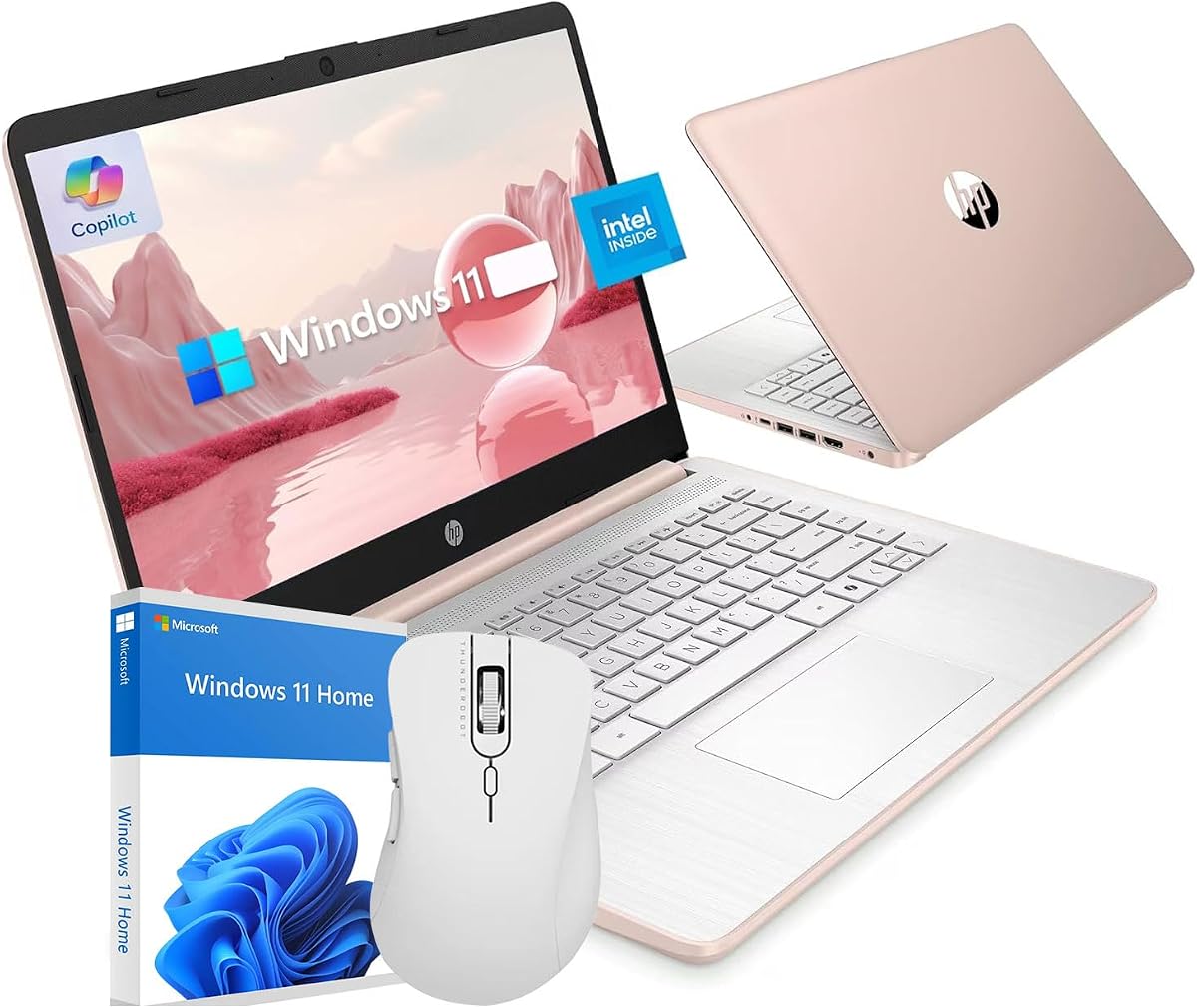


This HP laptop stands out as an accessible entry point for nursing students who need reliable tools without breaking the bank. It carries a solid rating from users who appreciate its balance of essential features and cost-effective design for academic purposes.
We may earn a commission when you buy through this link, at no additional cost to you.
The device runs on an Intel N150 processor that handles web-based learning platforms and document creation efficiently. With 4GB of DDR5 memory you can switch between browser tabs during research without noticeable slowdowns while the 628GB storage bundle provides ample room for files.
While the 4GB RAM limits heavy multitasking it is sufficient for typical nursing school tasks like watching lectures and taking notes. The included external drive expands your capacity significantly which is useful for storing large educational videos or research archives.
Students on a tight budget should consider this model for its complete package including Microsoft Office and wireless accessories. It ensures you have everything needed to start your coursework immediately without additional purchases.
The bundle includes wireless earbuds and an external drive making it a complete start-up kit for students.
Security features like encryption help protect sensitive patient data during clinical rotations.
We may earn a commission when you buy through this link, at no additional cost to you.
This HP 14-inch model offers a noticeable upgrade in memory with 8GB RAM which helps when running multiple applications simultaneously. Its high user rating reflects satisfaction with its performance for daily student tasks and light productivity work.
We may earn a commission when you buy through this link, at no additional cost to you.
The Intel N150 processor supports smooth operation of research browsers and video conferencing tools essential for remote learning. With up to 11 hours of battery life you can attend back-to-back classes or clinical shifts without searching for an outlet.
Although the storage is limited to 128GB cloud services can compensate for this constraint effectively. The lightweight frame makes it easy to slip into a bag for travel between hospital sites or campus libraries.
Students needing better multitasking capabilities than base models will find this system reliable for standard academic workflows. It provides a steady foundation for organizing notes and accessing digital textbooks throughout the semester.
Long lasting power supports full days of lectures and study sessions without interruption.
The 8GB RAM allows smoother switching between reference materials and note-taking apps.
We may earn a commission when you buy through this link, at no additional cost to you.
The HP Essential Laptop delivers responsive performance for everyday computing tasks that nursing students face daily. It features an Intel N150 processor paired with LPDDR5 memory to ensure efficient power usage during long study hours.
We may earn a commission when you buy through this link, at no additional cost to you.
Connectivity is strong with Wi-Fi 6 and Bluetooth 5.4 allowing seamless connections to external monitors or wireless mice. The dedicated Copilot key provides quick access to AI assistance which can help draft notes or summarize reading materials.
While storage is limited the micro-edge bezel maximizes screen real estate for a compact footprint. This design keeps the laptop lightweight and easy to carry in crowded clinical environments or lecture halls.
Students prioritizing portability and modern wireless features will appreciate this model for its streamlined design. It covers all basic needs for accessing online resources and completing written assignments efficiently.
Built-in Copilot integration helps speed up research and note-taking tasks.
Anti-glare screen reduces eye strain during long reading or video sessions.
We may earn a commission when you buy through this link, at no additional cost to you.
This HP Ultrabook brings a sleek design to your studies with a 14-inch form factor that is easy to manage. The Intel N150 quad-core processor ensures you can handle daily tasks like web browsing and document editing with ease.
We may earn a commission when you buy through this link, at no additional cost to you.
Performance remains efficient thanks to an SSD that boots up quickly so you are ready for class in seconds. The inclusion of Windows 11 Home simplifies updates and security management for students who need a reliable device.
Connectivity features include Wi-Fi 6 for stable internet access in busy hospital environments. The thin profile fits easily into a backpack without adding unnecessary weight to your load.
Students who value style alongside function will find this model appealing for personal use in academic settings. It offers a clean experience for basic coursework and digital learning materials.
The rose gold finish adds a touch of personality to your study setup.
SSD storage ensures faster loading times for applications and files.
We may earn a commission when you buy through this link, at no additional cost to you.
This Chromebook stands out with a Full HD touchscreen that allows intuitive navigation through web-based learning portals. The MediaTek Kompanio 520 processor provides sufficient power for streaming lectures and browsing medical resources online.
We may earn a commission when you buy through this link, at no additional cost to you.
Running Chrome OS simplifies security and updates so you spend less time managing the system and more time studying. The lightweight frame and slim profile make it easy to carry around campus or clinical sites.
While storage is limited cloud storage solutions integrated with Chrome OS help manage files efficiently. The privacy shutter on the webcam ensures your security during virtual meetings or remote classes.
Students comfortable working in a browser environment will find this device practical for daily academic needs. It offers a fast and secure way to access educational content without complex installations.
Interactive display allows easy navigation through complex study materials.
Built-in privacy features keep your data safe during public use.
We may earn a commission when you buy through this link, at no additional cost to you.
For students needing serious performance this HP 17-inch laptop delivers top-tier capabilities with an Intel Core i5 processor. The 16GB RAM ensures smooth multitasking between research browsers and video calls without slowing down.
We may earn a commission when you buy through this link, at no additional cost to you.
The large FHD display provides ample space for side-by-side document viewing which is ideal for studying complex medical charts. Integrated Iris Xe graphics support any multimedia needs you might encounter during presentations or simulations.
While larger than portable options the enhanced performance justifies the bulk for those who prioritize speed over weight. The privacy shutter on the camera adds a layer of security during online sessions.
Students dealing with heavy data tasks or needing multiple windows open will appreciate this robust machine. It is a strong investment for long-term academic use and professional development.
High RAM capacity supports running multiple heavy applications simultaneously.
Larger screen allows efficient comparison of reference materials.
We may earn a commission when you buy through this link, at no additional cost to you.
This lightweight model combines high memory capacity with a slim frame ideal for students on the move. The 16GB RAM allows extensive multitasking capabilities even with multiple browser windows and apps open at once.
We may earn a commission when you buy through this link, at no additional cost to you.
Microsoft Copilot integration enhances productivity by providing smart suggestions for writing and research. The battery life supports up to 11 hours of use which covers long clinical shifts or travel days comfortably.
While storage is modest the SSD ensures quick boot times and responsive application launches. The included earbuds add value to the package making it ready for media consumption or study sessions.
Students who need a balance of power and portability will find this a practical premium choice. It offers the memory benefits of high-end models in a form factor that fits any backpack.
Extra RAM helps keep everything running smoothly during intense study periods.
Included accessories mean you have everything needed right out of the box.
We may earn a commission when you buy through this link, at no additional cost to you.
This Dell laptop provides a dependable platform for general computing tasks required in nursing education. The Intel Core 3 processor handles typical applications efficiently while maintaining energy efficiency for longer battery life.
We may earn a commission when you buy through this link, at no additional cost to you.
ComfortView software reduces blue light emissions to protect your eyes during long study sessions. The ergonomic hinge supports comfortable typing angles which is helpful when taking notes in class.
A numeric keypad is included for faster data entry or calculations which can be useful for lab reports. The service coverage ensures you have support if hardware issues arise during critical school times.
Students looking for a trustworthy brand with service support will appreciate this reliable option. It offers a straightforward experience for accessing coursework without technical complications.
Reduced blue light helps prevent fatigue during late night studying.
Numeric keypad speeds up input for data-heavy assignments.
We may earn a commission when you buy through this link, at no additional cost to you.
This 14-inch HP laptop offers a standard configuration suitable for essential academic work. The Intel N150 processor ensures smooth operation for web browsing and document creation during daily study routines.
We may earn a commission when you buy through this link, at no additional cost to you.
Audio features include AI noise reduction which filters background sounds for clearer calls with professors. The full-size keyboard supports comfortable typing for longer essays or assignment submissions.
Connectivity options like HDMI and USB-C allow versatile connections to projectors or external drives. The micro-edge bezel provides a modern look while keeping the device compact enough for travel.
Students needing a straightforward device for core coursework will find this model sufficient. It covers the basics well with included software and decent connectivity options.
Noise reduction tech improves virtual meeting quality in noisy spaces.
Office 365 inclusion saves money on essential productivity tools.
We may earn a commission when you buy through this link, at no additional cost to you.
This ultra-portable model stands out for its comprehensive accessory bundle including a docking hub and external drive. The Windows 11 Pro operating system offers added security features beneficial for managing sensitive academic data.
We may earn a commission when you buy through this link, at no additional cost to you.
The Intel N150 processor handles everyday tasks efficiently while the 4GB RAM supports basic multitasking. Long battery life ensures you can work through a full day of classes without recharging.
Accessories like a wireless mouse and HDMI cable mean you can connect to presentation screens or use extended displays easily. This convenience simplifies your setup for both study and presentation needs.
Students needing a ready-to-use solution with extra peripherals will find this value highly attractive. It provides a complete workflow package that reduces the need for extra purchases.
Bundled dock and drive make it a plug-and-play solution.
Windows Pro adds encryption and isolation for data safety.
We may earn a commission when you buy through this link, at no additional cost to you.
Choosing the right laptop involves balancing performance needs with portability to ensure you can handle both clinical and academic demands effectively.
A capable processor is essential for running virtual labs and video conferencing tools without lag. Look for models with at least quad-core designs to ensure smooth operation during multitasking.
Prioritize newer generations like Intel Core i5 or equivalent to ensure longevity throughout your program.
RAM determines how many applications you can run simultaneously which is vital for research and note-taking. 8GB is a comfortable baseline while 16GB offers extra headroom for heavy browser usage.
Ensure the memory is sufficient to prevent slowdowns during critical study sessions or clinical documentation.
Fast SSDs improve boot times and application loading which helps you get started quickly. While 512GB is ideal if budget allows external drives or cloud storage can supplement smaller capacities.
Select models with solid state storage to avoid the slow speeds of traditional mechanical hard drives.
A clear screen reduces eye strain during long hours of reading or watching lecture videos. Anti-glare finishes are particularly useful in bright hospital environments or outdoor study spots.
Aim for Full HD resolution to ensure details in medical diagrams remain sharp and readable.
Nursing students often move between campus and clinical sites so a lightweight chassis is highly beneficial. Devices under 4 pounds fit easily into standard backpacks without causing back strain.
Consider the physical dimensions to ensure the laptop fits comfortably in your daily carry bag.
Long lasting power is crucial for days when outlets are unavailable during clinical rotations. Look for laptops rated for at least 10 hours of battery life to last a full day.
Prioritize energy efficient components to extend the usable time between charges during shifts.
Versatile ports like USB-C and HDMI allow you to connect to projectors or external monitors easily. Wi-Fi 6 ensures stable internet connections in high-density environments like hospitals.
Check for enough USB ports to connect peripherals like mice or external drives without a hub.
A comfortable keyboard with good travel is essential for writing long papers and typing patient notes. Ergonomic designs reduce hand fatigue during extended typing sessions.
Choose a model with a full-size layout to ensure efficient navigation and data entry speeds.
Start by organizing your files into clear folders for each course to make accessing assignments easier. This practice helps keep your digital workspace tidy and reduces the time spent searching for specific documents.
Protect your device from physical damage by using a padded sleeve or protective case in your bag. This prevents scratches and impacts when moving between classes or hospital floors with a heavy load.
Keep your software updated regularly to ensure security patches are applied to protect sensitive data. Regular maintenance like clearing cache and restarting the system also helps maintain performance over time.
A nursing student should prioritize at least 8GB of RAM and a 512GB SSD for smooth multitasking and storage. The processor should be at least a quad-core model to handle research and video calls effectively. A reliable battery life of around 10 hours is also essential for clinical shifts.
While not strictly necessary 16GB RAM provides better future-proofing and smoother multitasking. If you plan to keep the laptop for several years this extra memory helps accommodate new software updates. For basic tasks 8GB is usually sufficient but 16GB adds a performance margin.
A Chromebook can work for web-based classes but may lack compatibility with specialized desktop software used in simulations. Ensure your program runs in a browser before committing to Chrome OS for your primary study tool. Traditional laptops offer more flexibility for complex medical software requirements.
Screen size matters for comfort but portability is often more critical for clinical rotations. A 14-inch display offers a good balance between readability and ease of carrying in a bag. Larger screens are great for home study but may be cumbersome during travel.
Most nursing programs do not require a dedicated graphics card as they rely on web and document based tools. Integrated graphics are typically sufficient for video playback and basic virtual simulations. Investing in GPU power is not usually necessary for this field of study.
You should aim for at least 256GB of storage to keep notes and digital textbooks organized. Using cloud storage services can help extend your capacity without buying extra physical drives. Larger files like recorded lectures may require planning to manage space efficiently.
Windows is the most common choice for compatibility with university software and clinical tools. macOS is also a viable option if your specific requirements are browser based. Choose the system you are most comfortable with to avoid learning curve issues.
Use a sturdy laptop case or backpack to protect the device from bumps and scratches. Keep software updated and use strong passwords to secure sensitive patient or academic data. Avoid placing the laptop on dirty surfaces to prevent damage or contamination during shifts.
We have reviewed ten top models ranging from budget-friendly options to high-performance machines for your academic journey. Each selection balances key features like battery life and processor speed to support your busy schedule effectively.
Prioritize portability and memory capacity when making your decision to ensure you can work comfortably anywhere. The best model depends on your specific needs whether it is for heavy multitasking or long clinical shifts.
Remember that prices and availability change frequently so verify current details before finalizing your purchase. Checking current specs ensures you invest in the right device that meets your evolving academic needs today.