
Blackmagic Design Mini Converter Audio to SDI CONVMCAUDS
4.5Editor score
Universal Power Supply Included
Automatic Video Format Switching
Supports Multiple SDI Standards
This guide compares the top Audio to Sdi Embedder models for professionals seeking reliable signal conversion and seamless audio integration in broadcasting
Finding the right Audio to Sdi Embedder is crucial for professional video workflows. These devices ensure seamless audio integration into SDI signals for broadcasting and live production environments.
We evaluated ten top models based on compatibility, reliability, and feature sets. Our comparison covers essential specs like SDI versions, audio channels, and build quality for diverse production needs.
Each pick highlights key strengths and ideal use cases. Remember that pricing varies by retailer and time. Always check current availability and support before making your final equipment purchase decision.
4.5Editor score

4.9Editor score

3.8Editor score
This table provides a side-by-side comparison of all ten models to help you quickly identify the right fit for your specific broadcasting or production workflow requirements.




This model stands out with its exceptional reliability and redundant SDI inputs designed for mission critical broadcast tasks. It maintains top ratings for its consistent performance and robust construction.
We may earn a commission when you buy through this link, at no additional cost to you.
The auto switching capability ensures uninterrupted feeds even if a cable fails. Its compact design makes it easy to integrate into various setups without consuming excessive rack space.
While it comes at a higher cost than basic units, the trade-off is justified by its stability. For professionals who cannot afford signal loss, this investment is well worth the extra expense.
Buyers seeking maximum reliability for live events will find this embedder ideal. It delivers professional quality results consistently, making it the top recommendation for serious production workflows.
Redundant inputs switch automatically if the main cable fails, ensuring no downtime during critical broadcasts.
Its small footprint allows for flexible installation in tight spaces while maintaining high performance standards.
We may earn a commission when you buy through this link, at no additional cost to you.
This converter offers excellent value for those needing reliable embedding without breaking the bank. It supports a wide range of video standards including SD and HD formats effectively.
We may earn a commission when you buy through this link, at no additional cost to you.
Its universal power supply makes it ideal for international travel or diverse locations. Automatic switching between formats ensures you do not need to manually adjust settings constantly.
The lack of redundant inputs is a trade-off for the lower price. For non-critical workflows or studio use where cables are secured, this is a minor limitation to consider.
Ideal for budget-conscious users or secondary setups, this model provides the essential features needed for quality embedding. It is a strong choice for entry-level professionals.
Included international adapters let you plug into sockets anywhere without needing extra power bricks.
New video formats can be added via USB connection, keeping the device relevant as standards evolve.
We may earn a commission when you buy through this link, at no additional cost to you.
This premium unit handles 12G-SDI inputs, making it suitable for high resolution 4K workflows. It offers professional AES/EBU inputs alongside analog options for diverse audio needs.
We may earn a commission when you buy through this link, at no additional cost to you.
Automatic switching between SD HD and 4K ensures flexibility. The Teranex branding signifies a higher tier of processing power and quality assurance for demanding environments.
It is priced significantly higher than standard models. However, users requiring 4K compatibility or specific 12G bandwidth will find the additional cost necessary for their production demands.
Best for high end studios or broadcast facilities needing robust 4K embedding, this device delivers superior performance. It is the right choice for professionals prioritizing resolution and bandwidth.
Seamlessly handles 12G-SDI and 4K signals ensuring your high resolution content arrives intact.
XLR connectors allow direct connection to pro audio gear without needing extra adapters.
We may earn a commission when you buy through this link, at no additional cost to you.
This unit provides fiber options for long distance signal transmission which is rare in standard embedders. It is designed for environments where cabling length or interference is a concern.
We may earn a commission when you buy through this link, at no additional cost to you.
The inclusion of fiber allows for cleaner signal transport over longer distances. Balanced audio inputs ensure quality sound integration into your video stream efficiently.
Its specialized nature might not suit every user. If you require standard copper connections only, this might be more than necessary for your basic setup requirements.
Recommended for facilities with long cable runs or specific fiber infrastructure needs, this embedder offers unique flexibility. It fills a specific niche for advanced signal routing.
Fiber options eliminate signal degradation issues common with long copper cable runs.
Supports balanced inputs to minimize noise and ensure clean audio embedding in noisy environments.
We may earn a commission when you buy through this link, at no additional cost to you.
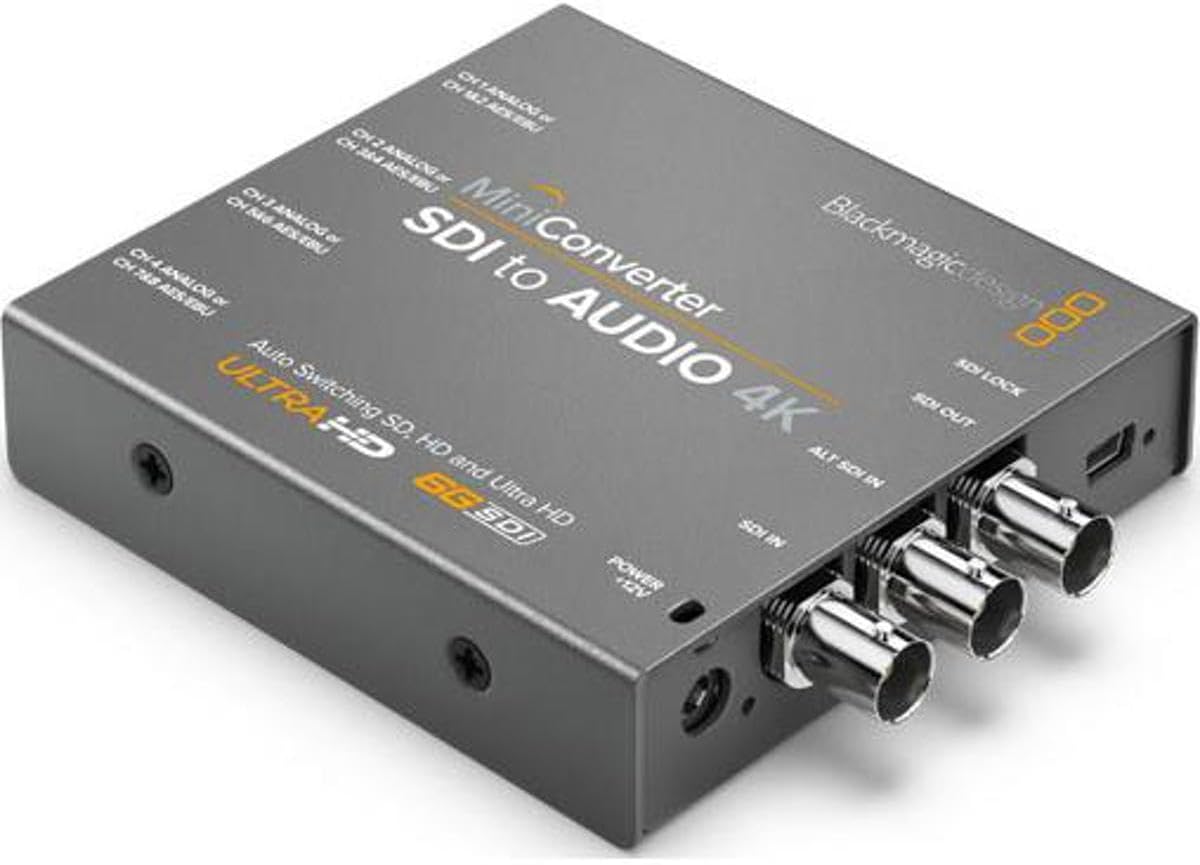
This converter focuses on extracting audio from SDI signals with ease. It is perfect for setups where monitoring or recording audio from video feeds is the primary goal.
We may earn a commission when you buy through this link, at no additional cost to you.
Included power adapters work globally so you can use it anywhere. The design is straightforward ensuring you spend less time configuring and more time working.
It lacks advanced embedding features compared to other models on this list. If your focus is solely on SDI to audio conversion it fits the bill perfectly.
Best for simple monitoring or recording setups, this model handles the job reliably. It is a solid choice for users who need a dedicated audio extraction tool.
Multinational adapters allow you to use the unit in different countries without issues.
No complex menus or software are needed for basic conversion tasks.
We may earn a commission when you buy through this link, at no additional cost to you.
This device converts SDI signals to analog video while also de-embedding audio for monitoring. It is essential for connecting SDI gear to older analog monitors or recorders.
We may earn a commission when you buy through this link, at no additional cost to you.
It handles both balanced analog and digital audio outputs effectively. The conversion quality ensures that what you see and hear matches the source material closely.
It is important to note this converts SDI to analog rather than embedding. For users needing to go the other way this unit is not the correct solution.
Ideal for broadcast environments mixing analog and digital gear this converter bridges the gap. It ensures compatibility and reliable signal conversion for legacy equipment.
Connects modern SDI outputs to older analog screens or devices without signal loss.
De-embeds audio to balanced analog or AES/EBU for versatile monitoring setups.
We may earn a commission when you buy through this link, at no additional cost to you.
Designed for 4K workflows this unit offers robust audio conversion capabilities for high resolutions. It supports a wide range of video rates automatically detecting input formats.
We may earn a commission when you buy through this link, at no additional cost to you.
The inclusion of a redundant input adds reliability to your signal chain. If the main SDI source fails the unit switches to the backup automatically to maintain output.
Its power consumption is low despite handling high bandwidth signals. This makes it efficient for rack mounted installations where heat and power are concerns.
Best for 4K production environments needing reliable audio monitoring this model fits well. It provides necessary redundancy and format flexibility for modern video production.
Instantly switches between SD HD and 4K formats without manual intervention.
Dual inputs ensure continuous operation even if one cable connection fails.
We may earn a commission when you buy through this link, at no additional cost to you.
This unit converts analog video to SDI while embedding audio from AES/EBU or analog sources. It is vital for integrating legacy analog cameras into modern digital workflows.
We may earn a commission when you buy through this link, at no additional cost to you.
It accepts a wide range of analog signals including component NTSC and PAL. The embedded audio ensures your video signal is complete as it enters the SDI chain.
For users with older cameras or tape decks this converter is essential. It modernizes old gear by outputting clean SDI signals ready for switching or recording.
Best for studios bridging analog and digital systems this model offers seamless conversion. It ensures legacy sources work reliably within modern broadcast infrastructures.
Connects older analog cameras directly to modern SDI routers or switchers.
Brings audio from analog sources along with video into a single SDI stream.
We may earn a commission when you buy through this link, at no additional cost to you.
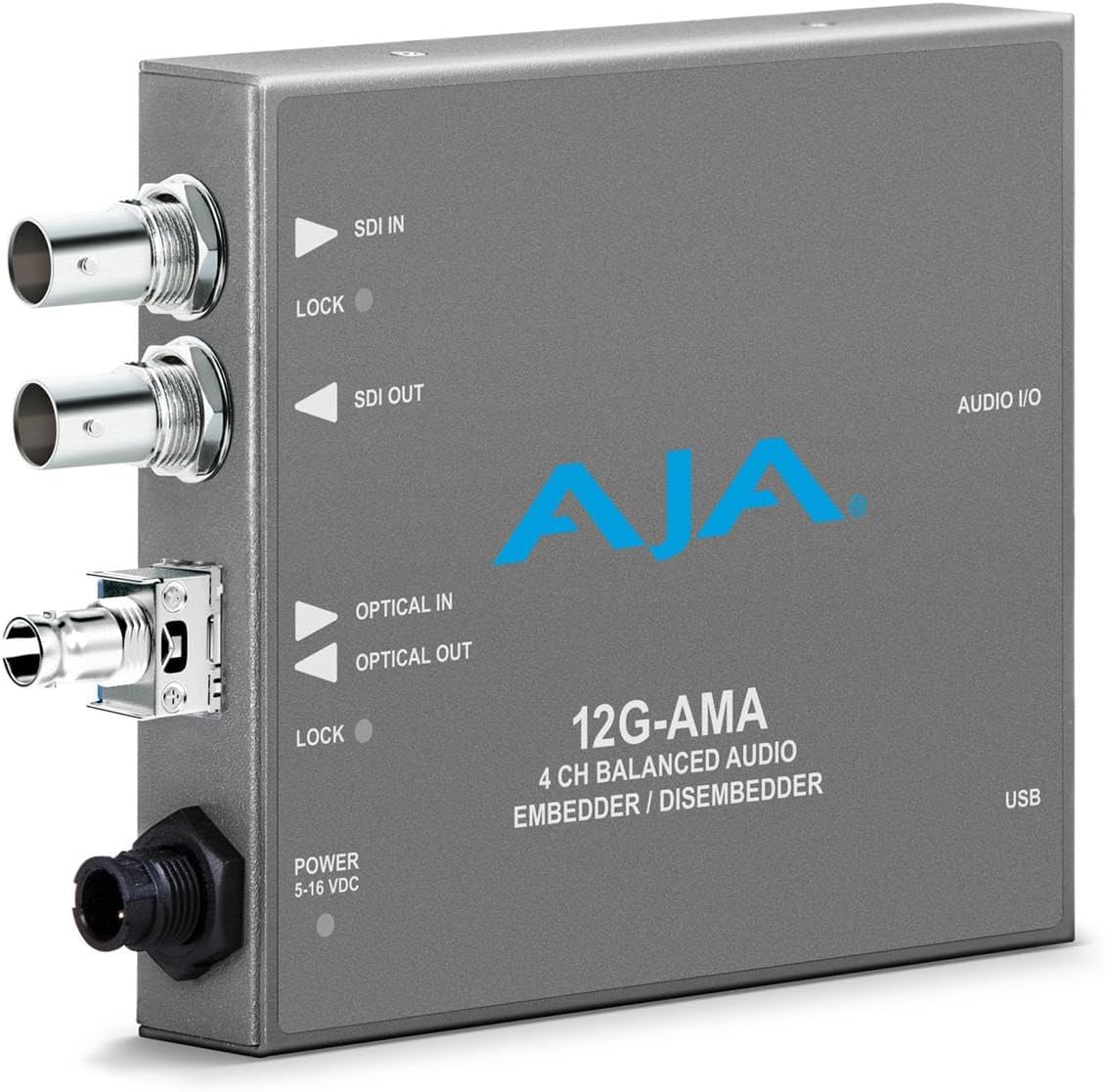
This AJA unit embeds four channels of balanced analog audio into 3G-SDI streams with minimal delay. It ensures high resolution video is paired with professional audio seamlessly.
We may earn a commission when you buy through this link, at no additional cost to you.
Using MiniConfig software you can customize audio levels and settings precisely. The ultra low latency ensures real time synchronization which is critical for live production events.
While it requires software configuration for full feature use that offers precise control. The price is higher but the flexibility and latency performance are significant benefits.
Ideal for live broadcasts requiring real time audio sync this embedder is excellent. It provides precise control over audio levels to meet broadcast standards.
Ultra low latency ensures audio and video stay perfectly aligned in live settings.
Software tools allow you to set levels and settings to match your production needs.
We may earn a commission when you buy through this link, at no additional cost to you.
This 4K converter embeds audio into SDI with support for ultra high definition formats. It includes redundancy to guarantee uninterrupted feeds during critical production work.
We may earn a commission when you buy through this link, at no additional cost to you.
It handles a wide range of video formats from SD to 4K automatically. Advanced processing ensures color precision and audio fidelity match broadcast standards effectively.
For projects requiring 4K embedding this device offers necessary robustness. Its redundancy feature protects against accidental cable disconnections or input failures.
Best for high end productions needing reliable 4K embedding this model excels. It combines compatibility with safety features to ensure high quality output.
Designed to handle 4K and UHD formats ensuring high resolution video workflows run smoothly.
Redundant inputs switch over instantly if the main feed is lost to maintain continuity.
We may earn a commission when you buy through this link, at no additional cost to you.
Choosing the right embedder depends on your specific video workflow needs budget and signal reliability requirements.
Check if your video workflow requires SD HD 3G or 12G SDI support. Modern 4K productions need higher bandwidth versions like 12G SDI whereas standard HD may only need 3G.
Select a model that supports the highest SDI version you need to ensure future proofing and optimal signal quality.
Different embedders accept analog balanced AES/EBU or optical inputs. Choose the type that matches your existing audio sources to avoid needing extra converters.
Ensure the device supports the number of audio channels your project requires for complete sound integration.
Mission critical broadcasts benefit from redundant inputs that switch automatically if a cable fails. This feature prevents signal loss during live events.
If reliability is paramount prioritize models with dual inputs and auto switching capabilities to keep your feed live.
Universal power supplies with international adapters are essential for travel or field work. They ensure you can power the unit anywhere without extra gear.
Look for power efficient units if you are using multiple devices in a rack to manage heat and energy use.
Automatic switching between video standards like NTSC PAL and various resolutions simplifies setup. This avoids manual configuration when signals change.
Verify that the embedder supports the specific formats your cameras or sources use to prevent compatibility issues.
Compact designs save rack space and allow flexible mounting in tight environments. A robust build ensures durability during transport or heavy use.
Consider the physical footprint and construction quality especially if you are using the device in a portable or mobile setup.
Some models offer software tools for advanced settings customization like audio levels and color formats. This allows precise control over the output signal.
Check if the unit requires software updates or has a user friendly interface for managing settings on your computer.
Reputable brands like Blackmagic Design and AJA often offer better support and firmware updates. This ensures long term usability and reliability.
Investing in a well reviewed brand helps avoid unexpected failures and ensures you get professional grade performance.
Connect your video and audio sources to the input ports ensuring secure connections. Use balanced cables where possible to maintain signal integrity and reduce noise.
Power on the device and configure any necessary settings via buttons or software. Verify that the embedded audio is present in the SDI output using a monitor.
Keep the unit free from dust and moisture to ensure longevity. Regularly update firmware if supported to maintain compatibility with newer video standards.
An Audio to SDI Embedder combines separate audio signals into an SDI video stream. This allows you to transmit both video and audio over a single cable for simpler setups and broadcast workflows.
Redundant inputs are vital for live events where signal loss cannot be tolerated. For typical studio work with secure cabling they are less critical but still add safety.
Not all models support 4K. You need a unit specifically rated for high bandwidth like 12G SDI to embed audio into 4K video streams effectively.
Most embedders support AES/EBU digital audio and balanced analog inputs. Some also accept optical TOSLINK formats so check the specs for your source type.
Many models update via USB connection using manufacturer software. Check the product page for specific instructions and tools to keep firmware current.
Most professional units require an external power supply for reliable performance. Some models include universal power bricks with adapters for international use.
Yes many models support up to eight channels of embedded audio. Check the channel count supported to ensure it meets your production needs.
Latency is usually low enough to be imperceptible but varies by model. For live broadcast ultra low latency options from manufacturers like AJA ensure sync.
The Blackmagic Design Mini Converter Audio to SDI 2 remains the top pick for its reliability and redundant inputs. It is perfect for live events where signal integrity cannot fail.
Budget users may prefer the Blackmagic Design Mini Converter Audio to SDI CONVMCAUDS for its universal power and format support. High end studios should consider the Teranex for 4K needs.
Always check current availability and verify specs match your system before buying. Prices and stock can change so confirm compatibility with your specific production setup.