
ASRock PG 1600G
4.4Editor score
Native 12V-2×6 connectors
80 Plus Gold certified
Japanese capacitor components
Compare the top 1600W power supplies for 2026 including efficiency ratings ATX 3.1 support and premium features for high-end gaming and workstation builds.
High performance computing demands reliable power delivery systems that can handle extreme loads without compromise. A 1600W power supply ensures your graphics cards and processors receive stable energy during intense workloads or gaming sessions.
We evaluated ten leading units based on efficiency certifications build quality and feature sets relevant to modern hardware standards. Each product offers unique advantages ranging from silent operation to advanced voltage stabilization technologies for peak performance.
Every selection includes detailed specifications pros and cons to help you identify the right unit for your specific setup. Keep in mind that pricing fluctuates frequently so check current listings before making your final purchase decision.
4.4Editor score

4.7Editor score

4.3Editor score
This side by side comparison highlights key specifications across all ten units to help you visualize differences in efficiency warranty coverage and connector types at a glance.


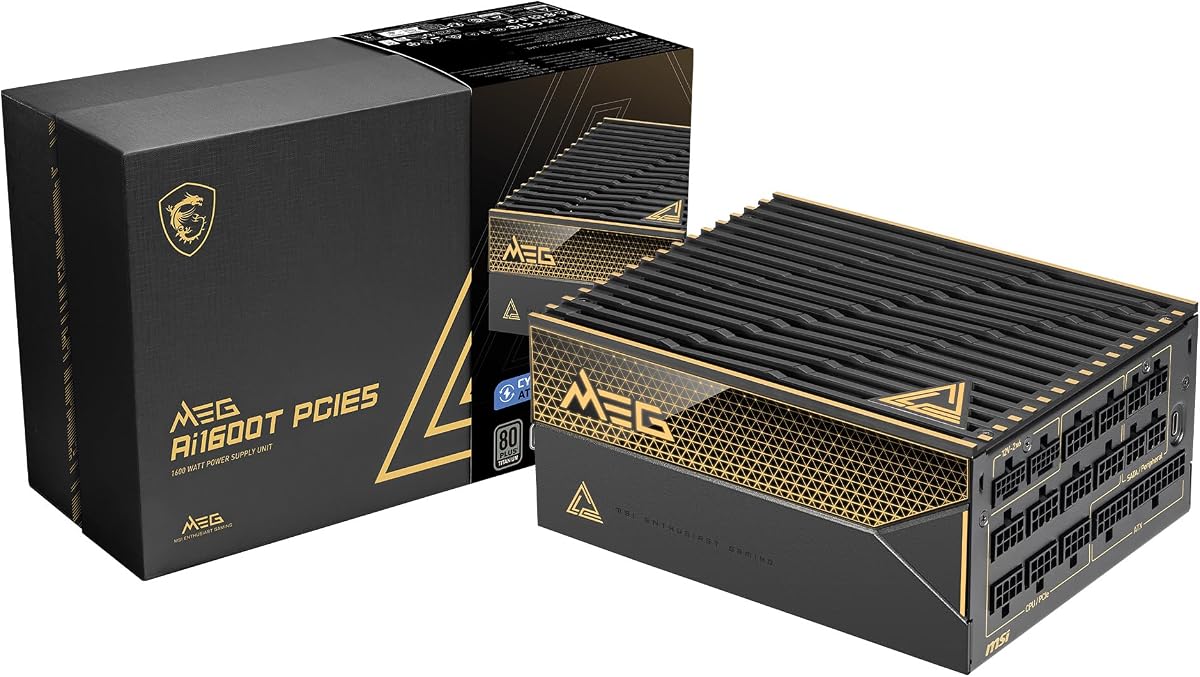

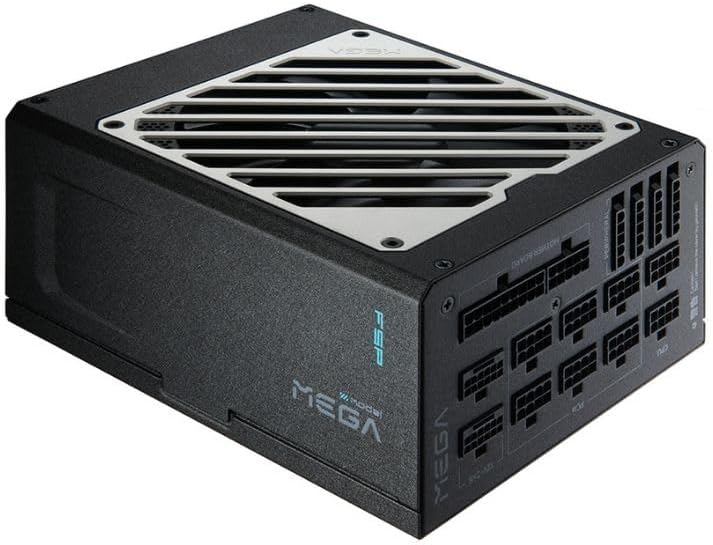

This unit stands out as an affordable entry into high wattage power supplies with robust construction. It delivers solid efficiency and supports modern standards like ATX 3.1 for next gen graphics cards effectively.
We may earn a commission when you buy through this link, at no additional cost to you.
The inclusion of native 12V-2×6 connectors ensures compatibility without adapters while Japanese capacitors promise long term reliability. The TempGuard feature adds a layer of safety by monitoring terminal temperatures directly during operation.
While it offers premium features the depth of the unit requires careful case selection to ensure proper clearance. The fan control is effective but may not be as silent as higher end competitors under heavy loads.
Ideal for gamers and professionals needing ample headroom without breaking the bank this supply balances cost and capability well. It is a strong candidate for new builds aiming for maximum GPU performance.
Native 12V-2×6 connectors eliminate the need for adapters ensuring safer and cleaner power delivery to modern GPUs.
TempGuard sensors provide real time temperature checks at the connection points to prevent overheating issues safely.
We may earn a commission when you buy through this link, at no additional cost to you.
Seasonic delivers a masterclass in silent performance with this Noctua edition that minimizes noise significantly. The titanium certification ensures maximum efficiency reducing heat and electricity usage during daily tasks.
We may earn a commission when you buy through this link, at no additional cost to you.
The custom fan design and optimized grill reduce noise to nearly inaudible levels even under load. This makes it perfect for quiet home office setups where acoustic comfort is a top priority for users.
The main trade off is the cost which reflects the premium components used. However the build quality and performance consistency justify the investment for enthusiasts seeking the ultimate in power supply quality.
If silence and efficiency are your primary goals this unit sets the industry standard for quiet power delivery. It is highly recommended for those who value a peaceful computing environment above all else.
The Noctua fan and custom grill work together to push noise levels down to around eight to ten decibels.
Achieving up to ninety four percent efficiency means less waste heat and lower energy bills over time.
We may earn a commission when you buy through this link, at no additional cost to you.
This power supply offers extensive control over power delivery which appeals to system builders and overclockers alike. The digital technology ensures stable signal output crucial for high performance workstation environments.
We may earn a commission when you buy through this link, at no additional cost to you.
Users can switch between single rail or multi rail modes using a physical key for tailored power management. The mesh front improves airflow significantly helping to keep internal temperatures low during intense stress testing.
The complexity might be overwhelming for standard builds but it is unmatched for specific advanced use cases. While pricey the features provided justify the cost for those needing precise power control.
Choose this unit if you need the highest level of control and efficiency for a professional setup. It is a top choice for users pushing hardware limits and requiring reliable digital management.
Switch between six twelve volt rails or one massive rail with a dedicated key for better stability.
The full mesh front with funnel inlet directs air efficiently to cool components and improve longevity.
We may earn a commission when you buy through this link, at no additional cost to you.
Seasonic is known for reliability and this unit maintains that reputation with premium internal components throughout. It provides a stable power source for AI workstations and high end gaming systems consistently.
We may earn a commission when you buy through this link, at no additional cost to you.
The hybrid fan control keeps noise low at idle but allows continuous cooling via a switch when needed. Dual 12V-2×6 connectors make it easy to power modern graphics cards without adapter complications.
It lacks the flashy features of other units but focuses on core performance and longevity for users. The design is functional and efficient without unnecessary distractions for professional environments.
This is an excellent choice for users who prioritize reliability over aesthetics in a power supply. It is highly recommended for critical workloads where uptime and stability are non negotiable.
Using one hundred percent Japanese capacitors ensures long term stability and reliability under load.
Hybrid control offers silent operation by default with an option to enable continuous cooling for safety.
We may earn a commission when you buy through this link, at no additional cost to you.
This unit integrates deeply with CORSAIR software allowing for detailed monitoring and control of fan curves. It offers flexibility for enthusiasts who want to tweak performance settings easily without complex menus.
We may earn a commission when you buy through this link, at no additional cost to you.
The zero RPM mode keeps the system silent during light tasks and ramps up only when necessary. Fully modular cables help in building a clean system with excellent airflow inside the chassis.
While it is slightly lower in wattage it still offers massive power for most extreme setups. The software integration adds a layer of convenience that appeals to tech savvy users.
Choose this if you want to manage your power supply through a familiar software interface easily. It is a strong fit for those already invested in the CORSAIR ecosystem.
iCUE software allows you to monitor power draw and adjust fan settings on the fly.
Zero RPM mode ensures silence during low loads by turning off the fan completely until needed.
We may earn a commission when you buy through this link, at no additional cost to you.
MSI backs this unit with an industry leading twelve year warranty showing confidence in its durability. The server grade capacitors ensure it can handle demanding power cycles without degradation over time.
We may earn a commission when you buy through this link, at no additional cost to you.
Protection features are robust with multiple layers guarding against electrical faults. This makes it a safe bet for expensive hardware where power protection is critical for peace of mind.
The braided cables are easy to route and look premium inside any case. While the price is high the warranty alone adds significant value compared to standard offerings in the market.
Ideal for buyers who want to set it and forget it with maximum protection. It is recommended for high end gaming PCs where failure is not an option.
Multiple protection systems like OCP and OTP safeguard your components against electrical hazards.
A twelve year warranty provides long term assurance and support for your investment.
We may earn a commission when you buy through this link, at no additional cost to you.
The OLED display sets this unit apart allowing you to monitor power consumption in real time directly. GaN MOSFETs improve efficiency and internal layout leading to better thermal performance during heavy loads.
We may earn a commission when you buy through this link, at no additional cost to you.
Voltage stabilization technology helps maintain stable power delivery to graphics cards for smoother gaming. The magnetic display can be positioned flexibly to fit different case orientations easily.
This is a premium product for those who want both performance and visual flair. The cost is significant but the features offered are unique and highly functional.
Choose this for a high end gaming rig where looking cool is as important as performance. It is perfect for custom loop builds that want to show off their power stats.
The OLED display shows wattage and power usage instantly without needing software.
GaN MOSFETs deliver higher efficiency and better heat management than standard components.
We may earn a commission when you buy through this link, at no additional cost to you.
EVGA has a strong reputation for reliable power supplies and this model is a classic example. It offers robust power for high end systems without the latest ATX 3.1 connectors.
We may earn a commission when you buy through this link, at no additional cost to you.
The double ball bearing fan ensures long life and quiet operation over time. Protection features are comprehensive covering all major electrical risks for your valuable components.
While it lacks the newest connectors it remains a viable option for existing high wattage setups. It is a great choice for those who prioritize proven reliability over newest features.
This is a solid pick for users who want a reliable workhorse power supply. It is best for systems using older GPUs that do not require the new power connectors.
This model uses a proven architecture that has been trusted for years in high performance builds.
Double ball bearing fans offer increased lifespan compared to standard sleeve bearings.
We may earn a commission when you buy through this link, at no additional cost to you.
This unit stands out with its slightly higher wattage capacity of 1650W offering more headroom. The compact design allows for better airflow and installation in various case types easily.
We may earn a commission when you buy through this link, at no additional cost to you.
Efficiency is top notch with titanium certification reducing power loss significantly. The eco fan mode keeps it silent during low loads and activates only when necessary for cooling.
While a smaller brand FSP delivers a high quality product that rivals big names. The combination of extra power and efficiency makes it a strong contender.
Select this if you want every bit of extra power available in a premium package. It is a great choice for extreme gaming rigs needing maximum output.
1650W output provides extra capacity beyond standard models for peak performance.
Eco fan mode ensures silence during light use with automatic activation under load.
We may earn a commission when you buy through this link, at no additional cost to you.
This unit offers a balanced approach with platinum efficiency and full modularity. The ECO mode helps reduce noise during light usage keeping your system quiet.
We may earn a commission when you buy through this link, at no additional cost to you.
EVGA ensures reliability through one hundred percent Japanese capacitors and strong build quality. The modular design helps in organizing cables neatly for better airflow and aesthetics.
It is a solid unit for those who want proven tech without paying for new connectors. The performance remains consistent and reliable for daily high load usage.
Choose this for a reliable and efficient power supply with great cable management. It is ideal for users who value efficiency and quiet operation.
Platinum certification ensures less energy waste and lower electricity costs.
ECO mode ensures silence during light loads while maintaining cooling when needed.
We may earn a commission when you buy through this link, at no additional cost to you.
Selecting the right power supply involves considering efficiency, connectors, and features relevant to your hardware needs.
Look for 80 Plus Platinum or Titanium certifications which indicate minimal energy loss. Higher efficiency means less heat and lower power bills over the lifespan.
Prioritize Titanium units for maximum savings and performance in high end systems.
Modern GPUs require 12V-2×6 connectors for stable power delivery. Ensure your unit includes native cables to avoid using risky adapters.
Check your system requirements to confirm connector types before buying.
A longer warranty indicates manufacturer confidence in build quality. Aim for ten or twelve year coverage to protect your investment.
Longer warranties provide peace of mind for expensive components.
Fans with fluid dynamic or double ball bearings last longer and run quieter. Semi-passive modes help maintain silence during light usage tasks.
Select units with high quality fans for better noise and heat management.
Japanese capacitors are a key indicator of reliability and stability. They ensure the unit remains stable under load and over time.
Always check for Japanese capacitors in the specifications list.
Some units offer OLED displays or software control for monitoring. These features can help track power usage and manage fans.
Consider if real time monitoring is useful for your specific workflow.
Ensure proper clearance in your case to allow airflow around the power supply. A blocked vent can cause overheating and shorten the unit's lifespan.
Connect all necessary cables securely to avoid loose connections during transport or operation. A loose PCIe connector can lead to system instability or failure.
Regularly clean dust from the fan grill to maintain cooling efficiency. Dust buildup restricts airflow and forces the fan to run louder.
Generally no unless you have multiple high end cards or extreme overclocking needs. Most single GPU systems run fine on 850W to 1200W units.
ATX 3.1 ensures support for high transient loads on modern GPUs. It includes native 12V-2×6 connectors for safer power delivery without adapters.
Yes modular cables allow you to use only what you need for cleaner builds. This improves airflow and makes cable management easier inside the case.
Titanium units offer higher efficiency which reduces heat and power consumption. They often have better components and more stable voltage regulation than Gold units.
Most units use hybrid modes to keep fans off at low loads. Fans spin up only when heat levels rise to keep noise low.
Yes these units provide stable power for multi GPU and compute tasks. Look for units with high wattage and low noise for office environments.
These ten options cover a wide range of needs from budget friendly to ultra premium features. Each brings unique strengths in efficiency design or specialized functionality.
Prioritize connectors and efficiency to match your current hardware setup. A unit with the wrong connectors or low efficiency may limit performance.
Prices can change quickly so verify current listings before purchasing to ensure value. Check for sales or new models that may offer better specs.