
TERRAMASTER D4-320 External Enclosure
4.2Editor score
USB 3.2 Gen2 speed
Tool-free drive installation
Compatible with Mac and Windows
Direct Attached Storage Devices for PC are essential for expanding your system capacity without network complexity. Whether you need massive archival space or fast access to active files, choosing the right hardware ensures reliability and performance for your workflow.
We evaluated ten top-ranked products based on capacity, speed, compatibility, and build quality. Each option was reviewed for its specific use case, from internal upgrades to external enclosures, ensuring you find a device that matches your unique computing demands.
Each pick highlights key features, pros, and cons to simplify your decision. Prices and availability change frequently, so check current listings before purchasing. This guide helps you identify the best fit for your PC storage needs today.
4.2Editor score

4.7Editor score

4.2Editor score
As an Amazon Associate we earn from qualifying purchases.
The following table provides a side-by-side comparison of all ten products. It highlights key specifications and features to help you quickly identify which device meets your storage requirements.


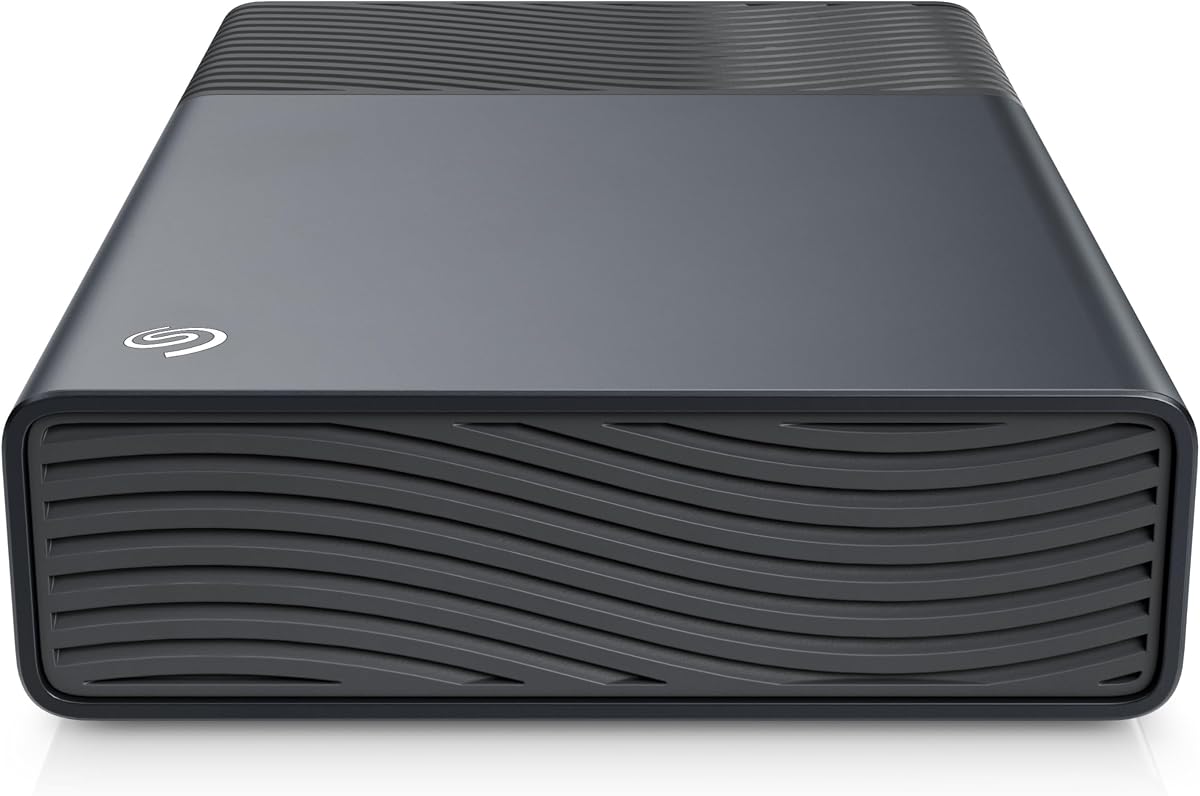



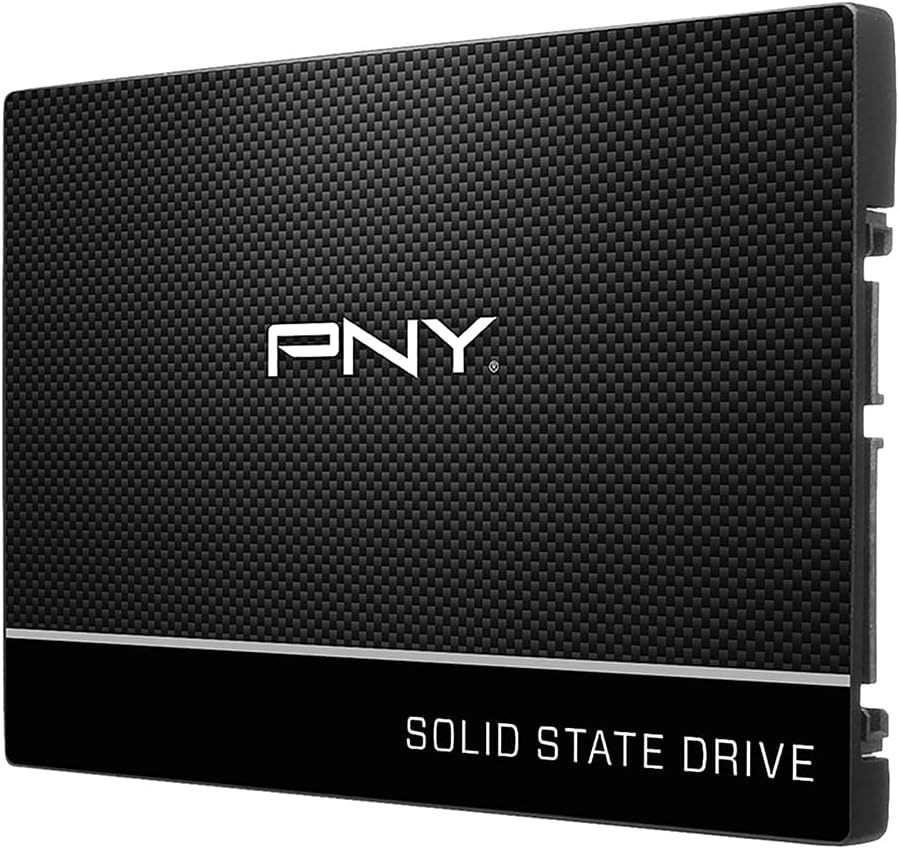
The Seagate 8TB BarraCuda internal hard drive stands out as a top choice for users needing massive storage without breaking the bank. With a 4.7 rating, it offers proven reliability and high capacity ideal for media libraries and PC gaming setups. It is a direct Attached Storage Device for PC that balances performance and value effectively.
We may earn a commission when you buy through this link, at no additional cost to you.
This drive supports nearly every PC application from music to video editing. Its sustained transfer rate of 190MB/s ensures smooth data access for large files. Built on 20 years of innovation, the BarraCuda series delivers confidence for daily workloads and entertainment needs alike without compromising on speed.
While it requires internal installation and SATA power, this is standard for desktop PCs. The Frustration Free Packaging minimizes waste and simplifies setup. These minor trade-offs are acceptable given the high capacity and reliability it provides for standard home or office computing environments.
If you need to store large datasets or game libraries, this drive is an excellent investment. It is best for desktop users looking to upgrade internal storage quickly. We recommend this for anyone prioritizing capacity and dependability in their direct Attached Storage Device for PC.
The BarraCuda series is known for consistent performance over years. Users can rely on its 190MB/s transfer rate for efficient file handling.
From gaming to photo editing, this drive handles diverse tasks. It supports both work and play with equal efficiency and capacity.
We may earn a commission when you buy through this link, at no additional cost to you.
The TERRAMASTER D4-320 is an affordable solution for expanding storage via a direct Attached Storage Device for PC. It supports four disks without requiring RAID, making it simple for users who prefer individual drive access. Its USB 3.2 Gen2 protocol ensures fast data transfer rates.
We may earn a commission when you buy through this link, at no additional cost to you.
This enclosure supports hot swapping, allowing drive changes without powering off. It is highly compatible with Windows, Mac, and Linux. The tool-free design simplifies installation, while the intelligent fan keeps temperatures low and noise minimal during operation.
Lacking RAID functionality means data redundancy is not built-in. However, this keeps costs down for budget-conscious users. For those needing simple expansion, this trade-off is acceptable and aligns with its value proposition.
Ideal for users wanting to add multiple drives easily, this enclosure is great for media centers. It is a cost-effective Direct Attached Storage Device for PC that prioritizes speed and ease of use over complex features.
With 10Gbps speed, file transfers are quick. The USB 3.2 Gen2 ensures you get the most from your connected drives.
Tool-free trays and push-lock design make swapping drives simple. No tools are needed for installation or removal.
We may earn a commission when you buy through this link, at no additional cost to you.
The QNAP TR-004 offers premium features like hardware RAID support and USB Type-C connectivity. As a direct Attached Storage Device for PC, it serves well as external storage or NAS backup. It allows flexible configurations for different storage needs and reliability levels.
We may earn a commission when you buy through this link, at no additional cost to you.
Hardware RAID options include 0, 1, 5, and JBOD, offering protection or speed. It expands QNAP NAS capacity effectively. The Type-C connector ensures modern compatibility, making it future-ready for high-speed connections and portable setups.
Some NAS models are not compatible, which limits integration. Users must check system requirements before purchasing. However, for those with supported systems, the RAID flexibility adds significant value to the purchase.
This device is best for professionals needing redundant storage without a full NAS. It stands out as a robust Direct Attached Storage Device for PC. We recommend it for users prioritizing data safety and expandability in their workflow.
Choose from multiple RAID levels for speed or safety. This ensures your data is protected or optimized for performance.
USB Type-C allows for faster data transfer. It connects easily to modern laptops and desktops without adapters.
We may earn a commission when you buy through this link, at no additional cost to you.
The Samsung SSD 870 EVO delivers professional-grade performance for everyday computing. With a 4.8 rating, it ensures fast boot times and application loads. As a direct Attached Storage Device for PC, it offers superior reliability compared to traditional drives.
We may earn a commission when you buy through this link, at no additional cost to you.
This drive maximizes SATA limits with speeds up to 560MB/s. It handles 8K video processing and heavy workloads efficiently. The 5-year warranty and up to 600 TBW provide long-term peace of mind for users.
Cost per GB is higher than HDDs, which limits total capacity options. However, speed and endurance justify this for critical tasks. Users seeking rapid access will find this trade-off acceptable for their needs.
Ideal for professionals and gamers, this SSD enhances system responsiveness. It is a premium Direct Attached Storage Device for PC. We recommend it for those prioritizing speed and durability in their storage setup.
Speeds up to 560MB/s accelerate daily tasks. It handles heavy workloads with ease and consistency.
With 600 TBW and a 5-year warranty, this drive lasts. It ensures your data remains accessible over years.
We may earn a commission when you buy through this link, at no additional cost to you.
The Seagate IronWolf 12TB is purpose-built for multi-user NAS environments. With 12TB capacity, it stores vast amounts of data efficiently. As a direct Attached Storage Device for PC, it handles intense workloads with stability and speed.
We may earn a commission when you buy through this link, at no additional cost to you.
Designed for RAID, it reduces wear and tear. The integrated Health Management system allows monitoring of drive status. Three-year Rescue Data Recovery Services provide an added layer of security for critical business or personal files.
This drive requires internal installation or a compatible enclosure. It is optimized for 24×7 operation, making it perfect for always-on systems. Users outside RAID setups may not utilize all features but still gain reliability.
Best for users needing massive, reliable storage, this drive excels in performance. It is a top Direct Attached Storage Device for PC. We recommend it for those who prioritize data safety and high capacity in their setup.
Built for 8-bay NAS, it handles multi-user loads. It ensures file sharing is fast and consistent.
Monitor drive health easily with integrated tools. This helps you stay ahead of potential issues.
We may earn a commission when you buy through this link, at no additional cost to you.
The Seagate 16TB One Touch offers massive storage in a single port solution. With 16TB capacity, it stores all your files easily. As a direct Attached Storage Device for PC, it uses bus-powered USB-C for portability and ease of use.
We may earn a commission when you buy through this link, at no additional cost to you.
It includes trusted performance for backup and secure storage. No wall outlet is needed, reducing cable clutter. The quick connect feature allows rapid file transfers. Rescue Data Recovery Services add peace of mind for critical data.
Being a desktop drive, it may not be ideal for laptop use. However, its size ensures stable performance and cooling. Users looking for simple, high-capacity external storage will find this trade-off minimal.
Best for users needing vast backup space, this drive is straightforward and effective. It is a reliable Direct Attached Storage Device for PC. We recommend it for anyone seeking convenience and capacity in their storage workflow.
No external power needed. It draws power directly from your device for clean setup.
Quick connect and one port make backups easy. Safeguard your files effortlessly with trusted tools.
We may earn a commission when you buy through this link, at no additional cost to you.
The Western Digital 12TB WD Blue provides reliable storage for everyday computing tasks. With 12TB capacity, it handles large file libraries efficiently. As a direct Attached Storage Device for PC, it offers consistent performance and quality from a trusted brand.
We may earn a commission when you buy through this link, at no additional cost to you.
This drive includes free cloning software for easy upgrades. Its 7200 RPM speed ensures quick data access. It is designed for general use and storage expansion in standard desktop setups without extra complexity.
It requires internal installation and SATA connections, typical for desktops. Users seeking external portability will need an enclosure. However, for internal upgrades, the value and reliability are solid options.
Best for users needing a dependable internal drive, this option delivers value. It is a solid Direct Attached Storage Device for PC. We recommend it for those prioritizing reliability and capacity in their system.
Built on Western Digital standards, it ensures reliability. Users can trust this drive for daily tasks.
Upgrade your drive easily with included tools. It simplifies the migration process significantly.
We may earn a commission when you buy through this link, at no additional cost to you.
The Western Digital 16TB WD Red Pro is designed for high-intensity NAS environments. With 16TB capacity, it supports continuous operation. As a direct Attached Storage Device for PC, it handles heavy workloads with specialized endurance.
We may earn a commission when you buy through this link, at no additional cost to you.
It features CMR technology and a 550TB/yr workload rating. This ensures compatibility with RAID systems. Designed for 24×7 use, it handles multiple user demands without degradation over time.
The price is higher due to its specialized features. Workload ratings may vary by hardware. For standard users, this might seem excessive, but for critical setups, it justifies the cost.
Best for professionals needing endurance, this drive ensures stability. It is a specialized Direct Attached Storage Device for PC. We recommend it for those running demanding workloads or multi-user systems.
Built for RAID systems with unlimited bays. It handles high-intensity multi-user environments reliably.
CMR ensures consistent performance and reliability. It is designed for 24×7 operation demands.
We may earn a commission when you buy through this link, at no additional cost to you.
The TERRAMASTER D8 Hybrid offers an innovative storage setup with HDD and NVMe support. It allows users to tailor storage to data needs. As a direct Attached Storage Device for PC, it provides flexibility and speed in a single enclosure.
We may earn a commission when you buy through this link, at no additional cost to you.
Users can store hot data on NVMe SSDs and cold data on HDDs. The USB 3.2 Gen2 protocol ensures up to 10Gbps speeds. Intelligent fans and tool-free designs enhance usability and heat management.
Complexity may be a barrier for some users. It requires managing two different drive types. However, for optimizing storage efficiency, this trade-off is worth the performance gains.
Best for users wanting hybrid speed and capacity, this enclosure is unique. It is an advanced Direct Attached Storage Device for PC. We recommend it for those who value performance and flexibility in their storage setup.
Manually select where to store data based on usage. This optimizes speed and storage efficiency effectively.
Temperature-controlled fans adjust speed automatically. This ensures the hard disk stays at optimal temperature.
We may earn a commission when you buy through this link, at no additional cost to you.
The PNY CS900 500GB SSD offers a fast and affordable upgrade for laptops and desktops. With a 4.7 rating, it provides superior performance over traditional drives. As a direct Attached Storage Device for PC, it speeds up boot times and applications effectively.
We may earn a commission when you buy through this link, at no additional cost to you.
Read speeds reach 550MB/s, ensuring responsive computing. Its low power consumption makes it ideal for portable devices. Backwards compatibility with SATA II allows use in older systems without issues.
Capacity is limited to 500GB, which may not suit large media files. However, for system drives or boot partitions, this is often sufficient. Users prioritizing speed over bulk storage will appreciate this.
Best for users needing a quick speed boost, this SSD delivers. It is a practical Direct Attached Storage Device for PC. We recommend it for upgrading aging systems with minimal investment.
Feel the difference with super-fast OS boot. Application loads become noticeably quicker and smoother.
Ultra-low power consumption extends battery life. It is ideal for laptops or power-efficient builds.
We may earn a commission when you buy through this link, at no additional cost to you.
Selecting the right storage depends on your specific needs. Consider capacity, speed, interface, and build quality before purchasing to ensure compatibility.
Choose a capacity that fits your current and future data needs. Large archives require higher terabytes than system drives.
For general use, 1TB to 8TB is common. For media or servers, consider 10TB or more options.
Check the interface type like SATA, USB, or NVMe. This determines how fast data transfers and connects to your PC.
USB 3.2 or Type-C offers faster speeds than older USB ports. Internal drives use SATA for standard desktop connections.
Decide between internal and external storage. Internal drives fit inside your PC while external enclosures connect via cables.
Internal drives are better for system upgrades. External units offer portability and easier expansion.
Some enclosures support hardware RAID for data redundancy. This protects your files if one drive fails.
If you do not need redundancy, single disk mode saves money. Consider your risk tolerance when choosing.
Look for drives with good warranty terms and health management tools. These indicate manufacturer confidence in the product.
Brands often offer data recovery services. Check coverage details before buying expensive storage units.
Ensure the device works with your operating system and computer ports. Some enclosures support Mac, Windows, and Linux.
Check if drivers are required or if it is plug-and-play. Modern units typically support auto-detection easily.
External drives may need bus power or separate outlets. High-capacity drives often require extra power sources.
Consider cable clutter and power availability at your desk. Bus-powered options offer better flexibility.
Ensure enclosures have fans for heat management. Quiet operation is essential for office environments.
Look for models with intelligent fans and damping features. Proper cooling extends drive lifespan significantly.
When connecting external storage, ensure ports match the device requirements. Use high-quality cables to prevent data loss or connection drops.
For internal drives, secure mounting prevents vibration damage. Ensure cables are not bent or stressed during installation.
Regular backups are critical even with reliable devices. Monitor drive health tools provided by manufacturers to detect issues early.
A Direct Attached Storage Device connects directly to your computer via USB or SATA. Unlike network storage, it does not require a network. It provides easy expansion for files and system data.
If you want to use an internal drive externally, you need an enclosure. Enclosures convert internal SATA drives to USB for portability. They protect drives and provide connection interfaces.
SSDs offer significantly faster speeds and lower latency than HDDs. For boot drives or active files, SSDs are ideal. HDDs are better for bulk storage due to lower costs.
Most devices support Mac but may need formatting to APFS or ExFAT. Check the product page for macOS compatibility before purchasing. Many enclosures are plug-and-play with Mac.
Assess your current storage usage and future growth needs. If your current drive is full, double that capacity for safety. For media, consider larger sizes for video and photos.
Most modern devices are plug-and-play and do not require drivers. Older or specialized RAID enclosures may need software. Always check the manual for specific OS requirements.
This guide covered ten top options ranging from internal SSDs to external enclosures. Each pick balances capacity, speed, and reliability for various needs.
Prioritize compatibility and warranty when purchasing. Choose devices that support your workflow and offer long-term peace of mind.
Prices and availability change frequently so check current listings. Ensure the selected device meets your specific requirements before buying today.