
Creality Falcon 10W Laser Engraver Machine
4.2Editor score
72W effective power output
15.7 by 16.3 inch workspace
Compatible with LightBurn software
Finding the right laser engraver can transform your creative hobby into a professional business. Creality offers a diverse range of machines suitable for beginners and experts alike.
We have analyzed ten top-rated Creality laser engraver models based on performance, safety features, and ease of use. This list covers everything from compact desktop units to powerful enclosed systems.
Each pick highlights specific strengths like speed, precision, or AI capabilities. Please note that product availability and features may change over time as manufacturers update their lines.
4.2Editor score

4.1Editor score

4.2Editor score
As an Amazon Associate we earn from qualifying purchases.
This side-by-side comparison highlights the key specifications and unique features of each Creality laser engraver model to help you make an informed decision.



The Creality Falcon A1 stands out as a top choice for safety and ease of use. It features a fully enclosed Class 1 design that protects users from laser radiation without needing goggles. Its smart camera auto-positioning makes setup incredibly simple for beginners.
We may earn a commission when you buy through this link, at no additional cost to you.
This model delivers an impressive 80W output with speeds up to 600mm/s. The built-in camera recognizes materials and applies the best settings automatically. You can engrave intricate designs on wood and metal with high precision.
While it offers excellent performance, it is strictly prohibited from engraving highly reflective materials like mirror-finished metals. Also, it is compatible only with specific honeycomb panels. These limitations are acceptable given the safety and speed benefits.
Buyers looking for a safe, fast, and easy-to-use engraver should choose this model. It is ideal for homes and small studios where safety and convenience are top priorities for daily creative projects.
The fully enclosed design blocks 99% of laser light and reduces noise and smoke significantly.
Built-in camera automatically recognizes materials to apply optimal settings without manual adjustment.
We may earn a commission when you buy through this link, at no additional cost to you.
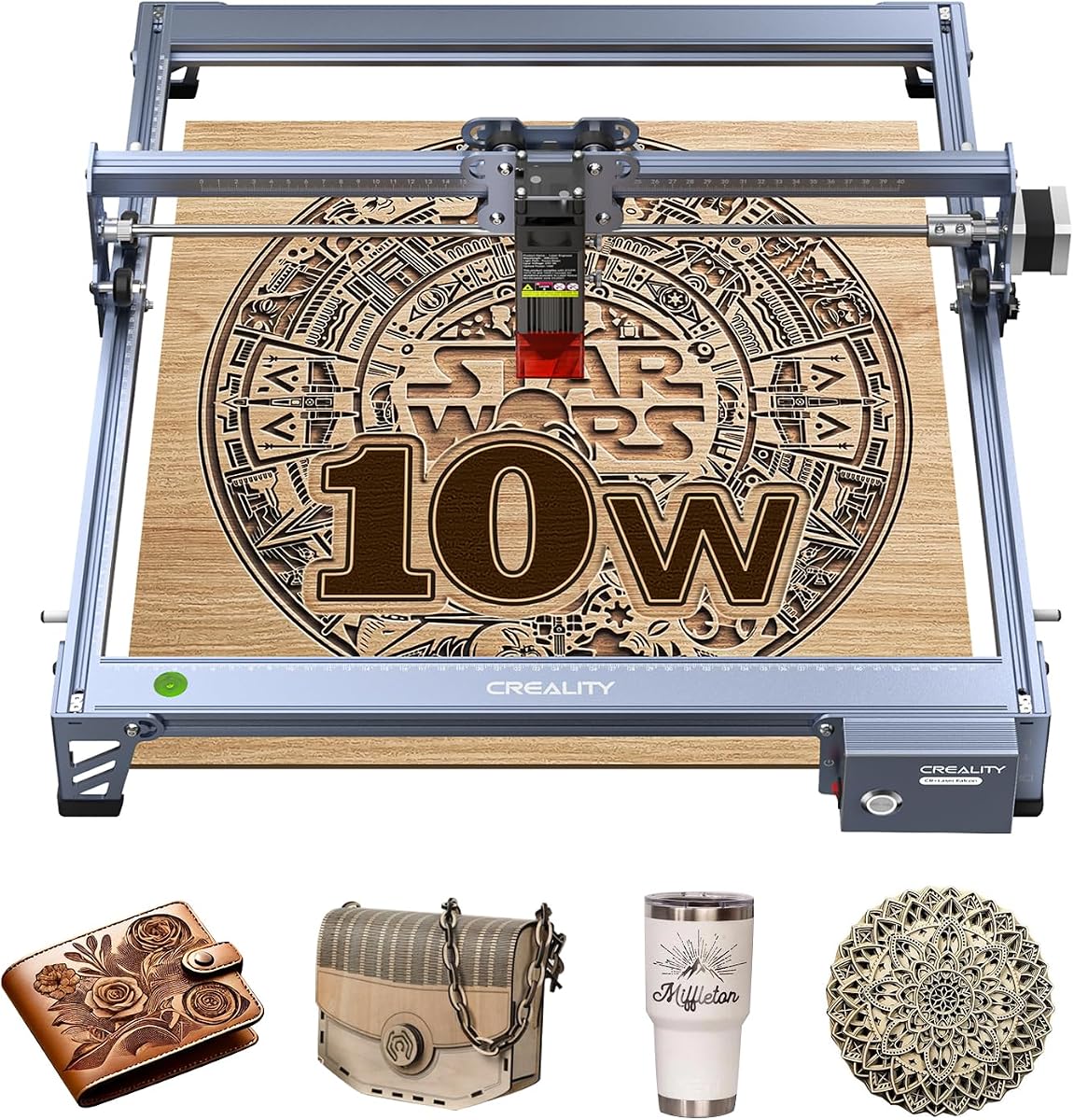
This Creality Falcon 10W model is an excellent choice for budget-conscious makers. It delivers an effective power of 72W which is impressive for its price range. The workspace is large enough to handle bigger projects in one go.
We may earn a commission when you buy through this link, at no additional cost to you.
It features a 0.06mm compressed spot laser module for high precision engraving. The machine can cut through 12mm wood boards and 5mm black acrylic in one pass. It works with popular software like LightBurn for creative flexibility.
Although it does not have a fully enclosed design, it comes with an anti-UV filter to reduce harmful rays. Users must wear provided goggles for double protection. Assembly is required but manageable for most hobbyists.
Makers seeking a cost-effective machine with high power and a large work area will love this option. It balances performance and price well for those starting their engraving journey.
Delivers 72W effective power to cut 12mm wood and 5mm acrylic in a single pass.
Offers a 15.7 by 16.3 inch working area for bigger projects without multiple setups.
We may earn a commission when you buy through this link, at no additional cost to you.
The Creality Falcon A1 Pro is a powerhouse designed for serious creators and small businesses. It boasts a stunning 180W output laser which enables rapid cutting and engraving. The touch screen and app control offer a modern user experience.
We may earn a commission when you buy through this link, at no additional cost to you.
You can switch between 20W blue and 2W red light for different material needs. The HD camera and autofocus system ensure precise object positioning in just three seconds. It is fully enclosed for Class 1 safety.
While it comes at a premium price, the productivity gains are significant. The only trade-off is that the infrared module for fine metal engraving must be purchased separately. This keeps the base price accessible while offering optional upgrades.
Professionals needing high speed and precision should invest in this model. It provides the best combination of power, speed, and smart features for high-volume production needs.
180W output allows cutting 10mm basswood and 8mm black acrylic at fast speeds.
Touch screen and app control let you monitor and operate the machine remotely.
We may earn a commission when you buy through this link, at no additional cost to you.
This model emphasizes speed and efficiency with a 600mm/s engraving rate. It is ready to use right out of the box with pre-set parameters for various materials. The smart camera system eliminates manual tweaking hassles.
We may earn a commission when you buy through this link, at no additional cost to you.
The graphic outline extraction feature unlocks creative potential by converting patterns into paths easily. It has a fully enclosed design for safety and includes an air assist for cleaner cuts. Software is user-friendly and free.
The working area is limited to 381 by 305mm which may be small for large projects. Also, cutting acrylic is not supported so surface coating is needed for engraving. These are minor trade-offs for the high speed.
Hobbyists needing quick turnaround on smaller items will appreciate this machine. It combines speed with safety and smart features for a streamlined creative workflow.
CoreXY motion system enables speeds three times faster than traditional models.
Falcon Design Space offers creative browsing and vector design tools for easy start.
We may earn a commission when you buy through this link, at no additional cost to you.
This Creality laser engraver is a solid option for DIY enthusiasts. It has a strong aluminum alloy structure and steel shaft guide rails for stability. The 10W output can cut 5mm basswood in a single pass.
We may earn a commission when you buy through this link, at no additional cost to you.
Assembly is usually done within 10 to 20 minutes making it straightforward. It includes a focusing plate for easy lens adjustment. Connectivity options include Wi-Fi USB and SD card for data transfer.
It provides 1-year free parts replacement and permanent technical service. This support adds peace of mind for users. The large workspace allows for versatile projects without needing a huge footprint.
Users who enjoy building their own setup and value service support should consider this. It offers good power and size for the price without complex electronics.
All aluminum alloy structure with steel shafts ensures stability during operation.
Supports Wi-Fi USB and SD card for flexible data transfer options.
We may earn a commission when you buy through this link, at no additional cost to you.
The Falcon2 Pro S is designed for professional makers and small studios needing batch production. It features an integrated enclosure and auto focus Z-axis for precise cutting. The 22W output cuts 15mm basswood in one pass.
We may earn a commission when you buy through this link, at no additional cost to you.
Safety features include a flame detector and laser detection cover. A built-in debris drawer collects residue reducing cleaning frequency. It ships 80 percent pre-assembled for quick installation.
Some users find the initial setup slightly complex compared to other models. However the automation benefits outweigh this for high-volume work. The speed and precision are suitable for commercial use.
Small businesses needing reliable batch production should look at this model. It balances power with automation to handle daily manufacturing needs efficiently.
High speed and auto focus enable true batch processing for commercial output.
Built-in debris drawer simplifies cleanup after cutting operations.
We may earn a commission when you buy through this link, at no additional cost to you.
The Falcon A1C brings AI-powered workflows to desktop engraving. It features an AI camera for precise positioning and a platform that supports multiple laser heads. The speed reaches 15000mm/min for rapid creation.
We may earn a commission when you buy through this link, at no additional cost to you.
One-Tap Engraving converts photos into ready artwork instantly. It also supports interchangeable heads for fine detail or higher power tasks. The design is compact yet spacious enough for signs and coasters.
The work area is smaller than some other models which may limit larger projects. Some AI features might rely on internet connectivity. But the convenience of AI simplification is a strong plus.
Beginners and creators wanting smart automation should choose this machine. It makes professional-quality engraving easier with intelligent design assistance.
AI converts photos to engraving artwork instantly with minimal effort.
Interchangeable laser heads allow flexibility for different engraving tasks.
We may earn a commission when you buy through this link, at no additional cost to you.
This version of the A1 Pro emphasizes usability with a smart touchscreen. It simplifies everyday tasks like accessing history files or reopening projects with a single tap. The autofocus feature works in about three seconds.
We may earn a commission when you buy through this link, at no additional cost to you.
It has a fully enclosed design that filters 99% of laser radiation. Air assist helps with clean cuts and reducing smoke. It is quiet and suitable for home environments.
The touchscreen experience reduces cable clutter significantly. However it shares many specs with other A1 models so consider if the interface difference matters. It remains a strong choice for quality and safety.
Users prioritizing a clean interface and smart safety features will enjoy this model. It blends power with an intuitive control system.
Smart touchscreen simplifies tasks without messy cables or complicated steps.
Air assist function ensures smooth edges with fewer passes on materials.
We may earn a commission when you buy through this link, at no additional cost to you.
The Mini version of the A1C is designed for everyday convenient use. It features a quick-swap laser module design allowing upgrades in 15 seconds. The AI software simplifies every step from design to engraving.
We may earn a commission when you buy through this link, at no additional cost to you.
It is lightweight and portable making it easy to move between rooms. The flame detection system adds a layer of safety for home use. It supports over 300 materials including wood and acrylic.
The workspace is compact which suits smaller personal projects. For metal engraving the IR module must be purchased separately. The modularity makes it future-proof as your skills grow.
Hobbyists needing a portable and easy-to-use engraver will love this. It combines safety with creative flexibility in a small footprint.
Quick-swap laser modules allow upgrading capabilities with minimal setup.
Flame detection and Class 1 enclosed design protect users and property.
We may earn a commission when you buy through this link, at no additional cost to you.
This Falcon A1 variant focuses on precision and speed. It reaches speeds of 600mm/s with instant acceleration. The laser spot is ultra-fine ensuring sharp contrasts and intricate details.
We may earn a commission when you buy through this link, at no additional cost to you.
It is designed to be 47 percent more efficient in footprint than similar models. Six safety protections including emergency stop and leak protection ensure safe operation. Auto material recognition simplifies parameter setting.
Some users may find minor adjustments are still needed despite claims of zero assembly. But the speed and accuracy are excellent for detailed projects. The compact design fits well on desks.
Those needing precision on small and large projects should consider this model. It delivers high value with strong safety and performance metrics.
Ultra-fine laser spot delivers crisp details and sharp contrast for fine work.
Space-saving design fits comfortably on desks without taking over workspace.
We may earn a commission when you buy through this link, at no additional cost to you.
Choosing the right laser engraver depends on your specific needs such as workspace size, material types, and desired speed.
Laser power determines how quickly and deeply you can cut or engrave materials. Higher output wattage allows for faster cuts through thicker materials like wood or acrylic. For hobbyists, 10W to 20W is often sufficient while professionals may require higher wattage.
Look for machines with effective power ratings that match your cutting needs. Ensure the output is stable for consistent results.
The workspace size defines the maximum material dimensions you can engrave at once. Models range from compact desktop units to large formats. Choose a size that fits your available area and typical project scale.
Consider future needs as well. A slightly larger workspace may save you from upgrading soon.
Laser engravers emit radiation that can be harmful without proper protection. Fully enclosed Class 1 designs are the safest as they block light without goggles. Look for emergency stops and flame detectors for added security.
Prioritize safety especially if you plan to use the machine in a shared space or home.
Compatibility with software like LightBurn or LaserGRBL adds creative flexibility. Some models come with proprietary software that simplifies setup. Ensure the software supports your operating system.
Open software support allows for more complex designs and better community resources.
Engraving speed affects productivity especially for batch projects. Higher speeds like 600mm/s allow rapid turnaround. Precision is determined by the laser spot size which should be small for detailed work.
Balance speed with precision based on whether you value output volume or fine detail.
Built-in cameras assist with visual positioning reducing setup time. Auto-focus features adjust the laser height automatically. This reduces manual tweaking and improves accuracy.
Models with smart positioning are ideal for frequent users who want efficient workflow.
If you move your machine often consider weight and dimensions. Compact designs fit well on desks but may have smaller workspaces. Modular designs allow for expansion as you grow.
Choose a design that balances portability with functional capacity.
Prices vary based on features and build quality. Set a budget that fits your needs without overspending. Check for warranty terms and technical support options.
Reliable support ensures you can resolve issues quickly and maintain your machine.
Start by setting up the machine on a stable flat surface away from flammable materials. Ensure the enclosure is closed and safety features are activated before powering on.
Calibrate the focus and align the laser head according to the manual. Use test patterns to adjust settings before starting final projects to avoid material waste.
Clean the lens and bed regularly to maintain performance. Follow manufacturer guidelines for maintenance and replace worn parts promptly for safety.
Creality engravers can cut wood leather acrylic paper and fabric. However highly reflective materials like metals require specific modules or settings. Always check material compatibility lists before cutting.
Class 1 fully enclosed models block enough laser radiation to not require goggles during normal use. However wearing them is still recommended for extra protection especially when operating the machine.
Many Creality models are compatible with LightBurn software which offers advanced control features. Verify compatibility with your specific model before purchasing additional software licenses.
Clean the lens with a soft lint-free cloth and proper lens cleaner. Avoid touching it with bare hands to prevent oil residue. Regular cleaning ensures consistent engraving quality.
With proper maintenance these engravers can last for several years. Regular cleaning timely part replacement and avoiding overuse extend the lifespan significantly.
Most modern models come pre-assembled or require minimal setup steps. Follow the included instructions and watch video guides for help. Basic tools are usually all that are needed.
We have reviewed the top ten Creality laser engraver models for 2026 each offering unique strengths for different needs.
Prioritize safety features and workspace size when making your final decision. Consider speed and precision if you plan on batch production.
Remember to check current availability and specifications before purchasing to ensure you get the best deal for your projects.