
Raywego 49 Inch Curved Ultrawide Gaming Monitor
4.6Editor score
165Hz refresh rate for gaming
1500R curvature for immersion
DQHD resolution for clarity
Finding the right display for simulation racing requires a balance of immersion, response time, and color fidelity. A 49 inch ultrawide monitor offers a panoramic view that mimics a real cockpit setup without needing multiple screens. This category has grown significantly as sim racers demand higher fidelity and smoother motion for competitive play.
We evaluated ten leading models based on their refresh rates, panel technologies, and connectivity options. Each product was assessed for its ability to handle fast-paced racing titles while maintaining visual clarity. Our analysis focuses on specifications that matter most for sim racing, including curve radius, HDR support, and adaptive sync compatibility.
Each pick in this list highlights specific strengths for different user needs and budgets. You will find detailed breakdowns of performance features and ergonomic designs to help you decide. Keep in mind that availability and pricing can change frequently, so verify current stock before making your final purchase decision.
4.6Editor score

4.3Editor score

4.1Editor score
As an Amazon Associate we earn from qualifying purchases.
This side-by-side comparison highlights the key specifications of each monitor to help you visualize the differences. We focus on resolution, refresh rates, panel types, and connectivity to ensure you find the perfect match for your rig.





This Raywego monitor delivers a compelling combination of resolution and refresh rate for simulation enthusiasts. With a DQHD panel and 165Hz refresh, it provides the smoothness needed for high-speed racing tracks.
We may earn a commission when you buy through this link, at no additional cost to you.
The 1500R curvature ensures that the wide 49-inch span wraps comfortably around your peripheral vision. You gain a panoramic view without the bezel interruption found in dual setups, making it ideal for single-screen sim rigs.
While the stand lacks advanced ergonomic adjustments, the VESA mount option allows you to fit it into any cockpit structure. The adaptive sync features help maintain smooth visuals even if your hardware fluctuates during intense loads.
For those seeking a balance between cost and performance, this model stands out as a strong contender. It offers the essential features for immersive racing without the premium price tag of higher-end brands.
The DQHD resolution provides sharp detail for reading track markers and telemetry overlays during long sessions.
Adaptive Sync technology reduces tearing and stuttering to keep your view stable when navigating tight corners.
We may earn a commission when you buy through this link, at no additional cost to you.
The Samsung OLED G9 represents the pinnacle of display technology for racing simulations. Its QD-OLED panel offers true blacks and instant response times that make motion crisp and realistic.
We may earn a commission when you buy through this link, at no additional cost to you.
When simulating night races or shadowed tunnels, the infinite contrast ensures every detail remains visible. The 0.03ms response time means your inputs register instantly, giving you a competitive edge over traditional LCD panels.
Features like thermal modulation and logo detection help manage heat and prevent burn-in during long track sessions. While it commands a premium price, the visual fidelity justifies the investment for serious sim racers.
This monitor is best suited for users who prioritize image quality above all else. If you want the closest thing to a real-world visual experience, this model delivers unmatched depth and color richness.
OLED technology eliminates backlight bleed for perfect dark scenes and deep shadow details.
The QD-OLED panel delivers a wider color range for more realistic environment lighting.
We may earn a commission when you buy through this link, at no additional cost to you.
INNOCN offers a versatile 49-inch option that integrates well into modern setups. The inclusion of USB-C with power delivery means you can connect laptops with a single cable for clean desk management.
We may earn a commission when you buy through this link, at no additional cost to you.
With a 120Hz refresh rate, it handles standard racing titles smoothly while remaining adequate for casual gaming. The 1800R curve provides a gentle wrap that balances immersion with desk depth requirements.
Built-in speakers add convenience for quick chats or system alerts without needing external audio. The adjustable stand ensures you can find a comfortable viewing height for extended periods of play.
This monitor is a practical choice for those who value flexibility and ease of connection. It bridges the gap between professional work displays and dedicated gaming monitors effectively.
USB-C port supports video and power for simplified connections with compatible laptops and devices.
Multiple HDMI and DisplayPort inputs allow switching between PC and consoles easily.
We may earn a commission when you buy through this link, at no additional cost to you.
This Samsung model pushes performance boundaries with a 240Hz refresh rate designed for competitive play. The 1000R curve wraps deeply around your vision, providing unmatched immersion for track-focused titles.
We may earn a commission when you buy through this link, at no additional cost to you.
DisplayHDR 1000 ensures that bright scenes and sun glare effects are rendered with high fidelity. The HDR capability helps distinguish details in high-contrast environments like tunnels or overpasses.
Features like Auto Source Switch reduce wait time when switching between racing sims or other devices. CoreSync technology extends game colors to ambient lighting for a cohesive visual environment.
This monitor is best for competitive racers who need every frame of clarity. It demands powerful hardware to drive the resolution and refresh rate but rewards with fluid motion.
The 240Hz refresh rate minimizes motion blur for precise tracking of moving vehicles.
1000R curvature matches natural eye focus for a truly surround-like viewing experience.
We may earn a commission when you buy through this link, at no additional cost to you.
The 2025 G9 model refines the balance between speed and visual quality. With DisplayHDR 600, it offers excellent contrast and brightness for both track and ambient conditions.
We may earn a commission when you buy through this link, at no additional cost to you.
The 144Hz refresh rate provides fluid motion that suits most high-fidelity sim titles without demanding extreme GPU resources. AMD FreeSync Premium Pro ensures smooth gameplay on compatible hardware.
Auto Source Connect helps you jump straight into your simulation without manual input switching. The ergonomic stand offers reliable height and tilt adjustments for long races.
This monitor is an excellent middle ground for those seeking Samsung quality without the peak premium specs. It delivers a refined experience for daily use in gaming and productivity.
AMD FreeSync Premium Pro eliminates screen tearing for a seamless visual experience.
Auto Source Switch ensures quick access to your active gaming device.
We may earn a commission when you buy through this link, at no additional cost to you.
CRUA brings high-refresh performance to a budget-friendly segment with this 165Hz model. It maintains a wide color gamut that enhances the realism of track environments and vehicle textures.
We may earn a commission when you buy through this link, at no additional cost to you.
The 1500R curve is comfortable for most users, offering immersion without excessive desk depth. The 3000:1 contrast ratio provides good separation between dark and bright areas during play.
Eye-care features like low blue light help reduce fatigue during extended practice sessions. Wall mount compatibility allows you to integrate the display directly into a racing cockpit structure.
This monitor is ideal for budget-conscious builders who still want high-speed performance. It delivers core gaming metrics effectively while keeping the overall system cost lower.
High refresh rate at an affordable price point makes it accessible for entry sim racers.
Wide sRGB coverage ensures vibrant visuals for realistic in-game environments.
We may earn a commission when you buy through this link, at no additional cost to you.
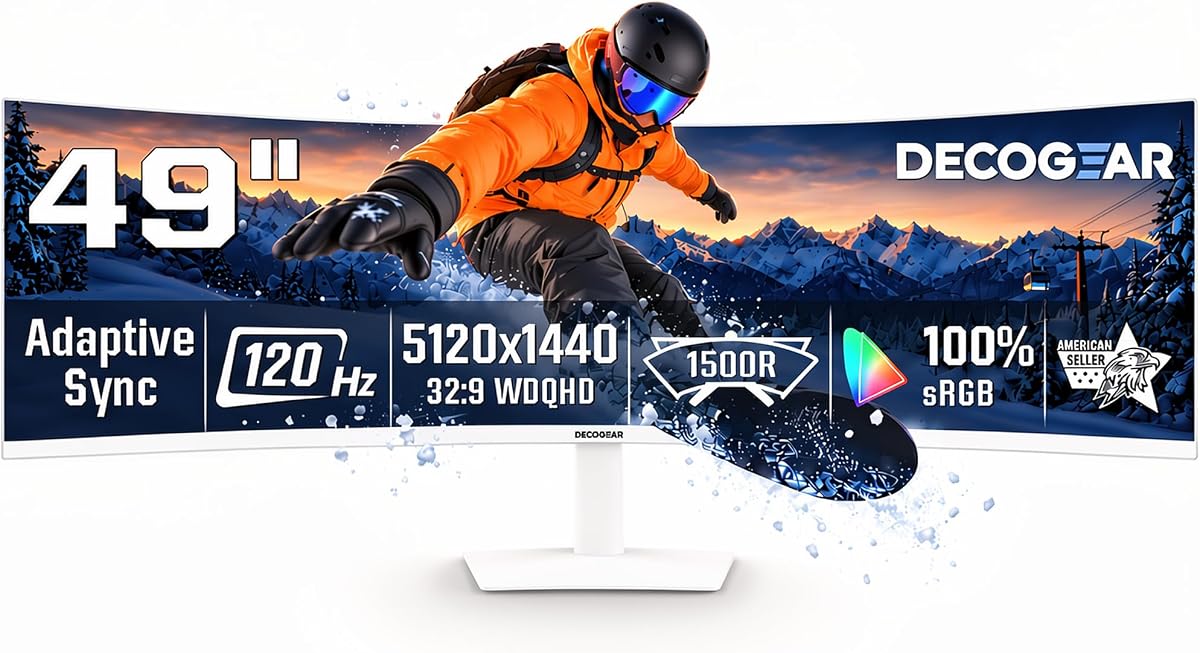
Deco Gear offers a versatile screen that handles both gaming and work needs with equal ease. The built-in speakers and KVM switch make it a robust choice for multi-device setups.
We may earn a commission when you buy through this link, at no additional cost to you.
With 120Hz refresh, it is fast enough for most racing titles while maintaining smooth scrolling for telemetry analysis. The USB hub and ports reduce cable clutter on your desk.
The adjustable tilt and low blue light modes help maintain comfort during mixed-use days. Its design prioritizes functionality over extreme gaming specs for a balanced user experience.
This monitor suits users who need a single display for racing simulations and daily tasks. It ensures efficient transitions between work and gaming without extra hardware.
KVM and USB hub simplify control over multiple devices connected to the monitor.
Integrated speakers allow for sound output without external peripherals.
We may earn a commission when you buy through this link, at no additional cost to you.
This ASUS model provides a reliable 144Hz experience with extensive ergonomic adjustments. Its DFHD resolution is less dense than DQHD but remains suitable for large-format immersion.
We may earn a commission when you buy through this link, at no additional cost to you.
The FreeSync 2 HDR certification ensures smooth visuals and decent brightness in supported titles. GamePlus overlays help you monitor stats or aim without disrupting the main view.
Eye Care technology minimizes fatigue with flicker-free backlighting and blue light filters. The robust stand allows precise positioning for comfortable viewing angles during long tracks.
It is a solid choice for those prioritizing eye comfort and flexible positioning. While pixel density is lower, the overall experience remains competitive for general sim use.
Flicker-free and low blue light features protect eyes during extended usage.
GamePlus features provide quick access to performance metrics in-game.
We may earn a commission when you buy through this link, at no additional cost to you.
Z-Edge offers an impressive 240Hz refresh rate that rivals premium brands at a lower cost. The 99% sRGB color gamut ensures accurate colors for realistic in-game environments.
We may earn a commission when you buy through this link, at no additional cost to you.
USB-C connectivity simplifies laptop connections while PIP and PBP modes help multitask during breaks. Built-in speakers provide basic audio without needing extra peripherals.
The 1800R curve provides a balanced immersion level that suits most desk setups comfortably. Fast response times keep motion clear during high-speed racing sequences.
This model is a strong contender for those seeking raw speed on a budget. It offers premium-level specs in a package that remains accessible to entry users.
The 240Hz refresh rate delivers ultra-smooth visuals for competitive racing.
99% sRGB coverage ensures vibrant and true-to-life color reproduction.
We may earn a commission when you buy through this link, at no additional cost to you.
The G93SC model combines OLED technology with high refresh speed for a top-tier experience. Its DisplayHDR True Black 400 ensures that night racing looks incredibly realistic and sharp.
We may earn a commission when you buy through this link, at no additional cost to you.
With a 240Hz refresh rate and near-instant response, it is built for competitive play. The premium metal finish and slim profile add to the high-end aesthetic of a sim rig.
Auto Source Switch keeps your workflow smooth by detecting power-on events instantly. While it is a significant investment, the visual and speed benefits are unmatched in this class.
This monitor is best for enthusiasts who want the absolute best in visual fidelity. It sets a high benchmark for what a sim racing display should deliver in 2026.
Infinite contrast and true blacks make dark scenes pop with clarity.
A slim profile and 240Hz speed deliver premium looks and performance.
We may earn a commission when you buy through this link, at no additional cost to you.
Selecting the right monitor involves balancing resolution, refresh rate, and physical design. Here are key factors to consider for a high-fidelity sim racing setup.
A high refresh rate like 144Hz or 240Hz is crucial for smooth motion in racing games. Look for low response times to avoid motion blur during fast turns or braking.
VA panels offer better contrast for dark tracks while OLED provides perfect blacks. Ensure high sRGB coverage to make car colors and environments look realistic.
Curves between 1500R and 1800R wrap the screen naturally around your field of view. Extreme 1000R curves offer more immersion but require specific desk or cockpit setups.
DQHD or 5K2K resolutions provide sharp text for telemetry overlays. Ensure your GPU can drive these resolutions at high frame rates without lag.
Check for DisplayPort 1.4 or HDMI 2.1 to support high refresh rates. USB-C can help simplify connections for laptop-based setups or charging devices.
An ergonomic stand allows you to find a comfortable viewing height. VESA compatibility is essential if you plan to mount the monitor on a racing rig arm.
FreeSync or G-Sync compatibility prevents screen tearing and stuttering. This feature is vital for maintaining smooth visuals when frame rates fluctuate.
HDR support enhances contrast in bright or dark scenes. Look for DisplayHDR 600 or higher to get the best lighting realism in racing titles.
Position the monitor at arm's length to reduce eye strain and accommodate the wide view. Ensure your cockpit setup allows for comfortable neck movement across the entire screen width.
Adjust brightness and contrast to match your room's ambient light. Use eye-care settings during long practice sessions to minimize fatigue and maintain focus.
Regularly clean the screen with a microfiber cloth to prevent dust buildup. Avoid using harsh chemicals that could damage the anti-glare coating or panel surface.
A single 49 inch ultrawide monitor eliminates bezels found in dual screens, providing a seamless view. This is generally preferred for immersive racing as it avoids visual breaks in the track.
For competitive play, 144Hz or higher is recommended to ensure smooth motion. Higher rates like 240Hz help detect subtle movements but require strong hardware to support.
Yes, most 49 inch monitors support HDMI or DisplayPort connections for laptops. Models with USB-C allow for single-cable setups that transmit video and data simultaneously.
While these monitors are not VR headsets, they can complement a VR setup as a secondary display. You can use them for telemetry or communication tools while using a headset.
1500R is more curved and offers higher immersion compared to 1800R. Both are suitable for 49 inch screens, but 1500R wraps more aggressively around your peripheral vision.
Use automatic brightness adjustments and screen savers to prevent static image retention. Most modern OLED monitors include pixel shifting and logo detection features to mitigate this risk.
The top picks in this guide offer a range of options from budget-friendly models to premium OLED choices. The Samsung OLED G9 leads in performance while the Raywego provides excellent value.
Prioritize refresh rates and response times if you compete in racing leagues. For casual play, a balance of immersion and connectivity may be more important for your daily needs.
Always verify current availability and stock before purchasing to ensure the best deal. These monitors evolve quickly, so checking the latest updates ensures you get the right fit.