
MSI 7A64-001R Gaming Intel H270
4.0Editor score
Supports 6th and 7th Gen Intel CPUs
Includes Mystic Light RGB synchronization features
Features gaming LAN with protection technology
This guide compares the top 270 motherboards for Intel Core processors, highlighting features, compatibility, and performance to help you build a reliable
Selecting the right motherboard is crucial for any PC build. The H270 chipset offers a balance of performance and features for 6th and 7th Gen Intel CPUs. It supports modern memory and storage options effectively.
We evaluated ten different H270 boards based on connectivity, build quality, and expansion slots. Our analysis focuses on real-world usability for gamers and professionals. Each product brings unique strengths to the table.
Every pick highlights specific advantages like USB ports or RGB lighting. Prices fluctuate often so always check current listings before buying. This list ensures you find the best fit for your needs.
4.0Editor score

4.2Editor score
4.3Editor score
This table provides a quick side-by-side look at all ten selected H270 motherboards. Compare their core specifications and key features to decide which board fits your build requirements best.




The ASUS ROG Strix H270F Gaming stands out with its excellent audio quality. It offers a strong platform for gamers needing solid performance without high-end Z270 costs.
We may earn a commission when you buy through this link, at no additional cost to you.
FanXpert 4 allows dynamic fan calibration for optimized cooling during long gaming sessions. The AURA Sync RGB lighting adds a personal touch to your build aesthetics.
While the BIOS is less feature-rich than top-tier boards, the Safe Slot Core provides durability for heavy GPUs. This ensures your hardware remains safe under stress.
Gaming enthusiasts looking for style and performance should consider this board. It balances connectivity and cooling well for a reliable everyday PC experience.
Industry-leading 8-channel HD audio with SupremeFX S1220A delivers crisp sound for immersive gaming sessions.
Dual M.2 slots and front panel USB 3.1 ensure fast data transfer and ample storage options.
We may earn a commission when you buy through this link, at no additional cost to you.
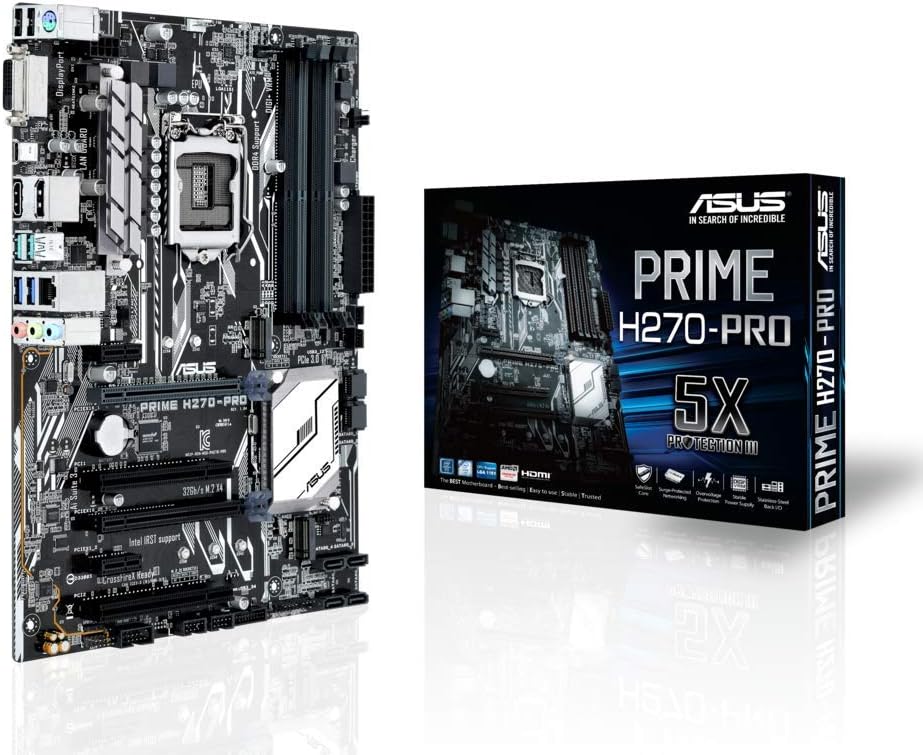
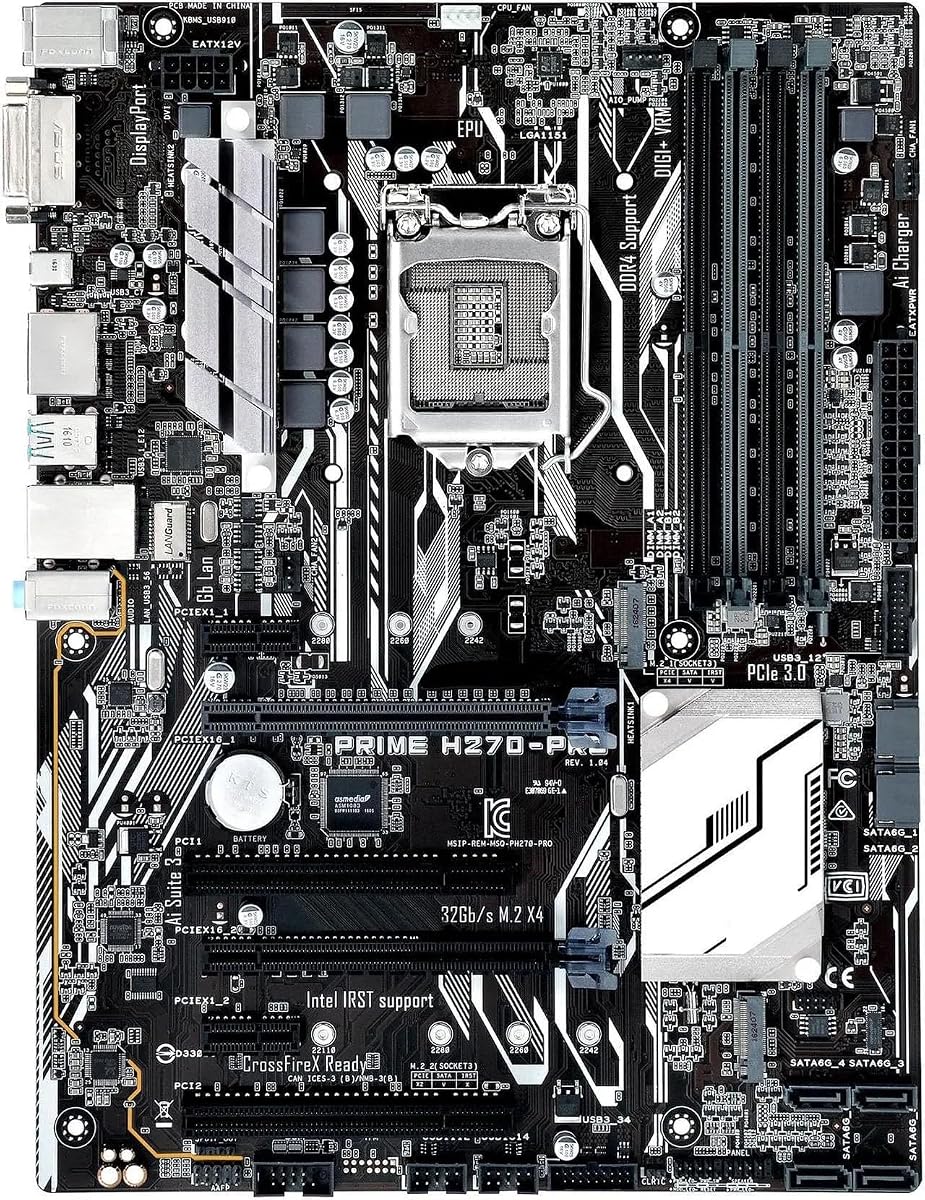
This motherboard provides excellent durability with its 5X Protection III hardware safeguard. It is built to withstand various electrical threats ensuring long-term system stability.
We may earn a commission when you buy through this link, at no additional cost to you.
The connectivity options are vast with USB 3.1 Type-C and Type-A ports. This future-proofs your system for modern peripherals and fast data transfers easily.
While the price is higher, the reliability and features justify it for critical workstations. It handles multi-core processors and large memory needs efficiently.
Professionals needing a sturdy foundation for demanding tasks will appreciate this board. It offers peace of mind with robust protection and high performance.
5X Protection III offers advanced hardware safeguards to protect your system from electrical issues.
USB 3.1 Type-C and standard ports ensure compatibility with a wide range of devices.
We may earn a commission when you buy through this link, at no additional cost to you.
The MSI 7A64-001R offers a great entry point for budget-conscious builders. It supports 7th and 6th Gen Intel CPUs effectively for standard tasks.
We may earn a commission when you buy through this link, at no additional cost to you.
Gaming LAN with LAN protect ensures stable online connections. The Mystic Light sync allows you to coordinate RGB effects with other components.
While it lacks premium audio, the DDR4 boost technology optimizes memory performance. This helps maintain smooth operation during demanding applications.
If you need a reliable and affordable board for gaming or office work this is a strong choice. It balances cost with essential gaming features well.
Gaming LAN with LAN protect ensures low latency and stable connections for online play.
Mystic Light sync allows you to coordinate RGB lighting across your system components.
We may earn a commission when you buy through this link, at no additional cost to you.
The ASRock H270 PRO4 provides a stable platform for standard computing needs. It supports dual-channel DDR4 memory and offers robust connectivity options.
We may earn a commission when you buy through this link, at no additional cost to you.
With six SATA3 ports and an Ultra M.2 slot you have plenty of storage options. This is ideal for users needing multiple hard drives in a system.
While it lacks advanced wireless features the PCIe slot layout is robust. It supports modern expansion cards without issues for most use cases.
System builders needing extensive storage connectivity will find this board useful. It offers practical features without unnecessary complexity or high costs.
Six SATA3 ports plus an Ultra M.2 slot allow for diverse and fast storage solutions.
Multiple PCIe slots provide ample room for adding graphics or network expansion cards.
We may earn a commission when you buy through this link, at no additional cost to you.
The ASUS Prime H270-PLUS focuses on robust features for stable system operation. It includes Dual M.2 slots which provide excellent speed for boot drives.
We may earn a commission when you buy through this link, at no additional cost to you.
Intel Optane Memory compatibility helps speed up system performance significantly. This is a valuable feature for those looking to boost older storage systems.
FanXpert 2 PLUS delivers advanced fan control for dynamic cooling needs. This ensures your system stays quiet and cool under varying loads.
For users prioritizing storage speed and reliability this board is a great fit. It offers solid protection and cooling features for a stable PC.
Dual M.2 slots and Intel Optane compatibility ensure fast boot and application loading times.
FanXpert 2 PLUS allows you to manage fan speeds for optimal noise and cooling balance.
We may earn a commission when you buy through this link, at no additional cost to you.
This board is designed with gaming performance in mind using specialized networking. The Killer E2500 network chip helps prioritize game traffic for lower latency.
We may earn a commission when you buy through this link, at no additional cost to you.
Support for 2-Way Crossfire allows you to run multiple GPUs for better graphics. This makes it a viable choice for older gaming setups needing extra power.
The media USB3.1 Type-C port adds modern connectivity to the mix. You can easily connect fast drives or modern accessories without adapters.
Gaming enthusiasts looking for specific networking features will appreciate this board. It balances essential gaming tools with solid core performance effectively.
Killer E2500 Network chip prioritizes game packets for smoother online gameplay experiences.
2-Way Crossfire support allows multiple AMD graphics cards for enhanced visual performance.
We may earn a commission when you buy through this link, at no additional cost to you.
This unit serves as a specialized replacement designed for specific hardware issues. It is built to resolve contact issues caused by dust or poor connections effectively.
We may earn a commission when you buy through this link, at no additional cost to you.
The optimized power design supports multi-core processors for smooth performance. This ensures stability during high-load tasks even after replacing old components.
An advanced heatsink design increases heat dissipation for better thermal management. This helps maintain system stability under heavy loads effectively.
Users with damaged boards needing a reliable replacement should consider this option. It focuses on restoring function and stability for existing systems.
This motherboard is designed to replace damaged components caused by corrosion or static damage.
Advanced heatsink design ensures effective thermal management under heavy computational loads.
We may earn a commission when you buy through this link, at no additional cost to you.
This generic performance motherboard supports standard Intel Core processors efficiently. It includes M.2 slots for faster storage compared to older SATA drives.
We may earn a commission when you buy through this link, at no additional cost to you.
The board supports up to 64GB of DDR4 memory which is substantial for basic needs. This allows for decent multitasking capabilities on a budget.
While documentation is limited the ATX design fits standard cases easily. It provides a functional base for office or light gaming builds.
Users looking for a simple and affordable H270 option will find this useful. It covers the essentials without unnecessary expensive features.
Supports up to 64GB of DDR4 memory for reliable multitasking performance.
Includes M.2 ATX design for compatible fast SSD storage solutions.
We may earn a commission when you buy through this link, at no additional cost to you.
This motherboard provides a standard foundation for Intel 6th and 7th Gen CPUs. It supports up to 64GB of DDR4 memory for system flexibility.
We may earn a commission when you buy through this link, at no additional cost to you.
The LGA 1151 socket ensures compatibility with a wide range of processors. This makes it versatile for various builds within that generation.
While specific details are minimal it covers the necessary H270 chipset requirements. It serves as a functional option for standard computing tasks.
Those needing a basic and affordable board should consider this option. It provides the essential connectivity and support for reliable operation.
LGA 1151 socket ensures compatibility with Intel Core processors from 6th and 7th Gen.
Supports up to 64GB of DDR4 memory for versatile system configurations.
We may earn a commission when you buy through this link, at no additional cost to you.
This model offers a basic entry point into H270 motherboards for small builds. It supports i3 CPUs and provides solid memory capacity for daily tasks.
We may earn a commission when you buy through this link, at no additional cost to you.
The inclusion of M.2 ATX support allows for faster storage options. This improves boot times and application loading speeds noticeably.
While it is an entry-level board it covers the essential connectivity required. It is a budget-friendly choice for office or home systems.
Users needing a simple and affordable board will find this functional. It meets the basic requirements for standard Intel processor builds.
Designed as an entry-level board offering essential features at a low cost point.
Provides sufficient M.2 support and standard slots for everyday computing needs.
We may earn a commission when you buy through this link, at no additional cost to you.
Choosing the right H270 motherboard requires considering several key factors to ensure your build meets your specific needs.
Ensure the board supports your specific processor generation like 6th or 7th Gen Core. All boards listed here use the LGA1151 socket for these CPUs.
Check the socket type carefully before buying to avoid physical incompatibility with your processor choice.
Look for boards that support up to 64GB of DDR4 memory if you plan on multitasking. Most options support dual-channel configurations for better speed.
Verify the maximum RAM capacity matches your performance goals and application requirements.
M.2 slots are essential for fast SSDs so check if the board includes one or two. Some models also offer multiple SATA3 ports for additional drives.
Prioritize boards with M.2 support if you need quick boot times and fast application loading.
USB 3.1 Type-C ports are becoming standard for modern peripherals so check their availability. Older boards might rely on USB 3.0 or USB 2.0 ports instead.
Count the number of available USB ports to ensure you have enough for your devices.
PCIe slots determine your ability to add graphics cards or network cards later. Ensure the board has enough slots for your current and future needs.
Look for robust slot protection like Safe Slot Core if you use heavy GPUs.
High-quality audio codecs improve sound for gaming and media. Some boards use specialized chips like SupremeFX or Gaming LAN features.
Consider the audio setup if you use high-end speakers or headphones directly on the motherboard.
Good heatsink designs prevent overheating under heavy loads. FanXpert or advanced heatsink features help manage system temperatures effectively.
Check for robust cooling options to maintain performance during intensive tasks.
Hardware safeguards like 5X Protection III protect against electrical surges and short circuits. This ensures your components last longer in the long run.
Prioritize boards with robust protection to reduce the risk of hardware damage.
Always handle the motherboard by the edges to avoid static discharge. Static electricity can damage sensitive components inside the PCB.
Install the board into the case carefully to align with all standoff points. Ensure no copper traces touch the case metal where they shouldn't.
Clean dust regularly using compressed air to maintain airflow. Overheating is often caused by blocked vents or excessive dust buildup.
The H270 chipset supports 6th and 7th Generation Intel Core processors using the LGA1151 socket. This includes most Core i3, i5, and i7 CPUs from that era.
Generally H270 motherboards do not support CPU overclocking for K-series processors. They are designed for stable performance without frequency tuning.
Most H270 boards support up to 64GB of DDR4 memory. Ensure you check the specific max capacity in the product manual.
Many H270 boards include at least one M.2 slot for fast storage. Some models include two slots for added storage flexibility.
Yes most H270 motherboards support AMD CrossFireX for multi-GPU setups. Check specific model details for full support.
H270 boards usually offer USB 3.0 and USB 3.1 ports. Look for Type-C options on premium models for modern connectivity.
The ASUS ROG Strix H270F Gaming remains a top choice for gamers due to its robust features. Its balance of audio and RGB lighting makes it stand out in the category.
For reliability the Asus Prime H270-PRO DDR4 offers excellent protection features. It ensures your system stays safe during long-term use.
Remember to check current prices and availability before buying any board. Prices fluctuate often so always verify the deal before finalizing your purchase.