
Laptop Skin Decal for 2026 MacBook Neo
4.5Editor score
Precise cut for new model
Ultra-thin 0.01mm material
Residue-free installation
Protecting your new MacBook Neo is essential for maintaining its sleek look and value over time. A high-quality skin or wrap adds a layer of defense against scratches, scuffs, and daily wear while letting you express your unique style.
We have carefully evaluated ten leading products based on fit, material quality, ease of installation, and customer feedback. This list covers full-body kits, minimalist decals, and premium vinyl wraps designed specifically for the 2026 MacBook Neo 13 model.
Each pick below highlights key features, pros, cons, and ideal use cases to help you make an informed decision. Please note that prices and availability can change frequently, so check the latest details before purchasing your next laptop accessory.
4.5Editor score
3.8Editor score
5.0Editor score
As an Amazon Associate we earn from qualifying purchases.
This side-by-side comparison highlights the key specifications and features of each top-rated skin and wrap option. Review the table below to quickly identify which product best matches your needs for protection, aesthetics, and coverage.


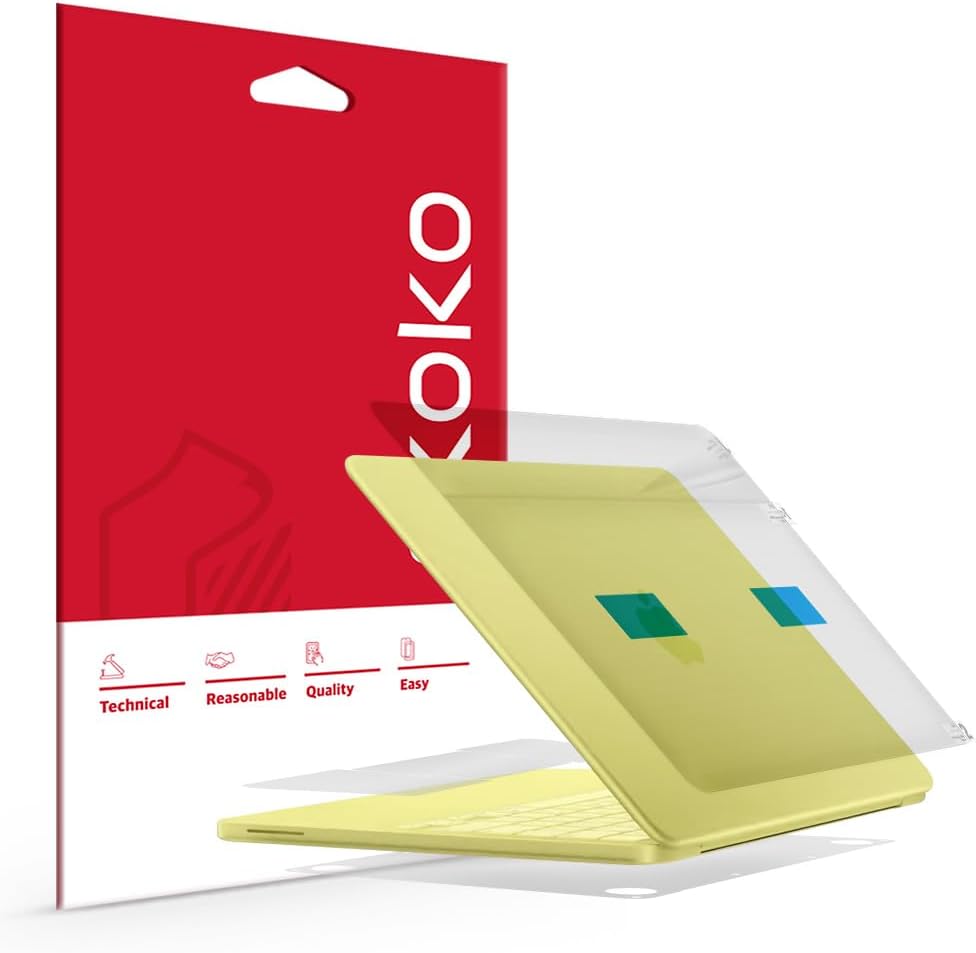
The skoko Invisible Matte transparent Skin stands out as a comprehensive protection solution for the MacBook Neo 13 model A3404. It offers a full-body kit that covers the top, bottom, palmrest, and trackpad, ensuring every vulnerable surface is shielded from daily wear.
We may earn a commission when you buy through this link, at no additional cost to you.
Crafted with a premium TPU-like film, this skin is only 90 microns thick, making it barely noticeable against the laptop's profile. The matte clear finish maintains the original look while adding a non-slip texture that prevents accidental drops and improves handling.
While the installation requires careful alignment due to the four-piece design, the precision engineering ensures a flawless fit around ports and contours. Some users may find the process slightly more involved than single-piece decals, but the coverage justifies the extra effort.
This option is ideal for users seeking maximum protection without altering the sleek design of their device. It strikes a balance between invisible protection and functional grip, making it a top choice for daily commuters and professionals.
At 90 microns, this skin adds negligible bulk, allowing the lid to close smoothly without interference.
The matte finish transforms slippery metal into a grippier surface, reducing the risk of slips during transport.
We may earn a commission when you buy through this link, at no additional cost to you.
For those seeking a cost-effective way to personalize and protect their new MacBook Neo, this decal offers exceptional value. Designed specifically for the 2026 model A3404, it ensures a precise cut that avoids overhang or misalignment around the edges.
We may earn a commission when you buy through this link, at no additional cost to you.
The material is ultra-thin at just 0.01mm, making it virtually invisible once applied. It resists dust and scratches effectively while maintaining the original look of the laptop. The adhesive is designed to be residue-free, allowing for easy removal or repositioning.
Installation is straightforward: simply wipe the surface clean and apply the sticker. However, this product only covers the top lid, so it does not protect the palm rest or bottom casing from wear. This limitation makes it best for users focused on aesthetics.
This is an excellent choice for students or casual users who want basic protection without breaking the bank. It provides peace of mind against minor scuffs and keeps the device looking fresh with minimal investment.
The dust-resistant surface is easy to clean with a soft cloth, keeping your laptop looking spotless.
Since it adds almost no weight, this skin is perfect for on-the-go use without affecting portability.
We may earn a commission when you buy through this link, at no additional cost to you.
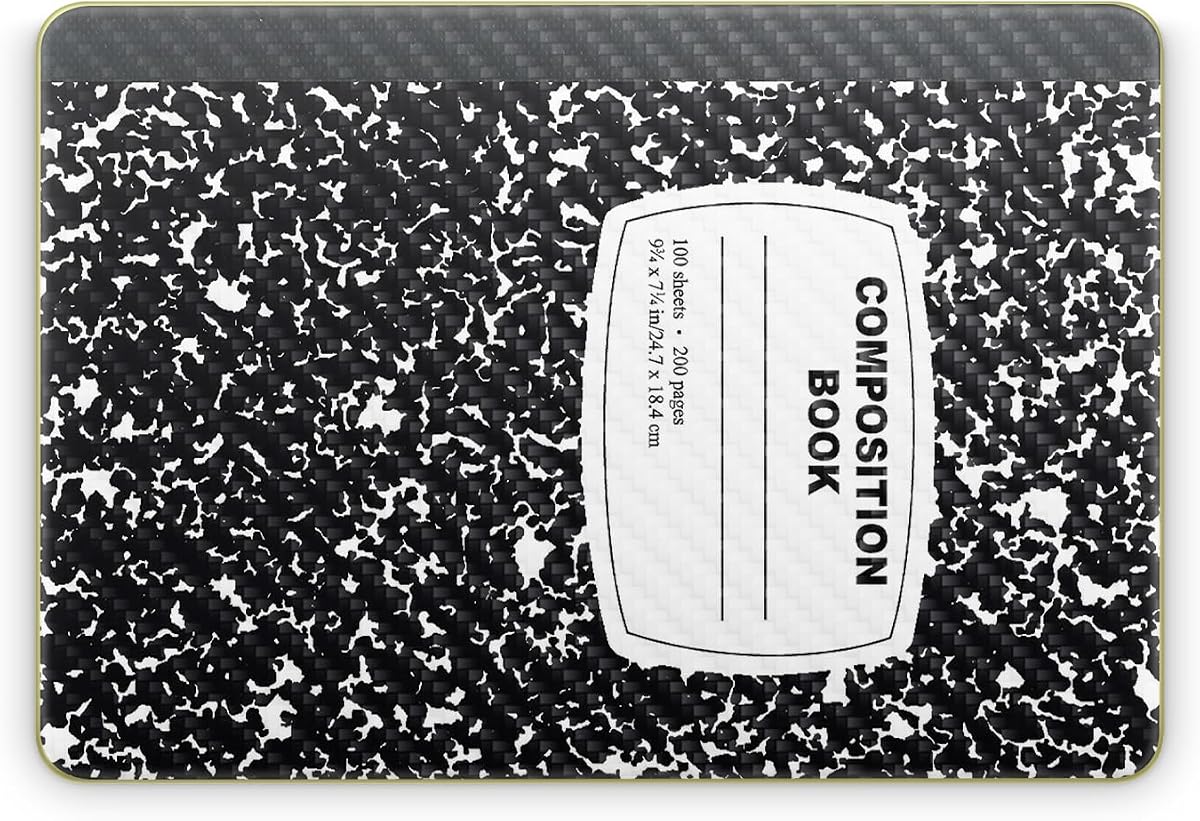
MightySkins delivers a premium experience with its Carbon Fiber Laptop Skin, combining rugged durability with a sleek tech look. Crafted in the USA, this product uses high-quality 3M vinyl that offers superior resistance to scratches and daily wear.
We may earn a commission when you buy through this link, at no additional cost to you.
The carbon fiber finish provides a unique texture that stands out from standard decals. It gives your device a bold, modern vibe while protecting the surface from dings. The adhesive system is designed for precision, allowing for easy alignment and bubble-free application.
While it is priced higher than generic options, the build quality and brand reputation justify the cost. It is important to note this covers the top lid only, so users needing full protection might need additional accessories. However, for style and lid protection, it excels.
This skin is perfect for professionals or creatives who want a distinct look without sacrificing device value. It transforms the appearance of the laptop while ensuring the surface remains pristine over years of use.
The patented air release adhesive ensures a smooth application and removes cleanly when you want to change styles.
Made in West Palm Beach, Florida, this product reflects a commitment to high manufacturing standards and quality control.
We may earn a commission when you buy through this link, at no additional cost to you.
The Frosted Transparent Vinyl Skin offers a subtle upgrade to your MacBook Neo's appearance without hiding its color. It provides a matte finish that reduces glare and fingerprints, making it ideal for office and school environments where aesthetics matter.
We may earn a commission when you buy through this link, at no additional cost to you.
This skin is designed to fit all edges and ports seamlessly, ensuring no peeling or lifting over time. The premium vinyl is durable yet flexible, conforming to the device contours without adding extra weight. Air release technology ensures a bubble-free install.
While it focuses on the main body, it does not cover every inch like a full wrap. Users should check their needs for trackpad or palm rest protection separately. However, for lid and body protection, it is highly effective.
If you prefer a minimalist aesthetic that still offers robust protection, this skin is a top contender. It balances style and function well, keeping your device looking clean and professional during daily use.
Safe removal without sticky residue means you can update your look whenever you like without damage.
The anti-fingerprint and oil repellent surface keeps dust from accumulating, reducing the need for frequent wiping.
We may earn a commission when you buy through this link, at no additional cost to you.
Focused specifically on the areas most prone to oil and scratches, this Palm Rest Protector is a smart addition to your laptop care. It covers the wrist rest and trackpad, keeping them clean and intact during extended typing sessions.
We may earn a commission when you buy through this link, at no additional cost to you.
Made from premium adhesive vinyl, it is ultra-thin at 0.2mm, ensuring it does not interfere with trackpad sensitivity or key clearance. The design is nearly invisible, preserving the original look while providing a barrier against daily grime.
Installation is simple and removal is residue-free, allowing for easy updates. However, since it does not cover the top lid, pairing it with a separate skin might be necessary for full protection. It is a specialized solution for comfort and hygiene.
This product is ideal for heavy typists or those concerned about fingerprint buildup on the keyboard area. It complements other skins perfectly, offering a targeted approach to maintaining a pristine laptop surface.
By covering the wrist rest, it prevents the metal from scratching or tarnishing due to hand oils and wear.
The smooth surface is easy to wipe down, ensuring your workspace remains clean and professional.
We may earn a commission when you buy through this link, at no additional cost to you.
For those who want a subtle upgrade without altering the laptop's original look, this Frosted Clear Vinyl Skin is a strong option. It provides a clear matte finish that reduces shine while protecting the surface from minor scratches and dust.
We may earn a commission when you buy through this link, at no additional cost to you.
The installation is designed to be bubble-free thanks to air-release technology. It adheres well to the surface and can be removed without leaving sticky residue, allowing for flexibility if you decide to change styles later.
While it offers essential protection, some users report varying levels of long-term adhesion. It is best suited for those who prioritize aesthetics over heavy-duty protection. Ensure the surface is clean before application for best results.
This decal is a practical choice for users seeking basic protection with minimal visual impact. It keeps the laptop looking clean and professional while safeguarding the exterior from daily wear and tear.
The frosted finish softens the look of the laptop, giving it a more refined and less reflective appearance.
Clean the surface thoroughly with alcohol before applying to ensure maximum adhesion and longevity.
We may earn a commission when you buy through this link, at no additional cost to you.
MightySkins Shadow Concrete skin offers a sleek, understated look that fits well in professional settings. The matte finish creates a smooth surface that resists stains and daily wear, keeping your device looking brand new.
We may earn a commission when you buy through this link, at no additional cost to you.
Crafted in the USA, this product is built to last. The low-grip adhesive ensures a precise fit that peels off cleanly when ready for a change. It is designed to shield the laptop from scratches and scuffs without adding bulk.
While the coverage is limited to the top lid, it effectively protects the most visible part of the device. It is a solid choice for those who value a clean, professional aesthetic over flashy designs.
If you need a reliable cover that maintains a conservative appearance, this skin is an excellent option. It balances durability with style, making it a good fit for business and academic environments.
The stain-resistant vinyl withstands daily use, ensuring the surface remains pristine over time.
The adhesive is strong enough to stay in place but weak enough to remove without damage.
We may earn a commission when you buy through this link, at no additional cost to you.
This 4 in 1 set offers full-size protection with a focus on the silver aesthetic. It includes skins for the top, bottom, palm rest, and trackpad, ensuring every part of your laptop is shielded from wear and scratches.
We may earn a commission when you buy through this link, at no additional cost to you.
Made from ultra-thin 3M vinyl, the skin adheres securely without reducing touchpad sensitivity. The arc-shaped logo cut allows for a seamless look that maintains the device's branding while protecting the surface from jewelry and daily abrasions.
Installation requires patience due to the multiple pieces, but the result is a seamless finish that preserves the original color. It is a robust solution for those seeking a complete overhaul of their laptop's look and protection.
For users who want a silver highlight without altering the original color, this kit is a strong choice. It provides extensive coverage and durability, making it a great value for full-body protection.
With four pieces, it ensures every surface is protected, offering peace of mind for active users.
The mold is made from real machine copying, ensuring a perfect fit around ports and logos.
We may earn a commission when you buy through this link, at no additional cost to you.
The Silver Vinyl Skin Decal adds a classic metallic touch to your MacBook Neo without hiding its design. It uses a premium matte vinyl to avoid shiny smudges, keeping the laptop looking clean and professional during use.
We may earn a commission when you buy through this link, at no additional cost to you.
Installation is bubble-free and residue-free, making it easy to apply and remove as needed. The design is tailored to fit all edges and ports, ensuring no peeling occurs with daily handling. It is a simple way to refresh the look.
While some users find the adhesion varies, it generally provides effective protection against scratches. It is best for those who want a subtle silver update rather than a full body change. Check your model before purchasing.
This decal is a practical choice for maintaining a polished look on your device. It balances affordability with function, making it suitable for students and professionals alike who want a touch of color.
The classic silver finish enhances the device without overpowering its natural aesthetic appeal.
Because it adds no weight, the laptop remains light and easy to carry for travel.
We may earn a commission when you buy through this link, at no additional cost to you.
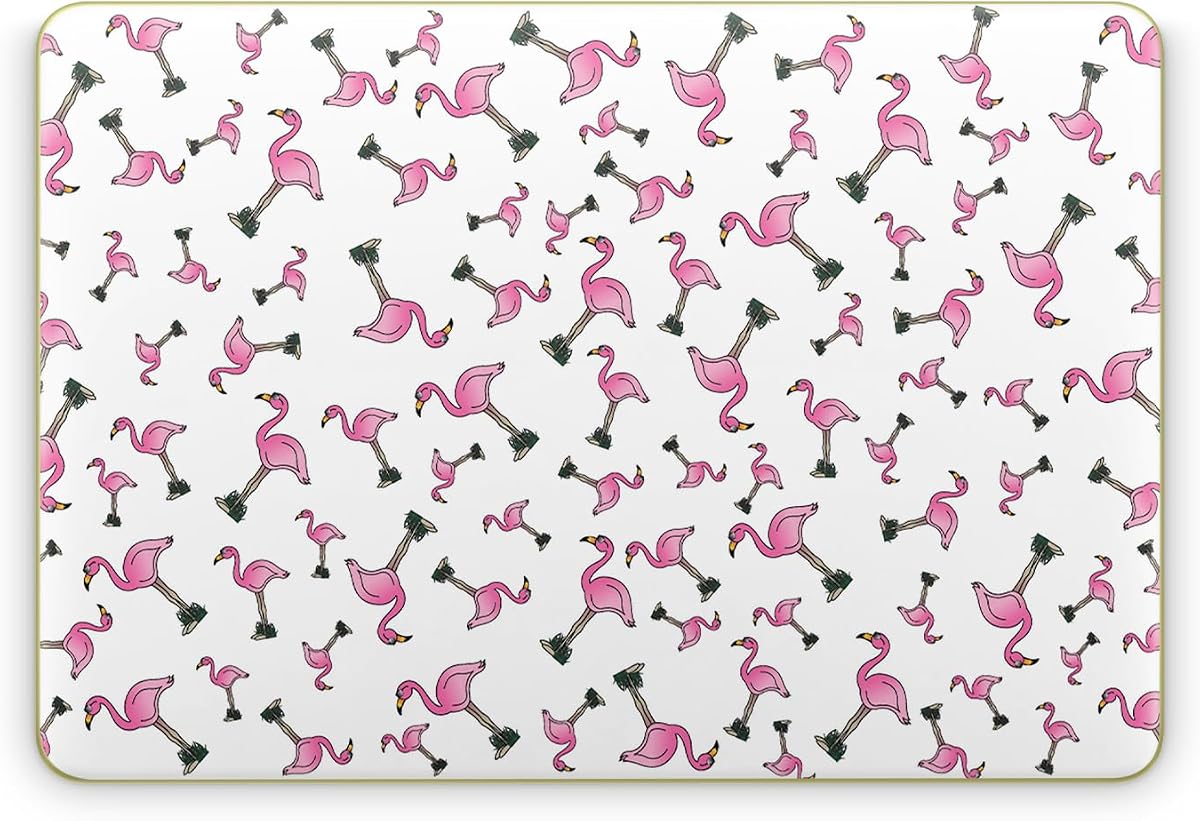
For those who want to express their personality, the Cool Flamingo skin offers a vibrant and playful touch. It covers the top lid with a premium vinyl that resists scratches and maintains a sleek matte finish for a polished look.
We may earn a commission when you buy through this link, at no additional cost to you.
Made in the USA, this skin is crafted with care to ensure durability and a perfect fit. The low-grip adhesive makes it easy to apply without bubbles, and it peels off cleanly when you are ready to switch styles.
While it does not cover the entire device, it is a great way to personalize the most visible part of the laptop. It is ideal for users who want to stand out while still using a reputable brand known for quality.
This skin is perfect for adding a pop of color to your workspace without sacrificing protection. It is a fun yet professional way to protect your device and reflect your personal style.
A unique pattern like flamingo lets you express individuality while keeping the laptop professional.
Crafted in the USA with high-quality vinyl, ensuring long-lasting performance and appearance.
We may earn a commission when you buy through this link, at no additional cost to you.
Choosing the right skin involves considering fit, material, and desired coverage. This guide outlines the key factors to help you select the best option for your MacBook Neo 13.
Always check that the skin is tailored for the 2026 MacBook Neo 13 model A3404. Using a generic skin can lead to poor fit and misalignment.
Verify the model number before purchase to ensure a perfect fit around ports and edges.
Decide whether you need protection for the top lid only or the entire body including palm rests. Full kits offer more protection but are harder to install.
Choose based on whether you prioritize aesthetics or comprehensive physical protection.
Look for premium vinyl or TPU materials that are thin yet durable. High-quality materials resist scratches and do not add bulk.
Vinyl skins are generally more durable than standard stickers for long-term use.
Select skins with air-release adhesives to prevent bubbles during installation. Residue-free options make it easier to change styles later.
Practice patience during application to ensure a smooth and professional finish.
Consider matte versus glossy finishes. Matte reduces fingerprints and glare, while glossy offers a shiny, high-contrast look.
Choose colors that align with your personal style or professional needs.
Budget skins offer basic protection for the lid, while premium kits cover the whole device. Determine your budget and prioritize accordingly.
Higher price often correlates with better durability and precision in design.
Some skins add a subtle texture that improves grip on the metal surface. This can prevent accidental drops and enhance comfort.
Evaluate if you prefer a smooth or tactile feel when using your laptop.
Established brands often provide better quality control and customer support. Checking reviews can help gauge real-world performance.
Look for brands with proven track records for adhesive and material quality.
Start by cleaning the surface with a lint-free cloth and mild alcohol wipe to remove oils and dust. This ensures the adhesive sticks properly and prevents bubbles.
Apply the skin slowly from one edge, using a card or soft cloth to smooth it out as you go. This helps avoid trapped air and ensures a flat finish.
Avoid using harsh chemicals to clean the skin itself; a damp cloth is sufficient. If you need to remove it, peel slowly to prevent any residue from forming.
Generally, skins are ultra-thin and do not interfere with heat dissipation. However, ensure the skin does not block ventilation ports. Most premium skins are designed to be breathable and safe for daily use.
Most modern skins use residue-free adhesives designed for clean removal. Peel slowly and at an angle to minimize risk. If any residue remains, use a small amount of adhesive remover.
Applying a skin does not void the hardware warranty as long as it does not damage the device. Avoid removing it roughly to prevent surface scratches. Always follow manufacturer guidelines.
Skins are lighter and offer scratch protection without bulk. Cases provide impact protection but are heavier. Choose based on whether you prioritize portability or drop protection.
High-quality vinyl skins can last several years without peeling. Regular cleaning and avoiding harsh conditions will extend their life. Check adhesive strength periodically.
Some full kits include trackpad skins. Ensure the trackpad cover is ultra-thin to maintain touch sensitivity. Always check product specifications for trackpad compatibility.
We have explored ten top options ranging from full-body kits to minimalist decals. Each offers unique benefits tailored to different needs and budgets.
Prioritize the skin that fits your usage style, whether you want full protection or just a style update. Quality materials and precise fit are key to long-term satisfaction.
Remember to check current prices and availability before buying. A good skin protects your investment and keeps your device looking fresh.