
AX210NGW DTK WiFi Card
4.5Editor score
Tri-Band 6GHz Support
Bluetooth 5.3 Included
Includes Antennas and Brackets
This guide compares the top M2 Key E WiFi Cards for laptops and desktops, evaluating speed, compatibility, and features to help you upgrade your wireless
Modern computing demands reliable wireless connectivity for work and entertainment. Choosing the right M2 Key E WiFi Card ensures your system supports the latest standards like WiFi 6E and WiFi 7. A good card offers high speeds, low latency, and broad compatibility with various motherboards.
We evaluated ten leading products based on chipset performance, band support, and user feedback. Each entry was selected to represent different needs from budget upgrades to premium gaming solutions. Our analysis focuses on technical specifications and real world performance metrics.
Every pick highlights specific strengths such as tri band support or advanced Bluetooth integration. Please note that availability and costs may shift due to market dynamics. Check current listings before purchasing to ensure the best deal for your setup.
4.5Editor score
4.6Editor score

4.6Editor score
This side-by-side comparison outlines the core capabilities of each selected adapter. From basic connectivity to cutting edge WiFi 7 performance these cards vary in speed and feature sets. Review the specs below to find the perfect match for your hardware.
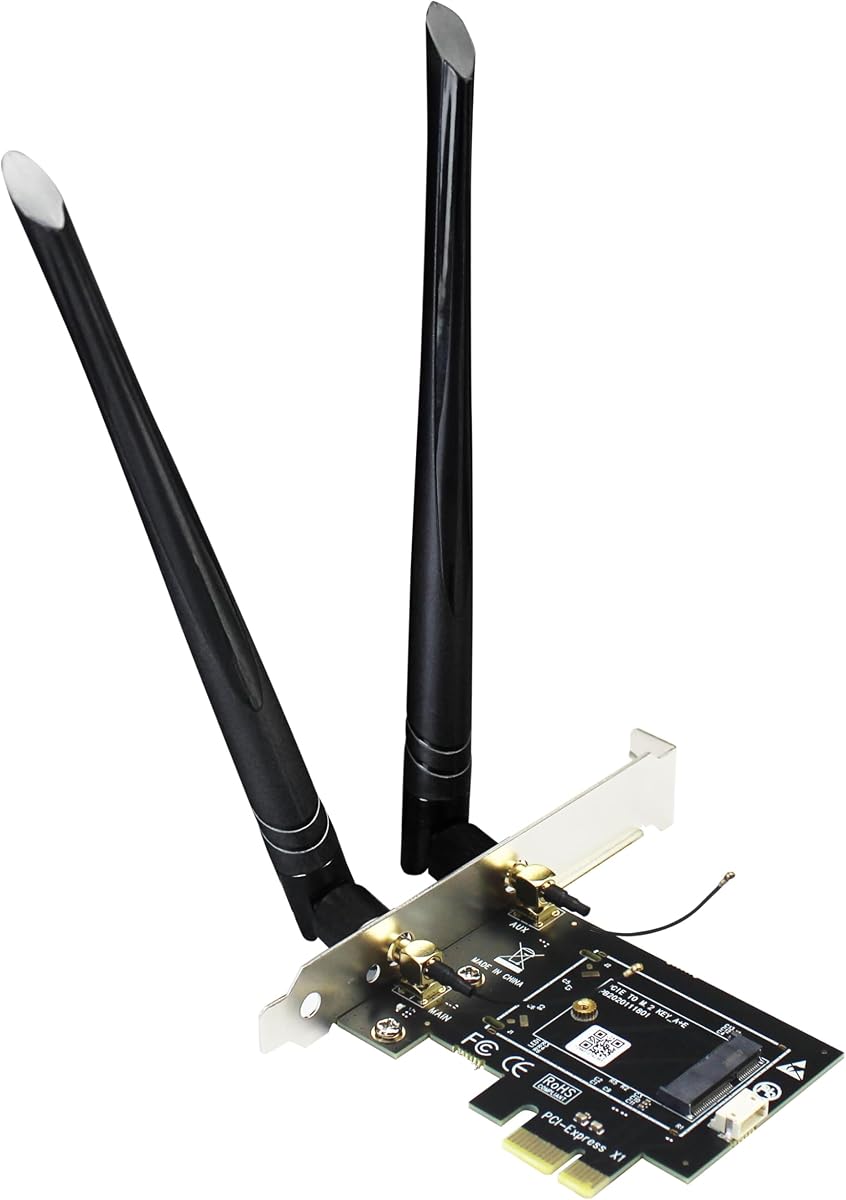





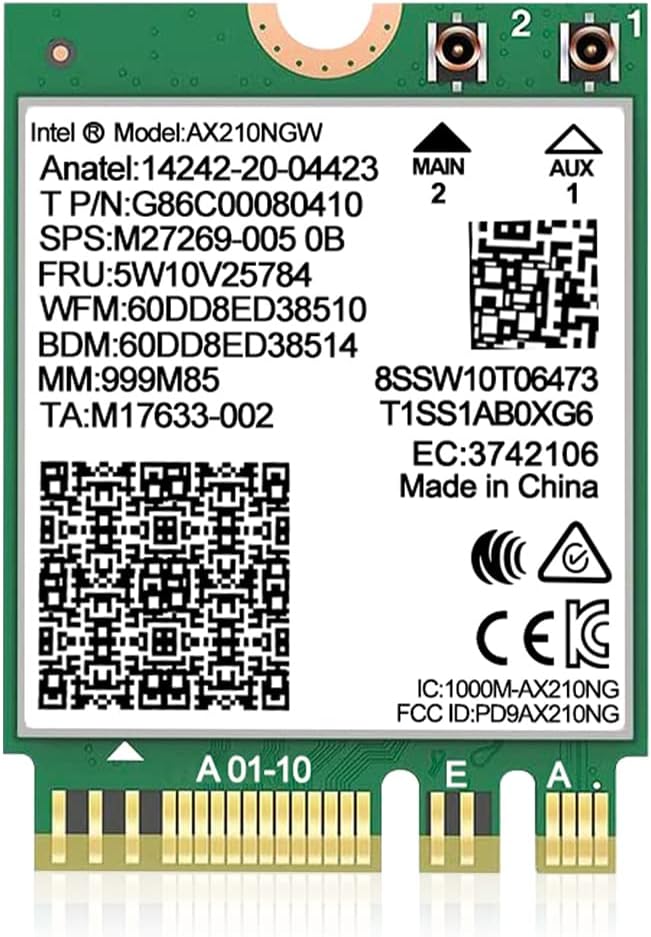
This AX210NGW DTK kit delivers robust WiFi 6E performance at a budget friendly price. It supports the new 6GHz band for reduced interference and faster throughput. The package includes high gain antennas and brackets for versatile mounting options.
We may earn a commission when you buy through this link, at no additional cost to you.
The Intel AX210 chipset provides reliable connectivity across tri-band frequencies. Bluetooth 5.3 ensures smooth pairing with peripherals like headphones and mice. Users report significant latency improvements during online gaming and video conferencing.
Installation requires basic tools to access the M.2 slot and attach antennas. While driver setup is straightforward using Intel website resources some users find the cable length challenging in small cases. These trade offs are minimal for the performance gained.
Ideal for budget conscious users needing tri-band WiFi 6E on desktops. If you value low cost without sacrificing modern wireless features this card is an excellent choice. Verify motherboard compatibility before purchasing to ensure a fit.
This card brings 6GHz capability to budget builds without premium costs.
Included high gain antennas ensure strong signal reception indoors.
We may earn a commission when you buy through this link, at no additional cost to you.
The GLOTRENDS WA01 bridges M.2 E Key modules to desktop PCIe slots effectively. It supports a wide range of WiFi cards including future WiFi 7 options. The SMA antenna setup offers better range than typical internal adapters.
We may earn a commission when you buy through this link, at no additional cost to you.
Bluetooth functionality requires connecting a USB cable to the motherboard header. This extra step ensures stable peripheral connectivity but adds complexity. The adapter itself is sturdy and fits standard PCIe x1 slots with no issues.
Users should note incompatibility with CNVio specific Intel modules. This limits options for some OEM laptops but benefits desktop users with standard M.2 slots. Clear documentation helps avoid confusion during setup.
Perfect for enthusiasts building custom PCs with specialized M.2 modules. If you need flexibility beyond standard WiFi cards this adapter provides essential versatility. Confirm your module type matches supported standards before buying.
Supports WiFi 4 through 7 modules plus Coral TPU accelerators.
Converts M.2 Key E slots to accessible PCIe connections easily.
We may earn a commission when you buy through this link, at no additional cost to you.
This adapter expands desktop wireless capabilities by connecting M.2 modules to PCIe. It supports A and E key modules for broad compatibility. The dual-band antennas enhance signal quality significantly over built-in options.
We may earn a commission when you buy through this link, at no additional cost to you.
Bluetooth functionality depends on connecting the included cable to a USB header. This requirement ensures proper peripheral support but may challenge compact cases. The bracket fits full height slots securely without issues.
Users seeking affordable connectivity upgrades will find this reliable and functional. Ensure your motherboard has a free USB header for Bluetooth. Without a compatible module the card itself cannot transmit signals.
Best for general home or office desktops needing better WiFi range. If you already have an M.2 module this adapter extends its utility to standard PCs. Check slot availability before starting your build.
Works with various NGFF modules for flexible wireless choices.
Cost effective way to upgrade older systems to modern WiFi standards.
We may earn a commission when you buy through this link, at no additional cost to you.
The QCNCM865 brings flagship WiFi 7 capabilities to laptops and desktops. Tri-band support across 2.4 5 and 6GHz ensures minimal interference. Multi-link operation boosts throughput and reduces lag for demanding tasks.
We may earn a commission when you buy through this link, at no additional cost to you.
Real-world speeds reach up to 5.8Gbps with compatible routers. Bluetooth 5.3 adds efficient peripheral management for gaming peripherals. Installation is straightforward given the compact M.2 Key E form factor.
Full potential requires a WiFi 7 router and modern OS. Users on older systems may see limited gains. Despite this the card is a solid investment for future proofing network upgrades.
Ideal for gamers and professionals needing maximum wireless speed. If you plan to upgrade your router soon this card delivers immediate benefits. Verify system requirements before installation.
Delivers multi-gigabit throughput ideal for large file transfers.
Simultaneous band usage reduces latency for responsive gaming.
We may earn a commission when you buy through this link, at no additional cost to you.
This Intel AX210 NGW card offers balanced performance for most users. Tri-band support delivers fast speeds with stable connections. Bluetooth 5.3 integrates smoothly for peripherals without extra dongles.
We may earn a commission when you buy through this link, at no additional cost to you.
Windows compatibility is robust ensuring plug and play experiences after drivers. Power efficiency helps extend laptop battery life during wireless usage. Users report consistent signal strength across typical home environments.
Installation assumes an available M.2 slot on the motherboard. Drivers are free and downloadable directly from Intel. While antenna gain is standard it suffices for most indoor setups.
Best for laptops needing reliable WiFi 6E without custom hardware tweaks. If you prioritize stability and ease of use this model stands out. Check slot availability before purchasing for your device.
Proven chipset ensures stable connections with minimal dropouts.
Combines speed efficiency and compatibility for everyday use.
We may earn a commission when you buy through this link, at no additional cost to you.
The OKN AX210 NGW module delivers consistent WiFi 6E connectivity. MU-MIMO capabilities help maintain speed even with multiple devices. Tri-band operation reduces congestion in busy networks.
We may earn a commission when you buy through this link, at no additional cost to you.
Bluetooth 5.3 integration ensures low latency for gaming peripherals. Security features like WPA3 protect data effectively during transfers. The module works well on both Intel and AMD platforms.
Installation is simple if your laptop has an M.2 slot. Drivers install quickly on supported Windows versions. Some users note antenna options are limited to stock connectors.
Best for users needing secure reliable wireless without extra costs. If you want solid performance for work or casual gaming this card fits well. Verify OS version before installing drivers.
Maintains throughput with multiple devices connected simultaneously.
WPA3 support protects data during sensitive online activities.
We may earn a commission when you buy through this link, at no additional cost to you.
This kit enhances standard AX210 performance with powerful 8dBi antennas. Tri-band support ensures optimal routing of traffic for speed and range. The package includes cables and brackets for desktop mounting.
We may earn a commission when you buy through this link, at no additional cost to you.
Bluetooth connectivity is stable across typical household environments. Users appreciate the included accessories that reduce additional purchases. Signal quality remains strong even through walls or floors.
Antenna size may require careful placement in compact cases. Cable routing needs some planning for neat installation. These minor issues are outweighed by the performance gains.
Ideal for desktops with poor existing WiFi reception. If you need extended range without external routers this card delivers. Confirm case clearance before buying.
8dBi antennas boost reception for distant routers or obstacles.
Includes all cables and brackets for immediate setup.
We may earn a commission when you buy through this link, at no additional cost to you.
This card offers advanced WiFi 7 features including multi-link operation. Tri-band support delivers consistent performance across all frequency bands. Bluetooth integration remains efficient for gaming peripherals.
We may earn a commission when you buy through this link, at no additional cost to you.
Windows 11 is mandatory for full functionality. Users must disable old drivers to avoid conflicts during installation. Once configured latency is minimal for real-time applications.
Compatibility spans both major CPU platforms ensuring broad utility. The speed potential justifies the upgrade for heavy users. Older OS versions limit these advanced capabilities significantly.
Best for new builds targeting maximum wireless performance. If you prioritize future proofing this card stands out among current options. Ensure your OS meets requirements before purchasing.
Simultaneous band use increases throughput and reduces lag.
Works with both AMD and Intel motherboards effectively.
We may earn a commission when you buy through this link, at no additional cost to you.
This dual-band AX1800 card provides solid performance for general use. OFDMA technology optimizes traffic handling for better efficiency. Bluetooth 5.2 ensures decent peripheral connectivity.
We may earn a commission when you buy through this link, at no additional cost to you.
Linux support is a standout feature for technical users. The card is compact and fits standard M.2 slots easily. Signal remains stable for web browsing and streaming tasks.
Limited to 5GHz and 2.4GHz bands without 6GHz capability. Users wanting future WiFi 6E may prefer other options. For current needs the speed is sufficient.
Best for budget laptops or Linux desktops needing WiFi 6. If you value open source support this card delivers. Check slot type before purchasing.
Balances speed and range across standard WiFi frequencies.
Kernel support ensures smooth operation on Linux systems.
We may earn a commission when you buy through this link, at no additional cost to you.
The Intel Killer BE200 delivers top-tier WiFi 7 performance for gaming. Ultra-low latency prioritizes network traffic for competitive play. Bluetooth 5.4 ensures seamless peripheral connectivity.
We may earn a commission when you buy through this link, at no additional cost to you.
Tri-band support ensures consistent speeds across all channels. Official drivers integrate well with OS network settings. Stability is high even under heavy loads.
Requires an Intel processor and modern OS for full features. This limits compatibility but ensures optimized performance on supported systems. Setup is straightforward for users meeting these criteria.
Best for competitive gamers seeking maximum network speed. If you own an Intel PC this card offers the best wireless experience. Confirm CPU compatibility before buying.
Prioritizes network traffic for competitive online gaming.
Killer branding ensures optimized performance and support.
We may earn a commission when you buy through this link, at no additional cost to you.
Selecting the right wireless adapter involves evaluating speed, compatibility, and features. This guide covers essential factors to ensure optimal performance.
Check whether your motherboard supports WiFi 6 or WiFi 7 standards. Older systems may only support legacy protocols which limit speed and efficiency.
Always match the card generation with your router capabilities for maximum throughput.
Tri-band cards offer access to 6GHz frequencies reducing interference significantly. Dual-band models remain reliable for standard household use.
Consider future proofing by selecting a card that supports 6GHz bands.
Bluetooth 5.3 and 5.4 provide lower latency and better energy efficiency. Ensure the module pairs seamlessly with your peripheral devices.
Older Bluetooth versions may cause connection issues with modern headphones.
Some WiFi 7 cards strictly require Windows 11 for full functionality. Verify driver availability for Linux if needed for your setup.
OS compatibility is critical to avoid performance limitations or installation errors.
The 2230 form factor fits most M.2 slots but check case clearance for antennas. Laptop adapters may require smaller dimensions than desktop models.
Proper fit prevents hardware damage and ensures secure mounting.
Included antennas impact signal range and stability significantly. High gain options improve performance in larger homes.
Ensure cables and brackets match your chassis for a clean setup.
Official drivers should be readily available from manufacturer or Intel websites. Reliable support ensures smooth updates and troubleshooting.
Avoid cards with outdated or scarce driver resources to prevent issues.
Look for WPA3 support to protect data against modern threats. Backward compatibility ensures connection with older routers.
Strong security prevents unauthorized access during online activities.
Begin by powering down your system and disconnecting all cables before accessing the M.2 slot. Ground yourself to prevent static discharge during installation of the card.
Connect the included antennas securely to the card headers. Route cables neatly to avoid blocking airflow or interfering with other components.
After powering on install the latest drivers from the manufacturer website. Monitor signal strength and adjust antenna positions if connectivity issues occur.
WiFi 6E introduces the 6GHz band while maintaining similar architecture to 6. WiFi 7 adds features like multi-link operation and higher throughput for faster speeds.
No many OEM laptops lock slots to specific brands. Verify BIOS support and physical slot compatibility before purchasing a replacement.
Most cards support Linux but driver support varies. Check manufacturer documentation for kernel compatibility before installation.
Bluetooth often requires a USB header connection on desktop adapters. Ensure the cable connects to the correct motherboard header for functionality.
For best performance yes but cards remain backward compatible. You will see standard speeds without a matching router.
Visit the Intel or manufacturer website to download the latest drivers. Install them and restart your system to apply changes.
Ensure antennas are connected tightly and positioned vertically. Check for interference from nearby electronics or metal objects.
You typically need a small screwdriver for the screw holding the card. Use anti-static precautions to protect sensitive components.
The top picks range from budget AX210 options to high-speed BE200 solutions. Each card offers distinct advantages depending on your needs and hardware.
Prioritize speed and frequency support for future proofing. Ensure your OS matches the card requirements to avoid limitations during use.
Always verify current listings and compatibility before purchasing. Availability changes rapidly so check product details carefully before finalizing your order.