
TP-Link AC1200 Gigabit Dual Band WiFi Router
4.5Editor score
1200 Mbps total speed
Four external antennas
WPA3 security support
This guide compares the top long range WiFi routers of 2026 to help you find reliable coverage for your home.
Finding a reliable long range WiFi router is essential for modern homes with multiple devices. You need strong signals that reach every corner without interruptions or slow speeds during heavy use.
We compared ten top models based on coverage area, speed capabilities, and real-world performance data. Each router was evaluated for how well it handles streaming, gaming, and smart home connectivity.
Each pick shows key features and performance highlights to help you choose the right fit. Prices change frequently so check current offers before making your final purchase decision today.
4.5Editor score

4.3Editor score
4.2Editor score
Below is a side-by-side comparison of all ten routers to help you evaluate key specifications and features at a glance.






The TP-Link BE6500 stands out as the top choice for users seeking next-generation performance. It features the latest WiFi 7 standard with Multi-Link Operation for improved reliability and speed.
We may earn a commission when you buy through this link, at no additional cost to you.
With 6.5 Gbps total bandwidth and support for up to 90 devices, it handles heavy loads effortlessly. The 2.5 Gbps ports ensure your wired devices keep up with modern internet speeds.
While it is more expensive than standard WiFi 6 routers, the future-proofing benefits justify the investment for tech-forward homes. The EasyMesh compatibility allows you to expand coverage without replacing the whole system.
If you want the best long range performance now and for years to come, this router is the ideal pick. It balances cutting-edge speed with practical features that enhance your daily connectivity.
Multi-Link Operation allows data to move across bands simultaneously for lower latency and higher throughput.
HomeShield provides comprehensive protection for all connected devices with parental controls and real-time monitoring.
We may earn a commission when you buy through this link, at no additional cost to you.
This model brings the 6 GHz band to life with tri-band WiFi 6E capabilities. It offers excellent performance for gamers and streamers who need low latency and consistent speeds.
We may earn a commission when you buy through this link, at no additional cost to you.
The 5400 Mbps total throughput ensures that multiple devices can stream and play games without congestion. The 512 MB memory helps maintain stability even with dozens of connected devices.
Though it lacks the full power of WiFi 7, it remains a strong choice for homes not yet ready to upgrade all devices. The design focuses on heat dissipation which supports long-term reliability.
Buy this if you want modern speeds without the high cost of the latest generation. It delivers solid value for those seeking WiFi 6E coverage now.
Three separate bands allow devices to distribute load effectively and reduce network congestion significantly.
A dual-core CPU paired with high-speed memory ensures stable performance during peak usage hours.
We may earn a commission when you buy through this link, at no additional cost to you.
The Archer AX73 offers dependable WiFi 6 performance at a reasonable price point. It supports 8K streaming and handles multiple device connections with ease.
We may earn a commission when you buy through this link, at no additional cost to you.
Its 4T4R structure enhances throughput efficiency making it great for video calls and gaming sessions. The USB port lets you easily share media files across your network.
Coverage extends up to 2000 sq ft which fits most standard homes comfortably. The vented design prevents overheating during extended use ensuring consistent performance.
Choose this router if you want reliable connectivity without breaking the bank. It strikes a great balance between features and affordability for everyday users.
High throughput ensures buffer-free streaming of ultra-high-definition content across multiple devices.
Use the USB port to create a private cloud storage for your photos and documents easily.
We may earn a commission when you buy through this link, at no additional cost to you.
This router delivers impressive speeds with its 6000 Mbps capability and advanced WiFi 6 tech. It features a 2.5G port for faster wired connections which is great for NAS or PCs.
We may earn a commission when you buy through this link, at no additional cost to you.
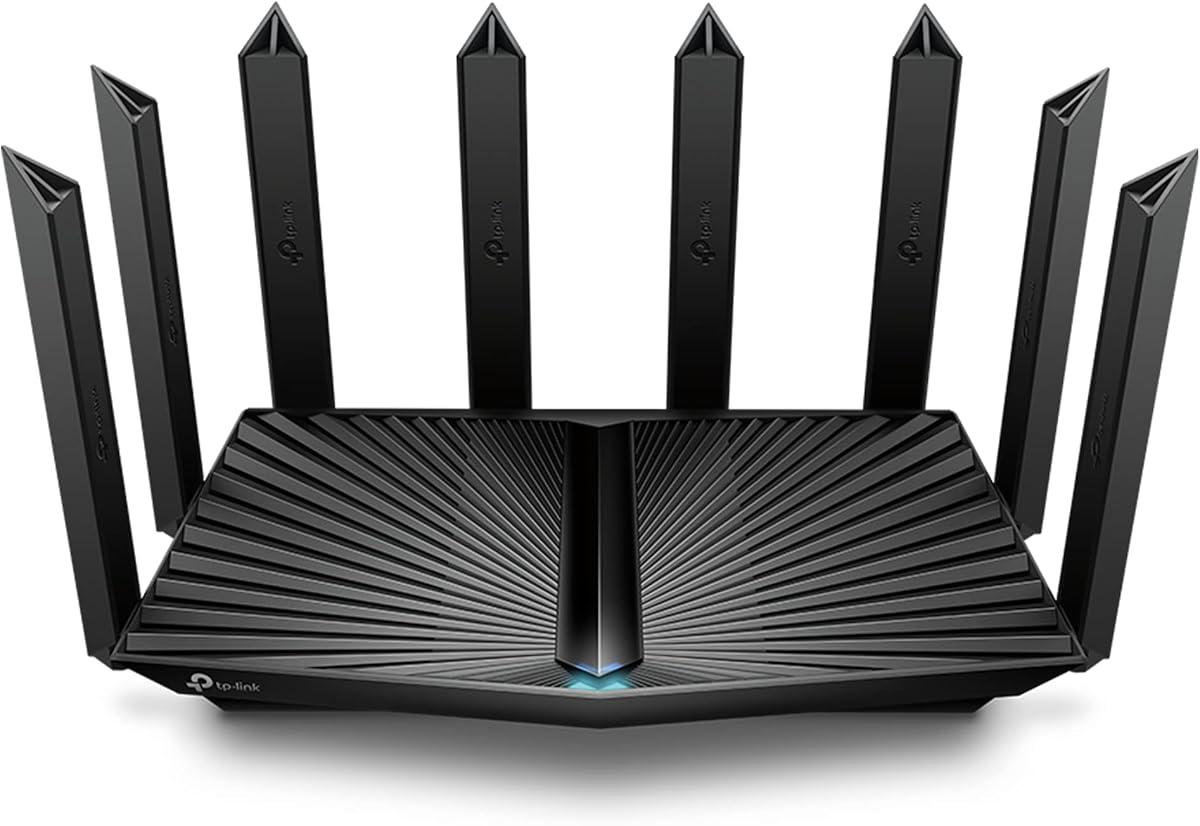
Eight high-gain antennas provide robust coverage that penetrates walls effectively. Voice control via Alexa makes managing your network easier and more intuitive.
OneMesh support allows you to extend the network with compatible extenders seamlessly. This keeps all your devices on one network without complex configuration.
Pick this for homes needing fast wired connections alongside strong wireless performance. It is ideal for power users who need more than standard gigabit speeds.
The 2.5G port ensures your router is not the bottleneck for ultra-fast internet plans.
Control guest networks and settings using voice commands through your Amazon Alexa device.
We may earn a commission when you buy through this link, at no additional cost to you.
NETGEAR brings WiFi 7 technology to a more accessible price point with this model. It delivers 3.6 Gbps speeds which is 1.2x faster than typical WiFi 6 routers.
We may earn a commission when you buy through this link, at no additional cost to you.
The Nighthawk app simplifies management allowing you to run speed tests and pause devices from anywhere. This convenience makes network maintenance straightforward for non-technical users.
Security features like NETGEAR Armor help protect your family online with minimal setup. Its compact design fits well in most living spaces without looking bulky.
Select this if you want modern WiFi 7 performance without paying premium prices. It is a smart entry point for upgrading to the latest wireless standards.
The app provides intuitive tools to monitor traffic and manage devices remotely with ease.
Built-in protection helps guard against common online threats automatically without extra setup.
We may earn a commission when you buy through this link, at no additional cost to you.
This tri-band model pushes the limits of WiFi 7 with 9.3 Gbps total throughput. It ensures that your fastest devices have a dedicated lane for maximum performance.
We may earn a commission when you buy through this link, at no additional cost to you.
With 2500 sq ft coverage it handles larger homes with ease. The multiple 2.5G ports allow for multiple high-speed wired connections simultaneously.
Ideal for large households with many simultaneous users streaming and gaming. The dedicated 6 GHz band significantly reduces interference and latency issues.
Invest in this if you need top-tier performance now. It supports future devices and provides the reliability needed for demanding networks.
The 9.3 Gbps capacity ensures zero slowdowns even with multiple high-bandwidth applications running.
Optimized antennas deliver strong signals throughout expansive spaces and multi-story homes.
We may earn a commission when you buy through this link, at no additional cost to you.
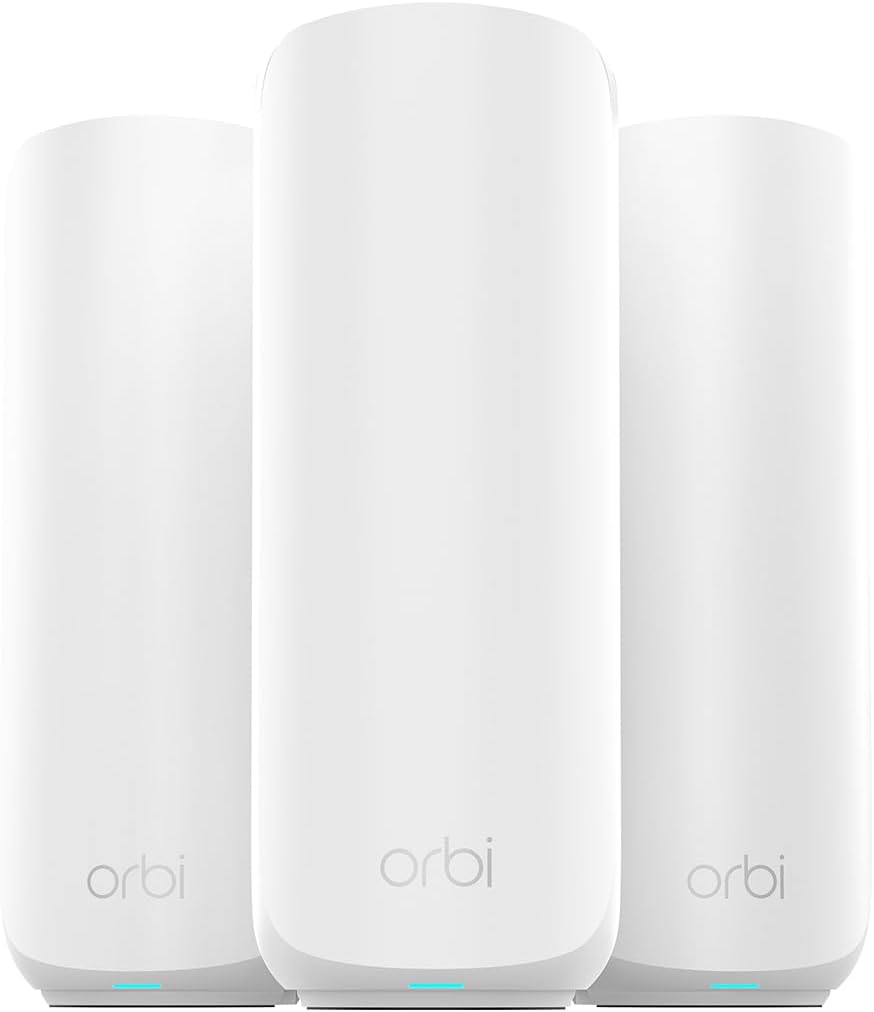
The Orbi 370 Series covers up to 6000 sq ft making it perfect for large properties. It uses WiFi 7 technology to ensure fast speeds even in distant rooms.
We may earn a commission when you buy through this link, at no additional cost to you.
The mesh system automatically routes your devices to the best signal automatically. This eliminates dead zones and keeps your connection stable as you move around.
With up to 70 devices supported it scales well for smart homes and offices. Adding satellites is simple if you need even more coverage later.
Choose this for large homes where traditional routers cannot reach. It provides consistent performance everywhere without sacrificing speed or reliability.
Satellites work together to create a unified network that blankets every room reliably.
Add more satellites anytime to expand coverage as your home or needs grow.
We may earn a commission when you buy through this link, at no additional cost to you.
This three-pack mesh system provides seamless coverage across 6500 sq ft easily. It supports up to 150 devices which is ideal for busy families and smart homes.
We may earn a commission when you buy through this link, at no additional cost to you.
The Deco app offers visual guidance to set up your network in minutes. Wired backhaul support ensures optimal speeds when connecting units via ethernet.
Security is a key focus with HomeShield providing basic protection free of charge. Its sleek design blends well with home decor without being obtrusive.
Get this if you want reliable whole-home WiFi without complexity. It balances performance and ease of use for most household needs.
The system learns your home layout to optimize signal paths automatically for best performance.
Built-in security features protect connected devices from threats right out of the box.
We may earn a commission when you buy through this link, at no additional cost to you.
The Archer BE550 offers incredible speed with 9.3 Gbps and multiple 2.5G ports. It is designed for users who need maximum wired and wireless performance.
We may earn a commission when you buy through this link, at no additional cost to you.
Four LAN ports allow multiple devices to connect at high speed without a switch. MLO technology combines bands for faster data transfer and lower latency.
A dedicated private IoT network helps keep smart devices separate from main traffic. This improves security and reduces congestion on your primary network.
Buy this if you have high-speed internet and want to utilize every bit of it. It supports future devices and provides excellent flexibility for wired connections.
Isolate smart home devices on a separate network to enhance security and reduce risk.
Simultaneously use multiple bands to improve throughput and connection stability significantly.
We may earn a commission when you buy through this link, at no additional cost to you.
This router delivers reliable dual-band speeds at a very competitive price. It is perfect for smaller homes or users on a strict budget.
We may earn a commission when you buy through this link, at no additional cost to you.
Beamforming technology concentrates signals towards your devices for better range. Four Gigabit ports ensure your wired devices get full internet speed.
WPA3 security keeps your network protected against modern threats. You can expand coverage later using OneMesh compatible extenders.
Choose this if you need essential WiFi features without extra cost. It provides a stable foundation for everyday browsing and streaming.
Antennas focus signals directly toward connected devices to extend effective range.
WPA3 encryption protects your data and prevents unauthorized access to your network.
We may earn a commission when you buy through this link, at no additional cost to you.
Selecting the right router requires understanding your home size and usage needs to ensure optimal performance.
Coverage area determines how large a space your router can serve effectively. Look for models rated for your square footage to avoid dead zones in remote rooms. Large homes may need mesh systems instead of single routers.
Always choose a router with coverage equal to or greater than your home's size for reliable signal everywhere.
Speed ratings like 3000 Mbps or 6000 Mbps indicate total capacity across all bands. Higher speeds are essential if many devices stream or game simultaneously. Ensure your internet plan matches the router's speed to maximize value.
Select a router with enough bandwidth to handle all your devices without slowing down during peak hours.
Newer WiFi standards like WiFi 6E or WiFi 7 offer better efficiency and speed. These technologies reduce latency and support more devices concurrently. Older WiFi 5 routers may struggle with modern high-demand applications.
Prioritize WiFi 6 or newer standards for future-proofing your home network against evolving device needs.
Gigabit and Multi-Gig ports allow wired devices to achieve maximum internet speeds. Essential for gaming consoles and PCs that require stable connections. Lack of these ports can bottleneck your fastest internet plans.
Ensure your router has enough fast Ethernet ports to connect all your wired devices effectively.
Mesh compatibility lets you expand coverage without losing network identity or settings. Some routers support specific ecosystems like OneMesh or EasyMesh for easy upgrades. Buying a compatible router now simplifies adding nodes later.
Choose a router that supports mesh expansion if you plan to increase coverage in the future.
Security features like parental controls and intrusion detection protect your home data. Built-in tools like WPA3 prevent unauthorized access to your network. Premium services often offer deeper protection against malware.
Look for routers with strong security protocols and update mechanisms to keep your network safe.
Budget determines the features available to you in the current market. High-end models offer more speed and advanced tech. Basic models suffice for smaller homes with fewer devices.
Find a balance between cost and necessary features to get the best value for your needs.
An intuitive app simplifies setup and daily management tasks for users. Look for clear dashboards that show connected devices and network status. Good interfaces reduce the time spent troubleshooting connection issues.
Select a router with a well-reviewed app to make managing your network easier and faster.
Place your router in a central open location away from walls and large appliances to maximize signal range. Avoid placing it near microwaves or cordless phones that can cause interference with your connection.
Update your router's firmware regularly through the manufacturer app or web interface to ensure security and performance. This practice fixes bugs and adds new features that improve your network over time.
Restart your router every few weeks to clear temporary memory and reset connections. A quick reboot often solves minor connectivity issues without needing to reset the entire network.
Most single-unit routers cover up to 2500 sq ft. Larger homes may need mesh systems. Always check coverage specs before buying.
Yes, all routers require a separate modem to connect to your ISP. The router distributes the internet to your devices wirelessly.
WiFi 7 uses Multi-Link Operation to combine bands. This improves stability and throughput significantly even at longer distances.
Many models support mesh or extender expansion. Look for compatibility with OneMesh or EasyMesh to extend coverage easily.
Look for low latency features like OFDMA and dedicated gaming bands. WiFi 6E and WiFi 7 models offer the best performance for gaming.
Change default passwords and enable WPA3. Use HomeShield or built-in firewalls to protect devices from unauthorized access threats.
Physical obstacles like walls weaken signals. Position your router centrally and consider a mesh system to eliminate dead zones effectively.
The TP-Link BE6500 stands out as the top choice for future-ready WiFi 7 performance. The TP-Link AC1200 remains a strong budget option for basic needs.
Prioritize coverage area and speed features that match your home size and number of devices to ensure consistent performance.
Prices change often so review the latest deals on these models before finalizing your purchase decision today.