
Lenovo V15 Business Laptop
4.4Editor score
Intel N150 Quad Core Processor
Gigabit Ethernet RJ45 Port
Wi-Fi 6 and Bluetooth 5.2
Finding a laptop with Ethernet Port Ethernet port is essential for professionals who need stable and fast internet connections. Many modern devices omit this feature, forcing users to rely on adapters that can be slow or unreliable. This guide highlights ten top models that keep wired connectivity options.
We compared these devices based on performance, build quality, port selection, and overall value. Each model includes a built-in RJ-45 Gigabit Ethernet port alongside other essential connectivity options. Our analysis focuses on business-class laptops designed to handle demanding workflows without connectivity issues.
Each pick shows detailed specifications, real-world performance insights, and key strengths for specific users. Note that prices and availability change frequently on Amazon, so check current listings before purchasing. We ensure all data reflects the latest product information available at this time.
4.4Editor score

4.4Editor score

5.0Editor score
As an Amazon Associate we earn from qualifying purchases.
This side-by-side comparison lists ten reliable laptops featuring built-in Ethernet ports for stable networking. Each model offers distinct processors, memory sizes, and display options to suit different professional needs. Review the specs to find the right balance of performance and connectivity.





The Lenovo V15 Business Laptop stands out as a top choice for budget-conscious professionals needing reliable wired networking. With a 4.4 rating, it delivers smooth performance for everyday tasks like web browsing and office applications.
We may earn a commission when you buy through this link, at no additional cost to you.
Its Intel N150 processor paired with DDR5 RAM ensures responsive multitasking. The built-in RJ-45 Gigabit Ethernet port provides stable connectivity essential for secure work environments. Additional features include Wi-Fi 6 and HDMI for versatile setups.
Trade-offs include limited storage and basic display specs. However, these are acceptable given the affordable price point. The TPM 2.0 security chip adds enterprise-grade protection for sensitive data.
This model is ideal for students and small businesses needing a dependable machine. It balances cost and connectivity effectively. Consider this if wired internet is a priority without overspending.
The integrated RJ-45 Ethernet port ensures stable and fast internet connections essential for secure business environments and large file transfers.
Equipped with DDR5 RAM, this laptop offers faster data access and improved multitasking capabilities compared to older DDR4 systems.
We may earn a commission when you buy through this link, at no additional cost to you.
The Lenovo V15 Gen 4 earns our Editor's Choice for its balanced mix of performance and connectivity. Rated 4.4, it is perfect for business multitasking with 16GB of fast LPDDR5 memory.
We may earn a commission when you buy through this link, at no additional cost to you.
Its AMD Ryzen 3 7320U processor handles daily tasks efficiently. The RJ-45 Ethernet port ensures reliable network access. Security features include a privacy shutter and TPM 2.0 chip for data protection.
While it uses integrated graphics, it suits productivity workflows well. The MIL-SPEC tested build adds durability. This is a smart pick for offices needing robust laptops.
Buyers seeking stability and wired networking will find this ideal. It offers solid specs without unnecessary extras. The privacy shutter is a thoughtful addition for remote work.
Built-in webcam privacy shutter and TPM 2.0 chip protect sensitive data and ensure secure access in professional environments.
MIL-SPEC tested to 810H requirements, this device withstands harsh conditions making it reliable for travel and demanding workspaces.
We may earn a commission when you buy through this link, at no additional cost to you.
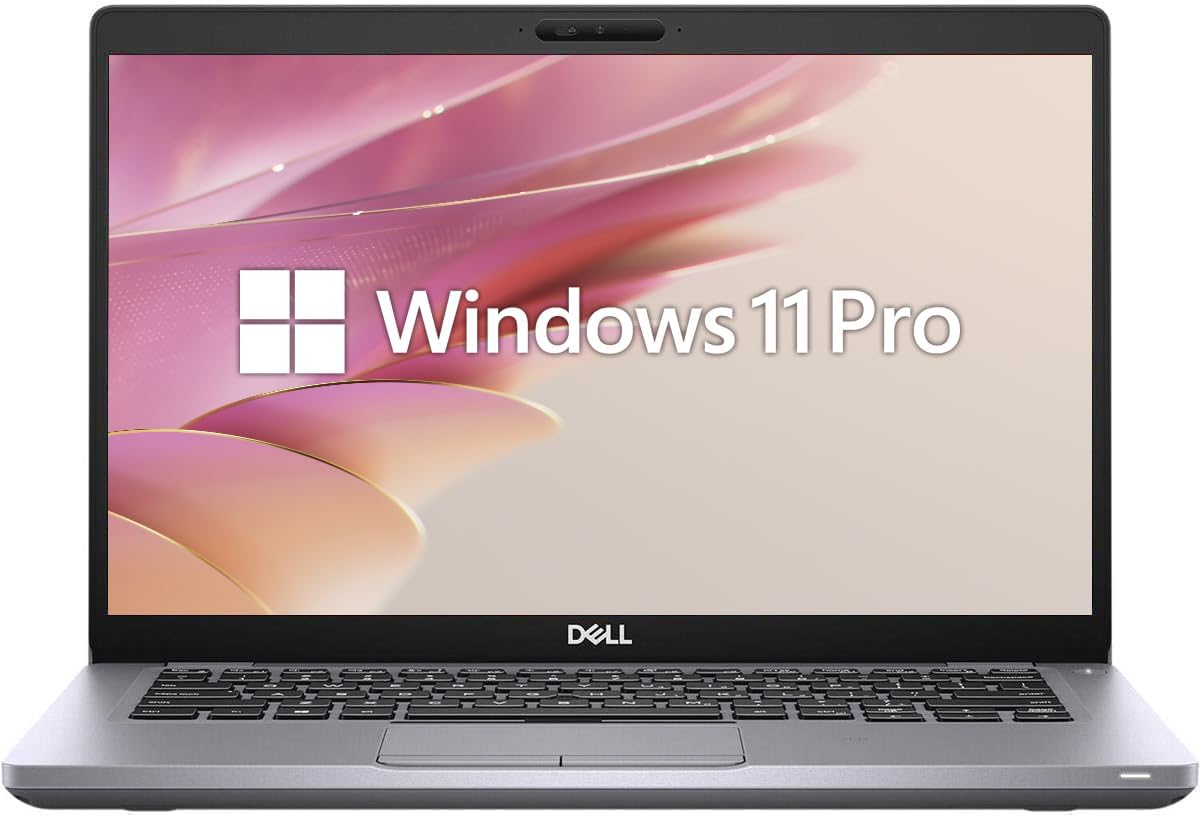
The Dell Latitude 3420 offers a powerful 11th Gen Intel Core i5 processor for demanding tasks. As a renewed unit, it provides great value while maintaining essential business features like Ethernet.
We may earn a commission when you buy through this link, at no additional cost to you.
With 16GB RAM and a 256GB SSD, it handles multitasking smoothly. The RJ-45 port supports secure wired connections. Windows 11 Pro includes BitLocker and remote desktop capabilities.
Renewed items may have minor cosmetic wear but offer significant savings. It is an excellent choice for enterprises needing reliable machines on a budget. Ports include USB-C and HDMI.
This model suits tech-savvy users comfortable with renewed goods. It delivers enterprise-grade performance. The Core i5 chip ensures longevity for daily business operations.
Windows 11 Pro provides advanced features like BitLocker encryption and domain joining for enterprise security management.
Comprehensive ports including Type-C and HDMI allow easy connection to docking stations and external monitors.
We may earn a commission when you buy through this link, at no additional cost to you.
The Dell Latitude 5410 brings a spacious 512GB SSD and Core i5 performance to business users. Its renewed status offers cost savings while keeping critical features like wired networking.
We may earn a commission when you buy through this link, at no additional cost to you.
The 14-inch Full HD display provides crisp visuals. With 16GB RAM, multitasking remains fluid. Ethernet ports ensure secure and fast data transfer without relying on wireless.
While the processor is older, it still handles daily productivity well. Renewed models come with warranties but vary in cosmetic condition. Ideal for office deployments.
Buyers prioritizing storage and wired connections should consider this. It balances practical specs with affordability. Windows 11 Pro adds security for business use.
A 512GB SSD provides plenty of room for applications and files ensuring fast access and boot times.
Full HD anti-glare screen ensures comfortable viewing during long work sessions without eye strain.
We may earn a commission when you buy through this link, at no additional cost to you.
The Lenovo V15 G6 Business Laptop offers modern DDR5 memory and a sleek portable design. Rated 4.4, it is suited for students and remote workers needing stable wired connectivity.
We may earn a commission when you buy through this link, at no additional cost to you.
Its Intel N100 processor handles daily tasks efficiently. The RJ-45 Ethernet port ensures reliable internet access. The lightweight 3.33 lbs chassis makes it easy to carry.
Trade-offs include a basic processor and non-backlit keyboard. However, the DDR5 RAM provides responsiveness. Privacy and security features are present for peace of mind.
This model fits those needing portability and Ethernet. It balances modern tech with practical needs. The design is professional and durable for business settings.
DDR5-4800 SODIMM RAM ensures smooth performance for demanding workloads and multiple applications simultaneously.
Kensington Nano Security Slot and camera privacy shutter protect hardware and data from unauthorized access.
We may earn a commission when you buy through this link, at no additional cost to you.
This Lenovo V15 Gen 4 model offers 16GB LPDDR5 RAM for fast multitasking. With a 4.4 rating, it delivers consistent performance for business needs including secure network connections.
We may earn a commission when you buy through this link, at no additional cost to you.
The AMD Ryzen 3 processor supports efficient daily workflows. Ethernet connectivity is built-in for stable access. The privacy shutter protects you during video calls.
Storage is smaller than other versions but sufficient for cloud workflows. Security features like TPM 2.0 protect data. It is ideal for users prioritizing RAM.
Buyers should consider this if memory speed matters most. It offers reliable features in a standard business chassis. The numeric keypad aids data entry.
Wi-Fi 6 and Gigabit Ethernet provide flexible connectivity options for stable internet access anywhere.
Supports multi-finger gestures smoothly without needing a mouse for improved navigation and workflow.
We may earn a commission when you buy through this link, at no additional cost to you.
The Lenovo ThinkPad P14s is a top-tier choice for professionals needing maximum performance. With a perfect 5.0 rating, it features AMD Ryzen AI 7 Pro processors and massive memory.
We may earn a commission when you buy through this link, at no additional cost to you.
Its 32GB RAM and 1TB SSD handle intensive workloads. Ethernet ports provide stable connections. Thunderbolt 4 ensures high-speed data transfer. It is ISV certified for specialized software.
While expensive, the performance justifies the cost. MIL-STD testing ensures reliability. This is the ideal pick for architects and engineers.
Buyers seeking premium performance and connectivity will love this. It supports hybrid work seamlessly. The security features protect enterprise assets.
Built-in NPU accelerates multitasking and content creation without heavy cloud dependency for improved productivity.
ThinkShield security suite with fingerprint reader and IR camera provides layered protection against threats.
We may earn a commission when you buy through this link, at no additional cost to you.
The HP 14 Business Laptop offers an affordable entry-level option with included Office 365. However it lacks an Ethernet port requiring adapters for wired connections.
We may earn a commission when you buy through this link, at no additional cost to you.
Its Intel N150 processor supports basic tasks. With 4GB RAM it handles light multitasking. The 14-inch display provides clear visuals for reading.
This model suits casual users who rely on Wi-Fi. The storage and memory are minimal. It is not recommended for heavy professional work.
Buyers needing strict Ethernet must look elsewhere. It is best for home students. The included accessories add value for the price.
Includes 1-Year Office 365 subscription for essential word processing and spreadsheet tools immediately.
The Pale Rose Gold finish adds a stylish look while remaining lightweight for daily carry.
We may earn a commission when you buy through this link, at no additional cost to you.
The Lenovo V15 Gen 4 Business Laptop features a potent Core i5-13420H processor for high performance. Rated 4.3, it excels in multitasking with 16GB RAM and 512GB SSD.
We may earn a commission when you buy through this link, at no additional cost to you.
Ethernet RJ45 ensures stable internet access. HDMI supports external monitors. The numeric keypad aids data entry. Windows 11 Pro adds security.
Battery life may vary based on load. The build is sturdy but heavier. It suits stationary office setups well.
Buyers needing power and ports should pick this. It balances specs effectively for general business use. Reliable for heavy users.
8 Cores and 12 Threads provide fast processing speeds for demanding business applications and content creation.
Rich port selection includes USB-A, USB-C, HDMI, and Ethernet for flexible peripheral connections.
We may earn a commission when you buy through this link, at no additional cost to you.
The HP 17 Business Laptop offers a spacious 17.3-inch display for immersive work. Rated highly for value, it includes Ryzen 5 processing and wired connectivity for stable networking.
We may earn a commission when you buy through this link, at no additional cost to you.
With 16GB RAM it supports multitasking. Ethernet ensures reliable internet. Copilot integration helps with workflow automation. The design is modern and durable.
Its size makes it less portable. Power consumption is higher than smaller units. Best for desktop replacement use.
Buyers needing a large screen should consider this. It delivers performance and connectivity. The Copilot key adds efficiency.
17.3 inch FHD display with slim bezels offers a spacious workspace for multitasking and viewing.
Preloaded with Windows 11 and a dedicated Copilot key for AI-powered task simplification.
We may earn a commission when you buy through this link, at no additional cost to you.
Selecting a laptop with Ethernet requires attention to connectivity performance and durability. This guide outlines key factors to ensure you find a device that meets your networking needs.
Look for a Gigabit Ethernet RJ-45 port which supports speeds up to 1000Mbps ensuring fast wired connections. Some budget models might limit this to 100Mbps which slows file transfers.
Always verify the port supports Gigabit speeds for optimal performance in business environments.
Modern CPUs like Intel Core i5 or AMD Ryzen 3 provide smooth multitasking for office tasks. Higher tier processors help with heavy workloads like video editing or data analysis.
Choose a processor that matches your daily workload requirements for efficiency.
8GB of RAM is the minimum for smooth operation while 16GB allows better multitasking. SSDs are preferred over HDDs for faster boot times and application loading.
Prioritize at least 256GB SSD storage to keep files organized without relying on external drives.
Windows 11 Pro offers security features like BitLocker and domain joining essential for corporate use. Windows 11 Home is suitable for personal or small business needs.
Select Pro if you require advanced security and management tools.
Beyond Ethernet, check for USB-C, HDMI, and USB-A ports to connect peripherals easily. Full-size keyboards with numeric keypads benefit data entry tasks.
A comprehensive port selection reduces the need for extra adapters.
Business laptops often feature MIL-STD testing to resist shocks and drops. This ensures reliability in travel or industrial environments.
Investing in durable hardware extends the device's lifespan.
Wi-Fi 6 and Bluetooth 5.2 offer modern wireless standards for faster data transfer and stable connections alongside Ethernet.
Dual connectivity options ensure you are never stranded without internet access.
Firmware TPM 2.0 protects sensitive data by encrypting it at hardware level. Webcams with privacy shutters prevent unauthorized visual access.
These features are critical for maintaining confidentiality in remote work.
To use Ethernet, plug an RJ-45 cable into the port and connect to your router. The network should activate automatically. If not check settings for adapter enablement.
Regularly clean the ports with compressed air to prevent dust buildup. Keep liquids away from the device to avoid spills damaging the ports.
Use a surge protector to guard against power fluctuations. Update drivers and BIOS regularly for optimal performance and security.
Ethernet provides stable faster and more secure connections ideal for large file transfers and video conferencing. It reduces latency and interference common with wireless networks.
Not all modern business laptops have built-in Ethernet ports due to slim designs. Many require USB dongles which can be less reliable. Always check the spec sheet.
Yes, Ethernet remains critical for secure enterprise networks where Wi-Fi security risks are higher. It ensures consistent bandwidth for critical applications.
Gigabit Ethernet supports speeds up to 1000Mbps while Fast Ethernet tops at 100Mbps. Gigabit is preferred for modern high-bandwidth applications like cloud syncing.
Yes USB to Ethernet adapters allow wired connections. Ensure they support Gigabit speeds to match your network capabilities. However native ports are generally more stable.
Go to Settings and Network and Internet. Ensure the Ethernet adapter is enabled. Drivers are usually auto-installed upon plugging in the cable.
Wired connections often consume less power than high-performance Wi-Fi modes. Using Ethernet can extend battery life by reducing wireless radio usage during file transfers.
Our top picks include the Lenovo V15 Business Laptop for budget buyers and the ThinkPad P14s for premium performance. Each model offers reliable Gigabit Ethernet connectivity.
Prioritize memory and processor strength alongside the Ethernet port to ensure smooth workflows. Security features like TPM 2.0 are vital for enterprise data protection.
Check current pricing and availability before purchasing as deals change frequently. Select the model that balances your specific networking needs with budget constraints.