
HP 14 inch Laptop 2027 Edition
4.5Editor score
Intel N150 Processor
14 inch Anti-Glare Display
Lightweight Portable Design
Finding the right laptop with anti glare screen is essential for professionals and students who spend long hours working on displays. These screens reduce reflections and eye strain, making them ideal for bright offices or outdoor use. We have evaluated top models to help you choose the perfect device for your daily computing needs.
Our team analyzed ten distinct laptops focusing on display quality, performance, and build durability. We considered processor speed, memory capacity, and specific anti-glare technologies used by manufacturers. This guide ensures you understand the differences between matte finishes and glossy panels before making a significant investment in your technology.
Each pick highlights key specifications and real-world performance metrics based on available data. Prices and availability change frequently, so always verify current listings before purchasing. We aim to provide honest insights to support your decision-making process for a reliable and comfortable computing experience.
4.5Editor score
4.1Editor score

4.5Editor score
As an Amazon Associate we earn from qualifying purchases.
This table presents a side-by-side comparison of all ten selected laptops. You can quickly review core specifications like processor type, memory, storage, and display features to find the model that aligns with your specific usage requirements and budget constraints for your daily tasks.




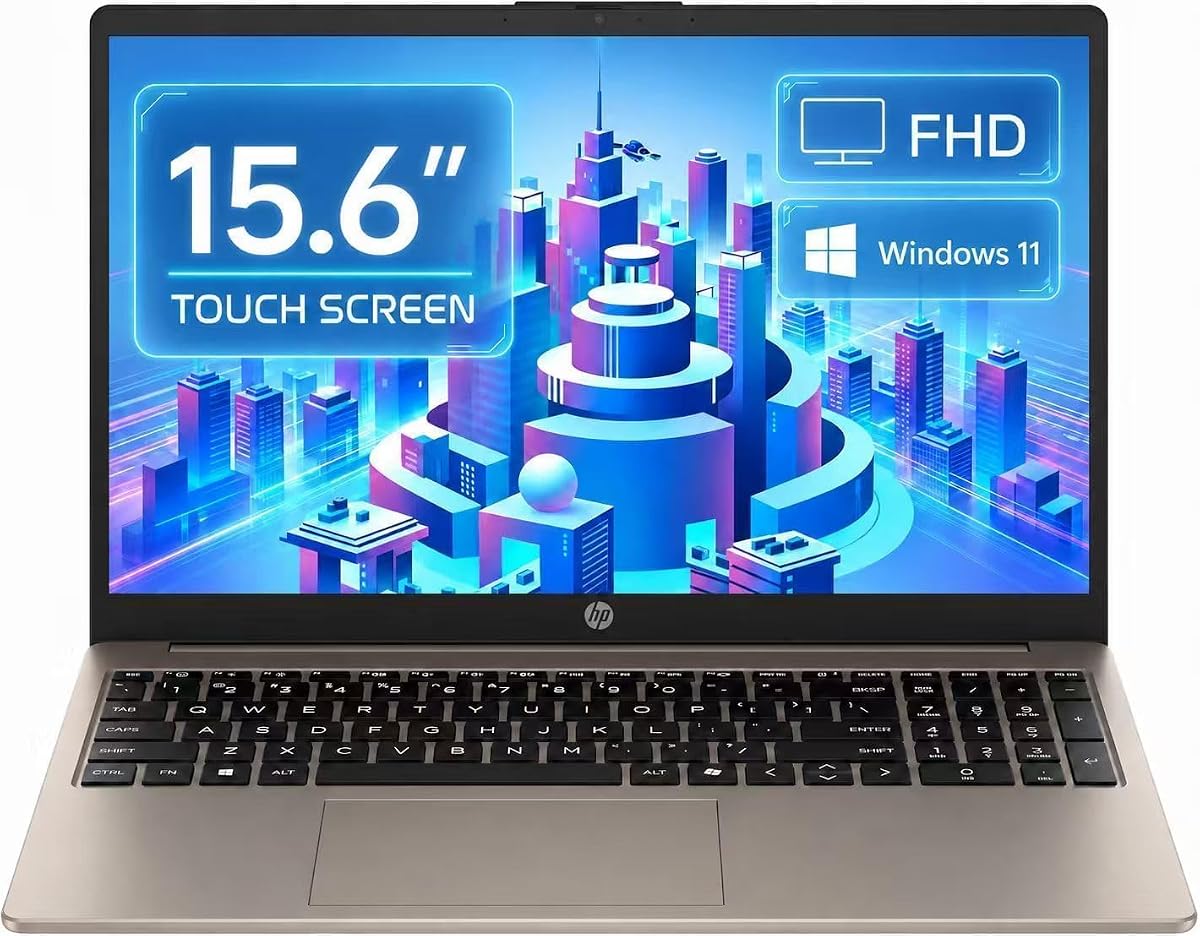
The HP Pavilion 15.6 Inch offers a robust balance of performance and display comfort. Its anti-glare touchscreen ensures clear visibility in various lighting conditions. This model stands out for its generous memory and storage capacity.
We may earn a commission when you buy through this link, at no additional cost to you.
Users benefit from the Intel Processor capable of reaching speeds up to 3.8GHz. The 16GB RAM allows smooth multitasking across multiple browser tabs and applications. Storage is handled by a spacious 1TB SSD for fast access to files.
While the device is powerful, it is priced higher than entry-level options. However, the inclusion of 11 hours of battery life justifies the investment for mobile users. Privacy features like the camera shutter add security.
This laptop is ideal for professionals needing reliable daily computing power. It handles productivity tasks efficiently while maintaining eye comfort through the screen coating. We recommend it for those prioritizing memory and storage.
The anti-glare coating minimizes reflections from overhead lights and windows, reducing eye strain during extended work sessions.
With up to 11 hours of battery life, you can work uninterrupted from coffee shops or classrooms without hunting for outlets.
We may earn a commission when you buy through this link, at no additional cost to you.
The HP 14 inch Laptop provides excellent value for budget-conscious buyers. It features a non-touch display with anti-glare coating perfect for basic tasks. This model is designed for students or light office work.
We may earn a commission when you buy through this link, at no additional cost to you.
Powered by an Intel N150 CPU, it handles web browsing and document editing efficiently. The 4GB DDR5 RAM ensures basic system responsiveness. A 128GB SSD offers quick boot times despite its modest size.
While storage is limited locally, 1TB of cloud storage is included. The device is slim and lightweight, making it easy to carry between classes. However, multitasking may be restricted by the memory limits.
This device is best suited for users who rely heavily on cloud services. It delivers a comfortable viewing experience without breaking the bank. We suggest it for basic educational and home computing needs.
At just 3.24 pounds, this laptop fits easily into small backpacks for commuting or travel without adding bulk.
Integrated cloud storage ensures you never run out of space for documents while keeping your local drive fast.
We may earn a commission when you buy through this link, at no additional cost to you.
The HP 17.3 FHD IPS offers a premium large-screen experience for media and work. Its anti-glare display ensures sharp visuals even in bright environments. The large form factor supports detailed productivity tasks effectively.
We may earn a commission when you buy through this link, at no additional cost to you.
An AMD Ryzen 5 7430U processor drives performance with six cores and twelve threads. This supports smooth video editing and heavy multitasking. 16GB of RAM ensures no lag when switching between complex applications.
The 300 nits brightness makes the screen visible outdoors. However, the larger size adds weight to the chassis. The inclusion of AI features via the Copilot key adds modern utility for workflow optimization.
This laptop is perfect for professionals who need screen real estate. It balances powerful hardware with comfortable viewing conditions. We recommend it for creative work and detailed data analysis tasks.
The 17.3 inch screen offers ample room for split-screen multitasking and viewing large spreadsheets comfortably.
A dedicated Copilot key allows quick access to AI tools that help streamline daily workflows and tasks.
We may earn a commission when you buy through this link, at no additional cost to you.
The Dell 15.6 Laptop focuses on essential computing with comfort features. It uses software to reduce harmful blue light for extended viewing. This device suits users needing reliability for daily school or office work.
We may earn a commission when you buy through this link, at no additional cost to you.
Equipped with an Intel Core 3 processor, it manages standard tasks efficiently. 8 GB of RAM provides adequate capacity for web browsing and word processing. The battery supports long sessions away from power sources.
Physical design includes lifted hinges for ergonomic typing comfort. Service plans include onsite support to minimize downtime. However, performance may lag with demanding creative software or heavy gaming.
This laptop is recommended for general users who prioritize eye health. The ergonomic features and software protection make it a solid choice for students. It offers a practical solution for everyday computing needs.
Dell ComfortView helps reduce blue light emissions to prevent eye fatigue during long screen time sessions.
One year of onsite service ensures technical help is available at your home or office if issues arise.
We may earn a commission when you buy through this link, at no additional cost to you.
The HP Laptop Computer 15.6 combines modern specs with an anti-glare screen. It features a 13th Gen Intel Core i7 for high performance tasks. This model is suited for power users needing speed and storage.
We may earn a commission when you buy through this link, at no additional cost to you.
Intel Iris Xe graphics provide crisp visuals for entertainment and creation. The 1TB SSD ensures rapid boot times and ample space. Fast charge allows quick power recovery during busy workdays.
Despite the strong processor, the price is higher than average. It delivers excellent responsiveness for multitasking and media editing. The anti-glare display ensures the screen remains clear in various environments.
This laptop is ideal for professionals seeking high-end hardware. It handles demanding applications smoothly while protecting your eyes. We recommend it for those who need a fast and reliable workstation.
Intel Iris Xe graphics deliver enhanced visual quality for creative apps and gaming on this lightweight system.
Zero to fifty percent charge in approximately forty five minutes keeps you productive without long waits.
We may earn a commission when you buy through this link, at no additional cost to you.
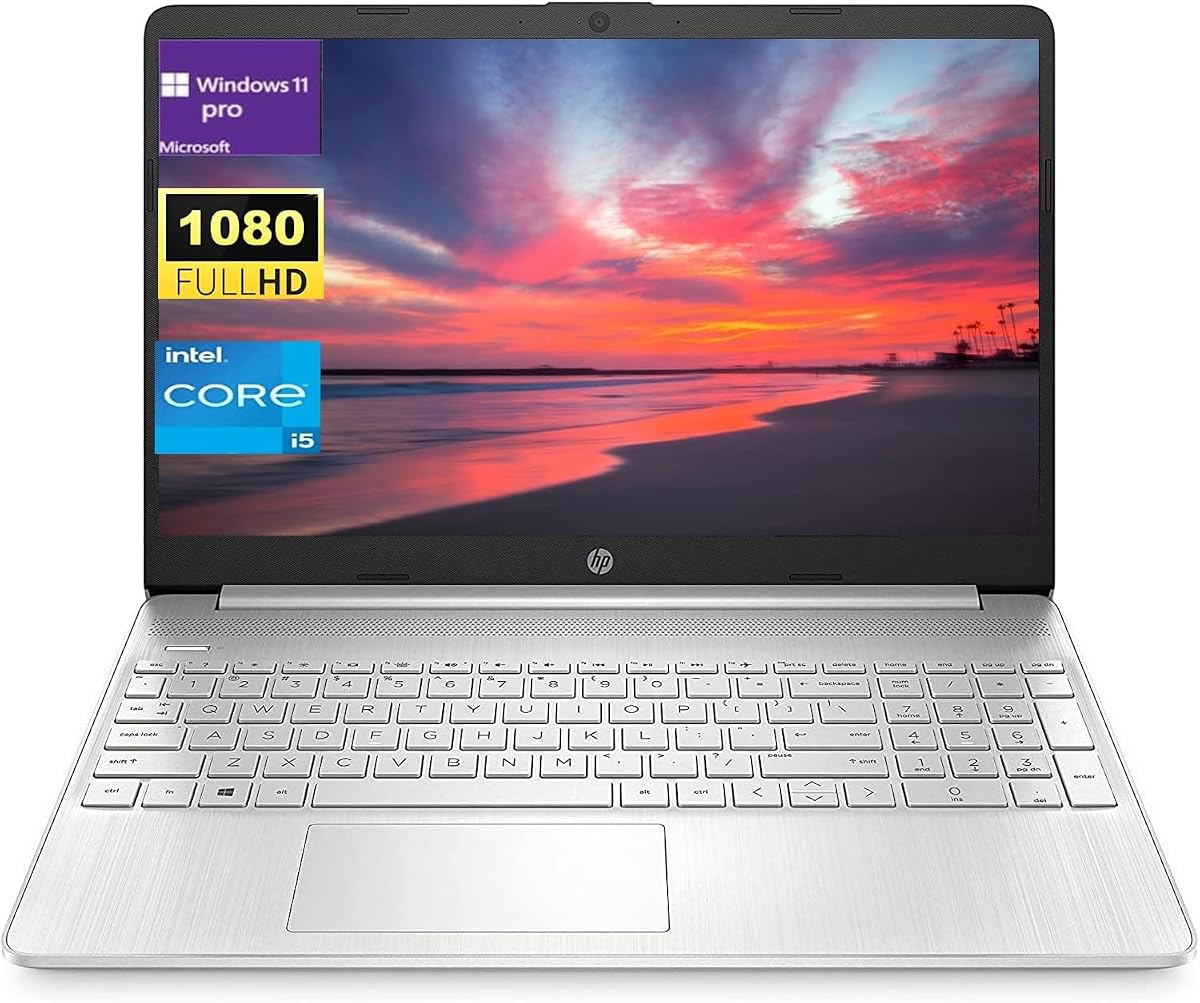
The HP 15.6 FHD delivers professional reliability with Windows 11 Pro. Its anti-glare screen supports comfortable viewing for business users. This model offers a balanced mix of speed and storage for office tasks.
We may earn a commission when you buy through this link, at no additional cost to you.
Powered by an Intel Core i5 processor, it handles typical office apps well. 8GB of RAM allows decent multitasking for productivity software. The SSD provides quick access to documents and system files.
While performance is reliable, it is not designed for heavy gaming. The inclusion of an SD card reader adds utility for photographers. The screen ensures clear visuals under office lighting conditions.
This laptop is best for business users who need Pro features. It offers a stable platform for daily operations and communication. We recommend it for office environments requiring consistent performance.
Windows 11 Pro includes advanced security and networking tools tailored for business and enterprise environments.
The SD card reader simplifies transferring photos and videos from cameras directly to your laptop.
We may earn a commission when you buy through this link, at no additional cost to you.
The Dell Latitude 5420 is a durable business laptop with a matte display. Its touchscreen interface adds flexibility for presentations and navigation. This model is designed for rugged daily office use.
We may earn a commission when you buy through this link, at no additional cost to you.
An Intel i5 processor supports efficient productivity and office apps. 16GB of DDR4 RAM ensures smooth operation. The 256GB SSD provides fast system responsiveness for typical workloads.
While the screen is comfortable, local storage is somewhat limited. Connectivity options are extensive for peripheral needs. The renewed status offers value but requires careful inspection upon arrival.
This laptop is ideal for corporate or professional use. It balances durability with modern features like touch input. We recommend it for businesses needing a robust and affordable computing tool.
The anti-glare touchscreen allows intuitive control without sacrificing visibility in bright meeting rooms or offices.
Multiple ports support easy connection to projectors and legacy peripherals for seamless workflow integration.
We may earn a commission when you buy through this link, at no additional cost to you.
The Lenovo Business 15.6 focuses on durability and efficiency. Its anti-glare display is optimized for long work sessions. This model is tested against military standards for rugged reliability in any setting.
We may earn a commission when you buy through this link, at no additional cost to you.
Powered by an Intel N150 processor with 8GB DDR5 RAM, it ensures efficient performance. The screen offers clear visuals with reduced eye strain. Connectivity options support Wi-Fi 6 for fast internet.
Local storage is limited at 128GB but sufficient for cloud users. The high rating suggests strong user satisfaction with build quality. It is a solid choice for students or remote workers.
This laptop is recommended for those prioritizing durability. The anti-glare screen supports comfortable daily use. We suggest it for professional environments where reliability is critical.
MIL-STD-810H testing ensures the device can withstand drops and extreme conditions during travel.
DDR5 RAM provides faster data access and improved efficiency for multitasking applications.
We may earn a commission when you buy through this link, at no additional cost to you.
The HP 17 Inch FHD provides a spacious workspace for home and office. Its anti-glare screen ensures clear visibility for extended study sessions. This model is ideal for users needing extra screen real estate.
We may earn a commission when you buy through this link, at no additional cost to you.
The AMD Ryzen 5 processor delivers efficient multitasking for multiple apps. 16GB of RAM supports smooth performance. The lift-hinge design improves typing ergonomics and airflow for cooling.
While the screen is large, the device is heavier to transport. Battery life supports long usage without constant charging. The anti-glare coating helps reduce reflections in bright rooms.
This laptop is perfect for stationary use or light travel. It balances power with comfort for productivity. We recommend it for students and professionals needing a larger viewing area.
The lift-hinge design elevates the keyboard to a comfortable typing angle for better posture.
Long battery life ensures you can work through classes or meetings without needing an outlet.
We may earn a commission when you buy through this link, at no additional cost to you.
The HP FHD IPS Touchscreen integrates AI features with a bright display. Its anti-glare coating ensures visibility in varied lighting. This model emphasizes modern utility for team collaboration and calls.
We may earn a commission when you buy through this link, at no additional cost to you.
Powered by an AMD Ryzen 5 processor, it handles daily tasks smoothly. The 300 nits brightness makes the screen vivid. AI noise reduction improves audio clarity during video conferences.
Storage is moderate at 256GB for typical file needs. The included laptop cooler aids in thermal management during use. Privacy features protect your personal data during calls.
This laptop is ideal for collaborative remote workers. The high brightness and AI tools enhance communication. We recommend it for users needing a modern and bright display.
300 nits of brightness ensures the display remains clear even in well-lit office environments.
AI noise reduction filters out background sounds for clearer audio during team meetings.
We may earn a commission when you buy through this link, at no additional cost to you.
Selecting the right laptop requires balancing display technology with performance needs.
Anti-glare screens use matte finishes to diffuse light and reduce reflections. This is critical for users in bright offices or outdoors. Glossy screens offer better colors but reflect light more.
Look for at least an Intel i3 or AMD Ryzen 5 for daily tasks. High performance models may use i7 or Ryzen 7. Ensure the CPU matches your specific workload needs.
Memory determines how many apps you can run simultaneously. 8GB is the standard for modern use. 16GB or more is recommended for heavy productivity and multitasking.
Solid State Drives (SSDs) provide faster boot times than traditional hard drives. Aim for at least 256GB of SSD storage. Ensure your storage fits your file requirements.
Laptops with anti-glare screens often consume power efficiently. Look for models promising 8 to 12 hours. Always check real-world reviews for actual battery duration.
Ensure the laptop has enough USB, HDMI, and SD card ports. Some modern models rely only on USB-C. Verify connectivity needs before purchasing to avoid adapters.
Consider the materials and chassis design for longevity. Business laptops often have stronger frames. Check for weight if portability is a priority for your use.
Physical keyboards on anti-glare laptops often support long typing. Look for backlit keys and comfortable travel. A good keyboard improves comfort during long work sessions.
Clean the anti-glare screen with a soft microfiber cloth to remove dust. Avoid harsh chemicals or paper towels that may scratch the matte coating. Gently wipe in circular motions to maintain clarity.
Adjust your viewing angle to minimize external light reflections. Even with anti-glare technology, direct sunlight can cause glare. Position your laptop perpendicular to windows for best results.
Update your display drivers regularly to maintain optimal performance. This ensures the anti-glare and brightness settings function correctly. Reboot your system after updates to apply changes effectively.
An anti-glare screen diffuses light to reduce reflections from windows or lamps. This prevents eye strain during long viewing sessions. It creates a matte finish that lowers glare without significantly dimming the display.
Anti-glare screens are better for bright environments and office work. Glossy screens offer deeper colors but reflect more light. The choice depends on your lighting conditions and specific usage needs.
Matte screens can slightly soften colors compared to glossy displays. However, modern IPS panels maintain good accuracy. The reduction in glare usually outweighs minor color differences for most users.
Use a dry microfiber cloth to gently wipe the surface. Avoid spraying liquids directly onto the screen. Never use paper towels or abrasive materials that could scratch the coating.
Anti-glare screens often consume less power than high-brightness glossy panels. This can lead to longer battery life during typical use. Always check manufacturer specs for actual hours of operation.
Yes, these laptops are better suited for outdoor use than glossy models. The matte surface reduces reflections from sunlight. However, extremely bright direct sun may still make viewing difficult.
We have reviewed ten top models that balance performance and display comfort. The HP Pavilion and Dell options offer strong choices for different needs. Each model provides unique features to suit various user profiles.
Prioritize memory and screen size based on your daily tasks. High brightness and anti-glare coatings significantly improve comfort. Consider battery life and ports for mobile usage requirements.
Prices and availability change frequently, so verify current listings. Check retailer sites for the best deals before purchasing. Your ideal laptop will provide comfort and reliability for years.