
Weilisi 10.2 Desk Ring Light
4.5Editor score
180 degree adjustability
360 rotation capability
C-clamp stable mount
Streaming demands professional lighting to ensure clear visuals and viewer engagement. A good key light provides even illumination, accurate color rendering, and flexible control to adapt to any environment or creative need.
We evaluated ten top-rated options based on brightness output, color temperature range, control methods, and build quality. Our analysis includes detailed insights on performance for video calls, gaming, and content creation.
Each pick highlights specific strengths and ideal use cases for different streamers. Note that availability and pricing may vary by retailer and time, so verify current details before purchasing your lighting equipment.
4.5Editor score

4.5Editor score
4.6Editor score
As an Amazon Associate we earn from qualifying purchases.
This side-by-side comparison evaluates all ten selected lights on key technical specifications including output, color range, connectivity, and mounting options to help you identify the most suitable model for your setup.



The Elgato Key Light stands out as the top performer in streaming lighting. It delivers exceptional brightness and uniform diffusion, ensuring your face remains the focus without harsh shadows.
We may earn a commission when you buy through this link, at no additional cost to you.
Its standout feature is the ability to control color temperature and brightness via Wi-Fi. This allows seamless integration with other stream deck controls and desktop setups for automated scenes.
The panel uses 160 OSRAM LEDs which produce a high-quality light with minimal heat. While the price is higher than budget options, the build quality and software support justify the investment.
Professional streamers and content creators seeking consistent, high-quality lighting will find this the most reliable choice. It provides the stability and control needed for daily broadcasts.
The Elgato Control Center app allows you to link lighting presets with other software triggers for automated streaming workflows.
The opal glass face provides glare-free diffusion that reduces eye strain during long streaming sessions.
We may earn a commission when you buy through this link, at no additional cost to you.
The Logitech Litra Glow is optimized specifically for webcam users and compact setups. It features TrueSoft technology which ensures balanced, natural skin tones for video calls and streaming.
We may earn a commission when you buy through this link, at no additional cost to you.
Its frameless diffuser radiates wide, soft light that flatters your face. The adjustable height and tilt allow precise positioning without cluttering your desk with heavy stands.
Control is handled through the Logitech G HUB app. While powerful, it requires a USB connection which adds cable management considerations compared to wireless options.
Ideal for streamers with limited desk space or those needing a reliable light for conferencing. It offers quality lighting without the complexity of larger studio panels.
This technology ensures your lighting mimics natural light, reducing harsh contrasts and improving your on-camera appearance.
Powering via USB makes it easy to plug directly into your laptop or monitor without finding extra outlets.
We may earn a commission when you buy through this link, at no additional cost to you.
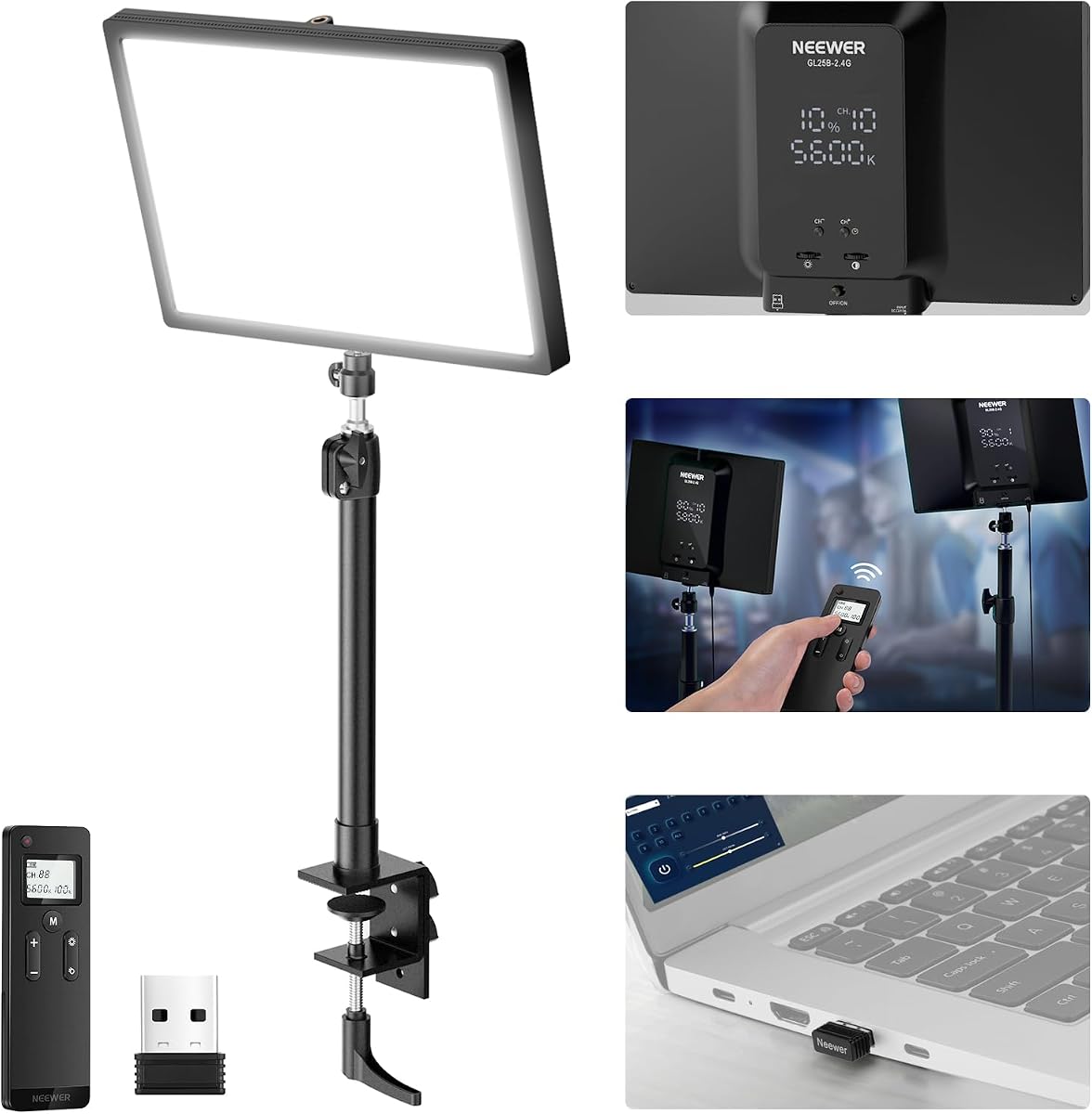
The NEEWER GL25B provides exceptional brightness and control at a competitive price. Its edge-emitting technology delivers soft, uniform light that avoids glare and harsh shadows.
We may earn a commission when you buy through this link, at no additional cost to you.
A standout feature is the silent fanless cooling system. This ensures quiet operation which is crucial for podcasting or live streams where microphone noise must be minimized.
Control options include direct panel access or PC software. The 2.4G remote works wirelessly but requires a USB hub for PC control which adds slight complexity to setup.
Creators needing high CRI and brightness for detailed tasks or streaming will appreciate this unit. It balances professional features with accessible pricing.
The fanless design ensures the light runs silently, preserving audio quality for streams and recordings.
The Neewer Control Center app allows precise adjustments for setups requiring synchronized lighting control.
We may earn a commission when you buy through this link, at no additional cost to you.
The Key Light Air MK.2 refines the original with a slimmer profile and brighter output. It uses edge-lit LEDs to reduce glare and offer uniform illumination ideal for close-up streaming.
We may earn a commission when you buy through this link, at no additional cost to you.
One of its strongest features is the flexible power options. You can power it via wall adapter, USB-C, or even a battery bank with MagSafe. This portability is unmatched by most rivals.
While slightly less bright than the full Key Light, it offers enough light for smaller setups. The touch controls are convenient but can be overly sensitive during quick adjustments.
This model suits creators who need a lightweight, versatile light that can be moved or powered in different locations without losing professional quality.
You can power the light with a compatible battery bank for untethered streaming anywhere.
The edge-lit design provides even light distribution that flatters skin tones without hot spots.
We may earn a commission when you buy through this link, at no additional cost to you.
The Weilisi Ring Light offers a budget-friendly way to upgrade your streaming visuals. It provides a full-screen light that eliminates shadows and improves natural skin tones effectively.
We may earn a commission when you buy through this link, at no additional cost to you.
It features a telescoping stand and C-clamp mount allowing flexible positioning on most desks. The 360 degree rotation ensures you can direct light exactly where needed.
While the brightness levels are decent, it may struggle in very bright rooms. However, for home office or small streaming setups, it provides excellent value.
Beginners or those on a tight budget will find this an ideal entry point into professional lighting. It delivers significant visual improvement without breaking the bank.
The C-clamp and telescoping pole provide versatile mounting options for various desk sizes.
The full-screen diffuser creates soft, even illumination that hides facial imperfections.
We may earn a commission when you buy through this link, at no additional cost to you.
The NiceVeedi Studio Light Kit provides two lighting panels for a single price. This dual setup is excellent for creating professional fill and key light arrangements.
We may earn a commission when you buy through this link, at no additional cost to you.
Each light offers 15W output with high CRI accuracy. The adjustable color temperature allows you to match any background or skin tone requirements effectively.
Tripod stands are included which gives flexibility to position lights at different heights. However, the stands may take up more floor space compared to desk mounts.
This kit is perfect for creators building a studio setup on a budget. The dual lighting capability significantly enhances production value compared to single lights.
Having two lights allows you to create depth with key and fill lighting configurations.
The included phone holder makes it easy to shoot content directly with your smartphone.
We may earn a commission when you buy through this link, at no additional cost to you.
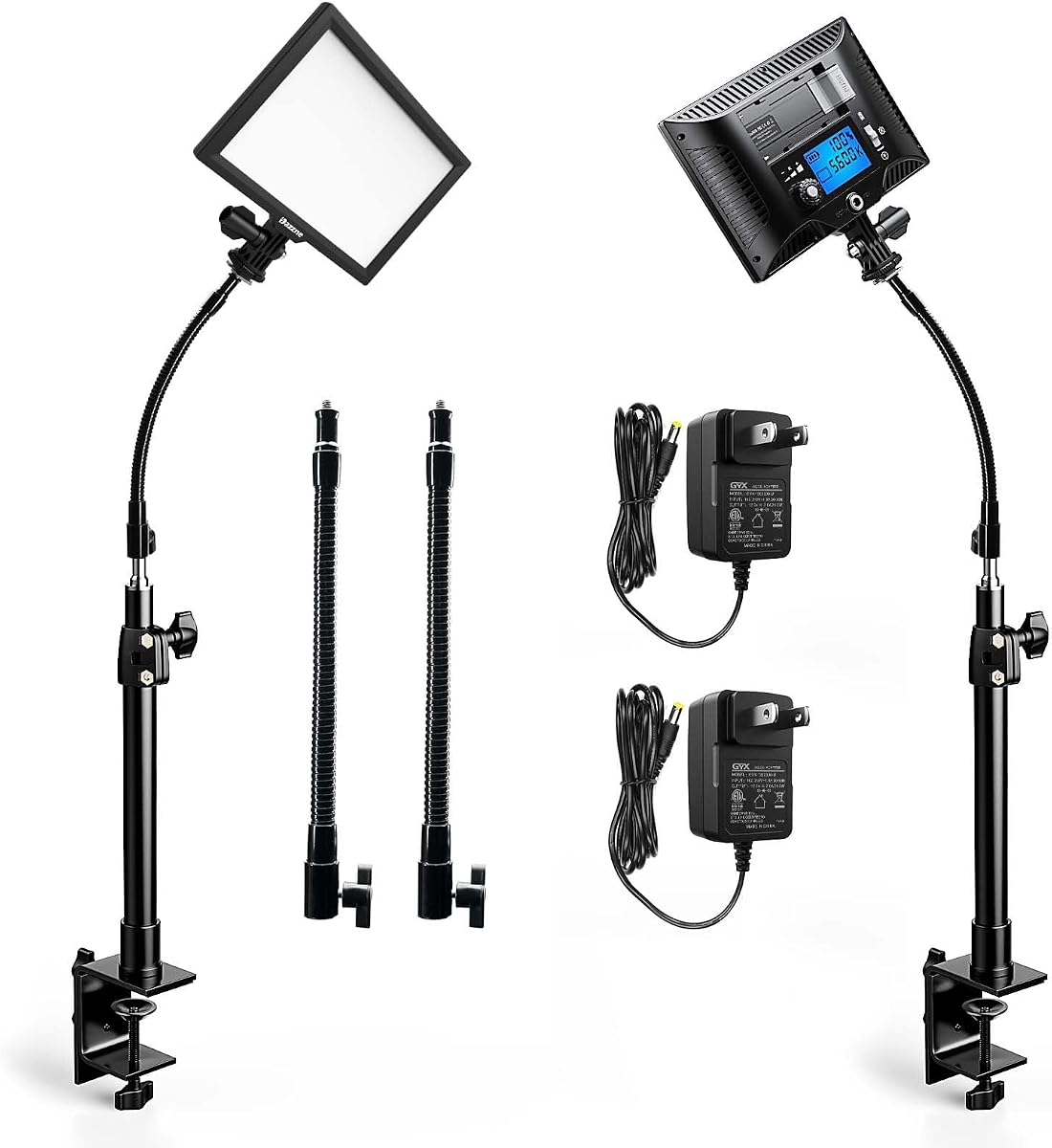
This kit features unique gooseneck tubes that allow precise positioning of the lights. It provides a compact desk solution ideal for podcasters or streamers needing tight control over light angles.
We may earn a commission when you buy through this link, at no additional cost to you.
The LCD display allows accurate control of settings. It remembers previous settings so you do not lose your preferred color temperature when turning the light on again.
The lights are small but effective for close-up shots. The 118 LED beads provide flicker-free illumination that reduces eye strain for extended streaming sessions.
Creators who need to save desk space while maintaining professional lighting will appreciate this setup. The flexibility of the tubes allows creative lighting angles easily.
The built-in memory saves your last settings, ensuring consistent results without recalibration.
The gooseneck design lets you bend and twist the light to any angle.
We may earn a commission when you buy through this link, at no additional cost to you.
The Godox ES45 combines design and function. Its edge-lit OLED panel delivers soft, glare-free light that minimizes harsh shadows on your face for professional-looking streams.
We may earn a commission when you buy through this link, at no additional cost to you.
The standout feature is the magnetic remote that snaps onto the back and charges automatically. This ensures you always have control within reach without worrying about battery swaps.
The light is designed to reduce eye fatigue with its diffused output. The app and remote options allow easy adjustments during live broadcasts without touching the unit.
This model suits streamers who value aesthetics and convenience. The magnetic remote system adds a premium feel to a desktop lighting setup.
The remote charges on the panel magnet, ensuring it is always ready for use.
The OLED edge-lit panel provides smooth, even light that protects your eyes.
We may earn a commission when you buy through this link, at no additional cost to you.
The Dazzne D20 offers another excellent dual-pack option. It provides two flexible lights with goosenecks to allow precise control over illumination angles for detailed work.
We may earn a commission when you buy through this link, at no additional cost to you.
Its LCD display ensures accurate color and brightness control. The 118 LED beads deliver flicker-free light that enhances video quality significantly compared to standard webcams.
While the wattage is lower, the dual pack ensures you can light your face and background adequately. This is crucial for achieving a professional depth in your streams.
Streamers who need to save desk space while maintaining professional lighting will appreciate this setup. It offers great value for those needing multiple adjustable light sources.
Getting two lights in one package allows you to build a complete studio setup cheaply.
The gooseneck tubes allow you to position the lights exactly where you need them.
We may earn a commission when you buy through this link, at no additional cost to you.
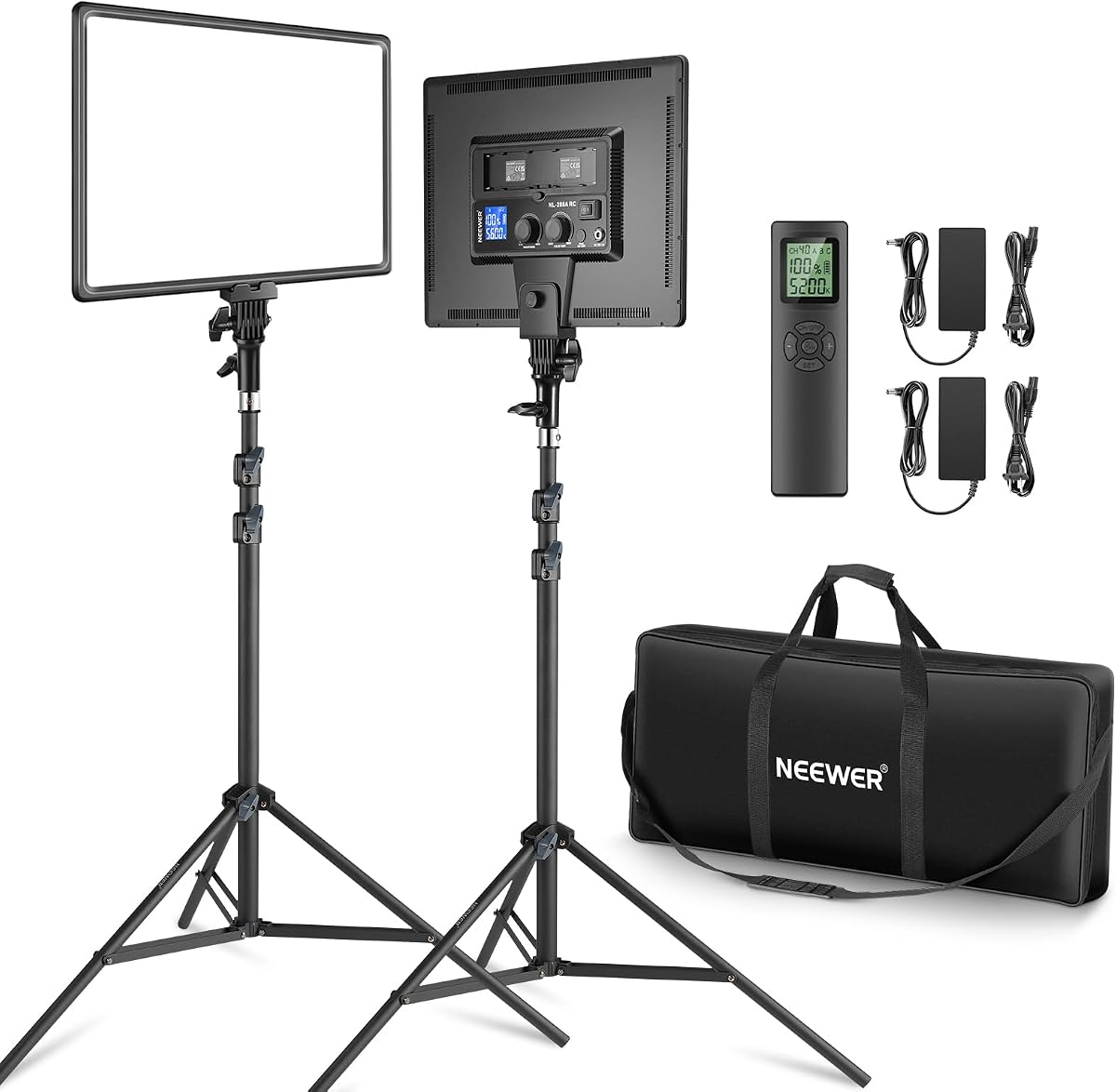
The Neewer 18 Inch Panel delivers the highest brightness in this comparison. With 45W per panel and 4800 Lux output, it ensures your subject is perfectly illuminated even in dark environments.
We may earn a commission when you buy through this link, at no additional cost to you.
Its dual power system allows using AC or batteries. This flexibility means you can take your studio on the go without sacrificing light quality.
The remote control supports multiple groups. This allows you to control different sets of lights simultaneously for dynamic lighting changes during streams.
This kit is ideal for professional setups requiring high output. It provides the power and control needed for broadcast-quality content creation.
Battery power allows you to move your setup anywhere without being tethered to an outlet.
The 4800 Lux output ensures clear visibility in any lighting condition.
We may earn a commission when you buy through this link, at no additional cost to you.
Selecting the right key light requires balancing brightness, color accuracy, and usability to suit your specific streaming needs and environment.
Brightness measured in lumens or lux determines how well the light illuminates your face. Higher brightness is necessary for dark rooms or high-resolution cameras.
Look for outputs between 1000 and 4000 lux for optimal streaming quality.
Color temperature measured in Kelvin affects the warmth or coolness of the light. Adjustable ranges allow matching your background lighting for consistency.
Choose a light with at least 2800K to 6500K adjustment for versatility.
Color Rendering Index (CRI) indicates how accurately the light displays true colors. High CRI is essential for natural skin tones.
Select lights with CRI 90 or higher for professional results.
Controls range from physical buttons to apps. Wireless control adds convenience for streamers managing scenes with other devices.
Ensure the interface allows quick adjustments without interrupting your stream.
Power sources vary from USB to wall adapters. USB offers simplicity while AC provides consistent high output.
Check if battery options are available if you need portable setups.
Mounting options affect desk space. Clamp mounts save space while tripods offer flexibility but occupy floor room.
Consider your desk layout and whether you need a fixed or movable light.
Efficient heat dissipation keeps the light cool during long sessions. Fanless designs reduce noise for audio-sensitive environments.
Choose lights with good thermal design to maintain performance.
Apps allow precise control and presets. Integration with streaming software helps automate lighting changes.
Ensure the app supports your operating system and offers essential features.
Position the light at eye level or slightly above to minimize shadows on your face. Keep the panel close enough for even illumination but far enough to avoid discomfort.
Use the color temperature settings to match your background lighting. Warm lights work well with indoor settings while daylight settings suit cooler or natural environments.
Clean the panel with a soft, dry cloth to maintain clarity. Avoid touching the LEDs directly to prevent oils from affecting light quality.
Ideally, look for a light offering 2000 to 3000 lux at close range. This range provides sufficient illumination for HD cameras without causing glare or discomfort.
Yes, a high CRI ensures your skin tones and surroundings appear natural on camera. A CRI above 90 is generally recommended for professional-looking video.
Absolutely. Key lights designed for streaming work equally well for Zoom or Teams meetings. They provide consistent lighting for professional video calls.
Use diffused panels that soften harsh light and keep the light at eye level. Dimming settings help reduce intensity during long sessions.
Yes, especially if the light supports USB power. This setup simplifies cables and ensures your laptop remains portable.
Panels provide broader coverage while ring lights offer circular shadow reduction. Panels are generally more versatile for multi-angle streaming setups.
It depends. Desk clamps save space while stands offer height flexibility. Choose based on your workspace layout.
Many modern lights support app control. This allows you to adjust brightness and color directly from your computer.
Our top picks highlight a range of lighting solutions from budget options to professional studio kits. Whether you need compact simplicity or high output, there is a fit for every creator.
Prioritize lights with adjustable color temperature and high CRI to ensure your visuals remain polished and professional in any setting.
Always check current availability and features before purchase to ensure the model meets your evolving streaming needs.