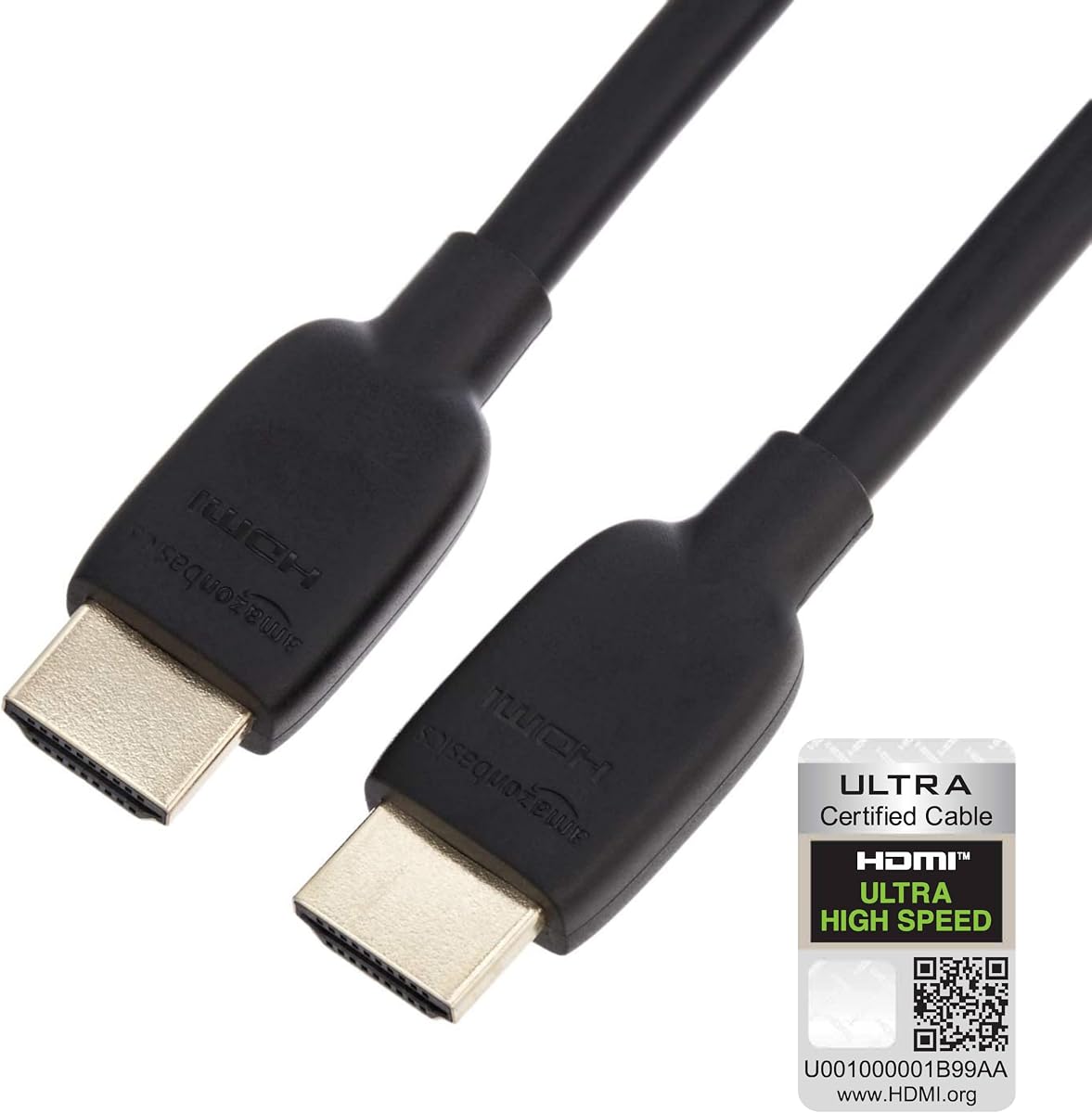
Amazon Basics HDMI 2.1 Cable
4.7Editor score
Affordable Ultra High Speed
3 foot length option
Supports 8K at 60Hz
This guide compares the top HDMI cables for dual monitors including speed compatibility durability and value to help you pick the right high-performance
Finding the right HDMI cable for dual monitors is essential for a seamless multi display setup. Whether you are gaming streaming or working remotely you need reliable high bandwidth connections to avoid lag or signal loss across your screens.
We evaluated ten top-rated HDMI cables based on certification speed durability and compatibility with modern devices like PS5 and Xbox. Each product was analyzed for its ability to support high resolutions and refresh rates required for dual monitor configurations.
Each pick highlights key strengths and ideal use cases to simplify your decision. Note that product availability and prices may change over time so always verify current details before purchasing your next high speed cable.
4.7Editor score

4.8Editor score

4.6Editor score
The following table provides a quick side by side overview of all ten selected cables focusing on their core specifications and intended use cases to help you compare options efficiently.



This UGREEN HDMI 2.1 cable stands out as a top choice for dual monitor setups requiring high bandwidth. With a 4.8 rating it is highly regarded for delivering uncompressed video and audio across demanding systems.
We may earn a commission when you buy through this link, at no additional cost to you.
The 48Gbps bandwidth ensures that both monitors can run at 4K 240Hz or 8K 60Hz without signal degradation. Dynamic HDR and eARC support enhance visual and audio quality significantly for entertainment and work tasks.
While the price is slightly higher than generic options the build quality justifies the cost. The aluminum alloy case and nylon jacket resist daily wear making it a reliable long term investment for your desk.
It is ideal for users who need reliable connectivity for gaming or professional workstations. The robust construction and certified performance make it a strong recommendation for anyone upgrading to modern displays.
HDMI 2.1 certification guarantees the cable meets strict standards for 48Gbps throughput ensuring stable dual monitor output.
eARC support allows for high fidelity audio return which is perfect for soundbars connected to your primary display.
We may earn a commission when you buy through this link, at no additional cost to you.
Amazon Basics offers a highly affordable option for users needing a reliable HDMI connection for dual monitors. This Ultra High Speed cable supports the latest standards at a fraction of the cost of premium brands.
We may earn a commission when you buy through this link, at no additional cost to you.
It delivers 48Gbps bandwidth which is sufficient for high resolution output on two screens. The gold plated connectors help resist corrosion ensuring a stable connection over time for daily office use.
The 3 foot length is its main limitation for large desk setups but it works well for shorter runs. The PVC material provides flexibility which makes it easy to route cables neatly around equipment.
For budget conscious buyers this cable provides excellent value without sacrificing essential performance. It is a smart choice for those who need multiple cables for a multi monitor environment.
This cable delivers the same high speed specs as expensive options making high refresh rate dual monitors accessible to everyone.
Gold plating on the connectors helps prevent signal loss due to oxidation which is common in high humidity environments.
We may earn a commission when you buy through this link, at no additional cost to you.
Belkin is known for quality and this HDMI 2.1 cable delivers a premium experience for dual monitor setups. With a solid rating it is trusted for its ability to handle high bandwidth demands with ease.
We may earn a commission when you buy through this link, at no additional cost to you.
The 2 layer shielding minimizes interference which is crucial when running multiple cables near each other on a desk. Dolby Vision support ensures that colors and brightness are rendered accurately on compatible displays.
While it comes at a higher price the engineering behind the design ensures longevity and consistent performance. The 6.6 foot length is standard for most desk layouts making it versatile for various configurations.
This cable is best for users who prioritize reliability and premium features over cost. It is a great choice for a dedicated home office or entertainment station where performance matters.
The dual layer shielding reduces electromagnetic interference which helps maintain clear signal quality across multiple connected devices.
Designed to support Dolby Vision this cable enhances your viewing experience by improving contrast and color accuracy significantly.
We may earn a commission when you buy through this link, at no additional cost to you.
This Highwings bundle offers two certified 8K cables which is perfect for dual monitor setups where both screens need reliable connectivity. The 2-pack format provides great value compared to buying single cables.
We may earn a commission when you buy through this link, at no additional cost to you.
Each cable supports 48Gbps bandwidth ensuring that high refresh rates are maintained across both displays. The military grade nylon material adds durability which protects the cable from bending or wear over time.
The 6.6 foot length is suitable for most desk configurations but fixed lengths limit flexibility. The aluminum shell provides extra protection for the internal wires against physical damage during handling.
It is an excellent choice for users who want to equip both monitors with high speed cables at once. The included two cables simplify setup and ensure consistent performance across your workspace.
Buying a 2-pack ensures you have matching certified cables for both screens eliminating mismatched performance issues.
The reinforced nylon braiding helps the cable withstand frequent movement which is common in active office environments.
We may earn a commission when you buy through this link, at no additional cost to you.
Silkland offers a certified HDMI 2.1 cable that delivers high performance for dual monitors and gaming setups. The 4.7 rating reflects its reliability in handling high data rates for smooth visual output.
We may earn a commission when you buy through this link, at no additional cost to you.
The exclusive E-Braid technology provides durability that resists tangles and wear. Supported rates up to 4K 144Hz make this an ideal choice for users who use their monitors for high speed gaming.
Ferrite magnetic beads are included to reduce interference ensuring clear signals across connected devices. The HDMI 2.1 certification ensures you are getting genuine performance rather than a generic claim.
It is a strong option for enthusiasts who need verified performance for modern displays. The build quality and specific certifications make it a trustworthy choice for professional or gaming environments.
With only a small percentage of cables certified this product ensures you receive authentic HDMI 2.1 capabilities for your setup.
Support for 144Hz allows for ultra responsive visuals which are critical for competitive gaming on dual monitor displays.
We may earn a commission when you buy through this link, at no additional cost to you.
Acer provides a reliable HDMI 2.1 cable that delivers high speed performance at a competitive price. It supports 8K at 60Hz which is perfect for users with high resolution displays in a dual monitor setup.
We may earn a commission when you buy through this link, at no additional cost to you.
The braided cord design adds a layer of protection against daily wear and tear. It also supports eARC which enhances audio quality when connecting external speakers to your monitor system.
This cable is versatile and works with a wide range of devices from gaming consoles to PCs. The 48Gbps bandwidth ensures that you can switch between screens without signal lag or loss of quality.
It is an excellent choice for budget aware users who still want certified high speed capabilities. The combination of durability and performance makes it a top pick for everyday office or home use.
eARC support allows for better audio transmission which is useful when using soundbars with your monitor setup.
The braided jacket makes the cable flexible and durable allowing easy routing around desks and monitors.
We may earn a commission when you buy through this link, at no additional cost to you.
This UGREEN cable stands out because it includes Ethernet capability which can be useful for networked devices. It supports 8K and 240Hz refresh rates making it a high performance choice for dual monitors.
We may earn a commission when you buy through this link, at no additional cost to you.
The nickel plated connectors ensure a secure connection that resists corrosion over time. Dynamic HDR support allows for detailed images which improves the visual experience on high quality displays.
Users can enjoy 12 bit color accuracy which makes images look more realistic on screen. The braided jacket protects the internal wires ensuring that the cable lasts longer under daily use.
It is a solid choice for tech enthusiasts who need advanced features like Ethernet support. The high refresh rate capabilities make it ideal for gaming or video editing on multiple screens.
The Ethernet feature allows devices to share internet connections through the HDMI link reducing cable clutter.
High color bit depth ensures that images appear vibrant and true to life on supported monitors.
We may earn a commission when you buy through this link, at no additional cost to you.
PowerBear offers a 10 foot cable which is ideal when your monitors are far from the computer tower. It supports 4K at 60Hz providing clear visuals for standard high definition setups.
We may earn a commission when you buy through this link, at no additional cost to you.
The triple tin shielded copper wire ensures signal stability over longer distances. The braided nylon cover protects the cable from damage and makes it easy to handle during installation.
While it does not support 8K or 240Hz it is perfect for standard office or media setups. The gold plated connectors resist corrosion ensuring a reliable connection for years of use.
It is a practical choice for users who need length without compromising on build quality. This cable is versatile enough for laptops PCs and gaming consoles in various environments.
The 10 foot length allows you to place your PC far away from monitors reducing desk clutter and heat.
CL3 rating means the cable is safe for in wall installation which helps maintain a clean office look.
We may earn a commission when you buy through this link, at no additional cost to you.
This cable converts a DisplayPort signal from your PC to HDMI on your monitor making it useful for setups with mixed ports. The gold plated connectors ensure a secure connection that resists corrosion over time.
We may earn a commission when you buy through this link, at no additional cost to you.
It supports 4K at 30Hz which is sufficient for standard productivity work. The flexible design makes it easy to route between devices on your desk or workstation.
Users should note this is uni-directional meaning it only works from DP source to HDMI display. This limitation is important to consider when planning your monitor connections and layout.
It is a good solution for connecting older PCs to modern monitors that lack DisplayPort inputs. The compatibility with major brands makes it a versatile choice for office environments.
This cable bridges the gap between modern computers with DP ports and monitors that only accept HDMI signals.
Compatible with major computer brands like Dell and HP ensuring it works with most office workstations.
We may earn a commission when you buy through this link, at no additional cost to you.
This bundle provides two cables designed specifically for dual monitor setups using DisplayPort sources. It supports 4K resolution and comes in a pack that simplifies connecting two screens to a single computer.
We may earn a commission when you buy through this link, at no additional cost to you.
Each cable is built with durable braided nylon and gold plated connectors for reliable performance. The 6.6 foot length is standard for most desk layouts allowing flexibility in monitor placement.
It supports both extended and mirrored modes which are essential for productivity tasks. The 5.0 rating indicates high customer satisfaction with its ease of use and consistent signal quality.
It is an excellent choice for office users who need to connect two monitors to a workstation. The value of getting two cables in one pack makes it a practical purchase for dual setups.
The 2-pack ensures you can connect both monitors immediately without needing to buy separate cables.
Designed for workstations this cable supports display modes that help increase productivity in office tasks.
We may earn a commission when you buy through this link, at no additional cost to you.
Choosing the right cable requires understanding bandwidth requirements and physical durability for your specific setup.
HDMI 2.1 cables offer 48Gbps bandwidth which is necessary for 4K at high refresh rates or 8K. Ensure the cable is certified to avoid signal loss when using dual monitors.
Always verify the 2.1 label and bandwidth specs to match your graphics card and monitor capabilities.
Measure the distance between your computer and monitors to choose the right length. Longer cables like 10ft may be needed for desktop towers placed far from desks.
Choose a length that allows slack without excess cable clutter on your desk floor.
Braided nylon jackets and aluminum shells provide durability and protection against wear and tear. Gold plated connectors resist corrosion which ensures a stable connection over time.
Invest in a cable with reinforced strain relief to prevent damage at the connector ends.
eARC support allows for high quality audio return which is useful if you use soundbars with your monitors. Ensure the cable supports the audio features you need for your setup.
Check for ARC or eARC labels if audio transmission is a priority for your dual monitor configuration.
Official HDMI certification ensures the cable meets industry standards for speed and performance. This is critical for avoiding flickering or black screens on high refresh rate displays.
Look for certification labels on the packaging or product description to guarantee performance.
Buying a 2-pack can be more cost effective for dual monitor setups than buying two single cables. It ensures you have matching cables for consistent performance across both screens.
Consider bundles if you need to connect both monitors simultaneously to save money.
Ensure the cable is compatible with your devices such as PS5 Xbox or modern laptops. Most HDMI 2.1 cables are backward compatible with older HDMI 2.0 devices.
Check device requirements to ensure the cable supports the resolution and refresh rate you need.
Prices vary significantly from budget options to premium certified cables. Choose a cable that balances cost with the performance you need for your specific use case.
Prioritize certified performance for gaming or professional work to avoid expensive troubleshooting.
Ensure both your computer and monitors are powered off before connecting cables to avoid electrical issues. Connect one end of the cable to your graphics card and the other to the monitor input.
Avoid bending the cable sharply at the connectors as this can damage internal wires over time. Use cable ties to organize wires neatly on your desk to prevent tangling or tripping hazards.
Regularly inspect cables for signs of wear such as fraying or loose connectors. If you notice signal flickering try replacing the cable to rule out physical damage.
Yes HDMI 2.1 cables are ideal for dual monitors because they provide high bandwidth to support high resolutions on both screens. Ensure your graphics card supports multiple outputs for this setup to work correctly.
The length depends on your desk layout but 6 to 10 feet is common for most setups. Measure the distance from your PC to each monitor and add extra slack for flexibility.
Certified cables are tested to meet industry standards which reduces the risk of signal loss or compatibility issues. Non certified cables may work but often lack the reliability needed for high refresh rates.
HDMI 2.1 supports 8K on a single display but dual 8K setups may require higher bandwidth than a single cable offers. For dual 4K high refresh rate setups HDMI 2.1 is fully sufficient.
Look for the Ultra High Speed HDMI label on the packaging or product description. Certified cables will often include a QR code or specific branding indicating compliance with 2.1 standards.
Quality cables with proper shielding maintain signal integrity even at longer lengths. If you need lengths over 10 feet consider using an active extender to ensure reliable performance.
Selecting the right HDMI cable ensures your dual monitor setup performs at its best without interruptions. The top picks above offer certified performance and durability for a range of budgets.
Prioritize bandwidth and build quality to future proof your setup for modern displays. A certified 2.1 cable is often worth the investment for high refresh rate needs.
Always check current product details before buying to ensure the specs meet your requirements. Verify compatibility and availability on the retailer site before placing your order.