
Logitech G305 Lightspeed Wireless Gaming Mouse – Black
4.6Editor score
HERO sensor 12K DPI
1ms Lightspeed wireless
250 hour battery life
Explore the top gaming mouse for Xbox Series X to enhance gameplay. This guide compares wireless and wired options for precision, comfort, and performance.
Finding the right gaming mouse for Xbox Series X can transform your console experience. Modern mice offer high DPI sensors and programmable buttons that work seamlessly with PC and console setups for enhanced control.
We compared ten top-rated mice based on sensor accuracy, wireless latency, battery life, and ergonomic design. Each product was evaluated for its ability to deliver precision tracking and comfort during extended gaming sessions on the latest hardware.
Every pick highlights unique strengths like lightweight frames or customizable RGB. Prices and availability may change, so check current listings before buying to ensure you get the best deal for your specific gaming needs today.
4.6Editor score

4.6Editor score

4.4Editor score
This comparison table lists all ten gaming mice side by side. Review the key specifications including sensor type, weight, connectivity, and button count to find the best match for your gaming style.

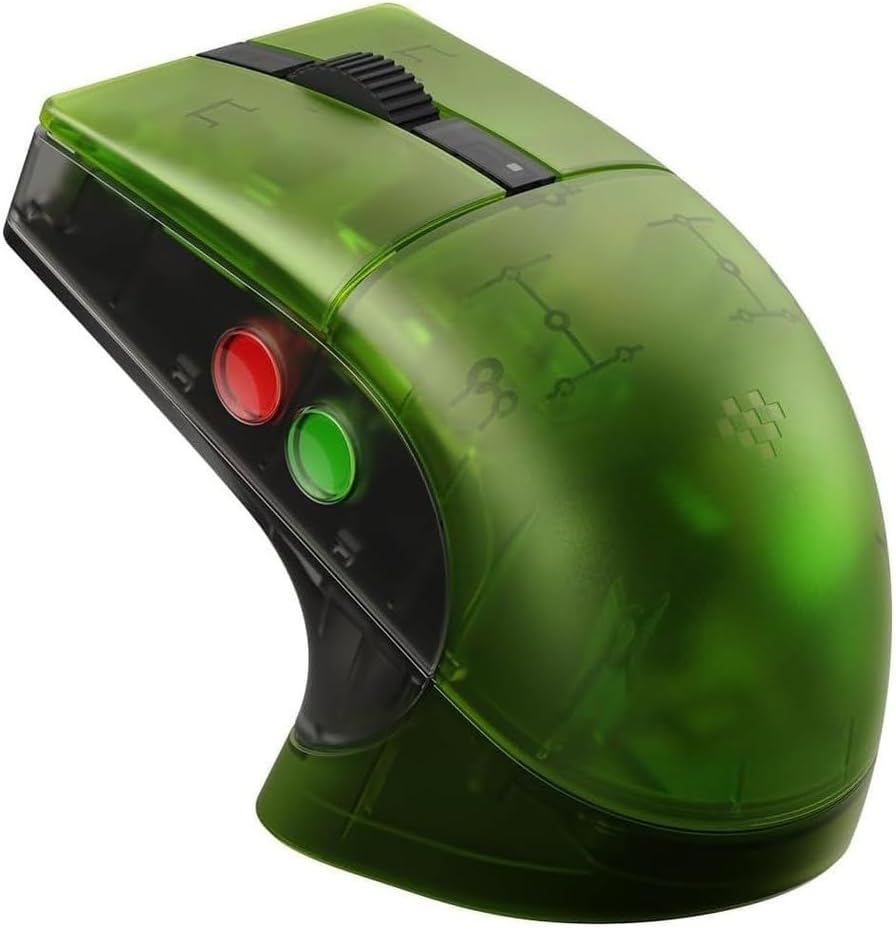



The Logitech G305 Lightspeed is an excellent wireless gaming mouse that delivers high performance at a budget-friendly cost. Its HERO sensor provides precise tracking up to 12,000 DPI while consuming minimal power for extended play sessions.
We may earn a commission when you buy through this link, at no additional cost to you.
This mouse features LIGHTSPEED wireless technology that offers a 1ms report rate, ensuring your inputs are registered instantly without lag. The lightweight design at just 3.4 ounces makes it easy to maneuver quickly during fast-paced games on your Xbox or PC setup.
While it uses a single AA battery, the power efficiency allows for up to 250 hours of continuous gameplay on one charge. Switching to Endurance mode can extend this life up to nine months, making it a reliable companion for long gaming marathons.
The G305 is ideal for gamers who want professional-grade wireless performance without breaking the bank. Its compact size and portable design also make it perfect for travel or use with a gaming laptop on the go.
LIGHTSPEED technology ensures a lag-free connection that rivals wired mice for competitive gaming.
The efficient design lets you game for months on a single AA battery without frequent changes.
We may earn a commission when you buy through this link, at no additional cost to you.
The Logitech G502 Hero is a legendary gaming mouse known for its versatility and robust build. It features the next-gen HERO sensor that tracks movement with zero smoothing or acceleration for unmatched accuracy in any game.
We may earn a commission when you buy through this link, at no additional cost to you.
With 11 programmable buttons and a dual-mode scroll wheel, this mouse offers extensive control options. You can customize macros and functions to suit your playstyle, making it a top choice for MMO and strategy gamers.
The adjustable weight system lets you configure the mouse to your preference by adding up to five weights. This personalization ensures a balanced feel that reduces fatigue during long sessions while maintaining precision and comfort.
This mouse is perfect for users who prefer a wired connection for consistent performance and value customizable controls. It delivers a crisp click feel thanks to mechanical switch tensioning that provides reliable feedback.
The HERO sensor tracks sub-micron movements for pixel-perfect accuracy in competitive shooters.
11 programmable buttons allow complex macro setups without needing software constantly.
We may earn a commission when you buy through this link, at no additional cost to you.
The SteelSeries Rival 3 Gen 2 offers a balanced combination of speed and durability for competitive gaming. Its TrueMove Core optical sensor accurately reflects your movements for precise shots without acceleration issues.
We may earn a commission when you buy through this link, at no additional cost to you.
With near-instant 1.35ms click latency and a lightweight 77g design, this mouse responds instantly to your inputs. The Super Mesh Paracord cable improves flexibility and reduces drag for smoother gliding across your mousepad surface.
This mouse is built to last with a durability rating of 60 million clicks. The built-to-last tough switches maintain their crisp feel over time ensuring consistent performance even during intense and extended gaming periods.
It is an excellent choice for gamers who value responsiveness and durability without spending a premium. The RGB lighting provides a customizable touch that enhances your setup aesthetics while maintaining practical function.
The near-instant click response ensures your actions are executed exactly when you intend them to be.
Built with 60 million click durability, this mouse stands up to heavy usage over time.
We may earn a commission when you buy through this link, at no additional cost to you.
The 8Bitdo Mouse stands out with its versatile connectivity options including Bluetooth, 2.4G wireless, and wired USB-C. This flexibility makes it suitable for switching between devices quickly without needing extra dongles.
We may earn a commission when you buy through this link, at no additional cost to you.
Equipped with a PAW 3395 sensor, it delivers high accuracy and responsiveness for gaming. The Kailh Sword GM X Micro Switches are engineered for up to 100 million clicks ensuring reliable performance for years of use.
A unique feature is the charging dock that also acts as a signal extension. This ensures your connection remains stable even when your device is farther away from the mouse receiver or base station.
This mouse is ideal for users who need to switch between console and mobile devices seamlessly. Its clean design and lack of RGB make it practical for minimalist setups focusing on function over flash.
Choose between Bluetooth, 2.4G wireless, or wired USB-C to fit any gaming scenario perfectly.
The Kailh switches are rated for 100 million clicks so you won't wear them out quickly.
We may earn a commission when you buy through this link, at no additional cost to you.
The Razer Basilisk V3 features an iconic ergonomic design with a thumb rest that supports the hand perfectly during long sessions. Its buttons are positioned for quick and easy access to essential commands and macros instantly.
We may earn a commission when you buy through this link, at no additional cost to you.
With 11 programmable buttons, you can assign complex macros and secondary functions effortlessly. The HyperScroll tilt wheel allows you to switch between free-spin and tactile modes for speed or precision depending on the situation.
Optical Mouse Switches Gen 2 provide rapid execution with zero unintended misclicks at blistering speeds. The Focus Plus 26K DPI sensor tracks movement flawlessly with zero smoothing for pixel-precise accuracy in games.
This mouse is perfect for gamers who value comfort and extensive customization. The 11 Chroma RGB zones react dynamically with games to create an immersive lighting experience that enhances your desk setup.
The shape and thumb rest reduce fatigue so you can play longer without discomfort.
Optical switches ensure crisp execution with 0.2ms actuation for rapid competitive gameplay.
We may earn a commission when you buy through this link, at no additional cost to you.
The Razer Basilisk V3 X HyperSpeed offers seamless wireless performance with its proprietary Razer HyperSpeed technology. This ensures low latency that rivals wired connections for fluid gameplay without cable drag or obstruction.
We may earn a commission when you buy through this link, at no additional cost to you.
You can switch to Bluetooth for longer battery life or multi-device support when needed. With up to 285 hours of battery life on HyperSpeed wireless you can play for weeks without needing to recharge the unit.
The 5G Advanced 18K optical sensor is robust and tracks movement with zero spinouts for reliable aim. Razer Mechanical Mouse Switches Gen-2 have gold-plated contacts for consistent execution and longevity up to 60 million clicks.
This wireless mouse is great for gamers seeking premium features at a reasonable price point. The RGB customization adds visual flair while maintaining performance and comfort for extended use.
Razer HyperSpeed technology delivers faster wireless performance than standard Bluetooth.
With up to 285 hours of battery life you rarely need to worry about power levels.
We may earn a commission when you buy through this link, at no additional cost to you.
The Logitech G502 X Lightspeed reinvents the legacy with latest innovations in gaming technology. Its LIGHTFORCE hybrid optical-mechanical switches offer incredible speed and reliability for precise actuation with crisp response.
We may earn a commission when you buy through this link, at no additional cost to you.
This wireless mouse features LIGHTSPEED connectivity achieving a 68 percent faster response rate than the previous generation. The HERO 25K sensor provides precision down to the sub-micron with zero smoothing for high-performance gaming every time.
Redesigned features include a reversible DPI-shift button and a dual-mode scroll wheel for extra personalization. POWERPLAY compatibility lets you keep the mouse charged continuously without interrupting your gaming sessions.
This is a top choice for those who want premium features and superior build quality. The choice of black or white colorways ensures it fits any aesthetic while delivering top-tier performance.
LIGHTFORCE switches combine optical speed with mechanical feel for the best of both worlds.
LIGHTSPEED wireless delivers pro-grade connectivity with fast response and improved reliability.
We may earn a commission when you buy through this link, at no additional cost to you.
The SteelSeries Aerox 5 features a purposefully designed holey shell that reduces weight to just 59g for fast and effortless gameplay. This ultra-lightweight design minimizes fatigue and allows for swift movements during intense gaming moments.
We may earn a commission when you buy through this link, at no additional cost to you.
With a TrueMove Air optical sensor co-developed with PixArt you get pixel-perfect accuracy and reliability. The AquaBarrier technology ensures the mouse interiors are shielded from water splashes and dust for an IP54 rating.
This mouse includes 9 programmable buttons that offer natural comfort with customizable side controls and an up/down flick switch. The golden micro switches last longer than a lifetime and provide added resistance to dust and water damage.
It is ideal for gamers who value speed and durability in a portable design. The PrismSync RGB lighting adds visual style while the ergonomic shape ensures comfort even during marathon sessions.
The holey shell reduces weight to 59g making fast movements effortless and fatigue-free.
IP54 rating protects against spills and dust so your mouse lasts longer in any environment.
We may earn a commission when you buy through this link, at no additional cost to you.
The Redragon M810 PRO offers a wireless experience with a 2.4GHz nano receiver that eliminates cable drag. This allows for purest mouse moving experience and helps improve your KDA by removing physical hindrance during battles.
We may earn a commission when you buy through this link, at no additional cost to you.
Equipped with a PAW3325 sensor it offers 5 on-board DPI levels up to 10,000 for precise movement tracking. All 8 programmable buttons can be edited with tactical keybinds including macro support for complex in-game actions.
The mouse consumption is optimized with a 1000Hz polling rate in dual mode. A rechargeable battery keeps it working up to 45 hours on maximum mode so you can game for days on a single charge.
This mouse is a strong contender for budget gamers needing reliable wireless performance. The customizable lighting and DPI levels give you control over your settings to suit different game requirements effectively.
The 2.4G connection ensures a stable link for lag-free aiming during critical moments.
Rechargeable battery offers 45 hours of use so you spend less time charging and more time playing.
We may earn a commission when you buy through this link, at no additional cost to you.
The ASUS ROG Spatha X is designed specifically for MMO and MOBA titles with 12 programmable buttons. These include 6 strategically positioned side buttons allowing you to execute complex macro commands and combos easily.
We may earn a commission when you buy through this link, at no additional cost to you.
Dual-Mode Connectivity provides low-latency 2.4GHz wireless or USB-C wired modes for flexibility. The magnetic charging dock and battery life of up to 67 hours ensure you can play for days without interruption.
Hot-swappable ROG Micro Switches offer consistent click force and a 70-million-click lifespan. The 19,000 DPI sensor delivers pixel-perfect tracking with instant adjustment via DPI On-The-Scroll feature without needing software.
This mouse is ideal for MMO gamers who need extensive button customization. Its large ergonomic shape and accessories like a travel pouch make it a complete package for dedicated players.
12 programmable buttons give you the edge in MMOs by allowing quick access to skills.
Hot-swappable switches let you change click force to suit your preference easily.
We may earn a commission when you buy through this link, at no additional cost to you.
Selecting the right gaming mouse for Xbox Series X requires considering sensor precision, connectivity, and ergonomic design to match your play style.
The sensor is the core component that tracks movement. Look for optical sensors like HERO or TrueMove that offer zero smoothing and acceleration for accurate tracking on various surfaces.
Wired mice ensure zero latency and constant power but limit range. Wireless mice provide freedom of movement and modern technologies now offer low latency comparable to wired options.
If choosing wireless consider how long the battery lasts on a single charge. Rechargeable options with USB-C are convenient while single-cell batteries may offer extended life for minimal weight.
Lightweight mice reduce fatigue and improve speed while heavier ones feel more stable. The shape should fit your hand size and grip style comfortably during long gaming sessions without causing strain.
Extra buttons allow you to map macros or in-game actions for faster access. Ensure the layout matches your hand position to avoid accidental clicks during critical gameplay moments.
Look for mice rated for millions of clicks and durable materials. High-quality switches and sturdy frames ensure the mouse withstands intense use over years without failing.
Software lets you adjust DPI, lighting, and button functions to suit your needs. A user-friendly interface makes configuring your mouse easier and more effective for specific games.
RGB lighting enhances your setup visually and can be synchronized with games. While optional this feature adds immersion and personalization for those who enjoy customizable desk aesthetics.
Always ensure your mouse is fully charged or has fresh batteries before gaming sessions. Wireless mice should be paired with the USB receiver via Bluetooth to establish a stable connection with your console.
Yes many PC gaming mice work seamlessly with Xbox Series X via USB or wireless adapters. Ensure the mouse supports standard HID protocols for compatibility with console input systems.
A DPI range between 800 and 3200 is ideal for most gaming needs. Higher DPI allows for faster movement while lower DPI offers precision for aiming in shooters.
Modern wireless mice with 2.4GHz technology have minimal lag comparable to wired mice. Bluetooth may introduce slight delay so prefer dedicated wireless receivers for competitive play.
Use a soft dry cloth to wipe the exterior regularly. For deeper cleaning use compressed air to remove dust from crevices and avoid liquid cleaners that could damage the internal electronics.
Programmable buttons can map actions like chat or map access making gameplay smoother. However check Xbox settings to ensure macros do not violate game terms or platform rules.
Quality switches are rated for 20 million to 60 million clicks. This durability ensures your mouse remains responsive throughout years of regular gaming without mechanical failure.
These ten gaming mice offer diverse options from budget-friendly wireless picks to premium ergonomic designs with advanced features. Whether you prioritize weight, button count, or wireless freedom there is a model to suit your gaming style.
Focus on ergonomics and sensor accuracy when selecting your next mouse since comfort and precision are crucial for competitive play. Consider your typical gaming session length to decide if battery life matters more than extra buttons.
Check current availability and compatibility before purchasing to ensure the mouse works perfectly with your Xbox Series X setup. The right choice will enhance your gaming experience and provide reliable performance over time.