
SteelSeries Nimbus+
4.0Editor score
Apple Licensed Wireless
50+ Hour Battery Life
Tactile D-Pad Buttons
This expert guide compares the top ten gaming controllers for Apple TV in October 2026, helping you find the perfect wireless gamepad for your living room
Finding the right gaming controller for Apple TV can transform your living room into a powerful gaming station. Whether you enjoy casual titles or competitive arcade games, the right input device ensures smooth, responsive gameplay without lag.
We compared ten popular wireless controllers based on compatibility, battery life, build quality, and special features like motion controls and turbo buttons. Our analysis focuses on devices that work seamlessly with tvOS and Apple Arcade MFi games.
Each pick below highlights key strengths, potential trade-offs, and ideal use cases. Note that prices and availability change frequently, so check current listings before purchasing to ensure you get the best deal available today.
4.0Editor score

4.7Editor score

4.4Editor score
The following table provides a side-by-side comparison of all ten controllers, highlighting their unique specifications and key features to help you make an informed decision.
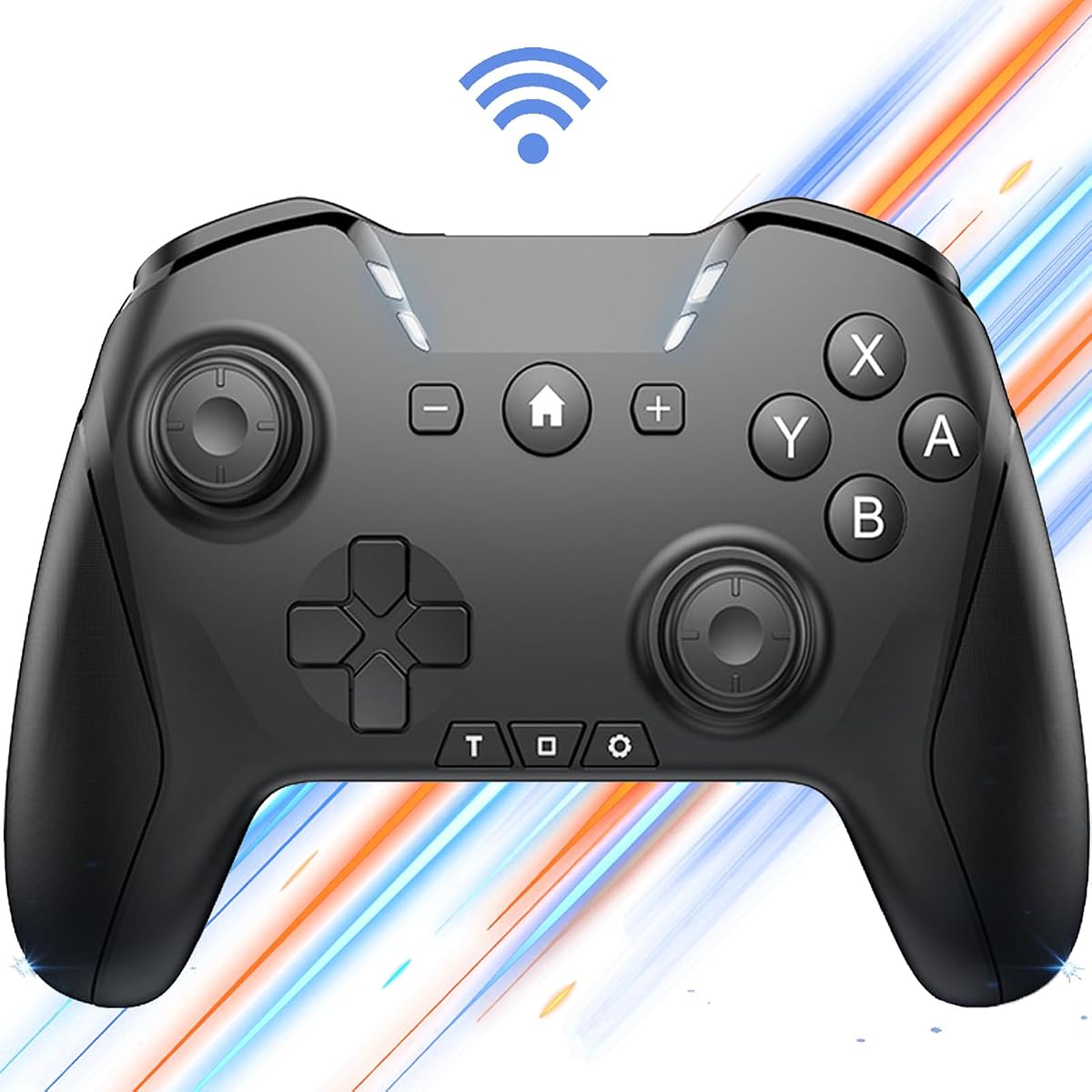

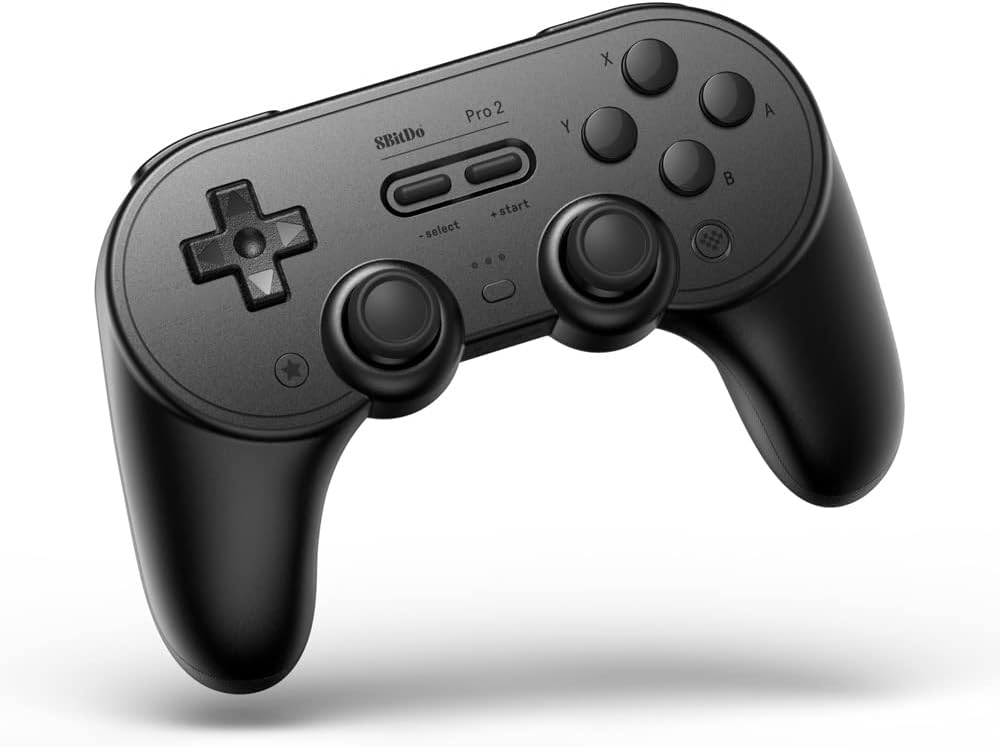


The 8Bitdo SN30 Pro stands out as the top choice for Apple TV users in our lineup. It officially supports tvOS and brings retro aesthetics with modern performance, earning a high 4.7 rating from users.
We may earn a commission when you buy through this link, at no additional cost to you.
Its Hall Effect joysticks provide unmatched precision and durability, eliminating drift issues common in older models. The full button set includes clickable joysticks and motion controls, making it versatile for various genres.
While the price point is slightly higher, the build quality and official Apple TV compatibility justify the investment. Users appreciate the reliable Bluetooth connection and the ability to carry it easily in a pocket.
If you want a premium retro experience with modern features, this controller is the clear winner. It balances nostalgia with performance perfectly for both casual and serious gamers on Apple TV.
Hall Effect technology uses magnetic sensors for greater accuracy and longer lifespan than traditional potentiometers, ensuring smooth control in every session.
This model is officially supported on Apple TV, meaning plug-and-play compatibility without needing extra apps or complex pairing steps.
We may earn a commission when you buy through this link, at no additional cost to you.
The SteelSeries Nimbus+ is engineered specifically for Apple devices, offering an official license that guarantees seamless integration with tvOS. Its standout feature is an incredible 50+ hour battery life.
We may earn a commission when you buy through this link, at no additional cost to you.
Designed for comfort during long sessions, it features tactile D-Pad buttons and clickable joysticks that enhance control precision. The included mount allows for mobile gaming on iPhone or iPad alongside TV use.
Although it is pricier and bulkier than budget options, the battery life and build quality make it a premium choice. Apple users who prioritize comfort and reliability will find it worth the extra cost.
Choose this controller if you want a dedicated Apple device that lasts days between charges. Its official support ensures all features work as intended without compatibility issues.
With over 50 hours on a single charge, you can game for weeks without worrying about recharging, making it ideal for travel or heavy users.
The upgraded tactile D-Pad provides a satisfying click, improving input speed and feedback during fast-paced or directional-heavy games.
We may earn a commission when you buy through this link, at no additional cost to you.
The VOYEE Switch Controller offers exceptional value with a price tag under $20. It brings advanced features like programmable buttons and RGB lighting, making it popular among budget-conscious gamers.
We may earn a commission when you buy through this link, at no additional cost to you.
Its 3-speed turbo function and M1/M2 programmable keys allow for custom shortcuts in games. The 10-15 hour battery life is decent for the price, and it supports wake-up functions for consoles.
While it lacks official Apple licensing, most tvOS games work smoothly via Bluetooth. The main trade-off is the shorter battery life when RGB is enabled, but turning it off helps significantly.
This controller is perfect for casual users or those on a tight budget. It delivers strong performance and cool aesthetics without the high cost of premium brands.
The three turbo speed levels let you automate rapid button presses, helping in games that require quick tapping or repetitive actions.
The RGB bolt design offers four lighting modes, adding visual flair to your setup, though disabling it extends battery life effectively.
We may earn a commission when you buy through this link, at no additional cost to you.
This Switch Pro Controller targets versatility with macro programming and adjustable motion settings. It supports Apple Arcade MFi games and tvOS, though users should verify specific titles.
We may earn a commission when you buy through this link, at no additional cost to you.
The ability to program up to 30-second operation loops is unique in this range. A 6-axis gyro sensor and dual vibration motors enhance immersion in compatible games.
Macro setup can be tricky for beginners, but power users will appreciate the automation. The 15-hour battery life is solid, and the wake-up function adds convenience.
Buy this if you want advanced control options at a mid-range price. It bridges the gap between simple controllers and high-end gaming hardware.
Macros let you record and replay button combinations, useful for grinding or complex sequences that require rapid inputs.
We may earn a commission when you buy through this link, at no additional cost to you.
The renewed SteelSeries Nimbus+ brings premium Apple-compatible gaming at a more accessible price. It undergoes professional inspection to meet Amazon Renewed standards for quality.
We may earn a commission when you buy through this link, at no additional cost to you.
Features include responsive buttons and an extended battery for long sessions. While it matches the new model, user ratings are slightly lower due to potential cosmetic or minor functional variance.
If you want premium Apple features but wish to save money, this option is viable. Just be aware of the shorter warranty compared to brand-new units.
This is a smart choice for cost-conscious Apple TV users who still want the Nimbus+ experience. It offers excellent value if the condition meets your expectations.
Each unit is professionally inspected and tested to ensure functionality, providing a reliable experience with potential cosmetic imperfections.
We may earn a commission when you buy through this link, at no additional cost to you.
The 8BitDo Pro 2 is a powerhouse with two extra back buttons and robust software customization. It officially supports Apple TV and delivers a professional gaming feel.
We may earn a commission when you buy through this link, at no additional cost to you.
Users can switch modes easily with a dedicated button and use Ultimate software for profile management. The 20-hour battery life is reliable for extended gaming sessions on Apple TV.
Though prices vary, the build quality and customization options make it a strong contender. It works well for those who want pro features in a portable package.
Choose this for a balanced experience of customization, durability, and Apple TV support. It excels in versatility across multiple gaming platforms.
The Ultimate software on iOS allows deep customization of buttons and profiles, ensuring the controller adapts to your specific game needs.
We may earn a commission when you buy through this link, at no additional cost to you.
This older SteelSeries Nimbus+ model remains a solid option for Apple TV gaming. It retains the essential features that made it popular: reliable Bluetooth and strong battery life.
We may earn a commission when you buy through this link, at no additional cost to you.
The responsive controls and rechargeable design ensure it handles long gaming sessions. It works well with Apple Arcade titles, offering a consistent experience for casual and dedicated gamers.
Since it is an older listing, availability and pricing may vary compared to the newest model. However, for basic premium needs, it still performs admirably.
This is a safe choice if you prefer tried-and-tested hardware. It continues to deliver quality Apple-compatible gaming without unnecessary bells and whistles.
Its classic design ensures consistent pairing and control on Apple TV, making it a steady choice for years of usage.
We may earn a commission when you buy through this link, at no additional cost to you.
The AceGamer Aurora II brings Hall Effect joysticks and a massive 1000mAh battery to the market. It supports iOS and tvOS via Bluetooth for versatile Apple TV use.
We may earn a commission when you buy through this link, at no additional cost to you.
Programmable back keys and dual connectivity (2.4G and Bluetooth) make it flexible. The large battery ensures you game longer without frequent recharges.
Keep in mind it does not support Xbox systems, and Apple devices rely on Bluetooth. These limits do not affect Apple TV users significantly.
This is ideal for those wanting Hall Effect tech and extra keys on a budget. It offers strong performance and customization for diverse gaming needs.
Hall Effect sensors prevent stick drift by using magnetic fields, ensuring precise movement and a longer controller lifespan.
We may earn a commission when you buy through this link, at no additional cost to you.
Amazon's Luna controller works well via Bluetooth on Apple TV, though it is optimized for cloud gaming. It offers seamless switching between screens for flexible play.
We may earn a commission when you buy through this link, at no additional cost to you.
The responsive triggers and 4-way D-Pad suit streaming titles. It connects directly to Luna servers via Wi-Fi, but Bluetooth works for local games too.
It may not be ideal for all local tvOS titles, but cloud gamers will love it. The screen switching feature keeps your progress intact as you move between devices.
If you play Luna on Apple TV, this controller delivers the best cloud experience. For others, it still provides a comfortable and reliable input method.
Designed specifically for Amazon Luna, it features direct server connections and screen switching for uninterrupted cloud gaming sessions.
We may earn a commission when you buy through this link, at no additional cost to you.
The GMBACK Wireless Switch 2 Pro supports loop macros and home wake up, which is useful for repetitive tasks. It integrates well with Apple TV and Apple Arcade MFi games.
We may earn a commission when you buy through this link, at no additional cost to you.
RGB lighting and adjustable vibration levels enhance immersion. The 800mAh battery offers 15-20 hours of play, sufficient for moderate users.
Setup can be involved, and battery life is decent but not the best. The macros make it unique for grinding or specific gameplay needs.
This is a solid option for those who value custom macros and wake-up features. It provides a feature-rich experience for the price point.
Record custom button sequences and let the controller replay them automatically, saving effort on repetitive in-game actions.
We may earn a commission when you buy through this link, at no additional cost to you.
Choosing the right controller for Apple TV requires balancing compatibility, battery life, and features. Consider these key factors to match a controller to your needs.
Ensure the controller explicitly supports tvOS or Apple Arcade MFi games. Official Apple-licensed controllers provide the smoothest experience without extra steps.
Check for Bluetooth pairing and wake-up features to make your Apple TV experience effortless.
Battery life varies widely from 15 to 50+ hours. Long life reduces charging interruptions, especially for marathon sessions.
Look for rechargeable models with Type-C ports and consider battery capacity (mAh) as an indicator of duration.
Ergonomic grips and durable materials prevent fatigue during long play. Textured buttons and joysticks improve accuracy and response.
Invest in controllers with Hall Effect joysticks or high-quality switches for longevity and precision.
Programmable buttons, turbo functions, and motion controls can enhance gameplay for specific genres. RGB lighting adds aesthetic value but may drain battery.
Decide if you need automation or customization tools or if standard controls will suffice.
Bluetooth is standard for Apple TV, but some controllers offer 2.4G wireless for lower latency on PCs. Ensure Bluetooth stability for uninterrupted sessions.
Wireless connections reduce clutter but keep cables handy for charging and potential wired mode.
Budget controllers offer basic features at lower prices, while premium ones provide better materials and Apple licensing. Determine what matters most to you.
Assess if higher cost is justified by battery life, official support, or build quality.
If you game on PC or Switch too, choose controllers that work across devices. This flexibility adds value if your setup is diverse.
Ensure mode switching is simple so you can switch between Apple TV and other devices easily.
Check warranty periods and seller support. Reputable brands offer better protection and replacement options.
Consider certified renewed options to balance cost with reliability if you trust quality assurance.
To pair your controller with Apple TV, ensure Bluetooth is enabled on your Apple TV. Put the controller in pairing mode by pressing the specific Home or Pair button until the LED flashes, then select it from the Bluetooth menu.
After pairing, test buttons to confirm all inputs respond correctly. If using turbo or macros, follow the manual's instructions to program them properly before playing.
For maintenance, keep the controller clean with a soft cloth and avoid liquids. Store it in a cool, dry place when not in use to preserve battery health and prevent wear on buttons.
No. These controllers work with Apple Arcade and MFi games but also support any Bluetooth-compatible tvOS titles. They function without a subscription though some games may require one for access.
Yes. Most controllers support USB-C wired connections for charging and gaming. Check if your controller supports wired mode for lower latency if available on your model.
Check the manufacturer's app or website for firmware updates. Many Apple-compatible controllers offer updates via dedicated software to fix bugs and improve compatibility.
Yes, many support gyro sensors for motion control. Ensure your game supports motion inputs as not all tvOS titles utilize these features.
Restart your Apple TV and the controller. Ensure they are close and unpair previous connections if needed. Check that the controller has sufficient charge for pairing.
Yes. Most controllers work with multiple Apple devices like iPhone and iPad. Check compatibility details for other platforms if you game across various devices.
Our top picks include the 8Bitdo SN30 Pro for performance, the SteelSeries Nimbus+ for premium Apple integration, and the VOYEE for budget value. Each offers distinct strengths for Apple TV gamers.
Prioritize compatibility and battery life when choosing. A controller that supports tvOS and lasts long enhances your experience without frequent interruptions or compatibility issues.
Always verify current prices and availability before purchase as deals change often. Select a model that fits your budget and gaming style for long-term satisfaction.