
HDMI Adapter for N64/ Game Cube/SNES
4.2Editor score
HDMI cable included in box
Supports 720P and 1080P
Plug and play setup
This guide compares the top GameCube HDMI adapters for modern TVs, evaluating signal quality, compatibility, and ease of use for retro gamers.
Connecting classic consoles to modern displays requires reliable hardware. GameCube HDMI adapters bridge the gap between older AV outputs and today high screens. Choosing the right adapter ensures sharp visuals and minimal lag during play.
We evaluated ten adapters based on signal processing, build quality, and user feedback. This list covers options ranging from budget-friendly converters to advanced units with firmware support. Each product was reviewed for compatibility and performance stability.
Each pick highlights key features and potential limitations for buyers. Prices fluctuate frequently so verify current listings before purchasing. Our goal is to help you select the best adapter for your specific setup needs today.
4.2Editor score

4.6Editor score

4.4Editor score
The following table provides a side-by-side overview of all ten adapters. It highlights key specifications and features to help you compare options quickly before making a purchase decision.



The Kaico adapter stands out with its GCVideo OS support. It offers exceptional clarity for retro gaming on modern displays. Users praise its ability to enhance picture quality significantly.
We may earn a commission when you buy through this link, at no additional cost to you.
Key strengths include Line Doubling and Scanlines features. These options allow customization without extra power. The USB port ensures long-term usability through firmware updates.
Some users note it only works with DOL-001 consoles. This limits compatibility but ensures optimal performance. The higher cost is justified by advanced features.
Ideal for serious collectors wanting top-tier visuals. It delivers reliable performance with strong warranty support. This adapter is a top choice for dedicated gamers.
Line Doubling and Scanlines features improve clarity significantly. These options allow customization to match display preferences.
USB port allows easy firmware updates. This ensures the adapter remains functional as standards evolve.
We may earn a commission when you buy through this link, at no additional cost to you.
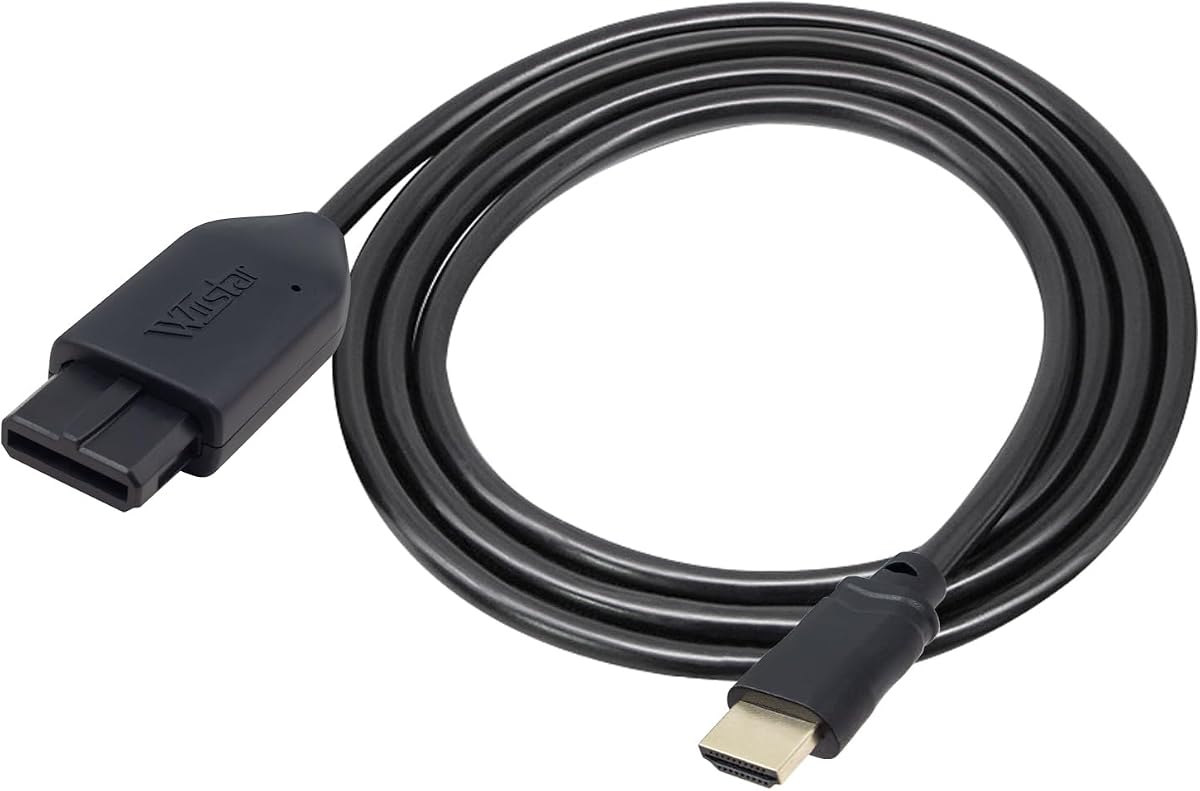
This adapter offers great value for budget-conscious buyers. It supports up to 1080P resolution on HDTVs. The included HDMI cable simplifies setup immediately.
We may earn a commission when you buy through this link, at no additional cost to you.
Plug and play functionality makes it easy to use. It connects legacy systems to newer TVs without lag. Picture quality is smooth for casual gaming sessions.
However, it requires external power supply during use. Lack of advanced features limits customization. Users should ensure power source availability.
Best for casual players needing simple connectivity. It delivers reliable performance at a low cost. An excellent entry-level option for retro gaming.
Includes HDMI cable for immediate use. Plug and play setup saves time and effort.
Supports N64, Game Cube, and SNES. Broad console support increases its utility.
We may earn a commission when you buy through this link, at no additional cost to you.
The BITFUNX adapter offers premium features for enthusiasts. GC2SD Gen2 support enables storage expansion. This allows game backups and homebrew software usage.
We may earn a commission when you buy through this link, at no additional cost to you.
Advanced signal processing delivers precise colors. Line Doubling enhances visuals without extra power. Firmware updates ensure long-term performance reliability.
It requires DOL-001 console compatibility. Users should verify console model before purchase. The added complexity suits advanced users.
Ideal for collectors wanting homebrew capabilities. Storage expansion protects game data effectively. A top choice for dedicated retro enthusiasts.
MicroSD cards up to 512GB supported. Enables game backups and homebrew software.
Supports changing video modes easily. Enhances compatibility with modern displays.
We may earn a commission when you buy through this link, at no additional cost to you.
This converter handles RCA to HDMI conversion efficiently. It supports 1080p output on modern HD TVs. Ideal for various analog devices beyond consoles.
We may earn a commission when you buy through this link, at no additional cost to you.
Supports multiple TV formats like PAL and NTSC. External USB power ensures stable operation. Installation is simple with included cables.
Limitations include lack of 3D or 4K support. Requires external power source during use. Users should check power adapter availability.
Suitable for multi-device analog setups. It provides versatile compatibility for older electronics. A practical choice for general AV conversion needs.
Supports PAL, NTSC, and SECAM formats. Versatile for different regional signals.
Includes HDMI and USB cables. Easy to install and operate.
We may earn a commission when you buy through this link, at no additional cost to you.
This all-in-one design simplifies connection significantly. S-Video signal output provides better picture quality. It connects directly to N64 or GameCube without extra cables.
We may earn a commission when you buy through this link, at no additional cost to you.
Built-in console-specific ports eliminate cable clutter. No external power is required for operation. Setup is quick and efficient for users.
Outputs only 1080p60hz which limits flexibility. Blue screen may appear if connection fails. Users should check connections carefully.
Best for those wanting minimal cable setups. It offers solid performance for N64 games. A clean solution for retro console gaming.
Built-in ports eliminate extra cables. Simplifies setup and reduces clutter.
S-Video output is better than AV. Brighter and sharper picture quality.
We may earn a commission when you buy through this link, at no additional cost to you.
This adapter supports multiple consoles with one unit. The 4:3 and 16:9 switch enhances display compatibility. S-Video signal output improves image quality.
We may earn a commission when you buy through this link, at no additional cost to you.
Detachable design allows use of extended cables. Low latency ensures smooth gameplay without lag. Great value for multi-console owners.
Not suitable for 4K display requirements. Users must ensure correct S-Video connection. Proper setup is essential for optimal performance.
Ideal for versatile retro gaming setups. It offers flexibility with aspect ratio switching. A reliable choice for SNES and N64 fans.
Toggle switch for 4:3 and 16:9. Matches modern display preferences easily.
Works with NGC, N64, and SNES. Universal adapter for classic systems.
We may earn a commission when you buy through this link, at no additional cost to you.
This adapter delivers crisp 1080P HDMI output. Converts analog signals for modern displays effectively. Ideal for bringing retro gaming to life.
We may earn a commission when you buy through this link, at no additional cost to you.
Stable signal transmission ensures low lag. Supports multiple consoles including N64 and GameCube. Plug and play setup simplifies installation.
Rating status is N/A which lacks user feedback. Users should verify current reviews before purchase. General specs are promising for quality.
Suitable for stable retro gaming sessions. It offers broad compatibility for classic consoles. A good option for HDTV users.
Ultra-low input lag ensures responsive gaming. Stable signal transmission for smooth play.
Supports N64, GameCube, and SNES. Seamless connection to modern displays.
We may earn a commission when you buy through this link, at no additional cost to you.
This adapter provides a clean setup solution. No messy cables are needed for connection. It supports N64 and SNES effectively.
We may earn a commission when you buy through this link, at no additional cost to you.
No additional power is required for operation. SVideo output support improves compatibility. Setup is truly plug and play.
Basic features may not suit advanced users. Picture quality depends on input signal. Users should expect standard analog performance.
Best for straightforward retro console use. It offers reliable connectivity without complexity. A practical solution for N64 owners.
No messy cables needed for setup. Simplifies connection process significantly.
Supports S-Video and Composite. Compatible with standard port types.
We may earn a commission when you buy through this link, at no additional cost to you.
This adapter includes HDMI cable for convenience. Supports 16:9 aspect ratio on HDTVs. Clear picture ensures smooth gaming experience.
We may earn a commission when you buy through this link, at no additional cost to you.
No additional power supply is required. Plug and play with HDMI simplifies setup. Customer service offers 30 days returns.
Resolution options are somewhat limited compared to others. Signal processing is basic but functional. Users should verify TV compatibility.
Ideal for quick retro gaming connections. It offers reliable performance with minimal fuss. A solid choice for casual SNES play.
Includes HDMI cable for immediate setup. Reduces need for extra purchases.
30 days return policy offered. Helpful customer service available.
We may earn a commission when you buy through this link, at no additional cost to you.
This adapter extracts S-Video signal for HDMI. Output is cleaner than standard RCA composite. Includes 1.5m HDMI cable for setup.
We may earn a commission when you buy through this link, at no additional cost to you.
Nickel-plated connectors resist oxidation over time. No external power is required normally. Plug and play design ensures ease of use.
No upscaling means original resolution output. Performance is basic compared to advanced units. Users should check power needs carefully.
Best for those prioritizing signal cleanliness. It offers reliable analog to digital conversion. A good option for retro game fans.
S-Video output is cleaner than composite. Improves image definition significantly.
Nickel-plated connectors resist oxidation. Maintains stable signal transmission.
We may earn a commission when you buy through this link, at no additional cost to you.
Selecting the right adapter depends on your console model and display needs. We break down key factors to consider for optimal retro gaming performance.
Verify adapter compatibility with your GameCube model. Some adapters only support DOL-001 consoles with digital ports. Always check product specs before buying.
Ensure the adapter supports your specific console model for reliable operation.
Check supported resolutions like 480p or 1080p. Some adapters upscale to HD while others retain original resolution. Select based on your TV capabilities.
Higher resolution support ensures sharper images on modern displays.
Look for Line Doubling or S-Video support. These features enhance clarity compared to basic AV inputs. Superior signal processing improves visuals.
Advanced signal processing reduces blur and improves color accuracy.
Some adapters need external USB power sources. Others draw power directly from the console port. Consider power availability at your setup location.
Verify if external power is required to avoid connection issues.
Durable adapters resist strain on connectors. Look for brackets or robust housing designs. Better build extends adapter lifespan significantly.
Robust construction prevents wear and connection failures over time.
Consider extras like remotes or storage expansion. Firmware update support adds long-term value. Advanced features enhance usability and customization.
Additional features provide flexibility for future upgrades.
Check warranty length and replacement policies. Reliable support helps resolve issues quickly. Good customer service adds peace of mind.
Ensure warranty coverage meets expectations for protection.
Compare prices against features offered. Higher cost may justify advanced capabilities. Balance budget needs with performance goals.
Value depends on required features versus budget limits.
Connect the adapter to your console's AV Multi-Out port securely. Ensure proper alignment for stable signal. Avoid forcing connectors.
Attach HDMI cable to adapter and TV input. Plug in USB power if required. Wait for signal to stabilize.
Keep adapters away from moisture and heat. Use firmware updates if available. Periodically check connections for looseness.
Not all adapters support every GameCube model. Some only work with DOL-001 consoles that have a digital port. Check compatibility before purchasing to ensure it fits your specific console model properly.
A blue screen usually means no video signal detected. Check that the console is connected securely and powered on. Ensure proper HDMI input selection on your TV.
Some adapters need external USB power while others use console power. Verify product specifications to confirm power needs. Without proper power, signal transmission may fail.
Most adapters output up to 480p or 576p. Some upscale to 1080p for better visuals on HDTVs. True HD depends on adapter capabilities and console support.
Multiple adapters offer S-Video signal output for cleaner images. This feature is better than standard RCA composite. Check specs to confirm S-Video compatibility.
USB-enabled adapters allow firmware updates for improvements. Download updates from the manufacturer website if available. Follow instructions carefully to avoid corruption issues.
Many products include a 12-month warranty for defects. Check specific terms for repair or replacement options. Contact customer service if issues arise within coverage.
Top picks like Kaico and BITFUNX offer advanced features for enthusiasts. Budget options provide reliable connectivity for casual play. Choose based on your specific needs.
Prioritize compatibility and signal quality when deciding. Advanced features like firmware support extend usability. Invest in reliable brands for long-term satisfaction.
Always verify current prices and listings before purchase. Deals change frequently so check regularly. Our goal helps you find the right adapter today.