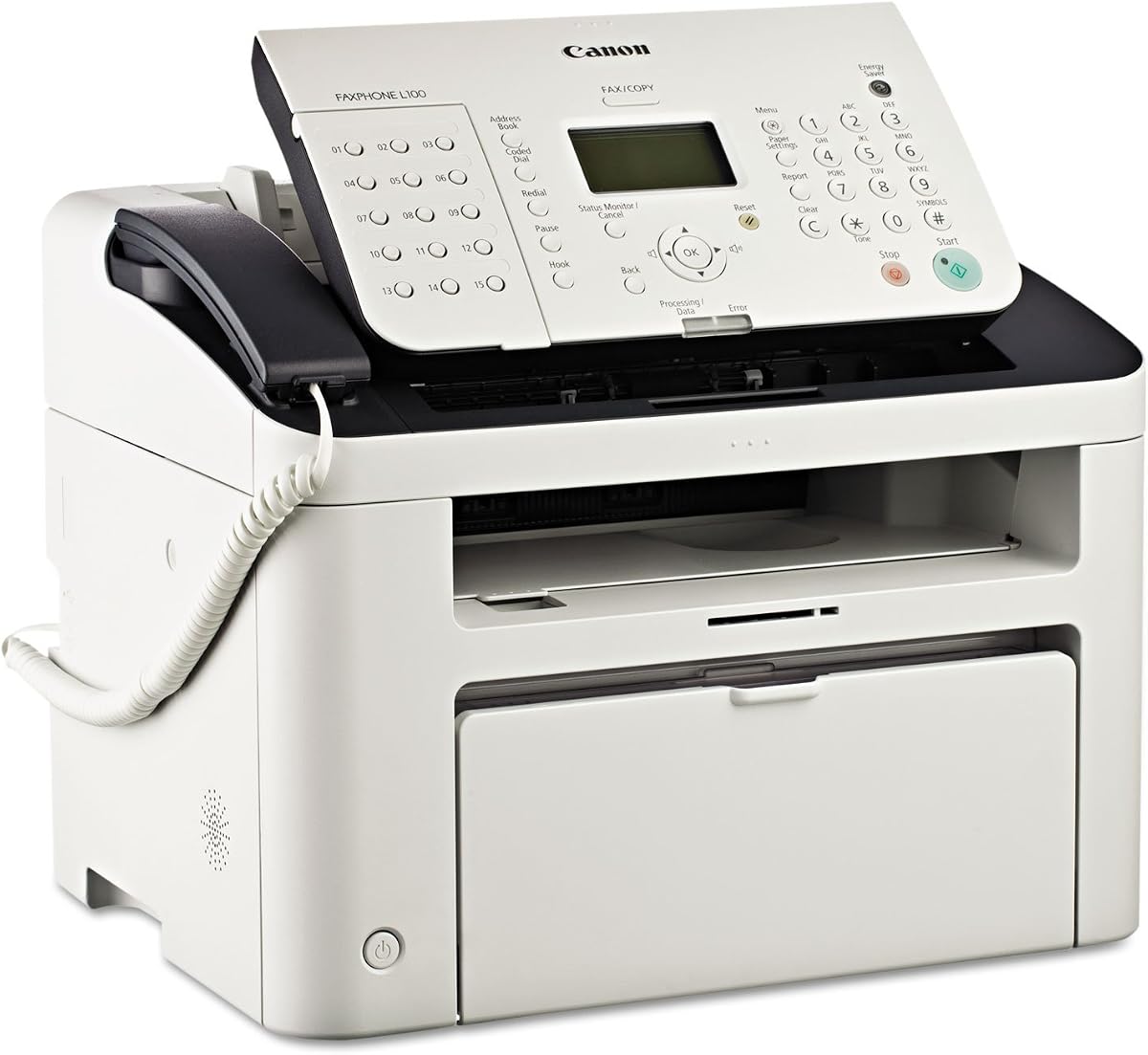
Canon FAXPHONE L100
4.1Editor score
High print speed output
Generous paper tray size
Energy saver mode included
Finding a reliable fax machine with phone functionality is essential for businesses that require secure document transmission alongside voice communication. These devices streamline workflows by combining multiple tools into one unit.
We evaluated ten top-rated models based on performance, features, and user feedback to create this comprehensive list. Each product offers unique strengths tailored to different operational requirements and budgets.
Every pick highlights key specifications and real-world usability to help you decide quickly. Please note that availability and details may change over time as manufacturers update their product lines regularly.
4.1Editor score
4.2Editor score

4.4Editor score
As an Amazon Associate we earn from qualifying purchases.
This side-by-side comparison helps you evaluate key specifications across all ten models to find the perfect fit for your specific communication demands today.


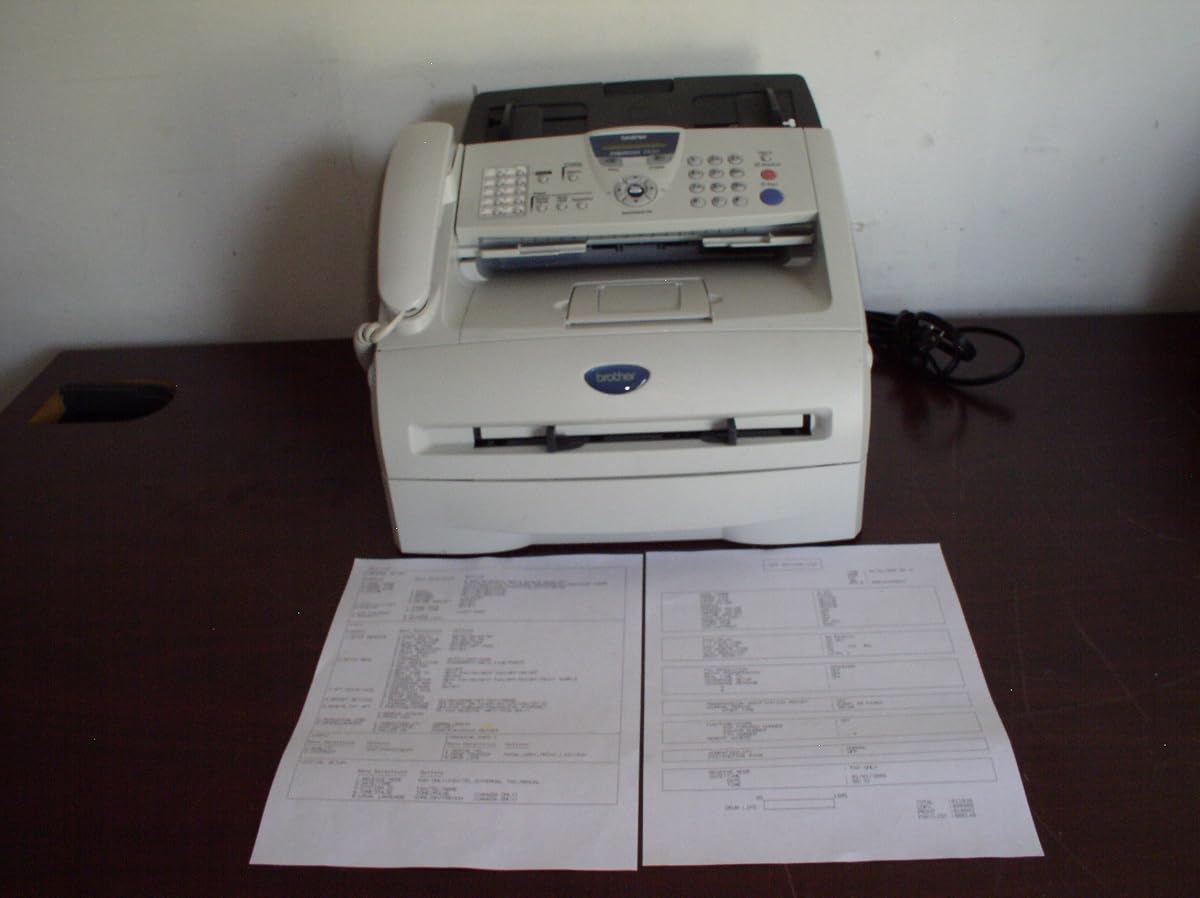
The Brother IntelliFax 2820 stands out as a top choice for businesses needing reliable fax and phone capabilities. With a strong rating from users, this model delivers consistent performance and high quality document output.
We may earn a commission when you buy through this link, at no additional cost to you.
Its 8 MB memory allows you to store up to 500 pages, ensuring you never miss important documents even when paper runs out. The 20 page auto document feeder saves time when processing multiple pages quickly.
While it only handles monochrome documents, this limitation is often acceptable for standard office communications. The laser technology ensures crisp text and sharp graphics on every fax sent.
If you need a durable machine that handles high volumes without compromising speed or quality, this is an excellent investment. It balances cost and performance well for small to medium businesses.
The 8 MB memory ensures you can store hundreds of pages for later printing, preventing loss during paper jams or low toner alerts.
The 20 page auto document feeder streamlines workflows by allowing batch sending of documents without manual page turning.
We may earn a commission when you buy through this link, at no additional cost to you.
The Canon FAXPHONE L100 offers exceptional value for those seeking a capable fax and phone unit without breaking the budget. Users appreciate its fast print speeds and generous memory capacity for storing multiple documents.
We may earn a commission when you buy through this link, at no additional cost to you.
Its ability to print up to 19 pages per minute makes it efficient for busy environments. The 30 sheet auto document feeder and 150 sheet paper capacity ensure smooth operation during high volume periods.
While it uses genuine Canon toner which may cost more, the quality and reliability justify the expense. The energy saver mode helps reduce power consumption during idle times effectively.
This model is ideal for small offices or home businesses needing dependable fax and phone functionality. It combines speed and capacity at a competitive price point.
Print up to 19 pages per minute to keep workflows moving quickly without waiting for long processing times.
Uses less than 2 watts in Energy Saver mode to lower electricity costs and reduce environmental impact.
We may earn a commission when you buy through this link, at no additional cost to you.
The Brother PPF4750E IntelliFax delivers high-performance business class features designed for demanding office environments. With a top user rating, this model ensures consistent fax and phone operation with minimal downtime.
We may earn a commission when you buy through this link, at no additional cost to you.
Its Super G3 fax type and laser technology provide secure and sharp document transmission. The fast copy speeds make it versatile for daily tasks involving both faxing and photocopying needs.
While the price is higher than basic models, the reliability and speed justify the investment for businesses. It handles heavy workloads efficiently without frequent maintenance or paper jams.
If you need a premium fax machine that offers top-tier performance and durability, this is the best choice. It is built to support professional communication requirements.
Super G3 fax type ensures compatibility with all modern fax machines for seamless communication across different systems.
Laser technology delivers crisp and sharp text that looks professional on every transmitted document.
We may earn a commission when you buy through this link, at no additional cost to you.
The Brother FAX-575 provides a convenient solution for personal fax, phone, and copying tasks. Users find it easy to operate with a straightforward interface that simplifies daily communication needs.
We may earn a commission when you buy through this link, at no additional cost to you.
With a 9600 BPS modem, it transmits pages in about 15 seconds. The 512 KB memory stores up to 25 pages, ensuring documents are retained even when the machine is offline.
While the 50 sheet paper capacity is modest, it suits low volume usage well. The device is reliable for occasional use in home offices or small business settings.
This model is recommended for individuals who need a simple all-in-one communication tool. It balances functionality and ease of use effectively.
The 9600 BPS modem ensures fast fax transmission, reducing wait times for each page sent.
Stores up to 25 pages in memory so you can continue working without losing incoming documents.
We may earn a commission when you buy through this link, at no additional cost to you.
The renewed version of the Brother FAX-575 offers the same core features at a more accessible price. It is designed for users seeking reliable fax and phone capabilities without the cost of a new unit.
We may earn a commission when you buy through this link, at no additional cost to you.
It maintains the 9600 BPS modem speed and 512 KB memory storage. The easy-to-operate interface makes it suitable for those less familiar with fax machine technology.
While the condition may vary, it passes inspection to ensure functional reliability. It is a practical choice for budget-conscious buyers needing basic communication tools.
Consider this model if you prioritize cost savings and need standard fax features. It delivers consistent performance for everyday use.
A renewed option that provides full fax and phone functionality while saving money on upfront costs.
Inspected to ensure all core features work properly before shipping to maintain user satisfaction.
We may earn a commission when you buy through this link, at no additional cost to you.
The CimFAX A5 revolutionizes faxing by allowing you to send and receive faxes digitally from computers or mobile phones. It eliminates the need for paper, making it an eco-friendly and modern choice.
We may earn a commission when you buy through this link, at no additional cost to you.
You can send faxes with just three steps like dragging and dropping files. The device automatically saves faxes as PDFs and can forward them to your email, streamlining document management.
While it relies on internet connectivity and software, the convenience is significant for remote work. Lifetime tech support ensures you have help whenever setup or usage issues arise.
This is ideal for users moving away from traditional paper faxing. It offers flexibility and efficiency for today's digital offices.
Eliminate paper waste by sending and receiving faxes digitally through your computer or mobile device.
Auto save incoming faxes as PDFs and forward them to email for easy storage and access.
We may earn a commission when you buy through this link, at no additional cost to you.
The Brother MFC7240 combines printer, scanner, copier, and fax functions into a single efficient device. Users praise its fast print speeds and robust paper capacity for handling daily office tasks.
We may earn a commission when you buy through this link, at no additional cost to you.
Print and copy speeds reach up to 21 pages per minute. The 20 page auto document feeder simplifies multi-page tasks while the 250 sheet tray reduces frequent refilling.
Although it lacks wireless connectivity, the wired USB ensures stable performance. Its compact form factor fits well in limited office spaces without sacrificing functionality.
Choose this for a reliable all-in-one solution needing fax and phone capabilities. It is built for efficiency and consistent output quality.
Handles printing, scanning, copying, and faxing all in one device to save space and simplify workflows.
250 sheet paper tray ensures fewer refills during busy periods for uninterrupted operation.
We may earn a commission when you buy through this link, at no additional cost to you.
The Panasonic KX-FHD331 is a straightforward plain paper fax machine designed for basic communication needs. It features caller ID compatibility and an answering machine interface to integrate with existing phone setups.
We may earn a commission when you buy through this link, at no additional cost to you.
Using plain paper ensures documents remain legible longer than thermal options. The 9.6 Kpbs modem speed is standard for transmitting faxes without errors.
While user ratings vary, the warranty offers protection against defects. It suits environments requiring simple fax and phone operations without advanced digital features.
This model is best for users needing essential fax functionality. It provides a no-frills approach to business communication.
Compatible with caller ID to identify incoming calls and faxes for better call management.
Uses plain paper instead of thermal to produce clearer and more durable fax documents.
We may earn a commission when you buy through this link, at no additional cost to you.
The Brother PPF-2800 offers a simple plain paper fax solution with reliable phone capabilities. It supports 10 pages per minute printing and allows up to 99 copies for basic reproduction needs.
We may earn a commission when you buy through this link, at no additional cost to you.
With a 20 page auto document feeder and 90 page memory, it handles moderate fax volumes efficiently. The 108 station auto dialing makes repeated communication easy.
While the speed is slower compared to newer models, it is sufficient for low frequency use. It is a practical choice for small offices needing basic fax functions.
Consider this if you want cost-effective faxing without extra complexity. It delivers consistent and straightforward performance.
108 station auto dialing allows quick sending to frequent contacts without entering numbers each time.
Makes up to 99 copies to support quick document reproduction needs efficiently.
We may earn a commission when you buy through this link, at no additional cost to you.
The Canon FAXPHONE L80 combines laser fax and printing capabilities in a compact unit. It includes a telephone handset and USB interface for convenient connectivity and document transmission.
We may earn a commission when you buy through this link, at no additional cost to you.
Its 33.6 Kbps modem ensures reliable fax quality and transfer. The laser output provides sharp documents, making it suitable for professional communications.
While the print speed of 6 pages per minute is modest, it is adequate for low volume use. The 1 year warranty with exchange offers peace of mind for buyers.
This model fits users needing a small office machine with fax and phone. It balances quality and size well for tight spaces.
Laser technology ensures professional quality text and graphics on every faxed document.
Comes with a telephone handset for immediate voice communication alongside fax functions.
We may earn a commission when you buy through this link, at no additional cost to you.
Selecting the right fax machine with phone requires evaluating features that match your communication volume and workflow needs.
Transmission speed determines how quickly your faxes send and receive. Look for higher BPS ratings like 33.6 Kbps for faster processing and reduced wait times.
Choose faster modems if you send large documents frequently to improve productivity.
Memory allows the machine to store incoming faxes when paper or toner is low. Higher capacity ensures you don't lose critical documents during interruptions.
Prioritize models with at least 8 MB memory for business environments.
Paper capacity and feeder size affect how often you need to reload paper. Larger trays and auto feeders support batch processing without interruption.
Select machines with 150 sheets or more to minimize maintenance.
Ensure the device includes a telephone handset or interface if you need voice calls alongside faxing. Caller ID support helps manage incoming communications better.
Verify compatibility with your existing phone lines before purchasing.
Laser fax machines provide higher quality output than thermal models and use standard paper. This ensures documents remain legible and professional looking over time.
Choose laser technology for businesses needing consistent high quality prints.
Modern machines offer USB or network connectivity for digital faxing. Some support sending from computers and mobile phones to reduce paper use.
Opt for digital support if you want to integrate with existing IT systems.
A warranty protects against defects and ensures service availability. Look for models with exchange programs or lifetime tech support for peace of mind.
Verify warranty length to protect your investment properly.
To begin, connect the phone line and power cord securely before turning the unit on. Load paper into the tray and ensure toner is installed correctly for optimal output.
Regularly clean the glass and rollers to prevent jams and ensure sharp scans. Update firmware if available to maintain compatibility with modern fax standards.
Store paper in a dry place to avoid moisture issues and keep the machine in a well ventilated area. Perform monthly maintenance checks to extend device lifespan and reliability.
Most traditional fax machines require a dedicated phone line to transmit and receive faxes. However, some modern models offer internet faxing that works via digital connections instead of phone lines.
Many newer models support sending faxes directly from computers via USB or network connections. This reduces paper waste and allows digital document management effectively.
Laser fax machines use toner to print on standard paper for high quality durable output. Thermal fax machines use special heat sensitive paper that fades over time.
Businesses should aim for at least 8 MB memory to store up to 500 pages during interruptions. Personal users may find 512 KB sufficient for basic document storage needs.
Yes, many industries like healthcare and law still require fax machines for secure document transmission. They remain essential for compliance with specific regulatory standards.
Check phone line connections for damage and ensure the modem speed is set correctly. Verify paper and toner levels before contacting customer support for further help.
The Brother IntelliFax 2820, Canon FAXPHONE L100, and Brother PPF4750E IntelliFax represent the top choices for speed capacity and performance across different needs.
Prioritize memory capacity, transmission speed, and paper handling features to match your office volume. Consider connectivity options if digital faxing fits your workflow better.
Always check current availability and support details before purchasing to ensure you get the best product for your requirements today.