
NexiGo N60
4.3Editor score
Full HD 1080p video quality
Built-in noise cancelling microphone
Universal plug and play setup
Finding the right external webcam for your Mac can transform your video calls and streaming sessions into professional experiences. With so many options available today, selecting a model that balances image quality, audio performance, and compatibility is essential for both remote work and content creation.
We have evaluated a wide range of webcams focusing on resolution, sensor technology, microphone quality, and ease of use with macOS systems. Our analysis includes detailed specifications and real-world performance insights to ensure you make an informed decision without getting lost in technical jargon or marketing hype.
Each product in this list showcases unique strengths tailored to different needs such as budget constraints premium features or specific use cases like gaming or meetings. Please note that prices and availability can change frequently so we recommend checking the latest offers before making your final purchase decision today.
4.3Editor score

4.6Editor score

4.6Editor score
As an Amazon Associate we earn from qualifying purchases.
The following table provides a side-by-side comparison of all ten selected webcams highlighting their key specifications and unique features to help you quickly identify which model best fits your specific requirements and setup needs.




The Acer 4K Webcam stands out as a top choice for Mac users seeking professional-grade video quality without compromising on design. With its genuine Sony sensor and true 4K resolution it delivers sharp vibrant images that make you look your best in any meeting or stream. The all-metal unibody construction adds a premium touch that matches the aesthetics of modern Apple devices perfectly.
We may earn a commission when you buy through this link, at no additional cost to you.
One of its strongest assets is the Phase Detection Autofocus which ensures your face stays sharp even when you move around during calls. The dual high-sensitivity digital microphones capture clear audio from up to 2.5 meters away filtering out background noise like keyboard clicks or fan hum. This makes it ideal for professionals working from home offices where audio clarity is just as important as video quality.
While the price is higher than budget options the investment is justified by the durability and performance. The privacy cover with strong magnets provides peace of mind when the camera is not in use. Some users might find the software customization limited compared to other brands but the plug and play functionality means you can start using it immediately without any hassle.
If you need a reliable camera for daily video conferencing or content creation this model offers a balanced combination of quality and build. It is particularly well-suited for Mac users who value a sleek design and do not want to deal with driver installations. We recommend this webcam for anyone looking to upgrade their setup to a true 4K experience today.
The aerospace-grade aluminum body ensures durability while matching the look of MacBooks and iMacs seamlessly.
Dual microphones reduce ambient noise effectively ensuring your voice is heard clearly even in noisy environments.
We may earn a commission when you buy through this link, at no additional cost to you.
The Anker PowerConf C200 offers a solid middle ground for users who need better than standard 1080p quality without paying for 4K. Its 2K resolution ensures that documents and fine details are visible during screen sharing or close-up interactions. The low-light correction feature is particularly useful for those working from dimly lit rooms where lighting conditions are not ideal.
We may earn a commission when you buy through this link, at no additional cost to you.
Audio performance is handled well by the dual microphones and AI noise cancellation which helps keep calls professional by reducing distractions. You can customize your viewing angle using software options which adds flexibility for different desk setups. The integrated privacy cover provides basic security though it is relatively small compared to some competitors.
While it lacks the top-tier resolution of 4K models it is more than capable for business meetings and casual streaming. The build quality is sturdy and the plug and play nature means it works well with macOS without extra setup. If you want a balance of clarity and value this webcam is a strong contender for daily professional use.
This webcam is best suited for remote workers who prioritize audio clarity and reliable video performance over cutting-edge resolution. It integrates smoothly with common conferencing apps and offers consistent results across different lighting scenarios. Consider this model if you are looking for a dependable upgrade from basic built-in laptop cameras today.
Adjustable viewing angles let you frame your shot perfectly for different environments without moving your desk.
AI noise cancellation filters out background sounds so your voice remains clear during busy work hours.
We may earn a commission when you buy through this link, at no additional cost to you.
The EMEET C960 delivers genuine 4K resolution at a competitive price point making it an attractive option for budget-conscious creatives. Unlike some models that upscale video it uses a true 4K CMOS sensor to ensure every detail is captured accurately. The PDAF technology keeps your focus sharp and stable even as you move during presentations or tutorials.
We may earn a commission when you buy through this link, at no additional cost to you.
The dual omnidirectional microphones are designed to capture natural audio from multiple directions which is helpful if you move slightly during calls. The 73 degree field of view focuses on you rather than your entire background keeping your presence prominent on screen. Mounting options are versatile with a tripod thread allowing you to place it on various surfaces easily.
One thing to note is that the default resolution is 1080p and you may need to switch to 4K via software. However this is a minor step for the quality boost you gain. The privacy cover adds a nice touch of security though the plastic build feels less premium than metal alternatives. Overall it offers strong performance for the price.
This webcam is ideal for users who want 4K capabilities without a high cost. It works well for remote teaching or online meetings where clarity matters. If you are comfortable with basic software settings this model provides excellent value and reliability for regular video conferencing needs today.
PDAF ensures quick and accurate focusing so you never appear blurry during important moments.
Omnidirectional mics pick up sound naturally enhancing the immersive feel of your virtual meetings.
We may earn a commission when you buy through this link, at no additional cost to you.
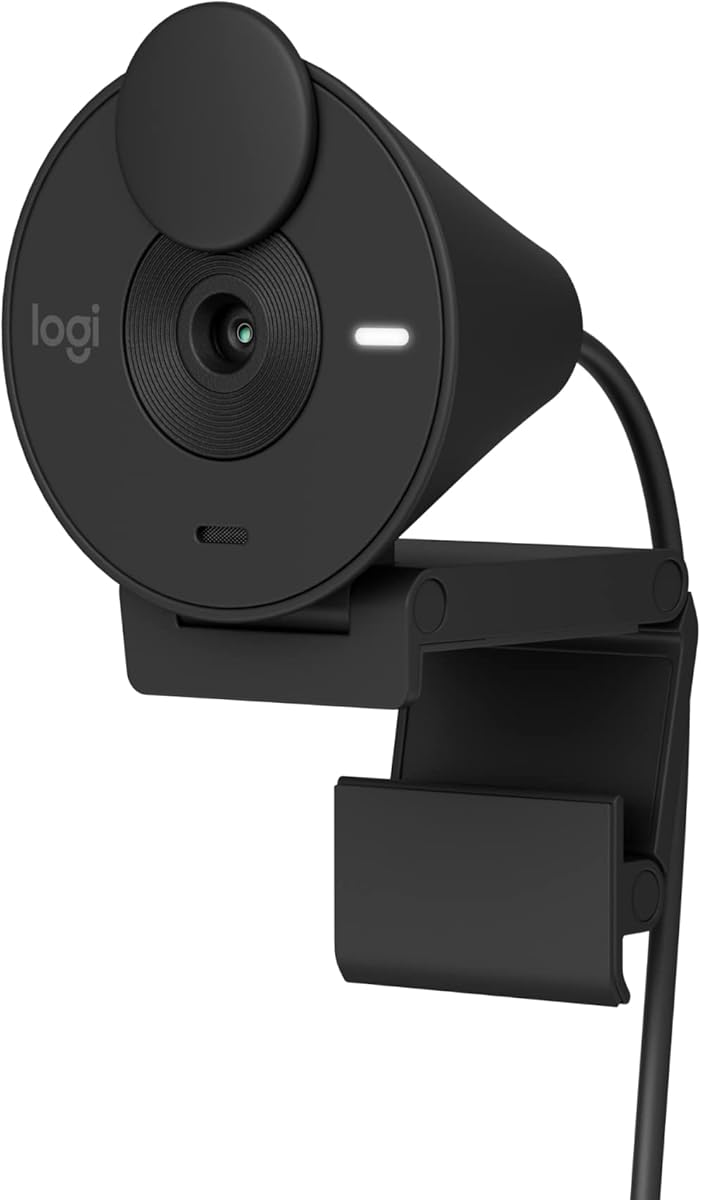
The NexiGo N60 proves that you do not need to spend a fortune to get a decent video experience on your Mac. It offers full 1080p resolution which is sufficient for most standard video calls and online classes. The built-in noise-canceling microphone helps reduce background noise ensuring your voice comes through clearly during conversations.
We may earn a commission when you buy through this link, at no additional cost to you.
Setup is incredibly simple with true plug and play functionality that requires no drivers or complex software. The privacy cover is a practical addition that slides easily to block the lens when you are not on a call. While the build is primarily plastic it feels durable enough for everyday desktop use without adding bulk to your workspace.
Image quality is sharp in well-lit environments though it may struggle slightly in dim settings compared to higher-end models. The fixed focus lens works well for standard desk distances and produces clear video for most users. This makes it a practical choice for students or home office workers on a tight budget who need reliable performance.
If you need a cost-effective webcam for daily use this model delivers excellent value. It supports all major platforms and is compatible with Mac OS X 10.7 and higher. For those who prioritize price without sacrificing basic HD quality this is an excellent option to consider for your setup today.
No drivers needed means you can start your first video call within minutes of plugging it in.
The microphone filters out ambient sounds helping maintain professionalism during virtual meetings.
We may earn a commission when you buy through this link, at no additional cost to you.
The Logitech Brio 100 brings a clean modern look to your desk with its white finish that pairs well with white Apple devices. It delivers standard Full HD 1080p video which is reliable for most professional and personal calls. The RightLight technology automatically adjusts brightness to reduce shadows helping you look your best even in varying lighting conditions.
We may earn a commission when you buy through this link, at no additional cost to you.
Privacy is handled by a simple integrated cover that slides to block the lens when you are off camera. The built-in microphone captures clear audio so you do not need an external device for most conversations. Logitech is a trusted brand known for consistent quality and this model continues that reputation with dependable performance.
While it does not offer 4K resolution it is a solid choice for standard conferencing needs. The plug and play setup works seamlessly with macOS and major platforms like Zoom and Teams. If you value a minimalist aesthetic and reliable basic functionality this webcam fits well into a tidy workspace.
This model is suitable for users who want a no-fuss camera that just works. It is compatible with Nintendo Switch 2 as well adding versatility beyond just PC and Mac. For home office setups where design matters this is a great option that blends in nicely.
RightLight technology ensures your face is well lit even when the room lighting is uneven.
A slide shutter provides easy and reliable privacy protection when you are not on calls.
We may earn a commission when you buy through this link, at no additional cost to you.
The Logitech Brio 301 in black offers a classic professional look that suits traditional office environments. It provides Full HD 1080p video that is clear and reliable for standard meetings. The RightLight 2 technology is an upgrade that compensates for poor lighting so you appear clearly on screen without extra setup.
We may earn a commission when you buy through this link, at no additional cost to you.
Audio is captured via a mono noise reduction microphone which focuses on your voice and filters out background distractions. The privacy shutter spins to block the lens which some users find easier to use than sliding covers. Being certified for Zoom and Microsoft Teams ensures compatibility with corporate systems.
While it does not have stereo audio the mono mic is sufficient for most voice calls. The Logi Tune app allows some customization of color and quality though it is not extensive. This model is a safe bet for businesses or individuals who prefer established brands with guaranteed compatibility.
If you need a dependable camera for daily meetings this model delivers consistent results. It works well with Windows and macOS and is easy to integrate into existing workflows. For those who value reliability over advanced features this is a strong choice for standard conferencing.
Certified for major platforms ensures seamless integration without compatibility issues during calls.
RightLight 2 automatically adjusts to lighting changes keeping your video consistent throughout.
We may earn a commission when you buy through this link, at no additional cost to you.
The Logitech C920e is designed with enterprise users in mind providing certified compatibility for Zoom and Microsoft Teams. It delivers sharp 1080p HD video with a 78 degree field of view that frames individuals well while allowing space for shared objects. The HD autofocus ensures you stay in focus during movements which is vital for interactive calls.
We may earn a commission when you buy through this link, at no additional cost to you.
Two omnidirectional microphones capture clear audio from up to one meter away making it easy to speak naturally during meetings. The attachable privacy screen adds a layer of security and can be flipped up or down as needed. The sturdy adjustable clip works on various monitor types and there are tripod threads for more flexible mounting.
This model is a reliable workhorse for business environments where consistency and certification matter. While it lacks 4K resolution the image quality is excellent for standard professional use. If you need a camera that integrates smoothly into corporate systems this is a trusted option to consider.
The C920e is ideal for offices or remote workers who prioritize reliability and compatibility. It works well on Mac and Windows systems and is easy to set up. For professional communication needs where video quality and privacy are key this model offers strong performance and peace of mind.
Certification ensures smooth operation with professional platforms reducing technical issues during meetings.
Adjustable clip and tripod threads allow you to position the camera exactly where you need it.
We may earn a commission when you buy through this link, at no additional cost to you.
The Logitech C922x is a premium choice for streamers and content creators who need extra features beyond basic calls. It offers Full HD 1080p at 30fps with auto light fine tuning that adjusts brightness and colors for vibrant images. Stereo audio with dual mics captures natural sound enhancing the professional quality of your recordings.
We may earn a commission when you buy through this link, at no additional cost to you.
A standout feature is the included three-month license for XSplit VCam which allows you to replace or blur your background without a green screen. This is incredibly useful for virtual backgrounds during presentations or streams. The webcam works with major platforms and is also compatible with Nintendo Switch 2 for gaming chats.
One downside is the lack of a physical privacy shutter which means you rely on software covers or unplugging. The build is sturdy and the mount is flexible for different setups. If you value advanced software features and better audio this model justifies the higher cost for creatives.
This webcam is best for those who broadcast or record frequently. The HD light correction ensures you look good in various conditions and the stereo mic adds depth to audio. For streamers seeking professional polish and convenience this is a top tier option to consider.
Included software license lets you change backgrounds easily without buying extra equipment.
Dual mics provide richer sound quality for recording and live streaming sessions.
We may earn a commission when you buy through this link, at no additional cost to you.
The Logitech C920S is a classic model that has been trusted for years and offers reliable Full HD 1080p video. It provides premium video quality that makes you look professional on calls with HD autofocus and light correction for clear sharp images. The built-in privacy shutter adds a convenient way to secure your lens when not in use.
We may earn a commission when you buy through this link, at no additional cost to you.
Stereo audio with dual mics captures natural sound which is an improvement over mono mics found in cheaper models. This ensures your voice comes through clearly and with good depth. It works with all popular video calling apps and is easy to plug in and use without drivers.
While it is an older model the performance remains solid for standard meetings. The glass lens ensures crisp recorded videos and the design is compact enough for most desks. If you want a tried and tested camera with privacy features this is a safe and practical choice.
This webcam suits users who want a balance of history and functionality. It is compatible with Mac and Windows and provides consistent results. For daily video calls where privacy and audio quality matter this model delivers reliable performance without the need for complex setup.
This classic model has a strong reputation for consistent performance across many years.
A snug privacy cover gives you direct control over when your camera is active.
We may earn a commission when you buy through this link, at no additional cost to you.
This Acer 4K Webcam variant offers similar high-quality features with a focus on portability and cooling. The all-metal unibody design not only looks premium but also dissipates heat efficiently ensuring reliable performance even during long streaming sessions. The genuine Sony sensor captures true-to-life visuals with excellent low-light capabilities.
We may earn a commission when you buy through this link, at no additional cost to you.
The magnetic privacy cover is a secure way to protect your view and the lightweight design makes it easy to take on the go. Dual noise reduction mics filter out ambient sounds keeping your audio clear. It connects via USB and requires no drivers or apps for a hassle-free setup on your Mac.
While it uses a standard USB-A connection which may require an adapter for newer Macs the performance is top-notch. The PDAF autofocus ensures you stay sharp in any scene and the 4K resolution delivers detail that rivals more expensive options. This makes it a great choice for mobile professionals.
If you need a camera that balances quality with portability this model is an excellent pick. It works well with major conferencing platforms and is easy to integrate into any workflow. For those who value sleek design and high resolution this webcam offers a compelling package.
Metal body ensures fast heat dissipation so the camera stays cool during extended use.
Compact size makes it easy to carry in a bag for remote work or travel.
We may earn a commission when you buy through this link, at no additional cost to you.
Choosing the right webcam involves considering resolution, sensor quality, audio, and compatibility with your Mac system. Here are key factors to help you narrow down your options.
Resolution defines how clear your video will appear with 1080p being standard and 4K offering higher detail. Look for models with real CMOS sensors rather than cheap alternatives as they handle light better.
Prioritize 4K if you need sharp details for presentations or 1080p for standard meetings to ensure video clarity.
Autofocus ensures that your face stays sharp even when you move around during a call. Phase Detection Autofocus is faster and more stable than standard systems.
Check that the camera offers responsive autofocus to avoid blurry video during your important conversations.
Built-in microphones vary in quality so look for noise cancellation or omnidirectional mics that capture sound naturally. Dual mics often provide better range and clarity than single units.
Ensure the mic reduces background noise so you sound professional even in busy environments.
Good webcams include light correction features that adjust brightness and shadows automatically. This is useful for rooms with poor lighting or backlighting.
Look for auto light balance features to maintain a clear image without adding extra lamps.
Privacy covers or shutters are essential for security when the camera is not in use. Some are magnetic while others slide or spin.
Always choose a model with a physical privacy cover to protect your visual space.
Metal bodies are more durable and help with heat dissipation compared to plastic. Consider the weight and size if you plan to travel with the camera.
Select a design that matches your Mac setup and fits your portability needs.
Ensure the webcam works with your macOS version without needing extra drivers. Most modern USB cameras are plug and play.
Check for compatibility with your preferred video apps to avoid connection issues.
Most webcams come with adjustable clips for monitors but tripod threads add versatility. This allows you to mount on stands or arms.
Choose a model with flexible mounting to fit different desk setups.
To start using your webcam simply connect it to a USB port on your Mac. Most modern models will be recognized instantly by the system without needing any additional drivers. You can then open your preferred conferencing app or camera app to test the image and audio settings.
Adjust the lens height or angle to ensure you are framed properly with a neutral background. Use the software tools if available to tweak brightness and contrast. Keeping the lens clean with a soft cloth helps maintain image quality over time.
Store the webcam in a safe place when not in use to avoid dust accumulation. If it comes with a privacy cover keep it closed to prevent accidental activation. Regular updates to your system and the camera software ensure ongoing compatibility and performance improvements.
Yes most modern webcams listed are compatible with macOS Sonoma and newer versions. They use standard UVC drivers that macOS supports natively so no special software is needed. Always check the product page for specific version requirements before purchasing to ensure smooth operation.
For most business calls 1080p is sufficient as platforms often compress video. However 4K provides more detail for large screens or close-ups. If you value high resolution for presentations a 4K model is beneficial.
Yes these webcams work with all MacBook Air models provided you have a USB port or adapter. Modern Macs may require a USB-C to USB-A dongle to connect standard webcams. The plug and play nature ensures compatibility without extra drivers.
No some webcams come with software licenses that allow virtual backgrounds without a green screen. Others use AI to detect your silhouette. Check if the model includes this feature in the software package before buying.
Phase detection autofocus is faster and more accurate than contrast-based systems. It keeps your face sharp instantly even with movement. This feature is ideal for dynamic calls where you move around the room.
Use a soft microfiber cloth to gently wipe the lens. Avoid harsh chemicals or abrasive materials that could scratch the glass. Regular cleaning ensures clear video quality over time.
Echo often occurs if the laptop speakers are too loud. Use headphones or mute the speakers on your device. Check that your webcam mic is set as the default input device in system preferences.
Most models in this list include physical privacy covers. Some have sliding shutters while others use magnets. Always verify this feature on the product details page before purchasing.
The Acer 4K Webcam leads our list offering superior resolution and build quality for professionals who demand the best. For those on a budget the NexiGo N60 provides reliable Full HD performance without breaking the bank. The Logitech C922x stands out for streamers needing advanced software features and stereo audio.
When choosing prioritize resolution and audio quality based on your main use case. Ensure the webcam supports your macOS version and conferencing apps. Privacy features like physical shutters are also important for security.
Prices and availability may change so check current offers before making your purchase. Investing in a good webcam can significantly improve your remote work and streaming experience. Consider your specific needs and budget to find the right model for your setup today.