
Dell Optiplex 3050 SFF Desktop Computer PC
4.2Editor score
Quad Core i5 Processor
Sixteen GB DDR4 RAM
Four K Display Support
This guide compares the top ten desktop PC for teens models featuring powerful processors, ample memory, and versatile connectivity for schoolwork and gaming.
Finding the right desktop PC for teens involves balancing performance needs with budget constraints and space limitations. A good machine should handle homework, creative projects, and leisure activities without lagging or overheating during extended sessions.
We evaluated ten refurbished and prebuilt systems based on processor power, memory capacity, storage speed, and connectivity options. Each unit was assessed for build quality, warranty coverage, and overall value to ensure it meets the demands of modern teenage users.
Every pick highlights specific strengths like gaming capability or multitasking speed to help you choose the best fit. Keep in mind that availability and pricing fluctuate frequently so verify current details before making your final purchase decision.
4.2Editor score
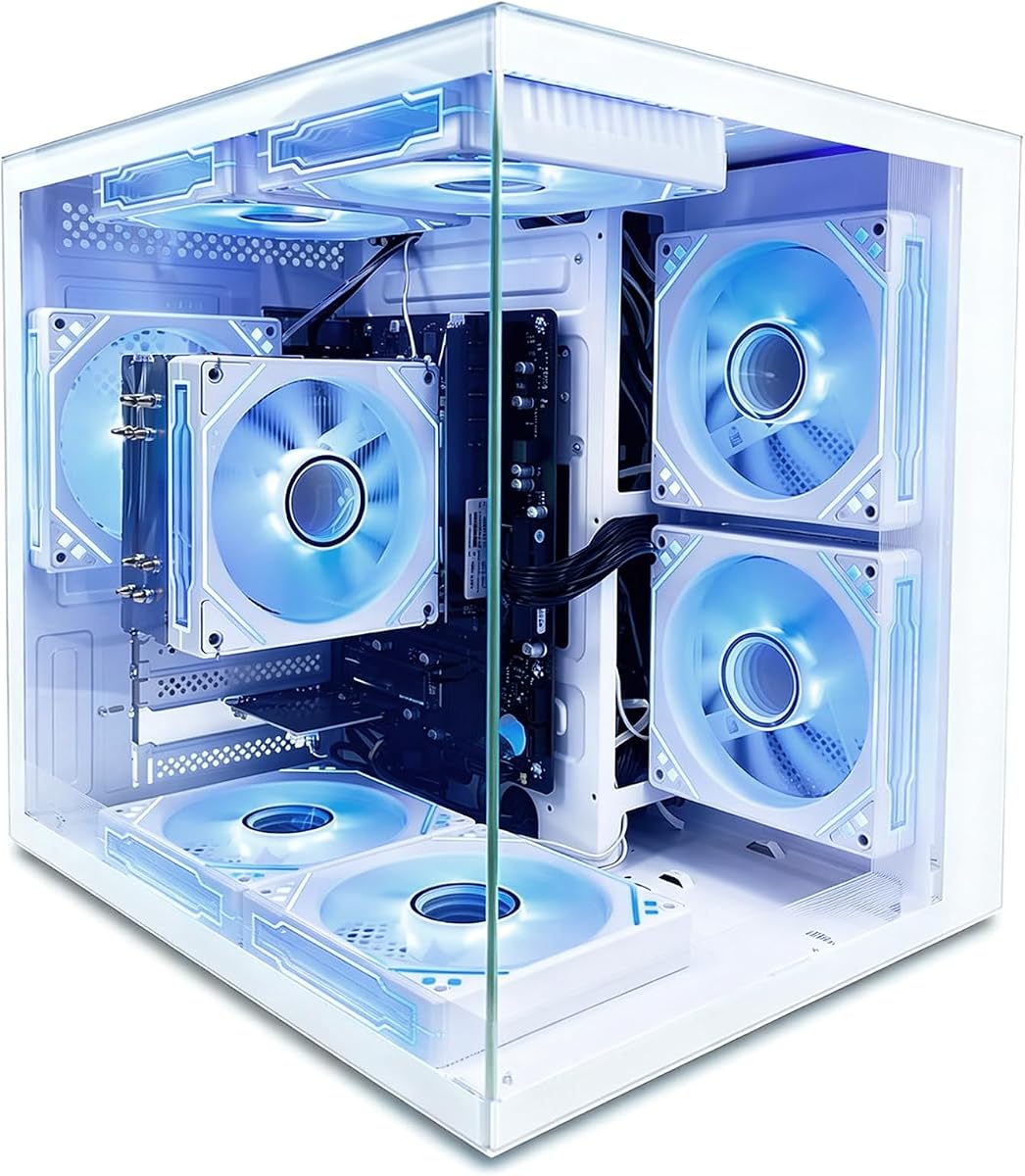
4.3Editor score

4.1Editor score
The following table provides a side-by-side look at key specifications for all ten selected desktop units. Reviewing these details helps clarify which system offers the most suitable balance of speed, storage, and connectivity for your specific needs.





The suevery Prebuilt Desktop PC stands out as a top choice for teens seeking a balance of performance and value. It arrives with a solid processor and ample memory to handle school tasks and casual gaming without needing immediate upgrades. The system includes modern connectivity features like Wi-Fi 6 to ensure fast internet speeds for streaming and downloads.
We may earn a commission when you buy through this link, at no additional cost to you.
Its Ryzen 5 APU provides decent graphical power through Vega graphics, allowing for light gaming at 1080p. The sixteen gigabytes of RAM ensure smooth multitasking across browser tabs and applications. The included solid state drive speeds up boot times significantly compared to older hard drive systems. Additionally, the RGB lighting adds a customizable aesthetic that appeals to younger users.
While the storage space is sufficient for now, adding more drive later is straightforward. The cooling system maintains stable temperatures even during longer sessions. This unit avoids the complexity of building a PC from scratch while offering upgrade paths for future needs. It is a practical solution that grows with the user.
This desktop is ideal for students who need a reliable machine for both work and play. It offers a seamless setup experience right out of the box. For those who want a system that performs well without a high price tag, this model is a strong recommendation to consider first.
Integrated Vega graphics allow for casual gaming at 1080p without a dedicated card.
Wi-Fi 6 ensures fast wireless speeds for streaming and online activities.
We may earn a commission when you buy through this link, at no additional cost to you.
The Dell Optiplex 3050 SFF offers an accessible entry point for teens needing a desktop for basic computing tasks. It features a quad-core processor and sixteen gigabytes of RAM which are sufficient for web browsing and document editing. The small form factor saves desk space making it ideal for bedrooms or shared study areas.
We may earn a commission when you buy through this link, at no additional cost to you.
Its inclusion of a 256GB SSD ensures fast boot times and responsive application launches. The system supports 4K dual displays allowing users to connect multiple screens for expanded workspace. A bundled USB keyboard and mouse are included which reduces the need for extra purchases. This makes it a complete package for immediate use.
The processor is older but still capable of handling daily schoolwork efficiently. While it may not excel at heavy gaming it runs productivity software smoothly. The refurbished status ensures it has been tested for functionality and reliability. It represents excellent value for those prioritizing cost over raw power.
This desktop is perfect for students focusing on academic tasks and media consumption. It provides a stable environment for online classes and homework. For families seeking a reliable secondary machine or first computer this model delivers essential performance at a minimal investment.
The small form factor fits easily on small desks or shelves.
Supports dual 4K displays for enhanced multitasking and productivity.
We may earn a commission when you buy through this link, at no additional cost to you.
The Dell OptiPlex 7070 SFF delivers premium performance suitable for teens engaging in video editing or programming. It features an eight-core processor that handles demanding tasks with ease. The massive thirty two gigabytes of RAM ensures that multiple heavy applications run simultaneously without slowing down.
We may earn a commission when you buy through this link, at no additional cost to you.
Storage is provided by a one terabyte NVMe SSD offering rapid data access and ample room for large files. The system includes Wi-Fi 6E for the fastest available wireless internet speeds. A wireless keyboard and mouse are included enhancing the setup experience. This configuration is robust for power users.
While it lacks a dedicated graphics card the CPU power is exceptional for general computing. The build quality is solid with plenty of ports for peripherals. This unit supports future expansion and remains relevant for years to come. It is a long-term investment for those with higher computing needs.
This desktop is best for teens focused on creative projects or advanced technical study. It provides the horsepower needed for complex workflows. For users who want a system that will not need replacement soon this model is the top choice.
Eight-core processor enables efficient multitasking and video rendering.
One terabyte SSD holds large media files and applications.
We may earn a commission when you buy through this link, at no additional cost to you.
The DELL Optiplex 7060 SFF provides strong computing capabilities for teens with varied digital needs. Its six-core processor handles multiple tasks smoothly ensuring efficiency during study or entertainment. The thirty two gigabytes of RAM support running virtual machines or heavy software suites alongside regular apps.
We may earn a commission when you buy through this link, at no additional cost to you.
Storage is a five hundred twelve gigabyte NVMe SSD offering quick boot times and fast file transfers. Built-in Bluetooth and WiFi allow easy connection to accessories and networks. A wireless keyboard and mouse are included to simplify setup. This unit is designed for reliable daily use.
While storage is good it may fill up with large media libraries over time. The system is solid and designed for professional environments ensuring durability. It supports Windows 11 Pro providing access to the latest features. This is a dependable choice for those needing more memory than average.
This desktop suits students needing high performance for technical or creative work. It offers a stable platform for learning and play. The included accessories and fast storage make it a convenient ready-to-use solution for busy households.
Thirty two GB of RAM supports heavy multitasking requirements.
Bluetooth and WiFi enable seamless peripheral and network connections.
We may earn a commission when you buy through this link, at no additional cost to you.
The Dell Optiplex 9020 Desktop comes as a complete bundle including a monitor and productivity tools. This setup is designed to save time on assembly and peripheral purchasing. The included 20 inch screen allows for immediate use right out of the box. It is a good starting point for teens new to desktop computers.
We may earn a commission when you buy through this link, at no additional cost to you.
Its processor is adequate for basic tasks like writing essays and watching videos. The system includes Windows 11 Pro and an RGB bundle for a customized look. A 90-day warranty provides confidence in the refurbished quality. The hardware is tested to ensure it functions as intended.
The eight gigabytes of RAM may limit heavy multitasking capabilities. Also the hard drive storage is slower than a solid state drive. Despite these limitations the bundle offers excellent convenience for budget-conscious buyers. It provides a functional workstation without extra assembly work.
This desktop is perfect for those who want a full setup in one purchase. It covers essentials for school and media consumption. For families needing a quick ready-to-go solution this bundle offers clear practical value and ease of use.
Includes monitor and peripherals for instant usability.
RGB bundle adds aesthetic value to the workstation.
We may earn a commission when you buy through this link, at no additional cost to you.
The Dell Optiplex 5050 SFF combines power and compactness in a small form factor design. It features a quad-core i7 processor and fast NVMe storage for responsive performance. The case size fits easily on desks or shelves making it versatile for any room. This makes it a practical choice for shared spaces.
We may earn a commission when you buy through this link, at no additional cost to you.
Sixteen gigabytes of RAM allows for smooth multitasking during study sessions. The included keyboard and mouse ensure immediate readiness. Windows 11 Pro provides a secure and updated environment. The system is built to handle daily productivity tasks efficiently and reliably.
The small case does limit internal expansion options for later upgrades. However the hardware inside is robust enough for current needs. The refurbished process ensures it works like new with tested components. It offers a great balance of size and performance for the price.
This desktop is ideal for teens needing a quiet fast machine for homework and browsing. It saves space while delivering solid speed. For users wanting a discreet computer that performs well this model is a strong contender to consider.
Compact design with fast SSD for quick access.
Includes necessary peripherals for immediate operation.
We may earn a commission when you buy through this link, at no additional cost to you.
The Dell OptiPlex Desktop RGB Computer PC focuses on providing a visually appealing setup with included peripherals. It features a customizable RGB light panel on the front that adds style. The bundle includes a 24 inch monitor keyboard mouse and headset for a complete experience. This reduces the hassle of finding matching accessories.
We may earn a commission when you buy through this link, at no additional cost to you.
Its processor and RAM are sufficient for general computing and media consumption. The five hundred twelve gigabyte SSD offers quick boot times and file access. Windows 11 Pro ensures security and modern app support. This unit is designed to be ready for use right out of the box.
While the gaming performance is limited the system handles school and web tasks well. The RGB features are a nice touch for teens who value aesthetics. It is a refurbished unit tested for functionality and reliability. This makes it a convenient choice for those wanting a full setup.
This desktop is great for teens who want a stylish ready-made system for their room. It covers basics well and looks modern. For users prioritizing a complete package over raw specs this model offers significant convenience and value.
RGB lighting adds a personalized visual touch to the desk.
Includes headset and monitor for immediate setup.
We may earn a commission when you buy through this link, at no additional cost to you.
The Dell Optiplex 3060 Desktop Computer emphasizes storage and memory for heavy use. It comes with thirty two gigabytes of RAM which is rare for this class of machine. The one terabyte SSD provides plenty of space for apps and files. This combination supports running many apps simultaneously without slowdown.
We may earn a commission when you buy through this link, at no additional cost to you.
Built-in WiFi and Bluetooth connect easily to wireless peripherals and networks. The system boots quickly and handles file transfers efficiently. It is certified refurbished ensuring quality and functionality. This unit is well-suited for users who need reliable capacity and speed.
While the processor is standard the large memory compensates for many tasks. The case allows for stable operation and future expansion. It is a practical choice for data-heavy workflows. The balance of RAM and storage makes it stand out in the comparison.
This desktop is best for teens who store many files or run multiple programs. It offers the performance needed for complex school projects. For users valuing memory capacity and storage space this model is a top practical option.
One TB SSD and 32GB RAM support heavy workload.
Built-in WiFi and Bluetooth ensure easy connectivity.
We may earn a commission when you buy through this link, at no additional cost to you.
The Dell Gaming OptiPlex Desktop RGB Computer PC adds a dedicated graphics card to the mix. This makes it suitable for teens who want to play casual games. The GT 1030 allows for playability in older titles. The bundle includes a monitor keyboard mouse and headset for a complete setup.
We may earn a commission when you buy through this link, at no additional cost to you.
Its processor is robust enough for general tasks and light gaming. The RGB lighting enhances the gaming aesthetic on the desk. It features a 24 inch HDMI monitor for clear visuals. This unit is designed to offer a fun experience out of the box.
While not built for high-end gaming it covers basic titles well. The included peripherals simplify the setup process for new owners. It is a refurbished unit tested for quality and reliability. This model bridges the gap between office and gaming needs.
This desktop is ideal for teens wanting to try gaming without a custom build. It provides the necessary hardware for entry-level fun. For users who want a ready-to-play system this option is a solid practical choice.
Dedicated GPU enables light gaming at decent rates.
Complete accessory set for immediate gaming fun.
We may earn a commission when you buy through this link, at no additional cost to you.
The Dell OptiPlex 7050 Desktop Computer PC offers a reliable standard configuration for teens. It features a quad-core processor and solid state storage for efficient performance. Built-in WiFi and Bluetooth ensure easy connectivity to devices. This machine handles daily tasks like browsing and writing without issues.
We may earn a commission when you buy through this link, at no additional cost to you.
The sixteen gigabytes of RAM support smooth multitasking across tabs and apps. It is ready for Windows 11 Pro for a secure environment. The system is certified refurbished and tested for functionality. It represents a solid investment for consistent computing needs.
While it is not the newest model it is very capable for general use. The hardware remains relevant for school and media consumption. It includes necessary ports for future upgrades. This unit provides a stable platform for learning and entertainment.
This desktop is suitable for teens needing a dependable machine for homework and media. It balances performance and cost well. For users wanting a proven workhorse this model is a strong recommendation to consider.
Refurbished units offer tested reliability for daily use.
Built-in WiFi and Bluetooth ensure easy access.
We may earn a commission when you buy through this link, at no additional cost to you.
Choosing the right desktop requires evaluating performance, storage, and connectivity to match a teen's specific needs. This section breaks down the key factors to consider for a successful purchase.
The processor acts as the brain of the computer determining how fast tasks are completed. For teens focused on schoolwork a mid-range quad-core or six-core processor is usually sufficient. Those interested in coding or video editing should look for models with eight cores or higher.
Prioritize a processor with a good turbo speed to ensure responsiveness during multitasking sessions.
Random Access Memory allows the system to run multiple programs at once without slowing down. Sixteen gigabytes is a great baseline for modern browsers and apps. For heavy multitasking or virtual machines consider thirty two gigabytes.
Choose at least sixteen gigabytes of RAM to keep the system running smoothly over time.
Storage type significantly impacts boot times and application loading speeds. Solid state drives are much faster than traditional hard drives and are now the standard. Look for NVMe models for the highest speeds.
Always select a model with a solid state drive to ensure fast system response.
Modern teens rely heavily on wireless connections for internet and peripherals. Built-in Wi-Fi 6 or 6E ensures fast streaming and downloads. Bluetooth is essential for connecting headphones and speakers easily.
Verify that the desktop includes modern wireless capabilities for seamless device pairing.
Integrated graphics are fine for general use and streaming. However gamers will need a dedicated graphics card to run modern titles smoothly. Many refurbished units allow for future upgrades if needed.
Select a dedicated graphics card if gaming performance is a top priority.
Space constraints in bedrooms often require compact designs. Small form factor models take up less desk space while maintaining performance. Ensure the case allows for airflow and future expansion.
Choose a compact case to fit limited desk space effectively.
Windows 11 Pro is the standard for most units and provides strong security features. It supports the latest software and updates for long-term use. Ensure the license is active for full functionality.
Confirm the system comes with an active Windows 11 Pro license.
Refurbished PCs offer significant savings compared to brand new units. Look for models that come with a ninety-day warranty for peace of mind. This protects against initial hardware issues.
Always check for a warranty to ensure support after purchase.
Place the desktop in a well-ventilated area to prevent overheating. Keep it away from direct sunlight and liquids. Dust regularly with a soft dry cloth.
Install antivirus software to protect personal data. Use strong passwords and avoid suspicious links. Keep the system updated with the latest patches.
Encourage regular restarts to clear memory. Backup important files to cloud storage frequently. Limit physical shocks to ensure longevity.
Yes refurbished desktops are often reliable because they undergo strict testing. Certified units are cleaned and checked for functionality. They offer a cost-effective solution for families.
Sixteen gigabytes is the standard for modern gaming. It allows for smooth play with other apps open. Thirty two gigabytes offers extra headroom for heavy multitasking.
Some bundles include a monitor but most do not. Check the product description carefully for included accessories. Most units are sold as the tower only.
Most models have expansion slots for adding drives. Check the manual for available bays and connection types. NVMe SSDs are easy to install for more space.
Yes most units come pre-installed with Windows 11 Pro. They meet the security requirements for the OS. This ensures access to modern features and updates.
Install reputable antivirus software and keep it updated. Avoid clicking unknown links or downloading from untrusted sites. Regular scans help detect threats early.
This guide highlights ten distinct options ranging from budget bundles to high-performance workstations. The suevery Prebuilt offers the best balance while the Dell Optiplex 3050 is the top budget pick. The Dell Optiplex 7070 stands out for high-end performance needs.
Prioritize memory and storage speed to ensure the machine remains relevant for years. A good processor is essential for smooth multitasking during school and leisure. Balance these specs with the available budget for the best value.
Prices and availability change frequently so verify current details before buying. Always check the warranty terms for peace of mind. Use this list to find the ideal desktop that fits your specific requirements.