
Samsung QB43R
5.0Editor score
43-inch 4K UHD resolution
Built-in Wi-Fi and Bluetooth
350 nit brightness level
Selecting the right display for your meeting space is crucial for effective collaboration and clear communication. A dedicated conference room monitor ensures that all participants can see content clearly while supporting the connectivity options your team relies on daily for seamless presentations.
We evaluated ten leading commercial displays based on resolution, size, connectivity options, and specialized business features like built-in media players and remote management capabilities. Our analysis focuses on models designed specifically for 24 7 operation and compatibility with major video conferencing platforms.
Each product entry below highlights key specifications, real-world performance characteristics, and ideal use cases to help you match the right monitor to your room size and budget. Please note that product availability and pricing can change frequently so verify current details before purchasing.
5.0Editor score
5.0Editor score

As an Amazon Associate we earn from qualifying purchases.
The following table provides a side-by-side comparison of all ten monitors evaluated in this guide to help you quickly identify the specifications that matter most for your specific conference room setup and operational requirements.


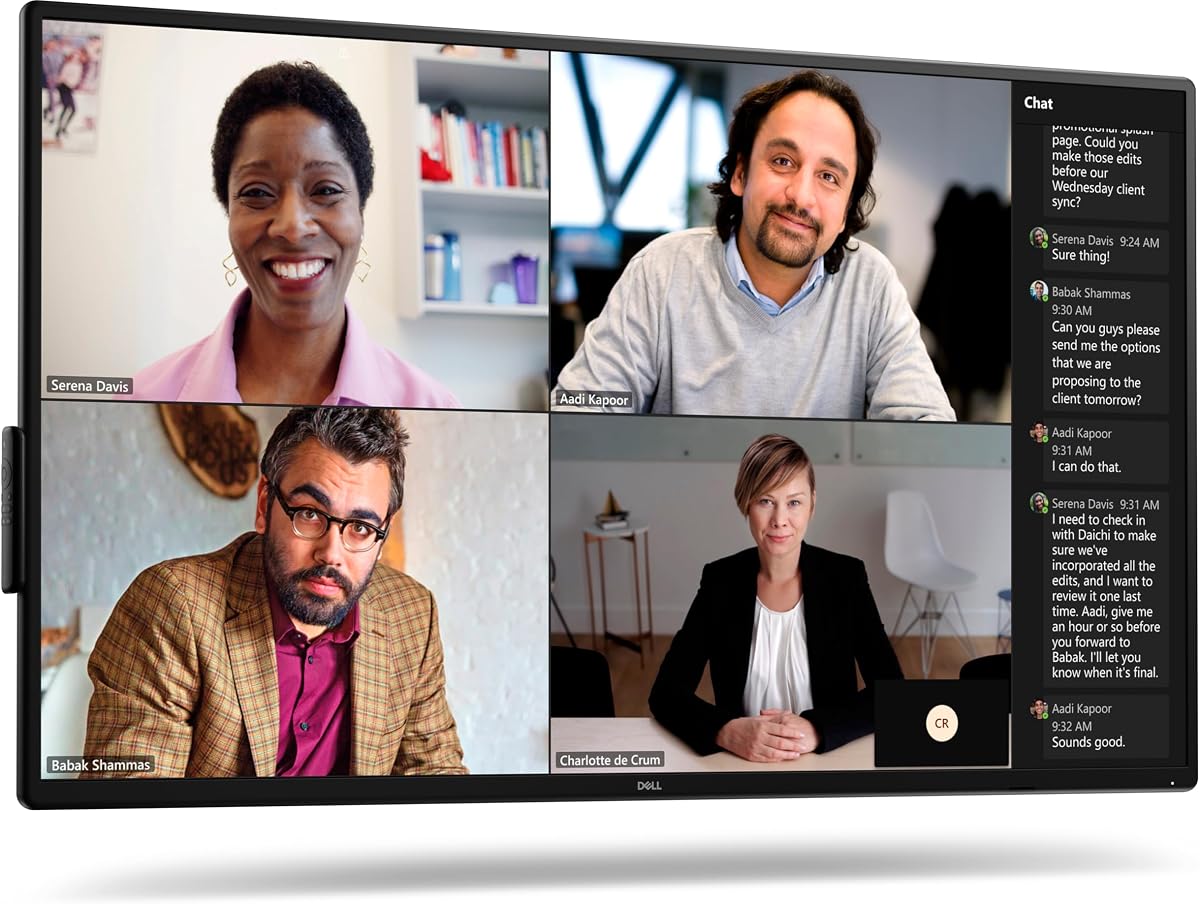


The Dell P5524Q stands out as a robust commercial display designed specifically for modern conference rooms requiring reliable performance and clear visuals. With its 55-inch 4K resolution, it delivers sharp text and detailed graphics that ensure presentations look professional from any seat in the room.
We may earn a commission when you buy through this link, at no additional cost to you.
This monitor includes practical business features like anti-glare technology to reduce reflections from overhead lighting and integrated 10W speakers for basic audio needs without external hardware. The inclusion of security lock and cable lock slots provides physical protection against theft and accidental disconnection in shared spaces.
While the price point positions it as a premium investment compared to standard office monitors, the durability and specific conference room features justify the cost for organizations prioritizing reliability. Some users may find the lack of an embedded media player requires additional hardware for standalone content playback.
We recommend the Dell P5524Q for medium to large meeting rooms where display clarity and physical security are priorities. It serves as a solid backbone for hybrid work setups where visual fidelity during video calls is essential for effective collaboration across distributed teams.
The 4K UHD resolution ensures that detailed charts and text remain crisp even when projected onto a large 55-inch surface for all attendees to see clearly.
Integrated lock slots allow facilities managers to secure the monitor to mounting hardware and prevent unauthorized cable tampering in open office environments.
We may earn a commission when you buy through this link, at no additional cost to you.
The Samsung QB65R offers an expansive 65-inch viewing area that transforms large conference halls into immersive collaboration spaces. Its 4K UHD resolution paired with dynamic Crystal Color ensures that colors remain vivid and lifelike even during long meeting sessions.
We may earn a commission when you buy through this link, at no additional cost to you.
Businesses can leverage built-in Wi-Fi and Bluetooth to control content sharing via mobile devices and tablets without needing extra hardware. The system is explicitly certified for Cisco WebEx room kits, making it an ideal choice for organizations standardizing on that conferencing platform.
While the size is a significant advantage for large audiences, it requires careful planning for installation and power requirements. The elegant slim design helps cable management but may need professional mounting services due to the weight and dimensions involved.
We suggest the Samsung QB65R for executive boardrooms or training centers where maximizing visibility is critical. The combination of commercial-grade build quality and conferencing compatibility makes it a strong candidate for enterprises needing a unified visual communication solution.
Specific compatibility with Cisco WebEx room kits streamlines setup for organizations already invested in that ecosystem and reduces IT overhead during deployment.
Built-in wireless connectivity allows presenters to cast content from personal devices quickly and manage display settings remotely without physical access.
We may earn a commission when you buy through this link, at no additional cost to you.
The LG UL3G bundle provides an accessible entry point for businesses needing a reliable 4K monitor without breaking the budget. At 43 inches, it fits well in smaller huddle rooms while maintaining high resolution for clear text and video content.
We may earn a commission when you buy through this link, at no additional cost to you.
What sets this option apart is the included bundle featuring HDMI cables, a surge protector, and cleaning kit which reduces setup costs and ensures immediate usability upon delivery. The built-in WebOS 4.1 eliminates the need for an external media player for many digital signage tasks.
While the screen size is smaller than commercial giants, it delivers consistent image quality thanks to the IPS panel which maintains accurate colors from wide angles. This makes it suitable for teams where multiple people need to view the screen from different positions simultaneously.
We recommend the LG UL3G Bundle for startups or small offices requiring cost-effective display solutions. The inclusion of essential accessories and compatibility with major control systems like Crestron makes it a practical choice for efficient room deployments.
The included surge protector and HDMI cables save additional procurement time and ensure the monitor is protected against power fluctuations from day one.
WebOS integration allows for easy content management and scheduled playlists without needing external computers for simple display tasks.
We may earn a commission when you buy through this link, at no additional cost to you.
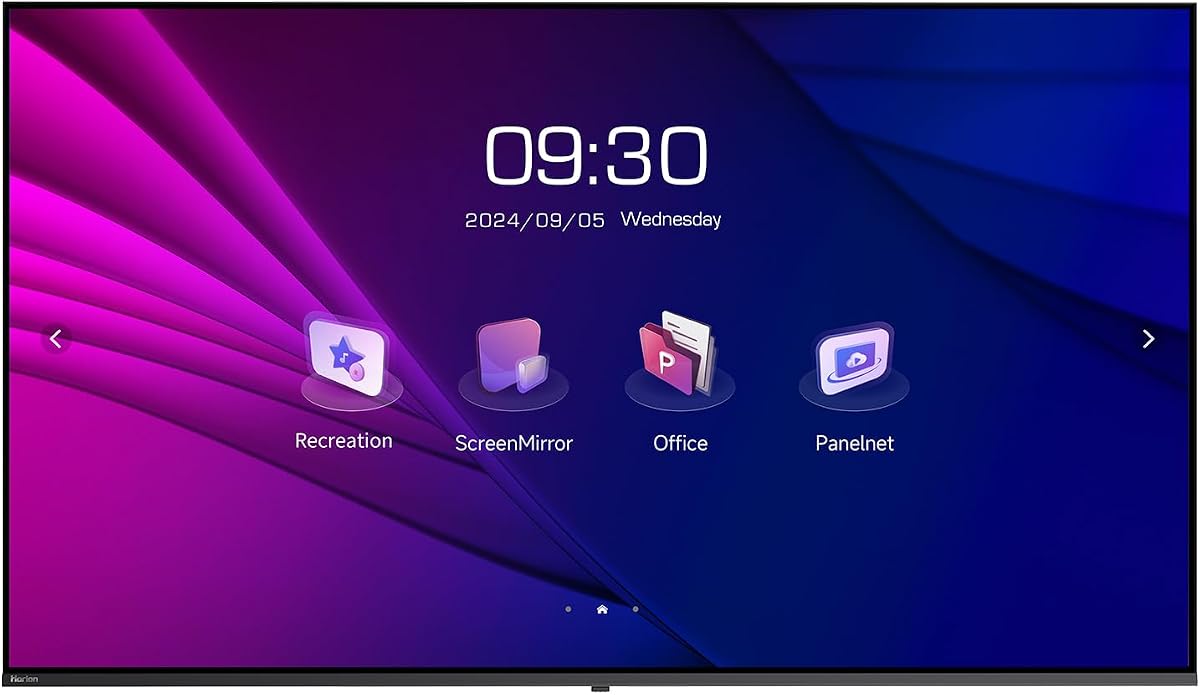
The HORION 75-inch commercial display is designed to dominate large meeting spaces with its expansive screen and all-in-one software features. It delivers vibrant visuals even in bright retail or office environments thanks to 320 cd/m2 brightness and a wide 178 degree viewing angle.
We may earn a commission when you buy through this link, at no additional cost to you.
Its standout feature is the Dual WiFi Pro Stability System which uses twin independent modules to prevent lag during wireless casting. This ensures reliable connection for video conferences and presentations even when multiple devices attempt to connect to the network simultaneously.
The ability to mount in vertical orientation adds versatility for lobby directories or specific classroom layouts. Built-in tools like agenda timers and voting support streamline meeting workflows without requiring additional software installations on a connected PC.
We suggest the HORION 75-inch for large conference halls or high-traffic retail spaces where visibility is paramount. Its robust build and specialized connectivity options make it ideal for environments where reliability and ease of use are critical operational requirements.
Separate WiFi channels for internet and casting ensure that video calls remain stable even when the network is congested by other office devices.
Embedded agenda timers and voting features reduce administrative overhead during meetings and keep presentations on schedule without external apps.
We may earn a commission when you buy through this link, at no additional cost to you.
The Dell P5525QC brings modern connectivity standards to the conference room with its USB-C support allowing laptops to connect with a single cable. This simplifies setup for modern devices and reduces cable clutter while delivering a bright 400cd/m2 display suitable for well-lit meeting areas.
We may earn a commission when you buy through this link, at no additional cost to you.
With its 55-inch IPS panel, the monitor ensures that colors remain accurate regardless of where attendees sit in the room. The 60Hz refresh rate provides smooth video playback for streaming content or video conferencing without noticeable screen tearing or lag.
While specific feature details are sparse in the listing, the inclusion of DisplayPort and HDMI alongside USB-C offers flexibility for legacy equipment. The commercial grade build ensures long-term reliability for environments where the screen is used daily for extended periods.
We recommend the Dell P5525QC for tech-forward teams prioritizing seamless laptop connectivity. It is a strong choice for medium-sized meeting rooms where reducing cable complexity and maintaining high visual fidelity are key goals.
USB-C support enables single-cable solutions for video and data transfer which significantly reduces the clutter often found in crowded conference tables.
The 400cd/m2 brightness ensures that the image remains visible and vibrant even when sunlight enters the room through large windows.
We may earn a commission when you buy through this link, at no additional cost to you.
The Philips 34E1C5600HE is uniquely positioned as an all-in-one huddle room solution combining a curved wide-screen display with integrated conferencing hardware. This eliminates the need for separate webcams and microphones which simplifies the setup for small meeting spaces.
We may earn a commission when you buy through this link, at no additional cost to you.
The Windows Hello webcam with noise-canceling microphone ensures secure logins and clear audio pickup without extra peripherals. The curved 1500R panel provides immersive viewing that reduces eye strain during long work sessions which benefits teams collaborating on complex designs or data.
While its rating is lower than some commercial signage options, it offers distinct advantages for individual workstation use or very small pod-style meetings. The USB-C docking capability further enhances convenience by allowing a laptop to power up and connect simultaneously.
We suggest this model for small huddle rooms or executive offices where space is limited. It is particularly useful for teams that need a single device to handle both content display and video conferencing without managing multiple cables and hardware components.
Built-in webcam and microphone reduce peripheral clutter and ensure high quality audio video capture without requiring additional desk space.
The curved screen geometry helps align the viewer's gaze naturally reducing strain during extended periods of focus on content.
We may earn a commission when you buy through this link, at no additional cost to you.
The Samsung QB43R offers a balanced combination of size and features ideal for standard meeting rooms. Its 43-inch 4K display ensures clarity for document review and video conferencing while its slim bezel design maintains a professional aesthetic in corporate settings.
We may earn a commission when you buy through this link, at no additional cost to you.
This model includes a 3-Year commercial warranty providing peace of mind for IT managers managing multiple locations. Built-in Wi-Fi and Bluetooth enable wireless control and content sharing without relying on wired connections which speeds up meeting transitions.
Intelligent UHD upscaling ensures that older standard definition content still looks sharp on the high resolution panel. The all-in-one SoC technology simplifies installation by reducing the need for external media players or control units in smaller setups.
We recommend the Samsung QB43R for organizations looking for reliable mid-range performance. It is an excellent fit for department meeting rooms where professional visual quality and warranty coverage are more important than advanced smart features.
The included 3-Year commercial warranty ensures long-term operational stability and reduces maintenance costs over the lifecycle of the hardware.
Built-in Wi-Fi allows presenters to share content quickly from laptops or phones without fumbling for HDMI cables during meetings.
We may earn a commission when you buy through this link, at no additional cost to you.
The Sony FW75BZ30L leverages decades of display expertise to deliver a premium commercial monitor suitable for high-end corporate and broadcast environments. Its 75-inch panel supports both landscape and portrait orientations making it versatile for lobby directories or wide boardroom presentations.
We may earn a commission when you buy through this link, at no additional cost to you.
Sony's reputation for color accuracy and HDR support ensures that visual content looks true to life which is critical for design reviews or client presentations. The VA LCD technology provides excellent contrast ratios helping viewers distinguish details in darker images or charts.
While the listing is sparse on smart features, the commercial grade build quality suggests robust internals designed for continuous operation. This makes it a reliable choice for businesses that prioritize display fidelity and longevity over built-in smart capabilities.
We suggest the Sony FW75BZ30L for executive boards or premium client-facing meeting rooms. It is an investment in visual quality that enhances the perceived value of meetings and ensures professional presentations regardless of the content source.
Sony's proprietary processing ensures that color reproduction remains consistent across different content sources and lighting conditions in the room.
The ability to rotate the screen to portrait mode allows for creative content layouts for digital signage or specialized data visualization tasks.
We may earn a commission when you buy through this link, at no additional cost to you.
The Samsung QE50T is engineered specifically for environments requiring continuous use including retail floors or 24-hour lobbies. Its 50-inch 4K display offers a generous viewing area while the IP5X dust-proof rating protects internal components from dust accumulation during daily use.
We may earn a commission when you buy through this link, at no additional cost to you.
Designed for 16/7 operation, this model ensures consistent performance without the thermal limitations often found in consumer-grade displays. The 3 side bezel-less design creates a modern look and allows for multi-panel setups where seams between screens are minimized for a seamless wall.
Built-in media players allow direct USB content playback which simplifies signage management for IT staff. The 3-Year warranty reinforces its positioning as a durable commercial asset rather than a standard office monitor meant for intermittent use.
We recommend the Samsung QE50T for public-facing areas or busy workspaces where the display is always on. It is a reliable solution for organizations needing a monitor that can withstand constant operation and potential environmental contaminants.
The 16/7 rated duty cycle ensures the hardware can run for extended periods without overheating or performance degradation.
IP5X dust-proof rating protects the unit from particulate matter which extends the lifespan in high-traffic or industrial environments.
We may earn a commission when you buy through this link, at no additional cost to you.
The Logitech MeetUp is a dedicated video conferencing system designed to bring professional video call quality to huddle and small conference rooms. Unlike standalone monitors it integrates a 4K camera with three beamforming microphones to capture audio and video clearly from all seats.
We may earn a commission when you buy through this link, at no additional cost to you.
Its 120 degree field of view ensures that all participants are visible even when seated around a small table. The motorized pan and tilt allow dynamic adjustment to focus on specific areas or whiteboards during a presentation which enhances interactive collaboration.
Compatible with Zoom Rooms Teams and Google Meet it works seamlessly with existing IT infrastructure. While it does not serve as a display screen it is a critical component for rooms where video clarity and audio capture are more important than visual content display.
We recommend the Logitech MeetUp for small to medium conference rooms focused on virtual meetings. It is an essential addition for organizations standardizing on remote collaboration and needing reliable high quality camera audio equipment without complex setups.
The combination of 4K resolution and beamforming microphones ensures that remote participants hear and see everyone clearly without background noise.
Support for multiple conferencing platforms means organizations can deploy it across different teams without needing different hardware for each platform.
We may earn a commission when you buy through this link, at no additional cost to you.
Selecting the right conference room monitor requires balancing size resolution and connectivity features. This guide outlines the critical factors to consider to ensure your choice meets the specific needs of your meeting space and workflow.
The physical dimensions of your room dictate the ideal screen size. Larger rooms benefit from 65-inch or larger displays to ensure visibility from the back rows while smaller huddle rooms may suffice with 43-inch to 55-inch screens. Always measure wall space and seating distance before purchasing to avoid under or over sizing the display.
Choose a screen size that allows every attendee to see content clearly without straining their eyes.
4K UHD resolution is becoming the standard for professional environments ensuring that text and graphics remain crisp. Panel technology such as IPS offers wider viewing angles which is essential when multiple people are viewing the screen from different positions. VA panels offer better contrast but may have narrower viewing angles.
Prioritize 4K resolution and IPS technology for consistent image quality across the room.
Modern conferencing often requires flexible input options. Look for HDMI and USB-C ports to support laptops and tablets. Some monitors include built-in Wi-Fi and Bluetooth for wireless casting reducing cable clutter and enabling quick setup during meetings.
Ensure the monitor supports the connection types used by your team's devices.
Commercial monitors typically range from 300 to 500 nits of brightness. Higher brightness is necessary for rooms with large windows or bright overhead lighting. Anti-glare coatings are also important to prevent reflections that can obscure content for certain attendees.
Select a brightness level above 350 nits for rooms with significant ambient light.
Commercial monitors are built for 16/7 operation unlike consumer TVs which are often rated for limited hours. If your room sees heavy daily use or is always on for signage verify the duty cycle rating. Also check for robust build materials and dust-proof ratings for longevity.
Choose a commercial-grade monitor rated for continuous operation to ensure reliability.
Many modern monitors include embedded media players or operating systems like Android or WebOS. These allow standalone content playback without a connected PC which simplifies digital signage or simple meeting needs. Check if these features align with your IT management strategy.
Look for built-in media players if you need to run content without a laptop.
Built-in speakers vary significantly in quality and volume. While some monitors include basic audio systems most businesses require external speakers or a conferencing system for clear sound. Ensure the monitor has audio out ports if you plan to use external sound systems.
Verify audio input and output ports to support your existing sound equipment.
Physical security is important for shared spaces. Many commercial monitors include cable lock slots and anti-theft features to prevent unauthorized removal. VESA mounting compatibility allows flexible installation on walls or carts so check the VESA pattern before purchasing mounting hardware.
Ensure the monitor includes security locks and standard VESA mounting patterns.
Position the monitor at an optimal height where the top of the screen is at or slightly below eye level to reduce neck strain. Ensure it is mounted securely on a wall or cart using the recommended VESA pattern and compatible hardware for safety.
Clean the screen regularly using a soft microfiber cloth to remove dust and fingerprints. Avoid harsh chemicals or paper towels that might scratch the surface. If the monitor has an anti-glare coating use only cleaning solutions recommended by the manufacturer to preserve the coating.
Update the firmware periodically through the system menu to ensure compatibility with new devices and security patches. If the monitor supports remote management tools configure them early to track usage and settings changes across multiple locations.
The ideal size depends on room dimensions and audience size. For small huddle rooms with 4 to 6 people a 43 to 55-inch screen is usually sufficient. Medium rooms with 10 to 15 people often require 65-inch displays while larger rooms may need 75-inch or more for clear visibility.
Many modern commercial monitors include built-in Wi-Fi and Bluetooth supporting wireless casting protocols like Miracast or AirPlay. Some require external dongles or software installed on the connected PC but integrated solutions simplify the process for users.
Commercial monitors are designed for longer duty cycles often rated for 16/7 operation compared to typical TV hours. They offer higher brightness levels anti-glare coatings and built-in security features which make them more durable for daily office use.
Yes many models include embedded media players or operating systems that allow playback of content via USB or network storage. This reduces the need for a dedicated PC if the primary use is digital signage or simple presentations.
Most HDMI and USB-C supported monitors work with major conferencing systems like Zoom Teams and Google Meet. Some models are explicitly certified for kits like Cisco WebEx ensuring seamless integration with specific hardware setups.
Commercial monitors are built to last longer than consumer screens often exceeding 50,000 hours of operation. With proper maintenance and firmware updates they can remain functional for 5 to 10 years in typical office environments.
Look for monitors with cable lock slots and Kensington slots that allow physical attachment to desks or mounts. Additionally use VESA mounting brackets that are secured to wall studs to prevent removal without proper tools and authorization.
4K UHD resolution is the current standard for professional text clarity ensuring that documents and spreadsheets appear sharp even from a distance. It significantly reduces eye strain compared to Full HD especially in larger rooms.
Choosing the right monitor for your meeting space involves balancing size resolution and connectivity. Whether you prioritize large screen real estate like the HORION 75-inch or budget-friendly value with the LG UL3G Bundle each option reviewed here offers distinct advantages for different environments.
Focus on durability and connectivity first ensuring the monitor can handle daily use and integrates smoothly with your existing conferencing tools. Features like anti-glare coatings and wireless casting can significantly improve user experience in modern hybrid work settings.
Remember that prices and availability change frequently so verify the current specifications and pricing before finalizing your purchase. Investing in a quality commercial monitor now ensures reliable performance and visual clarity for your team's collaboration needs in the future.