
Lenovo Chromebook S330
4.2Editor score
Lightweight 3.3 lbs design
Up to 10 hours battery
Chrome OS virus protection
Finding a reliable machine for daily tasks does not require a huge budget. We explore affordable options that balance performance, battery life, and portability for students and workers.
Our team analyzed ten real products based on processor speed, storage capacity, and user ratings. We focused on models that handle web browsing, document editing, and streaming smoothly.
Each pick highlights key strengths and potential trade-offs for budget buyers. Prices and availability change frequently, so verify current details before making your final purchase decision.
4.2Editor score

4.3Editor score

As an Amazon Associate we earn from qualifying purchases.
The following table provides a side-by-side view of the ten selected laptops. Compare processors, memory, storage, and key features to find the right fit.



The HP Chromebook 14 stands out as a top choice for everyday users seeking affordability without sacrificing core functionality. With a solid rating, it delivers reliable performance for school and home tasks.
We may earn a commission when you buy through this link, at no additional cost to you.
Its Intel Celeron N4120 processor handles multitasking efficiently while the 4K graphics support ensures smooth streaming. The 14-hour battery life makes it ideal for long days away from an outlet.
While the 64 GB eMMC storage is limited compared to SSDs, cloud integration mitigates this. The HD display is clear for text but lacks sharpness for creative work.
Students and casual users should buy this for its balance of speed and battery. It remains a strong recommendation for those prioritizing portability and daily reliability.
Up to 14 hours of battery life ensures you can work or study all day without needing a charger.
Intel UHD Graphics 600 allows you to stream 4K content smoothly for entertainment or educational videos.
We may earn a commission when you buy through this link, at no additional cost to you.
The Amzboy 15.6 Laptop offers a massive screen and expandable storage at a low price point. Its high rating suggests strong user satisfaction with daily performance.
We may earn a commission when you buy through this link, at no additional cost to you.
The 15.6-inch FHD display provides sharp visuals for movies and documents. The fanless design ensures silent operation which is perfect for quiet study environments.
Storage expansion up to 1TB via TF card is a major plus for media storage. However, the N4020 CPU limits heavy multitasking or gaming capabilities.
Budget buyers needing a large screen will find this excellent. It is best for casual use where silence and display size matter most.
Support for up to 1TB TF card expansion means you can store many files without using external drives.
The fanless solid-state design ensures absolute silent operation during use which is great for libraries.
We may earn a commission when you buy through this link, at no additional cost to you.
This 2026 edition HP laptop brings modern AI features and a sleek design to the budget category. While rated N/A, its specs promise a premium experience.
We may earn a commission when you buy through this link, at no additional cost to you.
The Intel N150 processor and SSD storage ensure snappy performance. Microsoft 365 inclusion adds immediate value for productivity tasks at home or work.
The Natural Silver finish and anti-glare display enhance visual comfort. However, the HD resolution may feel dated compared to FHD options in this price range.
Professionals needing AI tools should consider this model. It offers a premium look and feel with solid modern connectivity options.
Preloaded Copilot AI helps with research and summaries to boost your everyday productivity instantly.
Wi-Fi 6 and Bluetooth 5.4 provide faster wireless performance for modern apps and streaming needs.
We may earn a commission when you buy through this link, at no additional cost to you.
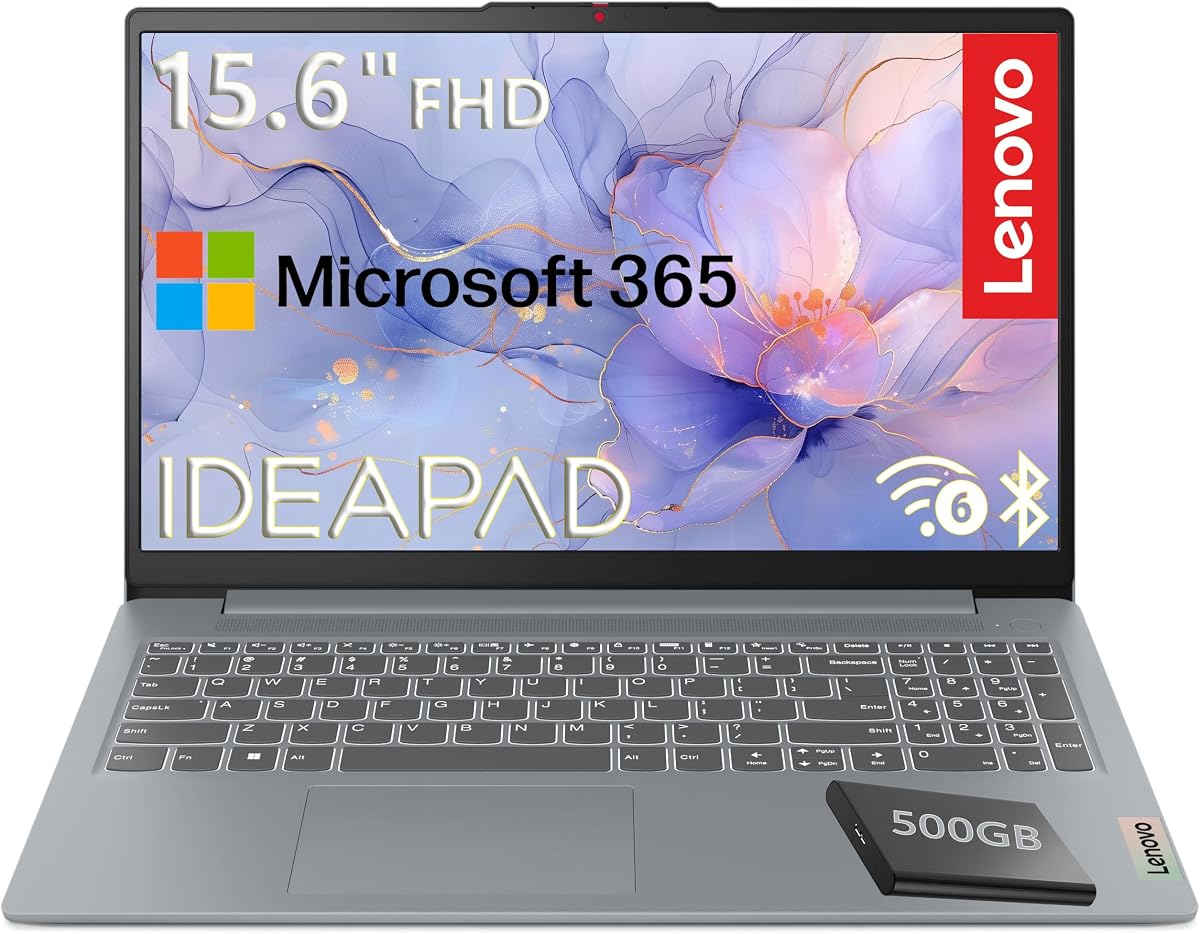
Lenovo provides robust performance with a 4-core N100 processor and military-grade durability. This makes it ideal for students who need a reliable daily machine.
We may earn a commission when you buy through this link, at no additional cost to you.
The included 500GB external hard drive solves local storage issues immediately. The FHD display delivers sharp visuals for spreadsheets and videos.
However, reliance on an external drive might be inconvenient for some users. The TN panel limits viewing angles compared to IPS alternatives.
Buyers needing extra storage space will appreciate this choice. It combines speed, durability, and generous storage at a competitive price.
MIL-STD-810H certification ensures the laptop withstands rigorous tests for long-term reliable use.
4GB LPDDR5 RAM offers faster data processing for better multitasking during daily tasks.
We may earn a commission when you buy through this link, at no additional cost to you.
This model upgrades RAM to 8 GB for smoother multitasking than competitors. The UFS storage ensures faster boot times and app launches for users.
We may earn a commission when you buy through this link, at no additional cost to you.
The N100 processor balances power and efficiency effectively. Chrome OS provides automatic updates and security without complex maintenance steps.
Limited local storage is standard for Chromebooks but cloud storage helps mitigate this. The screen remains HD which is less sharp than FHD options.
Users needing better RAM for tabs will find this suitable. It is a reliable choice for web-first workflows and online classes.
8 GB RAM supports more active applications and browser tabs simultaneously without lag.
128 GB Universal Flash Storage offers faster speeds and lower power consumption than eMMC.
We may earn a commission when you buy through this link, at no additional cost to you.
The S330 is a straightforward Chromebook for basic users needing low maintenance. Its setup is simple requiring just a Google account to start.
We may earn a commission when you buy through this link, at no additional cost to you.
Up to 10 hours of battery life supports daily work and study. The built-in virus protection offers peace of mind during internet use.
Storage is quite limited at 32 GB relying heavily on Google Drive. This is less ideal for offline files or large applications.
First-time buyers seeking simplicity will find this useful. It remains a classic choice for students needing a secondary device.
100 GB of cloud storage via Google Drive is included for two years to store your files.
No setup is needed beyond a Google account which makes this perfect for quick use.
We may earn a commission when you buy through this link, at no additional cost to you.
This HP laptop includes Office 365 and a Copilot key for productivity boost. It targets users needing Windows tools without high costs.
We may earn a commission when you buy through this link, at no additional cost to you.
Audio noise reduction improves call clarity which is vital for remote workers. The dedicated Copilot key offers quick access to AI assistance.
RAM is limited to 4 GB which may struggle with heavy multitasking. The display is HD which is functional but not sharp.
Professionals needing Word and Excel access will find this valuable. It offers a complete office package at an entry-level price.
Includes 1-year Microsoft 365 Personal subscription for Word, Excel, PowerPoint, and cloud storage.
AI Noise Reduction filters background sounds to improve voice clarity during calls.
We may earn a commission when you buy through this link, at no additional cost to you.
The Lenovo Flagship Chromebook stands out with a Full HD Touchscreen for interactive use. It is ideal for digital learners or artists on a budget.
We may earn a commission when you buy through this link, at no additional cost to you.
The Kompanio 520 processor supports smooth performance and long battery life. IPS technology ensures clear colors from any viewing angle.
Storage and RAM remain limited for a budget device. However, the touchscreen functionality adds unique utility compared to non-touch rivals.
Users needing a touch interface should consider this model. It is well suited for online classes and note-taking apps.
Natural finger-touch navigation makes the most of Chrome OS apps and media.
IPS technology provides wide viewing angles and vibrant colors for an immersive experience.
We may earn a commission when you buy through this link, at no additional cost to you.
This 2026 model focuses on portability and modern features like the Copilot key. It aims for sleek design without sacrificing connectivity.
We may earn a commission when you buy through this link, at no additional cost to you.
Wi-Fi 6 and DDR5 RAM ensure reliable data transfer and responsiveness. The noise reduction camera enhances video call quality for students.
As a new model its real-world reliability remains to be fully tested. But specs suggest a competitive choice for Windows users.
Mobile workers needing a lightweight Windows device should check this. It offers a modern feature set at an affordable price.
Includes a dedicated Microsoft Copilot key for faster assistance in daily tasks.
Faster wireless speeds with Wi-Fi 6 ensure reliable connections in crowded areas.
We may earn a commission when you buy through this link, at no additional cost to you.
This laptop boasts 12GB RAM which is rare at this price point. The IPS screen offers vibrant colors and sharpness for media.
We may earn a commission when you buy through this link, at no additional cost to you.
Physical privacy slider protects webcam lens during idle times. It offers more ports than typical thin laptops for versatile connectivity.
Processor speed is limited by Pentium Gold architecture which may lag in heavy tasks. But RAM capacity helps mitigate basic multitasking delays.
Budget users needing high RAM for multiple apps will like this. It is a solid option for students and home office use.
With 12GB high-speed memory runs up to 1.5 times faster than entry-level 8GB laptops.
A physical camera privacy slider lets you cover the lens when not in use.
We may earn a commission when you buy through this link, at no additional cost to you.
Selecting an affordable laptop requires balancing performance needs with budget limits. This section covers key factors to ensure your investment lasts.
The processor determines how fast your laptop runs. Look for Intel Celeron or N-series for basic tasks. Avoid older dual-core chips for smoother performance.
Choose at least a quad-core processor for multitasking and web browsing.
RAM affects how many apps you can run at once. 4 GB is minimum for Chromebooks but 8 GB is preferred. More RAM prevents slowdowns.
Aim for 8 GB or more if you use many tabs or tools.
SSD and UFS storage are faster than traditional eMMC. They allow quicker boot times and app launches. Internal storage should be at least 64 GB.
Prioritize SSD or UFS over eMMC for better responsiveness.
Resolution impacts text clarity and comfort. FHD is ideal but HD works for basic tasks. Anti-glare coatings reduce eye strain in bright rooms.
Select FHD if possible for sharper visuals and less strain.
Long battery life is essential for students and travelers. Look for 10 hours or more. Check charger speed for quick power top-ups.
Target 10+ hours for all-day portability away from outlets.
Wi-Fi 6 ensures fast internet speeds and stable connections. Check USB ports for peripherals and HDMI for external screens. Bluetooth is vital for accessories.
Verify Wi-Fi 6 and enough USB ports for your devices.
Chrome OS is secure and easy for online users. Windows 11 supports more software and offline tools. Choose based on your software needs.
Pick Chrome OS for simplicity or Windows for software compatibility.
Weight matters if you carry your laptop daily. Under 3.5 lbs is ideal for backpacks. Thin designs fit easily into small bags.
Choose lightweight models below 3.5 lbs for easy transport.
Keep your laptop clean by wiping the screen with a microfiber cloth. Avoid liquids and dust which can damage internal components over time.
Install updates regularly to maintain security and speed. Use built-in cloud storage to backup files if local storage is limited.
Manage battery life by adjusting screen brightness and closing unused tabs. Unplug the charger when fully charged to preserve battery health.
4GB RAM works for basic tasks like browsing and document editing. It may struggle with many tabs open or heavy applications. If possible choose 8GB for better performance.
Chrome OS is faster and more secure for web-based work. Windows supports more offline apps and software. Your choice depends on the programs you need most.
Many allow SD card or external drive expansion. Internal SSD upgrades may be limited. Check specific model specs for storage options before buying.
Most cheap laptops offer between 8 and 14 hours of battery. Real-world usage depends on brightness and active applications. Always check reviews for actual usage times.
Some models feature military-grade certification for durability. Others may have plastic builds that are lighter but fragile. Look for reinforced designs if you travel often.
Many budget models support 4K streaming if graphics allow. Check for integrated UHD graphics. Lower-end chips may struggle with high bitrate 4K content.
We have reviewed ten affordable laptops suitable for students and home users. Each offers unique strengths in battery storage or performance.
Prioritize RAM and processor if you multitask frequently. Battery and display matter for students moving around campus daily.
Prices and stock change often so verify the current details before buying. Our top picks balance value and performance for most everyday needs.