
Samsung 40" ViewFinity S8 (S85TH)
4.3Editor score
Thunderbolt 5 supports high data
5K2K WUHD resolution clarity
Built-in KVM switch control
Explore the top AI Ready Monitors for 2026. We compare features, display quality, and smart tools to help you choose the perfect AI enhanced display.
AI Ready Monitors are transforming how we interact with screens by integrating smart tools directly into the hardware. These displays offer features like AI upscaling, voice amplification, and automated picture tuning to enhance both work and entertainment experiences significantly.
We have evaluated ten top models based on their AI capabilities, display quality, connectivity options, and ergonomic design. Our comparison focuses on how well each monitor leverages artificial intelligence to optimize visuals, sound, and user interaction for various needs.
Each pick in this guide highlights specific strengths such as gaming performance, smart home integration, or professional color accuracy. Please note that pricing and availability can change frequently, so verify current details before making your final purchase decision.
4.3Editor score

4.2Editor score

4.4Editor score
This side-by-side comparison outlines the key specifications and unique attributes of each monitor to help you quickly identify which model aligns with your specific workflow or entertainment requirements.




The Samsung 32” Smart Monitor M7 stands out as an AI Ready Monitor that brings smart TV functionality directly to your desk. With a solid 4.2 rating, it offers a unique blend of productivity and entertainment features that leverage artificial intelligence for better visuals and audio.
We may earn a commission when you buy through this link, at no additional cost to you.
Its AI Picture Optimizer adapts visuals to help you work on documents with comfort or get fully immersed in games with deep and rich blacks. The Active Voice Amplifier analyzes background noise around the monitor and automatically adjusts the volume so you can catch dialogue effortlessly even in loud settings.
While it excels in smart features, it is not primarily designed for high refresh rate gaming like dedicated gaming monitors. This trade-off is acceptable for users who prioritize a standalone entertainment hub or home office setup where PC dependency is minimized.
Buyers seeking a versatile all-in-one display for streaming, smart home control, and comfortable work will find this model highly beneficial. It delivers vivid 4K detail and secure data handling through Samsung Knox, making it a strong choice for hybrid workflows.
See your smart home devices in a 3D Map View and manage them with ease while checking energy usage by device to save money.
Access the ultimate gaming realm in the Samsung Gaming Hub to play big games from top streaming partners without needing a PC or console.
We may earn a commission when you buy through this link, at no additional cost to you.
The Samsung 40" ViewFinity S8 delivers efficient multitasking with a panoramic view suitable for professionals needing extensive screen real estate. Rated 4.3, this curved monitor provides a streamlined experience with 5K2K WUHD resolution that ensures text and images remain sharp at any zoom level.
We may earn a commission when you buy through this link, at no additional cost to you.
It features Thunderbolt 5 allowing management of data-intensive tasks and up to 140W charging which simplifies connectivity for laptops. The built-in KVM switch enables control of two sources simultaneously with one keyboard and mouse allowing Picture-in-Picture and Picture-by-Picture for effortless viewing across devices.
The high resolution and large size mean it requires significant desk space and a powerful computer to drive the pixels effectively. This is acceptable for dedicated workstations where productivity and visual clarity are the primary goals over portability or compact design.
This monitor is ideal for creative professionals or power users who need to manage multiple workflows without constant hardware switching. The ergonomic stand allows users to tilt swivel and adjust height for the ultimate utility convenience and comfort during long work sessions.
Thunderbolt 5 allows management of data-intensive tasks and up to 140W charging while built-in LAN port offers seamless Ethernet connectivity.
HDR10+ optimizes brightness and contrast offering a gamut of colors and detail that brings content to life with vivid accuracy.
We may earn a commission when you buy through this link, at no additional cost to you.
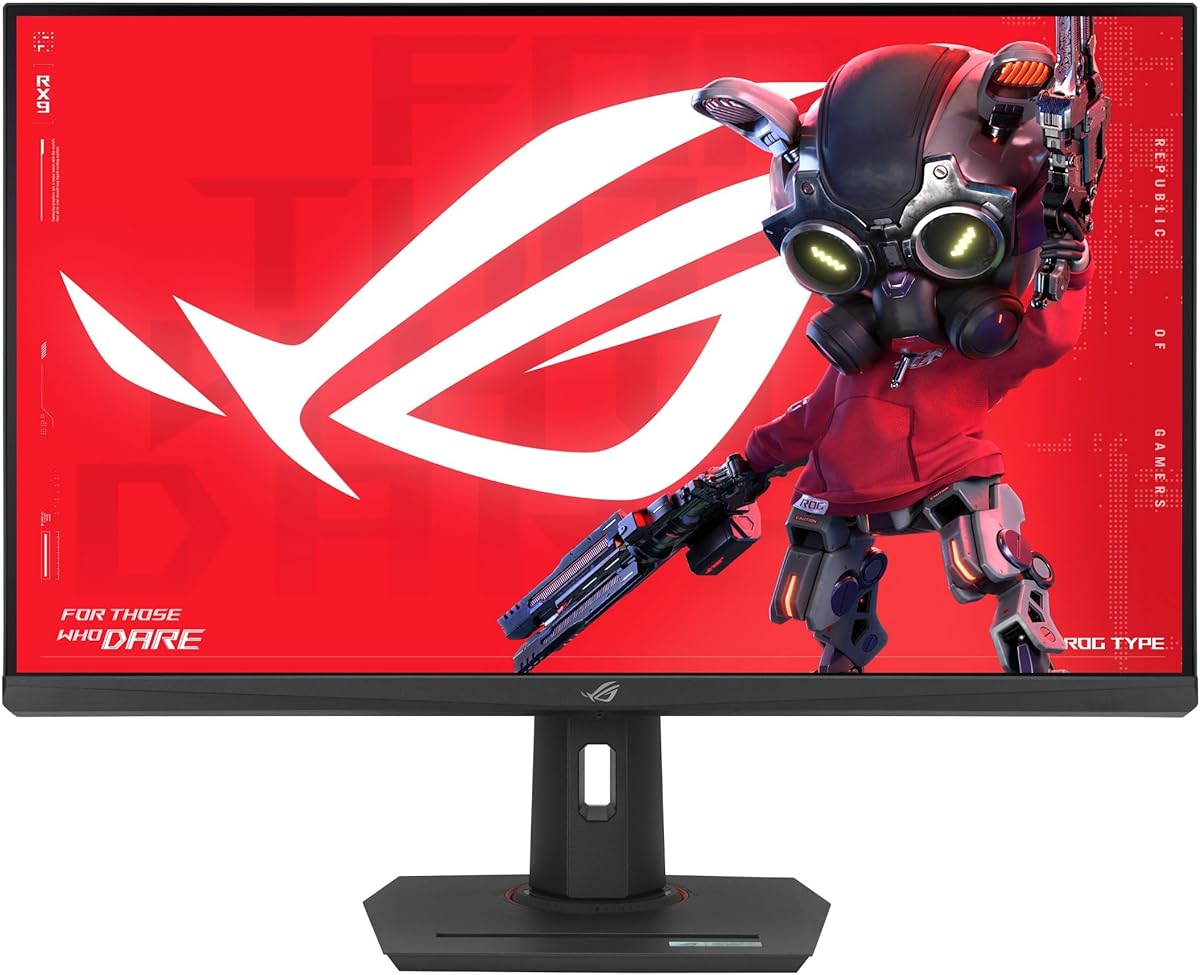
The ASUS ROG XG27ACS is a powerful gaming monitor designed for professional gamers and immersive gameplay with an ultrafast 180Hz refresh rate. It has a 4.4 rating indicating strong satisfaction among users who prioritize speed and clarity in dynamic visual environments.
We may earn a commission when you buy through this link, at no additional cost to you.
ASUS Fast IPS technology enables a 1ms response time for sharp gaming visuals with high frame rates while Extreme Low Motion Blur Sync technology eliminates ghosting and tearing. DisplayWidget Center enables easy OSD access and monitor settings adjustments with a mouse making customization simple.
While it lacks extensive AI tools found in smart monitors its performance features optimize gameplay efficiency which is a form of AI-adjacent processing in gaming contexts. The trade-off is acceptable for buyers specifically looking for competitive gaming performance at a reasonable price point.
Gamers wanting high frame rates and responsive input without breaking the bank will find this model highly rewarding. The inclusion of a free 3-month Adobe Creative Cloud Subscription adds extra value for those who also engage in content creation tasks.
Extreme Low Motion Blur Sync technology enables ELMB together with variable refresh rate eliminating ghosting and tearing for sharp gaming visuals.
USB Type-C hub supports video transmission in DisplayPort signal and can serve as a USB hub for clutter-free set-up with peripherals.
We may earn a commission when you buy through this link, at no additional cost to you.
The Dell 27 Monitor S2725QS offers a refined minimalist design with ultra-thin bezels and improved ComfortView Plus to reduce harmful blue light emissions for all-day comfort. It holds a 4.4 rating making it a reliable choice for users seeking visual clarity without sacrificing eye health.
We may earn a commission when you buy through this link, at no additional cost to you.
Its 4K UHD IPS panel delivers breathtaking visuals with 99% sRGB color accuracy and a 1500:1 contrast ratio for excellent depth and detail. Re-engineered sound quality provides more detailed audio with greater output power and deeper frequency response than previous generations.
This monitor does not include advanced AI features found in smart models but focuses on core display health and performance which is sufficient for general office and media use. The smooth tear-free experience with AMD FreeSync Premium makes it adaptable for various content types effectively.
Users prioritizing ergonomic health and clean aesthetics on their desk should consider this model highly. It balances high resolution with eye care features ensuring a comfortable viewing experience during extended work or leisure sessions without unnecessary complexity.
Improved ComfortView Plus reduces harmful blue light emissions to 35% for all-day comfort without sacrificing color accuracy.
Enjoy more detailed sound with spacious audio featuring greater output power deeper frequency response and more decibel range than previous generation.
We may earn a commission when you buy through this link, at no additional cost to you.
The LG 27UP850K-W is a strong choice for content creators needing high color fidelity with up to 95% DCI-P3 color gamut expression. Its 4.5 rating reflects high user satisfaction regarding visual immersion and vibrant color reproduction across movies and games.
We may earn a commission when you buy through this link, at no additional cost to you.
Stunning Image Quality in 4K Display produces clear images with HDR 400 support for specific levels of color and brightness that exceed ordinary monitors. It offers USB Type-C for data transfer and power delivery up to 90W allowing you to forget adapters and dongles for laptops.
While it lacks advanced AI tools like active voice amplification its color accuracy and connectivity make it highly effective for creative workflows. The Switch app transforms your screen into a multitasking hub letting you split the screen into up to 6 sections for efficient work management.
Designers and editors seeking precise color and convenient connectivity will find this monitor highly beneficial. Its ergonomic stand makes it easy to flexibly adjust the height tilt and pivot of the screen in the optimal position for your specific needs.
Explore HDR content the way it was meant to be seen with up to 95% DCI-P3 color gamut expression an elevated color spectrum.
Enjoy more ways to connect with USB Type-C for data transfer and power delivery up to 90W DisplayPort two HDMI and USB 3.0 ports.
We may earn a commission when you buy through this link, at no additional cost to you.
The LG 27U730SA-W reimagines how you work watch and play with built-in seamless access to your favorite streaming and cloud gaming apps via webOS. With a 4.1 rating it offers a solid balance of smart features and display quality for casual users.
We may earn a commission when you buy through this link, at no additional cost to you.
AI Tools in webOS include Dynamic Tone Mapping which adjusts brightness and contrast for optimal detail so movies and games look amazing on screen. Brightness Control detects light sources in your space and automatically adjusts the screen brightness for crisp and clear visuals day or night.
This model relies on webOS for smart functionality which is less advanced than dedicated AI voice assistants but provides easy access to apps like Netflix and YouTube without a PC. The trade-off is acceptable for those wanting a simple smart display experience without complex setup.
Households needing a secondary screen for media and light work will find this monitor convenient. You can utilize various home office services including video conferencing and cloud-based applications all without a PC thanks to Remote PC functionality.
Enjoy easy access to streaming apps like Netflix Prime Video Disney+ YouTube Apple TV and 300+ free LG Channels with remote control.
Brightness Control detects light sources in your space and automatically adjusts the screen brightness for crisp and clear visuals day or night.
We may earn a commission when you buy through this link, at no additional cost to you.
The SAMSUNG 32-Inch M8 unlocks the full potential of a 4K screen when streaming content directly on your monitor with AI upscaling powered by the NQM AI Processor. It holds a 4.3 rating reflecting solid performance in smart media and visual optimization.
We may earn a commission when you buy through this link, at no additional cost to you.
Active Voice Amplifier Pro uses AI technology to analyze background noise and optimize dialogue delivering every word with crystal clear clarity through advanced audio processing. The SolarCell Remote featuring a solar charging panel eliminates the need for disposable batteries making it an eco-friendly choice.
Its accessibility tools help low vision users see and use the screen more easily including screen magnification color switching and audio descriptions for TV settings. While smart features require connectivity the standalone streaming options ensure you can still enjoy content without a full PC setup.
Users looking for a stylish TV replacement or secondary screen with strong accessibility support will find this model beneficial. The Smart Monitor combines cutting-edge design with ergonomic features and a slim stylish look ensuring the optimal viewing angle for maximum comfort.
Unlock the full potential of a 4K screen when streaming content directly on your monitor with AI upscaling powered by the NQM AI Processor.
Designed with accessibility in mind it comes equipped with tools that help low vision users see and use the screen more easily easily.
We may earn a commission when you buy through this link, at no additional cost to you.
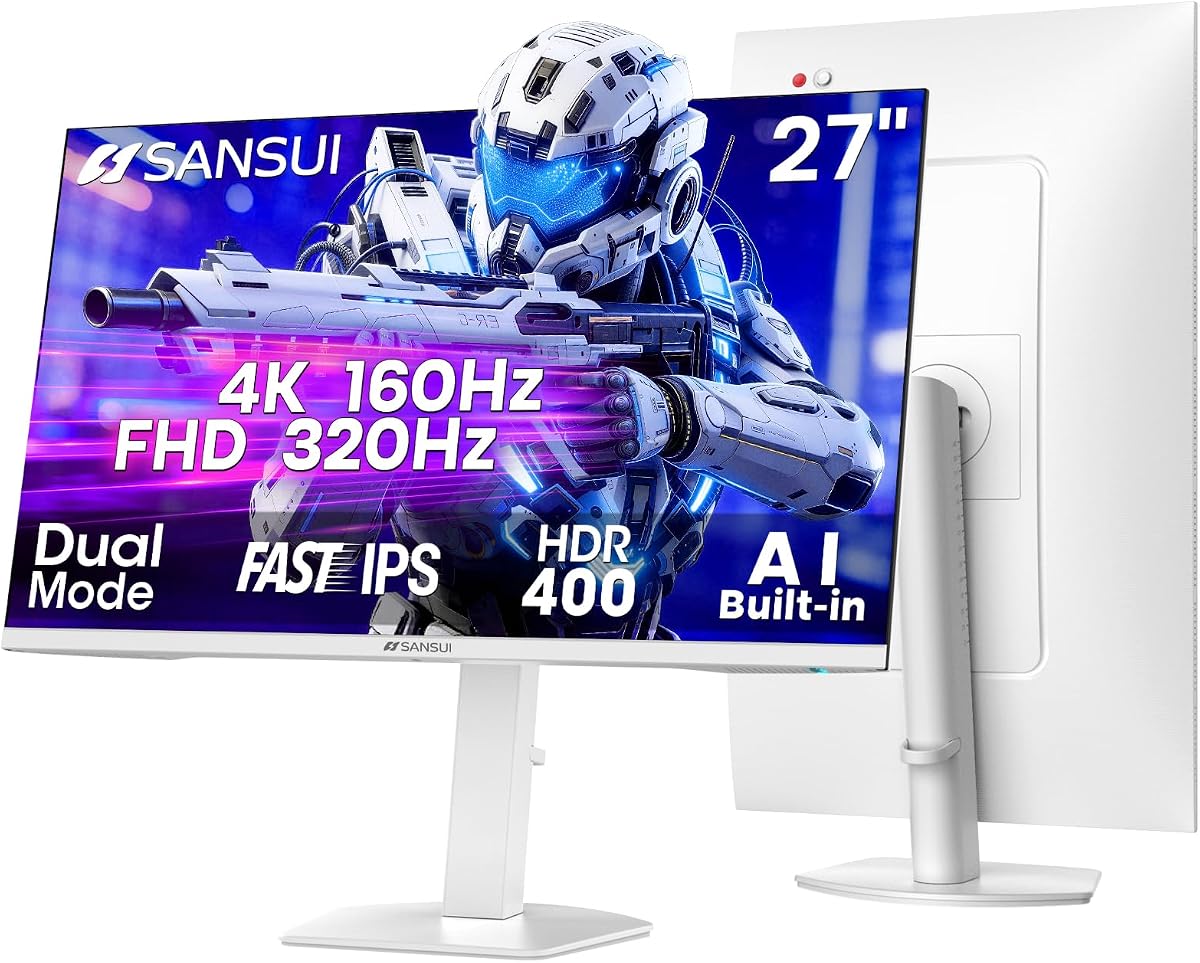
The SANSUI 27" 4K Gaming Monitor offers versatile performance with a Dual Mode PC Monitor for Gaming & Office allowing high refresh rates or high resolution. With a 4.4 rating it satisfies users who want both competitive speed and sharp visual clarity.
We may earn a commission when you buy through this link, at no additional cost to you.
Features include AI Crosshair and Sniper Scope for enhanced aim in gaming modes alongside MPRT 1ms Response Time and FreeSync Premium. The monitor supports up to 160Hz via DP for 4K and up to 320Hz via HDMI for FHD catering to different gaming needs.
AI DBL Eye Care Technology and Anti-Flicker features help protect eyes during long sessions though brightness is moderate at 400 nits. The trade-off of moderate brightness is acceptable given the high refresh rate flexibility and gaming specific AI tools included.
Gamers seeking an affordable monitor with high refresh options and helpful aiming aids will find this model highly useful. Warranty support includes money-back and free replacement within 30 days and lifetime technical support providing peace of mind.
Features include MPRT 1ms Response Time FreeSync Premium AI Crosshair Sniper Scope Night Vision and RACING RTS Game Mode.
4K UHD Mode up to 160Hz via DP and FHD Mode up to 320Hz via both HDMI and DP for maximum frame rates.
We may earn a commission when you buy through this link, at no additional cost to you.
The ASUS ROG XG32UCG is a premium monitor with versatile dual mode offering 4K @ 160 Hz or FHD @ 320 Hz for high fidelity and speed. It holds a 4.6 rating indicating excellent user satisfaction for those needing top-tier gaming and professional performance.
We may earn a commission when you buy through this link, at no additional cost to you.
ROG Gaming A.I technology includes AI-powered features to enhance users' gaming experience alongside Ultra-Fast Response Time enabling a 0.3ms response time for sharp gaming visuals with high frame rates. Superior Color Accuracy with 95% DCI-P3 color gamut ensures smoother color gradation delivered and uniformity.
While it is expensive the advanced motion blur reduction and high refresh rates justify the cost for serious gamers and creators. Extreme Low Motion Blur Sync technology eliminates ghosting and tearing providing a competitive edge in fast-paced titles without motion artifacts.
Professionals needing high resolution and gamers needing speed will find this monitor highly rewarding. The 3 Year Warranty with Advanced Replacement and Repair service adds significant value and reliability to this premium hardware choice.
ROG Gaming A.I technology includes AI-powered features to enhance users' gaming experience with advanced performance options.
Superior Color Accuracy with 95% DCI-P3 color gamut ensures smoother color gradation delivered and uniformity for creators.
We may earn a commission when you buy through this link, at no additional cost to you.
The SANSUI 34-Inch Curved Gaming Monitor provides an immersive experience with 34 inch Curved 1500R UWQHD resolution and 200Hz refresh rate. A 4.4 rating highlights strong performance for budget-conscious users seeking an ultrawide setup.
We may earn a commission when you buy through this link, at no additional cost to you.
AI Blue light reduction protects eyes during extended play while AI Crosshair and Sniper Scope help in aiming scenarios. Up to 200Hz Refresh Rate ensures smooth motion in games and VA panel tech supports 178° Wide Viewing Angle for consistent color and contrast.
VA panels can have slightly slower response times than IPS which is a trade-off for better contrast and lower price. This is acceptable for general gaming and multimedia use where screen immersion is the priority over competitive precision.
Buyers looking for a large curved screen at an affordable price should find this model highly beneficial. Warranty covers money-back and free replacement from order date within 30 days and lifetime technical support to ensure customer satisfaction.
AI Blue light reduction helps protect eyes during extended gaming or work sessions reducing strain significantly.
Up to 200Hz Refresh Rate ensures smooth motion and clear visuals during fast-paced gaming environments.
We may earn a commission when you buy through this link, at no additional cost to you.
Selecting the right AI Ready Monitor depends on identifying which artificial intelligence features match your workflow and entertainment needs.
Look for features like AI Picture Optimizer or Dynamic Tone Mapping that adjust contrast and brightness automatically for better visuals in different content types. This ensures you get the best image quality without manually tweaking settings constantly.
Prioritize models with proven AI upscaling or color mapping tools if you consume a lot of mixed media content.
Active Voice Amplifier technology analyzes background noise to improve dialogue clarity during calls or video playback. This is crucial for open offices or noisy environments where audio clarity impacts communication.
Ensure the monitor has sufficient audio output or supports external speakers for immersive sound experiences.
Check if the monitor supports webOS or similar platforms for direct streaming without needing a connected PC. This reduces cable clutter and allows the display to function as a standalone entertainment hub.
Verify compatibility with your existing streaming apps and cloud gaming services to avoid software limitations.
Larger screens like 40-inch models offer better multitasking but require more desk space and powerful hardware. Smaller 27-inch panels fit compact desks while still delivering sharp 4K clarity for detailed work.
Balance the screen size with your viewing distance to avoid eye strain and ensure comfortable use.
Thunderbolt or USB-C with power delivery simplifies laptop setups by reducing the number of cables needed. HDMI 2.1 and DisplayPort 1.4 ensure compatibility with high refresh rate gaming and external hardware.
Check the number of ports available to avoid frequent cable swapping or using additional hubs for peripherals.
High refresh rates like 120Hz or 180Hz paired with adaptive sync technologies provide smooth motion for gaming. AI features like Crosshair or Sniper Scope can assist aiming but should not compromise raw performance specs.
Select a model with fast response times to minimize motion blur during rapid screen transitions.
An ergonomic stand that allows tilt swivel and height adjustment helps maintain a healthy posture during long sessions. Slim bezels improve aesthetics and allow easier multi-monitor setups without distracting visual boundaries.
Consider VESA mount compatibility if you plan to use custom stands or monitor arms for flexible positioning.
Some models include Knox or similar security features to protect data and connections especially when used with IoT devices. This ensures your monitor remains a safe point of entry for sensitive information.
Ensure firmware updates are available regularly to keep security features current against emerging threats.
To maximize AI features ensure the monitor is connected to the internet or your local network. This allows smart assistants and upscaling tools to access the necessary data for optimal performance.
Use the provided remote or companion apps to customize your display settings. Many models allow you to switch between work and entertainment modes easily to adapt to your current needs.
Clean the screen with a soft microfiber cloth to avoid scratching the surface. Avoid using harsh chemicals on the bezel and screen to preserve the protective coatings and finish.
An AI Ready Monitor uses built-in processors to optimize visuals and sound automatically. Features include AI upscaling to enhance lower resolution content and noise cancellation to improve voice clarity during calls.
Not always. Many smart models like the Samsung M7 or LG 27U730SA-W run apps directly on the display. This allows streaming and AI tools to function even without a connected computer.
Yes. Some monitors include AI tools like crosshair aids or noise cancellation to help focus during intense gameplay. High refresh rates combined with these features provide smoother and more responsive visuals.
Security depends on the brand. Models with Knox or similar encryption protect data connections. Keep firmware updated to prevent unauthorized access to your display and connected devices.
Use a soft dry microfiber cloth to wipe the screen gently. Avoid harsh chemical cleaners that can damage the anti-glare coating on IPS or VA panels.
4K UHD is ideal for detailed work like design or data analysis. For larger screens like 40 inches 5K2K offers even more space for multitasking.
The top picks for AI Ready Monitors in 2026 range from budget gaming options to premium professional displays. Each offers unique ways to improve your digital environment through smart integration.
Prioritize the features that matter most to your daily routine whether it is color accuracy sound clarity or seamless streaming. Choosing the right balance will maximize your investment in the long term.
Remember that prices and availability change often so verify current listings before purchasing. Check reviews and support policies to ensure you get the best value for your specific needs.