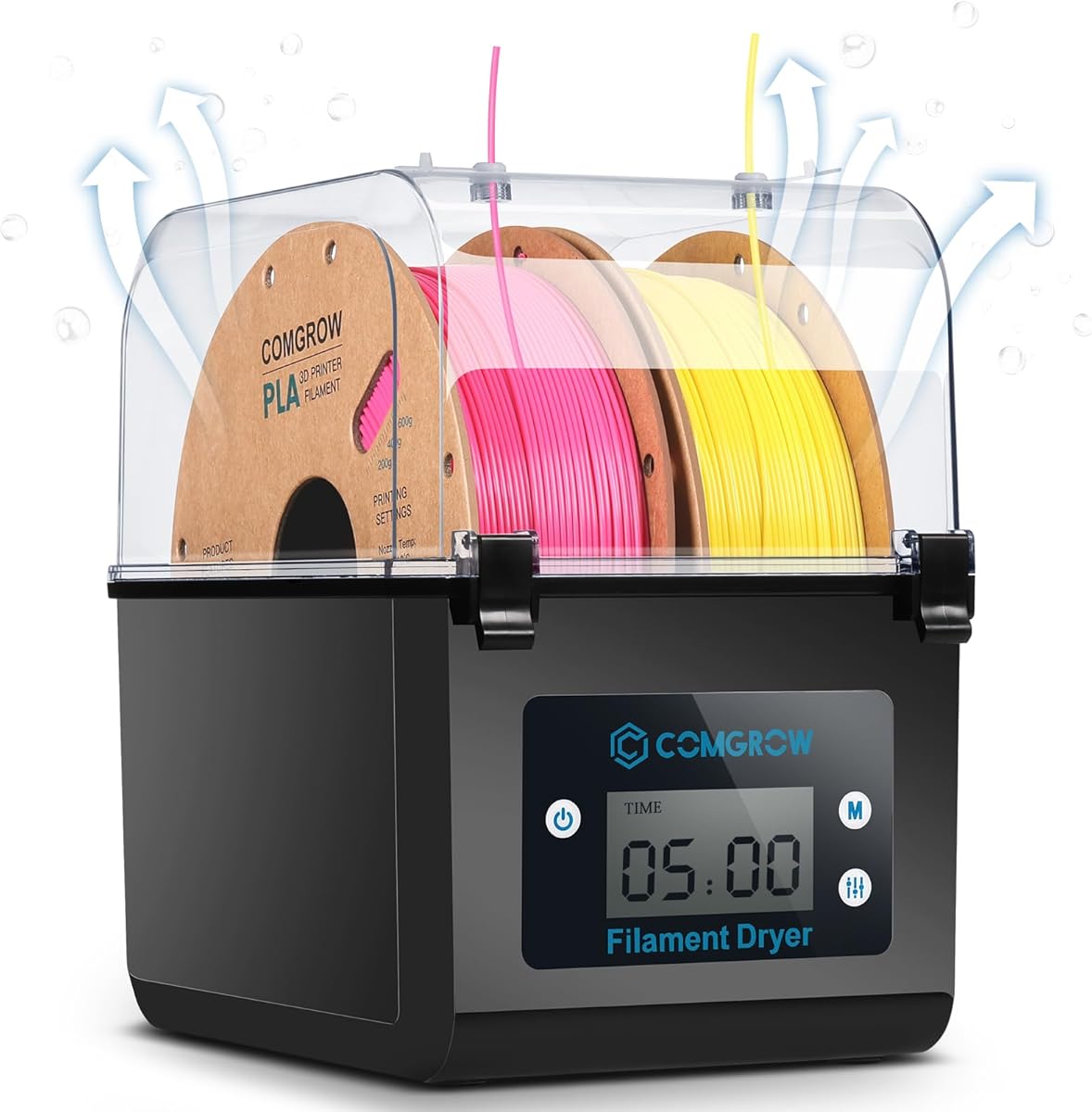
Comgrow 3D Printer Filament Dryer Box
4.4Editor score
Stores 2 rolls of 1kg
Real-time humidity monitoring
50 degrees C max temperature
Discover the top 3D Printer Filament Dryer Box models compared for drying speed, capacity, and sealing to ensure flawless 3D printing results every time.
Choosing the right drying solution is critical for consistent 3D printing results. Moisture in filament leads to stringing, clogging, and weak layer adhesion. A good dryer box actively removes humidity while storing spools safely for future use.
We compared ten leading models based on heating technology, capacity, sealing quality, and user feedback. Each entry was evaluated for its ability to handle common materials like PLA, PETG, ABS, and nylon effectively. Our goal was to find options that deliver reliable performance without unnecessary complexity or cost.
Each pick highlights key strengths and practical use cases for different printer setups. You will find details on heating speed, spool capacity, and interface controls to help you decide. Remember that availability and specific model features may change over time.
4.4Editor score

4.6Editor score

4.7Editor score
The following table presents a side-by-side comparison of all ten selected models. It highlights key specifications such as heating capacity, temperature ranges, and unique features to help you evaluate them quickly.


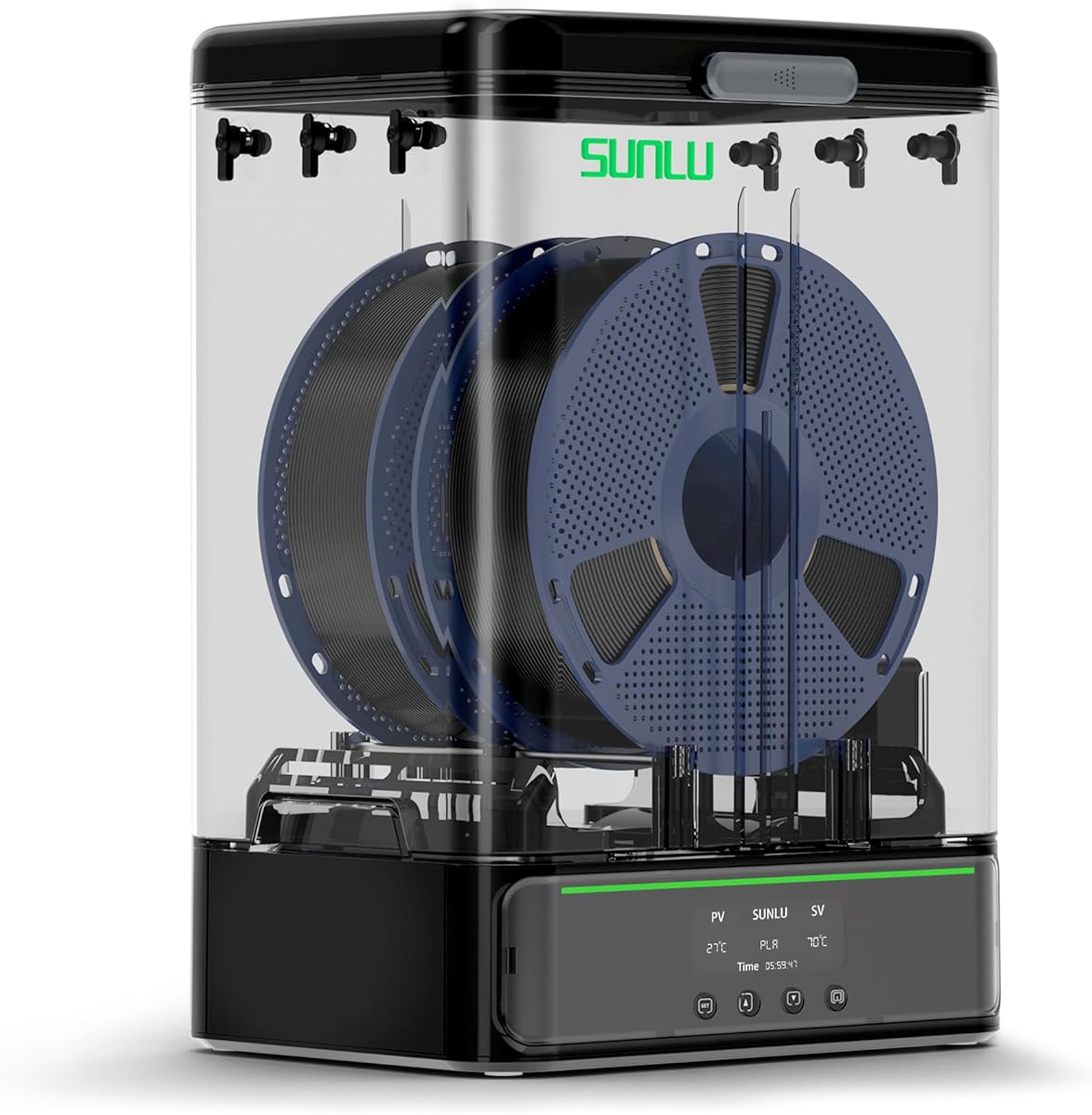


This model offers a practical entry point for users needing reliable filament drying without a large investment. It holds two standard spools and features a clear LCD screen for monitoring conditions. The design prioritizes simplicity while maintaining effective moisture removal for common materials.
We may earn a commission when you buy through this link, at no additional cost to you.
The unit uses internal heating to create a dry environment, which helps prevent clogging and layer migration. Its sealing design includes a silicone sheath and a snap button cover to protect stored filaments. The interface allows you to set duration and temperature easily using intuitive buttons.
While it lacks the capacity for larger setups, it remains effective for single print jobs or small batches. The maximum temperature is lower than some premium models, which limits use with high-performance composites. However, for PLA and PETG it performs reliably.
Buyers looking for a compact and cost-effective solution will find this unit meets their needs well. It is ideal for home studios where space is limited and budget is a primary concern. Overall, it delivers consistent results for everyday printing tasks.
The internal heating system actively removes moisture during printing to prevent common issues like stringing.
A clear LCD screen and touch buttons make setting drying parameters straightforward for all users.
We may earn a commission when you buy through this link, at no additional cost to you.
This premium dryer box addresses the needs of high-volume users with its ability to hold four spools simultaneously. The dual heating chambers allow for rapid moisture removal and efficient storage. It is designed to maintain consistent performance across all filament types.
We may earn a commission when you buy through this link, at no additional cost to you.
The dual 200W chambers heat up quickly, reaching temperatures sufficient for tough materials like ABS or nylon. An illuminated window lets you check spool status without breaking the seal. The unit continues to protect filament from humidity even when not actively heating.
Users may find the size requires significant desk space compared to smaller models. The higher price reflects the advanced heating technology and capacity. These factors are justified for workflows needing constant dry filament access.
This model is ideal for professional setups or multi-printer farms where downtime must be minimized. The speed and capacity ensure you rarely run out of dry filament. It combines robust engineering with thoughtful user convenience features.
Two independent heating zones dry spools thirty percent faster than single-chamber alternatives.
The silicone-sealed enclosure prevents moisture reabsorption during print pauses or overnight storage.
We may earn a commission when you buy through this link, at no additional cost to you.
This budget-friendly model brings PTC heating technology to home users at an accessible price. It heats quickly with a built-in fan that circulates air evenly. The insulation helps maintain temperature while protecting the exterior from heat.
We may earn a commission when you buy through this link, at no additional cost to you.
The unit reaches 65 degrees C within minutes, which is suitable for most common filaments. A knob and display screen simplify operation without complex menus. You can monitor humidity to ensure conditions are optimal before printing.
The single spool capacity may limit users with large collections. Recommendations suggest storing dried spools in vacuum bags afterward to maintain dryness. Despite these limitations, the performance is reliable for individual print jobs.
This option suits those seeking effective drying without a major financial outlay. It balances cost with essential features like even heating and clear feedback. It remains a strong choice for general home printing needs.
The built-in fan circulates hot air 360 degrees to ensure uniform drying throughout the chamber.
A knob and display allow quick setting of temperature and drying time without complexity.
We may earn a commission when you buy through this link, at no additional cost to you.
This dryer supports a wide range of materials including advanced composites through its preset system. The large touch screen allows easy switching between temperature units and settings. A 48 hour timer provides flexibility for extended drying cycles.
We may earn a commission when you buy through this link, at no additional cost to you.
The 110W PTC heater uses 360 degree air circulation for uniform drying. Power-off memory retains settings after outages so you avoid resetting parameters. The design reduces energy consumption while maintaining consistent heat levels.
Users must place one spool at a time which limits throughput. The touch screen is responsive but requires careful cleaning to avoid smudges. These small issues do not detract from its overall utility.
Ideal for makers who work with varied materials needing specific temps. The preset options simplify the process for complex filaments. It is a solid choice for those prioritizing material flexibility.
One-key settings support twelve filament types including composites like PLA-CF and PA-CF.
The timer allows up to 48 hours to fully dry large or heavily moist spools.
We may earn a commission when you buy through this link, at no additional cost to you.
The S1 Plus emphasizes speed and efficiency with an upgraded fan design. It detects and displays conditions clearly on a 2 inch screen. The compact size fits easily into small workspaces without sacrificing functionality.
We may earn a commission when you buy through this link, at no additional cost to you.
It adjusts temperature and time based on ambient conditions and filament type. The fan helps discharge excess water faster, reducing waiting periods before printing. Customer support is readily available for any operational questions.
The max temperature may limit use with high-performance filaments like polycarbonate. It remains highly effective for PLA, PETG, and TPU though. The capacity accommodates various spool sizes up to 210mm height.
This model is perfect for hobbyists needing quick turnaround on common materials. Its simple controls ensure ease of use for all skill levels. It balances portability with effective drying performance.
An upgraded fan design speeds up the discharge of moisture from spools significantly.
Compatible with most standard brands and diameters including 1.75mm and 2.85mm.
We may earn a commission when you buy through this link, at no additional cost to you.
This solution focuses on storage and passive moisture control rather than active drying. It includes a built-in hygrometer to track humidity without guesswork. The airtight design works with desiccants to keep spools dry between jobs.
We may earn a commission when you buy through this link, at no additional cost to you.
Filament feeding is supported while the spool remains sealed inside the box. This workflow prevents moisture reabsorption during pauses or overnight storage. It suits users who manage humidity primarily through storage habits.
Since it lacks active heating, it cannot restore wet filament without desiccants over time. It serves best for dry materials needing protection before use. The clear humidity readout simplifies maintenance of dry conditions.
Ideal for organized printers needing a clean storage workflow. It integrates well into existing workflows by reducing handling exposure. The design ensures consistent results by keeping filaments ready.
The box lets you feed filament without opening the seal to maintain dry conditions.
A visible hygrometer reading helps you maintain the right environment for materials.
We may earn a commission when you buy through this link, at no additional cost to you.
The SP2 unit is built to accommodate large spools up to 3kg comfortably. A 250W PTC heater brings it to 70 degrees C in fifteen minutes. The storage base is detachable for easy transport of dried filament.
We may earn a commission when you buy through this link, at no additional cost to you.
It includes six silicone holes and two PTFE tubes for flexible drying of multiple items. The lid uses sliding latches for a secure seal during storage. It is quiet enough for home environments during extended drying cycles.
The box is heavy and requires a stable surface for operation. You must close the seal properly when not in use to protect stored materials. Overall performance remains consistent for most common filament types.
This model suits users running large spools or needing fast turnaround. The quick heating ensures prints start without waiting. It combines storage and drying for a streamlined workflow.
The 250W heater reaches target temperature in just fifteen minutes for rapid prep.
The storage base lifts apart for convenient transport of dried spools to printers.
We may earn a commission when you buy through this link, at no additional cost to you.
The SH02 supports dual printing with two PTFE pipe holes for flexible setups. It reaches 70 degrees C quickly with a 150W heater. The sealing design is improved over previous models to protect stored spools.
We may earn a commission when you buy through this link, at no additional cost to you.
It offers preset temperatures for nine filament types to simplify setup. A smart safety feature monitors fan operation and cuts heat if temperature spikes. The design ensures consistent results for standard printing materials.
Users should place desiccant bags inside for extra protection when powered off. The alarm alerts you if the fan stops to prevent overheating issues. These safety features add reliability to daily use.
Ideal for users needing to dry for printer lines simultaneously. The balance of cost and features is strong for mid-range needs. It offers robust protection for filament storage between jobs.
Designed for dual printing with convenient hole positions for various extruders.
Smart protection alerts you if the fan stops to prevent module damage.
We may earn a commission when you buy through this link, at no additional cost to you.
The S4 handles four spools at once for uninterrupted multi-color printing. Its 350W heater ensures fast heating across the large internal volume. Triple fans maintain temperature balance to within three degrees C.
We may earn a commission when you buy through this link, at no additional cost to you.
Automatic humidity control starts drying when levels rise and stops to avoid over-drying. The safety system includes hardware and software layers to protect users during long runs. It connects to up to four printers simultaneously.
The unit is large and requires dedicated space on a shelf. The controls are straightforward with clear on-screen feedback. It offers the highest capacity among standard desktop options.
This model is ideal for studios with multiple machines and frequent jobs. It removes bottlenecks by drying and storing many spools at once. Reliability and convenience make it a top tier option.
The system adjusts internal humidity automatically to keep spools ready at all times.
Supports connection to four printers so multiple jobs can pull dry filament.
We may earn a commission when you buy through this link, at no additional cost to you.
This model prioritizes quiet operation making it suitable for shared spaces. It displays temperature and time clearly on a large screen. The design allows printing while drying through dual internal rollers.
We may earn a commission when you buy through this link, at no additional cost to you.
It offers customizable time settings for up to 99 hours to ensure deep drying. The unit removes moisture to prevent stringing and clogging effectively. It is compatible with most common filament types and brands.
The max temperature is lower than advanced models so it suits standard materials. The low noise ensures it does not disturb home or office environments. Overall it provides a reliable solution for everyday needs.
Ideal for users needing a quiet unit for continuous drying. The roller design allows smooth feeding during active prints. It delivers consistent results with minimal user intervention.
Operates at less than 10 decibels so it does not disturb your workspace.
Dual rollers inside the box allow smooth feeding while the spool dries.
We may earn a commission when you buy through this link, at no additional cost to you.
Selecting the right dryer depends on your filament types, workspace, and workflow needs. Understanding key factors helps you avoid purchasing features you do not need.
Active heating systems remove moisture faster than passive storage units. Look for models with fans for even air circulation and PTC heaters for energy efficiency. This ensures your filament reaches safe temperatures without hot spots.
Prioritize units with fans and heaters for wet environments.
Determine how many spools you need to dry at once based on your printer count. Single spool units save space while dual or quad units support larger workflows. Consider future needs when deciding on capacity.
Choose capacity that matches your current and future printer setup.
Different materials require different maximum temperatures for effective drying. Common materials like PLA need lower temps while ABS or nylon need higher heat. Ensure the model supports the highest temperature your materials require.
Check that the max temp covers all filaments you intend to use.
Sealing prevents moisture from re-entering the box during storage or pauses. Look for silicone gaskets or snap covers that close tightly around cables. Good sealing extends the effectiveness of dried filament over time.
Select models with robust seals to keep stored filament dry longer.
A clear display and intuitive controls make daily use easier. Touchscreens offer modern features while physical knobs are durable. Consider whether you need presets or manual adjustments for different materials.
Opt for an interface that matches your comfort level with settings.
Overheat protection and automatic cutoffs protect your filament and workspace from risks. Units with fan monitoring prevent overheating if airflow stops. These features ensure safe operation during long unattended drying cycles.
Look for safety cutoffs and monitoring for peace of mind.
Energy efficiency matters for units that run for many hours. PTC heaters typically consume less power than older heating elements. Lower wattage models may take longer but reduce electricity costs.
Balance heating speed with energy efficiency based on usage patterns.
Measure your available space to ensure the unit fits on your desk or shelf. Detachable bases and handles improve portability if you move the unit often. Compact models are better for tight workspaces.
Check dimensions and weight to ensure it fits your workspace.
Start by placing your spool inside and connecting the filament through the outlet hole. Ensure the cable passes through the silicone sheath or Teflon tube to maintain a seal. This prevents external humidity from entering while printing.
Set the temperature and time based on the filament type guidelines. For most materials start with moderate settings and increase only if needed. Monitor the display to confirm the unit has reached the set temperature before printing.
Regularly clean the interior and check seals to ensure they remain tight. If the unit has a fan or motor listen for unusual sounds that indicate maintenance. Store dried spools in a sealed environment after the drying cycle ends.
Drying time varies based on how saturated the filament is and the unit speed. Most models reach safe moisture levels within six hours but heavily damp spools may need more time. Always check the display humidity indicator before starting a print to ensure readiness.
Most units support standard PLA, PETG, ABS, and TPU. High performance materials like PC or PA require higher temperatures so check the max range first. Using settings outside recommended ranges may damage the filament or the unit.
Yes sealing the box immediately after drying keeps the filament dry for future use. Moisture absorption happens quickly in humid environments so leaving the seal open defeats the purpose. Use desiccants inside for extra protection during storage.
Modern dryers include safety features like overheat protection and auto cutoffs for unattended use. However always follow manufacturer recommendations regarding continuous operation. Ensure the unit is in a ventilated area to prevent any heat buildup.
Some models are built with capacity for multiple spools while others are single spool units. Check the capacity before purchasing to see if it supports more than one roll. This helps maintain consistent drying for bulk material needs.
Many units are designed to feed filament into a printer while inside the enclosure. This allows continuous drying during long prints so the filament stays dry throughout. Verify the outlet design supports your printer's extruder position for best results.
The top picks highlight models that deliver reliability and efficiency for varying user needs. The premium options offer capacity for larger workflows while budget units cover essential drying tasks. Selecting the right balance ensures you get value without unnecessary costs.
Prioritize features like temperature range and sealing quality since they directly impact print success. Consider how many spools you need to store and dry regularly before making a choice. A well-matched unit reduces waste and improves overall print quality.
Always check current availability and product specifications before finalizing your purchase. Models may update with new features that change value or capabilities. Ensure the model you choose fits your specific printing environment and goals.