
Dell SE2426HG
4.7Editor score
240Hz Refresh Rate
0.5ms Response Time
FreeSync Premium
Finding the right display is crucial for competitive gaming. A high refresh rate monitor ensures smooth motion and reduces input lag, giving you a clear edge in fast-paced shooters. Valorant demands precision and speed, making a 240Hz panel a smart investment for serious players seeking to improve their aim and reaction times.
We evaluated ten leading models based on performance metrics, panel technology, and user feedback. Each option offers a unique blend of features like adaptive sync, color accuracy, and ergonomic stands. Our analysis focuses on real-world gaming performance to help you choose the best screen for your specific setup and budget without compromising on quality.
Every pick includes detailed specs, pros, and cons to guide your decision. We highlight key strengths like response times and color gamut coverage alongside any potential trade-offs. Prices and availability fluctuate frequently, so be sure to check the latest deals before making your final purchase to ensure you get the best value today.
4.7Editor score
4.5Editor score

4.6Editor score
As an Amazon Associate we earn from qualifying purchases.
This side-by-side comparison highlights the key specifications and features of each model to help you quickly identify the right monitor for your competitive gaming needs.


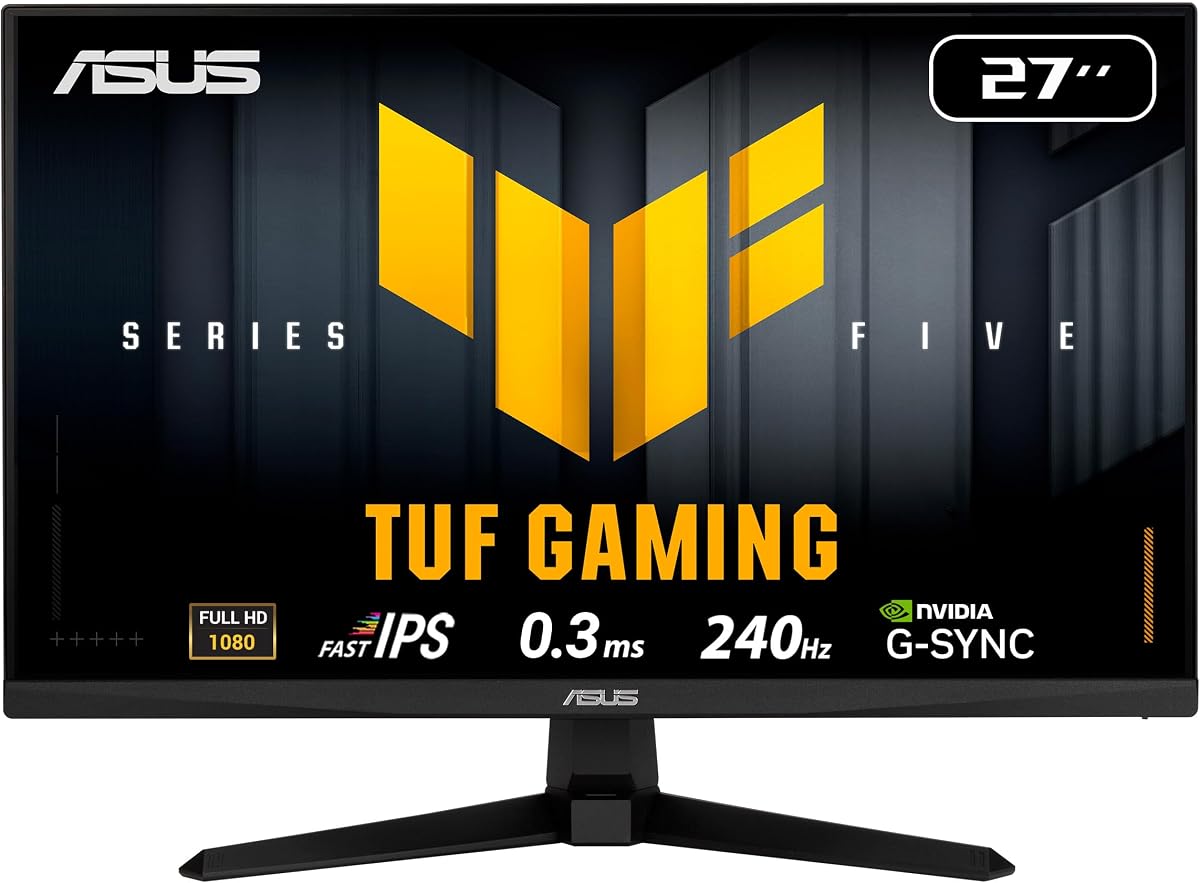
This ASUS TUF monitor stands out as a top contender for competitive Valorant players. With a 4.5-star rating, it combines speed and reliability effectively. The Fast IPS panel ensures quick pixel transitions essential for tracking enemies during intense firefights.
We may earn a commission when you buy through this link, at no additional cost to you.
The 0.3ms response time minimizes motion blur, keeping visuals sharp even during rapid movements. Adaptive Sync technology supports both FreeSync and G-Sync, reducing tearing without compromising refresh rates. The 99% sRGB coverage delivers accurate colors for better visibility in dark corners.
While the stand is sturdy, it only offers tilt adjustment which might limit ergonomic positioning for some users. However, VESA mounting options allow for easy customization with third-party arms. The included DisplayPort cable ensures you get the full 240Hz experience immediately.
Gamers seeking a balanced mix of performance and durability will find this model ideal. Its reliable performance and extensive features make it a smart choice for upgrading your battle station. The three-year warranty adds peace of mind for long-term use.
ASUS Fast IPS technology enables rapid pixel transitions that are critical for competitive shooters like Valorant where split-second reactions matter.
ELMB SYNC combines extreme low motion blur with variable refresh rate to eliminate ghosting while maintaining smooth frame rates.
We may earn a commission when you buy through this link, at no additional cost to you.
The Dell SE2426HG offers incredible value for those entering competitive gaming. It holds a strong 4.7-star rating from users. It delivers a smooth 240Hz experience without breaking the bank. The IPS panel provides wide viewing angles and consistent colors.
We may earn a commission when you buy through this link, at no additional cost to you.
FreeSync Premium support ensures smooth gameplay on AMD GPUs. The fast response time reduces motion blur significantly. Eye comfort features like TÜV certification help reduce strain during long sessions. The design is sleek and fits well in most setups.
Connectivity includes two HDMI ports and a DisplayPort for flexibility. While the stand is basic, it supports tilt adjustment for minor ergonomic tweaks. Users appreciate the crisp image quality for both gaming and daily tasks. The price point makes it accessible to many players.
If you need a budget-friendly monitor that still performs at a high level, this is a great option. It balances cost and performance effectively for Valorant. Check current availability to take advantage of its competitive pricing.
This model brings 240Hz performance to a lower price segment, making high-speed gaming accessible to more users.
TÜV Rheinland 3-star certification lowers blue light to preserve eye health during extended gaming marathons.
We may earn a commission when you buy through this link, at no additional cost to you.
This AOC model elevates the experience with QHD resolution and overclocking potential. It earns a 4.6-star rating for its quality. The 27-inch panel provides more screen real estate while maintaining sharp visuals. This detail helps in spotting enemies quickly in Valorant.
We may earn a commission when you buy through this link, at no additional cost to you.
The 0.3ms MPRT response time ensures minimal motion blur. Adaptive Sync technology works seamlessly with both AMD and NVIDIA GPUs. The Game Mode presets and Shadow Control help optimize visuals for specific scenarios. The frameless design looks modern and immersive.
Running at QHD requires a capable graphics card to maintain high frame rates. However, the clarity gained is worth the investment for serious competitors. The OSD menu is intuitive for quick adjustments during matches. Brightness levels are sufficient for various room lighting conditions.
Ideal for players with high-end rigs, this monitor offers a premium experience. The combination of speed and resolution is rare in this category. It is a top choice for those who want the best visual fidelity available.
The 2560×1440 resolution provides extra clarity that helps players spot distant opponents more easily than standard Full HD panels.
Overclocking to 260Hz provides an extra margin of smoothness for users who have powerful hardware to support higher frame rates.
We may earn a commission when you buy through this link, at no additional cost to you.
SANSUI offers a competitive option with up to 300Hz refresh rate potential. It features a 4.5-star rating and solid build quality. The monitor includes specialized features like crosshair assist for FPS games. This can help with aiming accuracy in fast-paced scenarios.
We may earn a commission when you buy through this link, at no additional cost to you.
The Fast IPS panel ensures vibrant colors with 120% sRGB coverage. FreeSync Premium support helps maintain a tear-free experience. Ports include DisplayPort and HDMI to connect multiple devices. The low blue light settings protect eyes during late-night gaming sessions.
While SANSUI is less common than major brands, this model performs reliably. The warranty provides extra security for buyers concerned about longevity. The design is functional with a simple stand that allows tilt adjustments. It is a strong contender for budget-focused gamers.
This monitor brings high refresh rate performance at a reasonable price. It is worth considering if you want extra features without overspending. Verify current stock levels as availability may vary compared to established brands.
The option to run at 300Hz offers a future-proof advantage for high-end PCs aiming for maximum frame rates.
Built-in RTS and FPS presets help adjust brightness and contrast specifically for competitive gaming environments.
We may earn a commission when you buy through this link, at no additional cost to you.
Amzfast provides a curved option for a more immersive gaming experience. The 24-inch screen fits well in smaller setups. The ultra-slim base saves desk space significantly. It includes specialized game modes for targeting adjustments in FPS titles.
We may earn a commission when you buy through this link, at no additional cost to you.
A 3000:1 contrast ratio makes dark areas clearer. The joystick control allows quick changes to settings without menus. Eye protection features include low blue light and flicker-free tech. The wide color gamut supports creative work alongside gaming needs.
Curved screens can be divisive but many find them engaging for shooters. The VA panel offers good contrast but may show more ghosting than IPS. The stand is limited to tilt adjustments. However, the VESA mount option allows alternative mounting solutions.
For players prioritizing immersion and desk space, this model works well. It offers unique features at an attractive price point. Ensure your GPU can handle the 240Hz load for the best experience.
The 1500R curve wraps around your vision to enhance focus on the game area and reduce peripheral distractions.
The ultra-slim base allows storage underneath which helps keep your desk organized and spacious for gaming gear.
We may earn a commission when you buy through this link, at no additional cost to you.
This ASUS model delivers reliable performance with its 240Hz Fast IPS panel. It features AI-enhanced gaming capabilities to optimize visuals automatically. The display widget center simplifies settings adjustments via mouse. The build quality is robust for daily gaming use.
We may earn a commission when you buy through this link, at no additional cost to you.
The 0.3ms response time ensures sharp visuals during fast action. FreeSync Premium support reduces tearing effectively. The wide color gamut enhances visual depth and clarity. The package includes necessary cables for quick setup. This makes it convenient for immediate use.
AI features add value by auto-adjusting settings for different game genres. However, relying on software might feel unnecessary to some users. The stand design is functional but basic compared to higher-end models. It remains a solid choice for TUF enthusiasts.
Gamers valuing speed and brand reliability will appreciate this unit. The Adobe subscription adds extra value for content creators. Check local pricing to ensure you get the best deal for your region.
Artificial intelligence adjusts color and brightness dynamically to improve visibility in dark game environments.
Software control allows users to change monitor settings directly from their desktop without using physical buttons.
We may earn a commission when you buy through this link, at no additional cost to you.
This MSI model has earned a high 4.8-star rating from users. It offers a robust VA panel with solid contrast. AI Vision technology enhances details in dark areas effectively. This feature helps in identifying enemies during night maps in Valorant.
We may earn a commission when you buy through this link, at no additional cost to you.
The 0.5ms GtG response time provides fast visuals. FreeSync Premium ensures smooth gameplay on AMD systems. The inclusion of a VGA port supports legacy systems well. It is a practical choice for varied hardware setups.
VA panels may have slower pixel transitions than IPS which can cause blur. However, the contrast ratio often compensates for darker game scenes. The OSD is user-friendly for quick adjustments. It fits well in many competitive gaming environments.
Ideal for users needing high contrast and reliable performance. The AI features add a modern touch to a classic design. Confirm your hardware compatibility before purchasing to maximize its potential.
AI Vision reveals hidden details in shadows and boosts brightness to improve overall scene clarity during combat.
The inclusion of a VGA port ensures this monitor works with older systems without requiring extra adapters.
We may earn a commission when you buy through this link, at no additional cost to you.
The AOC 27G51Z offers overclocking up to 260Hz for smooth motion. It maintains a high 4.6-star rating. The IPS panel delivers vibrant colors and wide viewing angles. G-Menu software allows easy customization of on-screen settings.
We may earn a commission when you buy through this link, at no additional cost to you.
The 0.5ms MPRT response time keeps visuals clear during rapid movements. Adaptive Sync reduces screen tearing effectively. The sleek frameless design looks modern on any desk. Energy efficiency is good with low power usage in Eco Mode.
While the stand is limited, the display quality makes up for it. It is a strong contender for those needing fast refresh rates on a budget. The software integration simplifies setup and adjustment. Overall it performs well for FPS gaming.
Players seeking speed and color accuracy will find this appealing. The software tools add convenience for daily use. Check if your graphics card supports the overclocked refresh rate fully.
The ability to reach 260Hz provides a smoother visual experience for high-performance gaming PCs.
Dedicated software allows quick adjustments to game modes and colors directly from your computer desktop.
We may earn a commission when you buy through this link, at no additional cost to you.
This SANSUI model focuses on immersion with its 1500R curve. It supports 240Hz for smooth competitive play. The high contrast ratio enhances depth perception in dark scenes. Game modes optimize settings for FPS titles automatically.
We may earn a commission when you buy through this link, at no additional cost to you.
The 124% sRGB coverage ensures rich colors for visual enjoyment. The stand allows tilt adjustment for comfort. It is a cost-effective solution for curved display seekers. The warranty adds confidence for long-term use.
Curved screens can be less flexible for multi-monitor setups. The design fits single-screen gaming configurations best. The OSD is straightforward for basic adjustments. Overall it offers good value for its specific features.
Gamers looking for a curve experience at a lower price will like this. It performs well for standard competitive gaming. Ensure you check the stand options before finalizing your purchase.
The 3000:1 contrast ratio provides deep blacks that improve visibility in dark gaming environments.
The 1500R curve wraps the image to create a more immersive field of view for competitive play.
We may earn a commission when you buy through this link, at no additional cost to you.
This ASUS unit provides a height-adjustable stand for ergonomics. The 240Hz Fast IPS panel ensures sharp visuals. ELMB SYNC reduces motion blur significantly during fast gameplay. It is well suited for serious competitive gaming.
We may earn a commission when you buy through this link, at no additional cost to you.
The 0.3ms response time keeps movement fluid. Adaptive Sync technology ensures a tear-free experience. Color accuracy is strong at 99% sRGB. The Adobe subscription adds creative value for content work. This makes it versatile for mixed use.
Ergonomic stand adjustments help reduce neck strain over time. The lack of USB ports is a minor inconvenience. It remains a robust choice for high refresh rate fans. The three-year warranty supports its durability claim.
Ideal for users needing ergonomic flexibility and high speed. It balances practical features with gaming performance well. Check current stock levels for this specific model before ordering.
The height adjustable stand allows you to set the screen to eye level for better posture during long sessions.
Complimentary Adobe Creative Cloud access provides extra value for users who create content alongside gaming.
We may earn a commission when you buy through this link, at no additional cost to you.
Choosing the right 240Hz monitor involves balancing refresh rate, panel type, and response time to suit your specific gaming needs.
A 240Hz refresh rate allows the monitor to display up to 240 frames per second. This high speed reduces motion blur and makes movement look smoother. For competitive shooters like Valorant where reactions matter this smoothness helps track targets more accurately.
Always ensure your graphics card can consistently deliver high frame rates to fully utilize this monitor capability.
Response time measures how quickly a pixel changes color. Lower numbers like 0.3ms mean faster transitions which reduces ghosting. Input lag is the delay between your action and what you see on screen. For Valorant minimal lag is critical for precise aiming.
Look for monitors with sub-1ms response times to ensure your inputs translate to screen actions instantly.
IPS panels offer better color accuracy and viewing angles compared to VA or TN panels. TN panels are fastest but lack color depth. VA panels have high contrast but may suffer from motion blur. For Valorant color accuracy helps distinguish enemies in dark corners.
Fast IPS is often the best choice for gaming because it balances color quality with speed.
Adaptive Sync technologies like FreeSync and G-Sync match the monitor refresh rate to your graphics card output. This prevents screen tearing where the image looks split. It also reduces stuttering that can distract during gameplay.
Choose a monitor compatible with your GPU brand to maximize the benefits of tear-free gaming.
Most competitive monitors use Full HD or 1080p resolution. This allows graphics cards to maintain high frame rates. Higher resolutions like QHD look sharper but require more power. For competitive Valorant 1080p is generally preferred for performance.
If you prioritize frame rates and speed stick with 1080p to ensure smooth gameplay.
A good stand with height and tilt adjustments helps you maintain proper posture. Long gaming sessions can strain your neck if the monitor is too low. VESA mounts allow you to use arms for flexible positioning. Build quality affects durability over time.
Look for stands with tilt and height adjustments to customize your viewing angle for comfort.
Ensure the monitor has DisplayPort and HDMI ports to connect your PC. Some models have extra HDMI ports for consoles. Check the version numbers like HDMI 2.0 or DisplayPort 1.4 to support 240Hz correctly. Good connectivity adds flexibility to your setup.
Verify that your chosen ports support 240Hz before connecting your cables.
Features like low blue light and flicker-free technology reduce eye strain. Long sessions need visual comfort to prevent headaches. Many monitors have certification from TÜV Rheinland for eye comfort. These features are important for health and focus.
Prioritize monitors with certified eye care features if you game for several hours daily.
Connect your monitor using a high quality DisplayPort cable to ensure it runs at full 240Hz speed. Check your graphics card settings in Windows display options to set the correct refresh rate manually. Adjust the OSD menu to select the 240Hz option if multiple refresh rates are available.
Calibrate brightness and contrast using the monitor built-in presets or software tools. Aim for comfortable brightness levels that reduce eye strain in your room lighting. Using dark mode or blue light filters can help during late night sessions without affecting gameplay performance too much.
Clean the screen gently with a soft microfiber cloth to avoid scratches. Avoid spraying cleaners directly onto the panel. Regularly update your graphics drivers to maintain compatibility with the monitor features. Proper care extends the life of your hardware significantly.
While not strictly necessary a 240Hz monitor provides a smoother visual experience that helps track fast moving targets. It reduces motion blur and input lag which gives competitive players an advantage. If your PC can support high frame rates investing in a 240Hz screen is highly recommended for serious players.
Refresh rate determines how many images the monitor can display per second measured in Hz. Response time measures how quickly pixels change colors measured in milliseconds. High refresh rates make motion smooth while low response times reduce ghosting. Both are crucial for competitive gaming.
Yes many 240Hz monitors operate at 1080p resolution to prioritize performance over pixel count. This allows graphics cards to achieve higher frame rates which is vital for competitive titles like Valorant. You will need a capable GPU and the correct cable to enable these settings.
Differences in panel quality and brand reputation affect pricing. Cheaper models might use lower grade materials or simpler stand designs. Some offer fewer features like eye care or USB hubs. Always check response times and refresh rate claims to ensure value matches the price.
Adaptive Sync generally improves performance by removing screen tearing without significant input lag. It synchronizes the monitor refresh rate with your GPU output. For competitive play enabling this feature ensures smoother visuals and helps you stay focused on targets.
Right-click the desktop and go to Display settings then Advanced display settings. Select your monitor from the list and choose the refresh rate dropdown menu. Pick 240Hz from the available options. Ensure your cable supports this speed before selecting it.
The top picks for 240Hz monitors for competitive Valorant offer a range of performance and features. The ASUS TUF VG279QM5A leads with speed and quality. The Dell SE2426HG provides excellent value. The AOC Q27G41ZE stands out for resolution and clarity. Each option supports high speed gameplay effectively.
Prioritize response time and panel type when making your final decision. Fast IPS panels offer the best balance for most players. Ensure your PC hardware can deliver the required frame rates. These investments will pay off in improved gameplay performance and visual clarity.
Prices and availability change regularly so always check current listings before buying. Verify warranty details and return policies to ensure peace of mind. By selecting the right monitor you can maximize your potential in ranked matches. Choose wisely to enhance your competitive edge.