
CENMATE Aluminum 8 Bay Hard Drive Enclosure
4.3Editor score
Hot swappable drive support
USB 3.0 connectivity
Aluminum alloy build
Compare the top 8 bay hardware RAID enclosures for capacity and speed. This guide reviews features, compatibility, and performance for storage needs.
Finding the right storage solution is critical for modern workflows. An 8 bay hardware RAID enclosure offers massive capacity and redundancy. It allows users to manage multiple drives efficiently while maintaining data integrity.
We evaluated ten top models based on connectivity, build quality, and RAID support. Our analysis covers USB, Thunderbolt, and DAS options to help you choose the best fit for your setup and budget requirements.
Each pick highlights key strengths and potential limitations found in real-world usage. Prices fluctuate often, so verify current costs before purchasing. This guide ensures you invest in reliable storage that meets your specific data demands.
4.3Editor score

5.0Editor score

3.7Editor score
This table provides a side-by-side look at the top ten enclosures available today. Compare key specifications to find the perfect match for your storage infrastructure needs.

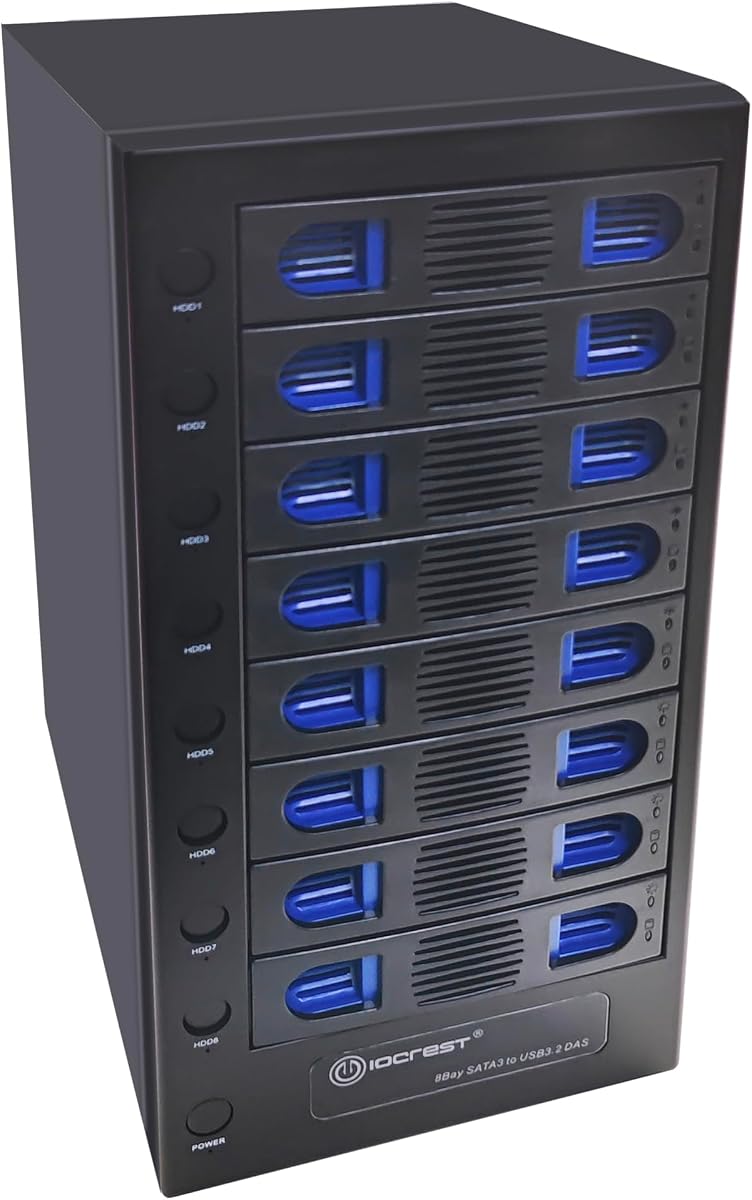


This CENMATE enclosure stands out as a versatile option for those needing significant storage. It supports up to 160TB across eight bays. The inclusion of eight RAID modes offers flexibility for different redundancy needs.
We may earn a commission when you buy through this link, at no additional cost to you.
The aluminum alloy chassis provides robust protection while aiding heat dissipation. Two cooling fans ensure drives stay within safe operating temperatures. USB 3.0 connectivity offers decent speeds for general data transfer tasks.
However, switching RAID modes requires physical interaction with the device and power cycling. This can be inconvenient if you frequently change configurations. Fan noise is also notable in quiet environments.
It is best suited for users who want hardware RAID without breaking the bank. Ensure you back up data before setting up RAID as it formats drives. Ideal for home servers or small business backup solutions.
Supports CLONE, LARGE, NORMAL, RAID0, RAID5, RAID50, and RAID00 for various data safety levels.
Built-in 2.9 inch fans help maintain optimal temperatures for high-capacity hard drives.
We may earn a commission when you buy through this link, at no additional cost to you.
The SanDisk G-RAID Shuttle is a powerhouse for professional video editors and creatives. It comes pre-configured with RAID 5 but allows switching to RAID 0, 1, 6, 10, 50, 60, or JBOD. This flexibility is crucial for workflow optimization.
We may earn a commission when you buy through this link, at no additional cost to you.
Speed is its standout feature with read speeds up to 1900MB/s and write speeds up to 2000MB/s via Thunderbolt 3. This makes editing 8K footage directly from the drive feasible. The removable Ultrastar hard drives add an enterprise-grade reliability layer.
The main trade-off is the significant cost compared to consumer DAS units. It is designed for professional workflows where time and reliability are paramount. Daisy-chaining allows connecting up to five additional devices for massive storage pools.
If you need top-tier performance and capacity for 4K or 8K work, this is the pick. It supports USB-C too but works best with Thunderbolt 3. Consider this if budget allows for premium storage solutions.
Thunderbolt 3 interface delivers up to 2000MB/s write speeds for smooth high-resolution video editing.
Powered by eight removable Ultrastar hard drives designed for demanding mission-critical workloads.
We may earn a commission when you buy through this link, at no additional cost to you.
For those who prefer software RAID or independent drives, this DAS enclosure is excellent. It avoids the complexity of hardware RAID controllers while offering massive capacity. Up to 160TB is supported across eight 2.5 or 3.5 inch bays.
We may earn a commission when you buy through this link, at no additional cost to you.
Hot swapping allows you to remove and add drives without powering down the unit. This is incredibly useful for swapping out drives for backups or repairs. USB 3.0 with UASP control ensures transfer speeds up to 5Gbps.
While it lacks hardware RAID, the daisy chain feature lets you expand storage further by connecting up to three devices. The aluminum chassis helps with passive cooling though fans are present. It is simple and effective for home or small office use.
Choose this if you want to manage your own drive configuration. It works well with Mac and Windows systems. The price point makes it accessible for users building large storage arrays on a budget.
Swap out drives easily without shutting down the system for continuous operation and maintenance.
Daisy chain up to three units to expand total capacity up to 480TB with compatible cables.
We may earn a commission when you buy through this link, at no additional cost to you.
The OWC ThunderBay 8 is built for Mac and Windows users needing high-speed external storage. It uses Thunderbolt 3 to deliver speeds significantly faster than USB. The eight bays accept both 2.5 and 3.5 inch drives flexibly.
We may earn a commission when you buy through this link, at no additional cost to you.
Daisy chaining is a key benefit allowing six units to be linked for up to 1,152TB of storage. This makes it ideal for creative professionals with growing data needs. The quick drive swap trays make maintenance effortless.
While it does not have internal RAID hardware, it supports SoftRAID software for similar functionality. The build quality is premium with Thunderbolt certification. It requires a Thunderbolt 3 port on your host machine which might limit some users.
If you have a Thunderbolt-enabled laptop or desktop this is a top choice. It offers the flexibility of individual drives with high bandwidth. Ideal for media storage where speed and capacity are prioritized.
Link up to six units together to create an enormous storage pool for long-term projects.
Supports both 2.5 and 3.5 inch SATA SSDs and HDDs for versatile storage options.
We may earn a commission when you buy through this link, at no additional cost to you.
This model upgrades the standard USB 3.0 to USB 3.2 Gen 2 for faster transfers. It maintains the same 8-bay design and aluminum build as the previous CENMATE options. The 10Gbps speed is significantly better than the 5Gbps older model.
We may earn a commission when you buy through this link, at no additional cost to you.
Hot swappable bays allow easy drive replacement without shutting down. The fans help dissipate heat efficiently for continuous operation. It supports up to 160TB capacity which is generous for a home setup.
Like other DAS units, it relies on software RAID if redundancy is needed. The build quality is solid and the cable options include both A and C. It is a strong competitor for users wanting speed without Thunderbolt costs.
Consider this if you need quick access to large media files. It fits well in a desktop setup. The price point balances performance and cost effectively for most users.
USB 3.2 Gen 2 interface provides up to 10Gbps transfer rates for faster data access.
Includes a DC 12V 20A power adapter ensuring stable power for all eight bays.
We may earn a commission when you buy through this link, at no additional cost to you.
This enclosure stands out with independent control switches for each drive. This allows you to power down specific drives without affecting the rest. The smart fan function uses a thermal sensor to adjust speeds based on heat.
We may earn a commission when you buy through this link, at no additional cost to you.
It supports up to 22TB per drive which is higher than the standard 20TB limit. This makes future-proofing easier for your storage needs. USB-C 3.2 offers the standard 10Gbps speed for fast file transfers.
While it does not support hardware RAID, the independent switches make backup workflows easier. You can easily isolate a drive for cloning or checking. The steel housing provides decent protection but lacks the premium feel of aluminum.
Ideal for users who want control over individual drives. It is a great choice for backup stations or media servers. Ensure your drives are tested before installation for reliability.
Independent power switches let you turn off specific drives for maintenance or energy saving.
Thermal sensor adjusts fan speeds automatically to keep drives cool while reducing noise.
We may earn a commission when you buy through this link, at no additional cost to you.
This unique enclosure combines storage with PCIe expansion capabilities. The top four bays can utilize U.2 SSDs for high performance. It includes front USB-C, USB-A ports, SD and CFexpress card readers for easy media access.
We may earn a commission when you buy through this link, at no additional cost to you.
Thunderbolt connectivity ensures rapid data transfer. SoftRAID support provides powerful software RAID management. The PCIe x16 slot allows adding network cards or audio interfaces directly to your setup.
It is a complex unit intended for advanced users or studios. The price reflects its multi-function nature. If you need to expand both storage and card slots this is a rare and valuable option.
Best for professionals needing a hub for multiple tasks. It helps declutter your desk by combining functions. Ensure your system supports Thunderbolt to maximize its potential.
Combines drive storage with USB, SD card, CFexpress readers, and PCIe expansion in one unit.
Top bays support U.2 SSDs for blazing fast read write speeds up to 2750MB/s.
We may earn a commission when you buy through this link, at no additional cost to you.
This enclosure is designed to expand storage for QNAP NAS systems or workstations. It offers a 10Gbps USB-C port for quick data access. It supports up to 8 3.5 or 2.5 inch SATA drives.
We may earn a commission when you buy through this link, at no additional cost to you.
The JBOD Manager utility allows easy management of drive configurations. It is a straightforward solution to add capacity without buying a new NAS. The tower design fits neatly on a desk.
While it does not have internal RAID, using it with a NAS that provides RAID is effective. Plug and play support makes it easy to set up for Mac Windows and Linux. It is reliable and practical for growing libraries.
Choose this if you own a QNAP NAS or want simple DAS storage. It bridges the gap between external drives and full NAS systems. Good for home media libraries or backup repositories.
Use free QNAP JBOD Manager utility to monitor drive health and manage configurations easily.
USB 3.2 Gen 2 Type-C port delivers up to 10Gbps for rapid file backups.
We may earn a commission when you buy through this link, at no additional cost to you.
This is a DIY case for building your own network attached storage. It supports Mini ITX and Micro ATX motherboards. Hot swap bays allow you to change drives while the system is running.
We may earn a commission when you buy through this link, at no additional cost to you.
The dual independent air ducts separate drive heat from motherboard heat. This keeps temperatures lower and noise down. It comes with three temperature-controlled silent fans for efficient cooling.
Building a server with this case offers total control over your OS and RAID. It is a great base for Plex Jellyfin media servers or private clouds. Note that the motherboard CPU and PSU are not included.
If you enjoy building computers this is a solid investment. It provides the structure for a powerful and reliable home server. Good for tech enthusiasts wanting a custom solution.
Dual independent air ducts separate heat sources to keep system temperatures optimal and silent.
Supports Mini ITX and Micro ATX motherboards with flexible assembly for customized setups.
We may earn a commission when you buy through this link, at no additional cost to you.
The ICY DOCK MB998SK-B is specialized for 2.5 inch drives. It fits into an external 5.25 inch bay or internal mount. Full metal construction ensures durability and heat dissipation.
We may earn a commission when you buy through this link, at no additional cost to you.
Locking trays secure your drives in place preventing vibration issues. It supports both SATA and SAS single channel. This makes it a great solution for high density storage in rack systems or cases.
It is not a full enclosure but a cage. It requires a separate power supply and host interface. Ideal for users wanting to consolidate SSDs or laptop drives in one secure unit.
Choose this if you have many 2.5 inch drives to manage. It offers security and stability. Perfect for compact storage solutions where space is limited.
Fits into external 5.25 inch drive bays to store up to eight 2.5 inch drives securely.
Locking trays protect drives from vibration and ensure stability during transport or use.
We may earn a commission when you buy through this link, at no additional cost to you.
Selecting the right enclosure involves understanding your connectivity speed and redundancy needs. Use this guide to evaluate the most important factors.
The interface determines how fast data moves between your computer and storage. USB 3.0 offers up to 5Gbps which is decent for basic tasks. USB 3.2 Gen 2 doubles that speed to 10Gbps. Thunderbolt 3 or 4 provides up to 40Gbps for professional workflows requiring high bandwidth.
Ensure your computer has the right ports. Using a slower port will bottleneck the speed of even the fastest enclosure. Match the interface to your workflow demands.
RAID enclosures handle data redundancy internally using hardware controllers. This reduces CPU load but limits flexibility if a controller fails. DAS enclosures expose drives individually to your system allowing you to use software RAID or independent files.
Choose RAID if you want plug and play redundancy without complex setup. Choose DAS if you want more control over drive management and software RAID tools.
Check whether the enclosure supports both 2.5 and 3.5 inch drives. Some units only support 2.5 inch SSDs. Max capacity per drive matters if you plan to use 20TB or 22TB drives. Always verify supported drive sizes in the specs.
Buying drives that the enclosure cannot recognize wastes money. Confirm the maximum capacity and size support before purchasing hardware.
Eight drives require significant power. Enclosures usually include a DC power adapter. Check the amperage rating to ensure it can handle all drives at full capacity. Insufficient power can cause drive dropouts or instability.
Always use the provided power adapter. Do not rely on USB power for an 8 bay unit as it cannot supply enough current.
Eight drives generate substantial heat. Active cooling with fans is essential for longevity. However, fans can be noisy. Look for units with adjustable fan speeds or thermal sensors that reduce noise when drives are idle.
Consider where the unit will be placed. In an office or bedroom noise levels matter more. Ensure the enclosure fits your environment without becoming a distraction.
Hot swap capability allows you to remove or insert drives while the unit is on. This is useful for quick drive changes or maintenance. It saves time and avoids powering down the whole system.
If you plan to move drives often prioritize a unit with hot swap support. If drives are permanent this feature is less critical.
A sturdy chassis protects drives from physical damage and aids cooling. Aluminum alloys dissipate heat better than plastic or thin steel. Full metal builds also reduce vibration which protects sensitive moving parts in hard drives.
Invest in a unit with solid construction. It ensures longevity and safer storage for your valuable data.
Some enclosures allow daisy chaining to connect multiple units for more storage. This helps grow your array without buying a new controller. Check if the unit supports this feature via USB or Thunderbolt.
If you expect storage needs to grow expansion support offers long-term value. It keeps your initial investment relevant longer.
Start by checking individual drive health before inserting all eight drives. Test each drive separately to ensure it is functioning correctly. This prevents issues where a bad drive hides or disrupts others in the array.
Backup your data before configuring RAID. RAID setup formats drives and erases existing data. Plan to back up everything on the drives before switching modes to avoid permanent loss.
Maintain clean air vents and fans. Dust buildup reduces cooling efficiency and can cause overheating. Regularly check fan operation and clean debris to keep the enclosure running cool and quiet.
Hardware RAID manages redundancy inside the enclosure using a dedicated controller. DAS exposes individual drives to your computer for software management. Hardware RAID is easier to set up while DAS offers more flexibility.
Most modern enclosures support both Mac and Windows out of the box. Some may require reformatting for specific file systems like APFS or NTFS. Always verify OS compatibility in the product specifications.
A drive may be faulty or inserted incorrectly. Test each drive individually before filling the enclosure. If the drive is detected but fails to mount it may need formatting or repair.
Yes, Thunderbolt devices require certified Thunderbolt cables to achieve full speeds. USB cables will limit transfer rates. The box usually includes the necessary cable but check its rating.
Adding drives to an existing array is often complex and varies by RAID mode. Some modes allow expansion but others do not. Check the specific RAID controller features for expansion capabilities.
RAID 5 tolerates one drive failure without data loss. The array remains functional in degraded mode. You must replace the failed drive as soon as possible to restore redundancy.
No Thunderbolt 3 and 4 offer higher speeds than USB 3.2 Gen 2. Thunderbolt reaches up to 40Gbps while USB 3.2 Gen 2 reaches 10Gbps. Choose Thunderbolt if you need maximum speed.
Choosing the right 8 bay enclosure depends on your speed and redundancy needs. The SanDisk G-RAID offers top performance while CENMATE provides affordable options. Each model serves different use cases from home backup to professional editing.
Prioritize connectivity and build quality for long-term reliability. Ensure your computer matches the enclosure interface to avoid bottlenecks. Consider hot swap features for easier maintenance and flexibility.
Prices and stock change frequently so verify the latest offers before buying. Check current specs on the product page to confirm compatibility. Investing wisely ensures your data remains safe and accessible.