
InnoGear Gaming Mic USB Computer Microphone
4.4Editor score
Advanced noise cancellation
Immersive RGB lighting
Premium condenser capsule
This guide compares the top ten cheap boom microphone options for streaming, gaming, and podcasting to help you find clear audio without overspending.
Finding a cheap boom microphone that delivers clear sound without breaking the bank can be challenging for creators and gamers alike. You need reliable hardware that positions close to your mouth to reduce background noise while remaining affordable enough for budget-conscious setups.
We evaluated ten leading options based on sound quality, build durability, connectivity features, and included accessories. Our analysis focuses on real-world performance for streaming, podcasting, and voice communication to ensure you get the best value for your investment.
Each pick highlights specific strengths like noise cancellation, RGB lighting, or dual connectivity to match your unique needs. Please note that product availability and pricing may change over time, so verify current details before making your final purchase decision.
4.4Editor score
4.5Editor score

4.5Editor score
Below you will find a detailed side-by-side comparison of all ten products to help you quickly identify key specifications and features that matter most for your specific recording or streaming needs.


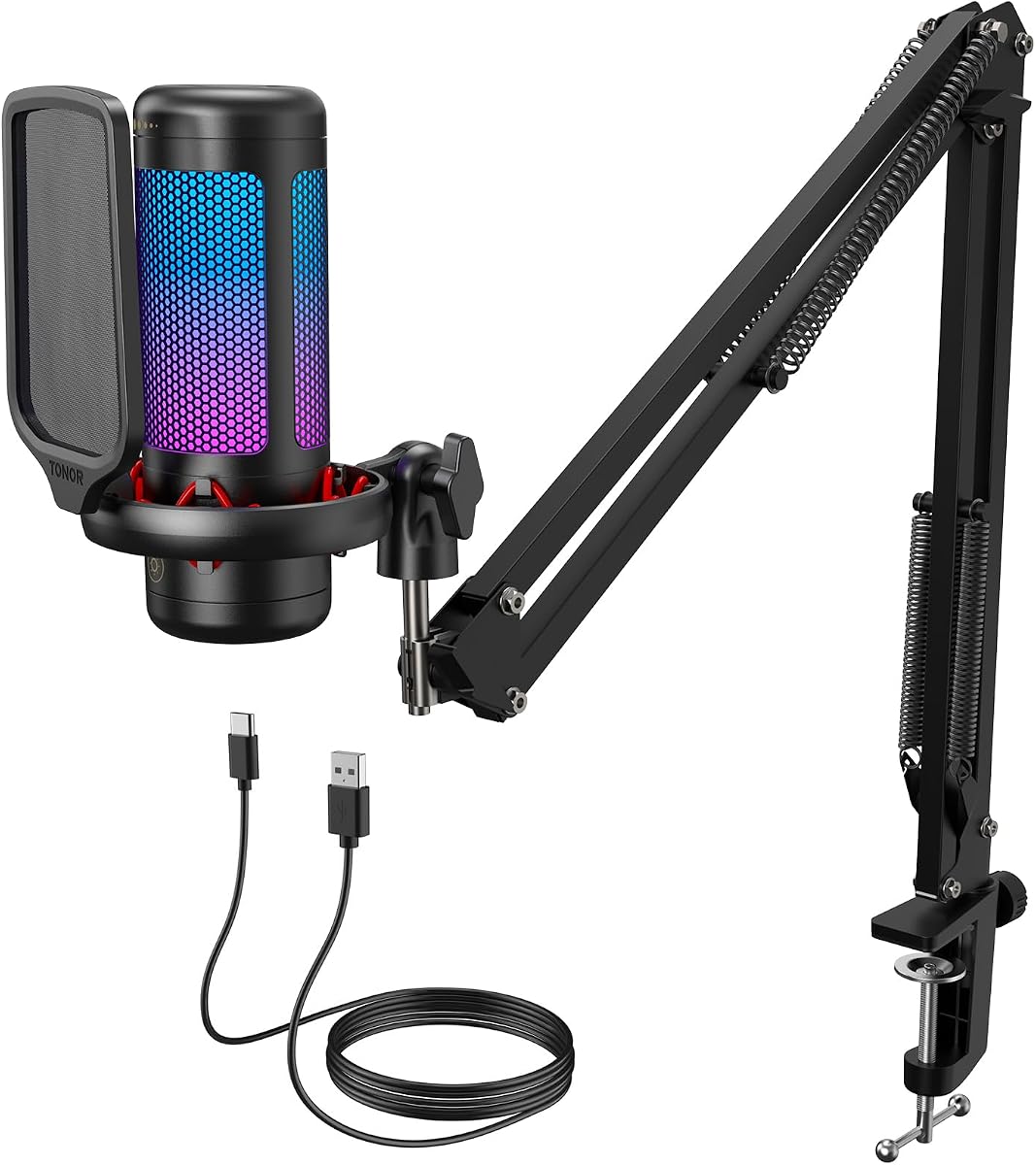
The TONOR Gaming Microphone Set stands out as the top pick for those seeking a cheap boom microphone that delivers exceptional value without sacrificing performance. It earns its Editor's Choice badge through a combination of high-fidelity sound reproduction and a comprehensive kit that includes everything needed to start streaming or podcasting immediately.
We may earn a commission when you buy through this link, at no additional cost to you.
Its premium chips and expert tuning ensure that your voice comes through with pure, clean sound suitable for both casual gaming and professional content creation. The included metal boom arm provides sturdy support and flexible positioning, while the RGB lighting adds a customizable visual flair to your setup with multiple modes to choose from.
While the sound quality is impressive, users should note that the device is not compatible with Xbox consoles, which may limit its utility for console gamers. Additionally, the RGB brightness is fixed at certain levels, though long tapping allows some adjustment to prevent eye strain during long sessions.
This set is ideal for PC gamers, streamers, and podcasters who want a reliable, all-in-one solution. With its robust build, intuitive controls like tap mute and gain adjustment, and excellent audio clarity, it remains the most balanced option in this roundup.
The microphone uses premium chips and expert tuning to deliver high-fidelity audio that ensures smooth communication with teammates and audiences.
This all-in-one equipment kit includes the microphone, boom arm, and necessary accessories, saving you from buying additional components separately.
We may earn a commission when you buy through this link, at no additional cost to you.
The InnoGear Gaming Mic secures the Best Budget spot by offering advanced features typically found in more expensive models. Its combination of noise cancellation, RGB lighting, and a premium condenser capsule makes it an attractive option for streamers and gamers who want premium aesthetics and performance at an accessible price point.
We may earn a commission when you buy through this link, at no additional cost to you.
Equipped with cutting-edge noise cancellation, this microphone minimizes background noise effectively, ensuring your teammates and audience hear only your voice. The immersive RGB lighting features four unique modes that can be customized to enhance your gaming station ambiance and synchronize with your setup style.
However, the condenser microphone is not compatible with Xbox, which limits its reach for console players. Additionally, while the RGB lighting adds visual appeal, some users might find it distracting during recording sessions, though it can be turned off easily if needed.
Ideal for PC users and streamers, this mic delivers clear voice output with zero-latency monitoring and precise volume adjustments via the base knob. Its plug-and-play simplicity and rich feature set make it the best choice for budget-conscious buyers seeking quality and style.
Cutting-edge noise cancellation technology minimizes background noise with precision, ensuring unmatched voice clarity during streaming or recording sessions.
Transform your gaming station with customizable RGB lighting featuring four unique modes to elevate your setup visually.
We may earn a commission when you buy through this link, at no additional cost to you.
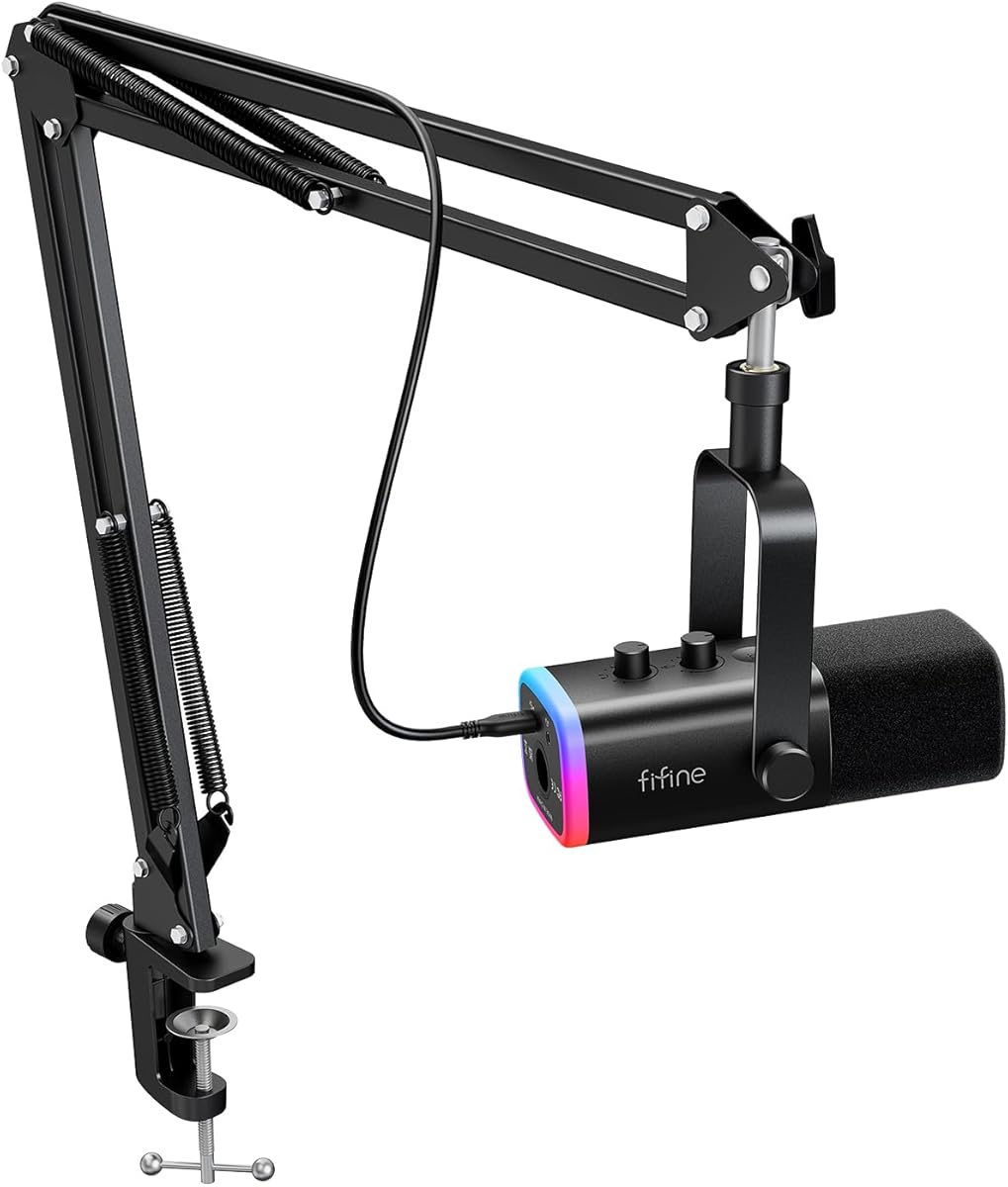
The FIFINE AmpliTank K688CT earns its Best Premium label through its ability to deliver authentic sound integrity and professional-grade recording capabilities. It is the best pick for podcasters and streamers who value studio-quality audio and the flexibility to upgrade their setup with XLR connectivity in the future.
We may earn a commission when you buy through this link, at no additional cost to you.
Equipped with both USB and XLR connections, this kit offers versatility that suits various streaming and gaming needs. The dynamic microphone boasts a high SPL and reduces ambient noise, ensuring your voice takes center stage. The robust boom arm stand ensures secure placement and minimizes vibrations for smooth audio quality.
While the XLR functionality is powerful, note that function keys on the mic are invalid when using XLR connection, requiring control via an audio interface or mixer. Additionally, the XLR cable is not included, which means you may need to purchase it separately to fully utilize the dual connectivity.
This kit is recommended for creators seeking a reliable path to higher-quality audio without replacing the mic later. Its intuitive controls, effective noise suppression, and sturdy build make it a premium choice among cheap boom microphone options available today.
Experience natural sound reproduction with the podcast microphone boom arm to preserve audio sound without distortion or quality loss.
Transition seamlessly between plug-and-play USB convenience and enhanced XLR connectivity for studio-grade sound reproduction.
We may earn a commission when you buy through this link, at no additional cost to you.
The FIFINE AmpliGame AM8T offers exceptional value by combining dynamic microphone quality with versatile USB/XLR connectivity. It is ideal for gamers and streamers who want a kit that works out of the box for PC but also supports future upgrades with professional audio equipment.
We may earn a commission when you buy through this link, at no additional cost to you.
Its cardioid polar pattern and high sensitivity help avoid background noise while delivering clear audio for recordings. The included boom arm stand is made of sturdy metal with elastic springs, providing stable support. RGB lighting adds visual appeal that you can control with a simple button tap.
Keep in mind that the XLR cable is not included, so you will need to purchase it separately to utilize that connection. The desk clamp fits desks up to 2 inches thick, which may not suit all setups, but the arm is adjustable for optimal positioning.
This microphone is a solid choice for those planning to grow their setup. With real-time monitoring, precise gain control, and a design tailored for gaming and streaming, it balances practicality with high performance effectively.
Versatile PC gaming microphone kit with USB compatibility plug and play for PC in streaming or recording without additional drivers.
Made of sturdy metal with strong and elastic springs for stability, holding the mic in secure support for stable vocal recording.
We may earn a commission when you buy through this link, at no additional cost to you.
The MAONO A04 stands out for its high-resolution audio capabilities, making it a top choice for podcasters and voice-over artists. Its professional sound chipset ensures smooth, flat frequency response that reproduces sound with excellent clarity and detail for professional output.
We may earn a commission when you buy through this link, at no additional cost to you.
The 16mm condenser mic provides strong bass response and picks up crystal clear audio. The all-in-one set includes a shock mount, pop filter, and adjustable scissor arm stand, allowing you to set up quickly. It features strong anti-interference functionality on the cable for a better user experience.
One limitation is the need for close positioning, as the best range is between 2 to 6 inches from the mouth. Also, while compatible with most operating systems, it does not work with Xbox consoles, which may be a drawback for console gamers seeking voice chat tools.
If you prioritize studio-quality sound on a budget, this kit delivers exceptional value. With plug-and-play simplicity and comprehensive accessories, it provides everything you need to produce high-quality audio content immediately.
Designed with professional sound chipset holding high resolution sampling rate for smooth, flat frequency response ideal for studio use.
Complete podcast microphone set package includes USB Condenser Mic, Adjustable Scissor Arm Stand, Metal Shock Mount, and Pop Filter.
We may earn a commission when you buy through this link, at no additional cost to you.
The ZealSound Podcast Microphone offers a versatile solution for creators across platforms, combining studio-quality recording with easy on-mic controls. It shines by allowing you to adjust echo, monitor volume, and input levels directly without opening software, streamlining your workflow significantly.
We may earn a commission when you buy through this link, at no additional cost to you.
Built-in noise reduction helps reduce common background noise for clearer speech, while the cardioid pickup pattern keeps your voice focused. The included heavy-duty metal boom arm extends up to 30.8 inches, rotating 360 degrees for flexible positioning and better desk space management.
While the adjustable echo knob adds creative flexibility, some users might find the effect artificial if pushed too high. Additionally, the top-address pickup design requires maintaining a consistent distance of 6 to 12 inches from your mouth to avoid volume fluctuations.
This microphone is perfect for podcasters and streamers who want quick adjustments and mobile compatibility. With zero-latency monitoring and a robust build, it provides reliable performance for various recording scenarios from desktop to mobile.
Three front-mounted knobs let you adjust mic input volume, headphone monitoring volume, and echo directly without opening software.
Built from sturdy metal, the adjustable support arm keeps the microphone stable during everyday use and rotates 360 degrees.
We may earn a commission when you buy through this link, at no additional cost to you.
The TONOR Dynamic Gaming Microphone integrates advanced AI noise cancellation to provide clear audio streams. It is the best pick for competitive gamers who want to eliminate background noise like keyboard clatter and focus on delivering a professional voice chat experience.
We may earn a commission when you buy through this link, at no additional cost to you.
Supporting both USB and XLR outputs, this mic offers future-proof connectivity that saves money on future upgrades. The customizable RGB lighting adds flair to your gaming atmosphere, while quick adjustment features ensure listeners and teammates hear superior audio without interruptions.
Note that XLR cables are not included, so you will need to buy them separately if you plan to use that mode. Also, while it supports PS4 and PS5, it is not compatible with Xbox, which is a consideration for console players.
This microphone is ideal for gamers seeking high-performance audio with smart noise filtering. Its dual connectivity, superior compatibility, and sleek design make it a strong contender for those investing in a reliable streaming setup.
Premium microphone capsule delivers crystal-clear audio while AI noise reduction technology eliminates distracting background sounds like keyboard clatter.
Dual interfaces support future upgrades with sound cards and XLR cables for enhanced audio quality without replacing the microphone.
We may earn a commission when you buy through this link, at no additional cost to you.
The FIFINE T669 is designed for home studio applications, offering rugged construction and a wide frequency response for professional vocals. It is the best pick for podcasters and voice-over artists who need high-quality audio without complex setup procedures.
We may earn a commission when you buy through this link, at no additional cost to you.
Its cardioid condenser capsule captures clear audio while avoiding ambient noise. The durable arm set features a heavy-duty combo mount with a sturdy C-clamp and detachable desktop mount, allowing flexible positioning. The double pop filter provides two layers of dissipation to minimize popping sounds effectively.
This microphone is plug-and-play with no additional hardware or drivers needed, simplifying installation. However, it is incompatible with Xbox, so console users may need to explore other options for voice chat. Proper cable management is recommended to keep the setup tidy.
For creators prioritizing sound quality and durability, this kit delivers exceptional results. With its comprehensive accessory package including shock mount and pop filter, it ensures your voice is recorded clearly and professionally every time.
Handles high SPLs with ease, ideal for project and home-studio applications, capturing crystal-clear audio from the front.
Double pop filter provides two layers of dissipation, removing air rushes and minimizing popping sounds that compromise recordings.
We may earn a commission when you buy through this link, at no additional cost to you.
The V-Moda BoomPro Microphone offers premium voice quality for communication and gaming, making it a solid choice for headphone users. It is the best pick for those who want to upgrade their existing headset with a detachable mic that positions perfectly without requiring a full headset replacement.
We may earn a commission when you buy through this link, at no additional cost to you.
Its detachable design ensures maximum compatibility and optimal use. The flexible boom allows for precise microphone positioning, while the clip-on controller provides easy access to mute and volume adjustments. The durable construction features a reinforced lightweight cable and gold-plated connector for reliability.
Keep in mind that compatibility may vary depending on your specific headphone model, so checking manufacturer specifications is recommended. The manual volume control is straightforward but may require occasional manual adjustment compared to software-controlled options.
Ideal for gamers and professionals using compatible headphones, this mic ensures your voice is heard clearly. With its robust build and universal connectivity, it bridges the gap between standard headsets and premium microphone quality effectively.
Detachable for maximum compatibility and optimal use with a flexible boom for precise microphone positioning on any headset.
Clip-on controller with a Mute button and a volume wheel for easy adjustments during communication or gaming sessions.
We may earn a commission when you buy through this link, at no additional cost to you.
The Cable Boom Microphone provides a simple and effective solution for console gamers who need a reliable boom mic for their existing headset. It is the best pick for those using PlayStation or Xbox controllers and want to upgrade their audio setup without buying a full new headset.
We may earn a commission when you buy through this link, at no additional cost to you.
Its upgraded flexible detachable boom mic enables perfect microphone positioning via a SteelFlex arm. The integrated rotary volume control and mute switch make it easy to manage audio during games. The dual Y-adapter ensures compatibility with devices requiring separate mic and headphone inputs.
While the audio quality is basic compared to dedicated USB microphones, it is sufficient for voice chat and communication. It lacks RGB features or advanced controls, focusing purely on functionality and compatibility with various gaming consoles and PCs.
Ideal for console players looking for an affordable replacement cable, this mic integrates well with most standard headphones. Its flexibility, universal connectivity, and straightforward design make it a practical choice for casual gaming sessions.
Upgraded Flexible, Detachable Boom Mic enables rotary Volume Control and Mute Switch with SteelFlex Arm for perfect microphone positioning.
Works with smartphones, tablets, PCs, notebooks and gaming consoles including PlayStation 4, PlayStation Vita, Xbox One, and more via 3.5mm plug.
We may earn a commission when you buy through this link, at no additional cost to you.
Choosing the right cheap boom microphone requires understanding several key factors that affect audio quality and user experience. This guide walks you through the essential elements to consider before purchasing.
Decide between condenser and dynamic microphones based on your environment. Condenser mics are more sensitive and capture more detail, which is great for quiet studios. Dynamic mics are less sensitive and better at ignoring background noise, making them suitable for louder rooms.
Choose condenser mics for quiet recording spaces and dynamic mics for noisy environments to ensure clear voice capture.
USB connectivity offers plug-and-play convenience for most PC users, while XLR provides professional-grade audio quality and flexibility for future upgrades. Some microphones offer dual connectivity, allowing you to use either interface as your needs evolve.
Prioritize USB for simplicity and XLR for professional expansion, or choose dual connectivity for versatility.
Effective noise cancellation reduces background sounds like keyboard clicks or traffic, ensuring your voice remains the focus. Some microphones use AI technology to filter noise digitally, while others rely on hardware design such as cardioid patterns.
Look for microphones with noise cancellation features if you record in non-isolated environments to maintain audio clarity.
A sturdy boom arm allows you to position the microphone close to your mouth while keeping it out of the way. Metal arms with strong springs offer better durability and stability compared to plastic alternatives that may sag over time.
Ensure the boom arm is made of durable metal and has a secure clamp to prevent sagging and maintain positioning.
Features like RGB lighting, tap-to-mute buttons, and headphone monitoring jacks can enhance usability and aesthetics. These features are often included in budget kits and provide convenience during live streaming or gaming sessions.
Consider these extra features based on whether you value visual customization and quick access controls during recording.
Verify that the microphone is compatible with your specific devices and operating systems. Some models may not support certain gaming consoles like Xbox, while others work seamlessly with PC, Mac, and mobile devices.
Always check compatibility lists to ensure the microphone works with your setup before purchasing.
Many kits include shock mounts, pop filters, and cables which save you money on additional purchases. Check what comes in the box to determine if you need to buy accessories separately to start using the mic.
Opt for kits that include essential accessories to get started immediately without extra spending.
While the focus is on cheap options, balance cost with the features and durability offered. Sometimes spending slightly more provides better sound quality or longevity, which may be more cost-effective over time.
Evaluate the overall value including build quality and features rather than just the lowest price point.
Position the boom arm so the microphone is about 6 to 12 inches from your mouth for optimal audio capture. Avoid pointing it directly at noisy sources like fans or air conditioners to minimize unwanted background noise during recording.
Regularly clean the microphone grille with a soft brush to prevent dust buildup that can degrade audio quality over time. Store the microphone in a dry place when not in use to protect sensitive components from humidity damage.
Use the mute button or gain controls effectively during recording sessions to maintain consistent volume levels. Check cables and connections periodically to ensure there are no loose parts that could interrupt your streaming or recording workflow.
Most of the USB microphones in this list are not compatible with Xbox consoles, as they are designed primarily for PC and mobile use. If you are a console gamer, check the specific compatibility notes in the product details or opt for models with 3.5mm inputs that work with controller jacks.
No, most of these microphones support plug-and-play functionality, meaning they work immediately upon connecting to your computer without extra drivers. However, using companion software might provide additional features like equalizer settings or advanced monitoring options if available.
Condenser microphones are more sensitive and capture detailed audio, making them ideal for quiet recording environments. Dynamic microphones are less sensitive and better at rejecting background noise, which is preferable for noisy rooms or live environments.
To reduce background noise, position your microphone close to your mouth and use a cardioid pattern to focus on your voice. Additionally, enable noise cancellation features if available and ensure your recording environment is as quiet as possible.
Yes, these microphones are suitable for podcasting as they offer clear voice capture and include accessories like pop filters and boom arms. Choose a model with strong sound quality and minimal noise interference for the best podcast production experience.
RGB lighting is not necessary for audio performance but adds aesthetic appeal to your gaming or streaming setup. If visual customization is important to your stream branding, look for microphones with customizable RGB modes to enhance your station ambiance.
Choosing the best cheap boom microphone depends on your specific needs and budget constraints. Our top picks include the TONOR Gaming Microphone Set for overall excellence, the InnoGear Gaming Mic for budget performance, and the FIFINE AmpliTank K688CT for premium features.
When making your decision, prioritize features that matter most to you such as noise cancellation, connectivity options, and included accessories. Ensure the microphone is compatible with your devices and offers a sturdy boom arm for flexible positioning during long recording sessions.
Remember that product availability and pricing may change, so always verify the latest details before purchasing. With the right microphone, you can achieve clear audio quality without overspending on expensive equipment.