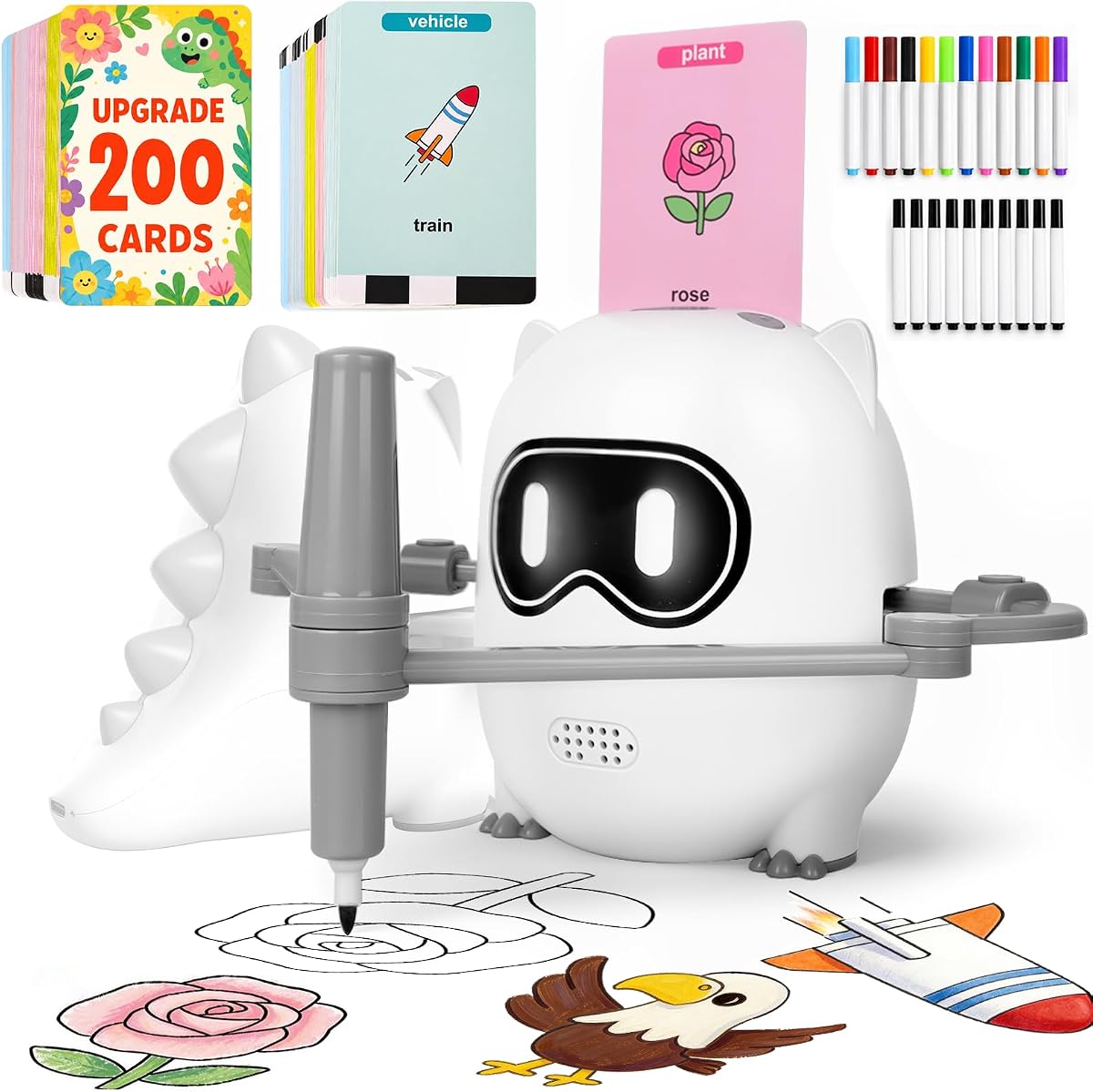
Drawing Robot Toy with 200 Cards
4.5Editor score
200 themed drawing cards
Screen free operation
USB rechargeable battery
This guide compares the top drawing robots for kids featuring interactive learning, creative tools, and educational benefits for young artists.
Drawing robots for kids offer a unique blend of technology and creativity that inspires young minds to explore art. These interactive toys guide children through step-by-step drawing processes fostering patience and fine motor skills in an engaging way.
We evaluated ten leading models based on educational value ease of use content variety and safety features. Our comparison highlights devices that balance fun with learning ensuring parents find the right companion for their child's artistic journey.
Each pick showcases specific strengths from voice interaction to extensive card libraries that keep creativity fresh. Remember that product availability and details may change so verify current specifications before making your final selection for the best experience.
4.5Editor score
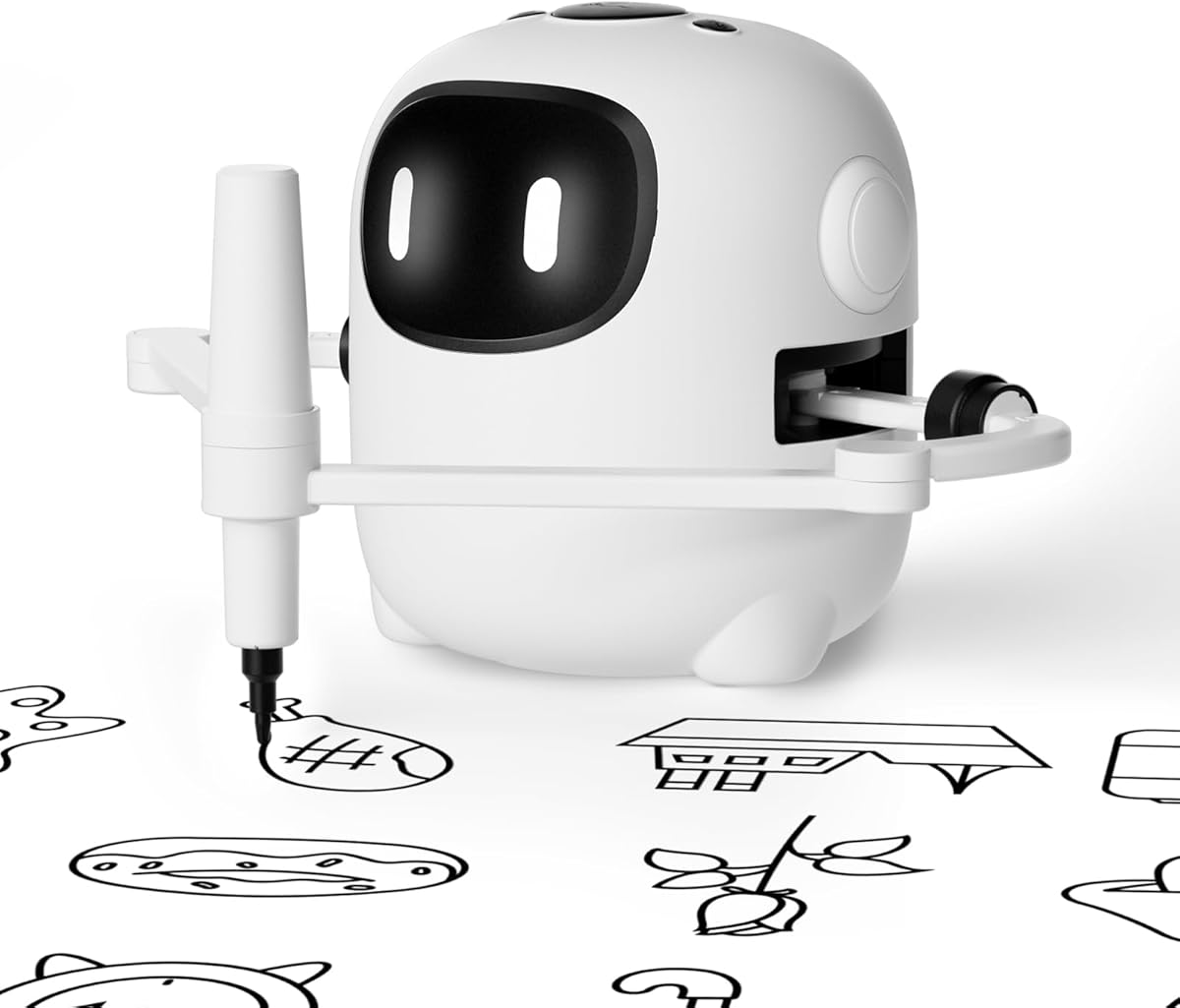
4.6Editor score
4.5Editor score
This side-by-side comparison examines every key feature across all ten models to help you identify the perfect match for your child's age and interests.


The RIVGOT Drawing Robot stands out as a top choice for parents seeking an educational art tool. With a strong rating it delivers consistent performance that blends fun with skill building through interactive guidance.
We may earn a commission when you buy through this link, at no additional cost to you.
Its Montessori inspired design encourages hands on exploration helping children develop cognitive and artistic skills naturally. The included 150 cards cover diverse themes from animals to objects ensuring hours of creative content.
While the robot offers excellent value parents should note the need for a specific power adapter not included in the box. Additionally fixed music volume may be loud for quiet environments but can be managed by placement.
This model is ideal for kids who enjoy structured creative activities and need gentle guidance. It fosters independence and concentration making it a reliable companion for artistic growth at home or in school.
The voice interactive feature helps children connect words with images reinforcing vocabulary alongside drawing skills.
Built in music and step by step instructions keep focus high during extended creative sessions.
We may earn a commission when you buy through this link, at no additional cost to you.
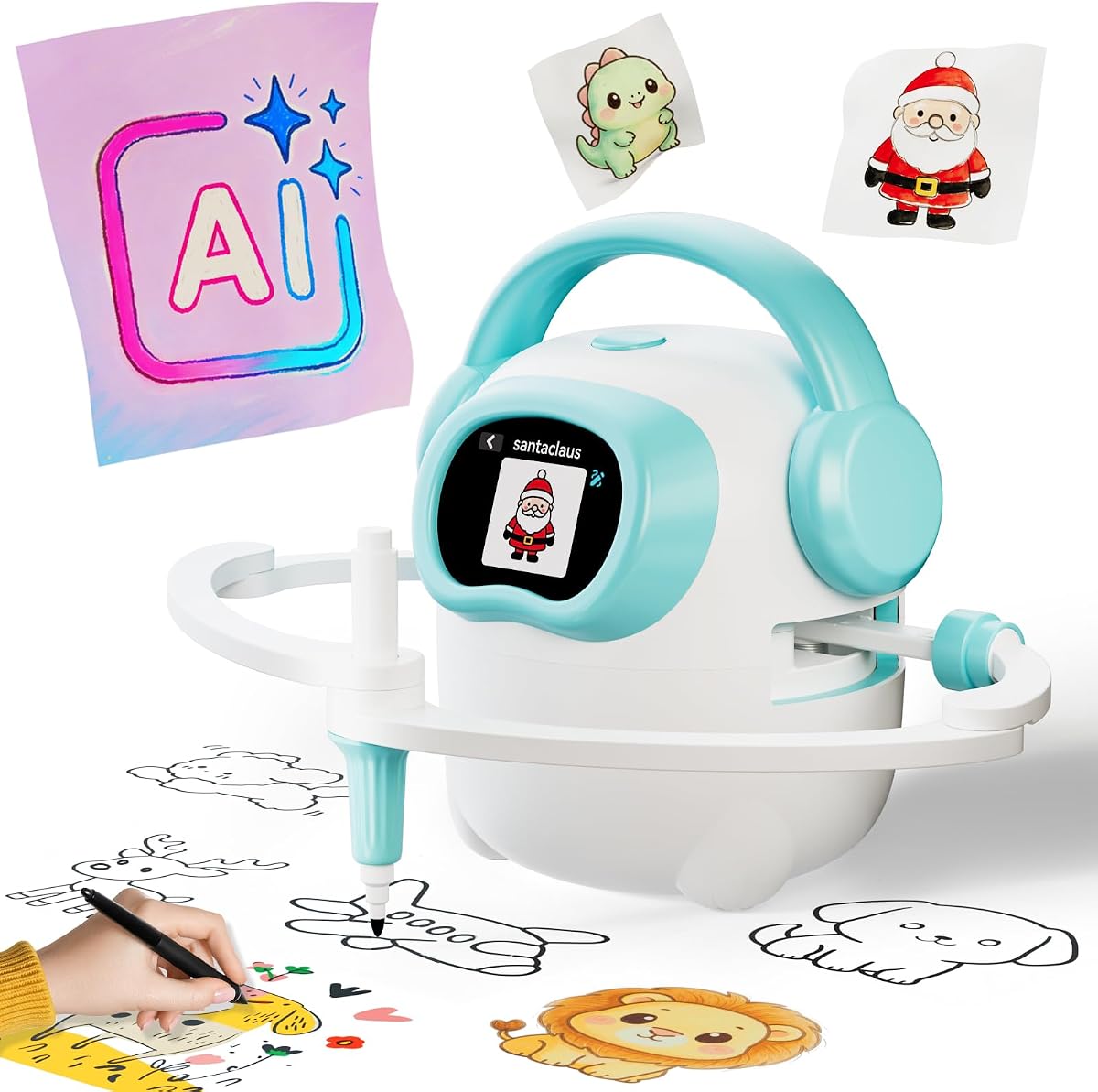
The AI Drawing Robot introduces children to generative technology in a safe engaging way. Its high rating reflects successful integration of advanced features that spark curiosity beyond traditional drawing toys.
We may earn a commission when you buy through this link, at no additional cost to you.
By using voice prompts kids learn how to communicate with AI systems fostering logical thinking and language skills. The touchscreen allows easy navigation through thousands of locally stored or cloud generated images.
Parents may find the WiFi dependency limits offline play but the parental mode ensures safety by disabling network access when needed. The higher cost is justified by the unique educational value of AI interaction.
This robot is perfect for tech savvy families wanting to expose kids to future tools early. It balances creativity with technology education making it a standout gift for curious minds eager to explore.
Kids learn to describe ideas using voice commands building critical thinking alongside artistic expression.
Regular additions to the image library ensure fresh content keeps interest high over time.
We may earn a commission when you buy through this link, at no additional cost to you.
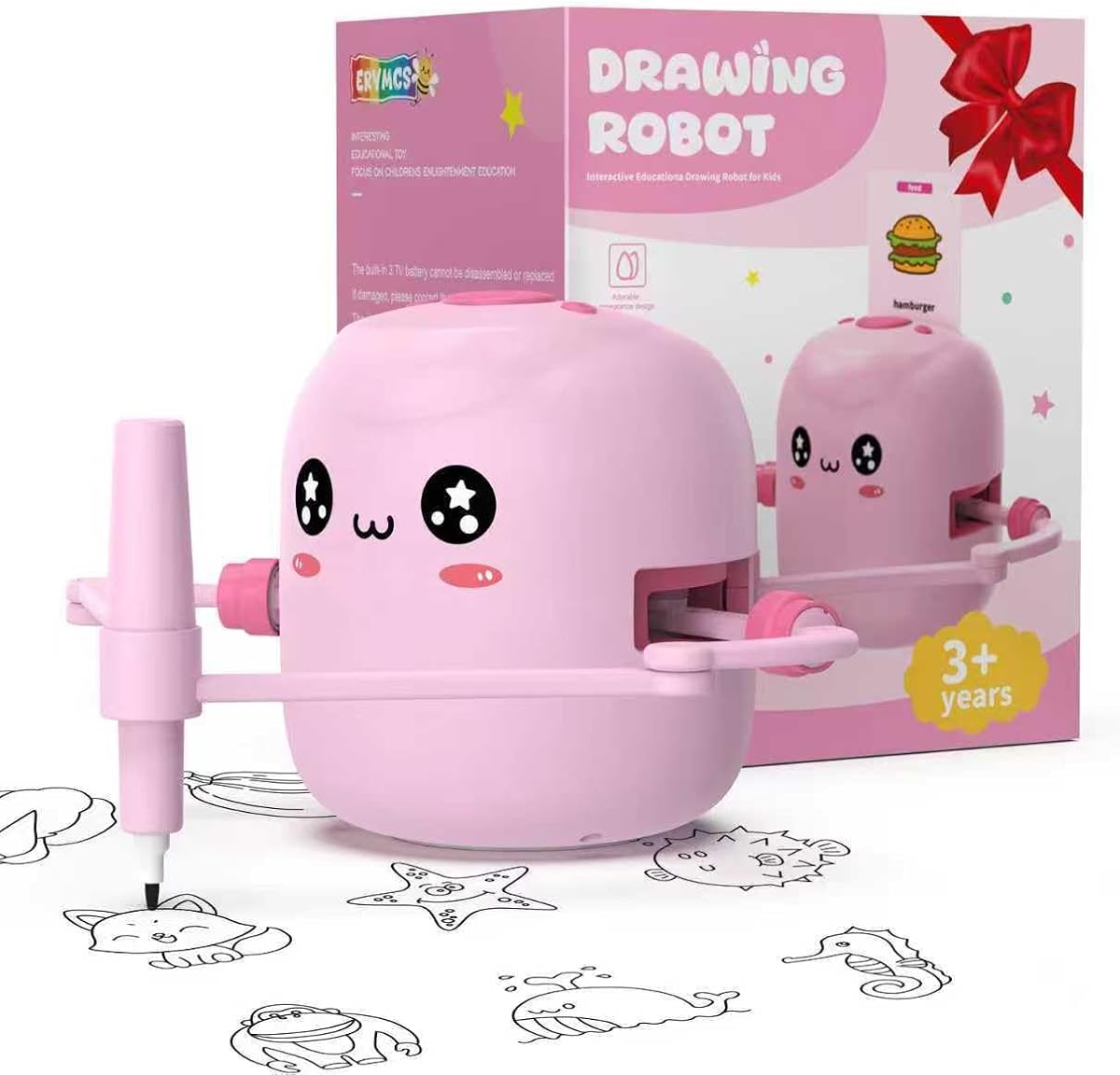
The ERYMCS Drawing Robot focuses on straightforward functionality without unnecessary complexity. Its solid rating indicates reliable performance for families seeking a no fuss creative tool for young artists.
We may earn a commission when you buy through this link, at no additional cost to you.
Children simply insert cards to start drawing while the robot reads words aloud to reinforce language skills. The Montessori approach encourages independent exploration helping kids build confidence through repeated practice.
Lack of included color markers means parents must supply their own which adds slight extra cost. The design though practical lacks advanced features found in premium models but covers all essential drawing needs well.
This option works best for parents wanting an easy start to creative play without technical barriers. It provides a safe engaging environment for kids to develop coordination and appreciation for art naturally.
Word reading feature connects visual shapes with spoken language enhancing early literacy skills.
Simple operation allows kids to engage without constant adult supervision or help.
We may earn a commission when you buy through this link, at no additional cost to you.
The TREEFIA Drawing Robot adds a musical layer to the creative process making art time feel like a party. Its moderate rating suggests it serves well for kids who respond well to auditory cues.
We may earn a commission when you buy through this link, at no additional cost to you.
Built in music keeps children engaged while the robot guides drawing steps ensuring attention remains focused. The inclusion of 16 color pens means kids can start coloring immediately without buying extra supplies.
However with only 100 cards options run out faster than other models with larger libraries. The music feature though fun is not customizable so some may find it repetitive after extended use.
This model suits families who want a complete set ready to use right out of the box. It encourages multi sensory learning combining sound sight and movement to make drawing a dynamic experience.
Music adds an auditory layer to the drawing process enhancing focus and enjoyment.
Included pens mean kids can finish artworks immediately after robot outlines are complete.
We may earn a commission when you buy through this link, at no additional cost to you.
The Kids Drawing Robot offers exceptional value with a high card count at an accessible price point. Its strong rating confirms that budget friendly does not mean low quality in the toy market.
We may earn a commission when you buy through this link, at no additional cost to you.
With 200 cards children have ample variety to explore different themes without needing extras soon. The simple card insert mechanism lets them start drawing independently without complex setups or parental help.
While features like music and word reading are basic they still provide enough stimulation for young users. The design prioritizes function over form which some may prefer for durability and ease of cleaning.
This is the ideal choice for families looking for a low risk introduction to creative technology. It provides all necessary tools for hours of entertainment and learning without breaking the budget.
The 200 card library ensures long term play without immediate need for additional purchases.
Budget pricing makes it an excellent option for multiple children or trial use at home.
We may earn a commission when you buy through this link, at no additional cost to you.
The Uneviesyka Drawing Robot prioritizes safety and durability making it a trusted choice for active play. Its exceptional rating highlights parent confidence in its build quality and child friendly design.
We may earn a commission when you buy through this link, at no additional cost to you.
Constructed with ABS plastic and rounded edges it minimizes risks during enthusiastic creative sessions. The one touch start design ensures kids can operate it safely without needing to fiddle with small parts.
Though it lacks advanced connectivity features this simplicity is a benefit for households seeking minimal digital exposure. The robot focuses purely on mechanical drawing guidance which can be less distracting for younger children.
This model is perfect for parents who prioritize physical safety and straightforward interaction. It provides a secure environment for kids to learn drawing basics without unnecessary technological complications.
Rounded edges and ABS plastic ensure safe handling even during energetic play times.
One touch start means kids can begin creating immediately without complex instructions.
We may earn a commission when you buy through this link, at no additional cost to you.
The Drawing Robot Toy is designed to support educational settings with a focus on screen free learning. Its reliable rating makes it a strong candidate for group activities or home schooling environments.
We may earn a commission when you buy through this link, at no additional cost to you.
With 200 cards covering ten themes it offers structured learning paths suitable for group instruction. The voice interactive feature helps students follow along without needing to read complex instructions independently.
A five year warranty adds confidence for educators investing in durable supplies that must withstand regular use. The absence of music keeps the environment quieter which is beneficial in classroom settings.
This option works best for schools or parents wanting an educational tool that supports independence. It provides a reliable low maintenance experience that keeps students focused on the drawing task.
Structured card themes align with learning goals supporting vocabulary and shape recognition.
Extended warranty provides long-term reliability for frequent use in homes or schools.
We may earn a commission when you buy through this link, at no additional cost to you.
The GROWNSY Scan Robot includes thoughtful features like environment adjusting lights to protect children's eyes. Its moderate rating reflects users who appreciate safety details but may seek higher performance.
We may earn a commission when you buy through this link, at no additional cost to you.
The scan function allows kids to initiate drawing by positioning cards correctly which adds a physical skill layer. Sound effects and voice guidance create an immersive experience that keeps young artists engaged.
However the need to align cards precisely might frustrate very young users initially. The lower rating compared to others suggests some users found the scanning process less intuitive than direct insert methods.
This model suits families prioritizing eye health and screen free interaction. It offers a unique scanning mechanic that turns setup into a fun activity while maintaining a safe visual environment.
Lighting adjusts to surroundings reducing strain during extended periods of creative focus.
Sound and lighting effects create a theater-like drawing session that holds attention.
We may earn a commission when you buy through this link, at no additional cost to you.
The Shovira Drawing Robot frames creative play as a STEM learning opportunity. Its moderate rating indicates it delivers solid educational value for families focused on skill development.
We may earn a commission when you buy through this link, at no additional cost to you.
The step by step guide helps children break down complex shapes into manageable lines fostering problem solving. The smooth rounded design ensures safe handling while the robot draws independently.
While the music feature adds fun it is not adjustable which might be a downside for some households. The focus on structure means it is less flexible for open ended art but great for technique.
This is an excellent choice for parents wanting to emphasize educational outcomes through art. It turns drawing into a learning activity that builds confidence and technical skills simultaneously.
Structured drawing steps teach patience and technique while building artistic confidence.
Smooth rounded edges and safe materials ensure worry-free play at home.
We may earn a commission when you buy through this link, at no additional cost to you.
This entry serves as a placeholder for new or unverified models that may appear later. It reminds buyers to always check current listings before committing to a purchase for best results.
We may earn a commission when you buy through this link, at no additional cost to you.
Product data for this specific ASIN remains limited so we suggest reviewing recent customer feedback. Buying direct from the listing ensures access to the most accurate description and support terms.
Unverified models can sometimes offer unique features or prices but carry higher risk for buyers. We recommend prioritizing products with clear specs and strong seller support when exploring these options.
This spot highlights the importance of verifying details in a fast evolving toy market. Always cross-reference product descriptions and support policies before finalizing your purchase decision.
Always read recent customer reviews to confirm current product specifications and reliability.
Confirm warranty and support policies to ensure a smooth experience if issues arise.
We may earn a commission when you buy through this link, at no additional cost to you.
Selecting the right drawing robot involves considering age appropriateness content variety and ease of use to ensure long term enjoyment.
Look for robots designed for your child's age range to ensure the difficulty level matches their skill. Models with simpler card inserts suit younger kids while voice interactive ones help older children.
Choosing the right age group ensures the child can operate the robot independently and stay engaged.
Check how many drawing cards are included and whether the themes cover interests like animals or vehicles. Larger card counts prevent boredom and encourage exploration of different subjects.
A diverse card library keeps the activity fresh and supports broader creative development.
Prioritize models that require minimal setup and no app downloads for quick access to play. Simple button presses and card inserts allow children to start drawing immediately.
Simple operation reduces frustration and encourages independent creative play.
Ensure the robot is made from non-toxic materials with rounded edges to prevent injury. Safety certifications like CPC give parents confidence in the build quality.
Safe materials protect children during enthusiastic handling and play.
Decide between rechargeable models or those needing adapters based on your usage habits. Rechargeable units offer more portability while adapters ensure continuous play without downtime.
The right power option ensures uninterrupted creative time without frequent interruptions.
Consider whether voice guidance or word reading helps meet your learning goals. Interactive features can support vocabulary development alongside artistic skills.
Educational features add value by combining fun with skill development.
Check if markers and pens are included to avoid additional purchases after unboxing. Complete sets save money and ensure you have everything needed to start.
Included supplies make the experience ready to use immediately.
Look for products with warranty coverage and responsive seller support. Good support helps resolve any technical issues quickly so play isn't interrupted.
Strong support provides peace of mind for long-term use.
Insert a drawing card into the robot's slot and press the start button to begin the drawing process. Watch as the robot traces the lines while your child prepares to color.
Keep the robot charged using the provided USB cable and store cards in a dry place to prevent damage. Regular charging ensures the device is always ready for play.
Clean the exterior with a soft dry cloth to maintain hygiene without using harsh chemicals. Proper care extends the life of the robot and keeps it safe for children.
Yes most models are designed for ages three and up with simplified controls. Parents should supervise initial use to ensure safe handling of markers and cards.
Most standard models work offline with physical cards. Only AI powered ones need WiFi for cloud updates so check specs before buying.
Simply recharge using the included USB cable. Most units take about two hours to fully charge for several hours of play.
Yes the robots usually accept standard markers and pens. Check the diameter compatibility before purchasing third-party supplies.
Use a slightly damp cloth for the body and avoid liquids near electronics. Store in a cool dry place to prevent battery damage.
They promote fine motor skills and coordination while teaching patience. The step by step process helps children learn structure in art.
We reviewed ten top drawing robots for kids including the RIVGOT AI Robot and Budget options. Each offers unique benefits depending on your focus for creativity or technology.
Prioritize safety ease of use and card variety to ensure your child enjoys long term play. Matching features to their interests will maximize engagement and learning.
Always check current availability and support terms before purchasing to ensure the best experience. We hope this guide helps you find the perfect creative companion for your child.