
Sony 55 Inch BRAVIA 3 II LED 4K HDR Smart Google TV
4.1Editor score
Exclusive PS5 features like Auto HDR Tone Mapping
XR Processor with AI scene recognition
4K 120Hz HDMI 2.1 support
Find the perfect gaming TV for PS5 and Xbox with this expert guide comparing top models for refresh rates, HDR, and input lag performance.
Choosing the right display for next-generation consoles requires understanding key specs like refresh rates and HDMI bandwidth. This guide helps you find a screen that delivers smooth gameplay and vivid visuals for your setup.
We evaluated ten top models based on panel technology, gaming features like VRR, and overall picture quality. Our analysis focuses on how each TV handles high frame rate content and immersive audio experiences.
Each pick highlights specific strengths for different budgets and room sizes. Remember that prices and stock change frequently, so verify current deals before making your final purchase decision for your entertainment center.
4.1Editor score
4.4Editor score

4.4Editor score
Compare the key specifications and features of our top ten gaming TV picks side by side to find the model that best fits your console setup and viewing preferences.




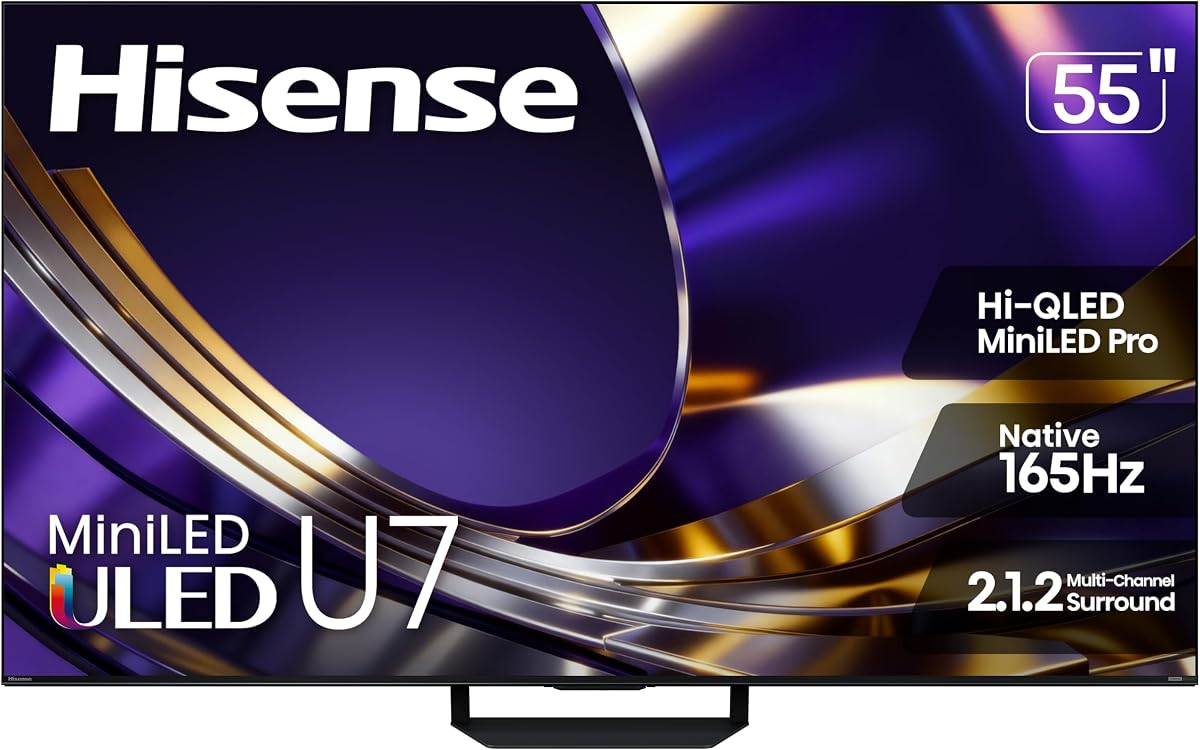
The Hisense U7 Mini-LED stands out as a top performer with a 4.4 rating. It delivers stunning visuals thanks to its high brightness and native 165Hz panel.
We may earn a commission when you buy through this link, at no additional cost to you.
Its Hi-QLED MiniLED Pro technology ensures vibrant colors and deep blacks. The anti-reflection screen keeps images clear even in bright rooms during daytime gaming.
While it offers premium features, the price point is higher than entry-level models. Some users may need time to adjust to the Google TV interface.
Competitive gamers seeking smooth motion and vivid HDR should choose this model. It balances performance and smart features well for a 2026 console setup.
The native 165Hz refresh rate ensures fluid motion in fast-paced games, reducing blur and tearing significantly.
Up to 3000 local dimming zones allow precise control over brightness, enhancing contrast and detail in dark scenes.
We may earn a commission when you buy through this link, at no additional cost to you.
Sony BRAVIA 3 II earns a 4.1 rating for its seamless PlayStation 5 integration. The XR Processor optimizes color and clarity in real time for a cinematic experience.
We may earn a commission when you buy through this link, at no additional cost to you.
Exclusive features like Auto HDR Tone Mapping and Game Menu make console gaming intuitive. The X-Balanced Speakers deliver clear sound without extra hardware.
It lacks the deep blacks of MiniLED panels which might affect dark room viewing. The premium cost may not justify the choice for budget-conscious buyers.
PlayStation owners who value specific console optimizations will love this TV. It remains a strong choice for high-quality streaming and gaming combined.
Auto HDR Tone Mapping and Auto Genre Picture Mode automatically adjust settings for the best possible gaming experience on PS5.
The XR Processor uses AI to optimize contrast and clarity in every frame, restoring lost detail and reducing noise effectively.
We may earn a commission when you buy through this link, at no additional cost to you.
The Roku Select Series offers a 4.4 rating with an easy-to-use interface. Its QLED screen delivers bright colors suitable for casual gaming and streaming.
We may earn a commission when you buy through this link, at no additional cost to you.
Users benefit from a massive library of free content and personalized recommendations. The setup takes only minutes, making it ideal for quick installation.
It does not support high refresh rates like 120Hz which limits competitive gaming performance. Advanced features like VRR are also missing on this model.
Budget buyers looking for a reliable 4K display for casual play will find it perfect. It is a great entry point for smart TV entertainment.
The Roku interface is simplified with a clear home screen, making it easy to find shows or games quickly.
Enjoy a huge selection of free live TV and movies with just a click, without needing extra subscriptions.
We may earn a commission when you buy through this link, at no additional cost to you.
TCL 55 T7 earns a 4.3 rating for its vibrant QLED picture. It provides rich colors and decent motion handling for gaming and sports viewing.
We may earn a commission when you buy through this link, at no additional cost to you.
The TCL AIPQ Pro Processor optimizes color and contrast automatically for a smooth 4K HDR experience. Built-in voice control helps manage content easily.
Local dimming zones are fewer than higher-end models which impacts contrast in dark scenes. Peak brightness is lower than MiniLED alternatives available.
This model suits users wanting color quality without a high price tag. It is a solid choice for living rooms with moderate lighting conditions.
QLED Quantum Dot Technology covers nearly the entire DCI-P3 color space to bring images to life with vivid colors.
Motion Rate 480 with MEMC frame insertion combines technologies to improve clarity in fast action and sports.
We may earn a commission when you buy through this link, at no additional cost to you.
iFFALCON 55 U85 gets a 4.3 rating for offering advanced gaming features. It supports high VRR rates to reduce tearing and lower input lag significantly.
We may earn a commission when you buy through this link, at no additional cost to you.
With four HDMI 2.1 ports you can connect multiple devices simultaneously. Dolby Vision Gaming mode enables automatic optimization for console settings.
Audio performance relies on passthrough for external soundbars rather than strong built-in speakers. Brand availability might be limited compared to major manufacturers.
Gamers needing multiple console connections at once will appreciate the port count. It serves well for both home and commercial hospitality installations.
Variable Refresh Rate up to 240Hz reduces screen tearing and lowers input lag during intense gameplay effectively.
Four HDMI 2.1 ports allow connecting PS5, Xbox, PC and soundbar all at once without adapters.
We may earn a commission when you buy through this link, at no additional cost to you.
Hisense U6 Pro receives a 4.3 rating for its anti-reflection technology. It keeps views clean and distraction-free even when bright lights or windows are nearby.
We may earn a commission when you buy through this link, at no additional cost to you.
The native 144Hz refresh rate keeps action crisp and fluid for competitive gaming. A built-in subwoofer provides deep bass for explosions and music.
Contrast zones are fewer than high-end MiniLED models which may affect shadow detail. Some users may prefer Google TV over Fire TV interfaces.
Bright room viewers looking for gaming clarity should consider this model. It balances performance with practical anti-glare benefits for everyday use.
Anti-reflection and glare-free display keeps your view clean so you stay focused on the show or game.
Built-in subwoofer pulls you into the heart of the moment with deep bass from explosions or music.
We may earn a commission when you buy through this link, at no additional cost to you.
Samsung M70H earns a 4.3 rating with Mini LED processor tech. It delivers bright highlights and deep blacks for a superb picture in well-lit rooms.
We may earn a commission when you buy through this link, at no additional cost to you.
MOTION XCELERATOR optimizes refresh rate to keep scenes sharp. Soccer Mode ensures faster motion clarity for sports fans watching live action.
Gaming Hub brings games together but may require additional subscriptions. Some users find motion processing introduces slight latency in fast scenes.
Fans of sports or bright room gaming will appreciate the vivid colors. It is a strong pick for those wanting Samsung's Tizen ecosystem.
Experience HDR picture quality with brighter highlights and deeper blacks than traditional HDR TVs for vibrant colors.
Gaming Hub is a central hub bringing favorite games from consoles and cloud services all in one place.
We may earn a commission when you buy through this link, at no additional cost to you.
TCL 65 QM6K gets a 4.3 rating for combining MiniLED and QLED tech. It provides superior contrast and ultra-smooth motion for streaming and gaming.
We may earn a commission when you buy through this link, at no additional cost to you.
The 144Hz native refresh rate ensures fluid fast action. Onkyo audio delivers Dolby Atmos sound for immersive home theater experiences.
Despite Halo Control System some users might notice haloing around bright objects. Larger size requires more wall space than standard 55-inch sets.
Viewers wanting a large display for movies and games will love this. It brings premium tech to a 65-inch form at reasonable cost.
Combines ultra-precise Mini LEDs with Quantum Dot technology for incredible brightness and over a billion vibrant colors.
144Hz Native Refresh Rate plus Motion Rate 480 delivers smooth fast action perfect for live sports clarity.
We may earn a commission when you buy through this link, at no additional cost to you.
Samsung U8000H earns a 4.2 rating for compact performance. It uses Crystal Processor to enhance colors and sharp details for vibrant 4K viewing.
We may earn a commission when you buy through this link, at no additional cost to you.
MOTION XCELERATOR ensures smooth motion in games and sports. Color Booster transforms content into a visual masterpiece with intense reds and blues.
Lacking 120Hz limits high-end gaming performance compared to newer models. HDR performance is standard which may disappoint those wanting deep blacks.
Small room users or casual gamers will find it a reliable pick. It serves well as a budget secondary display for a bedroom.
Powerful processor enhances colors and sharpens details for a vibrant 4K viewing experience with realistic clarity.
Supercharge your color with Color Booster to make every color come to life with intensity and realism.
We may earn a commission when you buy through this link, at no additional cost to you.
Hisense E6 receives a 4.0 rating with smart features like AI Light Sensor. It adjusts brightness automatically to balance energy savings with quality viewing.
We may earn a commission when you buy through this link, at no additional cost to you.
AI Smooth Motion creates a ultra-crisp blur-free picture using MEMC. Dolby Vision and Atmos transform TV into an entertainment powerhouse.
Motion Rate 120 is less smooth than 144Hz options available for gaming. Overall rating suggests some trade-offs in image consistency compared to higher picks.
Smart home enthusiasts needing auto brightness control will like the sensor. It is a decent choice for casual viewing and standard gaming.
No matter the time of day, your TV detects and adjusts screen brightness automatically in response to ambient light.
Powered by MEMC and AI Noise Reduction to create an ultra-crisp blur-free picture no matter the speed of movement.
We may earn a commission when you buy through this link, at no additional cost to you.
Selecting the right TV requires evaluating technical specs that impact gameplay and picture quality.
Refresh rate determines how many frames per second the TV displays. Higher rates like 120Hz or 144Hz reduce blur and make motion smoother for fast games.
Look for a native 120Hz or higher panel to fully utilize next-gen console capabilities without artificial interpolation.
HDMI 2.1 bandwidth allows for 4K resolution at high refresh rates. Without it you may be limited to 60Hz or 1080p gaming.
Ensure your TV has at least one HDMI 2.1 port to connect your console properly for maximum performance.
VRR synchronizes the TV refresh rate with the console output to prevent screen tearing. It makes gameplay feel more responsive and fluid.
Choose a model that supports FreeSync Premium Pro or HDMI VRR for the best competitive gaming experience.
Input lag is the delay between controller action and screen response. Low lag is crucial for timing in action or fighting games.
Look for Game Mode or Auto Low Latency Mode to ensure input lag stays under 15ms.
OLED offers perfect blacks while MiniLED provides high brightness. QLED delivers vibrant colors without the risk of burn-in found in OLED.
Select based on your lighting conditions; MiniLED or QLED works better in bright rooms than standard LCD.
HDR formats like Dolby Vision and HDR10+ enhance color and contrast. They make dark scenes richer and bright highlights more vivid.
Prioritize TVs that support Dolby Vision gaming if you play on Xbox to utilize dynamic metadata in supported titles.
Built-in speakers often lack depth. Dolby Atmos passthrough ensures you can connect a soundbar for immersive audio.
Check for eARC support on at least one HDMI port to enable lossless audio to external speakers.
Smart interfaces like Google TV or Fire TV provide access to streaming apps. A responsive OS makes finding content faster.
Ensure the TV supports AirPlay or Chromecast if you want to cast content from mobile devices easily.
Set up your TV in a cool well-ventilated area to prevent overheating. Ensure there is space around the back vents for proper airflow.
Use a dedicated HDMI 2.1 cable for your console to avoid bandwidth limitations. Avoid coiling excess cable length to reduce signal interference.
Clean the screen with a soft dry microfiber cloth to avoid scratches. Turn off the TV before wiping to prevent pressure marks on the panel.
Yes a higher refresh rate reduces motion blur and makes fast action clearer. This gives you a visual advantage in shooting or racing games.
Yes you need an Ultra High Speed HDMI cable certified for 48Gbps. Standard cables may not support the bandwidth required for 4K at 120Hz.
Game Mode disables image processing to reduce input lag. This makes controls feel more responsive which is critical for competitive titles.
You can use most modern TVs but not all support 120Hz. Check HDMI 2.1 specs to ensure the console can output at full speed.
OLED offers perfect blacks which look best in dark rooms. MiniLED provides brighter images which may be better for bright environments.
Avoid static images like HUDs at full brightness for long periods. Use screen savers or auto-brightness features to minimize burn-in risk.
Dolby Vision gaming adjusts HDR settings automatically for games. It ensures the picture stays true to how the developers intended the scene to look.
144Hz offers slightly smoother motion but support is limited. Most consoles cap at 120Hz so ensure the TV supports that standard fully.
We highlighted top picks like the Hisense U7 for raw performance and the Sony BRAVIA for console integration. Budget options like the Roku Select offer solid value.
Prioritize specs like refresh rate and HDMI 2.1 over brand names. A model that supports VRR and low input lag will feel more responsive.
Always check current prices before buying since deals change often. Verify warranty terms to ensure protection for your new entertainment investment.