
Creative Pebble Plus
4.3Editor score
USB powered convenience
45 degree elevated drivers
Down-firing subwoofer
Explore the top 2.1 Channel Desktop Speakers for immersive audio. This guide compares power, features, and performance to help you choose the right system.
Finding the right desktop speakers can transform your workspace into an immersive audio environment. A good 2.1 channel system provides clear highs, balanced mids, and deep bass without cluttering your desk.
We evaluated ten top-rated models based on power output, connectivity options, and build quality. Our analysis ensures you find a system that matches your listening habits and budget constraints effectively.
Each pick highlights unique strengths and trade-offs to help you decide quickly. Prices and availability change frequently, so verify current details before making your final purchase decision today.
4.3Editor score

4.6Editor score
4.2Editor score
This side-by-side comparison highlights key specifications across all ten models. Use this table to quickly identify power ratings, connectivity types, and unique features for each speaker system.



The Klipsch ProMedia 2.1 is a legendary system delivering THX certified audio. It offers incredible clarity and power for gaming or movies.
We may earn a commission when you buy through this link, at no additional cost to you.
Its Microtractrix horn technology ensures efficient sound dispersion. The 6.5-inch subwoofer provides deep bass you can feel physically.
While powerful, it lacks modern wireless options like Bluetooth. The control pod is convenient but limits connectivity flexibility.
Buyers seeking premium sound for a PC will love this. It remains a top choice for audiophiles needing wired reliability.
THX certification guarantees consistent audio quality across devices. This ensures your music sounds as intended by creators.
The side-firing subwoofer fills rooms easily. You get full bandwidth bass without needing extra equipment.
We may earn a commission when you buy through this link, at no additional cost to you.
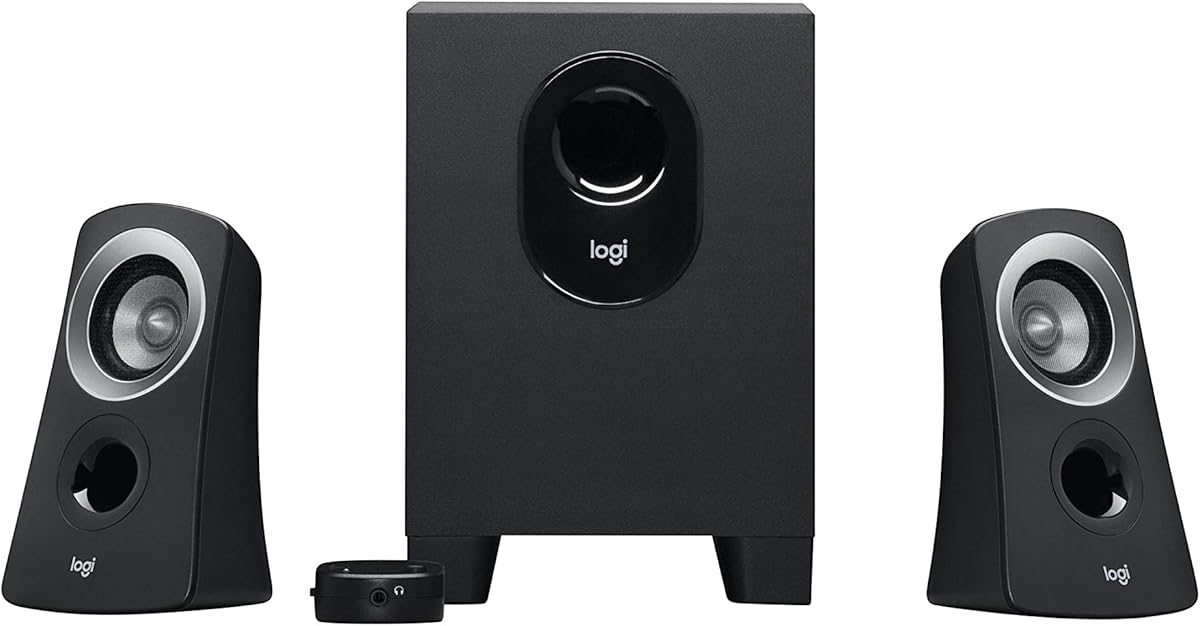
The Logitech Z313 is perfect for basic desktop needs. It offers decent sound for the price point without breaking the bank.
We may earn a commission when you buy through this link, at no additional cost to you.
Its compact subwoofer fits under desks easily. The control pod allows simple volume adjustment on the fly.
Power output is lower than premium models. It struggles slightly with loud music in large rooms.
Ideal for students or office workers needing sound. It balances cost and performance well for casual listeners.
Small dimensions suit cluttered desks. You get a full 2.1 system without taking much space.
Dials for volume and bass are straightforward. No menus or complex apps are needed.
We may earn a commission when you buy through this link, at no additional cost to you.
The Logitech Z623 delivers massive power with THX certification. It fills large rooms with immersive sound easily.
We may earn a commission when you buy through this link, at no additional cost to you.
Its 400-watt peak output ensures loud audio. RCA inputs allow connection to multiple devices like consoles.
The system is bulky and needs significant space. Setup involves more cables than modern USB options.
Gamers and home theater fans will appreciate this. It outperforms many competitors with raw power and clarity.
400 watts ensure sound travels far. You avoid distortion even at high volumes.
RCA and 3.5mm inputs connect various devices. No adapters are needed for most setups.
We may earn a commission when you buy through this link, at no additional cost to you.
The Creative Pebble X Plus brings modern USB-C convenience to desktop audio. It looks sleek with customizable RGB lighting.
We may earn a commission when you buy through this link, at no additional cost to you.
Drivers provide balanced sound and punchy bass. Bluetooth 5.3 allows wireless streaming from phones easily.
Power is lower than high-end models. Bass is limited by the compact subwoofer size.
Tech enthusiasts will love the design and connectivity. It fits perfectly with modern workspace aesthetics.
USB-C simplifies cable management. You can use high power adapters for better sound.
Custom colors match your setup. Lighting adds a vibrant touch to any desk.
We may earn a commission when you buy through this link, at no additional cost to you.
The Bluedee PC speakers offer versatile connectivity with DSP tuning. It ensures balanced sound with clear vocals.
We may earn a commission when you buy through this link, at no additional cost to you.
Bluetooth 5.4 and USB-C inputs make setup easy. RGB lighting adds a modern touch to your desk.
It competes well with established brands. Bass is decent but lacks deep rumble.
Buyers needing modern connectivity will find this useful. It balances features and performance effectively.
DSP reduces harshness and distortion. Voices remain clear even at higher volumes.
Single knob handles volume and lighting. Controls are intuitive and easy to reach.
We may earn a commission when you buy through this link, at no additional cost to you.
The Cyber Acoustics CA-3090 is a basic budget option. It offers simple sound for quiet office environments.
We may earn a commission when you buy through this link, at no additional cost to you.
Flat panel design keeps desks tidy. A subwoofer adds depth to otherwise flat computer audio.
Power is low compared to others. It may not suit loud music preferences.
Best for minimalists needing basic audio. It works well for video calls or soft background music.
One of the most affordable options. Good for temporary setups or tight budgets.
Flat satellites save desk surface. Ideal for small shared workspaces.
We may earn a commission when you buy through this link, at no additional cost to you.
The Creative Pebble Plus is a best-seller for USB power convenience. It features elevated drivers for better direct sound.
We may earn a commission when you buy through this link, at no additional cost to you.
Down-firing subwoofer adds depth without desk clutter. High Gain mode boosts volume if you use a 2A adapter.
Requires a stronger adapter for best sound. Bass is limited due to power constraints.
Perfect for laptops and clean setups. It balances cost and utility better than most.
No wall adapter needed usually. Connects easily to laptop USB ports.
45 degree angle aims at your ears. Improves stereo imaging and clarity.
We may earn a commission when you buy through this link, at no additional cost to you.
The Cyber Acoustics CA-3610 delivers 62 watts with strong bass. Titanium drivers ensure crisp highs and warm mids.
We may earn a commission when you buy through this link, at no additional cost to you.
Down-firing subwoofer adds significant room impact. Satellite design is attractive and angled for listening.
Footprint is larger than compact models. Control pod is functional but basic.
Good for casual gamers or movie watchers. It offers balanced audio at a reasonable price.
Durability and clarity are enhanced. Sound remains clean across frequencies.
Private listening without muting speakers. Useful for quick interruptions.
We may earn a commission when you buy through this link, at no additional cost to you.
The Logitech Z407 features unique wireless control dial. This allows volume adjustment from across the room.
We may earn a commission when you buy through this link, at no additional cost to you.
Bluetooth and wired inputs offer great flexibility. Sound is immersive with 80 watts peak power.
Subwoofer takes up floor space. Wireless dial may introduce slight delays.
Ideal for those wanting remote control. It bridges convenience and audio quality.
Adjust volume without touching PC. Great for multitasking or relaxing.
Stand vertically or horizontally. Adapt to your desk shape.
We may earn a commission when you buy through this link, at no additional cost to you.
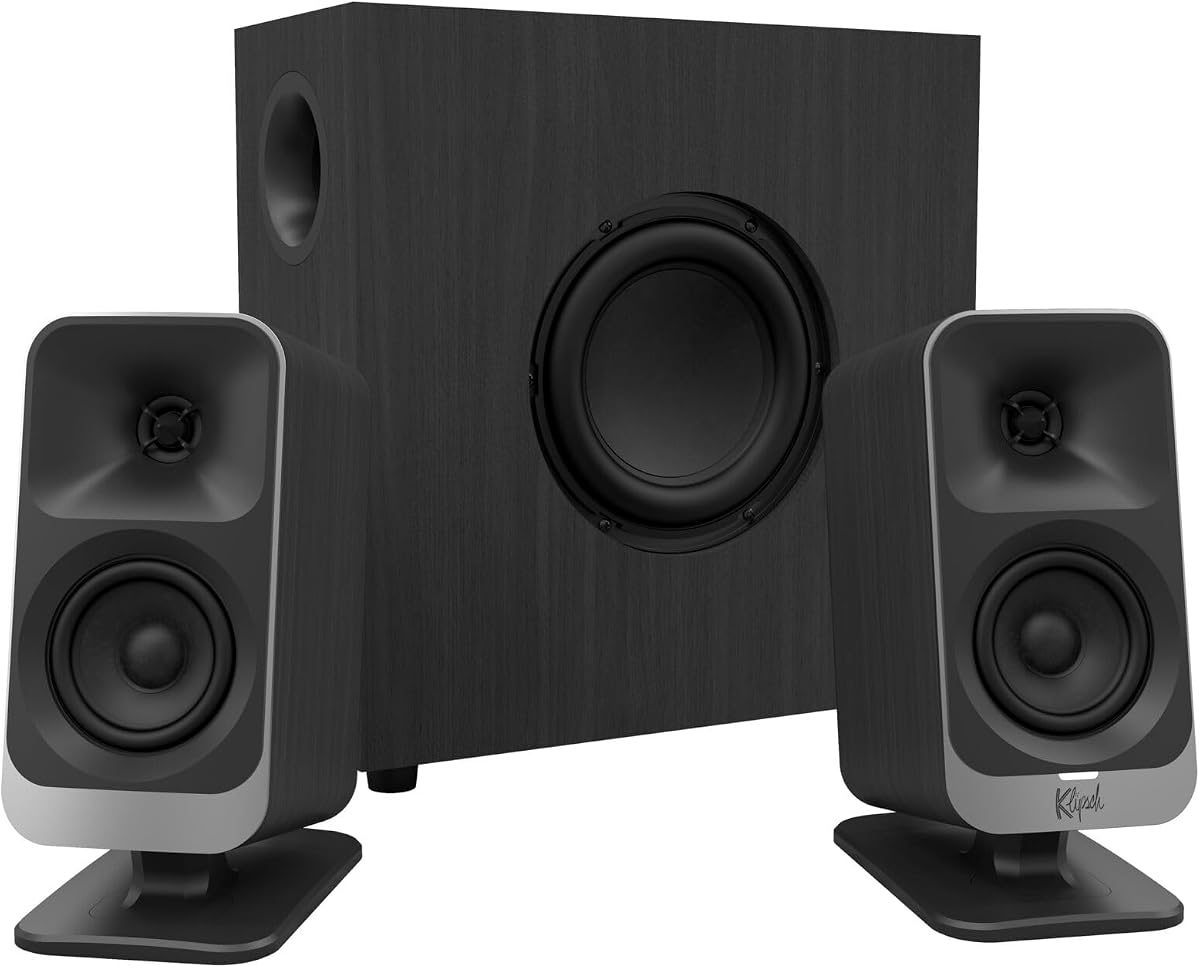
The Klipsch ProMedia Lumina revitalizes a classic brand. It combines legendary sound with modern RGB aesthetics.
We may earn a commission when you buy through this link, at no additional cost to you.
Low-profile subwoofer saves floor space. The app allows EQ customization and lighting control.
It is pricier than standard models. App is necessary for full features.
Gamers and creators will love the style. It delivers premium experience and visual appeal.
Custom EQ fits all genres. Lighting reacts to music for immersion.
Space saving design fits under desks. Maintains punch without bulk.
We may earn a commission when you buy through this link, at no additional cost to you.
Choosing the right 2.1 channel desktop speakers involves evaluating power, connectivity, and design.
Power output determines loudness and clarity. Look for RMS wattage as it indicates sustained performance rather than peak bursts. Higher power helps fill larger rooms with sound.
Prioritize speakers with at least 20 watts RMS for desktop use. Ensure your amplifier or speakers match your room size.
Connectivity options like Bluetooth or USB-C add convenience. Wired inputs ensure stable performance for critical tasks like gaming. Some models offer multiple inputs for switching devices.
Choose models that support your primary devices. Hybrid systems offering both wired and wireless are most versatile.
Subwoofer size impacts bass depth and volume. Larger subs produce deeper low-end but take up floor space. Compact subs suit small desks but may lack punch.
Measure your desk before buying a subwoofer. Opt for down-firing designs to save vertical space.
Build quality ensures durability and sound isolation. Plastic cabinets may vibrate at high volumes. Wood or metal parts often improve acoustic performance.
Inspect reviews for build concerns. Solid cabinets usually yield better audio clarity.
Controls like volume dials or app integration ease daily use. Features like RGB or DSP tuning enhance customization. Simple controls are often preferred over complex menus.
Select models with intuitive interfaces. Avoid features you won't use to keep costs down.
Price varies based on brand and features. Entry-level models cost less but lack power. Premium systems offer better audio but may be overkill for basic use.
Balance your budget with needs. Mid-range options often offer the best value for average users.
Compatibility with devices ensures you can connect easily. Check for 3.5mm jacks or specific ports like USB. Ensure software works with your operating system.
Verify all connections before purchase. Cross-platform compatibility is crucial for mixed setups.
Design affects how speakers fit your workspace. Sleek looks reduce clutter. RGB lighting adds style but consumes power.
Pick styles matching your decor. Matte finishes usually hide dust better than glossy ones.
Position satellites at ear level for optimal stereo imaging. Place the subwoofer near a wall to enhance bass response without excessive vibration.
Use high-quality cables for best sound. Avoid twisting or pinching wires to prevent signal loss and damage.
Clean speakers regularly with a soft dry cloth. Keep dust away from vents to maintain cooling and performance.
Yes, 2.1 speakers include a subwoofer for deeper bass. This creates a more immersive experience for movies and gaming.
Most use a 3.5mm jack into the green port. USB models connect directly to your computer for digital sound.
Yes if they have Bluetooth or a 3.5mm jack. Ensure your phone supports the connection type.
RMS is continuous power; Peak is max short-term. Focus on RMS for accurate volume expectations.
Most active speakers have built-in amps. Just plug them into an outlet and your device.
Place the subwoofer on a foam pad. Isolation pads reduce desk and floor shaking.
We explored ten top options ranging from budget to premium. The Klipsch ProMedia 2.1 and Logitech Z623 lead in sound quality.
Prioritize connectivity and power based on your needs. Bluetooth and USB-C are increasingly important for modern setups.
Prices fluctuate often, so check current listings before buying. Investing in quality speakers improves your daily digital experience.