
ASUS ProArt PA248QV
4.6Editor score
100% sRGB color coverage
WUXGA 1920×1200 resolution
Calman Verified accuracy
Choosing the right display is crucial for professionals who need precise color and sharp detail. The ASUS Proart Monitor lineup offers a range of options designed specifically for creative workflows and demanding tasks.
We have analyzed ten distinct models based on their resolution, color gamut coverage, and connectivity features. This list covers everything from budget-friendly 24-inch displays to high-end 32-inch OLED and Mini LED panels.
Each pick highlights specific strengths like factory calibration, USB-C power delivery, or ergonomic stands. Keep in mind that pricing fluctuates frequently, so verify current deals before making your final purchase decision today.
4.6Editor score
4.2Editor score
As an Amazon Associate we earn from qualifying purchases.
The following table provides a side-by-side comparison of all ten ASUS Proart Monitor models featured in this guide. Use these specs to quickly identify which display best fits your specific workflow needs and budget constraints.


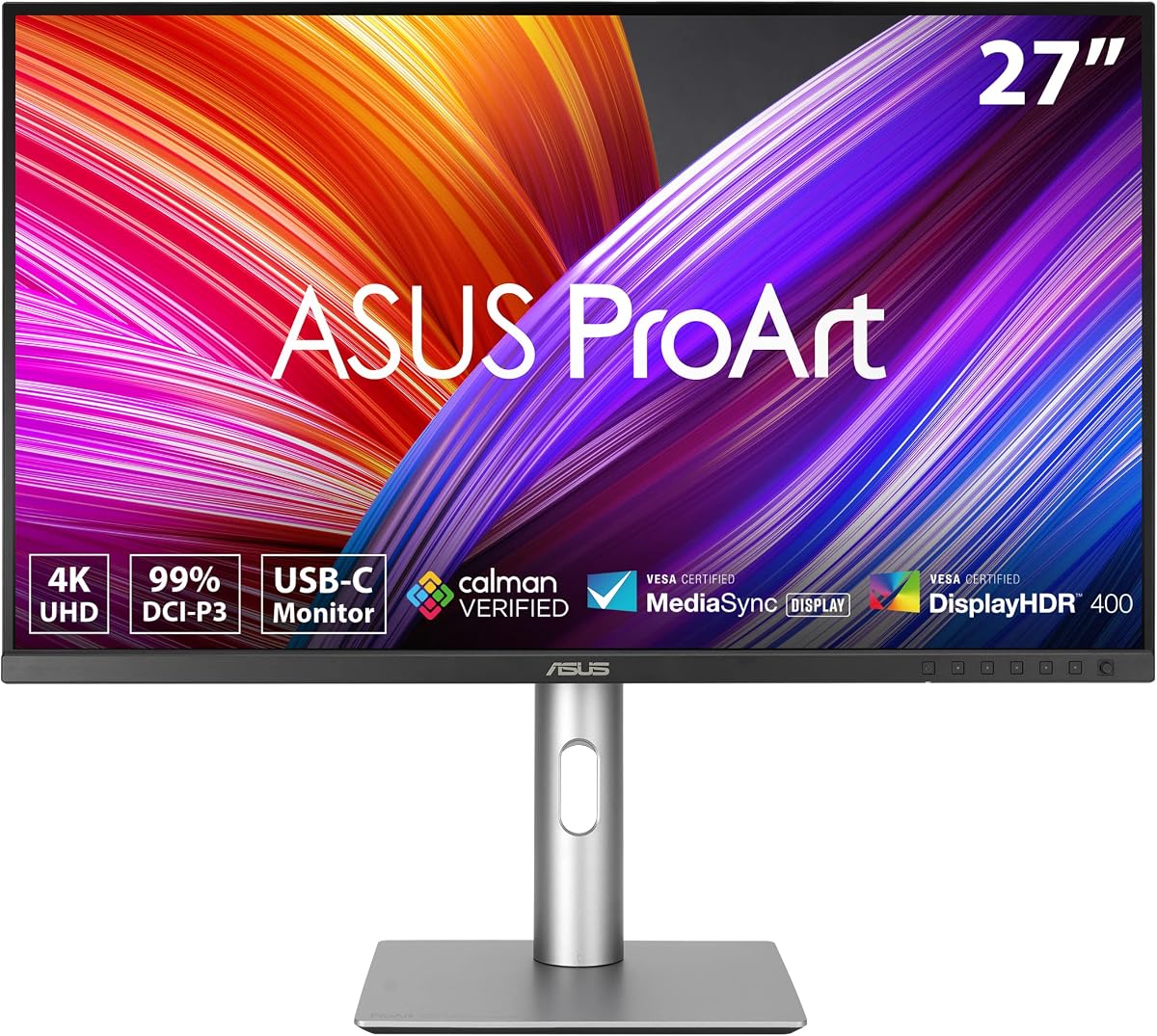
The ASUS ProArt PA279CRV stands out as a top choice for professionals needing reliable color accuracy. It features a 27-inch 4K display that delivers sharp visuals and broad color coverage suitable for creative tasks.
We may earn a commission when you buy through this link, at no additional cost to you.
Its standout qualities include Calman Verified calibration ensuring Delta E less than 2 out of the box. The extensive connectivity supports USB-C with high wattage power delivery making it ideal for modern laptop setups.
While it lacks built-in speakers which is common for pro displays the ergonomic design allows for flexible positioning. The included Adobe Creative Cloud subscription adds value for creators starting new projects immediately.
This monitor is best for graphic designers or photographers who need precise color without complex calibration tools. It balances performance and features effectively making it a recommended pick for most professional workflows.
Factory calibration ensures consistent colors right out of the box reducing setup time for critical work.
USB-C with Power Delivery simplifies desk cabling while supporting high resolution video transmission.
We may earn a commission when you buy through this link, at no additional cost to you.
The ASUS ProArt PA248QV offers excellent value for those seeking professional features without a high cost. It provides accurate colors and a comfortable viewing experience suitable for daily creative work.
We may earn a commission when you buy through this link, at no additional cost to you.
Key strengths include 100% sRGB coverage and Calman Verified technology ensuring vivid hues. The anti-glare screen helps maintain comfort during long sessions making it practical for extended editing or design tasks.
Trade-offs involve the WUXGA resolution which is less sharp than 4K but sufficient for most general tasks. The smaller size may limit multitasking but remains compact enough for smaller desks or dual setups.
This monitor is ideal for students or freelancers entering the field who need reliable color performance. It delivers strong professional capabilities at an accessible price point making it a top budget recommendation.
Users get factory calibrated accuracy and wide color gamut without paying premium prices for high end models.
The ergonomic design and anti-glare technology reduce fatigue allowing focus on detailed creative tasks longer.
We may earn a commission when you buy through this link, at no additional cost to you.
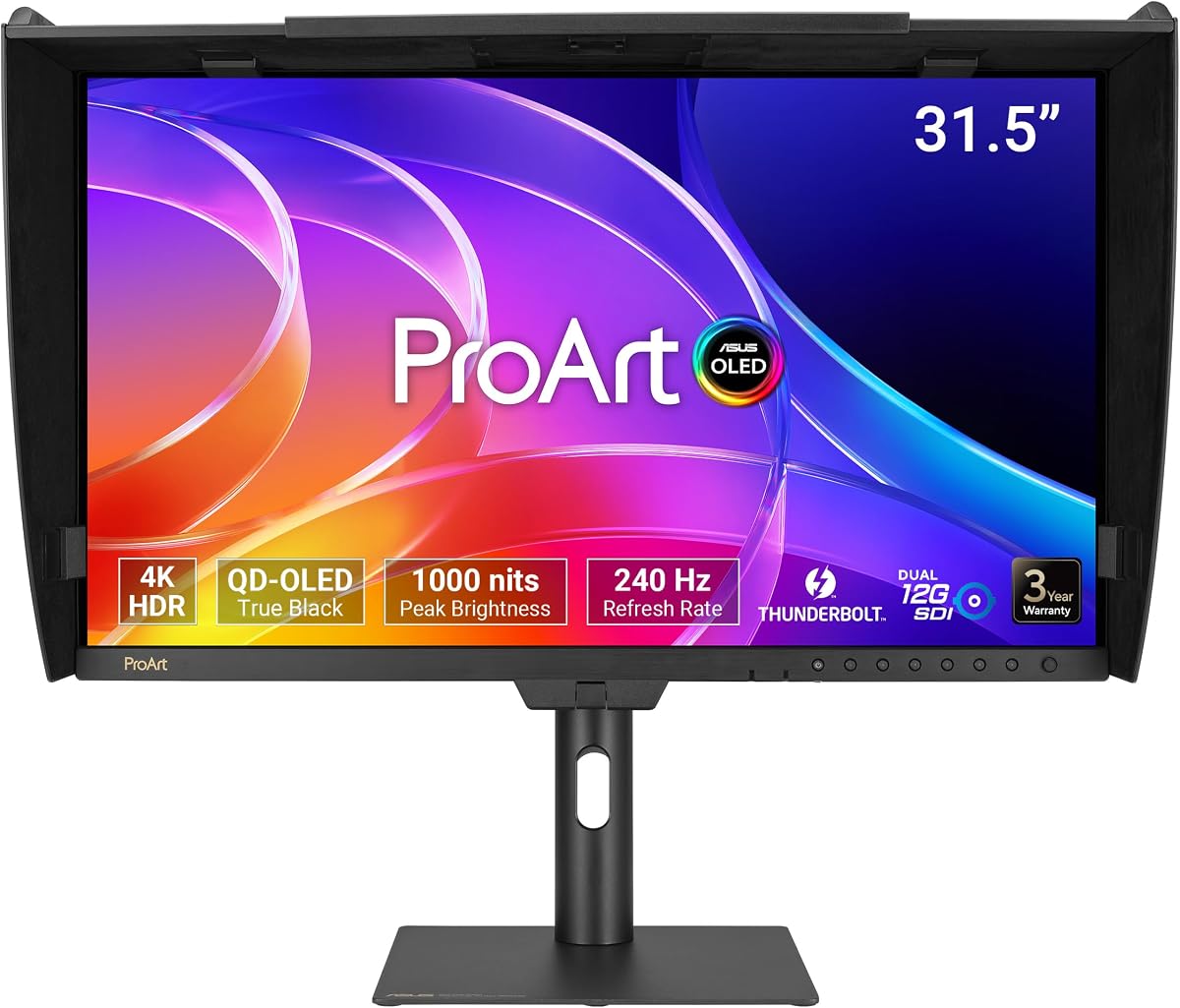
The ASUS ProArt Display PA32USD represents the pinnacle of monitor technology with its QD-OLED panel. It delivers unmatched contrast and brightness levels essential for high-end video and HDR content creation.
We may earn a commission when you buy through this link, at no additional cost to you.
Its exceptional performance includes a 240Hz refresh rate and 0.1ms response time ensuring smooth visuals. Professional features like Dual 12G-SDI support enable real-time playback without compression for broadcast workflows.
The main drawback is the significant cost which limits accessibility to serious professionals. Additionally the lack of rating data reflects its specialized nature compared to consumer oriented models on the market.
This display is best suited for post-production studios requiring absolute color fidelity and HDR accuracy. If budget allows the visual quality and advanced connectivity make it a superior choice for critical work.
OLED technology provides perfect blacks and peak brightness that standard LCD panels cannot achieve.
SDI connectivity ensures compatibility with professional video equipment requiring uncompressed signal transmission.
We may earn a commission when you buy through this link, at no additional cost to you.
The ASUS ProArt PA278CV provides a balanced option for users needing a reliable workhorse monitor. It features a 27-inch QHD panel that offers good clarity for text and detailed design work.
We may earn a commission when you buy through this link, at no additional cost to you.
Standout qualities include USB-C with Power Delivery which cleans up desk clutter by powering laptops while connecting. The ability to pivot 90 degrees is excellent for coding or reading long documents vertically.
While it lacks the wide color gamut of higher-end models it meets industry standards for Rec. 709. The price point is very competitive making it accessible for small teams or individual freelancers.
This monitor is recommended for developers or office workers needing a professional display on a budget. It combines essential features like USB-C and ergonomics without the premium cost of color critical panels.
One-cable connectivity reduces clutter and simplifies setup for mobile professionals using laptops daily.
Full adjustability including vertical pivot supports diverse tasks from coding to document review.
We may earn a commission when you buy through this link, at no additional cost to you.
The ASUS ProArt Display 27 stands out with a perfect user rating indicating high satisfaction. It delivers sharp WQHD visuals and accurate colors ideal for photo editing and design tasks.
We may earn a commission when you buy through this link, at no additional cost to you.
Strengths include factory calibration ensuring Delta E under 2 for consistent hues. Eye care technology reduces strain during long sessions making it comfortable for extended work periods.
Trade-offs involve lack of USB-C power delivery which limits single-cable laptop docking. The port selection is broad though requiring multiple cables for different device connections.
This monitor is a great choice for photographers needing reliability and color precision. It offers excellent value with high user approval and essential professional features for daily creative workflows.
High ratings reflect strong reliability and performance that meets professional expectations consistently.
Flicker-free and low blue light tech help prevent fatigue during intensive editing sessions.
We may earn a commission when you buy through this link, at no additional cost to you.
The ASUS PA329CRV-P offers a spacious 32-inch 4K experience for those needing more workspace. It provides vivid visuals and accurate colors suitable for detailed design and video editing.
We may earn a commission when you buy through this link, at no additional cost to you.
Its strengths include a 96W USB-C power delivery allowing single-cable charging for laptops. The inclusion of Dual HDMI 2.1 ensures compatibility with various media sources and consoles.
Trade-offs involve the size which demands ample desk space and careful room placement. Higher power usage is expected but manageable for office environments with proper electrical setup.
This monitor is best for video editors or architects needing large screen area. It balances professional features with government procurement compliance making it versatile for corporate use.
TAA compliance allows seamless integration into government and large enterprise procurement contracts.
The 32-inch size provides ample room for tool panels and timeline viewing simultaneously.
We may earn a commission when you buy through this link, at no additional cost to you.
The ASUS ProArt PA32QCV is designed specifically for Mac users needing precise color matching. It features a 6K display that ensures seamless workflow integration with Apple environments.
We may earn a commission when you buy through this link, at no additional cost to you.
Key strengths include MacBook Color Match Preset Mode and Thunderbolt 4 for high bandwidth. The Auto KVM switch allows effortless control of multiple devices without extra peripherals.
Trade-offs include a higher price point compared to 4K monitors and reliance on Mac features. It may be overkill for PC users but remains top tier for Apple professionals.
This monitor is ideal for creatives working in Apple ecosystems needing consistent color. It combines high resolution with Mac specific features for a premium user experience.
Color preset modes ensure seamless transition from laptop screen to external monitor.
Auto KVM allows multiple computers to share one keyboard and mouse setup easily.
We may earn a commission when you buy through this link, at no additional cost to you.
The ASUS ProArt PA32UCR-K is a strong option for users needing high brightness and HDR. It uses Mini-LED technology to deliver sharp contrast and detailed visuals.
We may earn a commission when you buy through this link, at no additional cost to you.
Standout qualities include the included X-rite i1 Calibrator for precise color calibration. Hardware calibration allows profile storage ensuring accuracy remains consistent over time.
Trade-offs involve the complexity of calibration and potential drift requiring occasional checks. The brightness level is impressive but may cause glare in dim environments.
This monitor is recommended for video editors needing HDR precision. It balances high-end specs with calibration tools to maintain accuracy for professional grading.
The bundled calibrator simplifies setup and ensures factory accuracy for color critical tasks.
Mini-LED backlight provides strong brightness needed for high dynamic range video work.
We may earn a commission when you buy through this link, at no additional cost to you.
The ASUS ProArt Display PA278CGV combines high refresh rates with color accuracy for a unique mix. It supports smooth visuals for design animation alongside professional editing.
We may earn a commission when you buy through this link, at no additional cost to you.
Its strengths include 95% DCI-P3 coverage and USB-C with high power delivery. The 144Hz refresh rate adds fluidity for motion graphics or gaming during breaks.
Trade-offs involve HDR 400 which is less impactful than higher levels for true HDR. The high refresh rate is less critical for static image editing but versatile.
This monitor is best for motion designers needing smooth motion and accurate color. It offers a balanced feature set for diverse creative tasks and general use.
Higher refresh rates make animation preview and motion graphics work significantly smoother.
90W USB-C charging supports powerful laptops ensuring uninterrupted workflow without extra adapter.
We may earn a commission when you buy through this link, at no additional cost to you.
The ASUS ProArt Display PA32UCG-K targets professional users needing extreme HDR brightness. It features a Mini-LED panel with local dimming for exceptional contrast.
We may earn a commission when you buy through this link, at no additional cost to you.
Its strengths include 1600 nits peak brightness and true 10-bit color. The included calibrator ensures Delta E remains under 1 for critical grading work.
Trade-offs involve the high price and features like refresh rate less useful for static editing. It requires a powerful setup to utilize all capabilities fully.
This monitor is best for colorists needing reference-level brightness and contrast. It offers top-tier HDR performance for those needing accurate high dynamic range previews.
1600 nits ensures accurate HDR monitoring even in bright reference environments.
True 10-bit color provides smooth gradients necessary for professional color grading.
We may earn a commission when you buy through this link, at no additional cost to you.
Selecting the right Proart monitor requires balancing resolution, color accuracy, and connectivity needs. Consider your primary workflow and budget before comparing specs.
Resolution determines clarity and workspace. Larger sizes like 32 inches provide more room but require higher resolution like 4K or 6K to avoid pixelation. Smaller 24-inch monitors are ideal for tight desks.
Prioritize 4K for video work and 2K for general design. Match size to your desk depth to ensure comfortable viewing.
Color accuracy is vital for creatives. Look for Calman Verified models with Delta E under 2. Wide gamut coverage like DCI-P3 ensures accurate colors for video production.
Check specific color space percentages to ensure they match your project standards. Factory calibration saves time on setup.
USB-C with Power Delivery is key for laptop users as it charges and connects with one cable. Thunderbolt support offers high speeds for large file transfers.
Ensure the monitor has enough HDMI and DisplayPort ports for multi-display setups. Daisy-chaining reduces cable clutter significantly.
IPS panels offer wide viewing angles and stable colors. Higher refresh rates like 144Hz benefit motion graphics but are less critical for static design.
OLED or Mini-LED offer better contrast and brightness for HDR. Standard LCD is sufficient for basic color accuracy tasks.
Adjustable stands with tilt, swivel, pivot, and height support health during long work sessions. VESA mounting allows flexible desk setups.
Pivot is essential for coding or reading text vertically. A sturdy base prevents screen shake during use.
Prices range widely based on features. High-end models cost more but offer better brightness and calibration tools. Balance needs with total cost.
Consider included subscriptions and warranties as value additions. A higher price model might save money on tools like calibrators.
Extended warranties protect your investment. ASUS offers 5-year warranties for many Proart models. Registration online extends standard coverage.
Check support policies for dead pixels or panel defects. A long warranty ensures peace of mind for professional use.
Ensure compatibility with Mac or PC ecosystems. Some models have specific Mac presets for color matching. Hardware calibration requires OS support.
Verify OS drivers and calibration software availability. Mac users should check USB-C compatibility for best performance.
Set up the monitor on a stable surface and connect cables securely. Use the USB-C port if available to simplify connections to your laptop.
Calibrate colors using the built-in tools or included hardware to ensure accuracy. Run calibration monthly for consistent results.
Clean the screen with a soft cloth and mild solution. Adjust brightness and eye care settings to reduce strain during work.
Yes, most Proart monitors are optimized for Mac with specific color presets. Models like the PA32QCV feature MacBook matching modes. Check USB-C compatibility for best results.
Delta E measures color accuracy. Lower values like under 2 mean colors match the source more closely. This is essential for professional photo and video editing.
Yes, many models support daisy-chaining via DisplayPort or USB-C. This allows connecting several screens with minimal cables for a clean workspace.
Yes, it provides three months of access to Creative Cloud apps. This helps creators start projects without buying licenses immediately.
Most Proart monitors do not include built-in speakers. Professional users typically rely on external audio systems for better sound quality.
Most models offer a 5-year warranty including an extension. Register online after purchase to activate the full coverage period.
The ASUS Proart lineup offers excellent options for every workflow. Top picks like the PA279CRV balance performance and value for most users.
Prioritize resolution and color accuracy based on your needs. Larger sizes and higher brightness serve specific pro needs better.
Prices change frequently so check current deals before buying. Verify specs match your workflow requirements for the best experience.