
Logitech Slim Wireless Bluetooth Mouse for Mac – White
4.7Editor score
Slim portable design
Silent click technology
18-month battery life
This guide compares the top external mouse for MacBook Neo options featuring silent clicks, long battery life, and ergonomic designs for seamless productivity.
Finding the perfect external mouse for MacBook Neo can transform your workflow significantly. Whether you prioritize silent operation, ergonomic comfort, or seamless Bluetooth connectivity, the right device ensures precision and ease during long work sessions.
We evaluated ten top-rated mice based on compatibility, build quality, battery performance, and user feedback. Our analysis focuses on how well each model integrates with macOS ecosystems while delivering reliable tracking and intuitive controls.
Each pick highlights unique strengths tailored to different needs, from budget-friendly options to premium ergonomic designs. Keep in mind that prices may fluctuate, so checking current listings ensures you get the best value for your investment today.
4.7Editor score

4.4Editor score

4.6Editor score
This side-by-side comparison highlights key specifications across all ten models to help you identify the best fit for your specific workflow needs and preferred operating system.






The Logitech MX Master 4 for Mac earns its top spot as the best overall external mouse for MacBook Neo users seeking high performance. It delivers a 4.4-star rating from verified buyers who praise its advanced haptic feedback and ultra-fast scrolling capabilities that enhance productivity during complex workflows.
We may earn a commission when you buy through this link, at no additional cost to you.
Its standout feature is the Haptic Sense Panel, which provides customizable feedback on specific actions like shortcuts or notifications, allowing for deeper interaction without breaking focus. The MagSpeed scroll wheel lets you glide through thousands of lines in seconds, stopping precisely on a pixel when needed for detailed editing tasks.
While it is priced higher than many competitors, the investment is justified by its robust build quality and thoughtful design elements that reduce hand strain over long periods. The ergonomic tilt and thumb wheel work together to keep your wrist in a neutral position, making extended sessions significantly more comfortable.
This mouse is ideal for power users, creatives, and professionals who rely on macOS efficiency tools and require precise control across multiple applications. With its seamless integration into the Apple ecosystem and included Adobe Creative Cloud subscription, it represents a premium choice for serious productivity seekers.
The Haptic Sense Panel offers tactile cues for specific actions, enhancing your workflow without distracting audio or visual interruptions during critical work.
With the MagSpeed scroll wheel, you can navigate dense documents effortlessly, saving time while maintaining pixel-perfect accuracy when precision is required.
We may earn a commission when you buy through this link, at no additional cost to you.
The Logitech Slim Wireless Bluetooth Mouse for Mac stands out as the best budget option without sacrificing essential functionality or style. Users appreciate its sleek white design that mirrors Apple products, along with a 4.7-star rating reflecting high satisfaction with its reliability and ease of use across various surfaces.
We may earn a commission when you buy through this link, at no additional cost to you.
It features silent click technology that reduces noise by about 90%, making it perfect for quiet environments like libraries or coffee shops where disturbing others is a concern. The mouse connects reliably via Bluetooth and maintains power for up to 18 months on a single set of batteries, ensuring minimal maintenance.
Though it lacks the advanced customization found in premium models, its simplicity is a strength for those who just want a dependable cursor control device. The slim profile fits easily into bags and pockets, making it an excellent companion for students or professionals who travel frequently with their MacBook Neo.
For anyone looking to upgrade from a trackpad without spending a fortune, this mouse offers tremendous value. Its combination of aesthetic harmony with Mac devices, silent performance, and long battery life makes it a smart, economical choice for everyday computing needs.
Enjoy a quiet typing environment with clicks that are nearly inaudible, ideal for shared workspaces where noise can be distracting to colleagues or family members.
The efficient design allows you to go months between battery changes, saving you time and money on replacements while keeping your workspace clutter-free.
We may earn a commission when you buy through this link, at no additional cost to you.
The Satechi Slim EX Wireless Mouse delivers a premium feel that complements high-end MacBook Neo setups with its anodized aluminum shell and precise engineering. With a 4.6-star rating, users value its robust construction and ability to switch between Bluetooth and USB-C receivers seamlessly without needing re-pairing for each device.
We may earn a commission when you buy through this link, at no additional cost to you.
Its design focuses on durability and style, offering quiet yet confident clicks that provide tactile feedback without unnecessary noise. The included USB-C cable ensures convenient charging, while the battery life supports months of continuous use, making it practical for daily reliance without frequent top-ups.
While it may come at a higher price, the quality of materials and attention to detail justify the cost for those who prioritize aesthetics and reliability. The lack of extensive software features is offset by the simplicity and effectiveness of its core functionality, making it a plug-and-play solution for Mac users.
Ideal for professionals who want a mouse that looks as good as it performs, this model enhances your workspace with a sophisticated design. If you value build quality and seamless multi-device connectivity, the Satechi Slim EX offers a compelling premium experience for your MacBook Neo.
Crafted from aluminum with an anodized finish, this mouse resists wear and tear while maintaining a sleek appearance that matches professional Mac environments.
Switch effortlessly between devices using Bluetooth and USB-C options, ensuring flexibility whether you are working from a desktop or a laptop setup.
We may earn a commission when you buy through this link, at no additional cost to you.
The Logitech M240 Silent offers a practical solution for users who need a quiet mouse that fits easily into a bag or pocket. Its 4.4-star rating reflects satisfaction with its noise reduction technology, which cuts click sounds by 90%, ensuring minimal distraction during collaborative work or public use scenarios.
We may earn a commission when you buy through this link, at no additional cost to you.
This mouse is designed to be compact and ambidextrous, accommodating both left and right-handed users comfortably without breaking the bank. It connects via Bluetooth without a dongle, and the energy-efficient features support up to 18 months of battery life, reducing the need for frequent replacements.
While it does not offer advanced programmable features or ergonomic shaping beyond the basics, it excels in simplicity and dependability. The inclusion of recycled plastic in its construction adds an eco-conscious benefit that appeals to environmentally aware consumers looking for responsible tech choices.
Best suited for students or office workers who need a no-fuss, quiet device for everyday tasks, the M240 delivers value through reliable performance. Its small footprint makes it ideal for travel, ensuring you have a comfortable alternative to trackpads wherever you go.
The silent click technology minimizes noise, allowing you to focus on tasks without creating unnecessary sound that could disturb others around you.
Its slim profile allows it to slip into tight spaces in backpacks, making it an excellent companion for commuters and travelers.
We may earn a commission when you buy through this link, at no additional cost to you.
The Logitech M350s Pebble 2 combines style and functionality with its round, minimalist shape that expresses personal style while maintaining productivity. Users rate it highly at 4.5 stars for its Silent Touch Technology, which removes 90% of click noise while preserving the satisfying tactile feel of traditional clicks.
We may earn a commission when you buy through this link, at no additional cost to you.
A key strength is the Easy-Switch button, which allows you to hop between up to three devices seamlessly. This feature is particularly useful for those who switch between a MacBook Neo, tablet, or desktop, as it saves time on re-pairing and keeps workflows uninterrupted throughout the day.
The mouse includes a battery that lasts up to two years, ensuring you can focus on tasks rather than frequent maintenance. Its construction uses a significant portion of recycled plastic, aligning with sustainability goals and offering a guilt-free choice for eco-conscious tech enthusiasts.
Best for users who value aesthetics alongside utility, the Pebble 2 fits well in modern workspaces. While it has a flatter design that may not suit heavy palm grippers, its overall balance of silence, connectivity, and style makes it a strong contender for everyday use.
Switch between computers and tablets instantly with the dedicated button, keeping your workflow smooth and efficient across different platforms.
Work quietly in shared environments with a mouse that reduces noise dramatically without compromising the tactile feedback you expect from a click.
We may earn a commission when you buy through this link, at no additional cost to you.
The Logitech Mobi Fold is engineered for extreme portability, allowing you to fold it into a pocket and unfold it to power on immediately. With a 4.2-star rating, it appeals to travelers who demand high performance without sacrificing space, featuring 4K DPI tracking for accuracy on various surfaces.
We may earn a commission when you buy through this link, at no additional cost to you.
Its rechargeable battery supports up to a month of use on a full charge, and a mere one-minute charge can provide 22 hours of operation. This makes it highly reliable for business trips or daily commutes where access to power may be limited but productivity must remain high.
The design also incorporates 22% less muscle strain compared to using a trackpad, which helps reduce fatigue during long sessions. Quiet clicks ensure you can use it in public environments without disturbing others, adding a layer of professionalism to your mobile workflow setup.
For frequent travelers or digital nomads, the Mobi Fold offers a unique combination of convenience and capability. While it comes at a premium price, the benefits of ultra-portability and fast charging make it a worthwhile investment for those constantly on the move.
Simply unfold the mouse to activate it and fold it to power off, ensuring battery conservation and immediate readiness whenever you need to work.
Despite its small size, the 4K DPI sensor ensures accurate cursor movement, making detailed work like editing or design feasible on any surface.
We may earn a commission when you buy through this link, at no additional cost to you.
The Generic Bluetooth Wireless Mouse offers exceptional versatility with dual-mode connectivity supporting both Bluetooth and 2.4GHz USB receiver options. Rated 4.3 stars by users, it stands out for its adaptability across multiple operating systems, ensuring seamless integration with MacBook Neo and various Windows or Linux setups.
We may earn a commission when you buy through this link, at no additional cost to you.
Three adjustable DPI settings allow you to customize cursor speed based on task requirements, switching between precision and speed as needed. The auto sleep function helps conserve battery life, turning off the mouse when idle for extended periods to maximize the lifespan of the internal lithium-polymer battery.
Its ergonomic design features a skin-like coating that provides a comfortable grip, reducing fatigue during extended usage. While the build quality may not match premium branded alternatives, the functionality and flexibility make it a strong candidate for budget-conscious users seeking reliable performance.
Ideal for those who need a mouse that works across different devices without hassle, this model covers broad compatibility needs. Its mix of features at a low price point ensures it remains a practical option for casual users and secondary workspace setups.
Switch between Bluetooth and USB receiver modes easily, ensuring you can connect to almost any device regardless of available ports or Bluetooth capabilities.
With three DPI options, you can tailor cursor speed for different tasks, enhancing control for both detailed work and general navigation.
We may earn a commission when you buy through this link, at no additional cost to you.
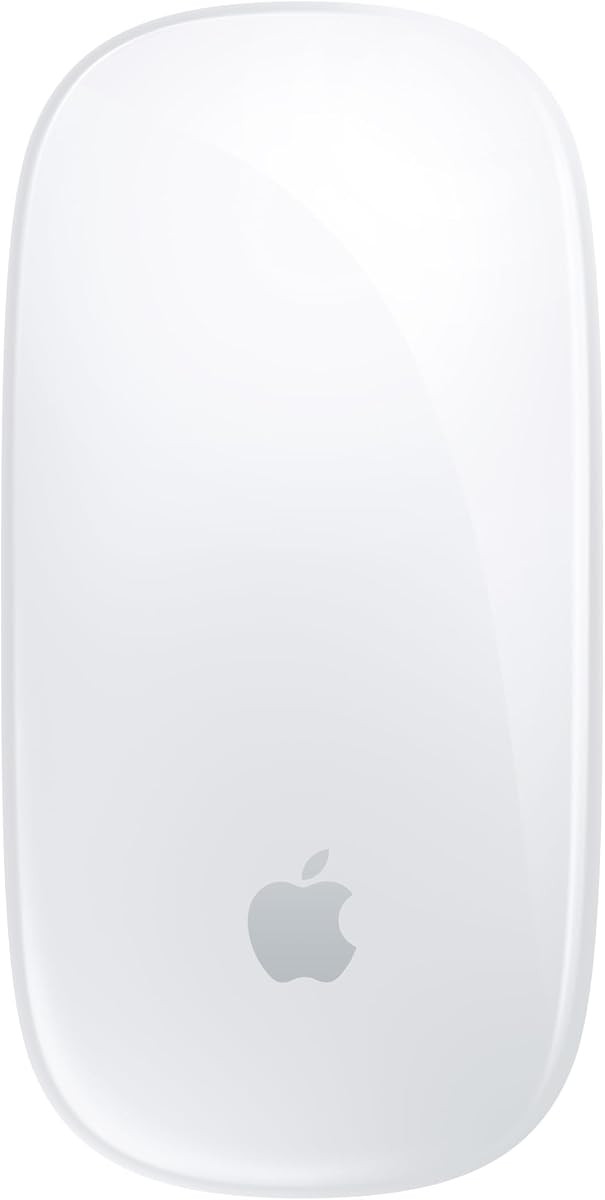
The Apple Magic Mouse provides a native experience for MacBook Neo users, integrating perfectly with macOS features like Multi-Touch gestures and automatic pairing. With a 4.4-star rating, it is favored for its ability to simplify navigation through swiping and scrolling directly on the flat surface, mimicking trackpad functionality.
We may earn a commission when you buy through this link, at no additional cost to you.
Its wireless design and rechargeable battery ensure you can work without worrying about cords or disposable batteries. The optimized foot design allows it to glide smoothly across desks, providing a clean aesthetic that matches Apple hardware perfectly in both form and function.
However, its low profile may lead to hand strain during long sessions, which is a common trade-off for its minimalist look. Despite this, the seamless connectivity and ease of use make it a compelling option for those deeply invested in the Apple ecosystem who prefer simplicity.
Ideal for users who want a mouse that feels like an extension of their Mac, the Magic Mouse delivers intuitive control. Its automatic pairing and wireless capabilities make setup effortless, though those seeking ergonomic support may need to adjust usage habits accordingly.
Swipe through web pages and scroll documents with your fingers, adding a layer of intuitive navigation that enhances the macOS experience.
Connects automatically with your Mac right out of the box, saving time and eliminating the need for complex pairing processes or drivers.
We may earn a commission when you buy through this link, at no additional cost to you.
The Logitech POP Mouse lets you express your personal style while maintaining high functionality for daily productivity tasks. Rated 4.6 stars, it stands out for its customizable Action Buttons that let you switch between work and break modes instantly, integrating deeply with apps like Spotify or Netflix for workflow management.
We may earn a commission when you buy through this link, at no additional cost to you.
Its Silent Touch Technology ensures a quiet environment, reducing distractions by removing 90% of click noise. The battery life lasts up to two years, giving you peace of mind that you won't need frequent replacements even with heavy daily usage patterns across different devices.
The lightweight and contoured design fits comfortably in the palm, making it easy to carry around or store in a bag. While it lacks advanced ergonomic shaping for heavy users, its balance of style and utility appeals to those who want a mouse that reflects their personality.
Best for individuals seeking a balance of fun and function, the POP Mouse offers a unique experience through its customizability. If you value aesthetic design and quick access to shortcuts without cluttering your workspace, this mouse is a vibrant and practical choice.
Program specific buttons for apps or actions, allowing you to streamline your workflow and access tools without navigating through complex menus.
Enjoy the tactile feel of a click without the noise, making it ideal for shared workspaces where keeping the environment quiet is essential.
We may earn a commission when you buy through this link, at no additional cost to you.
The Satechi M1 offers a sleek, ergonomic design that pairs well with modern MacBook Neo systems through its aluminum finish and precision optical sensors. Users rate it 4.4 stars for its stable Bluetooth connection and fast tracking, ensuring smooth navigation across various surfaces without delay or jitter during tasks.
We may earn a commission when you buy through this link, at no additional cost to you.
It features a built-in lithium-ion battery that charges via USB-C, reducing the need for disposable batteries and supporting environmental sustainability. The mouse is optimized for comfort, with a shape that fits naturally in the palm, making it suitable for both left and right-handed users throughout the day.
While it may lack advanced features like haptic feedback or extensive customization, its simplicity and reliable performance make it a solid choice for everyday use. The 1200 DPI resolution provides accurate tracking for general productivity, ensuring you can work efficiently without constant recalibration.
Ideal for users who prioritize design and basic reliability, the Satechi M1 brings a professional look to your workspace. If you seek a mouse that blends well with Mac aesthetics and offers consistent performance without unnecessary complexity, this model is a strong option.
The built-in rechargeable battery eliminates the need for disposable cells, helping you reduce waste while keeping your mouse powered for daily use.
Ergonomically designed to fit in the palm of either hand, it reduces strain during long work sessions, ensuring comfort across different user preferences.
We may earn a commission when you buy through this link, at no additional cost to you.
Selecting the right mouse involves considering connectivity, ergonomics, and battery life to ensure seamless integration with your MacBook Neo workflow.
Consider whether you need Bluetooth, USB, or both. Bluetooth offers simplicity for modern Macs, while USB dongles ensure stable connections on older devices. Some models support multi-device switching which is vital for hybrid setups.
Choose a connectivity method that matches your existing ports and allows easy switching if you use multiple computers.
Battery duration impacts convenience significantly. Rechargeable mice reduce waste but need charging access, while AA battery models last months without intervention. Evaluate your usage frequency to decide what suits your routine best.
Look for models with low power consumption modes to maximize uptime between charges or battery replacements.
Comfort is key for long sessions. Consider grip style, hand size, and tilt angles. A flat design may suit small spaces but can strain wrists, whereas contoured shapes support natural hand positions.
Prioritize mice with shapes that reduce strain on your hand and wrist to prevent fatigue and repetitive stress injuries over time.
In shared spaces, silent clicks prevent distractions. Silent technology often maintains tactile feedback while reducing noise levels significantly. Check if the click feel remains satisfying to you.
Select a mouse with Silent Touch Technology if you frequently work in offices or public areas where noise is a concern.
Some mice allow you to map buttons for specific apps or shortcuts. This enhances productivity if you use apps like Photoshop or Excel heavily. Check if the software is compatible with your operating system.
Evaluate whether you need programmable buttons for shortcuts to speed up repetitive tasks in your daily workflow.
Materials like aluminum offer durability and style but add weight. Plastic is lighter and more affordable. Recycled materials are great for eco-conscious buyers looking to minimize environmental impact.
Decide between premium feel and lightweight portability based on how you plan to carry and use the mouse daily.
DPI determines cursor speed and accuracy. Higher DPI is useful for large screens, while lower DPI offers control for detailed work. Ensure the sensor works well on different surfaces including glass.
Choose a mouse with adjustable DPI settings to adapt precision levels to various tasks like editing or browsing.
Design matters for workspace harmony. A mouse that matches your laptop color can look cohesive. Style often reflects personal preference and professional presentation standards.
Pick a design that complements your existing tech setup to create a unified and professional-looking workspace.
To begin, pair your mouse via Bluetooth by holding the power button until the light blinks, then select it from your MacBook Neo Bluetooth settings. Ensure the mouse is charged or has fresh batteries for immediate connection.
Clean the surface and sensor regularly with a soft cloth to prevent tracking issues. Avoid harsh chemicals that could damage the finish or internal components, and store it in a safe place to avoid physical damage.
Customize buttons using the manufacturer app for productivity shortcuts. Adjust DPI settings to match your screen resolution, and update firmware periodically for optimal performance and bug fixes.
Yes, MacBook Neo laptops support external mice via Bluetooth or USB-C ports. Most modern mice connect wirelessly through Bluetooth, allowing seamless integration without needing adapters or complex drivers for basic functionality.
It depends on your workflow. External mice offer greater precision and ergonomic support for long sessions, while trackpads are convenient for portability. Many users combine both for different tasks and comfort preferences.
Most optical sensors work on non-glossy surfaces like desks and mousepads. Glass or reflective surfaces may require a mousepad. Check product specifications to ensure compatibility with your specific workspace surface.
Try turning Bluetooth off and on, or re-pairing the device. Ensure the mouse is charged and close to your laptop. Restarting your MacBook Neo often resolves temporary connection glitches affecting peripherals.
Many use built-in lithium-ion batteries charged via USB-C, while others use AA or AAA batteries. Check product details to know if you need disposable batteries or if it supports recharging for convenience.
Yes, if you work in quiet environments like offices or libraries. Silent mice reduce noise by up to 90% without sacrificing tactile feedback, providing comfort for you and others around you during tasks.
Choosing the right external mouse for MacBook Neo depends on your specific needs and budget. The Logitech MX Master 4 leads in performance, while the Logitech Slim Wireless offers incredible value. Each model has unique strengths tailored to different workflows.
Prioritize ergonomics, battery life, and connectivity options that match your routine. Features like silent clicks or customizable buttons can significantly enhance your daily productivity and comfort over time.
Remember to check current prices and availability before purchasing as deals change regularly. Finding the perfect mouse ensures a seamless, efficient, and comfortable experience with your MacBook Neo setup.