
ASUS ExpertBook B3
4.5Editor score
Intel Core Ultra 5 processor
Military-grade durability tested
Advanced AI work integration
This guide compares the top ten ASUS Business Laptop models for 2026, evaluating performance, security, display quality, and durability to help professionals
Choosing the right ASUS Business Laptop requires balancing performance, portability, and security features. Modern professionals need devices that handle multitasking efficiently while maintaining enterprise-grade protection for sensitive data across various work environments.
We compared ten top models based on processor power, memory capacity, storage options, and build quality. Each entry represents a distinct option ranging from ultra-portable OLED displays to robust configurations designed for heavy business workloads.
Every pick highlights key specifications and real-world utility to guide your decision. Note that availability and configurations may shift over time, so verify current details before finalizing your purchase decision online.
4.5Editor score

5.0Editor score

4.8Editor score
This side-by-side comparison details specifications for all ten selected models. Review processor types, memory sizes, storage capacities, and unique features to identify the device matching your specific professional requirements.




The ASUS ExpertBook B9 OLED stands out as the pinnacle of premium business computing. With a perfect 5.0 rating, it delivers exceptional performance in an ultralight package that executives and frequent travelers will appreciate immensely.
We may earn a commission when you buy through this link, at no additional cost to you.
Weighing only 2.18 lbs, this is the world's lightest 14-inch OLED business laptop. It features the latest Intel Core 7 processor and 16GB of high-speed LPDDR5X RAM for seamless multitasking. The OLED display offers vibrant colors and deep blacks ideal for presentations.
While the 512GB storage is smaller than some rivals, the speed of the NVMe PCIe 4.0 SSD compensates well. The dedicated Copilot key facilitates easy access to AI features, streamlining workflow automation for modern professionals seeking efficiency.
This device is ideal for executives who prioritize portability and visual fidelity. If you need a reliable, high-end machine for travel and client meetings, the B9 OLED is the top recommendation in this lineup.
At just 2.18 pounds, the magnesium-lithium alloy chassis ensures you can carry this device all day without fatigue.
The 2.8K OLED HDR display provides 180-degree hinge flexibility and narrow bezels for an immersive viewing experience.
We may earn a commission when you buy through this link, at no additional cost to you.
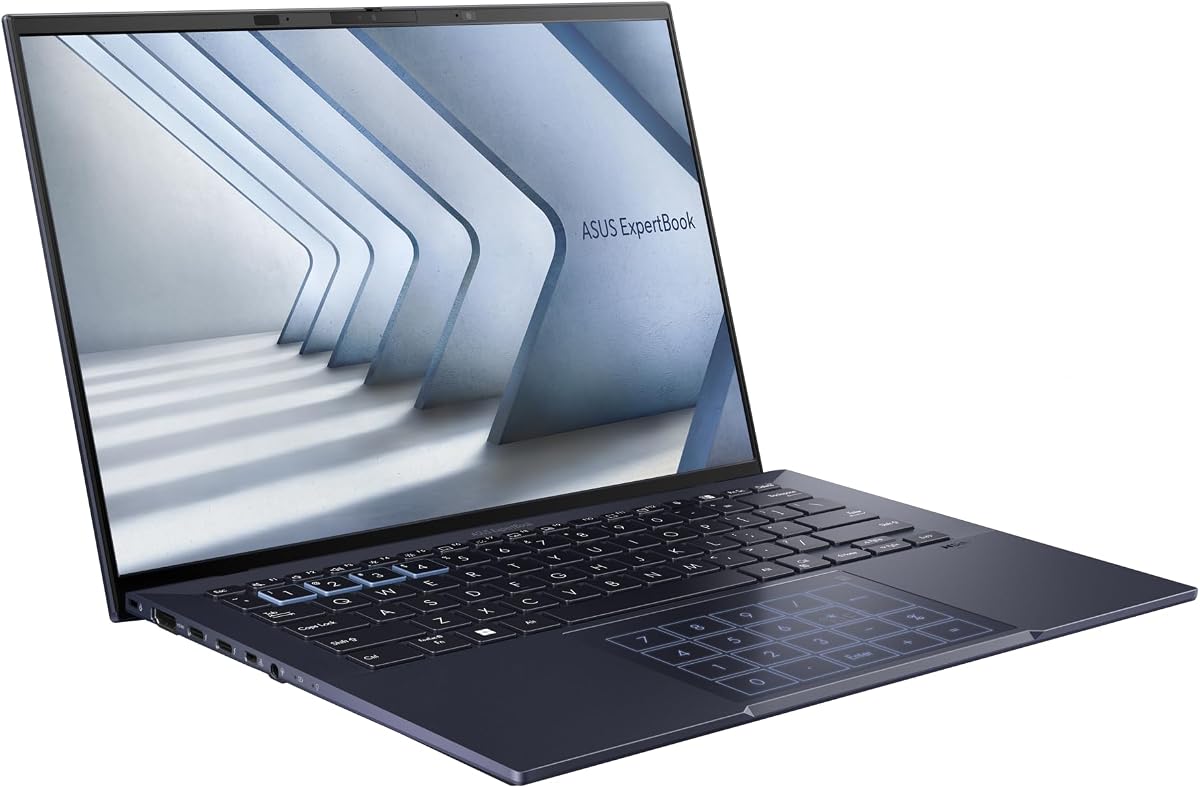
The ExpertBook B3 is built for power users requiring substantial resources. Rated highly for its robust specifications, it combines the new Core Ultra 5 processor with 32GB of RAM to handle demanding business applications smoothly.
We may earn a commission when you buy through this link, at no additional cost to you.
Its 2TB storage offers ample space for large files and datasets without external drives. The 16-inch anti-glare display is optimized for long hours, while Dirac-tuned audio ensures clear communication during video conferences.
Business users benefit from trusted enterprise-level security including TPM 2.0 and a fingerprint reader. The laptop also features a sustainable build using over 25% recycled plastic materials aligning with corporate eco-goals.
Choose this model if you need high storage and memory capacity. It balances performance with durability, making it a premium choice for complex workloads in secure environments.
Intel AI Boost NPU handles AI workloads efficiently to optimize office multitasking and conference performance.
Certified to MIL-STD-810H standards, the chassis withstands transport and workplace wear for long-term reliability.
We may earn a commission when you buy through this link, at no additional cost to you.
The Vivobook 16 2026 delivers exceptional value with high-end specs. With a 4.8 rating, it appeals to budget-conscious professionals needing serious processing power and generous storage without breaking the bank.
We may earn a commission when you buy through this link, at no additional cost to you.
Its 13th Gen Intel Core i7 processor handles multitasking with ease. The 16GB RAM ensures smooth operation across apps. A standout feature is the included 500GB external drive adding massive portable storage beyond the internal SSD.
The 16-inch FHD+ display provides a comfortable viewing area for spreadsheets and documents. Windows 11 Pro and lifetime Office license enhance productivity right out of the box for business users.
This laptop is perfect for students or small business owners. It offers a compelling mix of performance, software, and storage at a competitive price point in the current market.
Includes a 500GB portable external drive alongside the internal SSD for massive total file capacity.
Pre-installed with Windows 11 Pro and free Microsoft Office Professional for immediate business readiness.
We may earn a commission when you buy through this link, at no additional cost to you.
This Vivobook configuration emphasizes memory and connectivity. It offers 24GB of RAM which is rare at this price tier, ensuring seamless switching between browser tabs and heavy applications.
We may earn a commission when you buy through this link, at no additional cost to you.
The 10-Core Intel i5 processor supports efficient daily workflows. A 512GB SSD provides fast boot times, and the 500GB external drive adds flexible storage options. It also includes a 6-in-1 USB-C dock for expanded connectivity.
Windows 11 Pro and Office suite are bundled for immediate use. The integrated privacy shield protects your webcam, adding a layer of security for remote work sessions.
Ideal for users who need high RAM without premium costs. This model bridges the gap between entry-level and high-end machines effectively for general office tasks.
24GB of RAM allows you to run multiple heavy applications simultaneously without slowdown.
Includes a USB-C docking station hub with HDMI, USB, and SD card reader ports for easy expansion.
We may earn a commission when you buy through this link, at no additional cost to you.
The ExpertBook B1 targets corporate environments requiring high reliability. With 32GB of RAM and a Core 7 processor, it handles intensive multitasking and virtualization tasks efficiently for power users.
We may earn a commission when you buy through this link, at no additional cost to you.
Enterprise-grade security features include TPM 2.0 and BIOS protection to safeguard sensitive data. The ExpertCool thermal system maintains stability during long operations without overheating issues.
A wide selection of I/O ports like Ethernet and HDMI ensures compatibility with legacy office peripherals. The durable chassis meets military standards for protection against drops and pressure.
This device suits IT departments managing critical business tasks. It provides robust security and connectivity without sacrificing performance for enterprise-level deployment needs.
ExpertCool technology ensures stable temperature control under prolonged business operation to prevent overheating.
Full set of I/O ports allows flexible connection to monitors and network equipment for enterprise expansion.
We may earn a commission when you buy through this link, at no additional cost to you.
This ExpertBook model offers OLED quality at a competitive tier. Rated highly, it combines a stunning 2.8K OLED display with the performance of the Core i7-1355U processor for visual professionals.
We may earn a commission when you buy through this link, at no additional cost to you.
The magnesium-lithium alloy chassis keeps it light yet durable for transport. Smart cooling technology ensures optimal performance while the 1TB PCIe NVMe SSD provides rapid file access.
Windows 11 Pro is included for business management. The OLED panel delivers true blacks and vibrant colors making it ideal for creative business presentations and media review.
Pick this for high-quality visuals and mobility. It balances OLED benefits with practical storage and processing power for versatile daily use.
The 14-inch 2.8K OLED HDR display provides narrow bezels and 180-degree hinge for better viewing.
Built with magnesium-lithium alloy to weigh only 2.18 lbs while maintaining military-grade durability.
We may earn a commission when you buy through this link, at no additional cost to you.
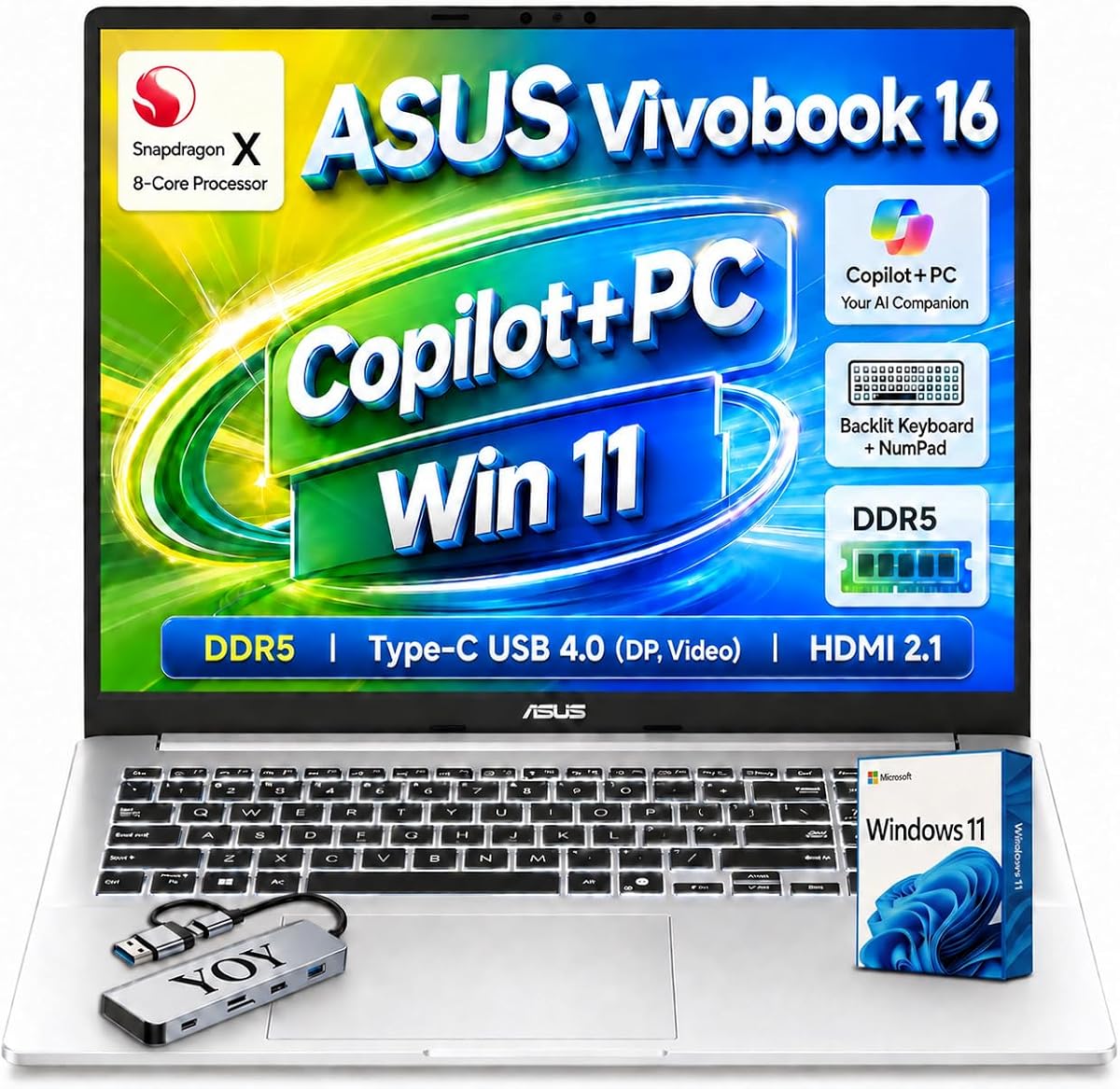
This Vivobook leverages the Snapdragon X processor for next-gen computing. It qualifies as a Copilot+ PC with specialized AI acceleration hardware to boost specific workloads efficiently.
We may earn a commission when you buy through this link, at no additional cost to you.
The Hexagon NPU supports up to 45 TOPS for compatible AI tasks. Its 16-inch WUXGA display offers a spacious workspace. USB4 ports provide versatile external display connections.
Designed for users future-proofing for AI tools. Windows Hello facial login adds convenience. Battery life is expected to be superior to traditional Intel models due to ARM architecture efficiency.
Choose this if you want AI-ready capabilities and efficiency. It is a modern choice for professionals looking to integrate AI tools seamlessly.
The Qualcomm Hexagon NPU delivers up to 45 TOPS to accelerate AI workloads locally on the device.
USB4 ports enable high-speed external display connections and power delivery for versatile workstation setups.
We may earn a commission when you buy through this link, at no additional cost to you.
The Ryzen 7 variant provides strong value with a perfect 5.0 rating. It features the Ryzen 7 7730U processor which delivers solid multitasking performance for general business needs.
We may earn a commission when you buy through this link, at no additional cost to you.
The 16-inch display offers ample workspace for spreadsheets. Includes a USB hub for easy expansion. The upgraded package ensures optimized hardware and software performance out of the box.
Fingerprint sensor offers quick login. While the battery may not last as long as newer chips, the price efficiency makes it a smart pick for budget buyers seeking performance.
Ideal for those who want AMD reliability. It combines decent specs with a high satisfaction rating for everyday business productivity.
The Ryzen 7 7730U provides efficient 8-core performance for daily office multitasking without heating issues.
Authorized portable USB hub enhances connectivity with super speedy data sync rates for external storage.
We may earn a commission when you buy through this link, at no additional cost to you.
This upgraded Vivobook offers entry-level reliability for daily tasks. It shares the Ryzen 7 7730U CPU and 16GB RAM configuration for consistent performance across general applications.
We may earn a commission when you buy through this link, at no additional cost to you.
A 16-inch display ensures comfortable viewing. The hardware upgrade process is optimized to enhance performance. A USB hub is included to support peripheral connectivity.
While rated lower than Pro models, it remains a solid workhorse. The trade-off is the Home OS which may lack advanced management features but suits home business or personal use well.
Select this for essential computing needs. It provides a capable system with upgraded hardware at a competitive price point for entry users.
The seal is opened for hardware upgrade only to enhance performance ensuring better speed out of the box.
Includes a portable USB hub to expand data sync rates for external storage devices and connectivity.
We may earn a commission when you buy through this link, at no additional cost to you.
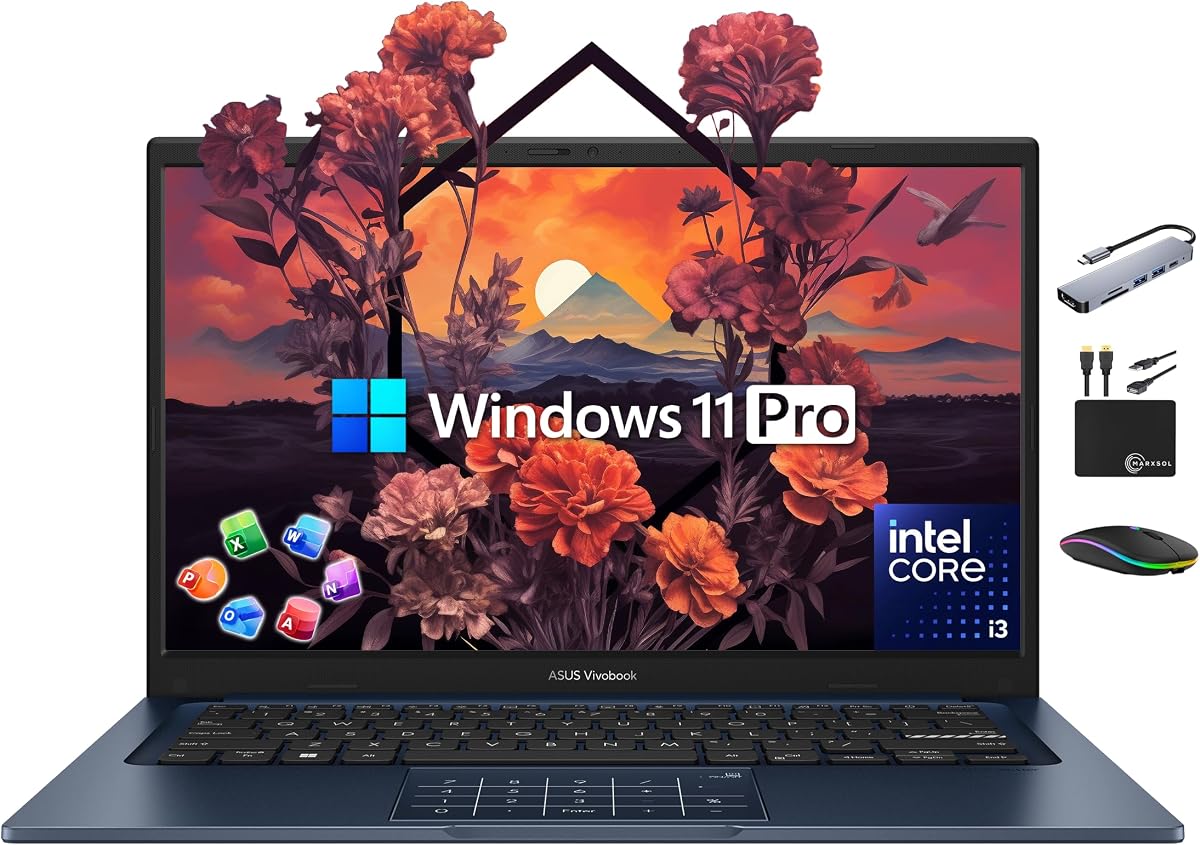
This model pairs an entry-level processor with high memory for cost-effective multitasking. It offers 24GB of RAM allowing many browser tabs and apps to run without slowdown on a budget.
We may earn a commission when you buy through this link, at no additional cost to you.
It includes a lifetime Office 2024 license and Windows 11 Pro. The bundle comes with an external drive for additional storage. Its 14-inch screen is ideal for travel.
The privacy shield provides instant webcam security. While the processor is entry-level, the extra RAM compensates for general office tasks. It is perfect for budget-conscious travelers.
Choose this for basic tasks requiring high memory. It is a smart pick for users who need software bundles and RAM without the high CPU cost.
Despite the i3 CPU, the 24GB RAM ensures smooth multitasking and handling of heavy browser workflows.
Includes Microsoft Office Professional 2024 Plus with lifetime license to save on recurring software costs.
We may earn a commission when you buy through this link, at no additional cost to you.
Selecting the right device depends on specific work requirements. This guide outlines key factors to help narrow down the best ASUS Business Laptop for your scenario.
Business workloads range from basic email to heavy data processing. Intel Core Ultra and 13th Gen i7 processors provide top speed for multitasking. i3 or i5 models work well for lighter tasks.
At least 16GB of RAM is recommended for comfortable multitasking. Some models offer 24GB or 32GB which helps when running virtual machines or many browser tabs simultaneously.
Look for at least 512GB SSD storage for speed. Some bundles include external drives which adds flexible storage. 1TB internal storage is ideal for large local files.
OLED displays offer vibrant colors and deep blacks. Anti-glare IPS screens are better for office environments to reduce eye strain. A larger 16-inch screen helps with spreadsheets.
Ultralight models under 3lbs are great for travel. The ExpertBook B9 weighs only 2.18 lbs. Larger 16-inch models provide more screen space but add weight to your bag.
Business laptops need TPM 2.0 and privacy shutters. Fingerprint readers add convenience. Windows 11 Pro is essential for enterprise management and advanced security controls.
MIL-STD-810H certification ensures the laptop can handle drops and transport. Spill-resistant keyboards add safety in office environments. Rugged build is important for field workers.
Some models include Office licenses which save money. USB hubs or external drives in bundles provide immediate utility. Verify if the OS is Home or Pro based on needs.
Set up your device by connecting to a secure network and installing necessary business software. Ensure Windows 11 Pro is updated for the latest security patches before working on sensitive documents.
Care for the chassis by avoiding direct sunlight and keeping it dry. Use the privacy shutter on webcams when not in use to maintain privacy. Store the laptop in a padded sleeve during transport.
Extend battery life by adjusting brightness and closing unused applications. Use the external drives provided in bundles for data backups. Regularly update drivers via the ASUS support portal for optimal performance.
ExpertBook models are engineered with military-grade durability and enterprise security like TPM. Vivobook models offer similar performance at a lower price point often including value bundles like Office and external storage.
The OLED models like ExpertBook B9 offer vibrant colors ideal for design. Vivobook 16 provides good color accuracy. For heavy rendering, ensure the model has 32GB RAM and dedicated graphics.
Windows 11 Pro includes Windows Defender which is robust for general use. However, corporate environments may require third-party enterprise antivirus solutions for additional centralized management and protection.
Many ExpertBook models have soldered memory meaning it cannot be upgraded. Some Vivobook models allow RAM upgrades. Always check specific product details for upgradeability before purchasing.
It indicates the laptop has passed standardized military testing for shock, vibration, and environmental conditions. This ensures the device can withstand daily wear and transport better than standard models.
Most models support dual external monitors via HDMI and USB-C with DisplayPort capabilities. Check specific port configurations like Thunderbolt 4 to confirm connectivity limits for multi-screen setups.
We explored ten top models ranging from ultra-light OLED machines to high-capacity workstations. The ExpertBook B9 leads in premium quality while the Vivobook 16 offers the best value for general users.
Prioritize memory and security if you handle sensitive data. For visual work, consider the OLED screens. For budget, the i3 and Ryzen models provide reliable entry points with essential business features.
Prices and bundles change frequently so verify current configurations on the product pages. Choose the model that fits your workflow needs and budget for a smooth business computing experience.