
HDMI Splitter 1 in 3 Out
4.6Editor score
4K@30Hz Ultra HD support
Full aluminum alloy casing
Compact and durable design
This guide compares the top HDMI splitter for 3 monitors models to help you choose the right device for triple-screen setups and high-resolution displays.
Finding a reliable HDMI splitter for 3 monitors can transform your workspace by allowing you to extend or mirror displays effortlessly. Whether you need to monitor multiple data streams or present content across screens, the right splitter ensures smooth connectivity.
We analyzed ten top-rated models based on resolution support, compatibility, build quality, and user feedback. Our comparisons focus on devices that handle 4K signals efficiently while maintaining stable performance for professional and home entertainment environments.
Each pick highlights specific strengths like bandwidth capacity, EDID management, and power requirements to help you decide. Please note that availability and pricing may change, so check current listings before purchasing to ensure you get the best deal.
4.6Editor score

4.4Editor score

4.2Editor score
This side-by-side comparison highlights the key specifications and capabilities of each model to help you identify which splitter fits your specific display needs and technical requirements.



The UANTIN DisplayPort to HDMI Splitter is a robust solution for users needing to expand one DisplayPort signal across three HDMI monitors. With a rating of 4.4 stars, it stands out for its ability to support 4K@60Hz resolutions, making it suitable for design and multitasking workflows.
We may earn a commission when you buy through this link, at no additional cost to you.
Its all-aluminum casing ensures efficient heat dissipation, which is critical for maintaining stable operation during long sessions. The included high-density braided nylon cable adds durability while gold-plated interfaces reduce signal interference for clearer visuals across all connected screens.
While it excels in performance, note that it does not support extended mode on all graphics cards and is one-way only from DP to HDMI. Users must ensure their GPU supports at least 18Gbps bandwidth to avoid limitations in multi-screen setups.
This splitter is ideal for professionals who need triple-screen synchronization without compromising on resolution. It offers a reliable balance between cost and features for expanding your workspace effectively.
Supports up to 18Gbps bandwidth ensuring smooth 4K video transmission without lag or dropouts.
All-aluminum casing with braided cable provides long-term reliability and heat resistance.
We may earn a commission when you buy through this link, at no additional cost to you.
The NEWCARE 4K@60Hz HDMI Splitter delivers crisp mirrored visuals across three screens with a 4.2 rating. It is designed for users who need synchronized content on all displays without extended desktop functionality.
We may earn a commission when you buy through this link, at no additional cost to you.
Its auto downscaler allows 4K and 1080P displays to work simultaneously at the same refresh rate which simplifies setup for mixed resolution environments. The included 4-foot HDMI cable and power adapter ensure you have everything needed for immediate use.
However it does not support extending your desktop or switching between multiple inputs. This limits flexibility for users who need independent screens but is acceptable for presentations or monitoring setups.
If your priority is perfect sync for gaming or media on three screens this model provides excellent value and reliable performance without requiring complex configurations.
Allows mixed resolution displays to work together seamlessly by adjusting signals automatically.
Includes HDMI cable and power adapter for quick plug-and-play setup.
We may earn a commission when you buy through this link, at no additional cost to you.
The MT-ViKI 4K HDMI Splitter offers four HDMI outputs making it versatile for setups needing more than three screens. It holds a 4.4 rating for its stable powered performance and robust metal housing.
We may earn a commission when you buy through this link, at no additional cost to you.
Unlike USB-powered alternatives this unit includes a dedicated AC power adapter that prevents signal drops even with longer cable lengths. The built-in amplifier supports transmission up to 100 feet which is ideal for large conference rooms.
It does not support extended mode or include a remote control so it is strictly for duplicating content. While this limits customization it ensures consistent and reliable display replication for commercial environments.
For retailers or educators needing identical content across multiple displays this splitter delivers dependability and clear visuals without complex setup requirements.
Dedicated AC power adapter ensures no flickering even with long cable runs.
Built-in amplifier supports transmission up to 100 feet total distance.
We may earn a commission when you buy through this link, at no additional cost to you.
The THANDBLE DisplayPort to HDMI MST Hub allows true extended displays across three monitors which is rare for splitters. With a 4.1 rating it enables productive workflows by letting you run different apps on each screen.
We may earn a commission when you buy through this link, at no additional cost to you.
It supports up to three monitors simultaneously with vivid colors and contrast thanks to its high bandwidth capability. The integrated aluminum alloy shell aids heat dissipation to maintain performance during extended use sessions.
However it is not compatible with macOS or integrated GPUs that only support mirroring. Users need a powerful discrete GPU supporting at least 18Gbps to unlock full extended display functionality.
For Windows users seeking a triple-monitor productivity setup this hub provides an effective solution at an accessible price point.
Enables independent screen content across three monitors for multitasking.
Integrated aluminum shell keeps the device cool during long operations.
We may earn a commission when you buy through this link, at no additional cost to you.
This HDMI Splitter 1 in 3 Out boasts a 4.6 rating and stands as a top budget choice for mirroring content. Its full aluminum alloy casing ensures stable performance even during continuous operation.
We may earn a commission when you buy through this link, at no additional cost to you.
Equipped with HDMI 1.4b it supports 4K@30Hz and 3D Blu-ray formats for rich visual quality. The compact design saves space and independent LED indicators allow quick troubleshooting if a screen goes dark.
While it lacks audio output ports and runs at 30Hz for 4K it meets most needs for presentations or monitoring. The included USB-C power cable ensures reliable connectivity without extra adapters.
For users seeking a reliable and affordable way to duplicate signals across three screens this model offers excellent quality and support.
Each output port has an LED to quickly identify active connections.
Full aluminum casing prevents overheating and signal interference effectively.
We may earn a commission when you buy through this link, at no additional cost to you.
This compact splitter maintains zero latency and flicker for real-time synchronization across three screens. Its premium aluminum alloy build keeps it cool during long hours of use without noise.
We may earn a commission when you buy through this link, at no additional cost to you.
The 3.26 x 2.16 x 0.78 inch footprint makes it easy to fit into tight desk setups or travel cases. It supports 3D Blu-ray and 36-bit deep color for vibrant and accurate visuals.
It does not support audio extraction and runs at 30Hz for 4K content which may limit gaming performance. For static presentations and media playback it performs reliably with minimal setup.
Ideal for travelers or users with limited space this splitter delivers consistent performance without taking up much room.
Small design fits anywhere without cluttering your workspace.
Ensures identical timing across all screens without delays.
We may earn a commission when you buy through this link, at no additional cost to you.
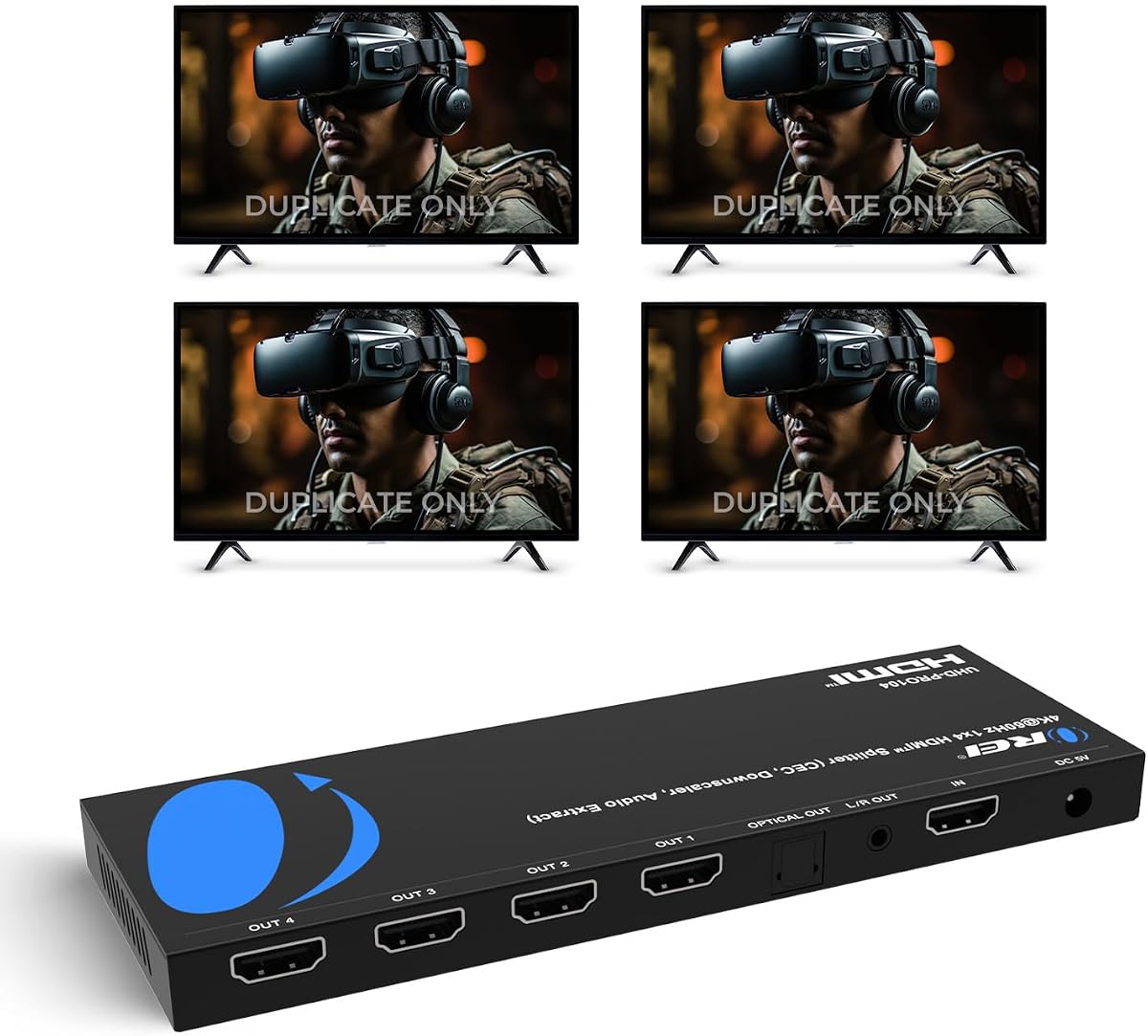
The OREI UltraHD 1×4 HDMI Splitter supports up to 4K@60Hz with 18Gbps bandwidth ensuring crystal-clear video across four screens. It holds a strong 4.5 rating for its heavy-duty metal enclosure and reliable signal stability.
We may earn a commission when you buy through this link, at no additional cost to you.
Its wide audio format compatibility includes Dolby TrueHD and DTS-HD Master Audio which enhances home theater setups. The device works best with HDMI cables up to 30 feet for optimal performance without signal loss.
Since it only mirrors content and does not include a remote it is best suited for static displays. The 1-year limited warranty adds confidence for commercial or personal installations.
For those needing maximum bandwidth and clear visuals for presentations this splitter is a robust and dependable option.
18Gbps ensures smooth 4K@60Hz playback without compression.
Supports multiple formats for immersive sound across displays.
We may earn a commission when you buy through this link, at no additional cost to you.
This splitter stands out with an audio extractor providing optical and analog outputs alongside video signals. It supports HDR10+ and Dolby Vision for stunning contrast and color performance on compatible displays.
We may earn a commission when you buy through this link, at no additional cost to you.
The built-in downscaling converts 4K inputs to 1080p for mixed-resolution setups which increases compatibility in multi-monitor environments. Advanced EDID management ensures stable signal communication across gaming consoles and streaming devices.
It comes at a higher price and offers four outputs instead of three which may not suit all users. However the audio features and HDR support make it a powerful tool for home theater setups.
If you need flexible audio routing and high dynamic range visuals this model provides features that few splitters offer.
Optical and analog outputs allow separate audio for speakers.
Supports HDR10+ and Dolby Vision for superior image quality.
We may earn a commission when you buy through this link, at no additional cost to you.
This splitter supports 8K@60Hz and HDMI 2.1 features making it one of the most future-ready devices on the market. With a 4.2 rating it delivers 4K@120Hz and variable refresh rate support ideal for gaming.
We may earn a commission when you buy through this link, at no additional cost to you.
Smart EDID management provides multiple switching modes to optimize signal compatibility with different displays. It also supports Dolby Atmos and 7.1ch audio formats for immersive soundscapes.
It is limited to mirroring and carries a higher price compared to standard models. However for users with next-gen consoles and high-refresh monitors it offers unmatched performance.
For those planning long-term upgrades this splitter ensures compatibility with emerging display technologies without replacement costs.
VRR and 4K@120Hz support ensure smooth high frame rate gaming.
Customizable modes optimize signal for different connected displays.
We may earn a commission when you buy through this link, at no additional cost to you.
The UGREEN HDMI Splitter is designed for distributing a single source to multiple displays with ease. It holds a 4.4 rating for stable transmission using high bandwidth 18Gbps data capacity.
We may earn a commission when you buy through this link, at no additional cost to you.
EDID control helps prevent black screens by choosing the proper resolution setting for your displays. The device works with a wide range of sources from gaming consoles to PCs and streaming sticks.
It requires constant connection to power for optimal performance which may limit portability but ensures consistent results. For users who prefer established brands this splitter delivers dependable quality and support.
Ideal for home entertainment or office setups needing multiple identical displays this unit provides reliable and clear performance.
UGREEN is known for quality connectors and long-term product stability.
Flexible EDID settings avoid resolution mismatches and black screens.
We may earn a commission when you buy through this link, at no additional cost to you.
Selecting the right splitter involves understanding technical specs and your specific needs. Here are key factors to consider.
Ensure the splitter supports the resolution and refresh rate your monitors need. For example 4K@60Hz requires at least HDMI 2.0 bandwidth while 4K@30Hz works with HDMI 1.4b. Higher refresh rates deliver smoother visuals which matter for gaming or video work.
Choose a model that matches your highest display specs to avoid downgrading performance or losing image clarity.
Most splitters only mirror the same content across screens meaning all monitors show identical visuals. True extended mode which lets you run different apps on each monitor requires MST hubs or specific GPU support.
Decide whether you need duplication or independence as this will narrow your options significantly.
Check if your source device uses HDMI or DisplayPort since splitters are often input specific. DisplayPort to HDMI splitters are common for PC setups but cannot work in reverse for TVs or consoles.
Confirming the correct input ensures your source connects properly without needing additional adapters.
Powered splitters with external adapters offer better stability especially over long cable runs or with high resolutions. USB-powered units are convenient but may struggle with 4K signals or multiple monitors.
Always connect the power supply as instructed to avoid flickering or signal loss during use.
Metal housings and aluminum casings help dissipate heat which prevents overheating during extended operation. Plastic models may become too warm under load leading to performance issues.
Look for durable materials and ventilation designs to ensure long-term reliability.
Some splitters include audio extraction ports allowing you to route sound separately from video. This is useful if your monitors lack built-in speakers or you want external surround sound.
If audio extraction matters check the product specs for optical or analog outputs before buying.
EDID controls how the splitter communicates resolution capabilities to the source device. Models with configurable EDID prevent black screens and ensure all monitors recognize the signal properly.
Choose units with EDID settings if your displays vary in resolution or size to avoid compatibility issues.
Reputable brands often provide warranties and responsive customer support for troubleshooting. This adds security against defects or compatibility problems that might arise after purchase.
Check the warranty length and support options to protect your investment.
Start by connecting the splitter's power supply before attaching any video cables. This ensures stable initialization and reduces the risk of signal flickering or black screens during setup.
Connect your source device to the splitter input first then attach each monitor to the output ports. Arrange cables neatly to avoid bending or pinching which can degrade performance over time.
Keep the device in a well-ventilated area away from direct sunlight or heat sources. Regularly check ports for dust and gently clean them to maintain secure connections and optimal signal transmission.
Most HDMI splitters only mirror content meaning all screens show the same image. Extended desktop functionality requires an MST hub or GPU with native multi-monitor support. Check product specs carefully before purchase to ensure it matches your needs.
Yes powered splitters are recommended for 4K signals to maintain stable transmission. USB power may work for lower resolutions but often causes flickering or drops with high bandwidth video.
High-quality HDMI cables up to 15 feet are ideal for 4K performance. Longer distances may need active cables or signal boosters to prevent degradation.
Some splitters support auto downscaling so mixed resolutions work but all screens refresh at the same rate. Check if the model handles different resolutions before connecting.
Models supporting HDMI 2.0 or 2.1 with sufficient bandwidth work with consoles like PS5. Ensure it supports the desired refresh rate for smooth gameplay.
Yes splitters with multiple outputs can connect to TVs and monitors simultaneously as long as they use HDMI inputs. Confirm total output count matches your devices.
The UANTIN DisplayPort to HDMI Splitter leads as the top pick for extended workflows while the budget-friendly mirror options offer excellent value. For future-proof features the 8K@60Hz model stands out for gamers and high-end users.
Prioritize resolution support and power stability to ensure all three monitors perform reliably without flickering or drops. Consider whether you need mirroring or extended screens since this determines which models fit your setup.
Prices and availability fluctuate so verify current specs and offers before buying. Choosing the right splitter enhances productivity and entertainment across all connected displays effectively.