
TECKNET Mouse Jiggler Undetectable USB Mover
4.6Editor score
3 Smart Jiggle Modes
Color LED Indicator Feedback
Compact Portable Design
This guide compares the best laptop jiggler devices to keep your PC awake during remote work, ensuring seamless performance without IT detection or software
Finding the right laptop jiggler can save you from sleep mode interruptions. These devices keep your cursor active, ensuring your presence is marked during long tasks or meetings without requiring extra software.
We evaluated ten top-rated options based on undetectability, ease of use, and build quality. Our selection includes mechanical movers, USB-based simulators, and plug-and-play solutions for diverse workflows.
Each pick highlights key strengths and ideal use cases for remote workers and gamers. Please note that availability and deals change often, so verify current stock before making your final decision today.
4.6Editor score

4.7Editor score

4.5Editor score
The following table offers a side-by-side look at key specifications for each selected laptop jiggler. This helps you quickly identify the best fit for your specific operating system and usage needs.
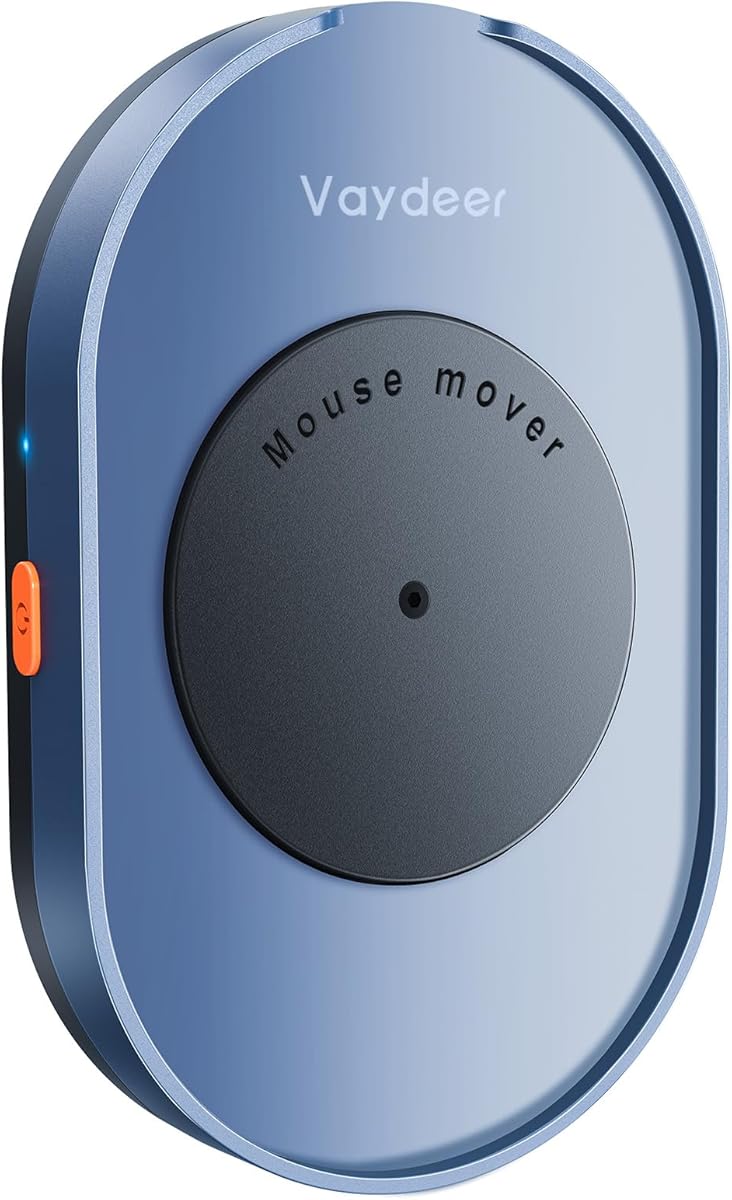


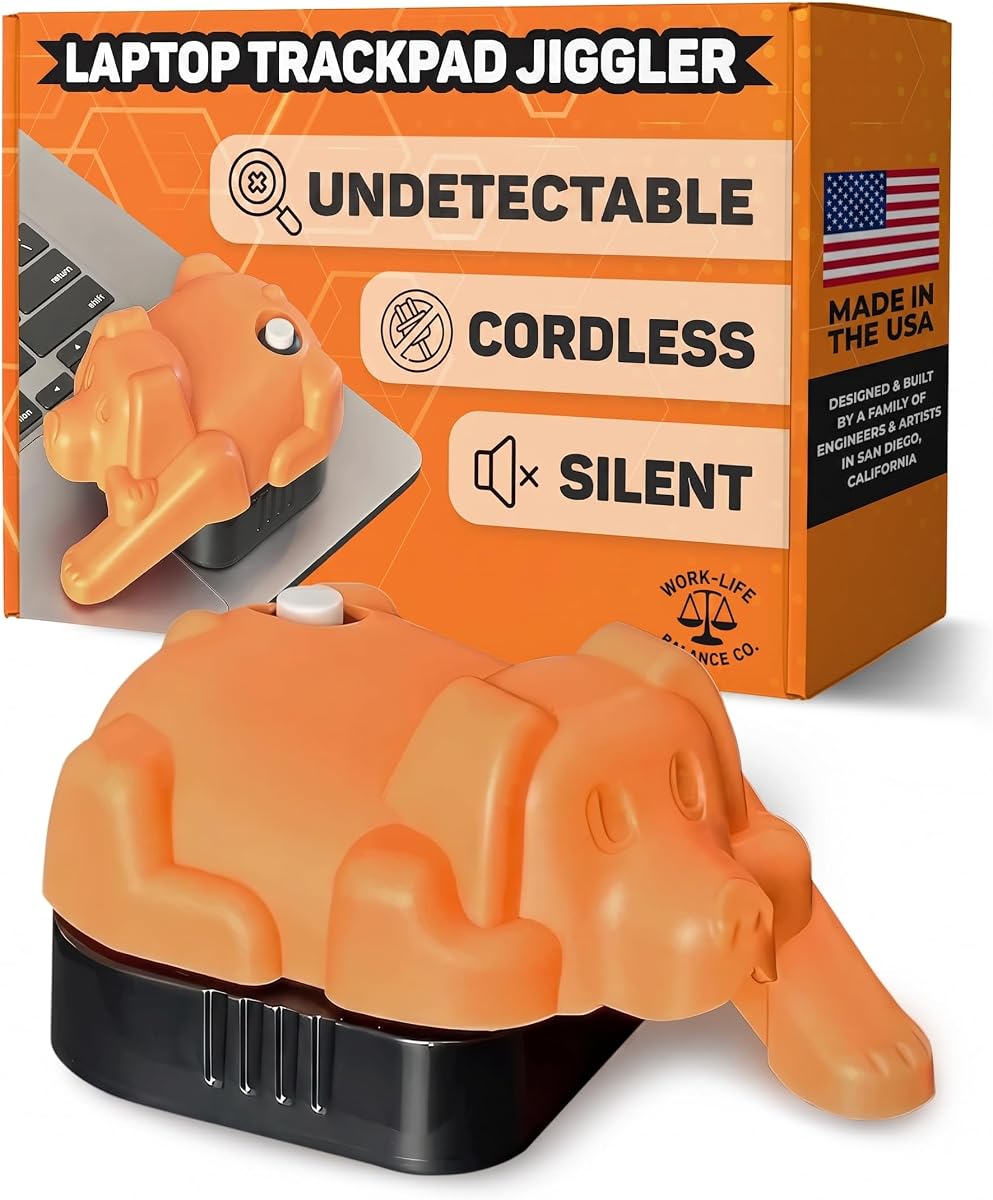
The TECH8 USA Undetectable Mouse Mover Jiggler is a standout option for remote workers who prioritize style and function. With a 4.7 rating, users appreciate its patented 3D hologram disc that prevents sleep mode while adding flair to any desk setup.
We may earn a commission when you buy through this link, at no additional cost to you.
Its random movement patterns simulate natural usage, keeping your status green on platforms like Teams and Zoom. The three motion levels allow you to customize the intensity, while the auto timer ensures the device doesn't run indefinitely when you're done.
While the price is slightly higher than generic USB simulators, the build quality and customer support justify the cost. You won't need to install drivers or worry about IT detection since it operates entirely on physical motion.
This jiggler is ideal for professionals who want a reliable, stylish tool to manage their workflow without compromising their environment. If you value a premium look and feel, this is a top-tier choice to consider today.
The LED ring lets you match your desk theme or turn it off completely, blending functionality with aesthetics in a way few competitors offer.
You can set the device to shut off after 1 to 2 hours, saving power and preventing unnecessary activity when you leave your workstation for the day.
We may earn a commission when you buy through this link, at no additional cost to you.
The Vaydeer Undetectable Mouse Jiggler M4 is engineered for quiet performance, making it a solid choice for shared workspaces. Users praise its ISO certification and motor that operates below 45 decibels during use.
We may earn a commission when you buy through this link, at no additional cost to you.
It comes with an on/off switch so you avoid constant plugging and unplugging. The physical movement it creates is undetectable by IT scans, giving you peace of mind during virtual meetings or long downloads.
One trade-off is the external power cable, which might require more desk space than plug-in models. However, the flexibility to run from USB or adapter ensures compatibility with any setup, including low-power hubs.
If noise is your main concern, this model delivers reliable results without disrupting your work. Its thoughtful design and customer support make it a trustworthy investment for any laptop user.
Passing ISO/IEC27001:2013 means this device meets strict information security standards, adding a layer of trust for corporate environments.
You can power it directly via USB or use the included 5V/2A adapter for consistent performance, especially if your laptop battery is low.
We may earn a commission when you buy through this link, at no additional cost to you.
The WFB Mouse Jiggler Undetectable 2 Pack offers excellent value for anyone needing backup units or devices for multiple machines. It simulates minimal 1-2 pixel shifts that keep your PC awake without drawing attention.
We may earn a commission when you buy through this link, at no additional cost to you.
Recognized as a standard 2.4G mouse, this device bypasses IT restrictions while remaining invisible to your workflow. It works seamlessly across Windows, Mac, and even Android systems for broad compatibility.
While it lacks the premium features of more expensive models, the simplicity ensures it just works. Users appreciate that it doesn't require drivers, making it a quick plug-and-play solution for busy professionals.
This pack is perfect for budget-conscious buyers or teams needing multiple devices. If you need reliable sleep prevention without extra bells and whistles, this is an effective, affordable choice.
Having a backup ensures you never run out of active devices if one is being serviced or used elsewhere in your setup.
It supports Raspberry Pi alongside standard OS systems, which is rare at this price and useful for diverse hardware environments.
We may earn a commission when you buy through this link, at no additional cost to you.
The AUEDROT Mouse Jiggler Undetectable USB-C is tailored for newer laptops with limited USB-C ports. It connects directly without adapters and simulates slight or random cursor movements to keep your session active.
We may earn a commission when you buy through this link, at no additional cost to you.
Its switch button lets you toggle modes or turn it off with a long press. This avoids frequent unplugging, which can wear out ports over time. It is recognized as a trusted USB composite device.
Some users find the plastic build less premium, but its functionality is solid for the price. It keeps platforms like Teams and Skype green without impacting normal mouse usage during active tasks.
This model is ideal for travelers or those using modern ultrabooks. If you need a compact USB-C solution that works out of the box, this jiggler delivers dependable results.
Slight mode moves the pointer 1-2 pixels back and forth, while random mode shifts it irregularly for a more natural movement pattern.
Short presses change modes, and long presses turn it off, providing intuitive control without needing software or extra steps.
We may earn a commission when you buy through this link, at no additional cost to you.
The Yonktoo Mouse Jiggler Undetectable Slim is designed for small desks and minimal setups. Its ultra-slim profile and silent motor make it unobtrusive while keeping your computer awake during idle moments.
We may earn a commission when you buy through this link, at no additional cost to you.
It starts working automatically when connected and lets you pause or resume with a single button. The included 4.9 ft cable offers flexibility to route connections neatly around monitors and equipment.
The cable length might be longer than some users need, but it helps place the device away from crowded desk areas. Users appreciate that no apps or drivers are needed to get it running.
This jiggler suits those prioritizing simplicity and portability. If you want a quiet, compact tool that works right out of the box, it is a dependable option to explore.
The 1.5m cable allows you to place the mover where it fits best without being constrained by your laptop port location.
Because it doesn't rely on software, it remains functional even when system updates occur or IT policies restrict installations.
We may earn a commission when you buy through this link, at no additional cost to you.
The Meatanty Mouse Mover Undetectable Super-Silent delivers advanced control through its adjustable interval timer and visual feedback display. It moves the mouse randomly to simulate genuine usage without leaving traces on system logs.
We may earn a commission when you buy through this link, at no additional cost to you.
Its edge protection prevents your mouse from slipping off the turntable. The timer lets you set movement frequency between 5 to 60 seconds, offering flexibility that many competitors lack.
The device's larger size might not fit tiny desks, but it ensures stability. The LED display makes it easy to track settings at a glance. Its motor runs below 20 dB for near-silent operation.
This model is perfect for power users who need precise control over movement frequency. If you want a durable, feature-rich solution that stands out from basic movers, it is an excellent premium choice.
By increasing or decreasing movement frequency, you can match your needs or reduce wear if you only need occasional activity simulation.
The LED display shows your current settings clearly, so you know exactly how the device is configured without guessing.
We may earn a commission when you buy through this link, at no additional cost to you.
This USB Mouse Mover stands out with its aluminum alloy build, offering superior sturdiness compared to standard plastic options. The 2 jiggle modes and switch button provide easy control without any drivers or setup steps.
We may earn a commission when you buy through this link, at no additional cost to you.
It is recognized as a trusted USB composite device, ensuring smooth operation across platforms. Short presses toggle between slight and random movement, while long presses turn it off conveniently.
The material may scratch if handled roughly, but it remains robust. Users find it works well in Teams and Skype to keep status indicators green during remote sessions.
If durability is a priority, this is a solid option. It balances quality materials with practical functionality, making it a reliable choice for daily laptop use.
The aluminum alloy body resists wear better than plastic, ensuring the device lasts longer even with frequent handling.
It requires no setup, starting automatically when plugged in. This simplicity reduces friction for users who need quick deployment.
We may earn a commission when you buy through this link, at no additional cost to you.
The TECKNET Mouse Jiggler Undetectable USB Mover is an affordable yet feature-rich option. It offers three movement modes, and a discreet color LED that indicates which mode is active at any moment.
We may earn a commission when you buy through this link, at no additional cost to you.
Its tiny size lets you slip it into a pocket or laptop bag. Users appreciate the one-button control for easy switching between slightly moving, fixed rectangular, and random speed modes.
While the LED is small, it provides useful feedback. The 18-month warranty adds reliability. It keeps your Teams and Zoom status green without interfering with your regular work tasks.
This jiggler is perfect for budget seekers who don't want to compromise on features. With solid support and a compact design, it is a strong contender for any remote worker.
Different light colors help you confirm the active mode instantly, ensuring you know how it is operating at a glance.
You can choose from single-pixel shifts, fixed area movement, or variable-speed random movement to suit different workflows.
We may earn a commission when you buy through this link, at no additional cost to you.
The Mouse Jiggler Mover Wiggler Undetectable Shaker focuses on core functionality. It is recognized as a regular mouse by your system, ensuring it stays active without triggering security warnings or software blocks.
We may earn a commission when you buy through this link, at no additional cost to you.
The tiny design makes it ideal for travel. Users report smooth operation across Windows, Mac, and Linux systems. It keeps your screen awake for meetings, games, or long downloads effortlessly.
It lacks advanced settings like timers or modes, which simplifies usage. The included 12-month warranty provides extra peace of mind. This plug-and-play tool is perfect for straightforward needs.
If you want something simple that just works, this is it. Its broad compatibility and minimal setup make it a trustworthy helper for keeping your laptop active during tasks.
By appearing as a standard mouse, it avoids red flags in IT scans, ensuring you can use it discreetly at work.
Its compact form factor lets you carry it anywhere, making it great for remote setups or shared desks.
We may earn a commission when you buy through this link, at no additional cost to you.
The Trackpad Mouse Jiggler Device Silent Cordless offers a unique approach by simulating touchpad movements directly. This eliminates cables, keeping your workspace clutter-free while maintaining activity on modern laptops.
We may earn a commission when you buy through this link, at no additional cost to you.
It uses an AA battery that lasts up to 6 months. The silent DC motor ensures no noise disturbance. It avoids USB and Bluetooth, making it invisible to IT scans.
You may need to adjust touchpad settings to maximize sensitivity. However, this flexibility ensures compatibility with various laptops. The cordless design is a significant plus for portability.
Ideal for touchpad users or travelers, this device offers convenience and clean design. If you want a wireless solution that works without connections, it is a solid option.
Removing cables simplifies your desk setup and makes it easier to use with multiple devices or on the go.
An AA battery provides up to 6 months of life, reducing maintenance needs for frequent users and keeping costs low.
We may earn a commission when you buy through this link, at no additional cost to you.
Selecting the right laptop jiggler requires attention to key factors such as detection, power, and build quality. These considerations help you avoid IT flags and ensure long-lasting performance.
Most modern laptop jigglers are designed to appear as standard hardware devices. This means they are identified by your system as a normal mouse rather than a suspicious peripheral. Always check if the device uses physical movement or simulates input through a recognized protocol like 2.4G or USB HID. Software-based solutions often face blocks, while hardware movers pass security scans seamlessly.
Look for models offering multiple movement patterns such as slight shifts, random paths, or fixed rectangles. Some advanced jigglers include adjustable intervals to control how often the cursor moves. These options help avoid repetitive motion that automated scripts can detect. Customization ensures your activity mimics a real person and prevents your status from showing idle flags.
Decide between USB-powered or cordless devices based on your workflow. USB models are simple but need a free port, while battery-powered ones offer freedom of movement. If you travel or work from different spots, a compact cordless unit might be better. Consider the battery life of wireless versions to ensure they last through your work hours without frequent recharging.
Materials like metal or high-grade plastic impact how well the device withstands daily use. Check if the turntable or surface is large enough for your mouse size. Devices with edge protection prevent accidental drops. A sturdy build reduces mechanical failures and ensures smoother operation over months. Look for warranties as indicators of manufacturer confidence.
Some mechanical movers produce audible noise from motors. Silent models operating under 20dB are ideal for shared offices or quiet spaces. Review product descriptions for sound ratings before buying. Excessive noise can disturb colleagues or clients during video calls. A quiet device ensures you stay productive without disrupting your environment.
Ensure the jiggler supports your operating system, whether Windows, Mac, or Linux. Most plug-and-play units work universally, but some may need specific drivers. If you use remote desktops or virtual machines, confirm compatibility with those environments too. Broad OS support guarantees functionality across different setups without extra installation.
The best units operate with plug-and-play simplicity. Physical switches or buttons let you start or stop movement without software. Some models use press-and-hold logic for power, reducing cable clutter. If you value efficiency, choose a device that minimizes steps. Complex setups can waste time and frustrate users during quick tasks.
Budget models provide basic functionality, while premium options offer timers, LEDs, or better materials. Decide what matters most for your needs. Higher prices may justify extra features but basic units often perform the core task well. Compare specifications against cost to find the best balance that fits your budget.
Begin by placing your mouse on the jiggler surface or connecting it via USB. Ensure the device is powered on and positioned so your optical sensor aligns with the movement area. Most units activate automatically once connected or switched on.
Adjust settings if your model allows for movement speed or interval. Check that your computer recognizes the cursor as moving to prevent sleep mode. Test your status on platforms like Teams or Zoom to confirm the device is working effectively.
Keep the surface clean from dust or crumbs to prevent interference. For cordless versions, monitor battery levels and replace when needed. Regularly inspect the unit for wear or mechanical issues to maintain smooth operation.
Most hardware-based laptop jigglers are not detected because they appear as standard peripherals. IT systems typically scan for software changes, not mouse hardware. However, always choose reputable devices to avoid potential flagging.
Yes, many models are compatible with macOS and Windows. They function through universal USB protocols. Still, check product specifications to ensure full support for your specific operating version.
It could be due to a low battery, loose USB connection, or surface obstruction. Check power sources, reconnect the cable, and clean the surface. Restarting the device usually resolves temporary issues.
Usage depends on company policy. While the hardware itself is legal, bypassing IT controls may violate rules. Review your organization guidelines before use. Always maintain transparency if required.
High-quality jigglers often last years with regular use. Lifespan depends on build materials and motor durability. Units with warranties usually offer better reliability. Treat them gently to maximize longevity.
Yes, some models work directly with trackpads. These simulate physical movement without a mouse. However, settings might need tweaking for optimal compatibility with your laptop model.
Generally no, as they simulate independent movement. Your manual cursor control remains unaffected. In rare cases, misalignment might cause conflicts, but most units avoid this through careful design.
Most reputable brands provide warranties ranging from 6 to 18 months. These cover manufacturing defects and mechanical failures. Always check the manufacturer's policy for detailed support options.
The TECH8 USA, Vaydeer, and WFB models stand out for balance and value. They offer reliability without compromising essential features like undetectability and ease of use. Each serves different needs effectively.
Prioritize noise levels and build quality if you work in shared spaces. Adjust settings carefully to match your workflow and prevent unwanted detection. A thoughtful choice ensures smooth performance.
Prices and stock can change quickly. Always verify current offers and availability before purchasing. Staying updated helps you get the best deal for your specific setup needs today.