
Govee TV LED Backlight
4.4Editor score
RGBIC Lighting Effects
App Voice Control
Music Sync Built-in Mic
This guide compares the top Govee TV Lights for immersive viewing. We analyze features, camera tech, and smart home compatibility to help you choose.
Enhancing your home theater experience starts with the right ambient lighting. Govee TV Lights offer smart color syncing and vivid RGBIC effects that transform your viewing setup into an immersive environment for movies and games.
We evaluated ten top models based on camera resolution, color accuracy, and smart integration. Each product was assessed for ease of installation, compatibility with various TV sizes, and the quality of its ambient light mapping technology.
Every pick highlights unique strengths like HDR support or AI generation. While prices fluctuate due to sales, this list helps you find the best value. Always check current listings before making your final purchase decision today.
4.4Editor score

4.3Editor score

4.4Editor score
This comparison table breaks down the key specifications for all ten models. Use this side-by-side view to quickly identify which light strip matches your TV size and smart home ecosystem needs.


The Govee TV Backlight 3 stands out with its dual 4MP lens system. It offers a balance of performance and smart features for modern living rooms. With a solid 4.3 rating, it proves reliable for syncing lights to screen content.
We may earn a commission when you buy through this link, at no additional cost to you.
Its hybrid lens structure minimizes color dispersion for sharper edges. The innovative algorithm divides the screen into 24 zones for independent color capture. This ensures that light flows naturally from your display to the wall.
While powerful, the price is higher than basic strips. It also relies on a stable connection for optimal AI performance. These are minor trade-offs given the superior visual accuracy it provides during fast-action scenes.
Buy this if you want premium quality without stepping up to the Pro model. It is an excellent choice for gamers and movie lovers seeking immersive effects. The speed of the dual-chip processing ensures smooth tracking.
The dual hybrid lens captures every frame precisely so light flows naturally from your display.
Dual-chip delivers 132% faster processing with millisecond response for smooth gaming.
We may earn a commission when you buy through this link, at no additional cost to you.
This model brings RGBIC lighting technology to budget-conscious buyers. It creates dynamic lighting effects without the need for a camera. A rating of 4.4 shows users appreciate its value and ease of use.
We may earn a commission when you buy through this link, at no additional cost to you.
The color segmentation display creates more vibrant colors in your TV lights. You can manage these lights via app or smart voice control with Alexa. It offers over 99 preset scene modes to suit any mood.
Lacking automatic color capture means you must manually select scenes. It also supports 2.4G Wi-Fi which limits router options. These limitations are acceptable considering the low cost and rich color effects.
Choose this if you want visual flair without a camera system. It is perfect for casual viewers who prefer manual control over AI mapping. The music sync feature adds fun for parties or concerts.
RGBIC technology realizes the color segmentation display of the TV lights behind.
A built-in mic makes the color and brightness sync with the music.
We may earn a commission when you buy through this link, at no additional cost to you.
This is the ultimate choice for home theater enthusiasts. It features an HDR sensor and triple camera setup for unmatched accuracy. The high rating confirms its value for those demanding the best quality.
We may earn a commission when you buy through this link, at no additional cost to you.
The HDR sensor fuses exposures to ensure dark areas stay rich. Its triple-lens setup improves accuracy by independently capturing colors across multiple zones. The strip also features LuminBlend Tech for brighter and more vivid output.
The high cost might be prohibitive for casual users. Installation can be complex due to the multiple camera components. However, these trade-offs are worth it for the precise color sampling delivered.
Invest in this if you want theater-quality picture enhancement. It matches the content style and atmosphere perfectly for immersive experiences. Compatibility with HomeKit makes it a great smart home choice.
HDR sensor fuses short and long exposures for precise color sampling.
Triple-lens setup captures colors across multiple individually calibrated zones.
We may earn a commission when you buy through this link, at no additional cost to you.
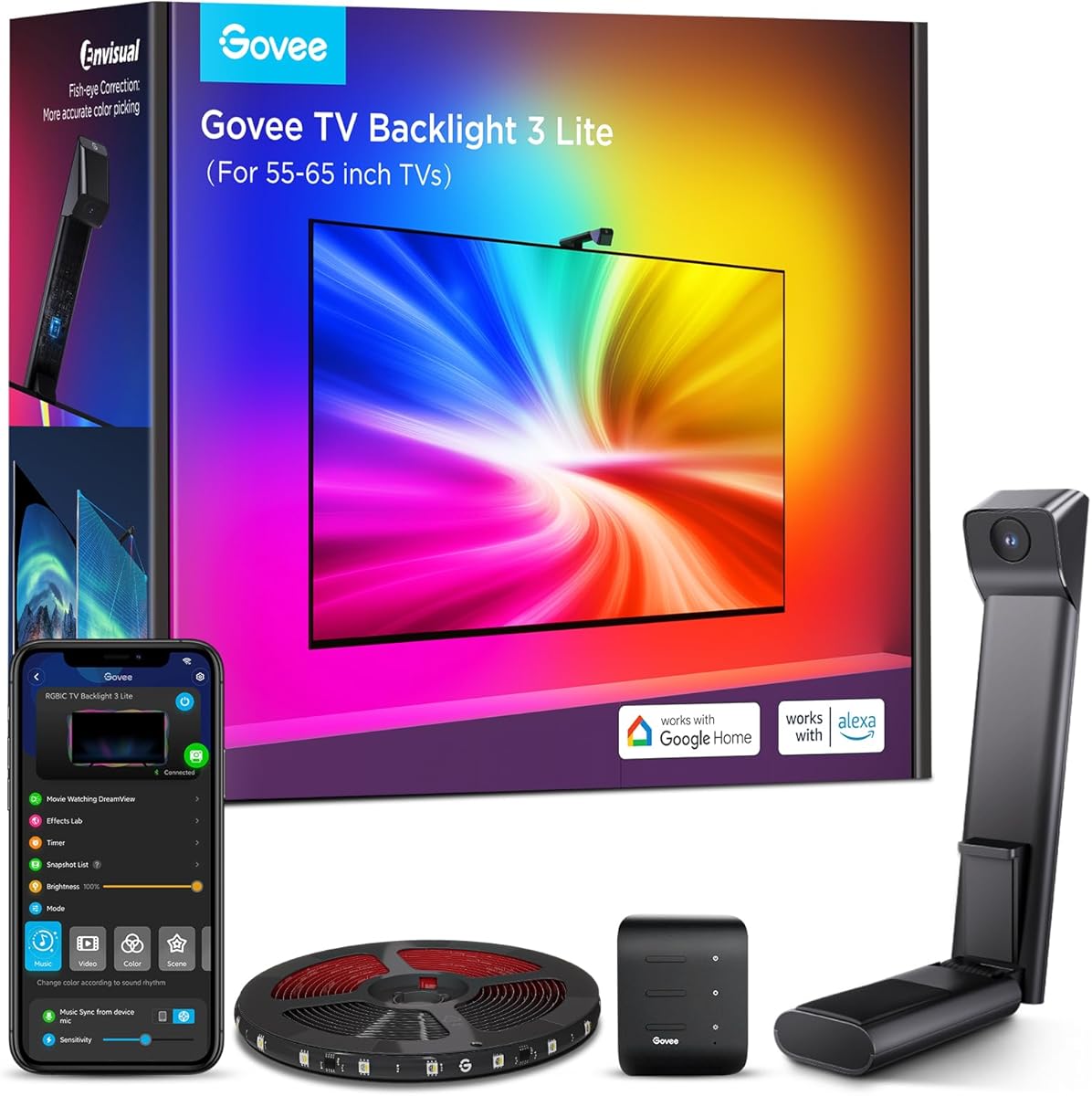
This lite version offers a lighter take on the flagship model. It features upgraded Envisual Technology for stronger performance and fish-eye correction. Users rate it highly at 4.5 stars for reliability.
We may earn a commission when you buy through this link, at no additional cost to you.
The 4-in-1 Lamp Bead adds warm white for a purer tone. It simplifies installation with a gravitational hanging design for ultra-thin TVs. This makes it easy to stabilize the camera without wobble.
It lacks the advanced resolution of higher-end models. Some might find the features basic compared to the Pro version. However, it delivers accurate color-matching along the edges at a better price.
Opt for this if you want high reliability without extra complexity. It is ideal for standard setups where the full features are unnecessary. The 4.5 rating reflects its consistent performance.
Upgraded chip provides stronger performance with a fish-eye correction function.
Simplify installation and adapt for ultra-thin TVs easily.
We may earn a commission when you buy through this link, at no additional cost to you.
These light bars offer a different form factor for your TV. They are designed for TVs between 45 and 70 inches. The 4.6 rating highlights their quality and ease of use in living rooms.
We may earn a commission when you buy through this link, at no additional cost to you.
Upgraded RGBWIC color lets the bars produce purer whites. You can mount them behind or stand them next to the TV. Matter support ensures they work well with major smart ecosystems.
They do not capture colors automatically from the screen. This means they rely on preset scenes rather than live sync. This is a fair trade-off for the versatile placement options they offer.
Pick these if you want a cleaner setup with fewer wires. They are great for ambiance without the camera hardware. The flexible installation options make them very adaptable to your space.
27 extra LEDs per bar produce more accurate colors and purer whites.
Adjust three ways to fit your lighting needs perfectly.
We may earn a commission when you buy through this link, at no additional cost to you.
This strip is perfect for smaller TV sizes or monitors. It covers 40 to 50 inch screens easily with 7.8ft length. The 4.6 rating shows high satisfaction with its visual effects.
We may earn a commission when you buy through this link, at no additional cost to you.
Customize each strip segment to display multiple colors at once. You can manage lights via Bluetooth and Wi-Fi using the app. It also includes over 77 preset scene modes to choose from.
It does not support color capture from the TV screen. This limits real-time immersion compared to camera models. However, it is a great choice for those with smaller setups.
Choose this if you have a compact entertainment area. It upgrades visuals and brings a better viewing experience. The music sync adds fun to your media consumption sessions.
Allows to customize each strip segment and display multiple colors at the same time.
Manage LED lights for TV with Govee Home App via Bluetooth and Wi-Fi.
We may earn a commission when you buy through this link, at no additional cost to you.
This light bar features tunable cool-to-warm white for mood. It is designed for living rooms and gaming setups. A 4.6 rating confirms its quality and performance in these environments.
We may earn a commission when you buy through this link, at no additional cost to you.
Segmented Dynamic Color creates vivid effects for immersive gaming. You can install it flat, vertically, or behind a monitor. Matter support allows seamless integration with your smart home ecosystem.
It is optimized for monitors under 45 inches mainly. Larger TVs might not get the full coverage effect. This specialization makes it less versatile for general TV setups.
Use this for gaming or focused media areas. It offers a simple yet effective way to improve ambiance. The dynamic scenes and DIY lighting unlock endless combinations.
RGBICWW technology offers tunable cool-to-warm white and vivid RGBIC colors.
Install just the way you want with versatile placement options.
We may earn a commission when you buy through this link, at no additional cost to you.
This Sync Box connects between your TV and console for control. It supports resolutions up to 8K and 4K at 144Hz. A 4.3 rating indicates its advanced features work well for gamers.
We may earn a commission when you buy through this link, at no additional cost to you.
CogniGlow Technology recognizes images and text to match effects. The RGBWIC strip ensures purer white light for game visuals. It supports VRR to reduce screen tearing and latency.
Automatic signal switching fails when multiple devices connect. This can be a hassle for multi-device gaming setups. Despite this, it offers high density and brightness that others lack.
Buy this if you need high-end signal processing and color. It is ideal for next-gen consoles needing low latency. The high cost is justified by the performance provided.
Adopts latest HDMI 2.1 interface for screen synchronization and lighting syncing.
Sync Box uses AI to automatically recognize images and text.
We may earn a commission when you buy through this link, at no additional cost to you.
This strip is great for large rooms or custom setups. It offers 16.4ft of RGBIC strip lighting for flexibility. The 4.4 rating reflects solid performance for general ambient lighting.
We may earn a commission when you buy through this link, at no additional cost to you.
Display multiple colors on one line at a time. You can share your piece of art on the app community. It features an upgraded music sync mode for immersive concerts.
It does not support Alexa or Google voice control. It is also not recommended for outdoor use due to adhesion. These are standard limits for a standard bedroom strip.
Use this for large bedroom or room coverage. It provides strong visual impact for the price. DIY inspiration features let you craft your own unique lighting.
Display multiple colors on one line at a time compared with traditional RGB lights.
Choose from variety of lighting effects and share your piece of art.
We may earn a commission when you buy through this link, at no additional cost to you.
This model offers customization for almost any TV size. It can be cut to fit screens between 32 and 70 inches. The 4.4 rating shows it is reliable for general ambient needs.
We may earn a commission when you buy through this link, at no additional cost to you.
Its 4-in-1 LED strip delivers more accurate colors. You can install it in three minutes without tools or splicing. It also offers over 210 preset scenes for various moods.
Cutting must only happen at marked scissor symbols. Cutting elsewhere will damage the circuitry and render segments unusable. This requires care during installation to avoid mistakes.
Choose this if you have an unusual TV size. It provides superior brightness and smooth color mixing. The wide range makes it a versatile option for many homes.
Delivers more accurate colors and pure white than standard RGB.
Customize Govee cuttable backlight length to fit any 32-70 inch TV.
We may earn a commission when you buy through this link, at no additional cost to you.
Choosing the right lighting depends on your TV size, smart home needs, and budget. This guide breaks down the essential factors to consider.
Camera models capture colors live from your screen for an immersive effect. Manual models rely on preset scenes and music sync which still look great but lack real-time updates. Decide if you want dynamic or static lighting based on your viewing habits.
Choose camera sync for movies and gaming. Choose manual for simple ambiance.
Measure your TV before buying to ensure the strip fits. Longer strips work for large screens while shorter ones suit smaller TVs. Buying a light longer than needed allows for trimming or hiding excess cable.
Always check the product description for minimum and maximum TV sizes.
Verify the light supports your ecosystem like Alexa Google or Matter. Matter offers the broadest support but some models still use proprietary apps. Look for voice control if you want hands-free operation.
Ensure the app works with your current smart devices.
Higher resolution cameras like 4MP capture edges better than basic sensors. This prevents light from bleeding into the wrong colors on the screen. Accuracy matters most for dark scenes in movies.
Prioritize high lens resolution for the clearest image match.
Density refers to how many LEDs are per meter on the strip. Higher density leads to smoother color transitions without visible dots. This creates a more premium look around your TV.
Look for models with at least 60 LEDs per meter for smooth output.
Some models use adhesive tape while others use brackets. Gravity-fit designs help if you have ultra-thin bezels. Consider if you want to hide cables or use a surface mount.
Check if cable clips are included for a tidy setup.
Built-in microphones allow the lights to react to ambient audio. This adds fun for parties or gaming. Not all models have a mic but it is a common feature.
Ensure your model has a mic if audio reaction is a priority.
Most lights plug into the wall or use USB. Wall power provides consistent brightness while USB may vary. Check if you need an outlet near your TV setup.
Choose a power source that fits your existing cables.
Start by cleaning the back of your TV with a dry cloth to remove dust. This helps the adhesive stick better and prevents the strip from peeling later. Ensure the TV is unplugged while you install the hardware for safety.
Connect the strip to the controller and plug it into a power source. Download the Govee Home app to sync your device and customize colors. Use the app to set up scenes that match your mood or time of day.
If the light gets stuck to a wall avoid pulling it off forcefully. Use a hair dryer on low heat to warm the adhesive before removing it. Regularly check connections to ensure they remain secure over time.
Yes if you use a camera model. The camera captures whatever is on the screen regardless of the app. Manual models will not sync automatically but can use scenes.
No hub is needed for most models. They connect directly via Wi-Fi or Bluetooth. Some older models might use a Bluetooth dongle for setup.
Some models are cuttable. Check the product description. If it is cuttable, cut at the marked scissors symbols only to avoid damage.
Flickering often means the connection is loose or Wi-Fi is weak. Check the plugs and move your router closer if needed. Restarting the app often helps too.
They are designed for low light to enhance immersion. They may not be bright enough for a well-lit room. Dimming helps balance brightness with ambient light.
Most models support Alexa voice commands. However some older units may not work with it. Check the app before you buy to confirm compatibility.
We found the Govee TV Backlight 3 to be the top choice for most users. It offers a great mix of camera precision and smart features. The 3 Lite also stands out for its high rating and low cost.
Prioritize camera sync if you want true color matching. Manual models are great for ambiance but lack that live effect. Consider your TV size and smart home needs before you decide.
Prices change often so check current listings before buying. Always look for the right model for your setup. This guide helps you pick the best option for your home theater.