
Dell Optiplex 9020 Desktop Computer PC
3.6Editor score
Affordable renewed option
Windows 11 Pro ready
Includes 20 inch monitor
Discover the top 10 desktop computers for kids in October 2026. This expert guide compares performance, storage, and durability to help you choose the right
Choosing the right desktop computer for kids is essential for their educational journey and creative exploration. A good system balances performance with ease of use, ensuring smooth operation for homework, gaming, and multimedia projects.
We compared ten leading desktop options based on processor speed, memory capacity, storage options, and overall build quality. Each product offers unique features tailored to different age groups and usage scenarios found in modern homes.
Every pick highlights key strengths and potential trade-offs to guide your decision. Prices and availability can change frequently, so verify current details before purchasing to ensure you get the best value for your specific needs today.
3.6Editor score

4.5Editor score

4.3Editor score
This side-by-side comparison breaks down the specifications and features of all ten selected desktop computers. It helps you quickly identify which model offers the best balance of speed, storage, and design for your child's needs.




This renewed Dell system offers a complete bundle including a 20-inch monitor, keyboard, and mouse. It is designed for families seeking a reliable machine for schoolwork and light web browsing without overspending.
We may earn a commission when you buy through this link, at no additional cost to you.
The Intel Quad-Core i5 processor ensures consistent performance for running multiple browser tabs or educational apps simultaneously. With 8GB of RAM, it handles everyday multitasking efficiently while maintaining system stability over time.
Storage on a 500GB HDD provides ample space for storing documents and media files though access speeds are slower than SSDs. The Windows 11 Pro installation offers modern security features essential for protecting children's data online.
Ideal for younger kids needing a simple setup for homework and creativity, this bundle reduces assembly complexity. Its renewed status ensures quality testing while keeping costs low for budget-conscious parents starting a home learning station.
Includes everything needed to start using the computer immediately without extra purchases for monitors or peripherals.
Undergoes functionality testing and comes with a warranty to provide confidence in its performance and durability.
We may earn a commission when you buy through this link, at no additional cost to you.
This sleek all-in-one desktop integrates the computer and monitor into a single tidy unit perfect for small desks. It features an Intel N100 processor optimized for efficient performance during school tasks and multimedia consumption.
We may earn a commission when you buy through this link, at no additional cost to you.
The 21.5-inch full HD display delivers sharp images and clear text beneficial for reading and creative work. Combined with Wi-Fi 6 connectivity, it ensures smooth streaming and stable internet connections for virtual classes or video calls.
The included docking hub expands connectivity options allowing multiple devices to connect easily through USB ports and SD card slots. This flexibility supports growing storage needs and peripheral attachments without cluttering the workspace with extra cables.
Best suited for children who need a clean setup for homework and browsing, this model prioritizes ease of use. Parents will appreciate the space-saving design and modern features that support a productive home learning environment.
Combines monitor and computer into one unit to reduce desk clutter and simplify cable management.
Docking hub provides extra ports for peripherals and storage expansion to meet diverse usage needs.
We may earn a commission when you buy through this link, at no additional cost to you.
This renewed HP desktop delivers substantial performance with 16GB of RAM supporting heavy multitasking and multiple applications. The Intel Core i5 processor ensures smooth operation for demanding educational software and creative tools.
We may earn a commission when you buy through this link, at no additional cost to you.
A generous 1TB hard drive offers extensive storage space for photos, music, games, and project files. The 22-inch full HD LED monitor provides crisp visuals ideal for detailed work or entertainment during breaks from studying.
RGB keyboard and mouse add a playful touch appealing to younger users who enjoy customization. This bundle also includes speakers and ensures a complete setup ready for audio and visual tasks without extra purchases.
Perfect for kids needing more power for coding or design tasks, this system handles complex workflows effectively. The ample memory prevents slowdowns while working on large files or running several programs simultaneously during school hours.
16GB RAM enables smooth multitasking and supports demanding applications without lag or performance drops.
1TB hard drive stores vast amounts of files and media for long-term use and growing digital libraries.
We may earn a commission when you buy through this link, at no additional cost to you.
This Dell renewed system stands out for its massive 2TB storage capacity accommodating large video libraries and extensive datasets. The 16GB RAM supports seamless multitasking making it suitable for complex learning tasks and creative projects.
We may earn a commission when you buy through this link, at no additional cost to you.
The included 22-inch LED monitor delivers vibrant visuals and wide viewing angles for comfortable screen time. Combined with a 3.2GHz processor, it balances performance and affordability for families seeking reliability without high costs.
RGB peripherals add a modern touch enhancing the user experience and making the workspace engaging for younger users. These accessories are responsive and well-designed to match the desktop aesthetic and improve typing comfort during long sessions.
Ideal for families needing extensive storage for shared files and media this desktop supports varied usage patterns. Its renewed status ensures tested performance while offering excellent value for those prioritizing capacity over cutting-edge processing speed.
2TB hard drive provides ample room for storing years worth of photos videos and project files easily.
RGB keyboard and mouse improve usability and add a fun element to daily computer interactions for kids.
We may earn a commission when you buy through this link, at no additional cost to you.
This HP desktop features a 500GB SSD ensuring quick boot times and responsive application launches for daily use. The 8th Gen Intel Core i5 processor paired with 16GB RAM offers smooth performance for multitasking and modern software.
We may earn a commission when you buy through this link, at no additional cost to you.
A large 24-inch monitor provides ample screen real estate for research and reading tasks. Integrated WiFi 6 and Bluetooth support modern connectivity allowing wireless peripherals and stable network access throughout the home environment.
The included webcam is essential for video conferencing and virtual classes enabling clear communication. RGB accessories add flair while speakers enhance audio output for entertainment and educational videos without needing external devices.
Great for kids needing speed and responsiveness in their computing tasks this model handles schoolwork efficiently. The SSD ensures rapid file access which boosts productivity during study sessions or creative work requiring frequent data loads.
Solid state drive offers faster load times and system responsiveness compared to traditional hard disk drives.
WiFi 6 and Bluetooth ensure reliable connections for peripherals and internet access with reduced latency.
We may earn a commission when you buy through this link, at no additional cost to you.
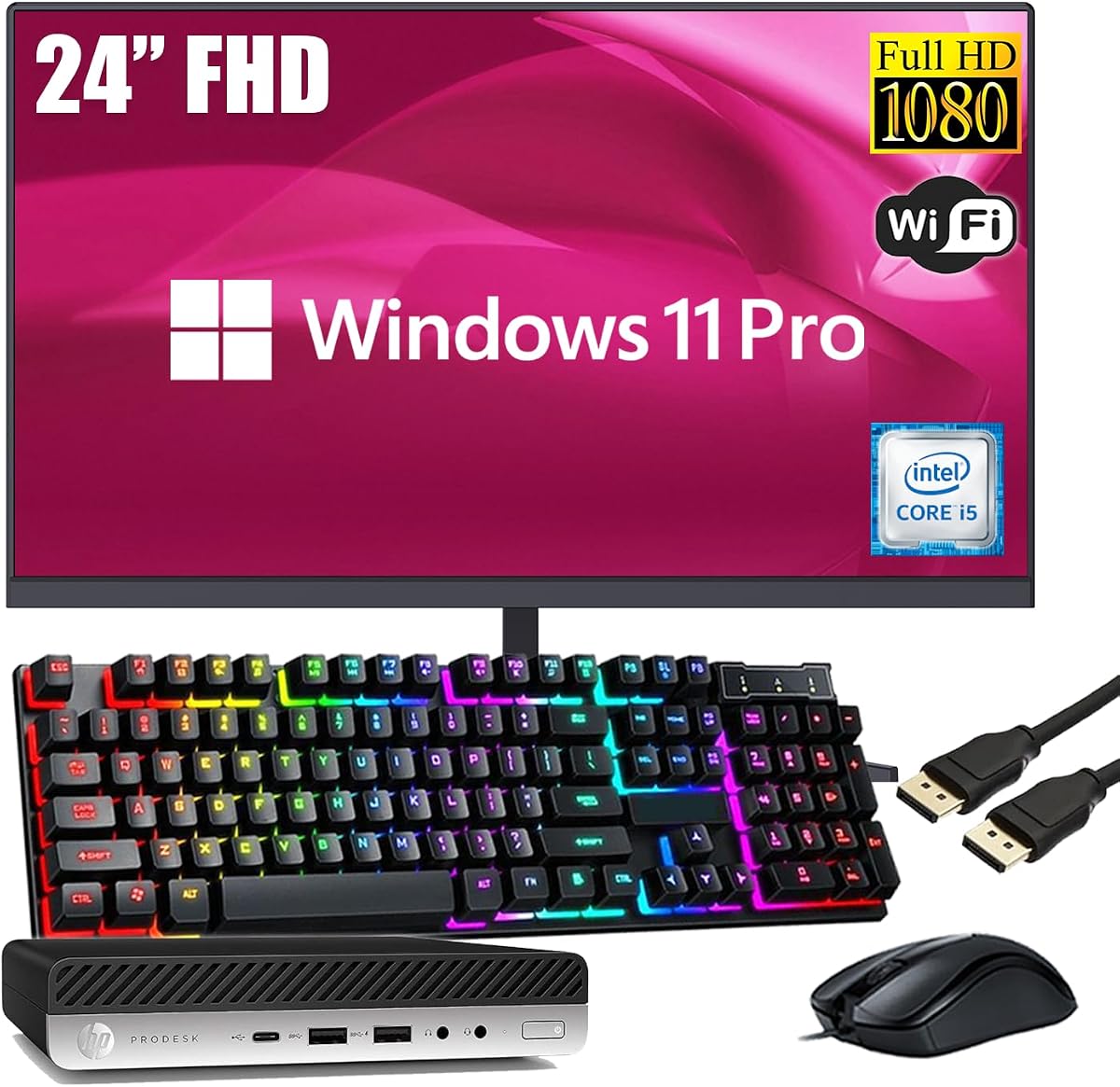
This mini desktop offers a sleek low-profile footprint ideal for crowded desks or shared home offices. The Intel Core i5-8500T processor delivers reliable performance for daily computing while maintaining energy efficiency during extended use.
We may earn a commission when you buy through this link, at no additional cost to you.
A 256GB SSD provides quick data access ensuring the system feels snappy during startup and application use. The 24-inch monitor included in the bundle ensures sufficient screen space for clear reading and viewing content.
Inclusion of a USB-C port supports modern peripherals and versatile connectivity options for future-proofing. This makes the system adaptable for connecting various devices including newer laptops or storage drives efficiently.
Best for students needing a tidy setup for focused study this mini tower saves significant desk space. Its small size allows placement on shelves or under desks keeping the learning area organized and free of clutter.
Tiny footprint allows flexible placement on desks or shelves saving valuable workspace for learning materials.
USB-C connectivity supports newer devices and ensures compatibility with evolving peripheral standards.
We may earn a commission when you buy through this link, at no additional cost to you.
This Lenovo all-in-one desktop combines professional build quality with user-friendly features ideal for home use. The Intel Processor N100 provides efficient power for browsing and word processing tasks common in school environments.
We may earn a commission when you buy through this link, at no additional cost to you.
With 16GB of RAM, the system handles multiple applications smoothly allowing kids to research and write simultaneously. The PCIe SSD ensures fast startup times and quick access to files needed for assignments or creative projects.
Wireless keyboard and mouse reduce cable clutter on the desk enhancing aesthetics and ease of use. The design incorporates Vent-Hear technology which helps manage heat and noise for a comfortable operating environment.
Perfect for families seeking a polished reliable setup for daily tasks this model supports productivity well. Its robust memory allows seamless switching between programs making it suitable for intensive homework sessions or virtual classes.
Wireless keyboard and mouse improve desk organization and reduce cable mess for a cleaner workspace.
Vent-Hear technology maintains optimal temperature and noise levels ensuring quiet and stable operation.
We may earn a commission when you buy through this link, at no additional cost to you.
This premium Lenovo all-in-one delivers high performance with an Octa-Core processor designed for demanding tasks. The borderless display offers an immersive viewing experience perfect for creative work or media consumption on a large screen.
We may earn a commission when you buy through this link, at no additional cost to you.
A 512GB PCIe SSD ensures lightning-fast data access supporting large file handling and quick boot times. The system supports up to 32GB RAM upgrade potential allowing future expansion if needs grow significantly over time.
Built-in HD webcam and microphone facilitate smooth video calls and online classes without needing external hardware. The sleek modern design fits well in any home decor providing a professional look for daily learning activities.
Ideal for students needing robust performance and visual quality this model excels in multitasking and media. Its premium features justify the investment for families seeking a durable computer that will serve well through years of school.
Borderless three-sided design enhances visual immersion and maximizes screen space for engaging content.
512GB PCIe SSD enables rapid application launches and file access for efficient workflow management.
We may earn a commission when you buy through this link, at no additional cost to you.
This budget-friendly Dell package provides a full desktop setup ideal for basic computing needs. It includes a 19-inch monitor, keyboard, mouse, and DVD drive ensuring you have all essentials ready out of the box.
We may earn a commission when you buy through this link, at no additional cost to you.
The Intel Core i5 processor ensures reliable performance for standard tasks like web browsing and document editing. 8GB of RAM supports smooth operation allowing users to keep multiple windows open without system lag during use.
Windows 11 Pro installation provides a modern interface with enhanced security features protecting family data online. The renewed status means the unit undergoes testing for quality and functionality before shipping to buyers.
Best for young children needing a simple reliable machine for homework this bundle minimizes initial setup effort. Its lower cost makes it an attractive option for families wanting to equip multiple learning spaces economically.
Includes all necessary peripherals and software for immediate use without additional accessory purchases required.
Built-in optical drive allows reading and writing of discs which remains useful for legacy software.
We may earn a commission when you buy through this link, at no additional cost to you.
This Lenovo all-in-one offers a streamlined design combining monitor and computer for tidy home office setups. The Intel N100 processor delivers sufficient power for daily computing ensuring fast boot times and responsive performance.
We may earn a commission when you buy through this link, at no additional cost to you.
A 512GB PCIe SSD provides ample storage for files and media while maintaining speed for data access. The 23.8-inch full HD display ensures clear visuals ideal for reading documents and browsing websites comfortably.
Built-in connectivity features include USB-C ports for modern peripheral connections and Gigabit Ethernet for stable networks. It also supports wireless headsets and microphones through Bluetooth 5.2 enhancing audio clarity during calls.
Perfect for students needing a dependable machine for schoolwork and general internet use this system is efficient. Its compact footprint and modern connectivity options make it adaptable for evolving home tech environments.
USB-C port supports high-speed data transfer and connects to modern devices and monitors easily.
Gigabit Ethernet and WiFi 6 ensure reliable high-speed internet connections for streaming and calls.
We may earn a commission when you buy through this link, at no additional cost to you.
Selecting the right desktop involves balancing hardware needs with practical considerations. Understanding key factors helps you choose a machine that supports education and fun while staying within budget.
The processor determines how fast the computer runs tasks like web browsing and gaming. Look for Intel Core i5 or newer N-series chips that handle multitasking well for growing educational needs.
Prioritize processors with multiple cores to ensure smooth performance when several apps are open simultaneously.
RAM allows the computer to handle multiple programs at once without slowing down. Aim for at least 8GB but 16GB is better for long-term usability and future software updates.
More memory prevents lag during video editing or research sessions with many tabs open.
Solid State Drives (SSDs) are much faster than traditional Hard Disk Drives (HDDs). An SSD ensures quick boot times and rapid file access which improves productivity during study sessions.
Choose SSDs for speed if budget allows otherwise HDDs offer larger capacity for media storage.
A sharp Full HD screen protects eyes during long reading or writing periods. Look for anti-glare coatings to reduce reflections from room lighting during use.
Screen size between 21 and 24 inches offers a balance of workspace and desk footprint.
Modern ports like USB-C and Bluetooth support current peripherals and devices. Ensure enough USB ports exist to connect mice, keyboards, and drives easily.
WiFi 6 capability provides faster and more stable internet connections for virtual classes.
Renewed or refurbished systems often come with warranties that provide peace of mind. Check for at least a 90-day warranty to cover potential hardware issues after purchase.
Sturdy build quality ensures the machine withstands daily handling by younger users.
Windows 11 offers latest security features ideal for protecting personal data online. Ensure the computer ships with a genuine license to avoid activation issues later.
A clean OS installation without bloatware improves performance and simplifies initial setup.
All-in-One computers save space by combining monitor and tower into one unit. Towers offer flexibility to upgrade parts later but require more desk space.
Choose All-in-Ones for small rooms or shared spaces where cable management matters.
Start by positioning the computer on a stable surface away from direct sunlight to prevent screen glare. Ensure all cables are securely plugged in before turning on the power to avoid connection issues.
Install essential software like browsers and educational apps immediately after setup to streamline learning. Regularly update the operating system to maintain security and performance standards.
Keep the system clean by wiping the screen gently with a microfiber cloth weekly. Avoid placing food or drinks near the keyboard to prevent accidental spills that could damage internal parts.
Intel Core i5 or Intel N100 processors are ideal for most kids. They balance speed and cost effectively allowing smooth operation for homework and browsing without excessive heat generation.
Yes 8GB RAM is sufficient for basic tasks like web browsing and word processing. However 16GB is recommended if your child uses video editing or heavy multitasking applications often.
Most renewed computers include a minimum 90-day warranty from the seller. This coverage ensures repairs or replacements if hardware issues arise shortly after purchasing the device.
SSDs are preferred for speed and system responsiveness during boot and app loading. HDDs offer larger storage capacity at lower costs so consider SSD for performance and HDD for bulk storage.
All-in-One desktops save space and reduce cable clutter which is great for home setups. They are simpler to set up and maintain compared to traditional tower systems requiring assembly.
Use Windows 11 built-in security tools and parental controls to manage app access. Regular updates and reliable antivirus software further secure the system against online threats.
A 22 to 24 inch monitor offers enough space for multitasking without overwhelming the desk. This size supports comfortable reading and research without causing excessive eye strain.
We highlighted ten desktop computers ranging from budget bundles to premium all-in-one models. Each option provides distinct advantages suited to different family needs and educational goals.
Prioritize processing power and storage type to ensure the system remains useful for years. Balancing performance with design helps create a comfortable workspace that inspires learning.
Remember that prices fluctuate so check current listings before making a final decision. Verifying stock ensures you get the best value for your investment when setting up a home study area.