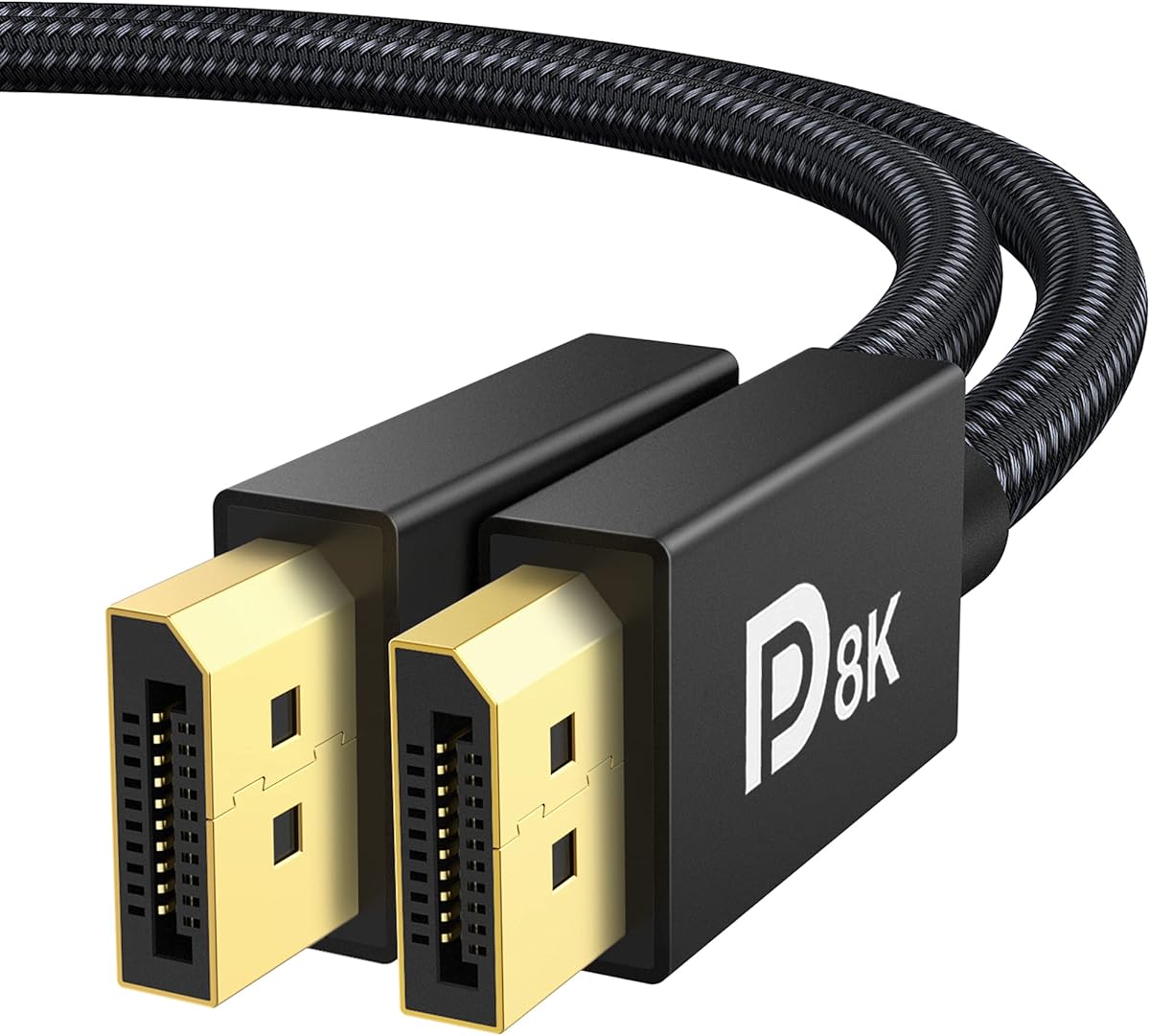
IVANKY VESA Certified 8K DisplayPort Cable 1.4
4.7Editor score
Cost Effective High Performance
Dynamic HDR Optimization
Latch Free Connector Design
This guide compares the top Displayport Cable for 144Hz options certified by VESA for reliable high refresh rate gaming and smooth visual performance across
Finding the right cable for your high refresh rate monitor is crucial for unlocking smooth gameplay without screen tearing or lag. A quality Displayport cable ensures your graphics card delivers maximum performance to your display efficiently.
We evaluated ten leading Displayport cables based on certification standards bandwidth capabilities and build quality to help you choose the best fit. Our analysis focuses on models that reliably support 144Hz and beyond without signal degradation or compatibility issues.
Each pick highlights key features like resolution support durability and gaming specific technologies to simplify your decision. Prices and availability change frequently so please verify current details before purchasing to ensure you get the best value.
4.7Editor score

4.6Editor score

4.7Editor score
The following table provides a detailed side-by-side comparison of all ten Displayport cables evaluated in this guide to help you quickly identify the right model for your specific setup needs.


The Silkland 54Gbps 16K DisplayPort Cable 2.1 stands out as a top choice for enthusiasts seeking reliable high refresh rate performance. With a 4.6 rating and VESA certification it guarantees compatibility and signal integrity for demanding setups.
We may earn a commission when you buy through this link, at no additional cost to you.
Its 54Gbps bandwidth supports resolutions up to 16K with DSC ensuring your 144Hz monitors run smoothly without artifacts. The triple shielding and gold plated connectors minimize interference while the nylon braid adds significant durability against wear.
While slightly more expensive than basic options the investment pays off in longevity and consistent performance. The lack of specific power output is standard for passive cables and does not affect video quality.
This cable is ideal for gamers and professionals who need a robust connection that will support next gen graphics cards and high resolution displays without requiring frequent replacements.
VESA certification ensures the cable meets strict industry standards for performance and safety which reduces the risk of compatibility issues with your hardware.
The double nylon braided jacket and 24K gold plated connectors protect against physical damage and corrosion extending the cable lifespan significantly compared to standard PVC options.
We may earn a commission when you buy through this link, at no additional cost to you.
The IVANKY VESA Certified 8K DisplayPort Cable 1.4 offers excellent value for budget conscious users who still need reliable 144Hz performance. It holds a strong 4.7 rating for its consistent performance and build quality.
We may earn a commission when you buy through this link, at no additional cost to you.
Its 32.4Gbps bandwidth is sufficient for 4K@144Hz and 2K@240Hz setups making it perfect for current gen gaming monitors. The 30AWG tinned copper and nylon braid ensure flexibility and durability without breaking the bank.
The trade off is that it uses the older DP 1.4 standard which may not support future 16K displays at high refresh rates without compression. However for most users today this limitation is negligible.
Choose this cable if you want certified quality at an entry level price without sacrificing the smooth performance needed for competitive gaming and multimedia consumption.
This cable delivers high performance at a fraction of the cost of premium options making it accessible for a wide range of users needing reliable connectivity.
The lack of a locking latch prevents accidental damage to your ports when unplugging which is a practical design choice for frequent cable changes.
We may earn a commission when you buy through this link, at no additional cost to you.
The Silkland 80Gbps DisplayPort Cable 2.1 represents the pinnacle of current display connectivity technology with its 4.7 rating reflecting its superior performance and reliability.
We may earn a commission when you buy through this link, at no additional cost to you.
Its 80Gbps bandwidth and UHBR20 support enable uncompressed 4K@240Hz and future 16K displays ensuring your investment lasts for years. The advanced DSC and HDR10+ support provide unmatched visual clarity for gaming.
While the price is higher and current hardware may not fully utilize this speed it ensures you will not need to replace the cable for next generation monitors. The robust build quality justifies the cost for enthusiasts.
This premium option is best for users who demand the absolute best performance and plan to upgrade their hardware frequently without worrying about cable bottlenecks.
With 80Gbps bandwidth this cable is ready for upcoming display standards ensuring your setup remains competitive for years without requiring hardware changes.
Triple shielding and high grade conductors maintain signal integrity over longer distances reducing the risk of dropouts or visual artifacts during intense gaming sessions.
We may earn a commission when you buy through this link, at no additional cost to you.
The UGREEN 16K DP 2.1 cable delivers robust performance with a 4.7 rating and features like 54Gbps bandwidth and aluminum alloy housing for enhanced durability and heat management.
We may earn a commission when you buy through this link, at no additional cost to you.
Its support for MST allows multi monitor setups without additional adapters making it versatile for productivity and gaming. The VESA certification ensures stable transmission for 144Hz and higher refresh rates.
The aluminum housing aids in heat dissipation which is beneficial for long sessions but may add slight weight compared to plastic options. This trade off is generally acceptable for the increased reliability.
Consider this cable if you need reliable multi monitor support and value a durable build that can withstand regular use in a professional or gaming environment.
MST capability enables connecting multiple displays from one port which streamlines setups and reduces cable clutter for workstations and entertainment systems.
Aluminum alloy housing dissipates heat more effectively than plastic ensuring stable signal transmission even during extended usage periods without overheating risks.
We may earn a commission when you buy through this link, at no additional cost to you.
The Capshi 8K DP 1.4 provides a dependable connection for high refresh rate gaming with a 4.6 rating and solid build quality ensuring consistent performance over time.
We may earn a commission when you buy through this link, at no additional cost to you.
Its 32.4Gbps bandwidth handles 4K@144Hz effortlessly while DSC technology allows for higher resolutions with compression. The 24K gold plated connectors ensure secure and corrosion free connections.
While it lacks unique features compared to premium models it delivers exactly what is needed for standard setups without unnecessary cost. The design is functional and focused on reliability.
This is a safe choice for users who want a straightforward certified cable without extra bells and whistles that may not impact their current gaming experience.
Display Stream Compression allows higher resolutions at same bandwidth reducing artifacts and enabling smoother performance for supported displays and graphics cards.
24K gold plating prevents oxidation and ensures a stable connection which reduces signal loss and improves overall audio video quality during use.
We may earn a commission when you buy through this link, at no additional cost to you.
The Ubluker 10K DP 2.1 offers versatile performance with 54Gbps bandwidth and UHBR support suitable for high refresh rate gaming with a 4.6 rating for its consistent quality.
We may earn a commission when you buy through this link, at no additional cost to you.
Its 12bit color depth enhances visual fidelity making it ideal for HDR content and competitive gaming where detail is critical. The nylon braided design ensures physical durability against daily wear.
While the brand is less established than others the performance metrics match top competitors at a competitive price. Users should verify warranty terms before purchase.
Choose this cable if you need high color fidelity and UHBR support without paying a premium for a more recognized brand name.
12bit color depth provides more accurate colors and gradients enhancing visual experience for both gaming and creative work requiring precise color reproduction.
Ultra High Bit Rate support ensures faster data transfer which reduces latency and improves responsiveness in fast paced gaming scenarios.
We may earn a commission when you buy through this link, at no additional cost to you.
The IVANKY 80Gbps DP 2.1 delivers high performance with a 4.6 rating and features UHBR20 technology for future proof connectivity up to 16K resolutions at 60Hz.
We may earn a commission when you buy through this link, at no additional cost to you.
Its 80Gbps bandwidth ensures stable transmission for high refresh rates and advanced gaming features like G Sync and Free Sync. The latch free design prevents accidental damage during removal.
While the higher cost reflects the advanced specs the benefits are clear for users planning to upgrade displays in the near future. It balances performance and practicality well.
This cable is a strong option for power users who want certified high bandwidth performance without compromising on build quality or brand reputation.
Ultra High Bit Rate 20 enables faster data transmission which supports higher resolutions and refresh rates without compression artifacts or signal loss.
Triple shielding and durable nylon braid protect against interference and physical wear ensuring long term reliability for demanding gaming and professional setups.
We may earn a commission when you buy through this link, at no additional cost to you.
The Silkland 54Gbps DP 2.1 Secure Latch features a locking design to prevent accidental disconnections with a 4.7 rating reflecting its high reliability and performance.
We may earn a commission when you buy through this link, at no additional cost to you.
Its 54Gbps bandwidth supports 144Hz and higher refresh rates smoothly while the secure latch ensures the connection remains stable during active gaming sessions. HDR10+ support enhances visual fidelity.
The locking mechanism may require a specific release technique which can be slightly less convenient than non latching designs. This is a minor trade off for the added security.
Ideal for users in dynamic environments where cable movement is frequent this model offers peace of mind with solid performance for 144Hz and beyond.
The locking latch design prevents accidental unplugging which is crucial for setups where cables are subject to movement or frequent disturbance during use.
Dynamic HDR10+ optimizes brightness and contrast levels providing more vivid and detailed visuals that enhance immersion in compatible games and media.
We may earn a commission when you buy through this link, at no additional cost to you.
Generic high speed DP cables often serve as budget options but lack official certification which can lead to compatibility issues with high refresh rate displays and a rating of N/A.
We may earn a commission when you buy through this link, at no additional cost to you.
These cables typically meet basic HDMI standards but may not guarantee the bandwidth stability needed for 144Hz gaming. Without detailed specs it is hard to assess true performance capabilities.
The trade off is cost versus reliability. Users might save money initially but risk signal loss or lack of warranty support if issues arise with their monitor setup.
It is generally advisable to choose certified options from reputable brands to ensure consistent performance and avoid potential compatibility frustrations with advanced displays.
VESA certification ensures tested performance and safety standards which generic cables may lack leading to potential instability with high bandwidth requirements.
Reputable brands often provide warranties and technical support which generic manufacturers may not offer increasing the risk for users dealing with defective products.
We may earn a commission when you buy through this link, at no additional cost to you.
Generic high speed DP cables like this option are designed for basic connectivity but lack the verified performance needed for high refresh rate displays and show N/A for rating.
We may earn a commission when you buy through this link, at no additional cost to you.
Without official specifications or certification users cannot be certain if the cable supports 144Hz reliably. This uncertainty can lead to frustrating experiences with screen tearing or signal loss.
The low cost is appealing but the risk of inadequate performance is significant for gaming setups. Investing in a known brand ensures you get the reliability required for smooth gameplay.
For consistent results and long term satisfaction choosing a certified cable from a trusted manufacturer is recommended over generic alternatives for high performance monitors.
Uncertified cables may not handle high bandwidth needs leading to degraded image quality or intermittent connection issues that disrupt gaming or professional work.
Lack of customer support from generic sellers makes troubleshooting difficult if connectivity problems arise which can be costly and time consuming to resolve.
We may earn a commission when you buy through this link, at no additional cost to you.
Selecting the right Displayport cable requires understanding bandwidth standards certification and build quality to ensure your monitor performs at its best without bottlenecks.
Bandwidth determines how much data the cable can transfer per second which directly impacts the maximum resolution and refresh rate you can achieve without compression. For 144Hz at 1080p or 1440p you need at least 17.28Gbps but higher bandwidth ensures future proofing and stability for higher resolutions.
Always match the cable bandwidth to your monitor and graphics card needs to avoid signal dropouts or limited performance settings.
VESA certification guarantees the cable meets industry standards for performance and compatibility reducing the risk of errors or instability with high refresh rate displays. Certified cables undergo rigorous testing to ensure they handle the required data rates reliably.
Choosing a certified option provides peace of mind that the cable will work as advertised with your hardware.
Gold plated connectors resist corrosion and ensure a stable electrical connection which is crucial for consistent audio and video transmission over time. A sturdy design prevents physical damage from frequent plugging and unplugging.
Prioritize cables with reinforced connectors to extend their lifespan and maintain signal integrity.
Braided nylon jackets offer superior protection against abrasion and bending compared to standard PVC which helps prevent internal wire damage that causes signal loss. A well built cable withstands wear in active environments.
Selecting a durable material ensures your investment lasts longer and performs consistently without needing frequent replacements.
DisplayPort versions like 1.4 or 2.1 define supported features and bandwidth capabilities with newer versions offering better performance for high refresh rates and higher resolutions. Ensure compatibility with both your GPU and monitor.
Matching the correct version prevents bottlenecks and enables advanced features like DSC and VRR for smooth gaming.
Longer cables can introduce signal attenuation if not properly shielded which may degrade performance in large setups. Choose the shortest length necessary to connect your devices effectively.
Keep cables as short as practical while maintaining flexibility to ensure optimal signal quality.
Support for HDR and Display Stream Compression (DSC) allows for higher resolutions and better color depth without requiring excessive bandwidth which enhances visual quality significantly. These features are essential for modern gaming monitors.
Look for cables that explicitly support these technologies to unlock your monitor full potential.
Established brands often offer better quality control and customer support with warranties that protect against defects and performance issues over time. This reduces risk and ensures reliable assistance if problems arise.
Prioritize brands with positive reviews and solid warranty terms for long term satisfaction and support.
Connect the cable firmly to both your graphics card and monitor ensuring the latches click into place for a secure connection. Check that both devices are powered off during connection to prevent electrical damage.
Avoid bending the cable sharply near the connectors as this can damage internal wires leading to signal loss over time. Keep the cable routed away from high traffic areas to reduce strain on the connection.
Periodically inspect the connectors for dust or debris and clean gently if needed to maintain optimal contact. If you experience flickering check connections first before replacing the cable.
Yes most Displayport 1.2 cables and higher support 144Hz at 1080p easily because the bandwidth required is well within their limits. Ensure the cable is certified for the resolution you need for stable performance.
Not necessarily because Displayport 1.4 can handle 144Hz at common resolutions like 1080p and 1440p. However Displayport 2.1 is beneficial for future proofing and higher resolutions with better efficiency.
Cable length can impact signal quality if the cable is long and poorly shielded which might cause flickering or drops. Using a high quality cable with proper shielding helps maintain performance regardless of length.
Display Stream Compression allows higher resolutions and refresh rates on the same bandwidth enabling support for 4K at 144Hz without signal loss. It matters for maximizing monitor performance without needing newer hardware.
Look for official VESA certification labels or mentions on the product packaging or listing page. Certified cables meet strict performance standards ensuring compatibility and reliability with high refresh rate displays.
Gold plated connectors resist corrosion and oxidation ensuring a stable connection over time which helps maintain signal integrity. While they do not directly increase bandwidth they improve longevity and reliability.
Adapters can work but may introduce signal loss or compatibility issues especially at high refresh rates. Direct Displayport connections are preferred to ensure optimal performance and avoid potential bottlenecks.
Screen flickering may result from a faulty cable, loose connections, or insufficient bandwidth for the resolution and refresh rate. Check cables first then update graphics drivers to resolve potential software issues.
The Silkland 54Gbps 16K DP 2.1 IVANKY 8K DP 1.4 and Silkland 80Gbps DP 2.1 offer top performance options for different needs and budgets. Each provides reliable high refresh rate support for smooth gaming experiences.
Prioritize VESA certification bandwidth requirements and build quality when choosing a cable to ensure compatibility with your specific monitor and graphics card. Investing in a quality cable now prevents future upgrades and frustration.
Prices and availability fluctuate so check current listings before purchasing to ensure you get the best deal. Verify the specifications match your setup requirements for optimal results.