
WSDCAM 4-in-1 HD CCTV Tester
5.0Editor score
4.3 inch TFT-LCD screen
UTP cable test included
Supports 8MP HD coaxial cameras
Choosing the right CCTV Test Monitor is essential for security installers who need reliable tools to verify camera functionality on site. A good tester supports multiple camera types, offers precise diagnostics, and includes power outputs to simplify installation workflows.
We evaluated ten leading models based on screen quality, connectivity options, network analysis capabilities, and overall versatility. Our comparison highlights devices that support everything from legacy analog feeds to modern 4K IP streams with integrated testing features.
Each pick below showcases specific strengths like PoE power, cable testing, or touchscreen interfaces to help you match a device to your workflow. Prices change frequently, so check current listings before purchasing to ensure you get the best value.
5.0Editor score

4.5Editor score

4.4Editor score
As an Amazon Associate we earn from qualifying purchases.
The following table provides a side-by-side overview of each model's core specifications and capabilities to help you quickly identify the right fit for your security testing needs.


The Rsrteng CCTV Camera Tester stands out with a 4.5 rating for its robust combination of analog and IP testing capabilities. It supports up to 8K 32MP IP cameras while maintaining compatibility with legacy analog formats like CVBS and HD coaxial types.
We may earn a commission when you buy through this link, at no additional cost to you.
Key strengths include a 90W PoE++ power output that can support high-power PTZ dome cameras without external adapters. The Android 11 system allows installation of additional apps, and dual Gigabit ports facilitate efficient data handling during network scans.
Trade-offs involve its weight and size, which may be noticeable during long climbs, and the need for careful handling when inserting SFP optical modules. These are acceptable given the extensive feature set that covers nearly every testing scenario.
This model is ideal for professional installers who need a single device to handle diverse client environments and complex cabling. Its versatility justifies the investment for those requiring top-tier network and video diagnostics.
The 90W PoE++ output ensures you can power even high-draw PTZ cameras directly from the unit, reducing the need for extra outlets on site.
Running Android 11 allows you to customize the tester with specific apps, tailoring the device to your unique workflow requirements.
We may earn a commission when you buy through this link, at no additional cost to you.
The WANLUTECH CCTV Tester 8K earns a premium badge with its support for 32MP IP feeds and advanced fiber capabilities. This device is engineered for installers working in large-scale environments where fiber optics and high-res networks are standard.
We may earn a commission when you buy through this link, at no additional cost to you.
It features a built-in cable tracer for locating messy bundles and a color bar generator for checking signal integrity. The 90W PoE output provides flexibility, and the 7-inch touchscreen offers a clear interface for navigating complex test menus.
The primary trade-off is the cost, which is higher than basic models, and the time needed to master its extensive toolset. These factors are acceptable for professionals who need reliable, high-end diagnostics for every job.
Recommend this for senior technicians or companies deploying enterprise-grade systems. The combination of fiber, cable tracing, and high-resolution support makes it a powerful asset for demanding security projects.
The SFP port enables testing of fiber optic connections directly, ensuring you can verify backbone integrity without extra gear.
Finding specific cables in tight junctions becomes easier with the integrated tracer, saving time during troubleshooting and maintenance tasks.
We may earn a commission when you buy through this link, at no additional cost to you.
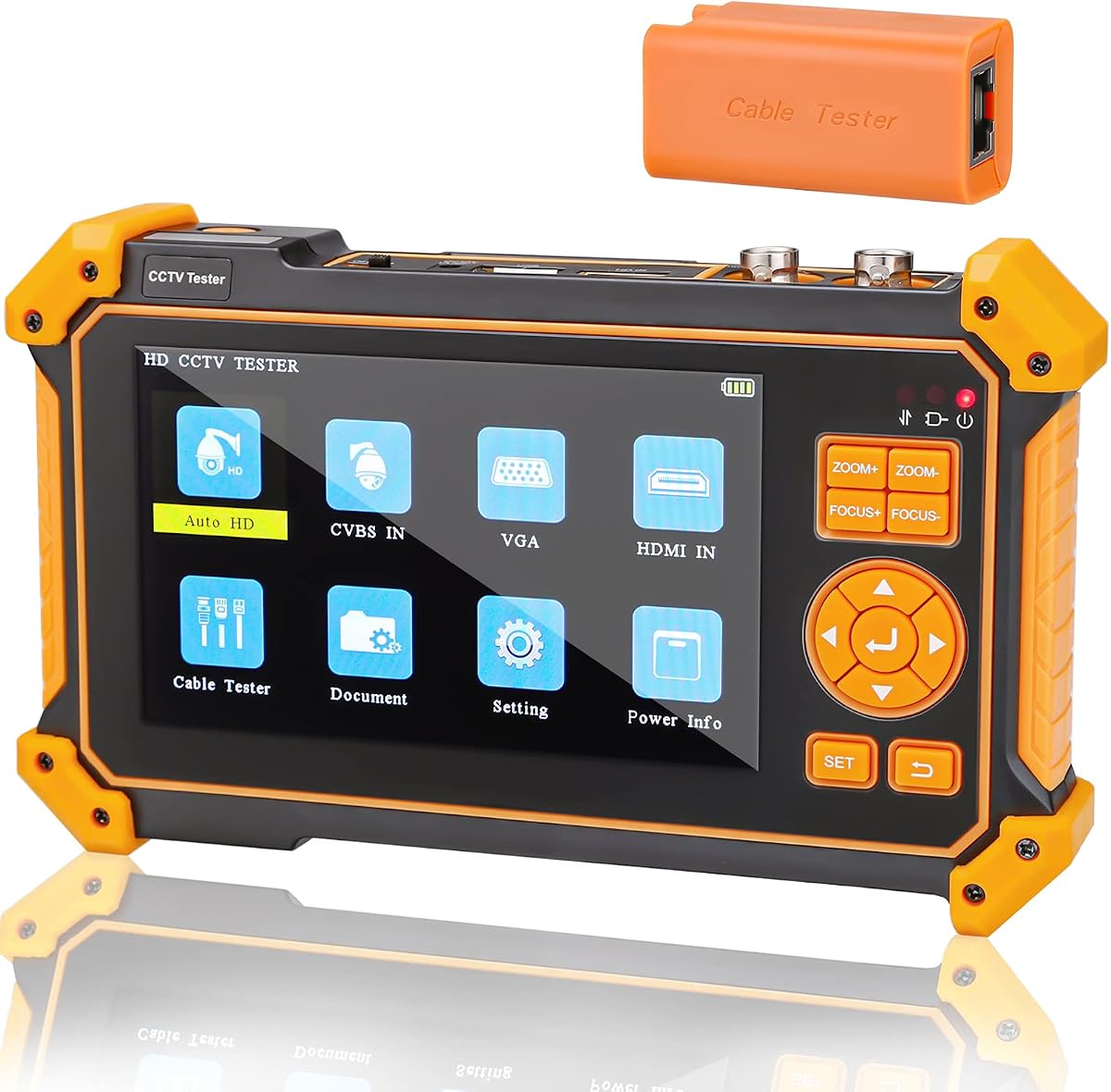
With a perfect 5-star rating, the WSDCAM 4-in-1 HD CCTV Tester offers exceptional value for analog-focused projects. It provides robust support for 8MP HD coaxial cameras and includes practical tools like a cable tester and flashlight.
We may earn a commission when you buy through this link, at no additional cost to you.
Its standout feature is the Auto HD app that recognizes camera types and displays resolution automatically. The UTP cable test helps verify connections, and the 7-hour battery ensures you can work through a shift without frequent recharging.
The lack of IP camera support limits its use in modern IP-heavy sites, but for analog maintenance it is highly effective. The trade-off of a non-touchscreen is minimal given the lower cost and solid performance.
Ideal for contractors focused on legacy systems or those needing a secondary compact tool. Its portability and simplicity make it an easy choice for quick analog checks and minor cable diagnostics.
The Auto HD feature quickly identifies camera models and resolutions, reducing manual input and speeding up the testing workflow.
Weighing less than premium models, it is easy to carry in a tool kit, ensuring you have a reliable tester on every job.
We may earn a commission when you buy through this link, at no additional cost to you.
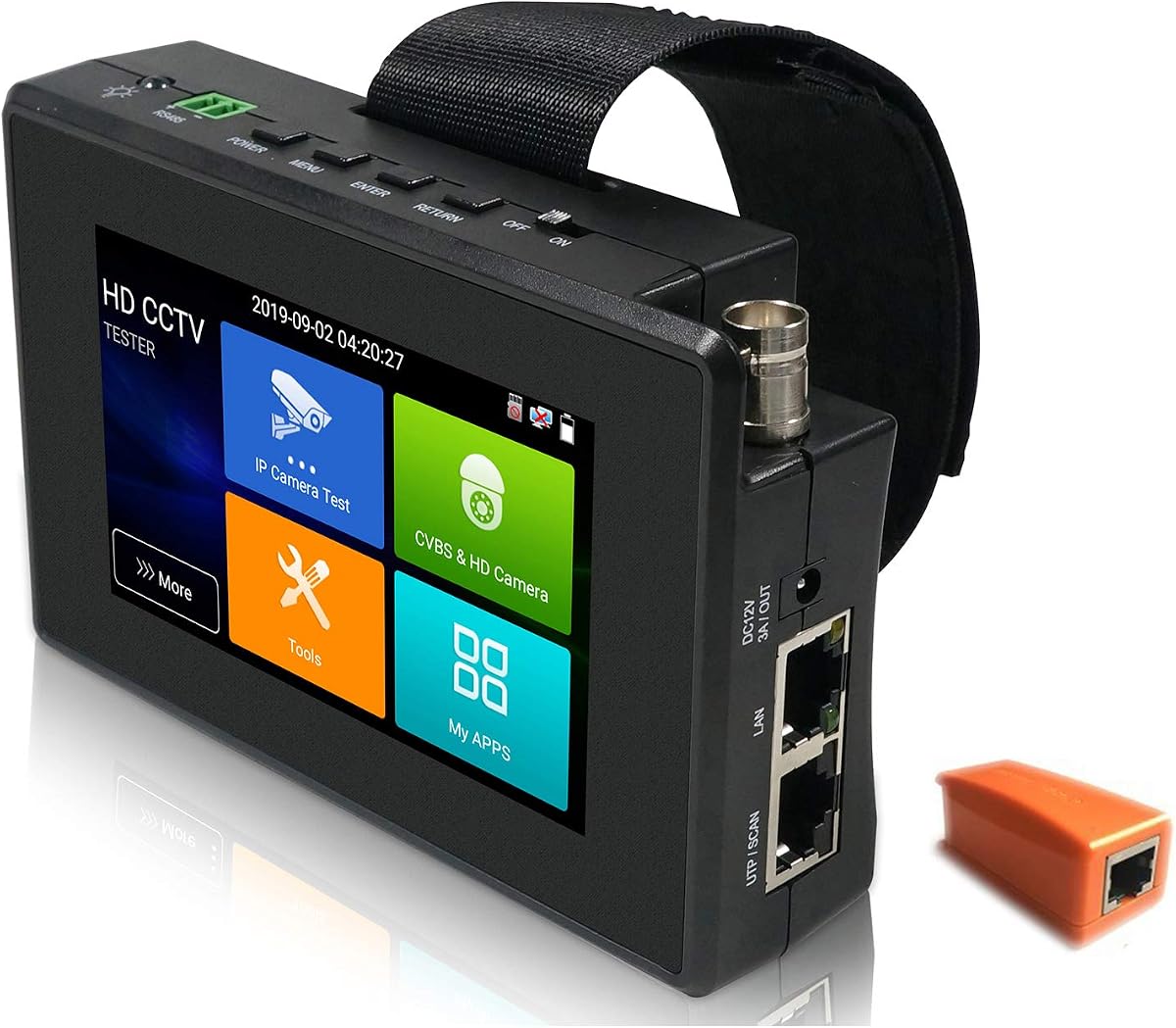
The WANLUTECH 4-inch unit is a great compact option for installers needing a portable touch interface. It supports 4K IP cameras and analog types while including essential network tools like IP discovery and Wi-Fi hotspot creation.
We may earn a commission when you buy through this link, at no additional cost to you.
Its 30W PoE output is sufficient for most standard IP cameras and the small form factor fits easily in a tool pouch. The touchscreen enables quick navigation through settings and testing menus without external keyboards.
The main limitations are the smaller screen, which can make viewing details harder, and the 30W PoE limit for high-power PTZ. These trade-offs are acceptable for users prioritizing portability over raw power.
This model is perfect for small residential jobs or as a backup device. It balances functionality and size, making it a handy addition for daily analog and IP verification tasks.
The 4-inch IPS touch display offers clear visibility in tight spaces, allowing quick adjustments without bulky accessories.
Built-in Wi-Fi hotspot capability lets you connect directly to devices, simplifying network setup and camera verification.
We may earn a commission when you buy through this link, at no additional cost to you.
The Triplett 8150 CamView is a reliable tool for verifying 1080p and 4K H.264/H.265 cameras. It supports multiple camera types and offers HDMI output for expanded viewing options during testing.
We may earn a commission when you buy through this link, at no additional cost to you.
Its Ookla speed test integration is a useful feature for checking network bandwidth directly. The 24W PoE output suits standard IP cameras, and the auto-recognize function simplifies analog testing.
It lacks some advanced network diagnostics found in premium units, but it performs well for basic checks. The compact design makes it easy to carry, though the lower PoE power limits use with high-draw PTZ cameras.
This device suits general security technicians focused on standard installations. Its simplicity and solid build quality make it a practical choice for routine camera verification.
The integrated Ookla speed test helps verify internet speeds quickly, ensuring the network can handle high-resolution video feeds.
HDMI output allows you to mirror feeds to larger monitors for better visibility during detailed system configuration tasks.
We may earn a commission when you buy through this link, at no additional cost to you.
The Anpviz 5-inch monitor is a good choice for analog-centric installers who need long battery life. It supports 8MP coaxial cameras and includes VGA HDMI inputs for debugging DVRs or NVRs.
We may earn a commission when you buy through this link, at no additional cost to you.
Its 11-hour working time is a major advantage for extended jobs. The PTZ controller allows remote adjustments and the compact design fits well in tool bags without adding bulk.
The lack of touch and IP support limits versatility in modern projects. However, for analog and coaxial systems it delivers solid performance with minimal fuss.
Ideal for technicians who primarily maintain older analog systems. Its battery life and simple interface make it dependable for day-long maintenance rounds.
With 11 hours of operation, this unit ensures you can work a full shift without needing a recharge.
These inputs allow testing of external recorders and displays, adding flexibility beyond just camera feeds.
We may earn a commission when you buy through this link, at no additional cost to you.
The EVERSECU 7-inch tester is capable for diverse testing thanks to its video level meter and Android OS. It supports 8K IP cameras and includes tools like TDR cable test for detailed diagnostics.
We may earn a commission when you buy through this link, at no additional cost to you.
The 7-inch touchscreen provides a clear view, and Android allows app customization. With 24W PoE output and 10-hour battery, it supports long field work efficiently.
It lacks SFP optical port options found in higher-end models and Android setup requires some learning. These are acceptable trade-offs given its versatile feature set.
Great for installers needing a balance of analog and IP support with extra measurement tools. It simplifies workflows with its comprehensive feature package.
The video level meter helps verify signal quality, ensuring your camera outputs meet required standards for clear recording.
Android OS lets you install apps to tailor the device to your needs, offering more than a closed proprietary system.
We may earn a commission when you buy through this link, at no additional cost to you.
This WSDCAM 5-inch model is solid for analog tasks with support for 4K HDMI inputs and EX-SDI cameras. It includes a UTP cable tester and comes with a tool bag for easy transport.
We may earn a commission when you buy through this link, at no additional cost to you.
The 4K HDMI input allows verification of high-res signals without extra gear. It supports 8MP coaxial cameras and offers PTZ control, making it versatile for analog environments.
The non-touchscreen design may slow navigation, and lack of IP support limits modern use. For analog specialists though it is robust and practical.
Ideal for maintenance crews focused on coaxial systems. The included bag and HDMI 4K input add value to an already capable device.
Testing 4K signals through HDMI ensures you can verify high-resolution outputs without additional adapters or equipment.
The included tool bag and strap keep your device organized and portable, making transport easier for on-site tasks.
We may earn a commission when you buy through this link, at no additional cost to you.
This WSDCAM 4-in-1 model offers an affordable entry for analog testing with its 4.3-inch screen and UTP tester. It supports 8MP HD coaxial cameras and includes practical features like an LED flashlight.
We may earn a commission when you buy through this link, at no additional cost to you.
Auto HD recognition speeds up setup by identifying camera types automatically. The UTP test ensures cable integrity, and the 7-hour battery supports moderate workloads without recharge breaks.
The lack of IP support is a trade-off, and the non-touchscreen limits quick interaction. For analog-only tasks though it is cost-effective and efficient.
Best for budget-conscious installers or backup tools. It provides essential functions without the high cost of advanced network models.
Auto HD recognition reduces manual steps, letting you verify cameras faster on site without complex configuration.
The built-in LED flashlight helps with visibility in dark junctions or low-light areas during maintenance tasks.
We may earn a commission when you buy through this link, at no additional cost to you.
The EVERSECU 5-in-1 tester is versatile with support for 4K IP and analog cameras in a compact package. It includes network tools like IP scan and offers a unique 180-degree screen rotation.
We may earn a commission when you buy through this link, at no additional cost to you.
The 25.5W PoE power covers most standard cameras, and the screen rotation helps when accessing cables at the bottom. The IPS display remains clear for viewing feeds during configuration.
Its size may limit ease of reading text, and PoE power is modest for high-draw units. These are reasonable trade-offs for a multi-functional tool.
Ideal for residential or small business installers needing a lightweight all-in-one device. It balances IP and analog needs well for varied environments.
The 180-degree screen rotation allows easier cable access without flipping the device, improving ergonomics on site.
Built-in IP scan tools help quickly detect camera addresses, speeding up network setup for new installations.
We may earn a commission when you buy through this link, at no additional cost to you.
Selecting the right CCTV Test Monitor depends on understanding your specific project needs and technical requirements.
Ensure the device supports the types of cameras you install most often. Some testers focus on IP cameras while others specialize in analog or coaxial formats. Look for models that support 4K, HD, and legacy analog to avoid compatibility issues.
Choose a tester that matches your primary camera types to ensure accurate testing without needing multiple devices.
Power over Ethernet (PoE) output capabilities vary by model. High-power PTZ cameras need at least 60W or 90W support, while standard cameras may only require 30W or 24W. Verify the voltage and wattage limits before purchasing.
Match the PoE wattage to your highest-power cameras to avoid needing external power sources on site.
Screen size affects usability and portability. Larger 7-inch screens offer better detail but add weight, while 4-inch units are easier to carry. Touchscreens simplify navigation but may drain battery faster than non-touch panels.
Select a screen size and type that balances clarity with comfort for your typical working conditions.
Advanced testers include features like IP scan, Ping test, and bandwidth checks. These tools help diagnose connection issues without external laptops. Look for dual Gigabit ports if you need to monitor traffic on both sides of a switch.
Prioritize network tools if you often troubleshoot complex cabling or IP connectivity issues.
Integrated cable testers like TDR and UTP testers save time by identifying faults in network or coaxial cables. Some models also include cable tracers to locate wires behind walls or in bundles. These features reduce the need for separate tools.
Choose a tester with built-in cable diagnostics if you frequently encounter wiring faults during installations.
Battery capacity determines how long you can work without recharging. Models range from 6 hours to over 11 hours of operation. Lightweight devices are easier to carry on ladders or during long site visits.
Check battery life and weight to ensure the device supports your typical workday duration.
Some testers run Android systems allowing app installation for added functionality. Others use proprietary OSes that are simpler but less customizable. Consider if you need apps like Wi-Fi analyzers or third-party tools.
If app flexibility is important, choose a model that allows self-installed software for extended utility.
Look for HDMI, VGA, RS485, and SFP ports depending on your needs. HDMI output lets you view feeds on larger screens. SFP ports enable fiber testing, while RS485 supports PTZ control. More ports increase versatility.
Match the connectivity options to the range of devices you need to test and control on site.
Begin by removing any protective film from the battery or ports before first use to ensure proper function. Connect the camera to the tester via the appropriate port and wait for the video feed to appear on screen. Use the touch interface or physical buttons to navigate testing menus.
For network cameras, enable IP discovery and let the device scan the segment. Verify signal quality and adjust settings using the OSD menu if needed. Check cable integrity with the built-in tester to avoid later issues.
After each job, charge the battery fully and store the unit in its protective bag. Keep the screen clean and avoid exposure to extreme weather. Regular updates to firmware can maintain performance and security over time.
A CCTV Test Monitor helps installers and technicians verify camera functionality during installation and maintenance. It allows checking video feeds, testing network connections, and powering devices to ensure everything works as expected before final setup.
Many modern CCTV Test Monitors support IP cameras with features like PoE output and network scanning. However, some budget models are designed only for analog or coaxial cameras, so check specifications to ensure compatibility with your devices.
PoE output allows the tester to power IP cameras directly without needing external outlets. This is especially useful in locations where power is unavailable, saving time and reducing the need for extra adapters during installation.
Battery life varies by model, typically ranging from 6 to 11 hours of continuous use. Check the specifications for exact runtime and consider carrying a spare battery or charger if you work long shifts without access to power.
TDR tests analyze the integrity of cables by measuring signal reflections to find breaks or faults. UTP tests check the connection status of Ethernet cables. Both help ensure reliable network connections for cameras and recorders.
Touchscreens offer easier navigation and faster menu access, which can improve workflow speed. However, non-touch models may be more durable or have longer battery life. Choose based on your preference for ease of use versus battery longevity.
Some advanced models include SFP ports to test fiber optic connections. These allow you to verify signal quality over fiber without extra gear. If fiber is part of your work, look for a tester explicitly mentioning SFP module support.
Yes, a cable tracer helps locate specific wires within large bundles or behind walls. It saves time when tracing connections or identifying faulty cables, making it a valuable feature for efficient troubleshooting on complex sites.
The Rsrteng CCTV Camera Tester, WANLUTECH CCTV Tester 8K, and WSDCAM 4-in-1 HD CCTV Tester lead the category for performance and value. Each offers unique strengths from high-power PoE to budget-friendly analog support.
Prioritize features like PoE wattage, screen size, and network tools based on your typical job requirements. A versatile model can save time and reduce the need for carrying multiple devices on every job.
Prices change regularly, so check current listings to confirm availability and best deals before purchasing. Ensure you select a tester that matches your primary use cases to maximize return on investment for your security work.