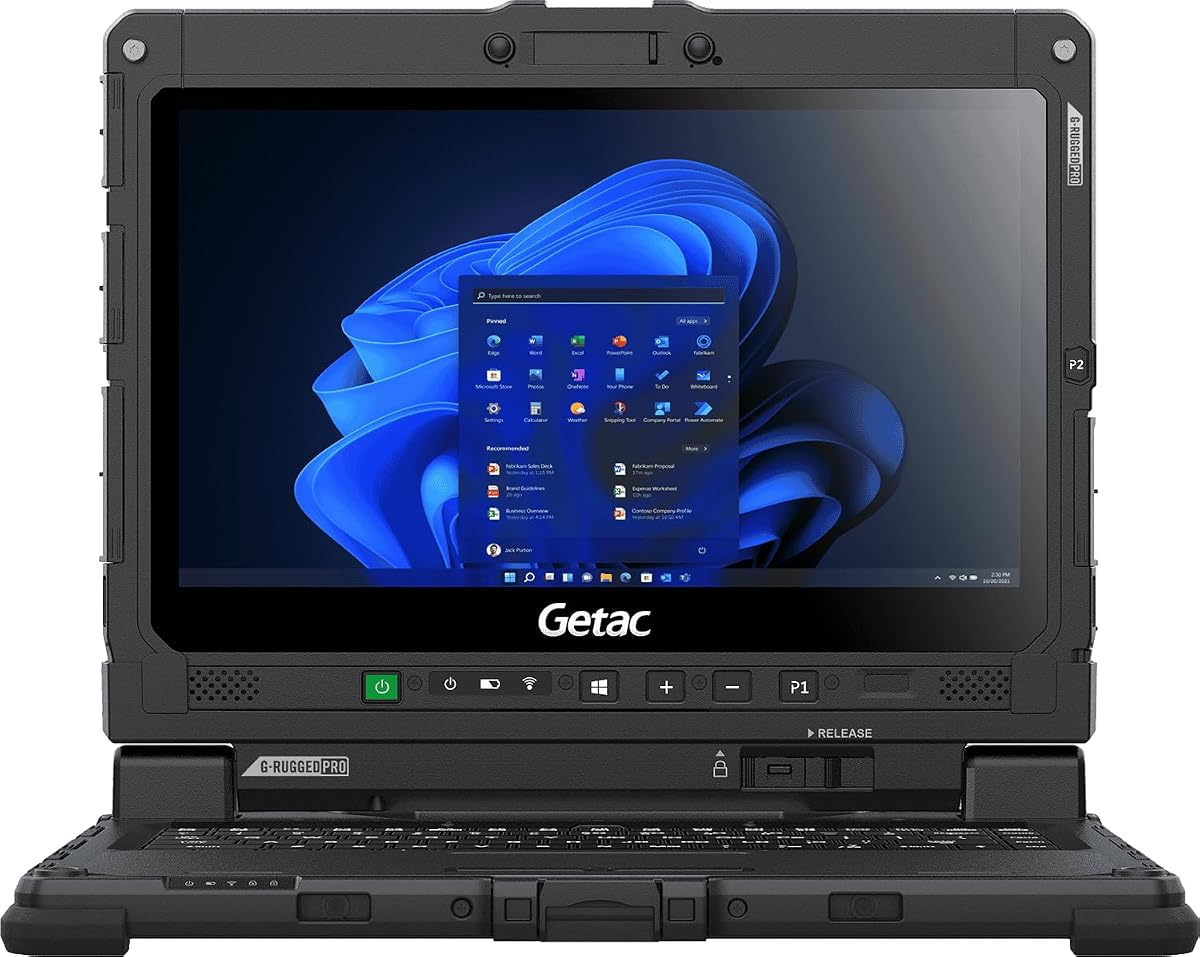
Getac Renewed K120
5.0Editor score
1200 Nits Touchscreen
MIL-STD-810H Certified
Affordable Renewed Option
Finding a laptop that remains readable under direct sunlight is essential for field professionals, construction workers, and outdoor enthusiasts. Standard screens often wash out, making data entry and design work impossible without shade. This guide highlights devices engineered for high brightness and durability.
We evaluated ten laptops based on display nits, ruggedness certifications, processing power, and battery life. Our selection includes fully rugged industrial machines and consumer laptops optimized for high-light environments. Each entry provides detailed specs to help you match your specific workflow needs.
Every pick includes real user ratings, key features, and direct links to verified listings. We focus on models that maintain visibility in harsh conditions while delivering reliable performance. Please note that prices and availability fluctuate frequently, so check current listings before purchasing.
5.0Editor score

4.1Editor score

As an Amazon Associate we earn from qualifying purchases.
The following table offers a side-by-side comparison of all ten laptops selected for this guide. It highlights core specifications such as processor type, display brightness, memory, and storage to help you quickly identify the right model for your outdoor workflow.


The MUNBYN IRX17 is a heavy-duty laptop designed specifically for environments where visibility and reliability are paramount. With a 1000-nit display, it maintains clarity even under direct sunlight, making it ideal for construction sites or field research. Users rate it highly for its robust build and powerful performance capabilities.
We may earn a commission when you buy through this link, at no additional cost to you.
Its Intel i7-1255U processor paired with 32GB of DDR5 RAM allows for smooth handling of demanding software like AutoCAD and MATLAB. The IP65 rating ensures protection against dust and water jets, while WiFi 6 technology keeps data transfer fast and reliable. This combination makes it a strong contender for professionals who work outdoors.
While the IRX17 offers impressive power and durability, it does come at a premium price and weight. It is significantly heavier than standard ultrabooks, which might be a consideration for users who frequently travel on foot. However, the trade-off is justified for those who need a machine that can withstand harsh physical conditions without performance loss.
This laptop is best suited for industrial engineers, surveyors, and field researchers who require consistent visibility in bright conditions. If your work involves running complex simulations or large datasets outdoors, the IRX17 provides the necessary hardware to get the job done efficiently without glare interference.
The 1000-nit display ensures text and graphics remain sharp even in direct overhead sunlight, eliminating the need for shade or hoods.
Certified with IP65 standards and MIL-STD-810H, this laptop resists water, dust, and drops common in industrial environments.
We may earn a commission when you buy through this link, at no additional cost to you.
The Getac K120 stands out as a highly capable option for bright sunlight tasks without the premium cost of newer models. This renewed unit delivers a 1200-nit touchscreen that remains highly visible in even the harshest outdoor lighting. It is praised for its reliability and compact design which fits easily into field gear.
We may earn a commission when you buy through this link, at no additional cost to you.
Powered by an Intel Core i5-8250U processor and 16GB of RAM, it handles essential field applications and multitasking with ease. The PCIe NVMe SSD ensures quick boot times and file access. Although it is a renewed product, it comes with a warranty and has been professionally restored to full working condition.
The main limitation lies in its older processor generation and storage capacity compared to modern standards. While sufficient for data entry, mapping, and standard office work, it might struggle with heavy 3D rendering. However, for the price and brightness, it offers exceptional value for specific niche needs.
Ideal for technicians, utility workers, or anyone needing a bright screen at a lower price point, the K120 is a smart buy. It balances cost and performance effectively for users who prioritize visibility and ruggedness over raw processing power.
At 1200 nits, this display exceeds many newer models, ensuring total readability in direct sun for a fraction of the cost.
Professionally inspected and restored, this unit offers like-new functionality with minimal wear and a warranty for peace of mind.
We may earn a commission when you buy through this link, at no additional cost to you.
The Getac S510 represents a high-end choice for professionals who need top-tier performance alongside sunlight readability. Featuring an Intel Core Ultra 5 125U processor, it brings modern AI capabilities and efficient multitasking to rugged environments. The 15.6-inch 1000-nit touchscreen offers ample workspace and crisp visibility.
We may earn a commission when you buy through this link, at no additional cost to you.
With 32GB of DDR5 RAM and a 1TB PCIe NVMe SSD, this machine is ready for heavy data work and local storage needs. It includes Thunderbolt 4 for fast connectivity and a physical Copilot key for quick access to AI assistants. The design supports vibration and drop resistance essential for mobile work.
While the performance is excellent, the price reflects its premium positioning and enterprise-grade build quality. It might be overkill for basic tasks but is perfect for complex analysis on-site. Users looking for the latest tech in a rugged shell will find it justifies the investment.
This model is recommended for advanced field analysts and engineers who require both speed and durability. If you need to run AI-enhanced applications or heavy simulations outdoors, the S510 delivers the best combination of brightness and processing power available.
The Ultra 5 125U processor enables AI-driven multitasking and future-proof performance in a compact rugged chassis.
Thunderbolt 4 ports provide ultra-fast data transfer for external drives and docking stations in professional workflows.
We may earn a commission when you buy through this link, at no additional cost to you.
The MUNBYN IRX16 offers a balanced package for those needing bright outdoor visibility without the highest price tag. It features a 1000-nit display that ensures clarity in sunlight, supported by a capable i5 processor and modern DDR5 RAM. Users appreciate the durability and the option to replace storage when needed.
We may earn a commission when you buy through this link, at no additional cost to you.
This model runs Windows 11 Pro and handles industrial software like AutoCAD and ZBrush well. The IP65 rating protects against water and dust while the WiFi 6 ensures fast data transfer for remote monitoring. It is a practical choice for small businesses or individuals needing rugged computing.
However, the fixed RAM limit might restrict future expansion compared to models with user-upgradeable memory. Also, the weight is significant for a 15-inch laptop. Despite this, the robust build and bright screen make it a reliable tool for specific outdoor jobs.
Best for contractors and field staff who need a durable machine with strong outdoor visibility, the IRX16 fits well. It provides enough power for daily tasks and software without the cost of higher-end industrial options.
The SSD is user-replaceable allowing for easy upgrades up to 4TB as data needs grow.
A built-in physical switch allows you to control camera access, ensuring privacy during field operations.
We may earn a commission when you buy through this link, at no additional cost to you.
The HP OmniBook 3 14 brings modern consumer tech to the mix with a focus on efficiency and display quality. While its 300-nit OLED screen is vibrant, it may struggle in direct bright sunlight compared to rugged models. It is best used in shaded outdoor areas or for users prioritizing battery life over raw brightness.
We may earn a commission when you buy through this link, at no additional cost to you.
Powered by the Snapdragon X processor, it offers exceptional battery duration and fast charging capabilities. The OLED panel provides deep blacks and rich colors ideal for media consumption. Windows 11 integration includes AI tools like Otter.ai for productivity on the go.
The trade-off is the lower peak brightness which limits visibility in open fields. Additionally, ARM-based processors can have compatibility issues with some legacy x86 software. This laptop suits users who work in controlled lighting conditions but need high mobility.
Ideal for students or remote workers who can find shade, the OmniBook offers a sleek alternative to heavy rugged laptops. It delivers great performance and battery life but should be chosen carefully if direct sun exposure is frequent.
Up to 41 hours of battery life supports all-day work without access to power outlets in remote locations.
The OLED screen offers superior contrast and color accuracy for creative and media tasks in low-light outdoor settings.
We may earn a commission when you buy through this link, at no additional cost to you.
This HP OmniBook provides a large 16-inch display that is helpful for multitasking even if it lacks specialized brightness. The 2K touchscreen offers sharp visuals and interactive control which can be useful in bright conditions if shaded. It is a cost-effective consumer laptop with modern connectivity options.
We may earn a commission when you buy through this link, at no additional cost to you.
The AMD Ryzen 3 30 processor handles everyday tasks smoothly while the 256GB SSD provides quick access to files. It includes AI noise reduction for clearer calls and a dedicated Copilot key. The build feels solid but is not ruggedized for harsh environments.
Limited RAM and brightness are the main constraints for field work. It may require careful positioning to avoid glare. However for office tasks outdoors under cover, it offers a generous workspace at an affordable price point.
Recommended for users needing a large screen for planning or presentations in shaded outdoor zones, this model works well. It balances size and cost effectively for those who do not require industrial durability.
The 16-inch panel provides ample screen real estate for multiple windows and detailed spreadsheets in the field.
A 2K touchscreen allows intuitive interaction with maps and design software without requiring a mouse.
We may earn a commission when you buy through this link, at no additional cost to you.
Dell's 15.6-inch laptop is a dependable daily driver designed for efficiency and eye comfort. While it lacks high brightness for direct sunlight, ComfortView helps reduce blue light which is beneficial for outdoor viewing in shaded areas. It is a standard consumer laptop that performs well for general work.
We may earn a commission when you buy through this link, at no additional cost to you.
Equipped with an Intel Core i5-1334U, it handles daily tasks and light creative work with ease. The Express Charge feature gets you back to work quickly if you run out of power. It features ergonomic hinges for comfortable typing sessions outside.
The lack of ruggedization and high brightness limits its use in harsh conditions. It is not designed to withstand drops or water. However, it is a solid choice for users who occasionally work outdoors but mostly use standard office environments.
Best for casual outdoor use like cafes or shaded parks, this Dell laptop offers comfort and reliability. It is a safe pick for those who need a standard machine with good battery support.
ComfortView software reduces harmful blue light emissions to keep eyes comfortable during long outdoor sessions.
Express Charge allows quick battery top-ups so you can stay productive without waiting hours for a full charge.
We may earn a commission when you buy through this link, at no additional cost to you.
This HP laptop features a large 17.3-inch screen with an anti-glare coating that helps in bright but not direct sun. The IPS panel offers wide viewing angles which can be helpful when sharing information outdoors. It is a desktop replacement style machine focused on utility and size.
We may earn a commission when you buy through this link, at no additional cost to you.
Powered by an AMD Ryzen 5 7430U and 16GB of RAM, it manages multitasking effectively. The 1TB storage provides plenty of room for large files without external drives. A webcam shutter ensures privacy when not in use during field meetings.
Its weight and size make it less ideal for frequent travel but perfect for stationary outdoor setups. The battery life may not match smaller models so a power source is recommended. Users valuing screen space will find it a strong option.
Ideal for users who set up at a table outdoors, the HP 17.3 offers a spacious workspace. It balances performance and storage well for those who prioritize display size over portability.
The anti-glare coating reduces reflections significantly improving readability when not in direct sunlight.
With 1TB of storage you can keep large project files locally without worrying about space constraints.
We may earn a commission when you buy through this link, at no additional cost to you.
The Panasonic Toughbook FZ-55 is a renowned name in rugged computing offering high brightness and reliability. This renewed model brings a 1000-nit display and 4G LTE to your field work at a more accessible price point. It is trusted by many organizations for its build quality.
We may earn a commission when you buy through this link, at no additional cost to you.
With an Intel Core i7 processor and 16GB RAM, it handles essential field applications well. The IP53 sealing protects against splashes and dust making it suitable for outdoor conditions. A stylus pen is included for touch input on the screen.
While the processor is older, it remains sufficient for many field tasks. The renewed status means you get great value with a tested unit. For organizations needing reliable hardware for multiple users this is a strategic choice.
Best for field technicians and government workers who value a proven rugged brand, the Toughbook delivers. It provides the necessary brightness and connectivity for remote operations without the cost of a brand new unit.
4G LTE support ensures you stay connected to the cloud even when Wi-Fi signals are unavailable.
The included stylus allows for precise touch interaction which is useful for forms and detailed mapping tasks.
We may earn a commission when you buy through this link, at no additional cost to you.
This Dell 16 laptop features a modern aspect ratio and strong processor ideal for productivity tasks. While it is a consumer device, its ComfortView Plus helps with eye strain during outdoor sessions. It is designed for all-day comfort and efficient performance in a sleek design.
We may earn a commission when you buy through this link, at no additional cost to you.
The Intel Core 7-150U provides robust power for multitasking and light creative work. Adaptive thermals help manage heat and noise making it suitable for quiet outdoor environments. The camera includes wide dynamic range to handle varied lighting conditions.
It is not built for direct sunlight or harsh conditions so shade is recommended. However, for users who value a modern screen and strong battery efficiency this is a great option. It offers a balanced experience for daily professional use.
Ideal for business professionals working in outdoor offices or parks, this Dell laptop is a reliable choice. It prioritizes ergonomics and modern features over rugged specs which works well for protected outdoor settings.
The 16:10 screen provides more vertical space for scrolling through documents and spreadsheets easily.
Dell's 1 Year Onsite Service ensures you get help quickly if hardware issues arise during your work.
We may earn a commission when you buy through this link, at no additional cost to you.
Selecting the right laptop for bright sunlight involves more than just checking specs. It requires balancing visibility, durability, and performance to match your specific work environment. Use this guide to identify the features that matter most.
Display brightness is measured in nits or candelas per square meter. For direct sunlight, you should look for a display rated at 1000 nits or higher. Consumer laptops usually range between 250 and 400 nits which may be insufficient in bright outdoor conditions.
Prioritize models with high nits ratings to ensure text and graphics remain visible without glare or strain.
Rugged laptops meet military standards like MIL-STD-810H for resistance to drops, vibration, and temperature extremes. They often have IP ratings such as IP53 or IP65 for dust and water resistance which is critical for field use.
Choose a laptop with certified ruggedness if you work in construction, industrial sites, or harsh weather.
Modern processors like Intel Core i5 or i7 and AMD Ryzen provide efficient multitasking and software support. High-performance CPUs are essential for running complex applications like CAD or data analysis tools in the field.
Ensure your laptop has a processor that matches your workload demands to avoid lag during critical tasks.
Generous RAM (16GB or higher) helps smooth multitasking while SSDs provide fast load times. For field work, you may need local storage for maps, schematics, or media files.
Look for models with at least 16GB RAM and 512GB SSD to handle data efficiently.
Strong WiFi 6 or LTE support ensures you stay connected in remote areas. Physical ports like HDMI or USB-C are necessary for external monitors or data transfer devices.
Check that the laptop includes the connectivity you need for your specific workflow.
Outdoor work often means limited access to power outlets. Long battery life and fast charging capabilities keep you productive all day without interruptions.
Opt for laptops that promise extended usage hours and quick recharge options for field efficiency.
Rugged laptops are heavier than consumer models but offer better protection. Consider how much weight you can carry comfortably during daily tasks.
Balance the need for durability with the physical burden of transporting the device.
Ensure the laptop supports your required software including specific industrial applications. Windows 11 Pro offers advanced security and domain features useful for business environments.
Verify OS compatibility before purchase to avoid deployment issues.
To maximize screen visibility in bright conditions, adjust your position to avoid direct glare angles. Using a matte screen protector can further reduce reflections even on high-nit displays.
Keep the laptop clean from dust and debris by wiping it down with a microfiber cloth after outdoor use. This prevents particles from entering ports or damaging the screen surface.
Store your device in a protective bag or hard case when not in use to shield it from impacts and environmental factors. Regularly check ports and battery health to maintain long-term reliability.
For direct sunlight, a display with at least 1000 nits is recommended. Standard consumer laptops around 300 nits will often appear washed out under direct sun. Rugged models with 1000+ nits are designed for optimal outdoor readability.
If your work involves harsh environments or frequent travel, rugged laptops are worth the investment. They offer superior durability and visibility that protect your data and hardware over time.
Consumer laptops can work outdoors in shaded areas but may struggle in direct sunlight due to lower brightness. They are suitable for brief use under cover but not for prolonged field work.
High refresh rates provide smoother motion and reduce motion blur which is helpful for interactive tasks. For static work like data entry, they are less critical than brightness.
Touchscreens allow direct interaction without a mouse which is useful in the field. Ensure the touchscreen supports gloved use if you operate in cold or protective gear environments.
Long battery life ensures uninterrupted work without carrying power banks or chargers. It is a key factor for remote locations where access to electricity is limited.
We have highlighted ten laptops ranging from industrial rugged machines to capable consumer models. The MUNBYN IRX17, Getac K120, and Getac S510 stand out for their exceptional brightness and durability tailored for harsh conditions.
Prioritize display brightness and rugged certifications if your work involves direct sunlight exposure. For lighter use cases, modern consumer laptops can still serve you well in shaded outdoor areas.
Remember to check current prices and availability before purchasing as models may update frequently. Choosing the right tool ensures you stay productive and protected in any lighting environment.