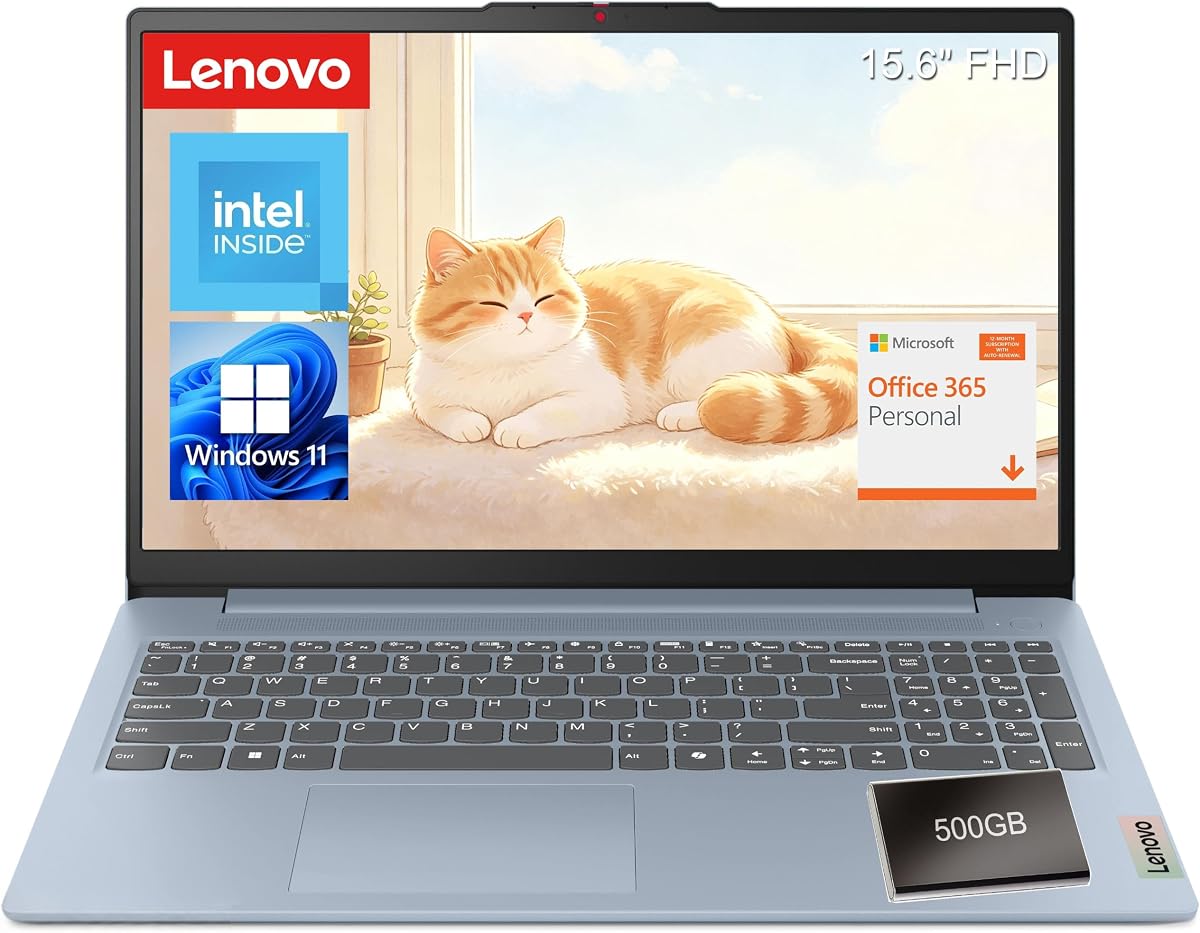
Lenovo Laptop Computer with 1-Year Office 365
4.4Editor score
15.6 FHD Display
Intel N150 Processor
8GB LPDDR5 RAM
Finding the right business laptop can be challenging when you need reliability, performance, and durability. The Lenovo Thinkpad lineup offers a wide range of options designed for professionals who demand consistent performance in demanding work environments.
We have carefully evaluated ten different models based on their processing power, display quality, security features, and overall value. Each product on this list has been selected to meet specific needs ranging from budget-friendly options to high-performance workstations.
Every pick includes detailed specifications, pros and cons, and real-world usage insights to help you make an informed decision. Please note that prices and availability may change frequently so always check the latest details before purchasing.
4.4Editor score

4.5Editor score

5.0Editor score
As an Amazon Associate we earn from qualifying purchases.
This comparison table provides a side-by-side overview of all ten selected models highlighting their core specifications and key differences to help you quickly identify the best fit for your needs.




The Lenovo ThinkPad E16 Gen 2 stands out as a top-tier business laptop with a strong 4.5-star rating. It combines powerful AMD Ryzen processing with generous DDR5 memory to handle complex workloads efficiently.
We may earn a commission when you buy through this link, at no additional cost to you.
Its AMD 8-Core Ryzen 7 7735HS processor ensures smooth multitasking while the 16GB DDR5 RAM supports demanding applications. The 16-inch WUXGA display provides ample screen real estate for productivity tasks and analysis.
While the non-touch anti-glare screen is functional it lacks higher color accuracy compared to premium models. The bundled hub adds value but the overall build focuses on business practicality rather than multimedia flair.
This laptop is ideal for professionals needing reliable performance without excessive cost. Its combination of speed storage and professional features makes it a versatile choice for daily office work and remote tasks.
The Ryzen 7 7735HS delivers exceptional speed for business applications ensuring smooth operation during intensive work sessions.
With WiFi 6 and Bluetooth 5.3 this laptop ensures stable wireless connections for seamless communication and data transfer.
We may earn a commission when you buy through this link, at no additional cost to you.
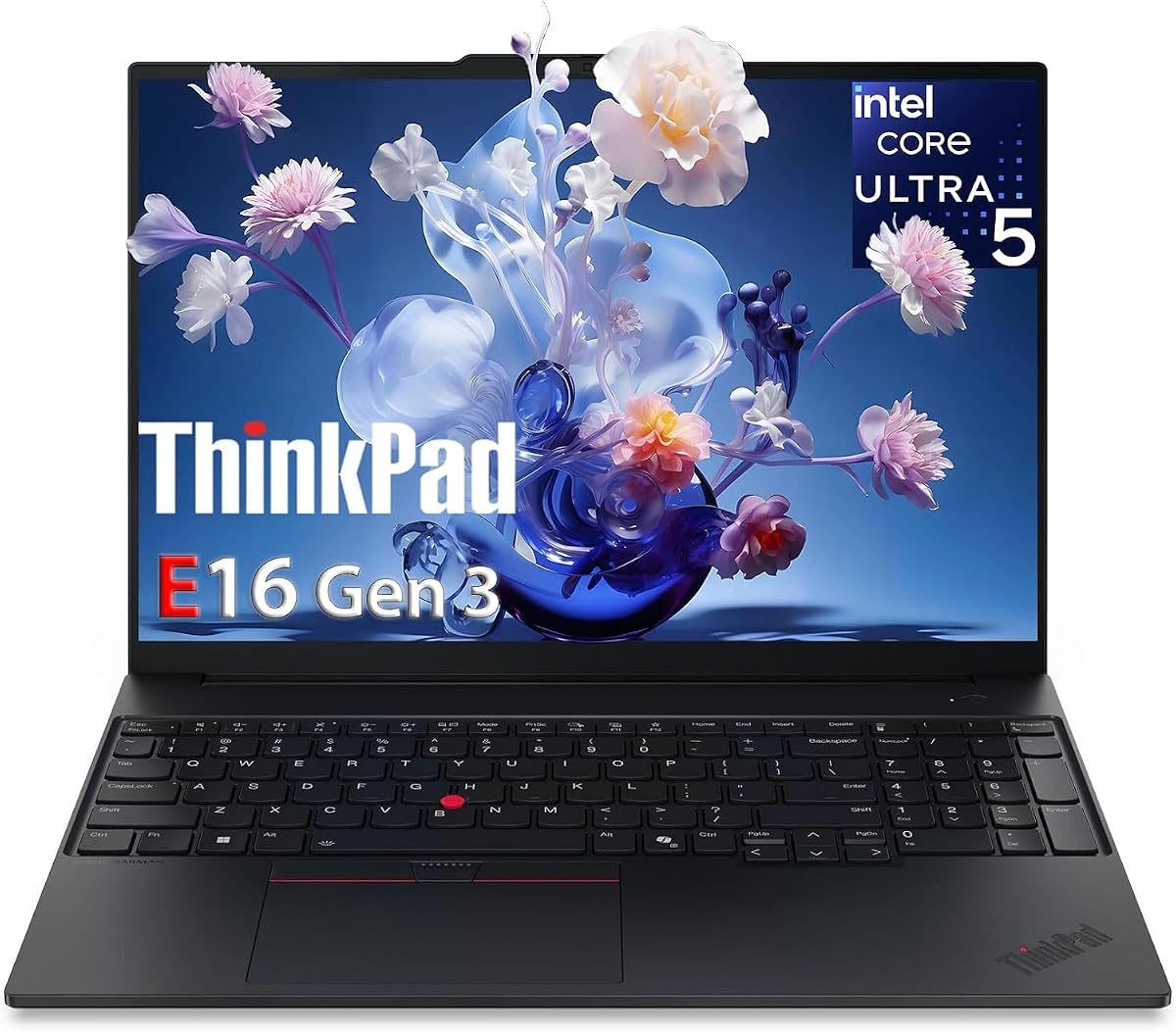
The Lenovo ThinkPad E16 Gen 3 offers next-generation performance with its Intel Ultra 5 processor and AI capabilities. It is designed for enterprise environments where security and reliability are paramount.
We may earn a commission when you buy through this link, at no additional cost to you.
Its integrated AI Boost NPU enhances productivity workflows while the fingerprint reader and TPM 2.0 chip secure sensitive data. The backlit keyboard and 16-inch display make it comfortable for long work hours.
The premium price reflects its advanced features and enterprise readiness. While 16GB of RAM is standard it may not suffice for highly virtualized workloads without future upgrades.
This laptop excels for executives and mobile professionals needing robust security and performance. Its modern design and AI features position it as a forward-thinking choice for business users.
The Intel Ultra 5 processor with AI Boost accelerates data analysis and multitasking making it ideal for modern workflows.
Advanced security features including TPM 2.0 and fingerprint access protect corporate data from unauthorized breaches.
We may earn a commission when you buy through this link, at no additional cost to you.
The Lenovo ThinkPad L16 delivers exceptional storage and memory at a competitive price. Its 32GB DDR5 RAM and 1TB SSD make it suitable for heavy multitasking and large file management.
We may earn a commission when you buy through this link, at no additional cost to you.
The touchscreen adds versatility for presentations and navigation while Thunderbolt 4 ensures fast data transfer. MIL-STD-810H certification guarantees durability for fieldwork and travel demands.
It costs more than entry-level options but justifies the price with superior internal specs. The weight is slightly higher but acceptable for the performance and storage gains it provides.
This model is perfect for small business owners and students needing ample resources without stepping up to enterprise models. It balances power and value effectively for diverse professional tasks.
With 32GB of RAM you can run multiple virtual machines and applications simultaneously without performance degradation.
The 1TB SSD provides fast boot times and quick access to large datasets ensuring efficiency in daily workflows.
We may earn a commission when you buy through this link, at no additional cost to you.
The Lenovo Laptop Computer with Office 365 offers an affordable entry point for students and home users. It includes essential productivity tools and meets basic computing needs without high costs.
We may earn a commission when you buy through this link, at no additional cost to you.
Its Intel N150 processor handles web browsing and document editing smoothly while 8GB RAM supports everyday multitasking. The lightweight design makes it easy to carry around campus or home.
Storage is limited to 128GB requiring reliance on cloud services for larger files. Performance is adequate for light use but may struggle with heavy applications or gaming tasks.
This laptop is best for students or light home users who prioritize portability and value. The included Office 365 subscription adds significant value to the overall package.
The bundled Microsoft 365 Personal subscription provides immediate access to Word Excel and Outlook right out of the box.
Weighing just 3.42 lbs this laptop is easy to transport making it ideal for students and mobile users.
We may earn a commission when you buy through this link, at no additional cost to you.
The Lenovo ThinkPad E16 focuses on reliability and battery longevity for mobile professionals. It features quick charging technology to minimize downtime during busy business trips.
We may earn a commission when you buy through this link, at no additional cost to you.
Its fingerprint reader and backlit keyboard enhance usability in various lighting conditions and security needs. The Windows 11 Pro system supports enterprise management and advanced security features.
While the storage is standard at 512GB it offers fast boot times and sufficient space for most documents. The battery life remains a key selling point for remote workers who travel frequently.
This laptop is a solid choice for remote workers and entrepreneurs needing consistent performance. Its durability and battery focus make it a reliable tool for daily professional activities.
Fast charging technology ensures you spend minimal time plugged in and more time working on the go efficiently.
The fingerprint reader provides secure and quick access to your laptop enhancing both safety and convenience.
We may earn a commission when you buy through this link, at no additional cost to you.
The Lenovo ThinkPad E16 Gen 3 Pro stands out for its triple display output and massive memory capacity. It supports up to three external 4K displays for extensive workspace setups.
We may earn a commission when you buy through this link, at no additional cost to you.
Its 32GB DDR5 RAM ensures seamless multitasking across complex spreadsheets and virtual meetings without lag. The AI Boost NPU accelerates productivity workflows and creative tasks efficiently.
The higher price reflects its superior performance and connectivity features for power users. While it lacks a specific premium badge its specs rival high-end workstation laptops easily.
This laptop is perfect for data analysts and professionals needing expansive screen real estate. Its robust specs ensure it can handle demanding workloads with ease and efficiency.
Connect up to three external 4K displays via Thunderbolt 4 and HDMI for maximum productivity and multitasking.
32GB of DDR5 RAM allows you to run multiple heavy applications simultaneously without performance drops.
We may earn a commission when you buy through this link, at no additional cost to you.
The Lenovo 15.6 FHD Laptop 2026 Edition combines slim design with durable construction for students and casual users. It features anti-glare coating to reduce eye strain during extended usage.
We may earn a commission when you buy through this link, at no additional cost to you.
Its lightweight chassis and slim profile make it easy to carry in any bag. The bundled external hard drive helps mitigate the limited internal storage capacity effectively.
While the processor is basic it handles web browsing and streaming well for daily needs. The privacy shutter on the camera adds an important layer of security for video calls.
This laptop is ideal for students needing a portable device for classes and light work. Its durability and low weight make it a practical choice for daily transport and use.
Weighing just 3.42 lbs this laptop fits easily in any backpack making it perfect for commuting and travel.
The privacy shutter on the HD camera protects your privacy during video calls and online meetings.
We may earn a commission when you buy through this link, at no additional cost to you.
The Lenovo ThinkPad P14s AMD is engineered for multi-discipline professionals needing certified software compatibility. Its Ryzen AI processor supports local Copilot workflows enhancing creative and data tasks.
We may earn a commission when you buy through this link, at no additional cost to you.
ISV validation ensures reliability for AutoCAD and Revit making it suitable for architectural and engineering work. The 100%sRGB display delivers precise color output for visual accuracy.
The 14-inch screen is compact but sacrifices real estate compared to 16-inch models. Despite the premium price it offers unique features for niche professional demands and creative workflows.
This laptop is best for designers and engineers working with specialized software. Its high-end specs and ISV certification make it a dependable tool for professional project work.
ISV certification ensures compatibility with industry software like AutoCAD and SolidWorks for reliable professional workflows.
The 100%sRGB display provides precise color accuracy essential for design and media content creation tasks.
We may earn a commission when you buy through this link, at no additional cost to you.
The Lenovo ThinkPad L14 offers a budget-friendly renewed option for business users needing solid specs. Its 16GB RAM and Ryzen 5 processor provide reliable performance for standard tasks.
We may earn a commission when you buy through this link, at no additional cost to you.
Trackpoint navigation and business security features align with traditional ThinkPad reliability. The renewed status lowers the entry cost while maintaining key professional functionalities.
A lower rating may reflect varied refurbishment quality or cosmetic wear. Storage is limited but sufficient for system files and essential business documents when paired with cloud services.
This laptop is great for small businesses on tight budgets or home offices. It balances cost and performance making it a viable choice for basic professional tasks.
The iconic Trackpoint allows precise navigation without lifting your hands from the keyboard enhancing typing speed.
Enterprise-grade security features protect sensitive data effectively for business environments requiring reliability.
We may earn a commission when you buy through this link, at no additional cost to you.
The Lenovo ThinkPad T14s Gen 1 is a compact professional laptop with ample storage at a renewed price. Its 16GB RAM supports smooth multitasking for daily business applications.
We may earn a commission when you buy through this link, at no additional cost to you.
The 14-inch design prioritizes portability making it ideal for frequent travelers. While the processor is older it remains capable for essential work tasks and productivity suites.
Limited modern ports may require adapters for peripherals and monitors. The renewed status offers cost savings but users should check warranty coverage before purchase.
This laptop suits professionals needing a reliable and affordable work device. Its compact size and enterprise features make it a practical choice for mobile office use.
Its slim 14-inch chassis ensures it fits easily in travel bags for frequent business commuters and remote workers.
Windows 11 Pro supports advanced security and remote management tools essential for corporate IT policies.
We may earn a commission when you buy through this link, at no additional cost to you.
Selecting the right Thinkpad requires balancing performance needs with budget constraints. This guide outlines key factors to consider when choosing a model that fits your specific workflow.
Processors vary from entry-level Intel N150 to powerful Ryzen AI 7 Pro and Intel Ultra 5 chips. Business users should prioritize newer generations for AI capabilities and multitasking speed.
Choose Ultra 5 or Ryzen 7 for complex workloads and N150 for basic web browsing and document tasks.
RAM ranges from 8GB to 32GB. For smooth operation of multiple applications and virtual machines 16GB is the minimum standard while 32GB is ideal for heavy data analysis.
Storage should be at least 512GB SSD for fast boot times and ample space for business files without constant external drive use.
Thinkpads offer 14 to 16-inch screens with resolutions up to WUXGA. A 16-inch display provides more workspace for spreadsheets while 14-inch units offer better portability.
Look for IPS panels with anti-glare coatings to reduce eye strain during long working hours.
Business laptops require robust security. Look for fingerprint readers, privacy shutters, and TPM 2.0 chips to protect sensitive corporate data from unauthorized access.
Enterprise models often include additional security suites like ThinkShield for layered protection.
Mobile professionals need long battery life for travel. Models with fast charging allow you to quickly top up power between meetings without significant downtime.
Check reviews for real-world battery performance as ratings vary based on usage intensity.
Modern Thinkpads feature Thunderbolt 4, USB-C, and WiFi 6E. Ensure the model has enough ports for your external monitors and peripherals without needing multiple adapters.
Consider Ethernet ports if stable wired internet is required for secure business connections.
Many Thinkpad models are MIL-STD-810H tested to withstand harsh conditions like drops and extreme temperatures. This makes them suitable for fieldwork and travel.
A durable chassis ensures longevity and protects your investment during demanding use.
Renewed models offer significant cost savings but may have cosmetic wear. Always check warranty terms to ensure adequate coverage for the refurbished components.
New units provide peace of mind and longer support but at a higher initial price point.
To maximize battery life avoid leaving the laptop plugged in constantly and close unused applications. This prevents overheating and preserves battery health over time.
Regularly update your Windows 11 Pro or Home system to ensure security patches and driver improvements are applied automatically for stability.
Use a soft microfiber cloth to clean the display and keyboard. Avoid harsh chemicals that could damage the anti-glare coating or plastic casing.
The E series focuses on business value with powerful processors and modern features at a lower price point. The L series offers enterprise-ready durability and reliability for daily professional use.
Yes, ThinkPad laptops are durable and reliable with long battery life. The budget models offer enough power for research and writing without overspending on premium features.
Most models support external monitors via HDMI and USB-C ports. Higher-end models can drive up to three 4K displays for expanded workspace setups.
Business-oriented models include Windows 11 Professional with advanced security and management tools. Basic consumer models typically come with Windows 11 Home.
For smooth multitasking with multiple browser tabs and office apps 16GB is recommended. Heavy tasks like virtual machines benefit from 32GB of DDR5 memory.
Many ThinkPad models are MIL-STD-810H tested to resist shock and temperature changes. This makes them reliable for frequent travel and field work conditions.
Some models allow storage upgrades but others have soldered components. Check specific model specifications before purchasing to confirm upgrade flexibility.
Renewed ThinkPads offer significant savings while retaining core business features. Ensure they come with a warranty to protect against potential hardware issues.
The top picks highlight the versatility of the Thinkpad lineup from budget-friendly entry models to premium business machines. Each option offers unique strengths depending on your specific work needs.
Prioritize processing power and memory if you handle large data sets or complex applications. For general use battery life and portability should be your main focus for daily tasks.
Always verify the current prices and availability as they can fluctuate. Check warranty terms carefully especially for renewed models to ensure you get reliable support.