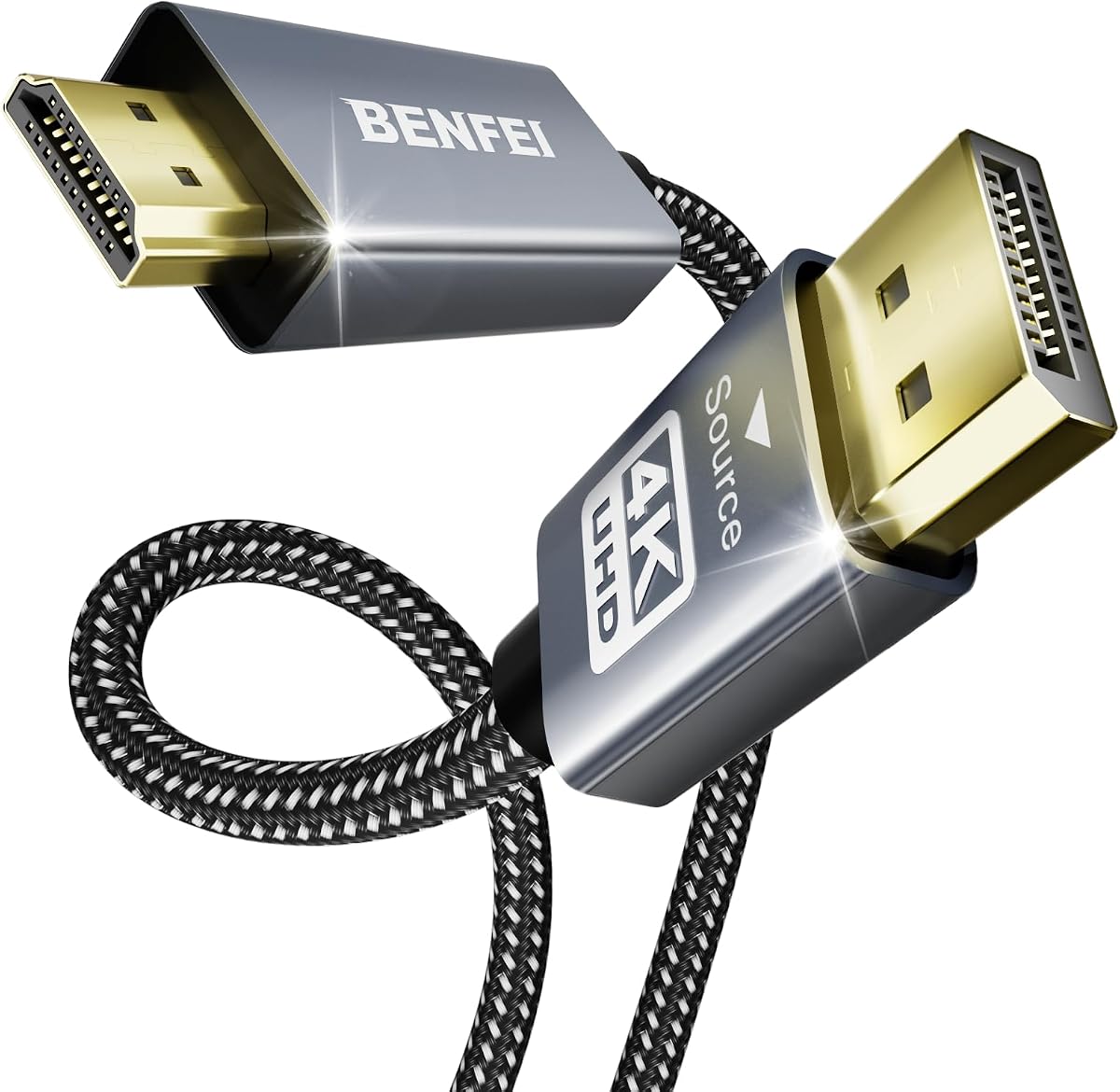
BENFEI 4K DisplayPort to HDMI Cable
4.5Editor score
Advanced IC chip conversion
Nylon braided durability
Gold plated connectors
Discover the top Displayport to HDMI Cable options for 2026. This guide compares features, compatibility, and performance to help you choose the right adapter.
Finding the right Displayport to HDMI Cable can transform your viewing experience significantly. Whether you are connecting a gaming laptop to a TV or a desktop to a projector, the right cable ensures crisp visuals and synchronized audio. This guide explores the best options available today.
We analyzed ten top-rated cables based on build quality, signal stability, and resolution support. Each product was evaluated for its ability to handle high refresh rates and maintain image integrity over time. Our selection includes various lengths and durability features to suit different setups.
Each pick in this list highlights key strengths and potential limitations to help you decide. We focus on unidirectional compatibility since many users confuse port directions. Please note that prices and availability can change frequently, so check current listings before purchasing your new cable.
4.5Editor score

4.7Editor score

4.8Editor score
This table provides a quick side-by-side look at the key specifications and features of each cable reviewed in this guide to help you compare them easily.



This UGREEN DisplayPort to HDMI cable stands out as a top contender for most users seeking reliable connectivity. With a high rating and solid build quality, it offers a balance of performance and durability that fits various setups well.
We may earn a commission when you buy through this link, at no additional cost to you.
The standout feature here is its ability to support 1080P at 120Hz which is rare for passive cables in this range. It also handles 4K at 30Hz smoothly ensuring your content looks sharp whether you are working or gaming.
While it is not bi-directional, the no-buckle design prevents damage during frequent plugging. The double shielding keeps signal interference low which helps maintain audio and video clarity even over the 6.6FT length.
Anyone looking for a dependable cable for a PC to monitor or TV connection should consider this model. It provides a stable link that handles high resolutions without needing extra drivers or software installations.
The 1080P@120Hz support allows for smoother motion in games and videos compared to standard 60Hz limits found in many cheaper options.
Built with a nylon braided jacket and aluminum case this cable resists wear and heat better than typical PVC alternatives.
We may earn a commission when you buy through this link, at no additional cost to you.
The Highwings cable offers a solid entry point for users needing a basic DP to HDMI connection. It supports 4K resolution and includes audio synchronization features that enhance the viewing experience on larger screens.
We may earn a commission when you buy through this link, at no additional cost to you.
Its construction includes multi-layer shielding and a nylon-braided wire designed to last through thousands of bends. The 24K gold-plated connector helps minimize interference ensuring that the signal remains clean during use.
Users should note that this cable is uni-directional meaning it only works from a PC source to a display. This limitation is common but important to verify before purchasing to avoid connectivity issues.
For home office setups or entertainment systems where cost matters this cable delivers good performance. It is a practical choice for those who need to extend their desktop or mirror screens reliably.
The gold-plated connectors and shielding work together to reduce noise and maintain a stable connection over time.
High-definition audio and video are synchronized which ensures a seamless experience when streaming content.
We may earn a commission when you buy through this link, at no additional cost to you.
Amazon Basics provides a straightforward solution for basic connectivity needs. This cable is designed to connect a DisplayPort-enabled computer to an HDMI display without requiring any software installation.
We may earn a commission when you buy through this link, at no additional cost to you.
It supports resolutions up to 1080p which is sufficient for most office work and media playback. The gold-plated connectors ensure durability while the shielding protects against signal interference for consistent performance.
While it does not support 4K or high refresh rates, it delivers on reliability for standard setups. The 6-foot length is a practical choice for most desk environments.
This option is ideal for users who prioritize simplicity and brand trust over advanced features. It works well for presentations or extending a workspace in a home office setting.
Amazon Basics is known for consistent quality control which reduces the risk of receiving a defective unit.
The passive design means no external power is needed just a direct connection between source and display.
We may earn a commission when you buy through this link, at no additional cost to you.
The Warrky cable brings a sleek design with its slim aluminum one-piece shell that resists corrosion. It offers high-quality visuals with 4K support and is built to handle daily use with durability.
We may earn a commission when you buy through this link, at no additional cost to you.
Five-layer shielding is used to ensure pristine signal transmission reducing interference from surrounding electronics. The nylon braided jacket adds flexibility while with the physical stress of being moved or bent.
Users appreciate the attention to detail in the build which contributes to long-term reliability. The 6-foot length is standard but effective for most connection scenarios in home or office settings.
This cable is a strong choice for those who value aesthetics alongside performance. It fits well into modern setups where the look of the hardware matters as much as the functionality.
The aluminum shell provides a premium look and feel compared to standard plastic housing found on other cables.
With a high bend lifespan the jacket ensures the cable stays functional even with frequent adjustments.
We may earn a commission when you buy through this link, at no additional cost to you.
The JSAUX cable stands out due to its 10FT length which offers significant flexibility for various room layouts. This extra length is perfect for connecting PCs in meeting rooms or home offices to distant displays.
We may earn a commission when you buy through this link, at no additional cost to you.
Despite the length it maintains 4K resolution support and a durable nylon exterior that protects against daily wear. The uni-directional design ensures clear signal flow from source to display without complications.
Long cables can sometimes be prone to tangling but this model manages well due to its material quality. It is a practical solution when you need to reach a projector or TV across a room.
Anyone needing reach beyond the standard 6 feet will find this model very useful. It simplifies setups where cable management is a challenge without sacrificing signal quality.
The 10FT length allows you to place your computer where it fits best rather than near the screen.
The nylon exterior adds robustness to the cable ensuring it handles being routed under desks or behind furniture.
We may earn a commission when you buy through this link, at no additional cost to you.
The BENFEI cable is an excellent budget-friendly option that does not compromise on essential features. It includes an advanced IC chip that ensures accurate data streaming and stable performance for daily tasks.
We may earn a commission when you buy through this link, at no additional cost to you.
Its build features a nylon braided jacket and an aluminum shell for protection against physical damage. The 18-month warranty adds confidence to the purchase which is a strong point for price-sensitive shoppers.
While it is not the highest performance option available, it delivers 4K resolution and reliable audio pass-through. The gold-plated connectors resist corrosion which helps maintain a solid connection over time.
For users who need a reliable cable without spending much, this is a top recommendation. It balances cost and quality effectively making it accessible for many households and small businesses.
The 18-month warranty provides a safety net for the buyer ensuring issues can be resolved quickly.
The built-in chip converts signals efficiently which reduces the chance of dropouts during use.
We may earn a commission when you buy through this link, at no additional cost to you.
This 2-pack from Cable Matters offers value for users who need multiple cables for different rooms or devices. Each cable supports 1080p Full HD and comes with secure latches to prevent accidental disconnection.
We may earn a commission when you buy through this link, at no additional cost to you.
The inclusion of foil and braid shielding ensures signal stability which is critical for uninterrupted video streaming. Bare copper conductors help maintain quality transmission over the 6-foot length.
While it does not offer 4K support, the two-pack is great for households with several computers needing monitors. The secure latch design keeps the connection firm even if the cable is moved frequently.
This set is ideal for families or offices where having a backup cable is useful. It simplifies purchasing by providing two units at a competitive rate compared to buying separately.
Getting two reliable cables in one purchase saves time and can be more cost-effective than buying individually.
The latches ensure that the cable stays firmly in place which prevents signal loss from loose fits.
We may earn a commission when you buy through this link, at no additional cost to you.
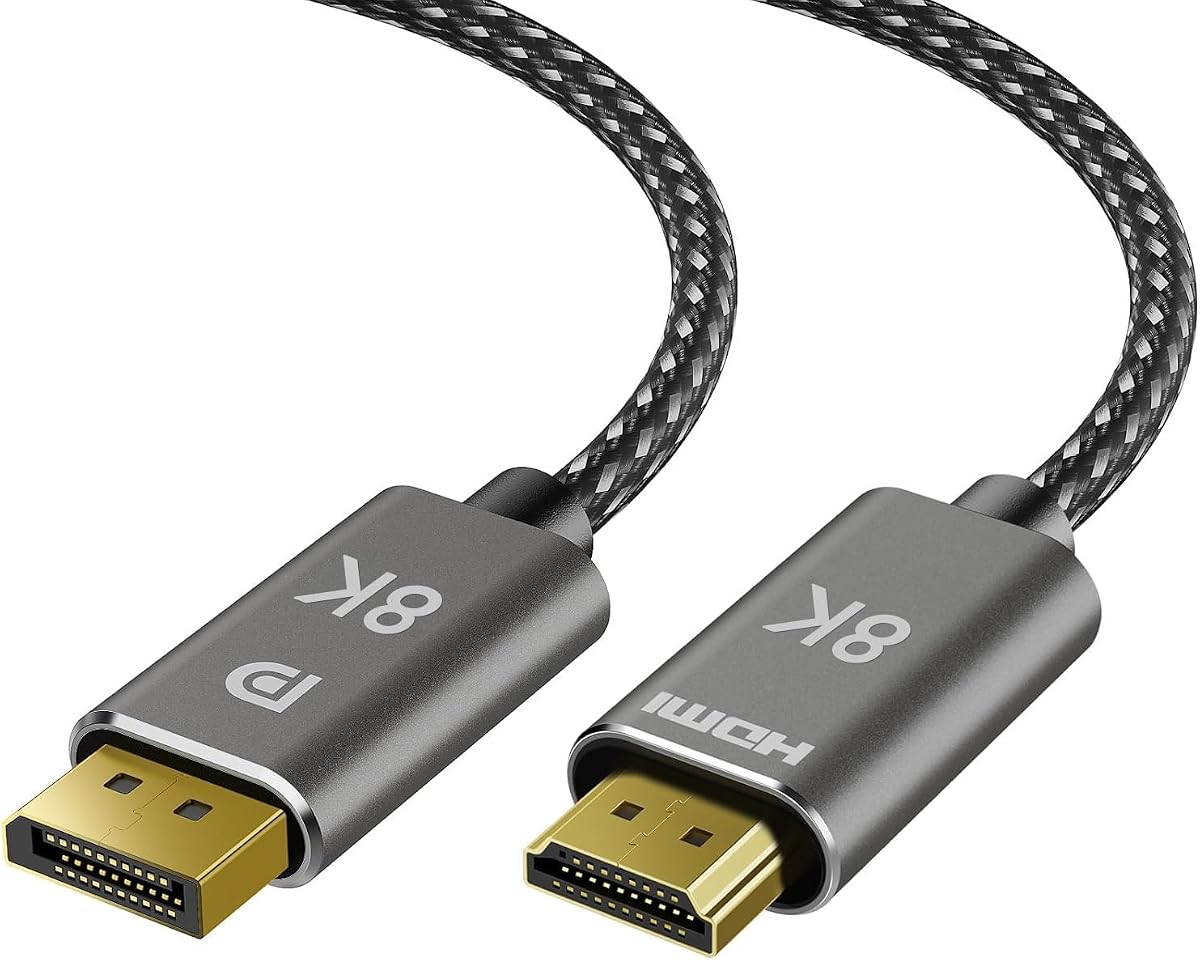
This cable targets enthusiasts who need high-end resolution capabilities like 8K at 60Hz or 4K at 240Hz. It uses advanced HDMI 2.1 features to deliver cutting-edge video technology for immersive viewing experiences.
We may earn a commission when you buy through this link, at no additional cost to you.
It requires a compatible GPU and potentially driver updates to unlock full performance. The braided jacket adds durability while the molded strain relief protects the connection points from stress.
Users must ensure their hardware supports these high resolutions to benefit from the cable. It is designed for gamers and multimedia professionals who demand the latest standards in visual fidelity.
While it comes at a premium price, the capabilities it offers are unmatched for high refresh rate setups. It is a forward-looking choice for those planning to upgrade to next-gen displays soon.
Support for 240Hz refresh rates ensures ultra-smooth visuals for competitive gaming and high-end media.
By supporting HDMI 2.1 standards this cable prepares you for future displays that leverage higher bandwidth.
We may earn a commission when you buy through this link, at no additional cost to you.
The UGREEN Active Display Port to HDMI cable represents the top tier of performance with its ability to support 8K at 60Hz. It uses an active adapter chip to manage high bandwidth efficiently.
We may earn a commission when you buy through this link, at no additional cost to you.
With a transmission rate of 32.4 Gbps it supports HDMI 2.1 features like HDR and DSC for vivid images. The aluminum case provides excellent heat dissipation which is crucial for active signal conversion.
While expensive, this model ensures stability for high-end setups where lower quality cables might fail. It is designed for professional workflows or premium home theater systems that demand clarity.
For users seeking the absolute best visual experience this cable is worth the investment. It bridges the gap between modern GPUs and next-gen displays effectively without signal loss.
The active chip handles signal conversion internally allowing for higher resolutions than passive cables can manage.
The aluminum casing helps dissipate heat generated during high-performance transmission ensuring long-term reliability.
We may earn a commission when you buy through this link, at no additional cost to you.
This cable from Cable Matters is designed for professional users who need high resolutions like 8K at 60Hz. It includes a secure DP latch to ensure the connection stays stable during intensive tasks.
We may earn a commission when you buy through this link, at no additional cost to you.
It supports DSC technology which allows for higher bandwidth without compressing the image. The braided jacket adds durability making it suitable for environments where cables are moved frequently.
Users should be aware that it does not support VRR or G-Sync features which may limit its use for some gamers. However, for static high-resolution work it performs reliably and efficiently.
For those requiring professional-grade connectivity this cable offers the necessary specs to drive modern displays. It is a robust choice for studios and design offices where visual fidelity is paramount.
DSC technology allows this cable to handle 8K video without needing massive physical bandwidth increases.
The secure latch and braided jacket ensure the cable can withstand the rigors of daily professional use.
We may earn a commission when you buy through this link, at no additional cost to you.
Choosing the right cable involves considering several technical factors to ensure it meets your specific needs and setup requirements.
Most DisplayPort to HDMI cables are uni-directional meaning they only send signal from a computer to a screen. Always check this before buying to avoid trying to connect a console to a monitor.
Confirm that your source device has a DisplayPort output and your display has an HDMI input.
Ensure the cable supports the resolution you need such as 1080p 4K or 8K. Higher resolutions require higher bandwidth and specific versions like HDMI 2.1 for 8K.
Check your monitor capabilities and GPU limits to select a cable that matches.
Refresh rates like 60Hz or 120Hz affect how smooth motion appears. Gaming setups often need higher refresh rates to reduce motion blur during fast action.
Look for cables explicitly stating support for your target refresh rate to avoid bottlenecks.
Longer cables like 10 feet offer flexibility but can sometimes suffer from signal degradation if not shielded well. Choose the shortest length that reaches comfortably.
For standard desks 6 feet is usually sufficient for most connections.
Materials like nylon braiding and aluminum shells protect the cable from physical damage. Gold-plated connectors resist corrosion and improve signal stability.
Investing in durable materials ensures the cable lasts longer with daily use.
Good shielding prevents electromagnetic interference which can cause flickering or audio issues. Look for cables with foil or braided shielding layers.
Proper shielding is key for maintaining image clarity especially in electrically noisy environments.
Most modern cables support audio pass-through which means sound is transmitted along with video. Check if it supports the audio channels you need like 5.1 or 7.1.
Ensure your software and display settings are configured correctly for audio routing.
Not all devices work with standard passive cables. Some setups require active adapters to convert signals properly.
Verify compatibility with your specific GPU and monitor model before finalizing your purchase.
To use the cable start by connecting the DisplayPort end to your computer or graphics card. Then plug the HDMI end into your monitor or TV to establish the link.
Once connected check your display settings to select the correct input source. This ensures the screen shows the signal from your computer properly.
Care for the cable by avoiding sharp bends or pulling on the connectors. This helps maintain the internal wiring and extends the life of the product.
No these cables are uni-directional and only work from a DisplayPort source to an HDMI display. Connecting a console to a monitor requires a different adapter or cable type.
Many models support 4K at 30Hz but not all support higher refresh rates. Check the product specs to confirm if it meets your 4K needs.
These are passive or active adapters that typically require no drivers. Simply plug and play to start using your display connection.
Passive cables rely on DP++ ports to convert signals while active cables use a chip to convert the signal. Active cables are needed for some high-resolution setups.
Flickering can be due to poor shielding or incorrect resolution settings. Ensure the cable is properly seated and your display matches supported specs.
Yes but verify that the card supports the resolution you need. Older cards may have limitations on bandwidth or output capabilities.
We reviewed ten top Displayport to HDMI cables covering various needs from basic connectivity to high-end 8K performance. The UGREEN 4K cable stands out for balanced features while the BENFEI option offers great value for budget shoppers.
Prioritize build quality and resolution support based on your use case. If you need high refresh rates for gaming ensure the cable explicitly supports your desired specs.
Remember that prices change frequently and availability varies so check current listings before buying. This guide helps narrow down your choices to the most reliable options.